
TL;DR

Get home appliances delivered free with Prime
- Fast, free delivery on millions of items
- Prime Video, Amazon Music and more included
- Member-only deals all year
Samsung has upgraded the Galaxy Watch browser to enable direct image downloads, making web browsing more functional on the device. The update is available for compatible models following the latest Samsung Browser update.
Samsung Galaxy Watch users can now download images directly from webpages, a feature added through the latest version of Samsung Browser. This upgrade makes the watch’s web browsing experience more comparable to a desktop browser, enhancing its functionality and convenience for users.
The new feature was reported by SamMobile and is available after updating the Samsung Browser app on compatible Galaxy Watch models. Once updated, users can navigate to a webpage, long-press on an image, and select the “Download Image” option to save it directly to their watch. Downloaded images are stored in the “Downloads” folder within the browser.
There are some limitations: only PNG, JPEG, JPG, and GIF files up to 10MB can be downloaded. If the image exceeds this size or is of a different file type, the download option will not be available. The feature requires the webpage to fully load before images can be downloaded, which may result in a slight delay. This update applies to any Galaxy Watch capable of running the latest Samsung Browser version.
Samsung also announced the Galaxy Watch 9 at its July Unpacked event, scheduled for release on August 7. Consumers can pre-order now or wait to see if older models receive further updates or price reductions.
Enhanced Web Functionality on Galaxy Watches
This upgrade signifies a meaningful step toward making Galaxy Watches more versatile as wearable devices. By enabling direct image downloads, Samsung improves the practicality of browsing on a smartwatch, reducing the need to switch devices or transfer files manually. This feature could appeal to users who want quick access to images or visual content while on the go, and it demonstrates Samsung’s commitment to expanding the capabilities of its wearable ecosystem.
Products Worth Considering
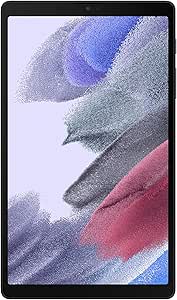
Samsung Galaxy Tab A7 Lite 8.7-Inch 32GB Wi-Fi Tablet, Gray

Samsung Galaxy Tab A11 Wi-Fi Tablet, 8.7-Inch, 64GB, 4GB RAM, Gray (SM-X133, International Version)

Samsung Galaxy Tab A11 8.7-Inch Wi-Fi Tablet, 64GB, 4GB RAM, Silver
As an affiliate, we earn on qualifying purchases.
Recent Developments in Galaxy Watch Browsing Features
Samsung has progressively enhanced the web browsing experience on Galaxy Watches, which previously was limited to basic search and viewing. The ability to download images directly is part of a broader effort to make the smartwatch more functional and comparable to desktop browsing. The Galaxy Watch 9’s upcoming release continues this trend, with expectations of further software improvements and new features tailored to user needs.
Prior to this update, users relied on their phones or computers to save images from the web, limiting convenience. The addition of download capabilities brings Galaxy Watches closer to full-fledged browsing devices, although limitations like file size and format still exist.
“Samsung Galaxy Watch users can now download images directly from webpages, a feature added through the latest version of Samsung Browser.”
— Lifehacker
Limitations and Compatibility Details Still Unclear
It is not yet confirmed whether all Galaxy Watch models can support this update or if there are specific hardware requirements. The full extent of supported file types beyond PNG, JPEG, JPG, and GIF, as well as maximum file size limits for different models, remains to be clarified. Additionally, it is unclear if future updates will expand this feature to other functionalities or formats.
Upcoming Software Updates and Galaxy Watch 9 Launch
Samsung is expected to roll out further software updates to enhance browsing and other smartwatch features. The launch of the Galaxy Watch 9 on August 7 will likely introduce additional improvements, possibly including expanded download options or new web browsing capabilities. Consumers should watch for official firmware releases and announcements for detailed information.
Key Questions
Which Galaxy Watch models can download images now?
The feature is available on models capable of running the latest Samsung Browser update, but specific model support has not been explicitly confirmed. Users should ensure their device is updated to the latest software.
Are there any restrictions on the images I can download?
Yes, only PNG, JPEG, JPG, and GIF files up to 10MB can be downloaded. Larger files or unsupported formats cannot be saved using this feature.
Will this feature be available on older Galaxy Watch models?
It depends on hardware compatibility and whether those models support the latest Samsung Browser update. Samsung has not yet confirmed support for all older models.
How do I download an image from a webpage on my Galaxy Watch?
After updating Samsung Browser, navigate to the webpage, long-press the desired image, then select ‘Download Image.’ The image will be saved in the Downloads folder within the browser.
Source: Lifehacker