
Setting up a guest network for your smart devices is a smart move to keep your main home network safe. It separates guest and smart device traffic, reducing security risks and protecting your private data. You can easily customize the network name and password, limit bandwidth, and manage who connects. This simple step boosts your home’s cybersecurity and smart device safety. Keep exploring to discover how this setup can make your smart home even more secure and efficient.
Key Takeaways
- Segregate smart home devices from main network using a guest Wi-Fi to prevent potential security breaches.
- Use strong, unique passwords for your guest network to prevent unauthorized access.
- Limit bandwidth and set time restrictions for guest devices to maintain optimal network performance.
- Regularly update router firmware and security settings to enhance protection for both guest and smart devices.
- Monitor guest network activity to detect unusual behavior and ensure your smart home stays secure.

A guest network for smart devices provides a secure way to let visitors connect to your Wi-Fi without exposing your main network. When you set up a separate guest network, you create a dedicated space where devices like smartphones, tablets, or laptops used by visitors can access the internet. This setup keeps your personal devices, home automation systems, security cameras, and other sensitive data protected from potential threats. Instead of giving guests access to your primary network, which could inadvertently expose your private information or give malicious actors a foothold, you keep everything compartmentalized.
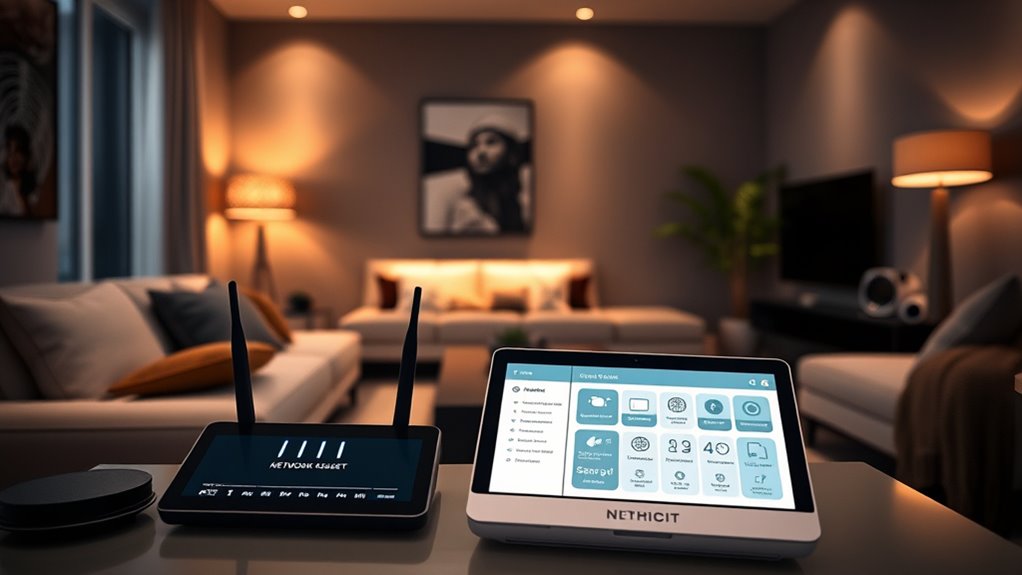
Setting up a guest network is usually straightforward through your router’s interface. Most modern routers offer an easy-to-navigate menu where you can enable a dedicated network, often called a “Guest Wi-Fi” or similar. You can customize the network’s name (SSID) and password, ensuring it’s strong and unique. Once activated, your guests can connect their devices without any access to your main network. This means they won’t be able to see your personal computers, smart home hubs, or network-attached storage devices, substantially reducing the risk of unauthorized access or accidental interference.
Setting up a guest Wi-Fi is simple and keeps your main network secure.
Smart home devices can be particularly vulnerable if connected directly to your primary network. Many of these devices, while convenient, lack robust security features. If compromised, they could serve as entry points for hackers to access other parts of your network. By placing them on a separate guest network, you isolate their potential vulnerabilities. If a smart device gets infected or hacked, it won’t give intruders access to your personal files or security systems. This separation also simplifies managing your network’s security, since you can update or troubleshoot guest devices independently without risking your main network’s integrity. Vetted security practices recommend such segmentation to enhance your overall cybersecurity.
Another advantage of a guest network is that it limits the bandwidth available to visitors, preventing their devices from slowing down your primary network. This ensures your streaming, gaming, or work activities aren’t impacted by guest traffic. Plus, many routers allow you to set time limits or restrict the amount of data guests can use, giving you further control over your network’s performance and security.
In the end, a guest network is a simple yet powerful feature that enhances your home’s cybersecurity. It provides peace of mind, knowing that your private information and critical devices stay protected, even when you’re welcoming visitors or testing new smart gadgets. By taking a few minutes to set it up correctly, you create a safer, more secure environment for your smart home and your family.
As an affiliate, we earn on qualifying purchases.
Frequently Asked Questions
Can I Set up Multiple Guest Networks on One Router?
Yes, you can set up multiple guest networks on one router. Many modern routers support this feature, allowing you to create separate Wi-Fi networks for different groups of guests. You simply access your router’s settings, look for the option to add additional guest networks, and configure each with unique names and passwords. This helps keep your main devices secure while giving visitors secure, restricted internet access.
How Often Should I Change My Guest Wi-Fi Password?
You should change your guest Wi-Fi password every few months or whenever you suspect it might be compromised. Regular updates help prevent unauthorized access and keep your network secure. If you notice unusual activity or share your password with many people, consider changing it more frequently. Using a strong, unique password each time also enhances security. Staying proactive guarantees your smart devices and personal information stay protected from potential threats.
Are Guest Networks Vulnerable to Hacking?
Did you know that over 60% of cyberattacks target poorly secured networks? Guest networks can be vulnerable to hacking if not properly protected, but with strong passwords, encryption, and regular updates, you greatly reduce the risk. You should always enable security features like WPA3 and monitor network activity. Stay vigilant, change passwords regularly, and avoid sharing access codes unnecessarily to keep your smart home safe from cyber threats.
Can I Limit Bandwidth on the Guest Network?
Yes, you can limit bandwidth on your guest network. Most modern routers let you set bandwidth caps or prioritize traffic to guarantee your main devices stay fast. You typically access these settings through your router’s admin panel, where you can assign specific limits or quality of service (QoS) rules. Doing this helps prevent your guest devices from hogging bandwidth, keeping your smart home running smoothly and securely.
Do All Smart Devices Support Connecting to Guest Networks?
Most smart devices support connecting to guest networks, but it’s not guaranteed for all. Many devices, like smart lights and thermostats, work well on a separate network, helping keep your main network secure. However, some older or less common devices may face compatibility issues. Before setting up a guest network, check your device’s specifications or test the connection to verify smooth operation. This way, you protect your smart home without disruptions.
As an affiliate, we earn on qualifying purchases.
Conclusion
By setting up a guest network for your smart devices, you’re taking a crucial step to protect your home. It’s a simple move that keeps your private data safe from potential threats. Imagine your smart home as a fortress—would you leave the gates wide open? No, right? So, create that extra layer of security today and enjoy peace of mind knowing your smart home is as secure as it can be.
Wi-Fi bandwidth limiter for routers
As an affiliate, we earn on qualifying purchases.
As an affiliate, we earn on qualifying purchases.
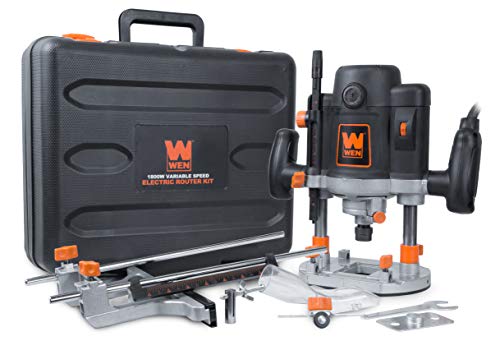
WEN RT6033 15-Amp Variable Speed Plunge Woodworking Router Kit with Carrying Case & Edge Guide
- Motor Power: 15-amp variable speed motor
- Speed Range: 8,000 to 23,000 RPM
- Plunging Base: Locks in downward position
As an affiliate, we earn on qualifying purchases.
As an affiliate, we earn on qualifying purchases.