TL;DR

Get home appliances delivered free with Prime
- Fast, free delivery on millions of items
- Prime Video, Amazon Music and more included
- Member-only deals all year
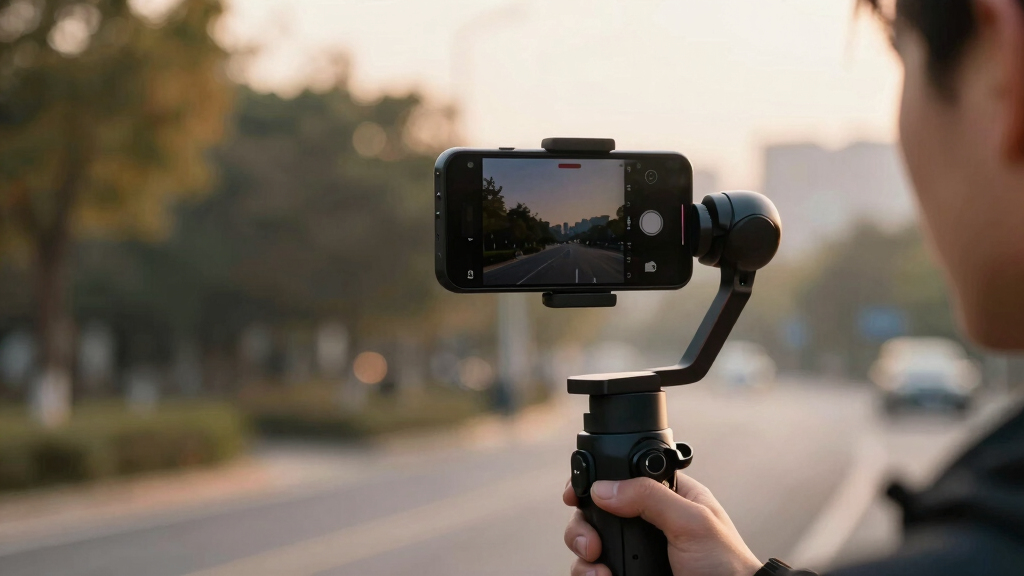
Gyroflow is a software tool that stabilizes videos by leveraging gyroscope data recorded internally by cameras or from external devices. It supports multiple camera types and offers real-time preview, GPU acceleration, and integration with popular video editors. The development marks a significant step forward in motion stabilization technology.
Gyroflow, a new video stabilization application, now enables users to enhance footage quality by utilizing gyroscope and accelerometer data from modern cameras or external sources. The software’s ability to integrate with popular editing tools and support high-quality video formats makes it a notable development in video processing technology.
Gyroflow processes motion data recorded internally by cameras such as GoPro HERO 6 and later, Sony, Insta360, and others, applying precise stabilization algorithms. It also supports external gyro data from devices like Betaflight blackbox, ArduPilot logs, or smartphone sensors. Features include real-time preview, GPU-accelerated rendering, rolling shutter correction, and compatibility with major video editors including Adobe Premiere, DaVinci Resolve, and Final Cut Pro.
The application supports high bit-depth videos up to 16-bit 4:4:4:4 and 32-bit float formats, as well as underwater footage correction and lens calibration. It offers multiple gyro integration methods, horizon leveling, adaptive zoom, and customizable stabilization presets. Cross-platform compatibility extends to Windows, MacOS, Linux, Android, and iOS, with support for various gyro sources and video formats.
Why It Matters
This development matters because it significantly improves the quality of stabilized footage, especially for professional videographers and drone operators. By leveraging existing motion data, Gyroflow reduces post-processing artifacts and offers more accurate stabilization than traditional software relying solely on image analysis. Its support for high-bit-depth videos and integration with editing software positions it as a versatile tool for high-end video production.
gimbal stabilizer for action cameras
As an affiliate, we earn on qualifying purchases.
As an affiliate, we earn on qualifying purchases.
Background
Video stabilization has traditionally relied on software-based image analysis, which can introduce artifacts and often struggles with fast or complex motions. Modern cameras increasingly record gyro and accelerometer data, but few tools fully utilize this data for stabilization. Gyroflow’s approach builds on telemetry parsing and supports a broad range of camera models, reflecting ongoing efforts to improve stabilization accuracy and workflow efficiency. The project is part of a broader trend toward integrating sensor data into post-processing workflows.
“Gyroflow enables precise stabilization by leveraging gyro and accelerometer data, providing a new level of control and quality for video editors.”
— Gyroflow developers
“The ability to stabilize footage with gyro data recorded during capture dramatically reduces artifacts and results in smoother videos.”
— Beta user or early reviewer
external gyroscope for video stabilization
As an affiliate, we earn on qualifying purchases.
As an affiliate, we earn on qualifying purchases.
What Remains Unclear
It is not yet clear how well Gyroflow performs with all camera models, especially those without built-in gyroscopes, or how it compares in speed and accuracy to commercial stabilization solutions. The full extent of its integration with various editing workflows and potential limitations with certain formats or footage remains under evaluation.
As an affiliate, we earn on qualifying purchases.
What’s Next
Next steps include further testing across different camera setups, expanding support for additional devices, and potential integration with more editing software. Developers plan to release updates improving stability, user interface, and feature set, along with broader community engagement for feedback.
professional video stabilization software
As an affiliate, we earn on qualifying purchases.
As an affiliate, we earn on qualifying purchases.
Key Questions
Can Gyroflow stabilize videos from any camera?
Gyroflow supports cameras with built-in gyroscopes such as GoPro HERO 6 and later, Sony, Insta360, and others. For cameras without internal gyro, external sensors can be used to record motion data, which Gyroflow can incorporate.
Is Gyroflow suitable for professional video editing?
Yes, it supports high bit-depth videos, GPU acceleration, and integrates with major editing tools, making it suitable for professional workflows.
Does Gyroflow work on all operating systems?
Gyroflow is cross-platform, supporting Windows, MacOS, Linux, Android, and iOS, with specific installation instructions for each.
What are the main benefits of using Gyroflow over traditional stabilization software?
Gyroflow leverages motion sensor data for more accurate stabilization, reducing artifacts and providing smoother footage, especially in fast or complex motion scenarios.
NFL season / tailgating Picks
team gear
As an affiliate, we earn on qualifying purchases.