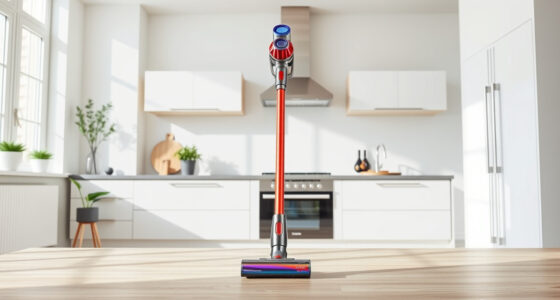
Maintaining your Dyson V15 Detect™ Origin Cordless Vacuum ensures it continues to deliver powerful, efficient cleaning performance. Regular upkeep not only prolongs the life of your vacuum but also guarantees optimal suction and functionality. Whether you’re troubleshooting common issues or performing routine care, following proper maintenance steps is essential for keeping your device in top shape.

Get home appliances delivered free with Prime
- Fast, free delivery on millions of items
- Prime Video, Amazon Music and more included
- Member-only deals all year
This guide provides practical, safe, and easy-to-follow instructions for cleaning filters, clearing blockages, replacing parts, and solving typical problems. Equipped with the right tools and knowledge, you can keep your Dyson vacuum running smoothly, ensuring deep cleaning for your entire home.
Key Takeaways
| Regular Filter Cleaning | Pre-filters and main filters should be cleaned every 2-3 months. |
| Check for Blockages | Clear obstructions in the wand and cleaner heads regularly. |
| Replace Worn Parts | Use compatible filters and attachments for optimal performance. |
| Battery & Motor Care | Avoid overcharging and store in a cool, dry place. |
| Troubleshooting Tips | Identify common issues like suction loss or error alerts and resolve promptly. |
Cleaning and Replacing Filters
- Unplug your Dyson vacuum and remove the filter from the main body, usually located near the cyclone or dust bin.
- Rinse the filter under cold water until the water runs clear. Do not use detergents or brushes.
- Allow the filter to air dry completely for at least 24 hours before reinserting. Do not use a dryer or direct heat.
- If you have a Dyson V10 or V8 series, consider replacing filters every 2-3 months with compatible replacements, such as the 3Pack Pre Filters or V10 Filters.
- Reassemble the filter into the vacuum, ensuring it clicks securely into place.
Clearing Blockages and Maintaining the Wand
Blockages can diminish suction power. Regularly check the wand, cleaner heads, and attachments for debris or obstructions.
- Detach the wand and cleaner heads from the main body.
- Visually inspect for dust, hair, or small objects lodged inside.
- Use a long, slim tool or the crevice attachment (such as the LANMU Crevice Tool) to gently dislodge debris.
- Wash the cleaner heads and attachments if they are visibly dirty, following manufacturer instructions.
- Reassemble all parts once clear, ensuring attachments fit snugly for optimal suction.
Replacing Worn or Damaged Parts
Over time, parts like filters and brushes may wear out. Replacing them ensures your vacuum maintains peak performance.
- Order compatible filters and attachments, such as the Dyson V10 Filters or LANMU Crevice Tool.
- Follow the manufacturer’s instructions for replacing filters—usually involves removing the old filter and inserting the new one until it clicks.
- Inspect the cleaner head and brush bar for hair or debris build-up. Clean or replace as needed.
- Keep spare parts handy to avoid downtime during deep cleaning sessions.
Battery and Motor Care
Proper handling of your Dyson’s battery and motor can extend its lifespan and ensure consistent power.
- Avoid overcharging; unplug the vacuum once it reaches full charge.
- Store the vacuum in a cool, dry place away from direct sunlight.
- If your vacuum indicates a performance alert on the LCD, follow the troubleshooting steps or contact Dyson support.
- Regularly check the motor area for dust build-up and clean gently with a dry cloth.
Troubleshooting Common Issues
Many performance problems can be resolved with simple steps.
- Suction Loss: Check for blockages, clean filters, and ensure attachments are properly connected.
- Error Alerts: Refer to the LCD screen for specific codes and follow the prompts, such as cleaning filters or checking for obstructions.
- Battery Drains Quickly: Replace old batteries or contact Dyson for support if the battery no longer holds charge.
The Products in This Guide

Dyson V15 Detect™ Origin Cordless Vacuum
- ✔ Weight: 6.8 lbs
- ✔ Battery Life: Up to 60 minutes
- ✔ Filtration System: Advanced, sealed HEPA filter

LANMU Crevice Tool Vacuum Attachments Compatible
- ✔ Length: 12 inches
- ✔ Material: Plastic
- ✔ Compatibility: Multiple Dyson models
Dyson V15 Detect™ Origin Cordless Vacuum
The Dyson V15 Detect™ Origin offers exceptional cleaning with its intelligent features and powerful suction. Regular maintenance, including filter cleaning and part replacement, helps sustain its performance over time. Following this guide will ensure your vacuum remains in optimal condition for years of reliable use.
Pros:
- Powerful suction and intelligent cleaning modes
- Long-lasting battery life of up to 60 minutes
- Easy filter cleaning and replacement
- Versatile for various floor types and surfaces
Cons:
- Filters require regular cleaning or replacement
- Attachments and filters can be costly
- Battery replacement may be needed over time
Best for: Deep cleaning homes and pet hair removal with minimal fuss.
Not ideal for: Users seeking a budget-friendly or corded vacuum option.
Bottom line: The Dyson V15 Detect™ Origin combines power, intelligence, and ease of maintenance for superior cleaning performance.
LANMU Crevice Tool Vacuum Attachments Compatible
The LANMU Crevice Tool Vacuum Attachments are compatible with a wide range of Dyson models and excel at reaching into small corners and tight spaces, making your cleaning more thorough and less frustrating.
Pros:
- Narrow nozzle for hard-to-reach areas
- Flexible and slim profile
- Compatible with many Dyson models
- Ideal for cars, corners, and upholstery
Cons:
- Not suitable for larger debris
- May require additional attachments for deep cleaning
- Compatibility limited to certain Dyson series
Best for: Cleaning in tight corners, between cushions, and car interiors.
Not ideal for: Heavy-duty cleaning of large debris or floors.
Bottom line: A must-have attachment for detailed and hard-to-reach cleaning tasks.
Frequently Asked Questions
How often should I clean the filters on my Dyson V15?
It’s recommended to clean the filters every 2-3 months to maintain optimal suction and filtration efficiency.
What should I do if my vacuum loses suction?
Check for blockages in the wand, hose, and cleaner heads. Clean or replace filters if dirty, and ensure all parts are securely assembled.
Can I wash the filters?
Yes, most filters are washable. Rinse with cold water and let air dry completely before reinserting to avoid damage.
How do I know when to replace the filters or parts?
If cleaning doesn’t restore performance or your LCD shows maintenance alerts, it may be time to replace filters or worn parts.
Is it safe to use attachments like the crevice tool on my Dyson?
Absolutely, as long as they are compatible with your model and used according to instructions, attachments enhance cleaning in specific areas.
Keep Your Dyson Vacuum in Prime Condition
Regular maintenance is key to keeping your Dyson V15 Detect™ Origin performing at its best. By cleaning filters, clearing blockages, replacing worn parts, and troubleshooting issues promptly, you’ll ensure deep, efficient cleaning every time. Proper care not only extends the lifespan of your vacuum but also guarantees it continues to deliver powerful, intelligent performance for your home.
With these simple steps, maintaining your Dyson vacuum becomes an easy part of your cleaning routine, helping you enjoy spotless floors and satisfied results for years to come.
Affiliate disclosure: As an Amazon Associate we earn from qualifying purchases. Prices and availability are accurate as of the time of publishing.
NFL season / tailgating Picks
team gear
As an affiliate, we earn on qualifying purchases.