
Setting up your new Dyson V15 Detect™ Origin Cordless Vacuum correctly ensures you get the best cleaning performance and longevity from your device. This guide provides clear, practical steps to help you assemble, configure, and maintain your vacuum safely and effectively.

Get home appliances delivered free with Prime
- Fast, free delivery on millions of items
- Prime Video, Amazon Music and more included
- Member-only deals all year
Follow these instructions carefully to enjoy deep cleaning power, intelligent features, and hassle-free operation from your Dyson vacuum.
Key Takeaways
| Powerful and intelligent cleaning | Reveals invisible dust and adapts power based on debris and floor type. |
| Long runtime | Up to 60 minutes of cleaning on a single charge. |
| Easy assembly | Simple steps for attaching parts and filters. |
| Maintenance alerts | LCD screen displays system messages for optimal performance. |
Unboxing and Initial Inspection
- Carefully remove the Dyson V15 Detect™ Origin Vacuum from its packaging and verify all parts are present: main body, cleaner heads, crevice tool, filters, and charging dock.
- Inspect each component for any shipping damage or debris, and ensure the filters are included and intact.
Assembling the Vacuum
- Attach the appropriate cleaner head (such as the Digital Motorbar or Fluffy Optic) to the main body by aligning the connection points and pressing until it clicks securely.
- Connect the crevice tool or other accessories to the wand or directly to the main body as needed for specific cleaning tasks.
- Ensure all parts are firmly connected before powering on.
Installing and Replacing Filters
- Remove the pre-filter by turning the vacuum over and twisting it counter-clockwise to detach.
- Rinse the filter under cold water and wring out excess moisture. Let it air dry completely before reinstalling.
- For replacement, use compatible filters such as the 3Pack Pre Filters or V10 Filters when necessary, following the manufacturer’s instructions.
Charging and Powering On
- Place the vacuum onto its charging dock and connect it to a power outlet. Allow it to fully charge—indicated by the LCD status or charging light—for optimal operation.
- Press the power trigger to turn on the vacuum. Check the LCD screen for performance info and alerts.
Using and Maintaining Your Dyson
- Operate the vacuum using the power trigger, which maximizes energy efficiency by only using power when needed.
- Regularly check the LCD for maintenance alerts, filter status, and remaining run time.
- Clean filters periodically and replace accessories as needed for best results.
The Products in This Guide

Dyson V15 Detect™ Origin Cordless Vacuum
- ✔ Charge Time: 3.5 hours
- ✔ Dustbin Capacity: 0.2 gallons
- ✔ Noise Level: Approx. 78 dB

LANMU Crevice Tool Vacuum Attachments Compatible
- ✔ Nozzle Width: 0.8 inches
- ✔ Length: 18 inches
- ✔ Material: Plastic
Dyson V15 Detect™ Origin Cordless Vacuum
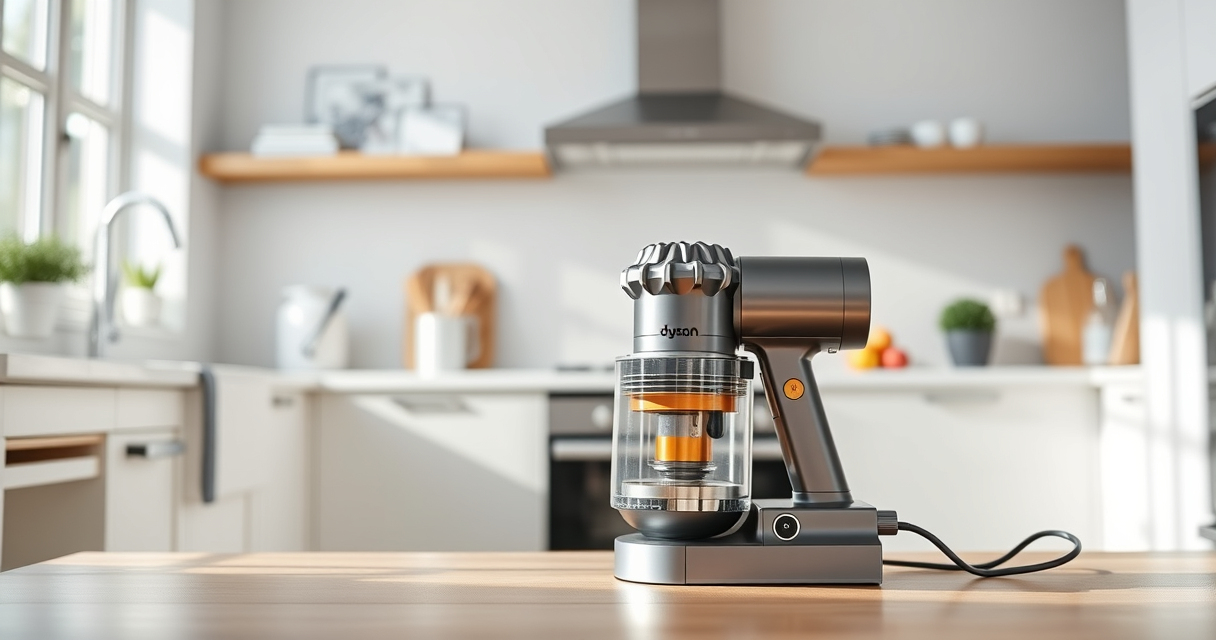
The Dyson V15 Detect™ Origin offers unmatched cleaning intelligence and power, revealing hidden dust and adapting suction for all floor types. Its LCD screen keeps you informed, making maintenance simple.
Pros:
- Powerful suction with 100% more power
- Intelligent debris detection
- Long 60-minute runtime
- LCD screen with real-time updates
Cons:
- Higher price point
- Weight may be noticeable during extended use
- Requires regular filter maintenance
Best for: Homeowners seeking deep, intelligent cleaning with minimal effort
Not ideal for: Those on a tight budget or looking for a lightweight option
Bottom line: A powerful, intelligent cordless vacuum perfect for whole-home deep cleaning.
LANMU Crevice Tool Vacuum Attachments Compatible
The LANMU Crevice Tool Vacuum Attachments fit compatible Dyson models and help you reach tight corners and deep gaps effortlessly, making your cleaning more thorough.
Pros:
- Narrow nozzle for tight spaces
- Flexible and easy to maneuver
- Compatible with multiple Dyson models
- Great for cars and furniture
Cons:
- Additional attachment to store
- May not fit non-compatible Dyson models
- Requires manual attachment
Best for: Cleaning corners, edges, and tight spots in home or car
Not ideal for: For users needing larger surface attachments
Bottom line: A versatile tool that makes cleaning tight spaces easier.
Frequently Asked Questions
How do I know when to replace the filters?
Check the LCD screen on your Dyson vacuum; it displays filter status and maintenance alerts. Replace filters when indicated or every 2-3 months for optimal performance.
Can I wash the filters?
Yes, filters such as pre-filters and V10 filters can be rinsed with cold water. Make sure they are completely dry before reinstalling to prevent damage.
What should I do if my vacuum loses suction?
First, check and clean the filters. Ensure all parts are properly assembled. If the issue persists, replace the filters or contact Dyson support.
How long does the battery last?
The Dyson V15 Detect™ Origin offers up to 60 minutes of run time on a full charge, depending on the power mode and attachments used.
Get the Most Out of Your Dyson V15 Detect™ Origin
Proper setup and regular maintenance are key to ensuring your Dyson cordless vacuum performs at its best. Follow the assembly and care instructions carefully, and utilize compatible accessories to enhance your cleaning experience. With these steps, you’ll enjoy powerful, intelligent cleaning for years to come.
Affiliate disclosure: As an Amazon Associate we earn from qualifying purchases. Prices and availability are accurate as of the time of publishing.