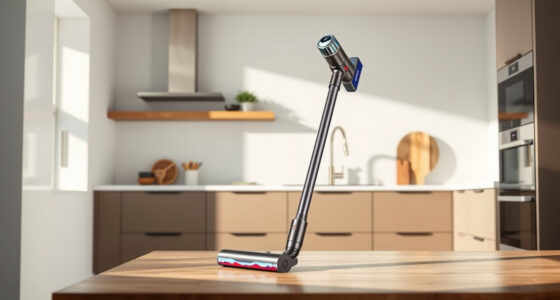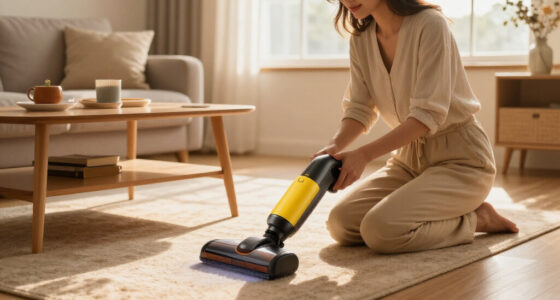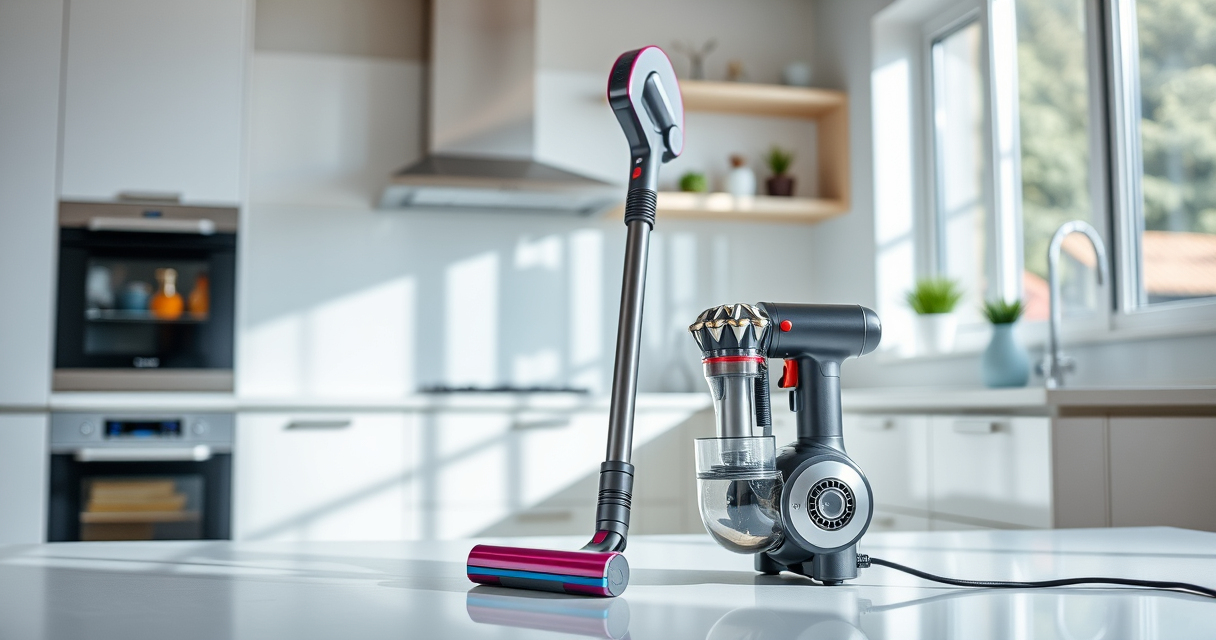

Congratulations on your new Dyson V15 Detect™ Origin Cordless Vacuum! Setting up your vacuum properly ensures you get the best cleaning results and prolongs the life of your device. In this guide, we’ll walk you through the necessary steps to assemble, maintain, and troubleshoot your Dyson V15, making your cleaning experience smooth and efficient.

Get home appliances delivered free — and shop member deals
- Fast, free delivery on millions of items
- Access to Prime Big Deal Days deals on October 6–7
- Prime Video, Amazon Music and more included
Whether you’re a first-time Dyson user or upgrading from an older model, this step-by-step setup will help you start cleaning confidently and safely.
Key Takeaways
| Easy Assembly | Quickly assemble the vacuum with detailed steps for immediate use. |
| Maintenance Tips | Learn how to replace filters and clean components to keep performance at its best. |
| Troubleshooting | Identify common issues and solutions to ensure uninterrupted cleaning. |
| Accessory Use | Maximize cleaning with compatible attachments like crevice tools. |
Unboxing and Initial Inspection
- Carefully unpack your Dyson V15 Detect™ Origin vacuum and all included accessories.
- Check that all parts, such as the main body, cleaner heads, crevice tool, and filters, are present and undamaged.
- Read the instruction manual to familiarize yourself with the components and safety warnings.
Assembling Your Dyson V15 Detect™
- Attach the cleaner head to the main wand by aligning the slots and pushing until you hear a click.
- If you plan to use the handheld mode, detach the wand by pressing the release button and connecting the desired accessory, such as the crevice tool.
- Ensure the filters are properly installed before first use. If your filters need replacing, refer to the filter section below.
Installing and Replacing Filters
To maintain optimal suction and air quality, your Dyson V15 detects™ has pre-filters that may need replacement or cleaning over time.
For the best results, check the filters regularly and replace them with compatible options such as the 3Pack Pre Filters Replacement or Replacement V10 Filters if needed. To install, remove the filter cage, insert the filter, and reassemble the cage securely.
Charging and Powering On
- Connect the included charger to a power outlet and plug into the charging port on the vacuum’s main body.
- Charge until the LCD screen indicates full power, typically around 4 hours for a full charge.
- Press the power trigger to turn on the vacuum. The LCD will display remaining run time, power mode, and particle count as you clean.
Using and Troubleshooting Common Issues
Operate your Dyson V15 Detect™ by selecting the appropriate power mode via the LCD screen. For stubborn dirt, use the Digital Motorbar cleaner head or Fluffy Optic head on hard floors for deep cleaning.
If your vacuum isn’t performing well, check for blockages, ensure filters are clean, and verify that the cleaner heads are properly attached. For persistent issues, consult the troubleshooting section or contact Dyson support.
The Products in This Guide

Dyson V15 Detect™ Origin Cordless Vacuum
- ✔ Weight: Just over 6 lbs
- ✔ Battery Type: Lithium-ion
- ✔ Warranty: 2 years

LANMU Crevice Tool Vacuum Attachments Compatible
- ✔ Compatibility: Dyson models listed
- ✔ Material: Plastic
- ✔ Color: Black
Dyson V15 Detect™ Origin Cordless Vacuum
<p>The Dyson V15 Detect™ Origin is a top-tier cordless vacuum that combines immense power with smart features like an LCD screen and particle detection. Its versatile design allows for seamless transition from floors to furniture and car interiors, making it a comprehensive cleaning tool.</p><p>This model’s advanced cleaner heads and intelligent power adjustment ensure effective cleaning on all floor types, while the 60-minute run time offers extensive cleaning sessions without interruption.</p>
Pros:
- Powerful suction with 100% more cleaning capability
- Intelligent particle detection and display
- Long battery life of 60 minutes
- Versatile cleaning heads for different surfaces
Cons:
- Higher price point compared to basic models
- Requires regular filter maintenance
- Limited compatibility with older accessories
Best for: Whole-home deep cleaning, pet hair removal, detailed car interior cleaning
Not ideal for: For users seeking an ultra-lightweight or budget-friendly vacuum
Bottom line: The Dyson V15 Detect™ Origin offers powerful, smart cleaning for all-around home use.
LANMU Crevice Tool Vacuum Attachments Compatible
<p>The LANMU Crevice Tool Vacuum Attachment is a versatile accessory compatible with multiple Dyson models, including the V15 Detect. Its narrow nozzle design allows you to reach tight corners, between furniture, and into car interiors with ease.</p><p>This attachment’s slim profile makes it a practical addition for detailed cleaning tasks, especially in tricky spots often missed by larger tools.</p>
Pros:
- Narrow nozzle for precision cleaning
- Compatible with many Dyson models
- Flexible and easy to maneuver
- Great for cars and furniture edges
Cons:
- May require additional storage space
- Limited use on large surfaces
- Not a standalone vacuum
Best for: Cleaning narrow gaps, car interiors, and behind appliances
Not ideal for: For large-area cleaning or deep carpet cleaning
Bottom line: A practical tool for detailed cleaning in tight spots and vehicle interiors.
Frequently Asked Questions
How often should I replace the filters in my Dyson V15 Detect™?
It is recommended to replace filters every 2-3 months, depending on usage, to maintain optimal suction and air quality.
Can I use any third-party filters with my Dyson V15?
It’s best to use Dyson-approved filters, such as the 3Pack Pre Filters Replacement or V10 Filters, to ensure compatibility and performance.
What should I do if my vacuum isn’t turning on?
Check that the battery is fully charged, ensure the filters are correctly installed, and verify that no blockages are obstructing airflow.
How do I clean the filters?
Remove the filters, rinse them with water, and let them air dry completely before reinstalling. Avoid using soap or washing machines.
Can I use the vacuum in wet areas?
No, Dyson V15 Detect™ is designed for dry use only. Do not operate it in wet or damp conditions.
Start Your Deep Cleaning Journey Today
With your Dyson V15 Detect™ Origin properly assembled and maintained, you’re ready to tackle dirt and dust across your entire home. Regular cleaning and filter upkeep will ensure your vacuum performs at its peak, providing you with a cleaner, healthier living environment. Remember to utilize compatible accessories like the crevice tool for those hard-to-reach spots, and enjoy the power and intelligence of your new Dyson vacuum every time you clean.
Affiliate disclosure: As an Amazon Associate we earn from qualifying purchases. Prices and availability are accurate as of the time of publishing.
Halloween Picks
halloween
As an affiliate, we earn on qualifying purchases.