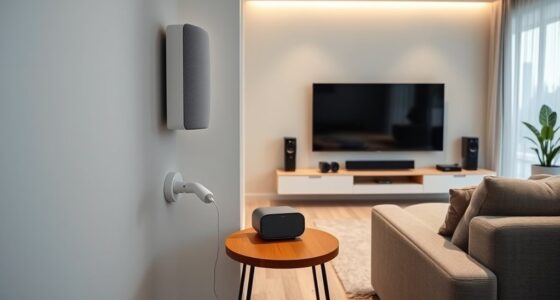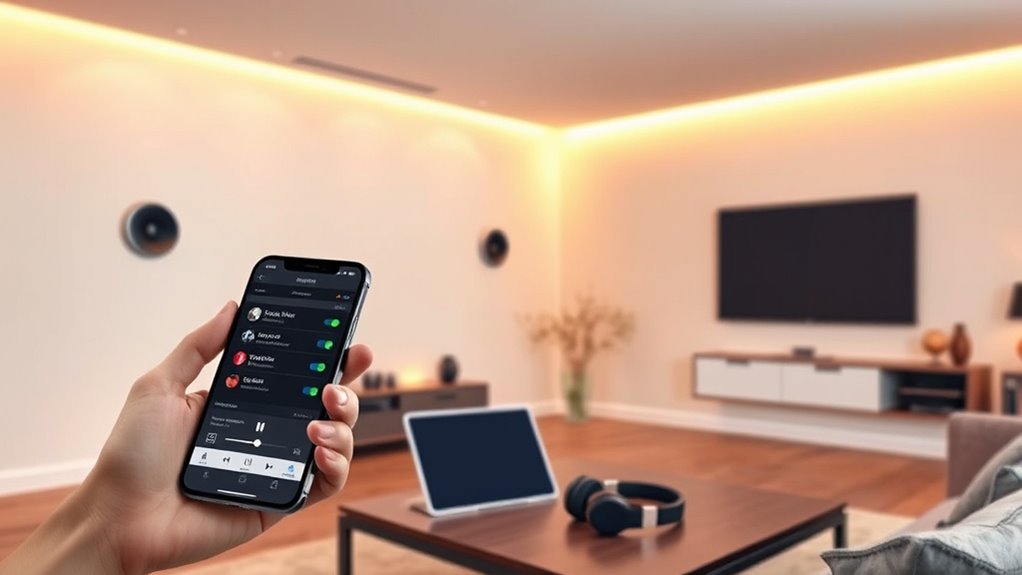

To set up multi-room audio, start by choosing the rooms you want to include and decide if you want synchronized music or different playlists. Select compatible wireless speakers or in-wall options connected to a multi-zone amplifier, ensuring they fit your layout. Connect all devices to your Wi-Fi, use an app to assign zones, and name each space for easy control. Test and adjust speaker placement for ideal sound. Keep in mind, further tips will guide you through fine-tuning your system for the best experience.

Get home appliances delivered free with Prime
- Fast, free delivery on millions of items
- Prime Video, Amazon Music and more included
- Member-only deals all year
Key Takeaways
- Plan which rooms to include and decide if synchronized or separate playlists are needed.
- Choose compatible wireless or wired speakers and a central controller for easy management.
- Install speakers strategically, ensuring proper placement for even sound coverage and minimal obstructions.
- Connect all devices to Wi-Fi, then use the app to assign zones, name rooms, and configure playback settings.
- Test sound in each zone, adjust placements as needed, and familiarize yourself with app controls for optimal experience.

Setting up multi-room audio might seem complex at first, but with the right approach, it becomes straightforward and rewarding. The key is to plan your setup carefully and choose the right equipment. Start by deciding which rooms you want to include and what kind of audio experience you desire. Do you want synchronized music throughout your home or different playlists in each room? Clarifying these goals helps you pick the appropriate devices and layout.
Carefully plan your rooms and audio goals for an easy, rewarding multi-room setup.
Next, select a central hub or controller that can manage all your speakers. Many modern systems use a smartphone app or a dedicated smart home hub as the control point. Guarantee the system you choose is compatible with your existing devices and supports the number of zones you want to create. Wireless speakers, such as those with Wi-Fi or Bluetooth connectivity, are popular because they’re easy to install and don’t require extensive wiring. If you prefer a more integrated setup, consider in-wall or ceiling speakers connected to a multi-zone amplifier.
Once you’ve selected your equipment, start the physical installation. Place your speakers strategically to achieve even sound coverage, avoiding obstructions that can muffle or distort audio. Wireless speakers should be placed within range of your Wi-Fi router, and you might need to boost your network if you encounter connectivity issues. For wired setups, run cables neatly through walls or ceilings, making sure to hide them for a clean look.
After installation, turn on your system and connect all devices to your home Wi-Fi network. Use the designated app or control interface to add each speaker or zone. Follow the prompts to assign names to each room or area, making it easier to select and control audio sources later. Most systems allow you to group speakers into zones, so you can play the same music across multiple rooms or different content in each space. Understanding network connectivity is essential for seamless multi-room audio performance.
Finally, test your setup thoroughly. Play audio in each zone to check volume levels and sound quality. Adjust speaker placement or settings as needed to optimize the experience. Familiarize yourself with the app’s features for easy control, whether you want to switch playlists, adjust volume, or create schedules. With patience and attention to detail, you’ll enjoy seamless multi-room audio that enhances your home environment and makes entertaining or relaxing effortless.
As an affiliate, we earn on qualifying purchases.
Frequently Asked Questions
Can I Use Different Brands of Speakers Together?
Yes, you can use different brands of speakers together, but it depends on their compatibility. If they support common standards like Wi-Fi, Bluetooth, or a universal app, you’ll have better luck. Some brands also support multi-room audio protocols like Chromecast or AirPlay 2. To guarantee seamless playback, check if your speakers support the same technology or app, and consider using a smart home hub to coordinate them effectively.
Is a Wi-Fi Connection Necessary for Multi-Room Audio?
A Wi-Fi connection is like the highway that keeps your multi-room audio system running smoothly. Without it, your speakers can’t communicate reliably, making streaming or syncing difficult. If you want seamless playback across rooms, a stable Wi-Fi network is essential. While some Bluetooth options exist, they often lack the range and synchronization needed for multi-room setups. So, yes, a Wi-Fi connection is necessary for a consistent, high-quality experience.
How Many Speakers Can I Connect Simultaneously?
You can usually connect multiple speakers at once, often up to 10 or more, depending on your system. Many platforms, like Sonos or Chromecast, support several speakers to fill your space with synchronized audio. Check your specific device’s limits, but generally, the more speakers you add, the better your multi-room experience. Just make certain your Wi-Fi connection is strong enough to handle the increased data load.
Can I Control Multi-Room Audio With a Smartphone?
Yes, you can control multi-room audio with your smartphone. You just need the right app and compatible speakers. With your device, you can easily play, pause, adjust volume, and switch rooms seamlessly. Imagine walking from room to room, controlling your music effortlessly. This convenience empowers you to customize your listening experience, making every moment at home more enjoyable, effortless, and perfectly tuned to your mood.
What Is the Typical Cost of Setting up Multi-Room Audio?
Setting up multi-room audio typically costs between $300 and $1,500, depending on the system’s complexity and brand. You’ll need speakers, an amplifier or hub, and possibly additional wiring or installation fees if you hire professionals. Budget-friendly options like smart speakers cost less, while high-end systems with premium speakers and custom installations can push the price higher. Consider your space and desired sound quality to find the best fit for your budget.
As an affiliate, we earn on qualifying purchases.
Conclusion
Setting up a multi-room audio system might seem complicated at first, but with the right equipment and a bit of patience, you’ll enjoy seamless music throughout your home. Don’t worry if some rooms have weaker signals—adding Wi-Fi extenders or upgrading your router can fix that easily. Once everything’s in place, you’ll love the convenience of controlling your music from anywhere, creating the perfect ambiance whenever you want. Enjoy your new, immersive sound experience!
in-wall ceiling speakers for home
As an affiliate, we earn on qualifying purchases.
As an affiliate, we earn on qualifying purchases.
As an affiliate, we earn on qualifying purchases.
Fall yard work Picks
leaf blowers
As an affiliate, we earn on qualifying purchases.