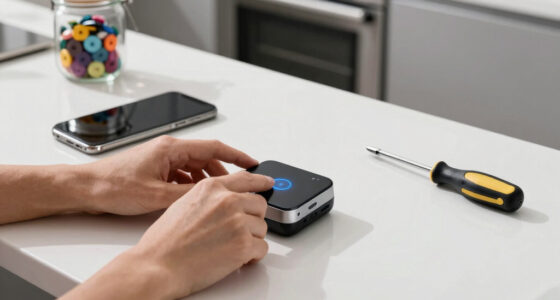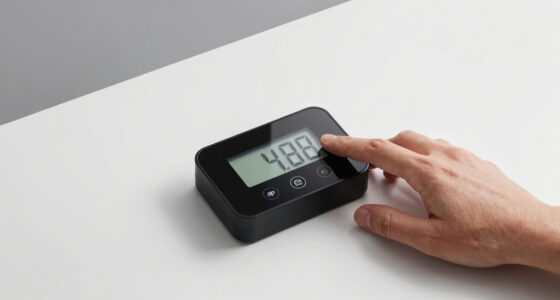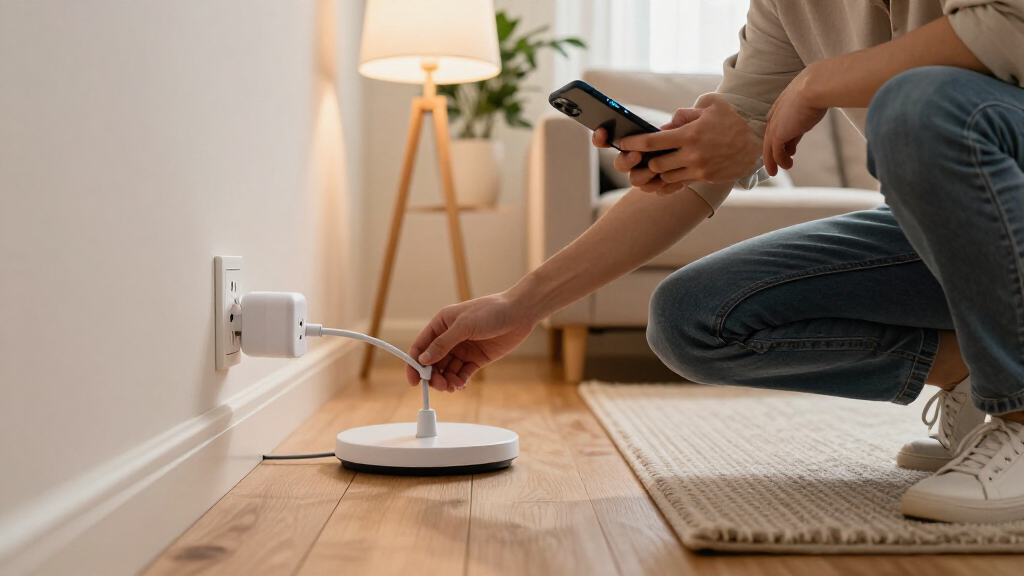

Smart plugs with energy monitoring let you track an appliance’s electricity use and control it remotely, but they differ in smart-home compatibility, outlet design, and how much coverage you get per pack. I’d put the Tapo P115 forward as the best overall starting point, with its 15A rating and energy monitoring; the Kasa KP125MP models stand out for Matter support, while the Eve Energy Outlet suits Apple Home users who want a more integrated outlet. The main tradeoff is whether you value broad compatibility, a familiar app setup, or lower per-outlet cost through multipacks. Read on for the full breakdown of all 11 options and guidance on matching a plug to your devices and smart-home setup.

Get home appliances delivered free with Prime
- Fast, free delivery on millions of items
- Prime Video, Amazon Music and more included
- Member-only deals all year
Complete the kit



Key Takeaways
- The lineup splits between Wi-Fi-first and Matter-capable options. Tapo P115 and Govee focus on Wi-Fi control, while Tapo P110M, Kasa KP125MP, D-Link PM-01M, and Eve models add Matter or Apple Home positioning.
- Pack size changes the value equation. Four-packs from Govee, Tapo, Kasa, and other brands can cover several appliances at once, while Tapo’s two-pack offers a smaller commitment.
- Outlet format matters as much as monitoring. Most picks are single plug-in outlets, but Eve Energy Outlet and Eve Energy Strip offer different ways to add monitored control without treating them as interchangeable.
- 15A ratings recur across the lineup, but they do not make every appliance suitable. Buyers still need to check the device’s draw, the plug’s stated limits, and any manufacturer restrictions before connecting high-load equipment.
- The strongest choice depends on the household, not just the feature list. Apple Home users have a distinct Eve option, while buyers prioritizing several monitored points can focus on multipacks from Tapo, Kasa, Govee, or other listed brands.


| smart plugs with energy monitoring | Connectivity | Operating voltage | Maximum wattage | Pack size |
|---|---|---|---|---|
| Govee Smart Plug with Energy M | Wi-Fi and Bluetooth; 2.4 GHz Wi-Fi required | 120 V AC | 1800 W | — |
| Eve Energy Outlet | Matter, Thread | 120 V | — | — |
| Tapo P115 Smart Wi-Fi Plug wit | 2.4 GHz Wi-Fi | 110 V AC | 1800 W | 4 |
| Tapo P110M Matter Smart Plugs | Matter, Wi-Fi | — | — | 4 |
| D-Link PM-01M Wi-Fi Smart Plug | — | — | — | — |
| Eve Energy Strip | — | — | — | — |
| Tapo Smart Plug Wi-Fi | Wi-Fi | 125 V | 1800 W | 2 plugs |
| Kasa Matter Smart Plug with En | Matter, Wi-Fi, and SmartThings | 120 V | 1800 W | 1 plug |
| Smart Plug Outlet with Energy | 2.4 GHz Wi-Fi and Bluetooth | 120 V | 1800 W | 4 plugs |
| Kasa Matter Smart Plug with En | Matter, Wi-Fi, and SmartThings | 120 V | 1800 W | 4 plugs |
| AiSeek Smart Plug with Energy | 2.4 GHz Wi-Fi | 120 V | — | — |
More Details on Our Top Picks
Govee Smart Plug with Energy Monitoring, Wi-Fi and Bluetooth, 4-Pack
The Govee four-pack is a strong fit if energy history matters as much as switching appliances on and off. Its app tracks power, current, and voltage, with records available for up to a year, giving you more context than a plug that only shows recent consumption. Group controls and schedules also make it practical to manage several devices together. Compared with the Tapo P115, Govee adds Bluetooth alongside Wi-Fi and spells out three electrical measurements, while Tapo offers SmartThings support and automatic shutoff. Govee’s main tradeoff is app dependence: app-based control runs through Govee Home, and setup needs 2.4 GHz Wi-Fi. Choose it for detailed tracking across several appliances, not for a platform-neutral smart home.
Pros:- Tracks power, current, and voltage, with up to one year of historical data
- Four plugs support schedules, group control, and remote operation
- Works with Alexa and Google Assistant
- Bluetooth is available alongside Wi-Fi, and no hub is required
Cons:- Does not support 5 GHz Wi-Fi
- App-based control requires the Govee Home app
- The app-specific setup may be less appealing than Matter-based alternatives such as the Tapo P110M
Best for: Households tracking several appliances over time and comfortable managing devices in the Govee Home app
Not ideal for: People with 5 GHz-only Wi-Fi or buyers who want energy data and controls integrated into a different app
- Pack count:4
- Model:H5086
- Operating voltage:120 V AC
- Maximum wattage:1800 W
- Connectivity:Wi-Fi and Bluetooth; 2.4 GHz Wi-Fi required
- Voice assistants:Amazon Alexa, Google Assistant
- Energy features:Power, current, and voltage monitoring; historical data up to one year
- Certifications:ETL, FCC
Our verdict“Choose Govee if you want detailed, long-range energy records across four plugs and are happy using its app.”
Eve Energy Outlet (Matter) – Smart Outlet & Power Meter
The Eve Energy Outlet suits buyers who want energy monitoring built into a wall outlet rather than a plug-in adapter. Its two controlled outlets and local, cloud-independent operation make it a different kind of choice from the four-pack plug options: it keeps the installation tidy and puts privacy at the center. Matter and Thread support can connect it with Apple Home, Alexa, and Google Home when the surrounding setup is compatible. By contrast, the Tapo P110M gives you four separate plugs and works over Wi-Fi, so it is easier to distribute monitoring around a home without replacing an outlet. Eve asks more of the smart-home setup: it requires a compatible hub or Thread router, and platform compatibility can affect available features. Skip it if you want a simple, portable plug-in solution.
Pros:- Two controlled outlets are integrated into a flush-mounted outlet
- Matter and Thread support connect it to compatible smart-home platforms
- Local operation avoids cloud dependency
- Includes power monitoring and app or voice control
Cons:- Requires a compatible hub or Thread router
- Installing a wall outlet is less flexible than using plug-in models such as Govee or Tapo P115
- Some features depend on the chosen platform
Best for: Apple Home households or privacy-conscious smart-home owners with a compatible Matter controller and Thread network
Not ideal for: Renters, buyers seeking portable plug-in monitors, or households without a compatible hub or Thread router
- Model:20ECN4101
- Number of outlets:2
- Operating voltage:120 V
- Wattage:1800 W
- Connectivity:Matter, Thread
- Mounting type:Flush-mounted
- Compatible platforms:Apple HomeKit, Alexa, Google Home
- Material:Polycarbonate
Our verdict“Pick Eve if you want a privacy-oriented, permanent two-outlet installation and already have compatible Matter and Thread hardware.”
Tapo P115 Smart Wi-Fi Plug with Energy Monitoring, 4-Pack, 15A
The Tapo P115 is the straightforward choice for spreading energy monitoring across several everyday appliances. This four-pack combines consumption statistics with schedules and automatic shutoff, so it can track usage while also cutting power on a routine. Its compact design is useful when outlets sit close together. Compared with the Govee four-pack, Tapo adds SmartThings compatibility and auto-shutoff, while Govee specifies power, current, voltage, and up to a year of historical data. That makes Govee more compelling for buyers who want detailed long-term records; Tapo fits better when familiar controls and automated shutoff matter more. The main limitation is its reliance on 2.4 GHz Wi-Fi, with no Matter support listed. Choose it for practical monitoring and automation, not broad smart-home protocol flexibility.
Pros:- Four plugs provide energy monitoring across multiple appliances
- Consumption statistics are available in the Tapo app
- Scheduling and automatic shutoff add useful automation
- Compact form is designed to leave neighboring outlets accessible
Cons:- Supports only 2.4 GHz Wi-Fi
- Matter support is not listed
- The product data does not specify the same year-long history or voltage and current readings offered by Govee
Best for: Households wanting four compact monitors with app statistics, routine scheduling, and automatic shutoff
Not ideal for: Buyers who need Matter compatibility, 5 GHz Wi-Fi, or detailed historical records specified for a full year
- Model:P115
- Pack size:4
- Operating voltage:110 V AC
- Maximum wattage:1800 W
- Connectivity:2.4 GHz Wi-Fi
- Control compatibility:Tapo app, Alexa, Google Assistant, SmartThings
- Features:Energy monitoring, scheduling, automatic shutoff
- Certifications:ETL, FCC, RoHS
Our verdict“Choose the Tapo P115 for a compact four-pack that pairs everyday energy statistics with schedules and automatic shutoff.”
Tapo P110M Matter Smart Plugs with Energy Monitoring, 4-Pack, 15A
The Tapo P110M makes sense when you want a four-plug monitoring set that can join a Matter-compatible smart home. It works with Alexa, Apple Home, Google Home, and SmartThings, while its energy tools include bill estimates, configurable power thresholds, and overcharge protection. Those threshold controls give it a more proactive monitoring angle than the standard Tapo P115, which focuses on consumption statistics, scheduling, and automatic shutoff. The P115 may suit buyers who prefer its listed auto-shutoff feature; the P110M is the stronger fit for cross-platform control and energy-limit settings. Both require 2.4 GHz Wi-Fi, and Matter compatibility still depends on having a compatible platform and setup. Pick this model when ecosystem flexibility is a priority, rather than for expanded Wi-Fi band support.
Pros:- Matter support spans several major smart-home platforms
- Four plugs provide monitoring across multiple appliances
- Bill estimates and configurable power thresholds add context to energy readings
- Overcharge protection and scheduling support routine management
Cons:- Wi-Fi is limited to 2.4 GHz
- Smart-home control depends on compatible platform hardware and setup
- Unlike the Tapo P115, automatic shutoff is not listed in the supplied product details
Best for: Smart-home households using Matter-compatible Alexa, Apple Home, Google Home, or SmartThings setups that want monitoring on several devices
Not ideal for: Buyers with 5 GHz-only Wi-Fi or people who want plug-in monitoring without checking platform compatibility
- Pack size:4
- Wattage:1800 W
- Connectivity:Matter, Wi-Fi
- Wi-Fi band:2.4 GHz
- Compatible platforms:Amazon Alexa, Apple HomeKit, Google Home, Samsung SmartThings
- Energy features:Energy monitoring, bill estimates, configurable power thresholds
- Safety feature:Overcharge protection
- Control methods:App, voice, scheduling
Our verdict“Choose the Tapo P110M if Matter compatibility and configurable energy thresholds matter more than 5 GHz connectivity.”
D-Link PM-01M Wi-Fi Smart Plug with Matter Support
D-Link’s PM-01M is a sensible pick for someone who wants to monitor and control an individual appliance, with over-usage alerts and built-in safety features adding a practical reason to check energy use. It supports Alexa, Google Assistant, and Apple Home, and Bluetooth setup is intended to simplify getting started. Compared with the Tapo P110M four-pack, D-Link is a single-plug option, so it is less suited to monitoring several rooms at once; the Tapo also lists bill estimates and configurable power thresholds. D-Link instead highlights UL and cUL certification, flame-retardant material, and surge protection. Its stated 120 V, 15 A, and 1800 W limits suit standard North American outlets, but not other electrical systems. Setup may also take more effort than its Bluetooth pairing suggests.
Pros:- Energy monitoring includes over-usage alerts
- UL, cUL, FCC, and RoHS certifications are listed
- Flame-retardant construction and surge protection add safety features
- Compatible with Alexa, Google Assistant, and Apple Home
Cons:- A single plug covers fewer appliances than the Tapo P110M four-pack
- Limited to North American 120 V, 15 A outlets
- The product data does not detail monitoring history or specific electrical readings
Best for: North American buyers who want safety features and over-usage alerts while monitoring one appliance
Not ideal for: People who need a multi-plug bundle, live outside North America, or want detailed energy metrics specified before buying
- Voltage:120 V
- Amperage:15 A
- Maximum power:1800 W
- Plug type:Type B
- Compatible platforms:Alexa, Google Assistant, Apple Home
- Certifications:FCC, RoHS, UL, cUL
- Safety features:Flame-retardant construction, surge protection
- Dimensions:1.5 × 2.75 × 1.38 inches
Our verdict“Choose the D-Link PM-01M to monitor one North American appliance with over-usage alerts and additional listed safety protections.”
Eve Energy Strip – Smart Triple Outlet & Power Meter for Apple Home
I’d choose the Eve Energy Strip when one monitoring point needs to cover several nearby devices: its three outlets are controlled independently, so I can manage and track connected equipment without treating the whole strip as one load. Energy monitoring, scheduling, and onboard controls make it more capable than a basic plug, while 1700-joule surge protection adds a layer of protection for attached electronics. Compared with the Kasa KP125MP2, this is a better fit for consolidating multiple devices at one location, but it is much more dependent on Apple’s ecosystem. Setup and control require an iOS or iPadOS device, and the supplied details do not establish broader platform compatibility. Its 15 A limit and US-only voltage also rule out some setups. I’d skip it if I need Matter flexibility or individual plug-in units around the home.
Pros:- Three outlets can be controlled independently rather than switched together.
- Energy monitoring and scheduling support usage tracking and automation.
- 1700-joule surge protection plus overcurrent and overvoltage protection.
- Siri, app, and onboard-button control provide several ways to operate it.
Cons:- Setup and control require an iOS or iPadOS device.
- The listed compatibility is centered on Apple Home, with no other hub support specified.
- Its strip format and 15 A limit may not suit every outlet location or appliance.
Best for: Apple Home households that want independent energy-aware control of three devices at one location.
Not ideal for: Android-first or multi-platform households, and buyers who need a single compact plug or support beyond US voltage and plug types.
- Outlets:3 independently controlled
- Maximum current:15 A
- Voltage:120 V
- Surge protection:1700 joules
- Cable length:6.3 ft
- Dimensions:10.8 × 2.5 in
- Weight:1.7 lb
- Materials:Aluminum and plastic
Our verdict“Choose the Eve Energy Strip if you use Apple Home and want separate energy-aware control of three devices from one surge-protected strip.”
Tapo Smart Plug Wi-Fi, Energy Monitoring, P115 (2-Pack), 15A
The Tapo P115 two-pack is a practical starting point for buyers who want energy monitoring on more than one appliance without committing to a larger bundle. It combines usage statistics, scheduling, auto-shutoff, and remote control through Wi-Fi, with Alexa and Google Assistant support for voice operation. Compared with the single-outlet Kasa KP125MP2, this pack gives me two monitoring points, though the Kasa’s Matter support is a stronger fit for a mixed-platform smart home. The P115 also keeps to a familiar app-and-Wi-Fi setup, which can be appealing if I already use Tapo, but full functionality depends on a working Wi-Fi connection. Its 125 V rating and 1800 W ceiling narrow its appliance range, and the product information notes setup may feel complex for some buyers.
Pros:- Two plugs provide energy monitoring for separate devices.
- Usage statistics and energy cost estimation help identify power consumption.
- Works with Alexa and Google Assistant for voice control.
- Scheduling and auto-shutoff add useful automation options.
Cons:- Full functionality depends on a Wi-Fi connection.
- The stated 125 V and 1800 W limits exclude higher-voltage or higher-load needs.
- Setup may be more involved than some buyers expect.
Best for: Households that want to monitor two ordinary appliances and already use Alexa, Google Assistant, or the Tapo app.
Not ideal for: Matter-focused smart-home users, people without reliable Wi-Fi, or buyers who need operation above 125 V or 1800 W.
- Pack size:2 plugs
- Operating voltage:125 V
- Maximum wattage:1800 W
- Connectivity:Wi-Fi
- Control:App and voice
- Voice assistants:Amazon Alexa and Google Assistant
- Switch type:Electronic
- Material:Polycarbonate
Our verdict“Pick the Tapo P115 two-pack if you want two Wi-Fi energy monitors with scheduling and voice control rather than Matter-based integration.”
Kasa Matter Smart Plug with Energy Monitoring, KP125MP2, 15A/1800W Max
I rank the Kasa KP125MP2 highly for households that want energy monitoring without tying their setup to one voice-assistant brand. Its Matter compatibility spans Apple Home, Alexa, Google Home, and SmartThings, while local control can continue during an internet outage. That combination gives it an advantage over the Wi-Fi-only Tapo P115 when a buyer values platform choice and local operation. The tradeoff is that this listing is for a single plug, so it covers fewer appliances than the four-pack KP125MP4 or the Tapo two-pack. It also tops out at 15 A and 1800 W, making it unsuitable for higher-load equipment. A 2.4 GHz Wi-Fi network is required for optimal performance, and ecosystem connectivity can vary, so it is not a guaranteed fix for every smart-home setup.
Pros:- Matter support spans Apple Home, Alexa, Google Home, and SmartThings.
- Energy monitoring helps track connected-device consumption.
- Local control can remain available when internet service is down.
- UL certification and a compact design suit standard outlet installations.
Cons:- This listing includes one plug, fewer than the Tapo and Kasa multi-packs.
- The 15 A and 1800 W maximum excludes higher-power appliances.
- Optimal performance requires 2.4 GHz Wi-Fi, and ecosystem connectivity may vary.
Best for: People building or maintaining a Matter-enabled home who want energy monitoring on one appliance across Apple, Google, Alexa, or SmartThings.
Not ideal for: Buyers who need several monitoring points at once, use higher-load appliances, or lack a 2.4 GHz Wi-Fi network.
- Pack size:1 plug
- Maximum current:15 A
- Maximum wattage:1800 W
- Operating voltage:120 V
- Connectivity:Matter, Wi-Fi, and SmartThings
- Compatible platforms:Apple Home, Amazon Alexa, Google Home, and SmartThings
- Wi-Fi band:2.4 GHz
- Certification:UL certified
Our verdict“Choose the KP125MP2 if cross-platform Matter support and local control matter more than getting multiple monitored outlets in one purchase.”
Smart Plug Outlet with Energy Monitoring, 15A 2.4 GHz Wi-Fi, 4-Pack
This four-pack is the straightforward choice when the priority is adding energy monitoring to several outlets at once. It supports real-time tracking, schedules, group control, and Alexa or Google Assistant operation through the SmartLife app. The included Bluetooth connectivity may help during setup, but the listed control path still relies on the app; that is less direct than the Kasa KP125MP4, which adds Matter compatibility and local-network control when internet service is unavailable. The four plugs have a compact stated footprint and are rated for up to 1800 W each, making them a fit for common household devices rather than high-power appliances. The main compromise is ecosystem dependence: buyers need 2.4 GHz Wi-Fi and SmartLife setup, with no Matter support listed.
Pros:- Four plugs provide multiple energy-monitoring points in one bundle.
- Real-time monitoring, schedules, and group control support basic automation.
- Compatible with Alexa and Google Assistant through SmartLife.
- Compact dimensions and stated safety features include overload protection.
Cons:- Requires 2.4 GHz Wi-Fi; 5 GHz networks are not supported.
- Alexa use requires SmartLife app setup rather than a direct connection.
- The 15 A and 1800 W limits rule out higher-power appliances.
Best for: Buyers who want four basic energy-monitoring plugs for standard household devices and are comfortable managing them through SmartLife.
Not ideal for: Matter users, homes without 2.4 GHz Wi-Fi, or anyone seeking direct Alexa setup without first configuring the SmartLife app.
- Pack size:4 plugs
- Maximum current:15 A
- Maximum wattage:1800 W
- Operating voltage:120 V
- Connectivity:2.4 GHz Wi-Fi and Bluetooth
- Control methods:App, push button, and voice
- Dimensions:1.4 × 2.8 × 2 in
- Warranty:2 years
Our verdict“Choose this four-pack for broad, basic monitoring coverage if you accept SmartLife setup and do not need Matter or offline local control.”
Kasa Matter Smart Plug with Energy Monitoring, KP125MP4, 15A/1800W, 4-Pack
For buyers who want several monitoring points without giving up smart-home platform choice, the Kasa KP125MP4 is the most balanced four-pack here. Each plug tracks energy use and supports control through the Kasa app or voice assistants, while Matter compatibility covers Apple Home, Alexa, Google Home, and Samsung SmartThings. Its stated local-network operation when internet service is unavailable is a useful distinction from the four-pack SmartLife plug, which relies on app setup and Wi-Fi without Matter support listed. The bundle is less compelling if only one or two appliances need monitoring, and all plugs share a 15 A, 1800 W maximum. Buyers also need 2.4 GHz Wi-Fi. I’d choose the single KP125MP2 for one device, but this pack makes more sense when spreading energy tracking across rooms.
Pros:- Four plugs extend energy monitoring to multiple devices and rooms.
- Matter support works with Apple Home, Alexa, Google Home, and SmartThings.
- Local-network control can function when internet service is unavailable.
- Compact, UL-certified flame-retardant design and a two-year limited warranty.
Cons:- Requires a 2.4 GHz Wi-Fi network.
- The 15 A and 1800 W maximum is not suitable for high-power appliances.
- A four-pack may be more coverage than buyers monitoring only one or two devices need.
Best for: Multi-platform households that want energy monitoring on several everyday appliances across rooms, with local control available during internet outages.
Not ideal for: People who need just one monitored outlet, lack 2.4 GHz Wi-Fi, or plan to connect appliances above 1800 W.
- Pack size:4 plugs
- Maximum wattage:1800 W
- Operating voltage:120 V
- Connectivity:Matter, Wi-Fi, and SmartThings
- Compatible platforms:Apple Home, Amazon Alexa, Google Home, and Samsung SmartThings
- Wi-Fi band:2.4 GHz
- Control methods:App, voice, and on/off
- Maximum operating temperature:104 °F
- Design:Compact, UL-certified flame retardant
Our verdict“Choose the KP125MP4 if you need several energy-monitoring plugs and want Matter flexibility across major smart-home platforms.”
AiSeek Smart Plug with Energy Monitoring, 15A, 4-Pack
The AiSeek four-pack makes energy readings a central part of everyday control: its Tuya and Smart Life apps report power consumption, voltage, current, and energy use, while schedules and timers can automate connected devices. Compared with the Tapo P115 four-pack, it offers the same broad 15A-class capacity on paper, but AiSeek’s appeal is its direct fit with Tuya or Smart Life rather than a different app ecosystem. It connects over 2.4 GHz Wi-Fi without a hub and also supports voice commands and a physical button, giving you a fallback when phone control is inconvenient. The tradeoff is that the listing specifies no Matter support, and the plugs require 2.4 GHz Wi-Fi. Their listed dimensions may also make placement awkward where outlets are close together. I’d choose this pack for app-based monitoring, not for Matter-led setups.
Pros:- Tracks energy use, voltage, and current through the Tuya or Smart Life app
- Four plugs let buyers monitor multiple devices from one pack
- App, voice, and physical-button control, plus schedules and timers
- No hub required; ETL and FCC certified, with overload protection
Cons:- Requires 2.4 GHz Wi-Fi
- No Matter support is listed, limiting its fit for Matter-centered setups
- Listed dimensions may obstruct neighboring outlets, depending on outlet spacing
Best for: Households already using Tuya or Smart Life that want to monitor several appliances and set schedules without adding a hub.
Not ideal for: Buyers building a Matter-first smart home, or anyone with only 5 GHz Wi-Fi available at the plug location.
- Quantity:4 plugs
- Maximum load:1800 W
- Operating voltage:120 V
- Connectivity:2.4 GHz Wi-Fi
- Compatible apps:Tuya, Smart Life
- Control methods:App, voice, push button
- Voice assistant compatibility:Alexa, Assistant
- Protection and certifications:Overload protection; ETL and FCC certified
- Warranty:2 years
Our verdict“Choose the AiSeek four-pack if Tuya or Smart Life energy tracking is your priority; pick a Matter-enabled alternative if cross-platform integration matters more.”

How We Picked
I compared these 11 smart plugs with energy monitoring on the factors that change everyday usefulness: the monitoring feature, stated electrical rating, connection and smart-home compatibility, outlet format, and pack size. I also weighed setup demands and the practical cost of expanding to multiple rooms, without treating a bigger bundle as an automatic win. Monitoring earns its place when it can help a buyer understand an appliance’s use, so I favored options that pair that capability with a clear use case rather than relying on a long feature list.
The order reflects versatility and fit for common households first, then more specialized advantages such as Matter, Apple Home, or a multi-outlet strip. The Tapo P115 is positioned as the balanced starting point; Matter models rise for buyers who value cross-platform flexibility, while Eve’s products are more compelling in Apple-focused setups or where their outlet format solves a specific need. Lower-ranked multipacks can still make sense when coverage is the priority, but buyers should verify app, hub, network, and electrical requirements before choosing based on pack size alone.
Factors to Consider When Choosing Smart Plugs With Energy Monitoring
Before choosing a model, I’d match the plug to the appliance and the smart-home system already in your home. Energy monitoring is only useful when you can access and interpret the data, and a large pack is a poor fit if the plugs cannot be placed comfortably or supported by your chosen platform.
Choose Monitoring That Answers a Real Question
Decide what you want the readings to tell you before buying: whether a device draws power while idle, how use changes over time, or which appliance contributes more to household consumption. Not every product presents or stores energy data in the same way, so check the app’s current monitoring features rather than assuming the words “energy monitoring” promise identical reports. A basic live reading may be enough for checking a device in the moment, while comparisons over time call for useful history and clear units. Avoid buying a plug solely to estimate a whole room’s electricity use; it measures only the load connected through that plug. If long-term tracking matters, check whether the data depends on a cloud account or stays available through your preferred smart-home system.
Match Matter and Wi-Fi to Your Existing Setup
Matter support can make a plug easier to include across compatible smart-home platforms, but it does not remove every setup requirement. Confirm that your controller and app support the features you want, especially energy reporting, since control and monitoring support may differ. Wi-Fi models can be simpler if you plan to use one manufacturer’s app and already have a suitable 2.4 GHz network. A common mistake is choosing Matter because it sounds universally compatible without checking the specific controller or feature support. If you do not plan to change platforms, a straightforward Wi-Fi plug may be the more practical choice. Think about future flexibility only if you are likely to add or switch smart-home systems.
Check Electrical Limits Before Connecting an Appliance
A 15A label is useful, but it is not a blanket approval for every appliance. Compare the plug’s stated limits with the device’s label or manual, and follow any restrictions from both manufacturers. Motors, heaters, and other high-draw devices can behave differently from small electronics, so do not infer suitability from a plug’s appearance or general rating alone. Smart plugs are also not a substitute for a dedicated circuit, a safety device, or an appliance’s built-in controls. If the load is close to the stated limit or the device has unusual startup demands, choose a different control method or seek qualified guidance. This check matters more than gaining another monitored outlet.
Plan for Outlet Space and Physical Placement
Plug dimensions and outlet layout can determine whether a smart plug is usable at all. A large adapter may block a neighboring socket, fit awkwardly behind furniture, or leave a connected cord under strain. If several appliances sit together, compare single plugs with a strip or outlet-style design, but check how each socket is controlled and monitored before assuming they behave independently. Multipacks help when outlets are spread across rooms; they can be wasteful when only one appliance needs tracking. Measure tight spaces and check whether the plug can maintain a secure connection without an extension arrangement the manufacturer discourages. Convenience in placement often matters more than adding one extra app feature.
Buy the Pack Size You Can Actually Use
Multipacks can make it easier to monitor several appliances, but buying more units does not automatically make the setup better. Start with the number of devices you genuinely want to track and check whether each location has usable Wi-Fi and accessible outlets. A two-pack can be a sensible way to test whether energy readings inform a real decision before expanding, while a four-pack suits a household with several clear monitoring targets. Keep track of which plug measures which appliance; otherwise, data becomes hard to interpret. Also check whether the app can name devices and organize readings in a way that stays manageable as the system grows. Choose bundle size for your intended layout, not just the number of plugs in the box.
Decide How Much App and Cloud Dependence You Accept
Energy history may rely on an app, an account, or an internet connection, so look at the product’s data and control behavior before committing. Consider what happens to schedules and monitoring if your internet is unavailable, and whether the smart-home platform offers the controls you need locally. Privacy-conscious buyers should review account requirements and the manufacturer’s data policy instead of assuming every reading stays on the home network. An easy app can make routine checks less frustrating, but a complex dashboard is not useful if you only need occasional readings. Families may also want to decide who can view or control each plug. These questions help distinguish a plug that simply reports consumption from one that fits the household’s daily routines.
Frequently Asked Questions
Will a Matter smart plug show energy use in every Matter-compatible app?
No, Matter support does not guarantee that every app displays every feature. Energy reporting can depend on the plug, controller, app version, and the specific platform’s support. Before buying, check the manufacturer’s compatibility details for both plug control and energy readings, not just a general Matter badge. If monitoring is the main reason for the purchase, confirm where the readings appear and whether you need the manufacturer’s app as well. This can prevent a plug from working for on/off control while leaving the data you wanted inaccessible.
Can I use an energy-monitoring smart plug with a heater or other high-power appliance?
Only if the appliance and plug are explicitly compatible. Compare the appliance’s electrical draw with the plug’s stated limits, and check both manufacturers’ instructions for restrictions. A 15A rating alone does not settle questions about startup current, continuous operation, or appliance-specific safety guidance. Do not use a smart plug to control a device that its manufacturer says must be connected directly to an outlet. When the load is near the limit or the instructions are unclear, select another control method rather than guessing.
Should I choose a four-pack or start with one or two monitored plugs?
Choose based on how many appliances you have a clear reason to track. A multipack makes sense when you already know which several devices you want to monitor and have suitable outlets and network coverage for them. Starting with one or two can reveal whether the readings are actionable and whether the app fits your routine before you expand. It also makes it easier to learn how the platform labels and organizes devices. Avoid filling spare outlets just to collect data that will not affect a decision.
Do smart plugs measure an appliance’s full electricity use?
They measure the electrical use passing through the plug, not the whole home or other devices on the circuit. A reading can help compare a single appliance’s use or identify consumption while that device is connected. Results depend on the product’s measurement and reporting features, so they should not be treated as a utility-grade bill or a complete household audit. For a fair comparison, use the same appliance and measurement period and check how the app displays accumulated use. If you need whole-home data, look for a monitoring system designed for that job.
Is Eve Energy Strip a better choice than buying several single smart plugs?
It depends on whether several devices share one location and whether you want a strip format. The Eve Energy Strip offers three outlets in one unit and is positioned for Apple Home users, while single plugs offer more freedom to place monitored devices in separate rooms. Before choosing a strip, verify how its outlets are controlled and what monitoring information is available for each connected device. A strip can reduce clutter around a desk or media area, but it will not replace distributed plugs where appliances are far apart. Compare physical fit and platform needs before counting outlet totals.
Conclusion
For most buyers, I’d start with the Tapo P115 as the best overall balance of monitoring, 15A rating, and approachable Wi-Fi setup. For best value across several appliances, compare the Govee, Tapo, and Kasa multipacks against the number of outlets you will actually use; the right bundle is the one that fits your layout and platform. The Kasa KP125MP or Tapo P110M is a stronger direction for buyers seeking Matter support, while Eve Energy Outlet and Eve Energy Strip suit Apple-centered households with particular outlet needs. Beginners may prefer a simple Wi-Fi setup such as the Tapo P115 two-pack before committing to more units. If your priority is a three-outlet Apple Home arrangement, choose Eve Energy Strip; if broad device coverage matters more, choose a compatible multipack and verify electrical limits before connecting anything.
NFL season / tailgating Picks
team gear
As an affiliate, we earn on qualifying purchases.