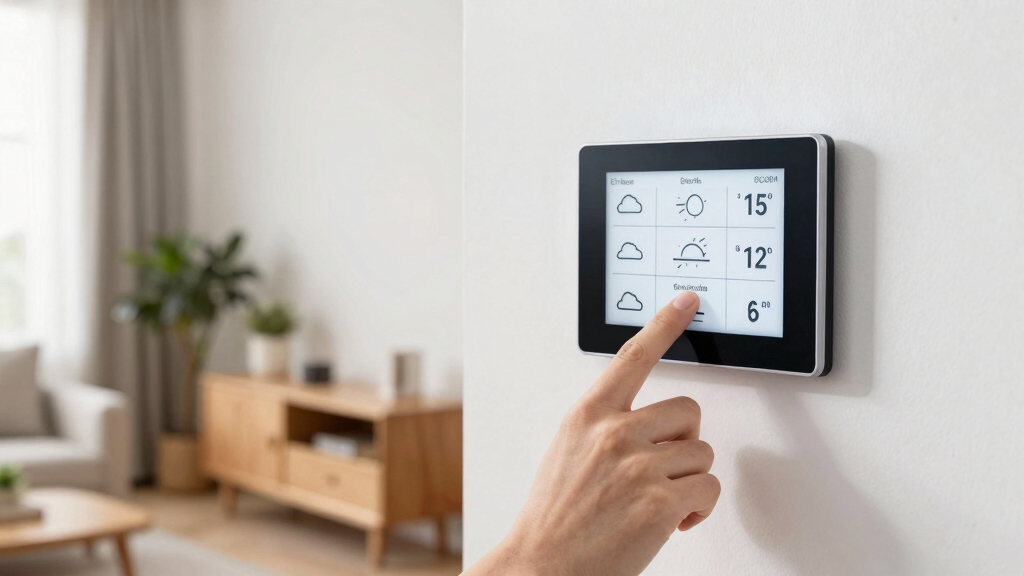

For anyone exploring e-ink displays, choosing the right one depends on several factors like size, color capability, and connectivity. The Waveshare 13.3-inch Full Color E-Paper stands out as the best overall due to its impressive size and vibrant color options. The reTerminal E1002 offers a versatile, no-code interface ideal for smart displays, while the Waveshare 7.5-inch E-Ink Raw Display provides a compact, low-power solution. Each option balances features with price, so your focus should be on what matters most for your project. Keep reading for a detailed breakdown of these displays and what makes each one unique.

Get home appliances delivered free with Prime
- Fast, free delivery on millions of items
- Prime Video, Amazon Music and more included
- Member-only deals all year
Key Takeaways
- Color e-ink displays are improving but still often trade off resolution and power efficiency.
- Size options vary widely, with larger displays suited for digital signage and smaller for embedded projects.
- Connectivity features like WiFi and SPI support are key for smart home integrations and custom projects.
- Build quality and ease of use differ significantly, impacting long-term maintenance and setup.
- Higher-priced models generally offer better resolution, color, and durability, but cheaper options can be sufficient for basic needs.


| e-ink display | Display Size | Resolution | Compatibility |
|---|---|---|---|
| Waveshare 7.3-inch E6 Full Col | 7.3 inches | 800×480 | — |
| Waveshare 7.5-inch E-Ink Raw D | 7.5 inches | 800×480 | — |
| reTerminal E1002 | — | — | — |
| ePaper Digital Frame | 13.3 inches | 1600×1200 HD | — |
| Waveshare 13.3-inch Full Color | 13.3 inches | — | — |
| Waveshare 13.3-inch E Ink Spec | 13.3 inches | 1600×1200 | Raspberry Pi, Arduino, ESP32, STM32 |
| Waveshare 13.3-inch E-Ink Raw | 13.3 inches | 960×680 | — |
| Waveshare 7.3-inch 6-Color E-P | 7.3 inches | — | Raspberry Pi, Jetson Nano, Arduino, STM32 |
| Waveshare 10.2-inch e-Paper Di | 10.2 inches | 960×640 | Raspberry Pi, Jetson Nano, Arduino, STM32 |
| 2PCS 2.13-inch E-Ink Display H | 2.13 inches | 250×122 | Raspberry Pi, Jetson Nano |
| Waveshare 2.13-inch E-Ink Disp | 2.13 inches | 250×122 | Raspberry Pi, Jetson Nano, Arduino, Nucleo |
| 10.85-inch e-Paper Display | 10.85 inches | 1360×480 | Raspberry Pi, Arduino, STM32 |
| LAFVIN 2.13-inch E-Ink E-Paper | 2.13 inches | 250×122 | Raspberry Pi 5/4B/3B+/3B/2B/A+/Zero W/Zero 2 W, Arduino, ESP32 |
| ELECROW ESP32 E-Ink Display 5. | 5.79 inches | 272 x 792 | Arduino IDE, SPI, GPIO |
More Details on Our Top Picks
Waveshare 7.3-inch E6 Full Color E-Paper with Solid Wood Photo Frame for Raspberry Pi Zero, Bundle with Pi Zero 2 WHC
This bundle combines a vibrant 7.3-inch full-color E Ink Spectra 6 display with a handcrafted solid wood frame, making it ideal for those who want a high-resolution, eye-friendly display integrated into a stylish enclosure. Compared with the reTerminal E1002, which offers more customization and smart home integration, this package is more suited for decorative or display-focused applications that benefit from real-time color content. It’s especially appealing for users who prefer an all-in-one solution that emphasizes aesthetic appeal alongside functionality. The main tradeoff involves needing a separate power setup, as there’s no built-in battery, and it’s limited to Raspberry Pi Zero 2 WHC compatibility, which might restrict flexibility for some projects.
Pros:- Vivid full-color display with high resolution
- Stylish, minimalist solid wood frame
- Pre-installed Raspberry Pi Zero 2 WHC for quick setup
- Wide viewing angles and eye-friendly display
Cons:- Requires separate power source, no built-in battery
- Limited to Raspberry Pi Zero 2 WHC compatibility
- No onboard controls or additional features
Best for: Design-conscious hobbyists and makers seeking a ready-to-use colorful display for Raspberry Pi projects
Not ideal for: Users needing a portable, battery-powered display or those requiring compatibility with other microcontrollers
- Display Size:7.3 inches
- Resolution:800×480
- Display Technology:E Ink Spectra 6 (E6)
- Color:Full color
- Frame Material:Solid wood
- Processor:Raspberry Pi Zero 2 W
- Connectivity:USB, Raspberry Pi 40PIN, serial debugging port
- Power:USB Type-C
- Stand:Rotatable stand and hook
Our verdict“This package makes the most sense for users who want a high-quality, colorful display integrated into a sleek design with minimal fuss.”
Waveshare 7.5-inch E-Ink Raw Display for Raspberry Pi and More
This 7.5-inch E-Ink raw display emphasizes ultra-low power consumption and wide viewing angles, making it an excellent choice for battery-powered signage or industrial instruments. Compared with the Waveshare 13.3-inch full-color displays, this model sacrifices resolution and color but gains in simplicity and efficiency. Its SPI interface and no backlight design keep power draw minimal, ideal for applications where prolonged operation on a single charge matters most. However, the lack of backlight may hinder visibility in dim environments, and setup demands careful configuration, which could be a barrier for less technical users. Its straightforward design suits projects where power efficiency takes precedence over vivid visuals.
Pros:- Ultra low power consumption
- Wide viewing angles
- No backlight reduces power use and glare
- Compatible with multiple microcontrollers
Cons:- No backlight limits visibility in low-light conditions
- Requires manual setup and technical knowledge
- Limited to simple display needs, not suitable for multimedia
Best for: Engineers and hobbyists building energy-efficient, long-term static displays or sensors
Not ideal for: Users needing vibrant color or high-resolution displays for media or interactive content
- Display Size:7.5 inches
- Resolution:800×480
- Interface:SPI
- Power Consumption:Ultra low
- Backlight:None
- Viewing Angle:Wide
Our verdict“Ideal for low-power, static display projects where simplicity and efficiency outweigh vivid colors or high resolution.”
reTerminal E1002 – 7.3″ Color E Ink Spectra 6 Smart Display, ESP32-S3 WiFi Dashboard Panel, No-Code SenseCraft HMI, Home Assistant & ESPHome Compatible
The reTerminal E1002 stands out for its vibrant 7.3-inch color E Ink Spectra 6 display combined with a no-code platform, making it especially appealing for smart home enthusiasts. Compared with the Waveshare 7.3-inch bundle, this device offers more flexibility for creating custom dashboards without programming, thanks to SenseCraft HMI, and supports seamless integration with platforms like Home Assistant and ESPHome. Its battery life of up to three months makes it suitable for persistent display roles without frequent recharging. The main tradeoff involves a somewhat limited display size and the need for some technical setup, which might be challenging for complete beginners. Its mixed review rating reflects some user variability in experience.
Pros:- Long battery life up to 3 months
- Vibrant, color-rich display
- No-code dashboard creation with AI-powered platform
- Supports various expansion modules
Cons:- Limited to 7.3-inch display size
- Some technical knowledge needed for advanced customization
- Customer rating indicates mixed user experiences
Best for: Smart home hobbyists and makers who want a colorful, easy-to-configure dashboard device
Not ideal for: Users seeking a larger or more multimedia-rich display, or who prefer plug-and-play solutions without configuration
- Display:7.3-inch 800×480 E Ink Spectra 6
- Battery:2000mAh, up to 3 months
- Connectivity:WiFi (ESP32-S3)
- Expansion Support:GPIO, I2C, SPI, Grove
- Included Accessories:Screwdriver, stand, USB Type-C
- Warranty:2 years
Our verdict“A compelling choice for DIY smart home dashboards that value color, battery life, and ease of customization over size.”
ePaper Digital Frame, 13.3” Full Color E-Ink Display, Wall Art Decor with App Control, Ultra Long Battery Life
This 13.3-inch full-color E-Ink digital frame excels in combining high-resolution imagery with a sleek, modern design, making it ideal for displaying photos or art in a home or office setting. Compared with smaller e-ink displays like the Waveshare 7.3-inch bundle, this frame offers a larger canvas and a more refined aesthetic, with an anti-glare surface that mimics paper. Its impressive 12–18 months battery life and app control simplify management and reduce maintenance. The main limitation is its focus on digital images—no physical photo options—and a higher price point. It’s best suited for users who want a long-lasting, elegant digital photo frame rather than a versatile display for other applications.
Pros:- Long battery life up to 18 months
- High-resolution, anti-glare display
- Elegant, modern design
- Easy remote photo management via app
Cons:- Limited to digital photos, no physical photo option
- Requires initial setup and app connection
- Higher cost compared to traditional frames
Best for: Homeowners and professionals seeking a stylish, long-lasting digital photo display
Not ideal for: People wanting a multi-purpose screen or interactive display for tasks beyond photo viewing
- Display Size:13.3 inches
- Resolution:1600×1200 HD
- Display Technology:E-Ink Spectra 6
- Battery Life:12–18 months
- Frame Material:Aluminum Alloy
- Viewing Angle:170°
- Anti-Glare:Yes
Our verdict“Perfect for users who want a large, elegant, and maintenance-free digital photo display with exceptional battery life.”
Waveshare 13.3-inch Full Color E-Paper Display with ESP32-S3 Driver Board
This 13.3-inch full-color E Ink Spectra 6 display paired with an ESP32-S3 driver board offers a powerful platform for embedded makers. Its high contrast and color saturation make it suitable for low-power digital signage or custom interfaces. Compared with the reTerminal E1002, which emphasizes no-code customization, this setup is more geared toward developers comfortable with hardware programming and integration, providing extensive GPIO and communication options. The complex setup and lack of a built-in enclosure mean it’s less user-friendly for beginners but highly flexible for advanced projects. Its low power consumption and multi-wireless connectivity make it a compelling choice for battery-operated or networked displays.
Pros:- High contrast with vibrant color saturation
- Ultra low power consumption
- Rich connectivity options including Wi-Fi and Bluetooth
- Expandable GPIO ports for peripherals
Cons:- No backlight, limiting low-light visibility
- Setup can be complex and requires technical expertise
- Limited information on software support
Best for: Embedded developers and DIY enthusiasts creating custom low-power, connected displays
Not ideal for: Users seeking plug-and-play solutions or larger pre-built displays for general use
- Display Size:13.3 inches
- Technology:E Ink Spectra 6 (E6)
- Processor:ESP32-S3-WROOM-2
- Memory:16MB PSRAM, 32MB Flash
- Connectivity:Wi-Fi, Bluetooth
- Onboard Features:Audio Codec, TF card slot, USB Type-C, GPIO
- Power Consumption:Ultra low
Our verdict“A tailored option for experienced makers who want a high-contrast, low-power, color display for embedded projects.”
Waveshare 13.3-inch E Ink Spectra 6 (E6) Full Color E-Paper Display for Raspberry Pi
This 13.3-inch display excels in delivering vibrant, high-contrast color saturation without backlight, making it ideal for applications where visual clarity and color fidelity are critical. Compared with the monochrome 10.2-inch model, the Spectra 6 offers richer visuals, but its larger size and higher complexity mean it demands more technical setup. Its ultra-low power consumption and persistent display are perfect for static graphics or dashboards, especially when integrated via a standard HAT interface. The main tradeoff is the absence of a backlight, which could be problematic in poorly lit environments, and the resolution is modest for its size. This pick makes the most sense for developers needing vivid color displays in low-power, embedded projects.
Pros:- High contrast and vibrant color saturation
- Ultra low power consumption with persistent display
- Easy to integrate via standard Raspberry Pi HAT interface
- Supports multiple microcontroller interfaces
Cons:- No backlight, requiring external lighting in dark environments
- Limited to 13.3-inch size and 1600×1200 resolution
- Requires technical setup and programming knowledge
Best for: Developers building color-rich, low-power display projects with Raspberry Pi or microcontrollers who need vibrant visuals.
Not ideal for: Users seeking a plug-and-play display with simple setup or high resolution for detailed images, as it requires technical knowledge and external lighting in dark settings.
- Display Size:13.3 inches
- Resolution:1600×1200
- Technology:E Ink Spectra 6 (E6)
- Power Consumption:Ultra low power
- Interface:SPI
- Compatibility:Raspberry Pi, Arduino, ESP32, STM32
Our verdict“This display suits developers needing vibrant, low-power color displays for embedded projects willing to handle technical integration.”
This 13.3-inch raw E-Ink display offers a paper-like appearance with a broad viewing angle, making it ideal for static reading or displaying simple graphics without backlight. Unlike the Spectra 6, it lacks built-in color support, but its no-PCB design and ultra-low power make it well-suited for long-term, energy-efficient use. While the absence of a backlight enhances its paper-like quality, it also means external lighting is necessary for readability. Its slow refresh rate limits dynamic content, and it requires an external PCB for proper connection, adding extra steps for setup. This display is best for those prioritizing a natural reading experience over color or fast updates.
Pros:- Paper-like appearance with no backlight
- Wide viewing angle enhances readability from different positions
- Very low power consumption, ideal for long-term use
- No PCB simplifies the physical form factor
Cons:- Requires external PCB for proper connection and setup
- Limited to static images due to slow refresh rate
- No built-in lighting, dependent on external illumination
Best for: Designers creating energy-efficient, paper-like digital signage or e-readers in well-lit areas who value simple, static visuals.
Not ideal for: Users needing vibrant colors or fast refresh rates for dynamic or media-rich applications, as this display is primarily static and monochrome.
- Display Size:13.3 inches
- Resolution:960×680
- Backlight:No
- Viewing Angle:Wide
- Display Type:E-Ink
- Connectivity:Without PCB
Our verdict“This display suits projects focused on natural, static displays with minimal power use, where color is not a priority.”
Waveshare 7.3-inch 6-Color E-Paper Display Module for Raspberry Pi and Jetson Nano
This 7.3-inch display supports six colors, offering more visual vibrancy than monochrome options like the 10.2-inch model, making it suitable for colorful UI elements or simplified graphics. Its low power profile and compatibility with Raspberry Pi and Jetson Nano make it appealing for compact, long-term projects. Compared to the larger Spectra 6 display, it sacrifices size for portability and color variety, which is ideal for small dashboards or status indicators. The main challenge is the need for technical setup and wiring, as there’s no backlight, and color accuracy can vary depending on ambient lighting. This makes it best for developers comfortable with microcontroller integration who want colorful, small displays.
Pros:- Supports 6 vibrant colors for enhanced visuals
- Low power consumption suitable for continuous operation
- Compatible with multiple microcontroller platforms
- Supports partial refresh for efficiency
Cons:- Requires technical expertise for wiring and programming
- No backlight, limiting use in dark environments
- Limited resolution for detailed visuals
Best for: Embedded developers creating compact, colorful displays for IoT or robotics projects with Raspberry Pi or Jetson Nano.
Not ideal for: Beginners or those looking for a plug-and-play, high-resolution display for detailed images or videos, as setup is complex and resolution is limited.
- Display Size:7.3 inches
- Color Support:6 colors
- Technology:E Ink Spectra 6 (E6)
- Power Consumption:Ultra low
- Compatibility:Raspberry Pi, Jetson Nano, Arduino, STM32
Our verdict“This compact, multi-color display is perfect for colorful, low-power embedded projects for users comfortable with technical setup.”
Waveshare 10.2-inch e-Paper Display (G) with e-Paper Driver HAT for Raspberry Pi
This 10.2-inch display offers a balance of size and color options with support for red, yellow, black, and white. Its inclusion of a dedicated e-Paper Driver HAT makes setup straightforward for Raspberry Pi users aiming for a mid-sized, colorful display. Compared to the larger 13.3-inch models, it provides a more manageable footprint while still supporting multiple colors. Its low power profile and persistent display make it suitable for digital signage or informational displays that don’t require frequent updates. The downside is the limited color palette and the need for extra hardware, which might be a barrier for beginners or quick prototypes. This makes it ideal for projects needing colorful, energy-efficient displays with moderate size.
Pros:- Supports multiple colors, including red and yellow
- Includes dedicated e-Paper Driver HAT for easy setup
- Low power consumption with persistent display
- Moderate size suitable for various applications
Cons:- Limited to 960×640 resolution, less detailed for images
- Requires additional hardware (HAT) for operation
- Not suitable for dynamic or video content
Best for: Small to medium-sized digital signage or information panels running on Raspberry Pi with a preference for color and size balance.
Not ideal for: High-resolution, high-color fidelity applications or projects requiring fast refresh rates, as this display is optimized for static content.
- Display Size:10.2 inches
- Resolution:960×640
- Colors:Red, Yellow, Black, White
- Interface:SPI
- Compatibility:Raspberry Pi, Jetson Nano, Arduino, STM32
Our verdict“This display fits projects that need a balanced, colorful, energy-efficient medium-sized display with straightforward integration.”
2PCS 2.13-inch E-Ink Display HAT V4 Version for Raspberry Pi and Jetson Nano
This set of two 2.13-inch monochrome displays offers a compact solution for small, low-power projects. With a resolution of 250×122 pixels, they are ideal for simple readouts, status indicators, or basic data visualization. Compared to larger displays like the 10.2-inch model, these are more suited for embedded devices with limited space, especially in battery-powered setups due to their ultra-low power profile that only consumes energy during refresh. The inclusion of an onboard voltage translator simplifies wiring. However, their small size and monochrome nature limit their appeal for detailed graphics or multimedia. They are best suited for developers needing multiple tiny displays for sensor readouts or alerts in constrained environments.
Pros:- Supports partial refresh for efficient updates
- Ultra low power, ideal for battery-operated devices
- Onboard voltage translator simplifies wiring
- Supports a wide range of Raspberry Pi models and Jetson Nano
Cons:- Very small display size limits use cases
- No backlight, hard to read in low light
- Limited to monochrome visuals
Best for: Developers needing multiple small, low-power monochrome displays for sensor readouts or status updates in compact projects.
Not ideal for: Projects requiring colorful visuals, high resolution, or multimedia content, as these displays are limited to black-and-white visuals and small size.
- Display Size:2.13 inches
- Resolution:250×122
- Colors:Black and White
- Interface:SPI
- Compatibility:Raspberry Pi, Jetson Nano
Our verdict“This set is best suited for tiny, energy-efficient displays in constrained environments where only simple, monochrome information needs to be shown.”
- This 2.13-inch E-Ink HAT stands out for its small size combined with reliable low power consumption, making it ideal for discreet projects like sensor displays or simple information panels. Compared with the LAFVIN 2.13-inch model, it offers better compatibility with multiple controllers and supports partial refresh for quicker updates, though it still remains monochrome and limited in clarity. Its SPI interface ensures straightforward integration, but requires some technical skill to set up properly. The absence of backlight means visibility depends heavily on ambient lighting, which can be a drawback in darker environments. Overall, this pick is best suited for those who need a tiny, energy-efficient display with decent refresh speeds, and are comfortable with technical configuration.Pros:
- Compact size ideal for space-constrained projects
- Low power consumption with no backlight required
- Supports partial refresh for faster updates
- Compatible with a variety of controllers including Raspberry Pi and Arduino
Cons:- Limited to monochrome display, not suitable for color applications
- Requires technical knowledge for proper setup and integration
Best for: Developers creating small, low-power information displays or sensor readouts for Raspberry Pi and Arduino projects.
Not ideal for: Users seeking color or high-brightness displays, or those without technical experience, as setup can be complex.
- Display Size:2.13 inches
- Resolution:250×122
- Interface:SPI
- Compatibility:Raspberry Pi, Jetson Nano, Arduino, Nucleo
- Power:Low power, only consumes during refresh
- Supports Partial Refresh:Yes
Our verdict“This display suits makers needing a small, power-efficient monochrome screen with quick partial refresh capabilities.”
10.85-inch e-Paper Display (G), 1360×480, Red/Yellow/Black/White, SPI Interface with Driver HAT
This 10.85-inch e-Paper display excels in applications requiring larger, eye-catching visuals, such as digital signage or conference labels. Its 1360×480 resolution combined with four color options—red, yellow, black, and white—provides versatility for colorful, static content. Compared to the monochrome LAFVIN 2.13-inch display, this model offers a significantly larger viewing area and vibrant color options, though it sacrifices refresh speed and dynamic interactivity. Its ultra-low power consumption makes it ideal for long-term displays that don’t need frequent updates, but the lack of backlight and the technical setup can hinder visibility in low-light conditions. This display is best for static or infrequently changing signage, where color and size are priorities.Pros:- Large display area suitable for signage or labels
- Supports multiple colors for vibrant visuals
- Ultra-low power for continuous operation
- Includes development resources for easier integration
Cons:- No backlight reduces visibility in low-light environments
- Limited to static content due to slow refresh rates
- Requires technical setup and configuration
Best for: Business owners or educators deploying large, colorful signage or long-lasting labels in well-lit environments.
Not ideal for: Applications requiring frequent updates or use in dim lighting, due to no backlight and slow refresh rates.
- Display Size:10.85 inches
- Resolution:1360×480
- Colors:Red, Yellow, Black, White
- Interface:SPI
- Power Consumption:Ultra low
- Compatibility:Raspberry Pi, Arduino, STM32
Our verdict“This display is perfect for static, colorful signage where size and low power are more important than refresh speed.”
LAFVIN 2.13-inch E-Ink E-Paper HAT Display Module for Raspberry Pi
The LAFVIN 2.13-inch E-Ink HAT offers a crisp, high-resolution monochrome display tailored for long-term, low-power projects. Its persistent display feature allows content to remain visible without power, making it excellent for information signage or status indication. When compared to the Waveshare 2.13-inch HAT, it provides similar resolution and partial refresh capabilities, but emphasizes persistent display mode for energy savings. The setup involves some technical steps, especially for integration with various boards like Arduino or ESP32. Its monochrome limitation means it’s unsuitable for applications needing color or rich visuals. This product is ideal for projects prioritizing longevity over visual complexity.Pros:- Persistent display maintains content without power
- High resolution for clear text and graphics
- Compatible with multiple development platforms including Raspberry Pi, Arduino, ESP32
- Supports partial refresh for efficient updates
Cons:- Limited to black-and-white display, not suitable for colorful visuals
- Requires technical knowledge for setup and integration
- No backlight, affecting visibility in low light
Best for: Hobbyists or engineers designing long-lasting, low-power information displays or alert systems.
Not ideal for: Users needing color displays or quick, frequent refreshes, as it’s optimized for static content and energy efficiency.
- Display Size:2.13 inches
- Resolution:250×122
- Display Type:E-Ink E-Paper
- Color:Black and White
- Power Consumption:Ultra-low during operation
- Compatibility:Raspberry Pi 5/4B/3B+/3B/2B/A+/Zero W/Zero 2 W, Arduino, ESP32
Our verdict“This HAT is well-suited for projects that need long-term, energy-efficient monochrome displays with minimal maintenance.”
ELECROW ESP32 E-Ink Display 5.79 Inch, CrowPanel E-Paper HMI Compatible with Arduino IDE
The ELECROW 5.79-inch display features a high-resolution 272×792 pixel screen with built-in ESP32-S3, making it ideal for DIY projects demanding crisp visuals and outdoor readability. Its sunlight-readable, anti-glare surface outperforms smaller or lower-resolution options like the Waveshare 2.13-inch when used outdoors or in bright environments. While it shares the monochrome limitation with other E-Ink models, its larger size and high resolution make it more suitable for information panels or smart tags. Compared to the Waveshare 7.3-inch full-color models, it’s less versatile for colorful applications but offers a more straightforward setup via Arduino IDE. It’s best for outdoor or always-on displays where clarity and power efficiency are critical.Pros:- High resolution for crisp, detailed visuals
- Sunlight-readable and anti-glare surface
- Built-in ESP32-S3 provides powerful, integrated control
- Ultra-low power consumption with static content retention
Cons:- Limited to black-and-white display, not color
- Requires some technical knowledge for programming and setup
- Size may be less suitable for very compact projects
Best for: DIY enthusiasts building outdoor or sunlight-readable displays, especially with ESP32 or Arduino platforms.
Not ideal for: Color display needs or dynamic, fast-refresh applications, as it’s optimized for static, high-clarity visuals.
- Display Size:5.79 inches
- Resolution:272 x 792
- Controller:ESP32-S3
- Power:2.2 V-3.7 V
- Features:Sunlight-readable, anti-glare
- Compatibility:Arduino IDE, SPI, GPIO
Our verdict“This display excels for outdoor, high-clarity static visuals where power efficiency and easy DIY integration matter most.”
How We Picked
The products in this roundup were selected based on a combination of performance, versatility, build quality, and user feedback. Priority was given to displays that balance power efficiency with usability, especially those with good color reproduction and size options. We also considered the availability of connectivity features like WiFi or SPI interfaces for custom integrations. The rankings reflect a mix of value for money, feature set, and suitability for different types of users, from hobbyists to professionals.Factors to Consider When Choosing Best E-ink Displays
Choosing the best e-ink display requires understanding several key factors that influence usability and value. The right display depends on your specific project needs, whether that’s color richness, size, connectivity, or power consumption. Carefully weighing these factors can prevent costly mistakes and help you select a device that fits your long-term goals. Here are the main considerations to keep in mind:Size and Resolution
Size impacts how you can use the display, from small notifications to large signage. Higher resolution means sharper images, which is especially important for detailed graphics or text. Smaller displays tend to be lower in resolution but more power-efficient, while larger screens can be more demanding on processing power and battery life. Match the size and resolution to your project’s scale and clarity requirements.
Color Capabilities
While traditional e-ink screens are monochrome, recent advances have introduced color options. Color displays are excellent for visual appeal but may sacrifice resolution and battery life. Decide whether color is a priority—if so, look for models like the Waveshare full-color e-paper. For simple reading or notifications, monochrome might suffice and save power.
Connectivity and Interface
Consider how you’ll connect the display to your system. Common options include SPI, I2C, or WiFi. For DIY projects or IoT applications, WiFi-enabled models offer greater flexibility, enabling remote control or updates. Simpler interfaces like SPI are easier to implement but may require more setup. Your choice depends on your technical comfort and project complexity.
Power Consumption and Battery Life
E-ink displays are known for low power use, especially when static images are displayed. However, color models or larger screens may consume more power and require larger batteries. Think about whether your project needs continuous display updates or if static images are sufficient, which allows for longer battery life.
Build Quality and Ease of Use
Display durability and ease of setup are often overlooked but vital for long-term projects. Some models come with protective frames or casings, while others are bare panels. Compatibility with development boards and available documentation can significantly impact your experience. Choose a display that matches your technical skill level and intended environment.
Frequently Asked Questions
Can I use a color e-ink display for dynamic content?
Yes, color e-ink displays like the Waveshare full-color models support dynamic content, but they typically refresh slower and consume more power than monochrome displays. They are best suited for applications where occasional updates are acceptable, such as digital signage or decorative displays. For frequent changes, consider whether the refresh rate and power demands align with your project’s needs.
Are e-ink displays suitable for outdoor use?
Many e-ink displays perform well outdoors because they are highly visible in bright light and do not glare like traditional screens. However, their performance can vary based on weather conditions and durability. Look for models with protective coatings or casings if you plan to use them outside, and confirm they have good sunlight readability for your specific environment.
What’s the best size for a beginner project?
For beginners, smaller displays around 2-3 inches are typically easiest to work with, as they are less complex and require less power. The 2.13-inch models, like the Waveshare E-Ink HAT, are popular choices due to their simplicity and compatibility with Raspberry Pi. Larger displays can be more rewarding but also demand more technical skill and setup time.
How important is color support in choosing an e-ink display?
Color support can enhance visual appeal but often comes with tradeoffs in resolution, refresh rate, and power consumption. If your project benefits from color—such as art displays or colorful notifications—then a full-color e-ink display makes sense. Otherwise, monochrome models are more reliable, faster, and longer-lasting, especially for reading or static content.
Are e-ink displays easy to integrate with microcontrollers?
Many e-ink displays come with ready-to-use libraries and support common interfaces like SPI or I2C, making integration straightforward for those with some electronics experience. However, some larger or color models may require more advanced setup or custom driver support. Reading the manufacturer documentation and community forums can simplify the process, especially for beginners.
Conclusion
For most users, the Waveshare 13.3-inch Full Color E-Paper offers the best balance of size, color, and performance, making it the ideal choice as the overall best. If you’re looking for a budget-friendly option for simple displays, the Waveshare 2.13-inch models provide great value for small projects. For those wanting a premium, versatile display with advanced features, the reTerminal E1002 fits well. Beginners should opt for smaller, more straightforward displays like the 2.13-inch HATs, while hobbyists focusing on color art or signage may prefer the larger, full-color options. Ultimately, your decision depends on your project scope, technical skill, and whether you prioritize color, size, or connectivity.
As an affiliate, we earn on qualifying purchases.Fall Picks
fall essentials