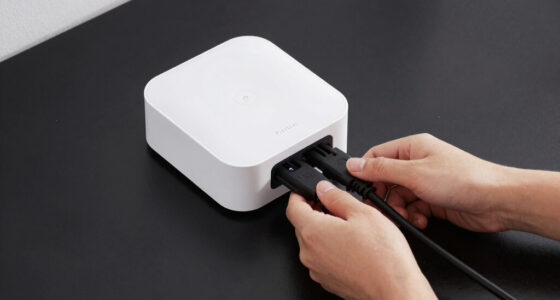
Smart home energy monitors can show whole-home electricity use, track individual circuits, or measure one appliance at a time. I’d put the Emporia Vue 3 with 16 circuit sensors in the best-overall spot for its broad circuit coverage, while the Refoss EM16P stands out for local control and Home Assistant integration, and the Tapo P115 4-pack offers a simpler way to monitor plug-in devices. The main tradeoff is choosing between detailed circuit data and easier, less invasive plug-level monitoring. Installation requirements, sensor count, and app or smart-home compatibility can matter as much as the monitor itself. Read on for how all 15 options compare and which one fits your home.

Get home appliances delivered free with Prime
- Fast, free delivery on millions of items
- Prime Video, Amazon Music and more included
- Member-only deals all year
Complete the kit


Key Takeaways
- Emporia Vue 3 with 16 sensors is the strongest all-around fit in this lineup when you want broad circuit visibility without moving to a dedicated whole-home-and-circuit system.
- Refoss EM16P is the standout for buyers who value local control and Home Assistant support, while its configuration and installation needs may suit experienced smart-home users better than beginners.
- Emporia Vue 3 with 8 sensors offers a practical middle ground: less circuit coverage than the 16-sensor version, but a better fit when only the largest loads need tracking.
- Tapo P115 and Emporia monitoring plugs avoid panel installation and focus on individual plug-in devices, but they cannot replace whole-home or breaker-level monitoring.
- Sensor count and measurement scope shape the shortlist more than brand names do: products range from whole-home CT monitors to multi-circuit kits and four-plug packs, so buyers should match the coverage to their goal.
| Refoss Smart Home Energy Monitor with 16 × 60A Circuit Sensors |  | Best for Local, High-Circuit-Count Monitoring | Main sensors: 2, up to 200A | Branch sensors: 16, up to 60A each | Maximum circuit coverage: Up to 18 circuits | VIEW LATEST PRICE | See Our Full Breakdown |
| Blindsmart WiFi Home Energy Monitor with 2 × 120A CTs |  | Best for Solar Export Tracking on Single-Phase Systems | Model: SDM02T-TW-120A/IEC-ZM | Current transformers: 2 × 120A split-core CTs | Electrical configuration: Single-phase, 3-wire | VIEW LATEST PRICE | See Our Full Breakdown |
| Square D Wiser Energy Monitor System, White |  | Best for App-Led Smart Home Monitoring | Brand: Square D | Model: WISEREMPV | App: Sense mobile app | VIEW LATEST PRICE | See Our Full Breakdown |
| Eyedro Home Smart Energy Monitor 200A WiFi/Ethernet |  | Best for Wired Network Flexibility | Model: EYEDRO-HOME | Current capacity: 200A | Current sensors: 2 directional sensors | VIEW LATEST PRICE | See Our Full Breakdown |
| Smart Home Energy Monitor with 16 50A Circuit Sensors, Real-Time Power Usage & Electricity Cost Tracking, Compatible with Home Assistant |  | Best for Home Assistant Circuit Tracking | Manufacturer: Fusion Energy | Model: SEM-Meter | Circuit capacity: Up to 16 circuits | VIEW LATEST PRICE | See Our Full Breakdown |
| Meross Smart Home Energy Monitor with Real-Time Power and Cost Tracking |  | Best for Detailed Circuit Data | Model: EM16 | Main circuit support: 2 circuits, up to 200A | Branch circuit support: Up to 16 circuits, up to 60A | VIEW LATEST PRICE | See Our Full Breakdown |
| Meross Smart Home Energy Monitor, 18-Circuit, with Home Assistant Support | | Best for Solar Surplus Detection | Model: EM16 | Circuit monitoring: 2 main circuits up to 200A and 16 branch circuits up to 60A | Reported measurement accuracy: ±2% | VIEW LATEST PRICE | See Our Full Breakdown |
| Siemens Inhab Smart Home Energy Monitor with Whole-Home and Circuit-Level Sensors |  | Best for Utility-Focused Energy Management | Model: INHEM1216 | Main sensors: 2 × 200A current transformers | Circuit-level sensors: 16 × 50A current transformers | VIEW LATEST PRICE | See Our Full Breakdown |
| Emporia Vue 3 Home Energy Monitor with 8 Circuit Sensors |  | Best for a Smaller Circuit-Sensor Setup | Model: EMV3A-2P-8 | Included circuit sensors: 8 | Wi-Fi requirement: 2.4 GHz Wi-Fi with internet connection | VIEW LATEST PRICE | See Our Full Breakdown |
| Tapo P115 Smart Wi-Fi Plug with Energy Monitoring, 4-Pack, 15A |  | Best for Plug-In Appliance Tracking | Model: P115 | Pack size: 4 plugs | Operating voltage: 110 V AC | VIEW LATEST PRICE | See Our Full Breakdown |
| SEM-Meter Smart Home Energy Monitor with 8 50A Circuit Sensors |  | Best for Privacy-Focused Circuit Monitoring | Sensor count: 8 included; expandable to 16 | Connectivity: 2.4GHz Wi-Fi | Accuracy: 1% | VIEW LATEST PRICE | See Our Full Breakdown |
| Refoss EM16P Smart Home Energy Monitor with Local Control and Home Assistant Integration |  | Best for Local Data and Solar Automations | Main circuit sensors: 2 sensors, 2–200A each | Branch circuit sensors: Up to 16 sensors, 1–60A each | Accuracy: ±1%; ±2% at low current | VIEW LATEST PRICE | See Our Full Breakdown |
| Emporia Vue 3 Home Energy Monitor with 16 Circuit Sensors |  | Best for Broad Circuit Coverage | Included branch sensors: 16 x 50A | Supported systems: Single phase, single-split phase, and 2-wire; select 3-wire and 3-phase 4-wire Wye configurations with an additional 200A sensor | Connectivity: 2.4GHz Wi-Fi with internet connection | VIEW LATEST PRICE | See Our Full Breakdown |
| Emporia Energy-Monitoring Smart Plug, 4-Pack |  | Best Plug-In Pick for Beginners | Quantity: 4 plugs | Operating voltage: 120V | Maximum continuous load: 10A | VIEW LATEST PRICE | See Our Full Breakdown |
| Leviton LWHEM-2R Whole Home Energy Monitor with One Pair of Current Transformers |  | Best for Leviton Smart Breaker Homes | Included current transformers: One pair | Optional transformer inputs: Up to three pairs of optional LSMMA current transformers | Connectivity: Wi-Fi | VIEW LATEST PRICE | See Our Full Breakdown |
| smart home energy monitor | Model | Connectivity |
|---|---|---|
| Refoss Smart Home Energy Monit | — | — |
| Blindsmart WiFi Home Energy Mo | SDM02T-TW-120A/IEC-ZM | 2.4 GHz WiFi |
| Square D Wiser Energy Monitor | WISEREMPV | — |
| Eyedro Home Smart Energy Monit | EYEDRO-HOME | 2.4 GHz WiFi or Ethernet |
| Smart Home Energy Monitor with | SEM-Meter | — |
| Meross Smart Home Energy Monit | EM16 | — |
| Meross Smart Home Energy Monit | EM16 | — |
| Siemens Inhab Smart Home Energ | INHEM1216 | Wi-Fi |
| Emporia Vue 3 Home Energy Moni | EMV3A-2P-8 | — |
| Tapo P115 Smart Wi-Fi Plug wit | P115 | 2.4 GHz Wi-Fi |
| SEM-Meter Smart Home Energy Mo | — | 2.4GHz Wi-Fi |
| Refoss EM16P Smart Home Energy | — | — |
| Emporia Vue 3 Home Energy Moni | — | 2.4GHz Wi-Fi with internet connection |
| Emporia Energy-Monitoring Smar | — | 2.4GHz Wi-Fi |
| Leviton LWHEM-2R Whole Home En | — | Wi-Fi |
More Details on Our Top Picks
Refoss Smart Home Energy Monitor with 16 × 60A Circuit Sensors
I’d put the Refoss first for buyers who want detailed circuit coverage without sending energy data to a cloud service. Its two main sensors and 16 branch sensors cover up to 18 circuits, while the stated ±1% accuracy supports closer tracking of individual loads. Five years of local records, CSV export, and MQTT, WebSocket, and Open API access make it a stronger fit for privacy-minded smart-home setups than the cloud-based Eyedro Home. Solar optimization and fault alerts also extend its usefulness beyond basic consumption tracking. The tradeoff is installation: working inside a breaker panel can involve live electrical hazards, so this is not the pick for someone expecting a simple plug-in setup. Its broad system support is useful, but buyers should confirm their panel configuration before purchase.
Pros:- Monitors up to 18 circuits with stated ±1% accuracy.
- Stores five years of data locally and supports CSV export.
- Open API, MQTT, and WebSocket support suit privacy-focused smart-home integrations.
- Supports solar optimization, fault alerts, and multiple electrical configurations.
Cons:- Panel installation may require a qualified electrician because sensors are installed near live breakers.
- The number of supported configurations means buyers need to verify compatibility with their electrical system.
- Its local-first feature set may be more involved to configure than app-centered monitors such as Square D Wiser.
Best for: Homeowners with many circuits who want local historical data, solar-related features, and integrations such as MQTT or WebSocket.
Not ideal for: Renters or DIY beginners who cannot safely install sensors in a breaker panel or do not want to hire a qualified electrician.
- Main sensors:2, up to 200A
- Branch sensors:16, up to 60A each
- Maximum circuit coverage:Up to 18 circuits
- Supported electrical systems:Single-phase, split-phase, and 3-phase 4-wire Wye
- Data storage:Five years, with CSV export
- Connectivity and privacy:Local Web UI, Open API, MQTT, and WebSocket; no cloud storage
- Certification:ETL certified
- Warranty:2 years
Our verdict“Choose the Refoss if you need broad circuit coverage and local, integration-friendly data and can handle the panel installation.”
Blindsmart WiFi Home Energy Monitor with 2 × 120A CTs
The Blindsmart is a focused option for households that want to see both electricity drawn from the grid and energy sent back, rather than map many individual circuits. Its bidirectional measurement and Smart Life app support live readings, alerts, and automation scenes, with dynamic load balancing and zero-grid-export modes aimed at solar or battery setups. Compared with the Eyedro Home, which also targets grid and solar monitoring, Blindsmart puts its emphasis on Smart Life automation and a single-phase, three-wire installation. That narrower electrical fit is the main limitation: it is not the flexible choice for homes with other system configurations. It also needs 2.4 GHz WiFi for app connectivity, so buyers with a network setup that does not provide that band should look elsewhere.
Pros:- Measures energy flow in both directions for consumption and grid export.
- Smart Life app provides live monitoring, alerts, and automation scenes.
- Supports dynamic load balancing and zero-grid-export mode.
- Split-core CTs and pluggable terminals are designed to simplify installation.
Cons:- Designed for single-phase, three-wire systems only.
- App connectivity requires a 2.4 GHz WiFi network.
- Class 1 accuracy is specified, but the listing does not provide the broad circuit-level coverage offered by Refoss.
Best for: Owners of single-phase, three-wire homes with solar or battery systems who want grid import and export readings tied to Smart Life automations.
Not ideal for: Households with split-phase or three-phase systems, or buyers who need monitoring that works without 2.4 GHz WiFi.
- Model:SDM02T-TW-120A/IEC-ZM
- Current transformers:2 × 120A split-core CTs
- Electrical configuration:Single-phase, 3-wire
- Connectivity:2.4 GHz WiFi
- App compatibility:Smart Life
- Measurements:Voltage, current, power, and total energy
- Power measurement:Bidirectional, Class 1
- Power source:Battery powered
Our verdict“Pick Blindsmart for Smart Life-based solar export and load-control features if your home uses the supported single-phase wiring.”
Square D Wiser Energy Monitor System, White
Square D Wiser is the app-centered pick in this group. The Sense mobile app combines live energy tracking and appliance-level usage with budgets and alerts for appliances left on or off, giving households a more guided view than the Blindsmart’s focus on bidirectional system measurements. Its listed connections to Alexa, Google Home, Philips Hue, TP-Link, and WeMo make it appealing to buyers who want energy information alongside familiar smart-home platforms. The tradeoff is that remote monitoring depends on the Sense app, and the product details do not spell out installation requirements or electrical compatibility. Compared with Refoss, Wiser’s description offers fewer specifics about local data, circuit count, and open integrations, so it is a less clearly documented choice for privacy-focused or technically customized setups.
Pros:- Tracks live energy use and provides appliance-level usage details.
- Customizable alerts can flag appliances left on or off.
- Energy budgets help households set and monitor usage goals.
- Supports several smart-home platforms, including Alexa and Google Home.
Cons:- Remote monitoring requires the Sense mobile app.
- The provided product details do not specify installation requirements.
- Circuit capacity and local data options are not stated, unlike the more technically detailed Refoss.
Best for: Smart-home households that want app-based appliance activity alerts, energy budgets, and links to common voice assistants and device platforms.
Not ideal for: Buyers who require documented local data storage, open integration protocols, or clear circuit and installation specifications before choosing a monitor.
- Brand:Square D
- Model:WISEREMPV
- App:Sense mobile app
- Smart-home compatibility:Amazon Alexa, Google Home, Philips Hue, TP-Link, and WeMo
- Monitoring features:Live consumption and appliance-level usage
- Alerts:Customizable alerts for appliances left on or off
- Budget tracking:Energy budgets
- Color:White
Our verdict“Choose Square D Wiser if app-based appliance alerts and broad smart-home compatibility matter more than documented local-data controls.”
Eyedro Home Smart Energy Monitor 200A WiFi/Ethernet
Eyedro earns its place for buyers who value dependable network options and whole-home or production monitoring over circuit-by-circuit detail. It includes two directional 200A sensors and connects through either 2.4 GHz WiFi or Ethernet, so a wired connection can help when the electrical panel is in a weak WiFi area. The MyEyedro cloud platform provides data access without a subscription, while support for grid, solar, and net-metering setups suits homes that track generation. Compared with Blindsmart, Eyedro offers a wired Ethernet option and a higher stated sensor capacity, but it has a key configuration limit: one unit cannot separately track grid use and solar generation at the same time. Buyers needing both views may need a second unit, and setup can call for technical comfort.
Pros:- Two directional 200A sensors support high-amperage residential monitoring.
- Offers both 2.4 GHz WiFi and Ethernet connectivity.
- Works with grid, solar, and net-metering configurations.
- MyEyedro cloud data access does not require a subscription.
Cons:- One unit cannot separately monitor grid usage and solar generation at the same time.
- Separate tracking of grid and solar may require a second unit.
- Configuration can require technical setup, and the monitor is limited to 2.4 GHz WiFi when used wirelessly.
Best for: Homeowners who want 200A directional sensing, Ethernet as an alternative to WiFi, and cloud-based monitoring for a grid or solar setup.
Not ideal for: Buyers who need separate grid and solar readings from one unit, dislike cloud platforms, or want a simple setup without configuration work.
- Model:EYEDRO-HOME
- Current capacity:200A
- Current sensors:2 directional sensors
- Connectivity:2.4 GHz WiFi or Ethernet
- Data platform:MyEyedro cloud platform
- Subscription:Cloud data access without a subscription
- Power source:AC
- Dimensions and weight:8 × 8 × 3 inches; 1.54 pounds
Our verdict“Choose Eyedro if Ethernet access and 200A sensing suit your installation, but plan for another unit if you need separate grid and solar readings.”
Smart Home Energy Monitor with 16 50A Circuit Sensors, Real-Time Power Usage & Electricity Cost Tracking, Compatible with Home Assistant
The SEM-Meter is the clearest fit here for households already building around Home Assistant and MQTT. It monitors up to 16 circuits, calculates electricity costs, and can run in a local privacy mode, making it more focused on automation and per-circuit insight than Square D Wiser’s app-led appliance alerts. Support for single-phase, split-phase, and three-phase systems gives it broader electrical coverage than Blindsmart. Its tradeoffs sit at the setup and panel level: full functionality calls for Home Assistant or MQTT configuration, and busbar-only panels need flexible sensors that are not included. The listed product data gives a model and physical dimensions but does not specify the sensor count or accuracy in its specs, so buyers should confirm those details for their panel before treating it as a straightforward alternative to Refoss.
Pros:- Tracks real-time usage across up to 16 circuits and provides electricity cost calculations.
- Local privacy mode with MQTT/LAN avoids cloud dependence.
- Supports single-phase, split-phase, and three-phase systems.
- Offers historical statistics and customizable electricity-rate templates for rental billing.
Cons:- Full functionality requires Home Assistant or MQTT setup that may be difficult for beginners.
- Busbar-only panels need additional flexible sensors that are not included.
- Limited to 16 circuits out of the box, compared with Refoss’s stated coverage of up to 18.
Best for: Home Assistant users who want local circuit-level energy and cost data across a supported electrical system and are comfortable configuring MQTT.
Not ideal for: Beginners seeking a ready-to-use app experience, or owners of busbar-only panels who do not want to source additional sensors.
- Manufacturer:Fusion Energy
- Model:SEM-Meter
- Circuit capacity:Up to 16 circuits
- Supported electrical systems:Single-phase, split-phase, and three-phase
- Smart-home integration:Home Assistant and MQTT
- Privacy mode:Local operation via MQTT/LAN
- Dimensions:3.1 × 1.2 × 4.18 inches
- Item weight:4.05 pounds
Our verdict“Choose the SEM-Meter if Home Assistant integration and local cost tracking are priorities and you are prepared to configure the system.”
Meross Smart Home Energy Monitor with Real-Time Power and Cost Tracking
I’d choose this Meross for households that want more than a whole-home total: it tracks two main circuits and up to 16 branch circuits, along with power, voltage, current, and power factor. Its reported ±1% accuracy is tighter than the ±2% specification on the other Meross EM16 listing here, which may appeal to buyers comparing detailed readings over time. Local storage, exportable hourly reports, alerts, and Home Assistant integration add useful ways to inspect or automate energy use without relying on a subscription. The tradeoff is wiring compatibility: it supports specified systems with an earthed neutral, but not Delta. Compared with the Siemens Inhab, this model offers Home Assistant and longer stated data storage, while the Siemens listing emphasizes app features such as peak-demand and solar management.
Pros:- Tracks two main circuits and up to 16 branch circuits.
- Reports power, voltage, current, and power factor with stated ±1% accuracy.
- Includes local data storage, alerts, and Home Assistant integration.
- Provides exportable hourly reports and app-based CT reading inversion.
Cons:- Does not support Delta electrical systems.
- Compatibility is limited to specified wiring configurations with an earthed neutral.
Best for: Home Assistant users with a compatible US electrical system who want detailed whole-home and branch-circuit readings, local data, and exportable reports.
Not ideal for: Homeowners with Delta wiring or another unsupported electrical configuration, and buyers who want a monitor whose listed features focus on app-based solar and peak-demand tools.
- Model:EM16
- Main circuit support:2 circuits, up to 200A
- Branch circuit support:Up to 16 circuits, up to 60A
- Reported measurement accuracy:±1%
- Data storage:Up to 5 years
- Electrical compatibility:Single-phase 2-wire, split-phase 3-wire, and 3-phase 4-wire Wye systems with earthed neutral; no Delta
- Integrations and access:Home Assistant, Open API, and web control
- Certification and warranty:ETL-certified; compliant with UL 61010 testing standard; 2-year warranty
Our verdict“Choose this Meross if detailed circuit readings, local data, and Home Assistant matter more than broad electrical-system compatibility.”
Meross Smart Home Energy Monitor, 18-Circuit, with Home Assistant Support
This Meross is a strong fit for people who want circuit-level monitoring and solar surplus detection in one Home Assistant-friendly setup. It covers two main circuits and up to 16 branch circuits, with real-time readings, alerts, historical charts, local data, and web access. Its listed ±2% accuracy is less precise than the ±1% claim on the other Meross EM16 in this roundup, so I’d favor that version if the stated accuracy is the deciding factor. The two listings otherwise share a similar circuit count and system compatibility, making this model’s solar surplus feature the clearer reason to choose it. As with the other Meross, it does not support Delta and requires a compatible system with an earthed neutral.
Pros:- Monitors two main circuits and up to 16 branch circuits.
- Includes solar surplus detection alongside real-time energy charts and alerts.
- Supports Home Assistant, local data access, Open API, and web control.
- Allows CT reading inversion in the app rather than requiring sensor reversal.
Cons:- Does not support Delta electrical systems.
- Reported ±2% accuracy is less precise than the other Meross EM16 listing’s stated ±1%.
Best for: Solar-owning Home Assistant users with compatible wiring who want to monitor branch circuits and identify surplus generation.
Not ideal for: People with Delta or unsupported electrical systems, or buyers who prioritize the tighter stated accuracy of the other Meross EM16 listing.
- Model:EM16
- Circuit monitoring:2 main circuits up to 200A and 16 branch circuits up to 60A
- Reported measurement accuracy:±2%
- Electrical compatibility:Single-phase 2-wire, split-phase 3-wire, and 3-phase 4-wire Wye with earthed neutral (TN or TT); no Delta
- Smart home integration:Home Assistant
- Data storage and access:Up to 5 years; local data, Open API, and web control
- Installation:Clamp-on
- Certification and warranty:ETL-certified; compliant with UL 61010 testing standard; 2-year warranty
Our verdict“Pick this Meross when solar surplus detection and Home Assistant support outweigh the other EM16’s tighter stated accuracy.”
Siemens Inhab Smart Home Energy Monitor with Whole-Home and Circuit-Level Sensors
The Siemens Inhab suits buyers who want to connect panel-level readings with utility-oriented tools, including time-of-use, peak-demand, solar, and net-metering features. Its sensors measure whole-home use or production and up to 16 branch circuits, giving it a similar circuit-monitoring scope to the Meross EM16 models. The difference is the emphasis: Siemens lists app features for managing demand and solar, while Meross highlights Home Assistant, local data access, and Open API control. Siemens is UL Listed in the United States and Canada, but its app service is limited to those countries, and installation requires work inside the electrical panel. I’d shortlist it for app-led energy management, not for buyers who need the Meross models’ stated Home Assistant integration or local-access options.
Pros:- Measures whole-home energy use or production and monitors up to 16 branch circuits.
- Offers app features for time-of-use, peak demand, solar, and net metering.
- Includes custom alerts and Wi-Fi connectivity.
- UL Listed in the United States and Canada and CE marked.
Cons:- Mobile app service is limited to the United States and Canada.
- Installation requires access to and connection within the electrical panel.
Best for: Homeowners in the United States or Canada who want whole-home and branch-circuit monitoring tied to solar, net metering, and peak-demand app features.
Not ideal for: Buyers outside the United States and Canada, those seeking listed Home Assistant integration, or anyone unable to arrange safe electrical-panel installation.
- Model:INHEM1216
- Main sensors:2 × 200A current transformers
- Circuit-level sensors:16 × 50A current transformers
- Branch circuit monitoring:Up to 16 circuits
- Connectivity:Wi-Fi
- App availability:United States and Canada
- Certifications:UL Listed in the United States and Canada; CE marked
- Dimensions:1.1 × 5.71 × 2.76 inches
Our verdict“Choose Siemens Inhab for app-based solar and demand-management features if its regional service and panel installation requirements fit your home.”
Emporia Vue 3 Home Energy Monitor with 8 Circuit Sensors
The Emporia Vue 3 package is a practical entry point for buyers who want whole-home monitoring plus a selected set of circuits, rather than sensors for a full 16-circuit panel. Its included eight circuit sensors can help identify which appliances or rooms account for usage, while solar and net-metering support adds value for homes that generate electricity. The Meross EM16 options include up to 16 branch circuits and Home Assistant integration, so they suit broader circuit coverage or local-control priorities better. Emporia instead emphasizes its app, notifications, and energy-management automation. There are limits: it requires 2.4 GHz Wi-Fi and internet, and some 3-wire or 3-phase setups need an additional 200A sensor. Its one-second data is only available while the app is open and is retained for three hours.
Pros:- Combines whole-home and eight circuit-level sensors.
- Supports solar and net metering.
- Provides app notifications and energy-management automation for time-of-use, peak demand, and excess solar.
- UL and CE listed.
Cons:- Requires 2.4 GHz Wi-Fi and an internet connection.
- Some 3-wire and 3-phase installations require an additional 200A sensor sold separately.
- One-second data is available only while the app is open and is retained for three hours.
Best for: Homeowners who want whole-home and solar-aware monitoring with eight selected circuit sensors and are comfortable using an internet-connected app.
Not ideal for: Buyers who need to monitor more than eight branch circuits from the included sensors, want local or Home Assistant access, or have a system requiring an extra sensor.
- Model:EMV3A-2P-8
- Included circuit sensors:8
- Wi-Fi requirement:2.4 GHz Wi-Fi with internet connection
- Sensor accuracy:±2%
- Supported systems:Single phase, single-split phase, and 2-wire; selected 3-wire and 3-phase systems require an additional 200A sensor
- App compatibility:iPhone, Android, and web app
- Certifications:UL and CE listed
- Warranty:1 year
Our verdict“Choose this Emporia kit if eight circuit sensors are enough and you want app-based whole-home and solar monitoring without a 16-sensor setup.”
Tapo P115 Smart Wi-Fi Plug with Energy Monitoring, 4-Pack, 15A
Unlike the panel-mounted Meross, Siemens, and Emporia monitors, the Tapo P115 measures energy one plugged-in device at a time. That makes this four-pack a straightforward choice for tracking and scheduling appliances without fitting current transformers in an electrical panel. The plugs work with Alexa, Google Assistant, and SmartThings, and their overload shutoff and smart-charging features can help manage connected equipment. The tradeoff is scope: these are not whole-home monitors and cannot show the combined use of a circuit or the home. Each plug is rated for up to 1800 W at 110 V AC, and setup needs 2.4 GHz Wi-Fi. I’d choose Tapo for a few targeted loads; buyers who need whole-home patterns or branch-circuit analysis should look at the panel-based options instead.
Pros:- Tracks energy use for four individual plug-in devices.
- Works with Alexa, Google Assistant, SmartThings, and the Tapo app.
- Scheduling, smart charging, and overload shutoff support day-to-day device control.
- Compact design is intended to keep neighboring outlets accessible.
Cons:- Monitors connected devices only, not whole-home or circuit-level consumption.
- Requires 2.4 GHz Wi-Fi.
- Maximum rated output is 1800 W per plug.
Best for: Renters or homeowners who want energy data and schedules for a handful of plug-in appliances without installing equipment in an electrical panel.
Not ideal for: Buyers who need whole-home or branch-circuit monitoring, or anyone planning to connect a device above the plug’s 1800 W maximum.
- Model:P115
- Pack size:4 plugs
- Operating voltage:110 V AC
- Maximum wattage:1800 W
- Connectivity:2.4 GHz Wi-Fi
- Control methods:Tapo app and voice control
- Compatible platforms:Amazon Alexa, Google Assistant, and SmartThings
- Certifications:ETL, FCC, and RoHS
Our verdict“Choose the Tapo four-pack for targeted plug-in appliance tracking and control, not for a full picture of household energy use.”
SEM-Meter Smart Home Energy Monitor with 8 50A Circuit Sensors
The SEM-Meter is a strong fit for buyers who want circuit-level detail without relying on a cloud service. Its eight included 50A clamps cover common major loads, and support for up to 16 sensors leaves room to expand. Compared with the Emporia Vue 3 with 16 Circuit Sensors, it starts with fewer branch sensors and has less room for broad circuit coverage out of the box, but its MQTT local operation and Home Assistant compatibility make it appealing to privacy-minded smart-home builders. The listed 1% accuracy is another point of distinction. The tradeoff is a more demanding fit: installation needs accessible panel busbars, and the monitor requires 2.4GHz Wi-Fi for network features. Three-phase users should also check their wiring, since Delta configurations are excluded.
Pros:- Eight included 50A sensors cover major appliance circuits
- Expandable to 16 sensors
- Local MQTT operation and Home Assistant compatibility
- Listed measurement accuracy of 1%
Cons:- Requires a 2.4GHz Wi-Fi network for connectivity
- Limited busbar access may call for additional flexible sensors
- Does not support three-phase Delta configurations
Best for: Home Assistant users who want local MQTT data and need to monitor a select set of major circuits with the option to expand.
Not ideal for: Households that need many circuits monitored immediately, have limited busbar access, or use a three-phase Delta service.
- Sensor count:8 included; expandable to 16
- Connectivity:2.4GHz Wi-Fi
- Accuracy:1%
- Voltage support:Single-phase up to 240VAC; split-phase 120/240VAC; three-phase up to 415Y/240VAC
- Local integration:MQTT; Home Assistant compatible
- Dimensions:3.1 x 1.2 x 4.2 inches
- Warranty:1 year
Our verdict“Choose the SEM-Meter if local MQTT privacy and accurate monitoring of key circuits matter more than having 16 sensors included.”
Refoss EM16P Smart Home Energy Monitor with Local Control and Home Assistant Integration
The Refoss EM16P pairs broad circuit coverage with unusually open local access: it reads two main circuits and up to 16 branches, with data available through a web UI, Open API, and MQTT. That makes it a better match than the eight-sensor SEM-Meter for buyers who want to map many circuits at once, while its up to five years of exportable history gives energy analysis more staying power than a live-only dashboard. Home Assistant support and solar-use automations add practical scope for custom monitoring. There is a measurement caveat: accuracy is listed at ±1%, but shifts to ±2% at low current. It also requires access to a compatible circuit panel, so renters and buyers seeking a plug-in setup should look instead at the Emporia Energy-Monitoring Smart Plug four-pack.
Pros:- Monitors two main circuits and up to 16 branch circuits
- Built-in web UI, Open API, and MQTT provide local access
- Supports Home Assistant and solar-use automations
- Stores up to five years of exportable historical data
Cons:- Accuracy is ±2% at low current
- Installation requires access to a compatible home circuit panel
Best for: Homeowners building a Home Assistant setup who want local data, solar-related automations, and extensive branch-circuit coverage.
Not ideal for: Renters or anyone unable to access a compatible panel, as well as buyers who need the tightest accuracy at low current.
- Main circuit sensors:2 sensors, 2–200A each
- Branch circuit sensors:Up to 16 sensors, 1–60A each
- Accuracy:±1%; ±2% at low current
- Local access:Built-in web UI, Open API, MQTT
- Integration:Home Assistant
- Historical data:Up to 5 years; exportable
- Certification:ETL certified; compliant with UL 61010
- Warranty:2 years
Our verdict“Pick the EM16P for extensive local circuit data and long-term history, provided panel installation and low-current accuracy limits suit your setup.”
Emporia Vue 3 Home Energy Monitor with 16 Circuit Sensors
The Vue 3 earns its place for households that want whole-home and up to 16-circuit monitoring in one system, with solar and net-metering support available through the Emporia app. Its 16 included 50A branch sensors make it a more complete starting kit than the eight-sensor SEM-Meter, while the app’s live data, notifications, and energy-management automation put everyday guidance within reach without requiring a Home Assistant-centered setup. The tradeoff is dependence on 2.4GHz Wi-Fi and an internet connection; buyers seeking local-first control may prefer the Refoss EM16P or SEM-Meter. Measurement accuracy is listed at ±2%, and one-second data is available only while the app is open, with that detail retained for three hours. Some supported three-phase arrangements also need an extra 200A sensor.
Pros:- Includes 16 branch-circuit sensors and supports whole-home monitoring
- Supports solar and net-metering monitoring
- App offers live data, notifications, and energy-management automation
- UL- and CE-listed
Cons:- Requires 2.4GHz Wi-Fi and an internet connection
- One-second data is available only while the app is open and is retained for three hours
- Some supported three-phase configurations require an additional 200A sensor
Best for: Homeowners who want to monitor many branch circuits alongside whole-home use, solar, or net metering through a dedicated app.
Not ideal for: Buyers who need offline or local-first operation, or who require extended retention of one-second data.
- Included branch sensors:16 x 50A
- Supported systems:Single phase, single-split phase, and 2-wire; select 3-wire and 3-phase 4-wire Wye configurations with an additional 200A sensor
- Connectivity:2.4GHz Wi-Fi with internet connection
- Measurement accuracy:±2%
- Monitoring features:Whole-home, individual circuits, solar, and net metering
- Certifications:UL and CE Listed
- Dimensions:10 x 5 x 5 inches
- Warranty:1 year
Our verdict“Choose the Vue 3 if broad circuit coverage and app-based solar monitoring matter more than local-only access or long-term second-by-second data.”
Emporia Energy-Monitoring Smart Plug, 4-Pack
Unlike panel-mounted monitors such as the Emporia Vue 3, this four-pack measures energy at individual compatible outlets, so there is no circuit-panel installation. That makes it a straightforward way to identify the consumption of specific 120V appliances and pair monitoring with remote switching, voice control, and schedules. The tradeoff is scope: it cannot provide whole-home usage or reveal what an entire branch circuit consumes, and each plug is limited to a 10A continuous load. Compared with the Tapo P115 four-pack in this roundup, its listed control options include the Emporia app, Alexa, and Google Assistant, but buyers should still check appliance load before connecting anything. It also relies on 2.4GHz Wi-Fi, so it is not a fit for a 5GHz-only network.
Pros:- Four plugs monitor energy use at connected appliances
- App, remote, touch, button, and voice control options
- Supports scheduling and remote on/off control
- Compatible with Amazon Alexa and Google Assistant
Cons:- Limited to 10A continuous load per plug
- Requires 2.4GHz Wi-Fi and does not support 5GHz networks
- Measures connected appliances rather than whole-home or branch-circuit use
Best for: Beginners and renters who want to measure and schedule a few compatible 120V appliances without opening an electrical panel.
Not ideal for: Homeowners seeking whole-home or circuit-level data, or users with appliances drawing more than 10A continuously.
- Quantity:4 plugs
- Operating voltage:120V
- Maximum continuous load:10A
- Maximum peak load:15A for up to 1 hour per day
- Wattage:1200W
- Connectivity:2.4GHz Wi-Fi
- Voice assistants:Amazon Alexa and Google Assistant
- Certifications:ETL, FCC
Our verdict“Choose this four-pack for easy appliance-level tracking and control, not as a substitute for a panel-based whole-home monitor.”
Leviton LWHEM-2R Whole Home Energy Monitor with One Pair of Current Transformers
The LWHEM-2R is most compelling as a whole-home monitor within a Leviton-centered electrical setup. Through the My Leviton app it tracks consumption and generation, and pairing it with compatible Leviton 2nd Gen Smart Circuit Breakers adds remote circuit control and scheduling. That gives it a different role from the Emporia Vue 3, which includes 16 branch sensors for circuit-level monitoring; the Leviton package instead starts with one pair of current transformers and builds more value when compatible breakers and backup-power equipment are already part of the plan. It can also work with an Automatic Transfer Switch and backup system to shed nonessential circuits. The main limitation is ecosystem dependence: breaker control requires those compatible Leviton breakers, and monitoring additional energy sources requires optional transformers.
Pros:- Tracks whole-home energy consumption and generation in real time
- My Leviton app combines monitoring with compatible Leviton device control
- Compatible breakers add remote circuit control and scheduling
- Can support nonessential circuit shedding with a compatible transfer switch and backup system
Cons:- Remote breaker control and scheduling require compatible Leviton 2nd Gen Smart Circuit Breakers
- Additional energy sources require optional current transformers
- Includes one pair of current transformers rather than a set of branch-circuit sensors
Best for: Homeowners with Leviton 2nd Gen Smart Circuit Breakers, especially those planning app-based circuit scheduling or backup-power load shedding.
Not ideal for: Buyers who want many branch circuits monitored out of the box or do not plan to use compatible Leviton breakers.
- Included current transformers:One pair
- Optional transformer inputs:Up to three pairs of optional LSMMA current transformers
- Connectivity:Wi-Fi
- App:My Leviton
- Compatible devices:Leviton 2nd Gen Smart Circuit Breakers
- Monitoring:Whole-home consumption and generation
- Backup-power capability:Can work with a compatible Automatic Transfer Switch and backup system to shed nonessential circuits
- Warranty:Two-year limited warranty
Our verdict“Choose the LWHEM-2R if your home already uses compatible Leviton breakers and you want energy monitoring tied to circuit and backup-power controls.”

How We Picked
I ranked these monitors by how well their measurement scope matches common household goals: spotting total usage, identifying circuit-level loads, or tracking selected plug-in appliances. I also weighed sensor count and capacity, setup demands, access to readings, smart-home integrations, and whether the product’s format leaves room to expand. A large sensor count is useful only if the home has circuits worth monitoring and the buyer can install and interpret the system.
The order favors options with a strong balance of coverage, usability, and flexibility for a broad range of homes. Circuit-level systems lead when they offer meaningful visibility across multiple loads; simpler plug monitors rank well for targeted, low-installation tracking but not as substitutes for panel monitors. Whole-home products with a narrower feature set may still make sense for buyers who value a specific ecosystem or installation approach. I treat compatibility and installation requirements as real tradeoffs, not automatic advantages.
Factors to Consider When Choosing Smart Home Energy Monitors
Before choosing a monitor, decide what question you want it to answer. Total household usage, breaker-level consumption, and the draw of a single appliance call for different hardware, and buying the widest system does not always produce the most useful data.
Choose the measurement scope before counting sensors
Whole-home monitoring gives you a broad view of consumption, while circuit sensors help identify which parts of the home contribute to that total. Plug-in monitors answer a narrower question: how much power a connected device uses. A common mistake is treating these formats as interchangeable because each shows energy data in an app. Start with the decision you want to make, such as finding a high-use circuit or checking whether a particular appliance cycles often. If you need both household totals and circuit detail, check that the selected system supports both rather than assuming circuit sensors provide a complete picture on their own.
Match sensor count to your panel and monitoring plan
More sensors can help track more branch circuits, but they also add installation work and may go unused if you only care about a few large loads. Make a short list of the circuits you want to follow, then check how many sensors the kit includes and whether compatible add-ons are available. Panel layout and available space can affect whether sensors fit, so a high advertised count does not guarantee a simple installation. Think about likely changes too: adding a major appliance or wanting to separate a previously grouped load may change your sensor needs. Buying a smaller kit can be sensible if it covers your priority circuits and avoids paying in complexity for data you will not use.
Check installation requirements and electrical-panel access
Panel-based monitors generally require access to the electrical panel and placement of current transformers around conductors. The work may involve safety risks and local electrical rules, so do not assume that a DIY label means every installation is appropriate for every homeowner. Confirm the monitor’s wiring and panel requirements before buying, and use a qualified electrician if you are unsure or the installation calls for work beyond your ability. Plug-in monitors sidestep panel access, but they only measure devices connected through the plug and may not suit hardwired equipment. The right choice depends partly on how much installation work you are willing and qualified to take on.
Decide how much smart-home control you actually need
Some buyers mainly want clear usage and cost information in a manufacturer’s app; others want readings available to a home automation platform or local network. Those goals can point to different products, even when their sensor coverage looks similar. Verify the exact integration you need, including whether it supports monitoring only or also offers local data access and automation triggers. Compatibility may depend on a bridge, network setup, software version, or community integration, so check current documentation rather than relying on a broad platform label. If you do not plan to build automations, paying extra in setup effort for advanced integration may add little value.
Treat energy-cost estimates as estimates
Cost tracking can make consumption easier to understand, but a monitor’s estimate may not match a utility bill. Electricity plans can include time-based rates, fixed charges, taxes, and other adjustments that a basic cost setting may not capture. Check whether the app lets you enter a suitable rate or schedule before using its figures to compare bills. For meaningful comparisons, keep the rate assumptions consistent and look at energy use alongside the dollar estimate. A monitor is most useful for spotting patterns and changes, not as a replacement for your utility’s billing records.
Set expectations for data, accuracy, and follow-up
Monitoring helps reveal patterns; it does not automatically lower consumption. Useful results depend on placing sensors correctly, labeling circuits accurately, and reviewing readings over enough time to account for normal variation. If several loads share a circuit, the monitor may show their combined use rather than identify each appliance separately. Consider whether the app presents data in a way you can act on, such as clear trends or useful circuit labels, instead of focusing only on the amount of information collected. Plan to verify surprising readings before making a costly efficiency change.
Frequently Asked Questions
Should I choose a panel monitor or smart plugs?
Choose a panel monitor if you want to see whole-home consumption or compare loads on multiple circuits. Smart plugs are easier to install and make sense for individual plug-in devices, but they cannot report on hardwired equipment or the rest of the home. A plug pack may be a useful starting point if your goal is to compare a few appliances without opening the electrical panel. If you need both levels of insight, treat plugs and a panel monitor as complementary tools rather than substitutes. First list the loads you want to measure and how they are connected.
How many circuit sensors do I need?
The number depends on how many circuits you want to track separately, not simply on the size of your home. Begin with priority loads such as heating and cooling, water heating, or other equipment that might explain large changes in consumption. Check whether the system also measures the whole-home feed, since that can provide a useful baseline alongside selected circuits. Keep in mind that one sensor on a circuit usually reports the combined load on that circuit, not each device individually. If you are unsure, a smaller kit may be a sensible start if it can be expanded later.
Can I install a circuit-level energy monitor myself?
Installation can involve opening an electrical panel and placing sensors around conductors, so the right answer depends on your experience, local rules, and the specific product instructions. Do not treat low-voltage sensing components as proof that the full installation is risk-free. If the panel layout is unfamiliar, access is restricted, or wiring work is needed, ask a qualified electrician to handle it. A smart plug is a less invasive alternative for monitoring devices that plug into a compatible outlet. Confirm the monitor’s requirements before purchase so installation does not become an unexpected obstacle.
Will an energy monitor show my exact electricity bill?
Usually, the monitor provides an estimate based on the energy it measures and the rate information entered in its app. Your utility bill may also include time-of-use pricing, fixed fees, taxes, or other charges that the estimate does not reflect. Check whether the monitor lets you set different rates by time period if your plan uses them. Use the monitor to compare patterns and spot changes, then rely on your utility statement for the billed amount. Consistent rate settings make month-to-month comparisons more useful.
Do I need Home Assistant or local control?
No, not if you only want to review readings in the manufacturer’s app. Home Assistant support and local control matter more if you want to bring energy data into automations, dashboards, or a locally managed smart home. Before choosing a product for those features, confirm the specific integration and whether it provides the data or controls you need. Integration setup can add maintenance and troubleshooting compared with a straightforward app-based monitor. If you do not plan to use those capabilities, prioritize clear monitoring and a manageable installation instead.
Conclusion
For the broadest fit, I recommend the Emporia Vue 3 with 16 circuit sensors as the best overall choice in this lineup. The Emporia Vue 3 with 8 sensors is my best-value direction for buyers who want circuit insight without tracking as many loads. For a premium, whole-home-and-circuit approach, compare the Siemens Inhab and Square D Wiser against your panel, app, and ecosystem needs before choosing. Beginners who want to avoid panel installation should start with the Tapo P115 4-pack for plug-in devices, while buyers who want local control and Home Assistant support should look at the Refoss EM16P. Choose by the data you need first: panel monitoring for household and circuit patterns, or smart plugs for a handful of appliances.