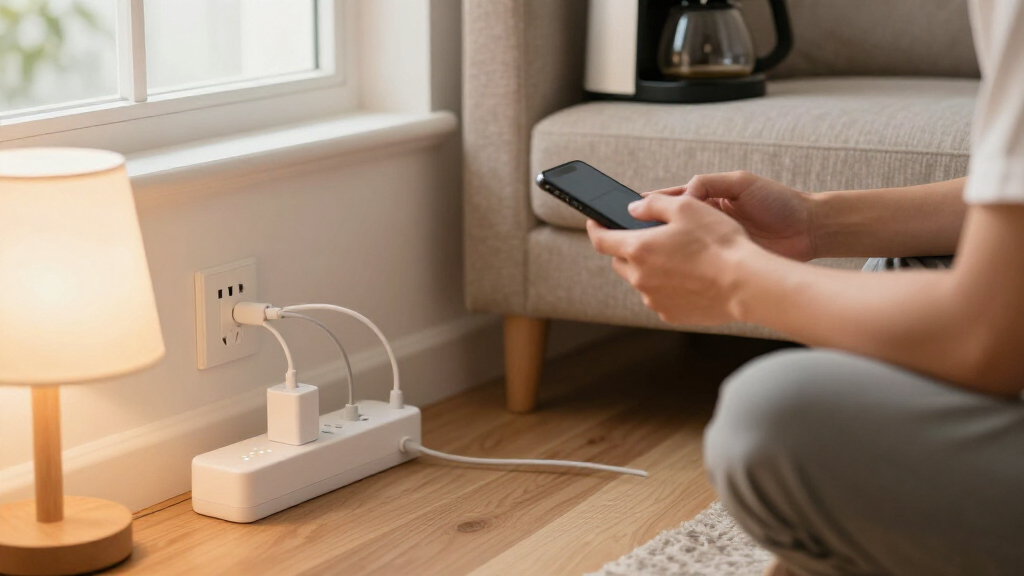
Smart plugs and smart power strips turn ordinary lamps, fans, and entertainment centers into app-controlled devices, but the category splits sharply between simple plug extenders and full-featured power strips with individually controlled outlets. Kasa Smart Plug Power Strip HS300 earns my best overall pick thanks to rock-solid app reliability, six independently controlled outlets, and built-in energy monitoring per outlet. For smart home enthusiasts who want future-proofing, the Tapo P316M with Matter support is the upgrade path, while budget shoppers get real surge protection and three smart outlets with the Kasa KP303. The main tradeoffs you will face: ecosystem lock-in versus Matter compatibility, hub-free convenience versus network stability, and USB charging convenience versus outlet count. Keep reading for the full breakdown of all 15 options.

Get home appliances delivered free — and shop member deals
- Fast, free delivery on millions of items
- Access to Prime Big Deal Days deals on October 6–7
- Prime Video, Amazon Music and more included
Complete the kit


Key Takeaways
- Kasa‘s HS300 remains the category benchmark because it is the only mainstream strip here offering per-outlet energy monitoring, letting you see exactly which device drains the most power.
- Matter support is still rare in this lineup — only the Tapo P316M fully supports it — so buyers heavily invested in Apple Home or mixed ecosystems should prioritize that pick over cheaper Alexa-only options.
- Outlet extender styles (amazon.com/dp/B0FQX4FRGB?tag=theintellihome-20&ascsubtag=dc-1090969″ target=”_blank” rel=”nofollow sponsored noopener”>Govee, GHome) trade cord length and surge protection for wall-hugging convenience, making them better for lamps and small setups than home theaters.
- Several budget strips (Yozisital, Geeni 6-outlet) only make some outlets smart while keeping others always-on, a distinction easy to miss in product listings and the biggest source of buyer regret in this category.
- USB-C charging is emerging as a differentiator: the meross PD 20W strip and Amazon Basics 3-USB strip charge modern phones and tablets noticeably faster than the USB-A-only ports on older Kasa models.


| smart plugs and smart power strip | USB Ports | Smart Outlets | Surge Protection | Cord Length |
|---|---|---|---|---|
| meross Smart Plug Power Strip | 4 (includes 20W USB-C PD) | 4 individually controlled | — | 6 ft |
| KMC 3-Outlet Smart Plug Power | 3 | 3 independently controlled | 490 joules | 4 ft |
| Govee Smart Plug Outlet Extend | 1 USB-A (5W), 1 USB-C (10W) | 2 | — | — |
| Westinghouse WH-320 Wi-Fi Smar | — | 3 | — | — |
| Geeni Surge Ultra Smart 8-Outl | 3 | — | 1200 joules | 6 ft |
| Amazon Basics Smart Plug Power | 3 (2 USB-A, 1 USB-C) | 6 (individually controlled) | 790 joules | — |
| Kasa Smart Plug Power Strip HS | 3 (5V/2.4A each) | 6 (individually controlled) | ETL certified, Type 3 SPD | — |
| Tapo Smart Wi-Fi Power Strip P | 3 always-on (5V/2.4A) | 6 (individually controlled) | Yes | 3 feet |
| Kasa Smart Plug Power Strip KP | 2 (always-on) | 3 (individually controlled) | ETL-certified | — |
| Geeni Smart Surge Protector Po | — | 6 (individually controlled) | Yes | 3 feet |
| LINKVOLT Smart Power Strip wit | — | — | 1080 Joules | 6 ft |
| Yozisital Smart Power Strip | 4 (2 USB-A, 2 USB-C) | — | — | 5 ft |
| GHome Smart Plug Outlet Extend | — | — | — | — |
| Geeni Smart Plug Power Strip | 2 (USB-A & USB-C), always-on | — | 1200 Joules | 6 ft |
| GHome Smart Plug Outlet Extend | — | — | — | — |
More Details on Our Top Picks
meross Smart Plug Power Strip, PD 20W USB-C, 4 Outlets + 4 USB Ports
Among every strip in this lineup, the meross is the only one that plays properly with Apple HomeKit and Siri, which immediately sets it apart from Alexa-only ecosystems like the Geeni Surge Ultra. Four individually controlled outlets mean lamps and appliances run on separate schedules, while the four USB ports — including a 20W USB-C PD port — are grouped together, so you can cut standby power to chargers overnight with one tap. That grouping is the tradeoff: compared with a Kasa HS300, you lose per-port USB control, but you gain fast charging the Kasa doesn’t offer. Setup skips a hub entirely on Alexa and Google; HomeKit users will need an Apple TV or iPad as a bridge for remote access, which is an extra hurdle Apple imposes rather than a meross flaw.
Pros:- Native Apple HomeKit and Siri support, rare among smart power strips
- 20W USB-C Power Delivery charges phones and tablets quickly
- Four outlets each individually controlled via app or voice
- Works with 2.4GHz and dual-band routers without a hub
Cons:- USB ports are group-controlled only, not individually switchable
- HomeKit remote control requires an Apple TV or iPad acting as a hub
Best for: Apple-centric households who want Siri control and HomeKit automations alongside fast USB-C charging on a nightstand or desk
Not ideal for: Buyers who want every USB port individually switchable or Matter support like the Tapo P316M offers
- Smart Outlets:4 individually controlled
- USB Ports:4 (includes 20W USB-C PD)
- Max Amperage:15A
- Compatibility:Apple HomeKit, Siri, Alexa, Google Home, SmartThings
- Wi-Fi:2.4GHz or dual band
- Cord Length:6 ft
- Safety Certification:ETL, FCC; flame-retardant PC housing
Our verdict“If your smart home runs on Apple devices, this is the strip to buy — everyone else can find simpler or cheaper alternatives.”
KMC 3-Outlet Smart Plug Power Strip with Surge Protector
The KMC Smart Strip 3 keeps things deliberately simple: three independently controlled outlets, Alexa and Google voice control, and no hub to buy — a straightforward package that undercuts more elaborate options like the Geeni Surge Ultra on complexity. Compared with the Kasa KP303, which offers a similar three-outlet layout plus USB ports, the KMC trades charging ports for a lower-profile plug that tucks behind furniture, and backs it with a lifetime warranty and US-based support. The real compromise is protection: 490 joules of surge suppression is modest, so a gaming PC or home theater deserves something beefier. The 4-foot cord also limits placement flexibility versus 6-foot models from meross and Geeni. For lamps, fans, and holiday lighting, though, those limits rarely matter.
Pros:- Three independently controlled outlets in an affordable package
- Works with Alexa and Google Assistant with no hub required
- Low-profile plug fits flush behind furniture
- Lifetime warranty with US-based support
Cons:- 490 joules of surge protection is low for sensitive or valuable gear
- 4-foot cord restricts where the strip can sit
- No USB-C or fast-charging ports
Best for: First-time smart home buyers automating lamps, fans, or holiday lights without spending much or learning a complex app
Not ideal for: Owners of expensive electronics — the 490-joule surge rating and short 4-ft cord aren’t adequate for a workstation or entertainment center
- Smart Outlets:3 independently controlled
- USB Ports:3
- Max Power:1875W (15A, 125V)
- Surge Protection:490 joules
- Cord Length:4 ft
- Compatibility:Alexa, Google Assistant, iOS, Android
- Certification:UL/ETL
- Warranty:Lifetime
Our verdict“A sensible, no-frills entry point for basic smart control — just don’t trust it to safeguard a pricey setup.”
Govee Smart Plug Outlet Extender with RGB Night Light
Unlike every floor-bound strip here, the Govee extender screws directly into your existing wall outlet, which solves two problems at once: no cord clutter and no strip sliding around behind the bed. Only two of its six outlets are smart-controlled — a sharper limit than the six smart outlets on the Geeni Surge Ultra — but the four always-on slots plus two USB ports make it a genuine compact power hub for a nightstand or desk. Its party trick is the built-in RGB night light, schedulable through the same Govee app as the smart outlets, something no other pick in this roundup offers. The wide 1.97-inch outlet spacing handles bulky adapter bricks without blocking neighbors. Just know the USB output is modest at 5W and 10W, so it charges phones, not laptops.
Pros:- Screws securely into the wall outlet — no cords or sliding
- RGB night light with custom colors, scenes, and schedules
- Wide 1.97-inch spacing accommodates large power adapters
- Surge, overload, and fire-retardant safety protections built in
Cons:- Only 2 of 6 outlets are smart-controlled
- USB charging is slow at 5W (USB-A) and 10W (USB-C)
- Requires a compatible wall plate screw for secure installation
Best for: Bedside or home-office setups where cord-free wall mounting, ambient lighting, and mixed smart plus always-on outlets are the priority
Not ideal for: Buyers who want every outlet app-controlled or need serious charging speed from USB ports
- Smart Outlets:2
- Always-On Outlets:4
- USB Ports:1 USB-A (5W), 1 USB-C (10W)
- Outlet Spacing:1.97 inches
- Night Light:RGB with scenes and scheduling
- Compatibility:Alexa, Google Assistant, Govee Home App
- Safety:Surge and overload protection, 5VA fire-retardant shell
- Mounting:Wall outlet with retaining screw
Our verdict“The right choice for nightstands and cramped desks where a floor strip is impractical and soft lighting is a bonus.”
Westinghouse WH-320 Wi-Fi Smart Power Strip
What separates the Westinghouse WH-320 from the pack is its automation depth: beyond standard daily and weekly schedules, it adds 24-hour countdown timers and location-based triggers, so lights can flip on as you pull into the driveway. IFTTT support extends this further than app-only rivals like the KMC Smart Strip, letting the strip react to weather, calendars, or other services. The layout is honest about its limits — three smart outlets plus one always-on, a sensible split for keeping a router powered while cycling a lamp, fan, and humidifier. Compared with the Geeni Surge Ultra’s six smart outlets, capacity is clearly lower, and there are no USB ports at all. For buyers whose real goal is hands-off automation rather than raw outlet count, this model earns its place.
Pros:- Location-based automation turns devices on when you arrive home
- IFTTT integration connects to hundreds of third-party services
- Daily, weekly, and countdown scheduling options
- Dedicated always-on outlet keeps routers and modems powered
Cons:- Only 3 of 4 outlets are smart-controlled
- No USB ports for charging devices
- Smaller ecosystem and fewer integrations than Kasa or Tapo alternatives
Best for: Automation tinkerers who want countdown timers, location triggers, and IFTTT recipes rather than just app on/off toggling
Not ideal for: Anyone needing USB charging ports or more than three controllable outlets should look at the Geeni Surge Ultra or meross instead
- Smart Outlets:3
- Always-On Outlets:1
- Connectivity:Wi-Fi, no hub required
- Voice Assistants:Alexa, Google Home
- Automation:Daily/weekly schedules, 24-hour countdown, location-based, IFTTT
- Model:WH-320
- Color:White
Our verdict“A strong pick when schedules and triggers matter more than outlet count — skip it if you need USB charging.”
Geeni Surge Ultra Smart 8-Outlet Surge Protector
For a TV console or gaming corner, the Geeni Surge Ultra makes the strongest case in this batch: eight outlets — six smart, two always-on — paired with 1200 joules of surge protection, more than double the KMC Smart Strip’s rating. That always-on pair is thoughtful engineering for a cable box or DVR that shouldn’t lose power when you cut the smart outlets overnight. The 6-foot cord matches the meross strip for reach, and Geeni’s app handles individual control of each smart socket without a hub. The tradeoffs are real, though: no HomeKit support (unlike meross) or Matter (unlike the Tapo P316M), and its three USB ports charge at basic speeds rather than the 20W USB-C PD meross provides. As a pure power-distribution and protection workhorse, it still leads the group.
Pros:- Six individually controlled smart outlets — the most in this batch
- 1200 joules of surge protection for sensitive electronics
- Two always-on outlets keep essential devices powered
- 6-foot cord and mountable design for flexible placement
Cons:- No Apple HomeKit or Matter support
- USB ports lack fast charging — no USB-C PD
- Lacks energy monitoring found on the Tapo P316M
Best for: Home theater and gaming setups needing many individually controlled outlets plus serious surge protection for expensive gear
Not ideal for: Apple HomeKit users or anyone wanting fast USB-C charging — meross covers both of those needs better
- Total Outlets:8 (6 smart, 2 always-on)
- USB Ports:3
- Surge Protection:1200 joules
- Amperage:15A
- Cord Length:6 ft
- Compatibility:Alexa, Google Assistant, Geeni app
- Hub Required:No
- Design:Mountable, black, Type B 3-pin plug
Our verdict“The entertainment-center workhorse of this roundup — maximum outlets and surge protection in exchange for a narrower ecosystem.”
Amazon Basics Smart Plug Power Strip with 6 Individually Controlled Outlets and 3 USB Ports
This option stands out as the easiest onboarding path for anyone already living inside the Alexa ecosystem — setup happens entirely in the Alexa app, with no extra account or third-party app to juggle. Compared with the Kasa HS300, which requires its own app before linking to Alexa, the Amazon Basics strip trades flexibility for friction-free integration. The USB-C port is a genuine differentiator here, since most strips in this roundup — including the Tapo P316M — still offer USB-A only. The tradeoff is real, though: Alexa is the only voice assistant supported, so Google Home or Apple households are out of luck, and 790 joules of surge protection is modest against the Kasa’s ETL-certified rating. This pick makes the most sense for Echo-heavy homes that value simplicity over cross-platform reach.
Pros:- Six outlets individually controllable or grouped directly in the Alexa app
- Includes a USB-C port alongside two USB-A ports
- No hub and no separate app required for setup
- Surge protection rated at 790 joules
Cons:- Alexa-only compatibility locks out every other smart home ecosystem
- Limited to 2.4 GHz WiFi networks
- No per-outlet energy monitoring unlike the Kasa HS300 or Tapo P316M
Best for: Alexa-centric households that want one-app setup and don’t need Google or Apple support
Not ideal for: Google Home or Apple HomeKit users — this strip simply won’t integrate with those platforms
- Smart Outlets:6 (individually controlled)
- USB Ports:3 (2 USB-A, 1 USB-C)
- Voltage:120V
- Maximum Current:15A
- WiFi:2.4 GHz
- Hub Required:No
- Voice Assistant:Alexa only
- Surge Protection:790 joules
Our verdict“Buy this if Alexa runs your home and you want the shortest path from box to voice control; skip it if your household mixes ecosystems.”
Kasa Smart Plug Power Strip HS300 – 6 Smart Outlets with USB Ports
The HS300 remains the benchmark six-outlet smart strip, and its per-outlet energy monitoring is the feature that keeps it at the top of this lineup. Where the Amazon Basics strip can only switch outlets on and off, the Kasa app shows exactly how many watts each device draws — invaluable for hunting down phantom loads from entertainment centers or office setups. Compared with the Geeni 6-outlet strip, the HS300 pairs that monitoring with ETL-certified surge protection and support for both Alexa and Google Assistant, making it the more trustworthy choice for expensive electronics. The cost of that capability is physical bulk: at 14.17 inches long, it’s the largest strip in this batch, so tight spaces behind furniture may favor the slimmer Tapo P316M instead.
Pros:- Per-outlet energy monitoring for tracking and cutting power waste
- ETL-certified surge protection for sensitive electronics
- Works with Alexa, Google Assistant, and Microsoft Cortana
- Six independently controlled outlets plus three USB ports with no hub needed
Cons:- Oversized footprint at 14.17 inches long
- Requires a compatible iOS or Android device for full smart features
- USB ports are not individually monitored
Best for: Home office or home theater owners who want detailed energy data and robust surge protection for costly gear
Not ideal for: Anyone with cramped outlet space — the 14.17-inch body dwarfs compact options like the Tapo P316M
- Smart Outlets:6 (individually controlled)
- USB Ports:3 (5V/2.4A each)
- Input:100–125V, 60Hz, 15A
- Maximum Load:15A, 1875W
- Surge Protection:ETL certified, Type 3 SPD
- Voice Assistants:Alexa, Google Assistant, Microsoft Cortana
- Hub Required:No
- Length:14.17 inches
Our verdict“The most complete package here — pick the HS300 if energy insight and surge safety matter as much as remote control.”
Tapo Smart Wi-Fi Power Strip P316M with Matter and Energy Monitoring
The P316M solves the problem that trips up both the Amazon Basics strip (Alexa-only) and even the Kasa HS300: ecosystem lock-in. Matter certification means it works natively with Alexa, Google Home, Apple HomeKit, and SmartThings, so a mixed household of iPhone and Android users can all control it. Its LAN-based local control is another quiet advantage — schedules and switching keep working during internet outages, something cloud-dependent strips like the Geeni can’t claim. Per-outlet energy monitoring puts it on par with the HS300 in a slimmer, flush-fitting body with a 3-foot cord. The compromises: its USB ports are always-on with no remote switching, and getting the best performance means accepting firmware updates and a 2.4 GHz-only network.
Pros:- Matter-certified for Alexa, Google Home, Apple HomeKit, and SmartThings
- Per-outlet energy monitoring in a slim, space-saving design
- LAN local control keeps automations running without internet
- Surge protection plus automatic overcharge prevention
Cons:- USB ports are always-on and cannot be controlled remotely
- Requires 2.4 GHz WiFi and firmware updates for reliable performance
- Short 3-foot cord limits placement flexibility
Best for: Mixed-platform households — especially Apple HomeKit users — who want one strip everyone can control
Not ideal for: Buyers who want to remotely schedule USB-powered devices like fans or lights, since the USB ports never switch off
- Smart Outlets:6 (individually controlled)
- USB Ports:3 always-on (5V/2.4A)
- Smart Home Standard:Matter-certified
- Compatible Platforms:Alexa, Google Home, Apple HomeKit, Samsung SmartThings
- Energy Monitoring:Per AC outlet
- Surge Protection:Yes
- Cord Length:3 feet
- Connectivity:Wi-Fi (2.4 GHz), LAN local control
Our verdict“The most future-proof pick in the lineup — choose the P316M if platform flexibility and offline reliability outrank USB control.”
Kasa Smart Plug Power Strip KP303 – 3 Smart Outlets and 2 USB Ports
Not every job needs six outlets, and the KP303 wisely strips the formula down to three independently controlled smart outlets plus two USB ports — enough for a bedside table, a TV stand, or a small desk. It inherits the same Kasa app reliability, ETL-certified surge protection, and Alexa/Google support as its bigger sibling, the HS300, without that model’s 14-inch footprint or premium positioning. Compared with the GHome 3-outlet extenders in this roundup, the KP303 benefits from Kasa’s more mature scheduling and timer features, which translate directly into energy savings on things like fans and lamps. The honest tradeoff: its USB ports are always-on, and there’s no energy monitoring here, so buyers chasing watt-by-watt data should step up to the Tapo P316M or HS300 instead.
Pros:- Individual control of each outlet with schedules and timers
- Compact footprint fits easily behind furniture or on nightstands
- Works with both Alexa and Google Assistant with no hub
- ETL-certified surge protection for connected electronics
Cons:- USB ports are always-on and can’t be switched remotely
- No per-outlet energy monitoring
- Only three smart outlets limits growth for larger setups
Best for: Budget-minded buyers outfitting a nightstand, desk, or entertainment nook that only needs a few switched outlets
Not ideal for: Power users who want energy monitoring or more than three smart outlets — this strip will feel limiting fast
- Smart Outlets:3 (individually controlled)
- USB Ports:2 (always-on)
- Voice Assistants:Alexa, Google Assistant
- Surge Protection:ETL-certified
- Hub Required:No
- Connectivity:WiFi
- App:Kasa Smart (iOS, Android)
Our verdict“The smart choice for small, single-purpose spots where three outlets and dependable scheduling are all you actually need.”
Geeni Smart Surge Protector Power Strip with 6 Wi-Fi Outlets
The Geeni undercuts the established names while still delivering the two headline features — six individually controlled outlets and real-time per-outlet energy monitoring — that usually define the premium tier. Compared with the Kasa HS300, it matches the monitoring capability in a shorter body, though its surge protection lacks Kasa’s ETL-certified specification, which matters if you’re protecting a pricey AV stack. Against the Tapo P316M, the Geeni covers Alexa and Google Assistant but skips Matter and Apple HomeKit entirely, so it’s a weaker fit for iOS-centric homes. Its 3-foot cord is workable for desks and nightstands but restrictive for wall-mounted TVs or distant outlets, where the 6-foot Geeni Surge Ultra or meross strips make more sense. This pick makes the most sense for cost-conscious buyers who want monitoring without paying flagship prices.
Pros:- Six outlets each controlled individually via app or voice
- Real-time per-outlet energy monitoring helps cut electricity waste
- Works with both Alexa and Google Assistant
- Built-in surge protection for everyday electronics
Cons:- Short 3-foot cord limits placement options
- No Matter or Apple HomeKit support
- Surge protection lacks the ETL certification of the Kasa HS300
Best for: Value-focused buyers who want six smart outlets with energy monitoring on a tighter budget
Not ideal for: Apple HomeKit users or anyone protecting expensive electronics who wants certified surge specs and a longer cord
- Smart Outlets:6 (individually controlled)
- Cord Length:3 feet
- Voice Control:Alexa, Google Assistant
- Energy Monitoring:Real-time, per outlet
- Surge Protection:Yes
- Hub Required:No
- App:Geeni
Our verdict“A sensible budget play for Alexa or Google households that want energy data on the cheap — just verify the cord reaches.”
LINKVOLT Smart Power Strip with Surge Protector – WiFi Outlet Extender, Alexa & Google Home Voice Control, 3 AC Outlets
What sets the LINKVOLT apart from otherwise similar 3-outlet strips like the Kasa KP303 is its dedicated Away Mode, which randomizes connected lights on an irregular schedule so your home looks occupied while you travel. That’s a genuinely different value proposition than simple timer automation. Each of the three outlets is independently controllable through the Smart Life app or Alexa and Google Home, with no hub needed. The 1080-joule surge protection and fire-resistant housing put it ahead of basic extenders on safety, though slightly below the Geeni strip’s 1200-joule rating. The tradeoff is capacity: with only three AC outlets and no USB ports at all, it’s a minimalist choice. Anyone charging phones and tablets at their desk will want the Yozisital or Geeni strips instead.
Pros:- Away Mode randomizes lights to simulate occupancy during vacations
- Independent control of all 3 outlets via app or voice, no hub required
- ETL certified with 1080-joule surge protection and fire-resistant shell
- 6-foot heavy-duty cord gives flexible placement options
Cons:- Only works on 2.4GHz WiFi networks
- No USB ports for direct device charging
Best for: Frequent travelers who want lights to turn on and off unpredictably to deter break-ins
Not ideal for: Desk setups or nightstands — with no USB ports and only 3 outlets, charging gear means extra adapters
- Outlets:3 AC, individually controlled
- Max Current:15A
- Max Power:1875W
- Surge Protection:1080 Joules
- WiFi:2.4GHz
- Cord Length:6 ft
- Certification:ETL
- Compatible Assistants:Alexa, Google Home
- Hub Required:No
Our verdict“Buy this if vacation-home security automation is your priority; skip it if you need USB charging at the same outlet.”
Yozisital Smart Power Strip – 8 AC Outlets (6 Smart) & 4 USB Ports, 5FT Flat Plug Extension Cord, Alexa & Google Home Compatible
Nothing else in this lineup matches the Yozisital’s raw port count: 8 AC outlets plus 4 USB ports in a single unit. Six of those outlets are individually controllable through Smart Life, Alexa, or Google Home, which puts it in the same smart-control tier as the Kasa HS300 but with added USB-C charging the Kasa lacks. The 5-foot flat plug is a thoughtful touch for tucking furniture against walls. The honest tradeoff: two of the eight outlets are dumb, always-on regardless of app settings, so you’ll need to plan which devices go where. And like nearly every budget strip here, it’s 2.4GHz Wi-Fi only and won’t connect to 5GHz networks or encrypted/public hotspots — a real limitation for apartment dwellers on shared internet.
Pros:- 12-in-1 design with 6 individually controllable smart outlets
- 4 USB ports including 2 USB-C for modern device charging
- Flat plug and 5-foot cord fit easily behind furniture
- Wall-mountable design for flexible placement
Cons:- Only 6 of the 8 outlets are smart; the remaining 2 are always-on
- 2.4GHz Wi-Fi only; incompatible with 5G or encrypted/public networks
Best for: Home office or entertainment centers with many devices needing simultaneous power and charging
Not ideal for: Renters on 5GHz-only routers or shared/public networks — connectivity will be unreliable or impossible
- Outlets:8 AC (6 smart, 2 standard)
- USB Ports:4 (2 USB-A, 2 USB-C)
- Maximum Current:15A
- Voltage:125 volts
- Cord Length:5 ft
- Wi-Fi:2.4GHz only
- Compatibility:Alexa, Google Home, Smart Life app
- Plug Type:Type B – 3 pin (North American)
Our verdict“The pick when outlet count matters most, as long as your router broadcasts 2.4GHz and you can live with two non-smart outlets.”
GHome Smart Plug Outlet Extender – Smart Power Strip with 3 Individually Controlled WiFi Outlets and 3 USB Ports
Unlike every corded strip in this roundup — the Geeni 6-outlet, the LINKVOLT, the Yozisital — the GHome extender plugs directly into the wall with built-in prongs. That makes it the tidiest option here: no cable to route, nothing to mount, and no cord clutter behind furniture. Its 9-in-1 layout mixes 3 individually controlled smart outlets, 3 USB ports, and 3 always-on outlets, so always-needed devices like a router stay powered while lamps and fans get automated. Compared with the Govee outlet extender, it trades RGB lighting for a more practical mix of always-on and smart ports. The compromise is placement flexibility — being fixed to a single wall receptacle means your devices need to live right there, and the USB ports only respond to group control, not individual switching.
Pros:- Plugs directly into the wall — no cord, wiring, or mounting hardware needed
- Balanced 9-in-1 layout with smart, always-on, and USB outlets
- FCC and ETL certified with overload, overcurrent, and fuse protections
- Bluetooth pairing simplifies initial setup
Cons:- Fixed wall placement offers no cord-based positioning flexibility
- USB ports support group control only, not individual control
- 2.4GHz WiFi only; not compatible with 5GHz networks
Best for: Anyone who wants smart control at a specific wall outlet without adding a cord to the room
Not ideal for: Users whose devices sit far from the wall — with no cord, everything must cluster at one receptacle
- Outlets:9 (3 smart, 3 standard, 3 USB)
- Maximum Power:1800W (1875W max)
- Maximum Current:15A
- Connectivity:Wi-Fi 2.4GHz, Bluetooth
- Compatible Devices:Amazon Alexa, Google Assistant
- Certifications:FCC, ETL
- Operating Temperature:-20°C to 40°C
- Control Methods:App, Voice, Remote, Push Button
Our verdict“The cleanest way to add nine smart-capable ports to one wall outlet, provided your devices can reach that spot.”
Geeni Smart Plug Power Strip, 6 Outlets & 2 USB Ports, Surge Protected, 6 ft Cord, Black
With 1200 joules of surge protection, the Geeni edges out the LINKVOLT’s 1080 joules and claims the strongest surge rating in this batch — a meaningful difference if you’re protecting a TV, game console, or PC from power spikes. All six outlets are individually app-controlled, matching the smart granularity of pricier strips like the Kasa HS300 while skipping its energy monitoring. The Geeni app, Alexa, and Google Assistant all work without a hub, and the 6-foot cord matches the LINKVOLT for placement reach. The notable drawback: the USB-A and USB-C ports are always-on and cannot be switched remotely, so anything plugged into USB draws power constantly. Compared with the Yozisital, you also get fewer total ports, though better protection per outlet.
Pros:- 1200-joule surge protection, the highest in this batch
- All 6 outlets individually controlled via app or voice
- Both USB-A and USB-C fast-charging ports included
- No hub required — connects directly to home Wi-Fi
Cons:- USB ports are always-on with no remote control
- Indoor use only
- 2.4GHz WiFi limitation common to this price tier
Best for: Home theater or gaming setups where surge protection for expensive electronics matters as much as smart control
Not ideal for: Anyone wanting to schedule USB-powered devices like LED strips or fans — the USB ports are always live
- Outlets:6 smart + 2 always-on
- USB Ports:2 (USB-A & USB-C), always-on
- Surge Protection:1200 Joules
- Maximum Current:15A
- Voltage:125 volts
- Cord Length:6 ft
- Voice Control:Amazon Alexa, Google Assistant
- Dimensions:10″ x 7.15″
- Weight:1.7 pounds
Our verdict“The choice when protecting sensitive electronics from surges is the priority, so long as always-on USB ports don’t break your automation plans.”
GHome Smart Plug Outlet Extender with 3 Smart Outlets, 3 USB Ports and 3 Standard Outlets, Works with Alexa & Google Home, 15A/1800W
This white GHome extender is nearly identical in layout to its dark-colored sibling (B09JZD4NMC) — same 3 smart outlets, 3 group-controlled USB ports, and 3 always-on outlets — but it earns a separate slot for buyers who prioritize a clean, low-profile look in visible spaces like entryways or kitchens, where a black unit stands out. The compact footprint (under 4 inches long) disappears against white baseboards, something the chunkier Geeni 6-outlet strip can’t manage. Scheduling and timer functions work through the GHome app, Alexa, or Google Home, and the V0 fire-retardant shell plus overload protection keep it credible on safety. The same limitations apply: 2.4GHz Wi-Fi only, and USB ports can’t be switched individually. Choose between the two GHomes purely on color and price — the internals are functionally the same.
Pros:- Compact 3.95-inch design blends into white walls and baseboards
- Flexible mix of individual, group, and always-on control across 9 ports
- Timer and scheduling features help cut standby power waste
- FCC/ETL certified with overload, overcurrent, and V0 fire-retardant protection
Cons:- USB ports offer group control only, not individual control
- 2.4GHz WiFi only; not compatible with 5GHz networks
Best for: Budget-conscious buyers who want a discreet white extender for visible outlets in living areas or kitchens
Not ideal for: Power users wanting granular USB control or 5GHz network support — neither is offered here
- Outlets:9 (3 smart, 3 standard, 3 USB)
- Maximum Current:15A
- Maximum Power:1875W
- Voltage:120V
- WiFi:2.4GHz only (not 5G)
- Compatibility:Alexa, Google Home, GHome app
- Certifications:FCC, ETL
- Dimensions:3.95″L x 1.18″W
- Enclosure Material:Plastic (V0 fire retardant)
Our verdict“A solid low-profile wall extender that duplicates its dark GHome sibling — pick it when white looks better in your space.”

How We Picked
I evaluated each product against the factors that actually determine long-term satisfaction: app reliability and setup experience, since a smart strip with a buggy app is worse than a dumb one; outlet-level control, because grouping matters when you want the TV off but the router on; surge protection rating; ecosystem compatibility including Alexa, Google Home, Apple Home, and Matter; and practical details like cord length, plug orientation, and USB charging speed. Energy monitoring availability ranked heavily because it is the feature that changes behavior rather than just adding convenience.
The ranking also weighs brand track record for firmware updates and cloud stability. Kasa and Tapo sit at the top because their apps and connections stay dependable over time, while lesser-known brands like LINKVOLT and Yozisital land lower despite competitive hardware — their software ecosystems carry more risk. Budget picks earn their positions by delivering core functionality without the flakiness that plagues the cheapest smart home gear.
Factors to Consider When Choosing Smart Plugs And Smart Power Strips
Before choosing between these smart plugs and power strips, it helps to understand the decisions that shape your day-to-day experience with the device. The factors below go beyond any single product and apply to the whole category.Individually Controlled Outlets vs. Grouped Switching
The single biggest specification to verify is whether every outlet is independently controllable or whether the strip switches all outlets together. A strip with grouped switching is barely smarter than a single smart plug on a dumb strip, and this detail is often buried deep in product listings. Independent control lets you keep a DVR or router powered while cutting the soundbar and console — the scenario most people buy these strips for. Some budget models split the difference, offering a few smart outlets alongside always-on ports, which works well if you only need two or three automated devices. My advice: count the devices you actually want to schedule or automate, then choose a strip with at least that many independently controlled outlets, not just total outlets.
Ecosystem Compatibility and the Matter Question
Alexa and Google Home support is nearly universal in this category, but Apple Home compatibility is not, and it usually arrives only through Matter. If your household mixes ecosystems — an iPhone user and an Android user, or HomeKit automations alongside Alexa speakers — Matter support like the Tapo P316M offers prevents you from being locked to one app forever. Buyers with a single-ecosystem home can safely skip Matter and save money, since Wi-Fi-only strips from Kasa and Geeni work flawlessly within their lane. One common mistake: assuming “Works with Alexa” means local control. Most of these strips rely on the manufacturer’s cloud, so if that company shuts down its servers, the strip may lose smart features entirely. Established brands mitigate this risk with better track records of long-term support.
Energy Monitoring: The Feature That Pays for Itself
Energy monitoring sounds like a gimmick until you use it. Per-outlet monitoring, like on the Kasa HS300 and Tapo P316M, shows you which device on your entertainment center or desk actually costs money to run — often with surprising results, like an old receiver drawing standby power around the clock. Whole-strip monitoring is less useful because it cannot isolate individual devices, though it still catches phantom loads in aggregate. If your goal is lowering your electric bill rather than just voice control, this feature should be non-negotiable and is worth paying extra for. Buyers who only want scheduling for a lamp or coffee maker can skip it without regret.
Surge Protection Ratings and What They Actually Mean
Not every smart strip protects your electronics — some of the wall-extender styles in this lineup offer no surge protection at all. When a rating is listed, look for joule ratings in the hundreds or higher; a higher number means the strip can absorb bigger voltage spikes before failing. Surge protection matters most for home theaters, gaming setups, and anything plugged into older wiring, and less for lamps and phone chargers. A related mistake: treating a smart strip’s safety features as equivalent to a dedicated surge protector for expensive gear. If you are protecting a $2,000 TV, prioritize strips with higher joule ratings and a connected-equipment warranty rather than whichever model has the most USB ports.
Form Factor: Strip, Extender, or Flat Plug
Physical design determines where a smart plug or strip can actually live. Wall-hugging outlet extenders like the Govee and GHome models free up floor space and avoid cord clutter, but they block the second wall outlet on many receptacles and offer no cord reach. Traditional strips with six-foot cords and flat plugs, like the Geeni 6-outlet and meross, slide behind furniture and reach awkward wall outlets. Flat plugs specifically matter if the strip will sit against a wall or behind a mounted TV — a standard plug head can add three inches of protrusion. Measure your space and check the cord length before buying, because the wrong form factor makes even a great strip frustrating.
USB Ports: Convenience vs. Obsolescence
USB ports on smart strips are convenient but age faster than anything else on the device. USB-A-only strips, including some Kasa and Geeni models, charge older devices fine but struggle with modern phones that charge fastest over USB-C Power Delivery. Strips like the meross with 20W PD USB-C future-proof the charging side, while others offer only basic 5W charging that takes hours for tablets. Also check whether the USB ports are independently controllable or always tied to the strip’s status — always-on USB ports defeat the purpose if your goal is cutting standby power. If you already own fast chargers, USB ports should rank low on your priority list; if you want to clear wall adapters off your nightstand, they move up considerably.
Frequently Asked Questions
Do I need a hub to use these smart plugs and power strips?
Every product in this roundup connects directly to your 2.4 GHz Wi-Fi network without a separate hub, which keeps the purchase simple and the cost down. The tradeoff is that each strip communicates through your router and, in most cases, the manufacturer’s cloud servers. That means two things in practice: your Wi-Fi reliability directly affects responsiveness, and the brand’s continued operation of its cloud service matters for long-term functionality. Brands with established track records like Kasa and Tapo carry less of this risk than newer entrants. If you already own a smart home hub like Home Assistant or a Matter controller, choosing the Matter-capable Tapo P316M gives you local control options that reduce cloud dependence.
Can smart power strips handle high-wattage appliances like space heaters?
Most strips in this lineup are rated for 15A/1800W, which technically covers many space heaters, but I would be cautious in practice. Continuous high-current loads stress the strip’s internal relay and wiring more than the rating suggests, and some manufacturers explicitly exclude heaters from warranty coverage. A safer approach is using a single dedicated smart plug rated for heavy loads for heater duty, and reserving your smart strip for electronics, lamps, and chargers. Also confirm the strip’s surge protection does not interfere with motor-driven appliances, which can trip protection circuits. If heater automation is your main goal, prioritize build quality over outlet count.
What happens to my smart strip if the internet goes down?
The good news is that every strip here retains basic manual control — the physical button still switches outlets even without internet. What you lose during an outage is app control, voice commands, and any schedules that rely on cloud processing. Some models store schedules locally on the device itself, so timed events continue firing even when the internet drops, while others require cloud connectivity for everything beyond the physical switch. Kasa and Tapo strips generally handle offline operation more gracefully than budget brands. If you rely on schedules for critical tasks like a pet heater or aquarium equipment, verify local schedule support before committing.
Is energy monitoring accurate enough to actually reduce my electric bill?
Consumer-grade energy monitoring typically reads within a few percent of utility-grade meters, which is accurate enough for the purpose that matters: identifying which devices consume the most power and when. The real value comes from spotting phantom loads — devices drawing 10 to 30 watts continuously that you assumed were off, like older TVs, soundbars, and chargers left plugged in. Over a year, a few of these can add meaningful cost to your bill. Per-outlet monitoring, available on the Kasa HS300 and Tapo P316M, is far more actionable than whole-strip readings because it pinpoints individual offenders instead of giving you one blended number. Treat the absolute dollar figures as estimates, but trust the relative comparisons between outlets.
Should I buy one 6-outlet smart strip or several individual smart plugs?
It depends on whether your devices live in one place or spread across the house. A multi-outlet strip makes sense for entertainment centers, desk setups, and media consoles where several devices sit within inches of each other and benefit from a single point of control. Individual smart plugs are the better call for scattered devices — a lamp in the bedroom, a humidifier in the nursery, a coffee maker in the kitchen — because you avoid paying for outlets you do not need. Cost per smart outlet generally favors the strip, but only if you use those outlets. A hybrid approach works well for many households: one quality strip for the media center plus a handful of cheap plugs elsewhere. Do the room-by-room count before buying either.
Conclusion
Mapping these picks to buyer types closes the decision cleanly. For best overall, the Kasa HS300 is the strongest all-around choice — six individually monitored outlets, dependable software, and energy tracking that justifies its price over years of use. The best value goes to the Kasa KP303, which delivers Kasa’s app reliability and surge protection at a fraction of the cost for smaller setups. On the premium side, the Tapo P316M with Matter support and energy monitoring is the pick for buyers building a future-proof, multi-ecosystem home.
For beginners, the Amazon Basics Smart Plug Power Strip offers the friendliest setup experience with six controlled outlets and both USB-A and USB-C ports. Specific needs round out the list: the Govee outlet extender suits renters wanting a space-saving, no-cord option with a fun RGB night light, the meross PD strip handles fast USB-C charging duty, and the Geeni 8-outlet Surge Ultra covers large entertainment centers with many devices. Whatever you choose, verify individually controlled outlets and ecosystem compatibility before checkout — those two details separate satisfied owners from regrettable purchases more than anything else in this category.
Fall Picks
fall essentials
As an affiliate, we earn on qualifying purchases.