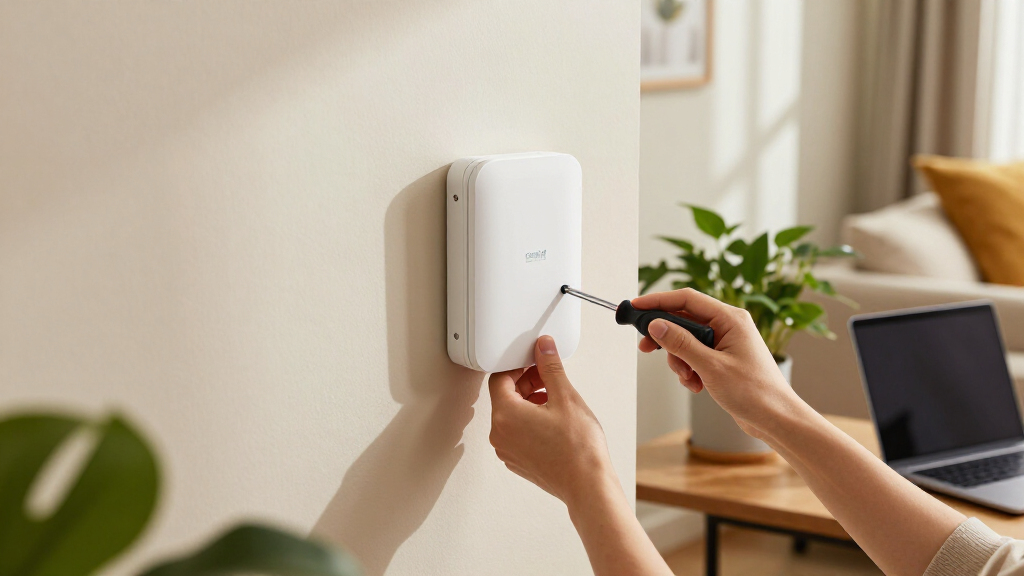

When searching for the best Cambium Networks wireless access points, the options can seem overwhelming. The cnPilot E501S stands out as the top overall choice thanks to its durability and outdoor performance, while the XV2-2X offers cutting-edge Wi-Fi 6 technology for high-density environments. Other models like the e430W provide flexible indoor coverage with cloud management, making them ideal for varied deployment scenarios. The main tradeoffs include balancing coverage, speed, management features, and price. Keep reading to see how these options compare and find the best fit for your network setup.

Get home appliances delivered free with Prime
- Fast, free delivery on millions of items
- Prime Video, Amazon Music and more included
- Member-only deals all year
Complete the kit


Key Takeaways
- The top models balance advanced Wi-Fi standards with ease of management and durability.
- Outdoor needs favor models like the E501S with IP67 ratings and rugged build quality.
- Wi-Fi 6 models, such as XV2-2X, are better suited for high-density environments requiring fast, reliable connections.
- Cost-effective indoor options like the e430W still deliver strong performance for smaller networks.
- Choosing between cloud-managed and traditional setups impacts flexibility and complexity.


More Details on Our Top Picks
Cambium Networks cnPilot E501S Outdoor Sector IP67 Wall/Pole-Mount Access Point
This outdoor sector access point excels in delivering long-range coverage across large outdoor areas, making it ideal for campuses, parks, or industrial sites. Its 90 to 120° coverage, combined with weather resistance and support for up to 256 clients, sets it apart from indoor-only models like the cnPilot e410. Unlike the indoor units, the E501S is built for harsh environments, but it requires a more technical setup, especially if deploying multi-hop mesh networks. Its IP67 rating ensures durability, though limited power consumption details could pose planning challenges. This pick is perfect for organizations needing extensive outdoor Wi-Fi, but not suited for small, indoor spaces or quick installs without technical expertise.
Pros:- Long-range coverage ideal for large outdoor areas
- Supports up to 256 clients with multiple SSIDs for security and segmentation
- Weather-resistant IP67 design withstands harsh conditions
Cons:- Requires technical knowledge for mesh network configuration
- Limited details on power consumption make planning harder
Best for: Large outdoor deployments such as parks, campuses, or industrial sites needing widespread coverage.
Not ideal for: Small indoor offices or environments requiring quick, simple setups, due to complex configuration and outdoor-specific features.
- Coverage:90 to 120°
- Mounting:Wall/Pole
- Weather Resistance:IP67
- Supports:256 clients, 16 SSIDs
- Security:WPA-2, Access Control Lists
- Additional Features:Electrical heater, LTE coexistence filters, multi-hop mesh
Our verdict“This outdoor sector access point is best suited for large-scale, outdoor environments where durability and long-range coverage are priorities.”
Cambium Networks cnPilot e430W Indoor Wireless Wi-Fi Access Point, Cloud Managed Dual Band 2.4 GHz and 5 GHz, 802.11ac, 2×2 MU-MIMO, PoE, Mesh Capability
The cnPilot e430W offers robust dual-band Wi-Fi 5 performance tailored for high-density indoor settings like offices, schools, or retail spaces. Its support for 256 clients and 16 SSIDs rivals enterprise models like the XV2-2X, but with a focus on indoor deployment. Its cloud management and mesh capabilities make scaling and remote management straightforward, though the setup complexity can be daunting for those unfamiliar with enterprise Wi-Fi. Unlike outdoor options, the e430W is optimized for indoor environments, but lacks explicit advanced security beyond WPA-2. This makes it ideal for tech-savvy organizations seeking reliable coverage in challenging environments, yet it might be overkill for small or simple setups.
Pros:- Supports high-density environments with up to 256 clients
- Cloud management and mesh features simplify expansion and maintenance
- Weather-resistant design ensures durability indoors
Cons:- Setup may be complex for non-technical users
- Limited to indoor use only
- Lacks advanced security features beyond WPA-2
Best for: Indoor spaces with high client density, such as offices or retail stores needing scalable, manageable Wi-Fi.
Not ideal for: Outdoor deployments or environments with minimal Wi-Fi demand, where specialized outdoor or low-capacity units are more appropriate.
- Controller Management:Yes
- Frequency Bands:2.4 GHz, 5 GHz
- Wireless Standard:802.11ac
- MIMO Technology:2×2 MU-MIMO
- Coverage Type:Indoor
- Capacity:256 clients, 16 SSIDs
Our verdict“This indoor Wi-Fi 5 access point is ideal for organizations needing high capacity and easy management in dense indoor environments.”
Cambium Networks cnPilot e410 Wi-Fi 5 Indoor Wireless Access Point – US – PoE – Enhanced Roaming – Supports up to 1000 Devices
The cnPilot e410 stands out for its high capacity and enterprise-grade features, supporting up to 1000 devices simultaneously. Its dual-band operation, MU-MIMO, and beamforming ensure reliable, interference-resistant coverage, making it a strong competitor to the XV2-2X in enterprise environments. Its cloud management via cnMaestro simplifies remote control, but it demands PoE switches or injectors, adding to the infrastructure needs. While security is WPA-2 based, advanced security protocols are not specified, which could be a concern for sensitive environments. This model makes the most sense for large offices or campuses that need robust performance and high device density, but it’s less suitable for smaller or less complex setups.
Pros:- Supports up to 1000 devices for high-density environments
- Cloud management with cnMaestro offers remote control and monitoring
- Enterprise features like MU-MIMO and beamforming improve coverage quality
Cons:- Requires PoE switches or injectors, increasing setup complexity
- Limited to indoor use only
- No mention of advanced security beyond WPA-2
Best for: Large enterprise indoor networks requiring high device capacity and reliable coverage.
Not ideal for: Small offices or environments where minimal infrastructure investment is preferred, due to PoE requirements and higher cost.
- Frequency Band:Dual-Band (2.4 GHz & 5 GHz)
- Wireless Compatibility:802.11ac
- Max Data Rate:1.7 Gbps
- Ports:2 LAN
- Maximum Connections:Up to 1000
- Management:Cloud-managed via cnMaestro
Our verdict“This high-capacity indoor Wi-Fi 5 access point is best for large organizations needing scalable, reliable connectivity with remote management.”
Cambium Networks XV2-2X Indoor Dual-Radio Wi-Fi 6 Access Point – 802.11ax, 2.4GHz & 5GHz, Omnidirectional Antennas, 2.5 GbE Ethernet, Cloud Management, 1.77 Gbps Data Rate
The XV2-2X introduces Wi-Fi 6 to the indoor enterprise scene, delivering blazing speeds up to 1.77 Gbps and supporting up to 512 clients. Its dual-radio design and omnidirectional antennas provide broad coverage, while the 2.5 GbE Ethernet ports prepare it for future bandwidth needs. Compared with the older cnPilot e410, it offers significantly improved throughput and efficiency, especially in dense environments. The cloud management options via cnMaestro X or Essentials make remote oversight straightforward. However, its higher price and indoor-only design mean it’s best suited for advanced, high-demand settings willing to invest in next-generation Wi-Fi. It’s less appropriate for small, low-traffic environments or outdoor use.
Pros:- Supports Wi-Fi 6 with 1.77 Gbps speed and improved efficiency
- Dual radios and omnidirectional antennas for broad, reliable coverage
- Cloud management simplifies deployment and monitoring
Cons:- Higher cost compared to Wi-Fi 5 options like the e410
- Indoor only, not suitable for outdoor environments
- Requires compatible management system for full feature set
Best for: High-performance indoor networks in offices, schools, or retail that seek Wi-Fi 6’s speed and efficiency.
Not ideal for: Outdoor or small-scale deployments, where investment in Wi-Fi 6 might not be justified or where outdoor durability is required.
- Wireless Standard:802.11ax
- Bandwidth:2.97 Gbps
- Ethernet Ports:2.5 GbE
- Coverage Area:Medium to large indoor
- Maximum Clients:512
- Management System:cnMaestro X or Essentials
Our verdict“This Wi-Fi 6 access point is ideal for organizations seeking future-proof, high-speed indoor connectivity in challenging environments.”
Cambium Networks XV2-22H Indoor Dual-Radio Wi-Fi 6 Wall Plate Access Point
The XV2-22H offers a sleek wall plate design combined with Wi-Fi 6 speeds up to 2.97 Gbps, making it suitable for environments where aesthetics matter, such as hotels or small offices. Its dual-band antennas and multiple Ethernet ports support over 50 devices simultaneously, matching the capabilities of larger units like the XV2-2X but in a more discreet form factor. The inclusion of Bluetooth Low Energy, Zigbee, and Thread radios adds versatility for IoT integrations, a feature not common in standard access points. However, its indoor-only design and PoE dependency may pose installation challenges, especially in retrofit projects. This model makes sense where high speed and unobtrusive installation are key, but it might be overkill for basic applications or outdoor needs.
Pros:- High-speed Wi-Fi 6 with 2.97 Gbps bandwidth
- Discreet wall plate design fits aesthetic environments
- Supports multiple devices and IoT radios for versatile use
Cons:- Indoor only, not suitable for outdoor use
- Requires PoE infrastructure for installation
- Setup complexity may challenge non-technical users
Best for: Small offices, hospitality, or IoT-rich environments needing high-speed Wi-Fi with discreet deployment.
Not ideal for: Outdoor or large-scale deployments where ruggedness and wide coverage are necessary, or users seeking simple plug-and-play solutions.
- Wi-Fi Standard:802.11ax
- Bandwidth:2.97 Gbps
- Ethernet Ports:3 x 1 GbE
- Coverage:Single indoor room
- Max Devices:50+
- Additional Radios:BLE, Zigbee, Thread
Our verdict“This high-speed Wi-Fi 6 wall plate access point is best for environments valuing discreet, high-capacity indoor connectivity with IoT integrations.”
Cambium Networks ePMP 3000 5 GHz Access Point Radio – Dual Sector, 4×4 MU-MIMO
The Cambium Networks ePMP 3000 stands out for its impressive 1 Gbps capacity and support for 120 subscribers per sector, making it ideal for service providers needing scalable, high-performance wireless coverage. Compared with the XV2-2X Wi-Fi 6 access point, it offers superior capacity and subscriber density, though it is less suited for enterprise environments focused on indoor Wi-Fi. Its cloud management simplifies deployment across large, complex sites, but installation demands technical expertise typical of service provider setups. While its 4×4 MU-MIMO on the 5 GHz band ensures fast, reliable connections, the device’s limited geographic availability (FCC only) restricts its use outside the US, which could be a concern for international deployments. This product is best suited for rural broadband providers and large-scale urban network operators who prioritize scalability and robust management tools over ease of setup for casual users.
Pros:- Over 1 Gbps high throughput supports demanding applications
- Supports up to 120 subscribers per sector, ideal for dense deployments
- Cloud-managed for remote control and diagnostics
- Reliable dynamic filtering and 128-bit AES encryption
Cons:- Requires technical expertise for installation and configuration
- Limited to the US market (FCC only), restricting international use
Best for: Service providers deploying scalable, high-capacity wireless networks in rural or urban environments.
Not ideal for: Small businesses or home users seeking easy plug-and-play access points, due to installation complexity and specialized deployment needs.
- Frequency:5 GHz
- MIMO:4×4 MU-MIMO
- Capacity:Over 1 Gbps
- Subscriber Capacity:Up to 120 per sector
- Technology:802.11ac Wave 2
- Warranty:3 years
- Encryption:128-bit AES
Our verdict“This access point is perfect for service providers needing scalable, high-performance outdoor solutions, but less suited for smaller or less technical deployments.”
How We Picked
These products were evaluated based on performance metrics such as data throughput, Wi-Fi standards, and coverage range. Ease of deployment and management were also key, especially for professional environments that require scalable solutions. Build quality and durability mattered for outdoor models, while price was a factor for more budget-conscious buyers. We prioritized models offering a good mix of speed, range, and management features, ranking them to reflect overall value for different use cases and deployment scales.Factors to Consider When Choosing Best Cambium Networks Wireless Access Points
Selecting the best Cambium Networks wireless access point involves more than just specs. Considering factors like environment, network size, and future scalability helps ensure your choice remains effective over time. Here are some key points to keep in mind:Environment and Durability
Outdoor deployments demand rugged, weather-resistant units like the E501S, which feature IP67 ratings. Indoor environments are more forgiving but still benefit from models with good ventilation and ease of access. Choosing a durable device prevents costly replacements and reduces maintenance over time.
Wi-Fi Standard and Speed
Wi-Fi 6 (802.11ax) models like the XV2-2X offer higher data rates and better performance in dense environments, making them ideal for future-proofing. However, if your network needs are modest, Wi-Fi 5 options like the e410 can deliver reliable service at a lower cost. Match the standard to your current and anticipated bandwidth requirements.
Coverage and Deployment Scale
Larger areas or outdoor spaces require high-power, omnidirectional antennas and models with extended range capabilities. Smaller or indoor networks might do well with compact units like the XV2-22H. Proper planning prevents dead zones and ensures consistent connectivity across your premises.
Management and Scalability
Cloud-managed devices such as the e430W simplify deployment and ongoing management, especially for distributed or remote setups. Traditional setups might involve local controllers but can offer more direct control. Consider your team’s technical expertise and scalability needs when choosing management options.
Budget and Total Cost of Ownership
While premium models offer advanced features, they come with higher upfront costs. Balance your budget with the expected lifespan and performance needs. Investing in durable, scalable devices may save money long-term by reducing replacements and maintenance.
Frequently Asked Questions
Can I mix different Cambium Networks access points on the same network?
Yes, Cambium Networks devices are designed to be interoperable within the same network, especially if managed through compatible cloud or local controllers. Mixing models allows for tailored coverage—using outdoor units where needed and compact indoor units elsewhere. Just ensure they share compatible firmware versions and management protocols to avoid connectivity issues.
What’s the main difference between Wi-Fi 5 and Wi-Fi 6 access points?
Wi-Fi 6 offers higher throughput, better performance in congested environments, and improved efficiency for multiple connected devices. Wi-Fi 5 remains reliable and more affordable, but as network density increases, upgrading to Wi-Fi 6 can provide noticeable benefits in speed and stability, especially in busy settings.
Are outdoor Cambium access points worth the investment for small businesses?
For small businesses with outdoor spaces or needing reliable, weather-resistant coverage, outdoor Cambium units like the E501S can be highly cost-effective by eliminating dead zones. They also tend to require less frequent maintenance due to rugged build quality, making them a smart long-term choice in suitable environments.
How important is cloud management for Cambium access points?
Cloud management simplifies deployment, monitoring, and troubleshooting, especially for dispersed or growing networks. It allows remote configuration and updates, saving time and reducing the need for onsite visits. However, it may come with additional subscription costs, so evaluate whether the convenience aligns with your budget and technical capacity.
Should I prioritize speed or coverage when choosing an access point?
Both are important, but your choice depends on your environment. For large outdoor areas, prioritize coverage and range. For high-density indoor environments like offices, speed and device capacity may matter more. Matching the device’s strengths to your specific needs ensures better overall network performance and user experience.