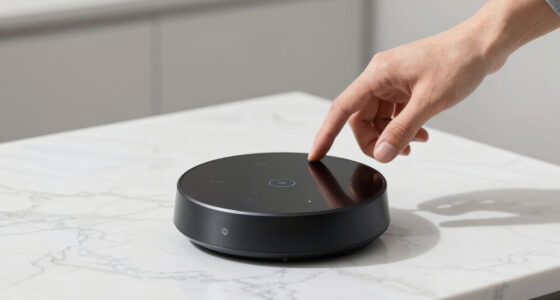
When selecting the best NAS for home surveillance, the key factors are storage capacity, ease of use, and compatibility with security cameras. The Synology 2-Bay DiskStation DS225+ stands out as the overall top choice thanks to its reliable performance and user-friendly interface. For those needing high-speed connectivity, the UGREEN NASync DXP4800 Plus offers impressive specs with 10GbE support, ideal for large security systems. However, buyers face tradeoffs like higher cost for advanced features or simpler models with limited expandability. Continue reading for a detailed breakdown to find the best fit for your security setup.

Get home appliances delivered free — and shop member deals
- Fast, free delivery on millions of items
- Access to Prime Big Deal Days deals on October 6–7
- Prime Video, Amazon Music and more included
Key Takeaways
- The top-ranked NAS options balance storage capacity with ease of setup, making them accessible for most home users.
- High-speed network interfaces like 10GbE are game-changers for large surveillance systems, but they come at a premium.
- Diskless models offer flexibility but require users to buy and install drives separately, which can add complexity.
- Build quality and software ecosystem heavily influence long-term reliability and ease of use.
- Choosing a NAS with scalable options is vital for future-proofing your home security system.




More Details on Our Top Picks
Synology 2-Bay DiskStation DS225+ (Diskless)
The Synology DS225+ stands out as the best overall choice for home surveillance due to its high-speed data transfer and robust data management features. Compared to the Yxk Zero1, it offers faster read/write speeds, which can be critical for continuously recording surveillance footage without lag. Its support for up to 40 TB makes it suitable for extensive video archives, though the need to purchase drives separately adds to initial costs. The device’s advanced security and management options provide peace of mind for users handling sensitive footage, but its complexity might challenge beginners. This NAS is ideal for tech-savvy homeowners who prioritize performance and security, and who don’t mind a slight setup curve. However, those seeking a simple plug-and-play solution with included drives should consider other options.
Pros:- High data transfer speeds for real-time video recording
- Supports large storage capacity up to 40 TB
- Includes advanced security and data management features
- Backed by a 3-year warranty
Cons:- Requires purchasing drives separately, increasing initial costs
- May be complex for users unfamiliar with NAS setup
- Limited to 2 drive bays, restricting maximum storage expansion
Best for: Tech-savvy homeowners needing high-speed, secure storage for extensive surveillance footage
Not ideal for: Beginners or users seeking an all-in-one package with included drives and straightforward setup
- Drive Bays:2
- Maximum Storage Capacity:40 TB
- Sequential Read/Write Throughput:282/217 MB/s
- Warranty:3 years
Bottom line: This NAS makes sense for experienced users wanting robust surveillance storage with high performance.
Yxk Zero1 2-Bay Desktop NAS, 60TB Max, Home Storage, Private Cloud, 4GB RAM, 2.5GbE, 4K HDMI, Diskless
The Yxk Zero1 offers a compelling balance of ease of use and flexibility, making it a great choice for home users looking to set up surveillance storage without hassle. Unlike the Synology DS225+, it emphasizes simplicity, with features like mobile app setup and QR code pairing that appeal to less technical users. With support for up to 60 TB, it provides ample space for most home surveillance needs, though the need to buy drives separately can add to costs. Its 4GB RAM and 2.5GbE ports support multiple streams and remote access, but its limited drive bays may restrict long-term scalability. This pick suits homeowners who want a private cloud experience with straightforward operation, but it may fall short for those requiring extensive storage expansion or advanced management features.
Pros:- Simple setup via mobile app and QR code
- Supports large storage capacity up to 60 TB
- Quiet operation with thermal management
- Includes 4K HDMI output for local video review
Cons:- Requires buying drives separately, increasing initial costs
- Limited to 2 drive bays, restricting future scalability
- No included drives, potential ongoing expenses
Best for: Homeowners seeking an easy-to-setup, scalable surveillance storage solution with remote access
Not ideal for: Power users needing extensive RAID configurations or maximum storage expansion beyond 2 bays
- Maximum Capacity:60TB
- Drive Bays:2
- RAM:4GB
- Network Ports:2.5GbE
- Video Output:4K HDMI
- Disk Type:Diskless
Bottom line: This NAS appeals to users who prioritize ease of use and flexible storage for home surveillance over maximum expansion.
UGREEN NASync DXP4800 Plus 4-Bay Desktop NAS with Intel Pentium Gold 8505, 8GB DDR5 RAM, 128GB SSD, 10GbE & 2.5GbE, M.2 NVMe Slots, 4K HDMI, Diskless
The UGREEN NASync DXP4800 Plus stands out for its impressive combination of high-speed networking with 10GbE and 2.5GbE ports, making it ideal for those who need rapid data transfers, especially compared to the Synology DS223, which offers less network flexibility. Its support for advanced features like Docker, virtual machines, and AI-powered photo organization makes it suited for tech-savvy users who want a versatile, expandable system. However, the need to purchase hard drives separately and the complex setup process can discourage beginners or those seeking a simple plug-and-play experience. This NAS is best suited for small office environments or power users who value performance and advanced capabilities over simplicity.
Pros:- Supports blazing-fast 10GbE and 2.5GbE network speeds for quick data access
- Supports Docker containers and virtual machines for high flexibility
- Provides secure private cloud with encryption and permission controls
- Includes AI-powered photo organization to manage large media libraries
Cons:- Requires separate purchase of hard drives, increasing initial cost
- Setup can be complex for users unfamiliar with network configurations
Best for: Small office users or tech enthusiasts requiring fast data transfer and virtualization features
Not ideal for: Home users seeking an easy, out-of-the-box setup or those with limited technical experience
- Processor:Intel Pentium Gold 8505 5-Core
- RAM:8GB DDR5
- Storage:128GB SSD (diskless, drives sold separately)
- Network Ports:1 x 10GbE, 1 x 2.5GbE
- M.2 NVMe Slots:2
- Video Output:4K HDMI
- Maximum Storage Capacity:144TB
- Warranty:2 years
Bottom line: This pick is ideal for tech-savvy users or small businesses needing high performance and advanced features, despite a steeper learning curve.
UGREEN NASync DH4300 Plus 4-Bay Desktop NAS with 128TB Support, AI Photo Album, 8GB RAM, 2.5GbE, 4K HDMI, Diskless
The UGREEN NASync DH4300 Plus offers a compelling balance of large storage capacity and user-friendly features, making it well-suited for families or individuals with extensive media libraries, especially compared with the Synology DS223, which has fewer bays and less capacity. Its simple setup, remote access, and AI-powered photo management make it an excellent choice for those who want hassle-free organization without ongoing cloud fees. The main tradeoff here is that it’s an entry-level NAS with no virtual machine support, limiting its potential for more complex tasks. This model makes the most sense for home users who prioritize storage capacity and ease of use over advanced virtualization features.
Pros:- Massive 128TB storage support for extensive digital archives
- Easy setup with remote access and multi-device support
- AI-powered photo albums for simple organization and duplicate removal
- Cost-effective long-term storage solution without cloud fees
Cons:- Requires buying drives separately, increasing initial cost
- Lacks support for virtual machines, limiting future expandability
Best for: Home users with large digital media collections who need straightforward storage and organization
Not ideal for: Users seeking virtualization or more advanced network features, as this NAS is primarily for storage and media management
- Support Capacity:128TB
- Number of Bays:4
- RAM:8GB LPDDR4X
- Network:2.5GbE
- Video Output:4K HDMI
- Diskless:Yes
Bottom line: This NAS is perfect for home users needing large, easy-to-manage storage with media-focused features, accepting limited advanced capabilities.
Synology 2-Bay NAS DS223 (Diskless)
The Synology DS223 offers a reliable, compact solution for those who want effective data sharing and basic surveillance features, especially compared to the 4-bay options which provide more capacity. Its two-bay design simplifies setup and management, making it ideal for small households or individuals prioritizing easy access and built-in security tools. However, the limited storage capacity and two-bay design restrict scalability, which might be a drawback for users with growing media or backup needs. This NAS is best suited for users looking for a straightforward, dependable device with integrated surveillance capabilities for home monitoring.
Pros:- Easy setup and management with Synology’s intuitive interface
- Built-in surveillance tools for home security
- Supports multi-platform data sharing and syncing
- Two bays keep it compact and space-efficient
Cons:- Limited to 2 drives, restricting total storage capacity
- Requires separate purchase of drives, adding to initial cost
- Less suitable for large or growing media libraries
Best for: Home users wanting simple, reliable storage with integrated surveillance features
Not ideal for: Those with large storage requirements or seeking virtualization and advanced features, as this model is more basic
- Storage Bays:2
- Diskless:Yes
- Warranty:2 years
Bottom line: This NAS fits small households or users seeking a simple, reliable storage and surveillance combo without complexity.
BUFFALO LinkStation 210 6TB 1-Bay NAS Network Attached Storage with HDD Included
The BUFFALO LinkStation 210 provides a simple, all-in-one solution for users who want ready-to-go storage without extra hassle, especially compared to the more expandable 4-bay models. Its included 6TB hard drive makes it ideal for immediate setup and basic backups, perfect for small households or personal use. However, its single-bay design limits future expansion, and its basic feature set doesn’t match the advanced capabilities found in the UGREEN NASync options. This pick is most suitable for users who prioritize simplicity and a low-cost, all-in-one package for basic data sharing and backup tasks.
Pros:- Includes a 6TB hard drive for immediate use
- Simple setup with fast network sharing
- Secure file sharing with SSL encryption
- No monthly fees for personal cloud storage
Cons:- Limited to a single drive bay, restricting scalability
- Basic features lack support for virtualization or advanced management
- Limited upgrade options for future growth
Best for: Home users seeking an easy, budget-friendly storage device with minimal setup
Not ideal for: Users with larger or growing storage needs or those wanting advanced surveillance or virtualization features
- Capacity:6TB
- Number of Bays:1
- HDD Included:Yes
- Compatibility:Windows, macOS
- Encryption:SSL
- Warranty:2 years
Bottom line: This NAS is a practical choice for budget-conscious users needing quick, straightforward storage with included drive, despite limited expandability.
How We Picked
Our evaluation focused on performance, ease of setup, expandability, build quality, and value. We prioritized products that offer reliable operation with surveillance data, straightforward user interfaces, and sufficient storage options. Compatibility with popular security cameras and the ability to handle multiple streams simultaneously also played a key role. To rank these products, we considered how well they balance these factors against their price, ensuring that both budget-conscious and premium buyers find suitable options.Factors to Consider When Choosing Best Nas For Home Surveillance
When choosing the best NAS for home surveillance, it’s important to consider several key factors that impact performance, usability, and future scalability. A well-chosen NAS not only stores your footage securely but also integrates smoothly with your security system. Understanding these factors helps avoid common pitfalls such as underestimating storage needs or overpaying for features you don’t need.Storage Capacity and Scalability
Assess your current surveillance setup and future expansion plans when selecting storage. Many users underestimate how quickly footage accumulates, especially with high-resolution cameras. Opting for a NAS with multiple drive bays or support for larger drives ensures you won’t need to upgrade prematurely. Consider models that support RAID configurations for data redundancy, offering peace of mind if a drive fails.
Network Speed and Connectivity
High network speed is critical for real-time surveillance streams, especially in larger setups. Look for NAS devices supporting 2.5GbE, 5GbE, or 10GbE interfaces if you need to transfer large video files quickly. Cheaper models with only 1GbE might suffice for small cameras but could bottleneck your system as your network grows. Prioritize devices that support multiple network ports for load balancing or link aggregation.
Ease of Use and Compatibility
An intuitive interface and wide camera compatibility simplify setup and ongoing management. Some NAS brands offer dedicated surveillance apps or integrated management tools that streamline configuration. Avoid overly complex systems if you prefer a straightforward experience, but also check if the device supports your existing security cameras—especially IP models from various brands.
Performance and Processing Power
Surveillance data demands robust processing capabilities, especially if you plan to record multiple cameras at high resolution simultaneously. Look for NAS models with faster CPUs and sufficient RAM—8GB or more is advisable for smooth operation. Cheaper or lower-powered units may struggle under load, leading to dropped frames or delayed recordings.
Price and Long-Term Value
While budget options can be tempting, they often compromise on storage, speed, or expandability. Investing a bit more upfront can yield a more reliable, scalable security system that lasts longer. Consider total cost of ownership, including drives, accessories, and potential future upgrades, to find a balanced option that meets your needs without overspending.
Frequently Asked Questions
Can I use a consumer NAS for professional-grade surveillance?
Yes, many consumer NAS devices are capable of supporting small to medium surveillance setups, especially those with multiple drive bays and high network interfaces. However, they might lack advanced security features or the processing power required for large-scale or high-resolution systems. For professional-grade surveillance, consider models with enterprise features or higher processing capabilities, but for most home security needs, a good consumer NAS offers ample performance.
Is it better to buy a diskless NAS or one with drives included?
Choosing a diskless NAS provides flexibility to select drives based on your storage needs and budget, allowing for custom configurations. However, it adds the step of purchasing and installing drives, which can be intimidating for beginners. Pre-installed models with drives included are more straightforward but often limit upgrade options or may come with drives that don’t meet your specific quality standards. Think about your comfort with hardware setup and future scalability when deciding.
How much storage do I need for home surveillance?
Storage needs vary widely depending on the number of cameras, resolution, frame rate, and retention period. As a general rule, 1TB can store a few days of footage from a handful of HD cameras. If you plan a large system or want longer retention, 4TB or more is advisable. Many users find that a NAS supporting 8-16TB provides a good balance for most home setups, with room to expand later.
Should I prioritize speed over storage capacity?
It depends on your surveillance system size and footage quality. Speed is essential if you want real-time monitoring and fast access to high-resolution videos, making interfaces supporting 10GbE advantageous. Conversely, storage capacity is critical for longer retention and larger camera counts. Ideally, select a device that balances both—fast enough for your current needs while providing ample space for future expansion.
What features make a NAS ideal for home surveillance?
An ideal surveillance NAS offers reliable storage, fast network interfaces, easy integration with security cameras, and robust data protection features like RAID. Additional features such as mobile apps for remote access, video management software, and scalable storage options enhance usability. The best models also support scheduled backups and have user-friendly interfaces to simplify ongoing management.
Conclusion
For most users seeking a straightforward, reliable solution, the Synology 2-Bay DiskStation DS225+ remains the best overall pick due to its balance of performance and ease of use. Budget-conscious buyers with smaller setups should consider the BUFFALO LinkStation 210 for basic needs. If you need a high-speed, scalable system and are comfortable with more advanced features, the UGREEN NASync DXP4800 Plus offers impressive performance. Beginners or those with simpler requirements will find the Synology DS223 a friendly choice, while users with extensive surveillance needs should look into models supporting 10GbE or larger capacities for future-proofing. As an affiliate, we earn on qualifying purchases.NFL season / tailgating Picks
team gear