Finding the best MIDI foot controllers in 2026 requires balancing features, ease of use, and compatibility. The SONICAKE MIDI Foot Controller stands out for its portability and Bluetooth capability, making it ideal for live performers on the go. The Singular Sound MIDI Maestro Gold Edition offers extensive control and customization for studio and stage use, but comes at a higher price. The main tradeoffs involve choosing between simple, portable options and more complex, feature-rich controllers suited for professional workflows. Keep reading to see how these options compare and find the best fit for your needs.
Listen free for 30 days with Audible
Thousands of audiobooks and originals — cancel anytime.
Start your free trialAs an affiliate, we earn on qualifying purchases.
Complete the kit


Key Takeaways
- The best MIDI foot controllers balance ease of use with extensive compatibility, especially with DAWs and hardware synths.
- Wireless models like the SONICAKE offer portability but may have limited control options compared to wired, programmable units.
- Premium options such as the MIDI Maestro provide advanced customization but come with higher complexity and cost.
- Some controllers excel in specific environments, like live performance or studio recording, highlighting the importance of matching features to use case.
- Build quality and software integration significantly impact long-term value, especially for gigging musicians and producers.
| SONICAKE MIDI Foot Controller, 4 Buttons Bluetooth Footswitch – Portable Control |  | Best Overall for Compact Wireless Control | Controls: 4 programmable footswitches | Connectivity: Bluetooth, USB, 1/4-inch audio | Power Source: Rechargeable lithium battery | VIEW LATEST PRICE | See Our Full Breakdown |
| PAINTAUDIO MIDI Captain Foot Controller Multi-Effects Keyboard Synthesizer USB-MIDI |  | Best for Versatile MIDI Control with Extensive Customization | Number of Foot Switches: 10 | Power Options: 9V/USB/Battery | Compatibility: PC/CC/Note MIDI messages | VIEW LATEST PRICE | See Our Full Breakdown |
| Singular Sound MIDI Maestro Gold Edition – All-in-One MIDI Foot Controller |  | Best for All-in-One Control with Visual Feedback | Footswitches: 6 | Built-in screens: 6 | Connectivity: 5-pin MIDI, Bluetooth MIDI | VIEW LATEST PRICE | See Our Full Breakdown |
| M-VAVE Chocolate Plus Wireless MIDI Foot Controller, 4-Button Footswitch |  | Best for Compact Wireless Control on the Go | Number of Buttons: 4 | Connectivity: Bluetooth & USB | Battery: 300mAh rechargeable | VIEW LATEST PRICE | See Our Full Breakdown |
| Paint Audio MIDI Captain DUO Foot Controller Multi-Effects Keyboard Synthesizer USB-MIDI DAW Software |  | Best for Programmable Dual Switch Control and HID Functionality | Number of switches: 2 | MIDI command support: Single or multiple commands | Trigger timings: Press, release, hold, multiple timings | VIEW LATEST PRICE | See Our Full Breakdown |
| 12 Step2 Chromatic Pressure Sensitive Keyboard USB MIDI Foot Controller with Programmable Scales and Pitch |  | Best for Expressive Performance and Customization | Connectivity: USB MIDI, TRS MIDI Out, CV-Gate Out | Type: Foot Controller | Features: Pressure Sensitive, Programmable Scales, Pitch Control | VIEW LATEST PRICE | See Our Full Breakdown |
| Blackstar Live Logic 6-Button MIDI Foot Controller |  | Best for Versatile MIDI Control on Stage | Number of Buttons: 6 | MIDI over USB: Yes | Expression Pedal Inputs: 2 | VIEW LATEST PRICE | See Our Full Breakdown |
| Nektar Pacer – USB MIDI Footswitch Controller with DAW Integration |  | Best for Hands-Free DAW and Recording Control | Number of foot switches: 10 | Connectable foot pedals: Up to 4 | Relay outputs: 4 | VIEW LATEST PRICE | See Our Full Breakdown |
| MIDI foot controller | Connectivity |
|---|---|
| SONICAKE MIDI Foot Controller | Bluetooth, USB, 1/4-inch audio |
| PAINTAUDIO MIDI Captain Foot C | — |
| Singular Sound MIDI Maestro Go | 5-pin MIDI, Bluetooth MIDI |
| M-VAVE Chocolate Plus Wireless | Bluetooth & USB |
| Paint Audio MIDI Captain DUO F | USB-MIDI, USB-HID |
| 12 Step2 Chromatic Pressure Se | USB MIDI, TRS MIDI Out, CV-Gate Out |
| Blackstar Live Logic 6-Button | — |
| Nektar Pacer | — |
More Details on Our Top Picks
SONICAKE MIDI Foot Controller, 4 Buttons Bluetooth Footswitch – Portable Control
The SONICAKE MIDI Foot Controller stands out for combining portability with versatile connectivity options, making it ideal for performers who need a lightweight, wireless solution. Its ability to connect via Bluetooth, USB, or wired 1/4-inch audio gives it an edge over bulkier wired-only options like the Blackstar Live Logic. The rechargeable battery supporting up to 12 hours of use enhances its usability in live settings, and the fully programmable footswitches allow customization for different setups. However, its limited four-button design may not satisfy users with complex control needs, and Bluetooth support is restricted to effects and mobile apps, which could hinder integration with larger systems. Compared to the Nektar Pacer’s more extensive control options, the SONICAKE excels in simplicity and portability, but trades off in complexity for advanced setups.
Pros:- Wireless and wired connectivity options for versatile use
- Long-lasting rechargeable battery with 12-hour runtime
- Fully programmable footswitches for customized control
- Compact and lightweight design for portability
Cons:- Bluetooth currently only supports connection to effects and mobile apps
- Limited to 4 footswitches, which may be insufficient for complex setups
- Requires app for advanced MIDI configuration
Best for: Musicians seeking a portable, wireless MIDI control solution for live performances or studio use without extensive setup.
Not ideal for: Users who require numerous footswitches or advanced MIDI configurations, as this model’s four-button limit and Bluetooth restrictions may fall short.
- Controls:4 programmable footswitches
- Connectivity:Bluetooth, USB, 1/4-inch audio
- Power Source:Rechargeable lithium battery
- Battery Life:Up to 12 hours
- Weight:180 g
- Dimensions:1.58 x 1.17 x 8.88 inches
Our verdict“This pick is ideal for performers who prioritize portability and simple, wireless control with moderate customization needs.”
PAINTAUDIO MIDI Captain Foot Controller Multi-Effects Keyboard Synthesizer USB-MIDI
The MIDI Captain offers a comprehensive control experience with 10 customizable switches supporting all PC/CC/Note MIDI messages, making it a strong choice for musicians who need detailed control over effects and synths. Its ability to handle complex MIDI commands with the unique Time Engine function sets it apart from simpler controllers like the SONICAKE. The multiple power options—USB, 9V, or batteries—add to its flexibility in various setups. However, its more complex setup process and the need for careful handling of power connections can be intimidating for beginners. Compared with the MIDI Maestro’s built-in screens and app control, the MIDI Captain’s strength lies in raw MIDI versatility, though it requires more technical know-how to operate effectively.
Pros:- Supports all PC/CC/Note MIDI messages for versatile control
- Customizable foot switches for personalized setup
- Multiple power options for flexible use
- Supports firmware updates for additional features
Cons:- Requires careful handling of power connections to avoid damage
- Complex setup may be challenging for beginners
- Limited detailed user instructions in the description
Best for: Advanced musicians and producers who want customizable, multi-command MIDI control for live and studio scenarios.
Not ideal for: Beginners or users who prefer plug-and-play simplicity, as the setup and configuration are more involved.
- Number of Foot Switches:10
- Power Options:9V/USB/Battery
- Compatibility:PC/CC/Note MIDI messages
- Special Features:Time Engine Function, customizable presets, firmware updates
Our verdict“This controller is best suited for experienced users needing extensive MIDI customization and control flexibility.”
Singular Sound MIDI Maestro Gold Edition – All-in-One MIDI Foot Controller
The MIDI Maestro Gold Edition elevates control with silent comfort+ footswitches and six built-in screens, offering quick access and clear visual feedback that simplifies complex setup navigation. Its support for MIDI via 5-pin and Bluetooth provides broad connectivity, competing with the more basic M-VAVE Chocolate Plus. The mobile app enhances customization and preset management, making it appealing for users who want remote control. On the downside, its feature-rich design can be overwhelming for beginners, and limited details on device compatibility could cause uncertainty. Compared to the MIDI Captain, the MIDI Maestro’s strength is in its visual interface and dedicated screens, which streamline live performance adjustments but come at the cost of increased complexity.
Pros:- Silent and reliable footswitches for quiet operation
- Multiple built-in screens for easy control and quick adjustments
- Mobile app for remote customization and preset management
- Supports multiple MIDI connections including Bluetooth
Cons:- May be complex for beginners to navigate all features
- Limited information on compatibility with all MIDI gear
- Potentially higher price point for advanced features
Best for: Musicians who value visual feedback, remote control, and comprehensive features for complex MIDI setups.
Not ideal for: Beginners or those seeking a straightforward, minimal control solution, due to its feature set and potential learning curve.
- Footswitches:6
- Built-in screens:6
- Connectivity:5-pin MIDI, Bluetooth MIDI
- Mobile app:Yes
- Built-in modes:BeatBuddy, Aeros Loop Studio
Our verdict“This device suits performers who want visual feedback and remote control capabilities for complex MIDI setups.”
M-VAVE Chocolate Plus Wireless MIDI Foot Controller, 4-Button Footswitch
The M-VAVE Chocolate Plus provides a portable, wireless MIDI control option with four programmable buttons, making it suitable for guitarists or performers needing quick setup and mobility. Its Bluetooth and USB support allow seamless integration with various devices, and its durable, compact design is ideal for travel. The main tradeoff is the limited four-button layout, which might restrict control for more complex performances. Battery life of up to 12 hours helps sustain longer gigs, but reliance on app-based customization can be an extra step for some users. Compared to the SONICAKE, the Chocolate Plus’s stronger point is its robust wireless connectivity, though it sacrifices expandability for simplicity.
Pros:- Wireless connectivity via Bluetooth and USB
- Highly customizable MIDI functions and app control
- Compact, portable, and durable design
- Up to 12 hours of battery life
Cons:- Limited to 4 footswitches, restricting complex setups
- Battery life may require frequent recharging for intensive use
- Full customization depends on app, adding setup time
Best for: Musicians who need a simple, portable wireless MIDI foot controller for live or studio use.
Not ideal for: Users requiring numerous switches or advanced control features, as its four-button design limits complexity.
- Number of Buttons:4
- Connectivity:Bluetooth & USB
- Battery:300mAh rechargeable
- Battery Life:Up to 12 hours
- Charging Time:2.5 hours
- Compatibility:Windows, Mac, iOS, Android
Our verdict“This controller is perfect for performers seeking a lightweight, wireless solution with basic control needs.”
Paint Audio MIDI Captain DUO Foot Controller Multi-Effects Keyboard Synthesizer USB-MIDI DAW Software
The MIDI Captain DUO offers a highly flexible foot controller with two switches capable of sending multiple MIDI commands or simulating keyboard/mouse inputs, making it ideal for controlling DAWs, effects, and synths. Its configurable trigger timings and multiple modes provide advanced users with fine control over their setup. The sturdy metal build ensures durability, and its support for USB and external power makes it adaptable across environments. The main tradeoff is the limited number of switches—just two—so it’s less suitable for complex, multi-parameter setups. Compared to the MIDI Maestro, the DUO’s strength lies in its configurability and HID capabilities, but it sacrifices the number of control points for precision and versatility.
Pros:- Highly configurable with multiple modes and trigger options
- Supports both MIDI and HID control for versatile use
- Sturdy metal construction for durability
- Compact and portable design
Cons:- Complex setup may require technical knowledge
- Limited to foot control, which may not suit all users
- Only two switches might restrict control options
Best for: Power users needing customizable, multi-command foot controls with HID and MIDI support for studio or complex live applications.
Not ideal for: Beginners or those seeking multiple switches for broader control, as its two-switch design limits scope.
- Number of switches:2
- MIDI command support:Single or multiple commands
- Trigger timings:Press, release, hold, multiple timings
- Connectivity:USB-MIDI, USB-HID
- Power supply:USB or external pedal power adapter
- Build:Sturdy metal body
Our verdict“This controller is best for advanced users who need precise, programmable dual switches with multi-command capabilities.”
12 Step2 Chromatic Pressure Sensitive Keyboard USB MIDI Foot Controller with Programmable Scales and Pitch
The 12 Step2 stands out for its pressure-sensitive pads, allowing for dynamic, expressive control—ideal for performers who want to convey emotion through their footwork. Compared to the Blackstar Live Logic, which offers a straightforward button layout, the 12 Step2’s pressure sensitivity adds a layer of nuance but also introduces a learning curve for programming and setup. Its multiple MIDI output options, including USB, TRS, and CV-Gate, provide great versatility for integrating with various studio and live gear, though the limited product details make troubleshooting less straightforward. This controller is best suited for advanced users who value tactile expression and customization over simplicity. It’s less ideal for beginners or those with basic MIDI needs, given its setup complexity and specialized features.
Pros:- Pressure-sensitive pads enabling expressive, dynamic control
- Multiple MIDI output options for broad compatibility
- Customizable programmable scales for tailored performance
Cons:- Limited product details may complicate setup or troubleshooting
- Requires MIDI-compatible equipment and some programming knowledge
Best for: Musicians seeking expressive control with programmable scales for live performances or nuanced studio work.
Not ideal for: Beginners or users who prefer plug-and-play MIDI controllers without a steep learning curve.
- Connectivity:USB MIDI, TRS MIDI Out, CV-Gate Out
- Type:Foot Controller
- Features:Pressure Sensitive, Programmable Scales, Pitch Control
Our verdict“This pick makes the most sense for experienced performers who want expressive, customizable foot control, accepting the tradeoff of complexity.”
Blackstar Live Logic 6-Button MIDI Foot Controller
The Blackstar Live Logic offers a compact, straightforward solution for controlling MIDI functions during live sets, with its six buttons and LED display providing clear feedback. It differs from the Nektar Pacer, which offers extensive programmability and DAW integration, by focusing on simplicity and immediate control. The inclusion of two expression pedal inputs enhances performance flexibility, making it suitable for guitarists or keyboardists who need quick access to multiple MIDI commands without complex setup. However, its control scope is limited strictly to MIDI functions, which may be restrictive for users needing deeper DAW or plugin control. This makes it a good fit for performers who want a reliable, easy-to-use MIDI foot controller but not a comprehensive DAW controller.
Pros:- Multiple buttons for versatile command control
- MIDI over USB simplifies connection to modern gear
- Includes two expression pedal inputs for dynamic control
Cons:- Limited to MIDI control functions only
- Lack of detailed specifications or user reviews may obscure usability
Best for: Guitarists or keyboardists needing a compact, reliable MIDI control surface for live gigs.
Not ideal for: Studio producers or advanced users who need extensive DAW integration and customization.
- Number of Buttons:6
- MIDI over USB:Yes
- Expression Pedal Inputs:2
- Display:LED
Our verdict“Ideal for performers seeking a simple, dependable MIDI foot controller for live performance, without the need for complex features.”
Nektar Pacer – USB MIDI Footswitch Controller with DAW Integration
The Nektar Pacer is designed for seamless integration with DAW software, offering ten programmable foot switches, relay outputs, and multiple pedal inputs. Unlike the Blackstar Live Logic, which focuses on straightforward MIDI commands, the Pacer’s extensive programmability and multiple relay outputs make it ideal for controlling complex recording sessions or live looping. Its compatibility with all MIDI software makes it especially valuable for studio musicians and producers needing hands-free control over DAW functions. The setup complexity can be daunting for beginners, and it’s not suited for standalone MIDI control without a computer. This makes it perfect for experienced users who want deep control over their recording environment but less ideal for casual performers or those new to MIDI gear.
Pros:- Hands-free control of DAW functions for recording and live use
- Highly programmable with 10 switches and pedal inputs
- Compatible with all MIDI software for broad flexibility
Cons:- Setup can be complex for users unfamiliar with MIDI devices
- Not designed as a standalone controller—requires a computer or DAW
Best for: Producers and live performers who require comprehensive DAW control and extensive programmability.
Not ideal for: Beginners or musicians seeking a simple, plug-and-play MIDI foot controller.
- Number of foot switches:10
- Connectable foot pedals:Up to 4
- Relay outputs:4
- Expression pedal inputs:2
- Outputs:MIDI and USB
- Compatibility:All MIDI music software
Our verdict“Perfect for advanced users needing comprehensive, programmable control over DAW functions during recording or live sessions.”
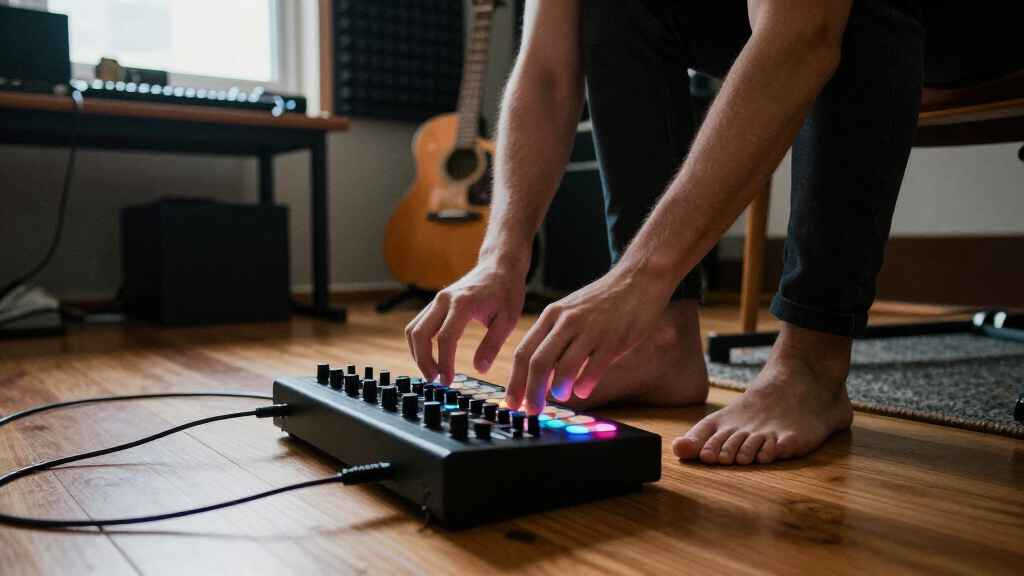
How We Picked
To compile this list, I evaluated each MIDI foot controller based on performance, ease of setup, build quality, versatility, and overall value. I prioritized products that offer a good balance between functionality and user-friendliness, considering both beginner-friendly options and professional-grade units. Compatibility with popular DAWs and hardware, along with control customization, heavily influenced the rankings. Cost was also a factor, ensuring there are options for different budgets without sacrificing essential features. The top picks represent a mix of portability, advanced control, and affordability, catering to various user needs.Factors to Consider When Choosing Best MIDI Foot Controllers
Choosing the right MIDI foot controller depends on how you plan to use it, your experience level, and your setup. Consider whether you need wireless mobility or prefer wired reliability. Compatibility with your existing gear and software is crucial, as is the level of control and customization you require. Budget also plays a significant role, as advanced features often come at a higher price. Keep in mind that some controllers are more user-friendly for beginners, while others cater to professional workflows with complex programming options.Compatibility and Connectivity
Ensure the MIDI foot controller supports your gear, whether it’s hardware synths, effects pedals, or DAWs. Wireless options like Bluetooth can add convenience but may introduce latency or connectivity issues. Wired controllers typically offer more stable connections, which is vital during live performances. Check compatibility with your computer or instrument’s MIDI standards, as well as the availability of USB or MIDI ports. Some controllers also integrate with DAW software for seamless control over your recording environment.
Number of Buttons and Control Options
The number of footswitches determines how many commands or presets you can access at once. More buttons mean greater control complexity but can also increase size and weight. Consider whether you need simple toggle switches or pressure-sensitive pads that allow for dynamic expression. Some controllers provide customizable labels or assignable functions, which can help tailor the device to your specific workflow. Balancing control options with ease of use is key to avoiding accidental presses during performances.
Build Quality and Durability
MIDI foot controllers endure frequent foot taps, so sturdy construction is essential. Look for metal or high-quality plastic casings that can withstand gigging conditions. Rubberized or textured footpads improve grip and reduce slipping. Consider brands with good reputations for longevity, especially if you plan to use the controller extensively or in rough environments. Lightweight models are portable but should not compromise on robustness.
Ease of Use and Programming
Intuitive setup and clear interface are important, particularly for beginners or quick stage changes. Some controllers offer onboard editing, while others require programming via software. Look for models with user-friendly interfaces, labeled buttons, and easy-to-understand menus. Advanced users might prefer controllers with deep customization options, but these can add complexity. Prioritize a device that aligns with your comfort level and technical skill.
Price and Value
Prices can vary widely, from affordable portable options to high-end controllers with extensive features. Consider whether the added functionality justifies the cost for your use case. Budget-friendly models often cover basic needs, but may lack advanced features or durability. Conversely, premium controllers provide extensive control and build quality but may be overkill for casual players. Aim for a balance that offers the features you need without unnecessary extras.
Frequently Asked Questions
Can I use a MIDI foot controller with any DAW?
Most modern MIDI foot controllers are compatible with popular DAWs like Ableton Live, Logic Pro, and Pro Tools. Compatibility often depends on whether the device can send standard MIDI messages recognized by your software. Many controllers also come with dedicated software or mappings to simplify integration. However, it’s wise to verify your DAW’s MIDI support and check for any specific software requirements before making a purchase.
Is wireless MIDI reliable enough for live performance?
Wireless MIDI controllers, such as Bluetooth models, offer great portability and reduce cable clutter. In stable environments with strong signals, they can perform reliably during live shows. However, wireless connections may sometimes experience latency or dropout, especially in crowded RF environments. For critical performances, wired connections tend to be more dependable, but if mobility is a priority, a high-quality wireless controller can work well with proper setup and testing.
The importance of buttons versus programmability depends on your workflow. If you need quick access to many presets, more buttons are beneficial. But if you want deep customization and complex command sequences, programmability becomes more critical. Ideally, a good controller offers a reasonable number of buttons that are also easily programmable, giving you both quick access and flexible control for different scenarios.
Should I prioritize portability or features?
If you perform live frequently and need to move gear easily, portability should be a key factor. Compact, lightweight controllers work best for on-the-go setups. Conversely, if you primarily work in a studio or have a fixed setup, investing in a more feature-rich model makes sense. The best choice depends on your typical environment and whether ease of transport outweighs advanced control capabilities.
Are expensive MIDI foot controllers worth the extra cost?
Higher-priced MIDI foot controllers often include better build quality, more extensive customization, and advanced features such as software integration and multiple control modes. If you perform professionally or require complex setups, these investments can enhance your workflow and reliability. However, for casual or beginner users, more affordable models can offer sufficient functionality without overextending your budget. Consider your specific needs before paying a premium.
Conclusion
For casual performers or beginners, the SONICAKE MIDI Foot Controller provides excellent portability and ease of use at an affordable price. Musicians seeking a balance of control and value may prefer the PAINTAUDIO MIDI Captain for its versatility. The Singular Sound MIDI Maestro Gold Edition stands out for professionals needing deep customization and comprehensive control, making it the best premium pick. Those who prioritize simplicity and quick setup should consider models like the Blackstar Live Logic, while studio users might favor the Nektar Pacer for its DAW integration. Ultimately, your choice depends on your performance environment, control needs, and budget.
NFL season / tailgating Picks
team gear
As an affiliate, we earn on qualifying purchases.