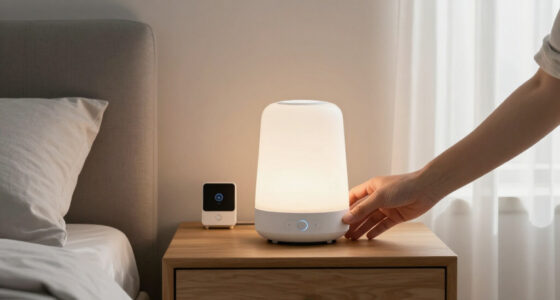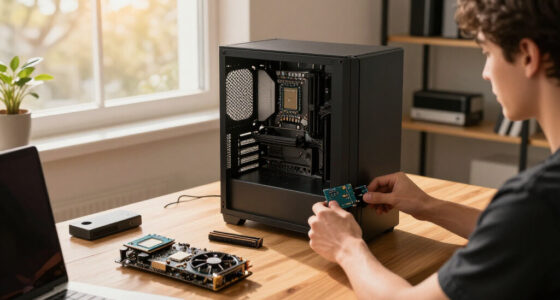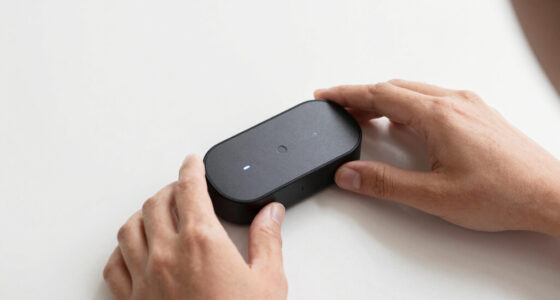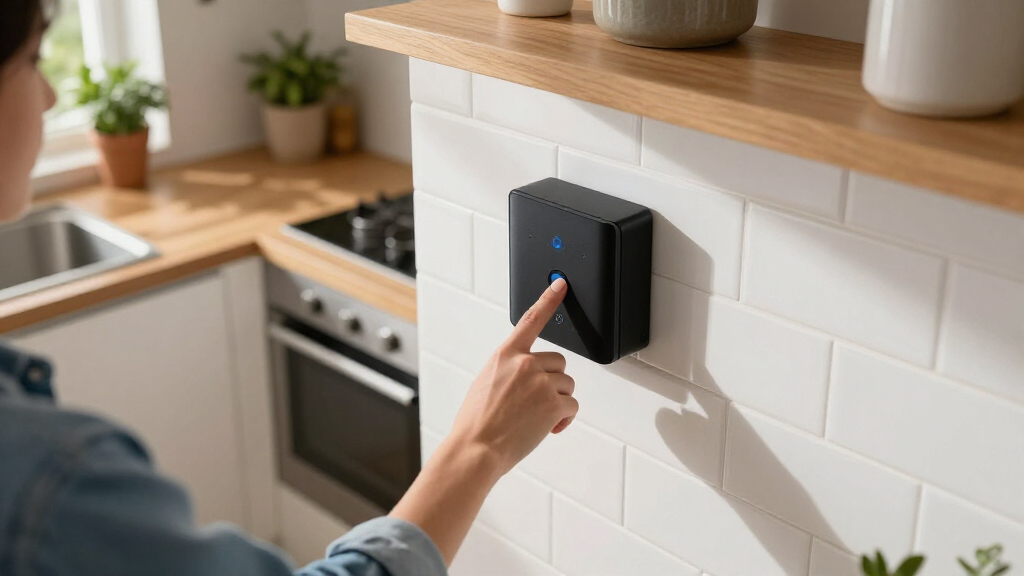

Searching for the best AI home hubs in 2026? The ideal choice depends on your priorities—whether it’s advanced automation, device compatibility, or ease of use. Homey Pro Mini stands out for its broad Zigbee, Thread, and Matter support, making it highly versatile. Meanwhile, the Google Nest Hub Max excels as a smart display with voice control and multi-language support, perfect for multimedia integrations. The main tradeoffs involve balancing compatibility, user-friendliness, and upgradeability. Keep reading for a detailed breakdown of each option and how they compare to help you choose the best fit for your smart home needs.

Get home appliances delivered free with Prime
- Fast, free delivery on millions of items
- Prime Video, Amazon Music and more included
- Member-only deals all year
Complete the kit



Key Takeaways
- Device compatibility across Zigbee, Z-Wave, and Matter remains a key differentiator, with some hubs supporting more protocols than others.
- Smart displays like Google Nest Hub Max offer intuitive voice control and multimedia features, but may lack extensive automation capabilities.
- The most versatile hubs combine automation, voice control, and device bridging, yet often come at a higher cost or complexity.
- Ease of setup and user interface quality are vital for beginners, while advanced users prioritize customization and integration options.
- Tradeoffs between affordability and advanced features are evident; premium options tend to support more protocols and automation but are more expensive.
| Home Assistant Green – Official Smart Home Hub with Advanced Automation |  | Best Overall for Privacy-Conscious Tech Enthusiasts | RAM: 4 GB | Storage Capacity: 32 GB | Connectivity Technology: Ethernet, USB | VIEW LATEST PRICE | See Our Full Breakdown |
| Homey Pro Mini | Smart Home Hub with Zigbee, Ethernet, Matter & Thread Compatibility |  | Best Value for Versatile Protocol Support | Protocols Supported: Zigbee, Matter, Thread, Ethernet | Compatibility: Apple Siri, Amazon Alexa, Google Home | Local Control: Yes | VIEW LATEST PRICE | See Our Full Breakdown |
| Google Nest Hub Max (Japan Model) – 10-inch Smart Display with Multi-Language Support |  | Best for International Users and Multi-Language Environments | Model: H2A GA00426-JP | Display: 10-inch touchscreen | Languages Supported: English, Japanese, Spanish, French, and more | VIEW LATEST PRICE | See Our Full Breakdown |
| Aqara Hub M1S Gen 2 Smart Home Bridge for Alarm System and Home Automation |  | Best for Aqara Ecosystem Integration and Security Features | Power Source: Corded Electric | Compatible Devices: Apple HomeKit, Google Assistant, Alexa, IFTTT | Connectivity Technology: Wireless | VIEW LATEST PRICE | See Our Full Breakdown |
| Aeotec Smart Home Hub – Works as a SmartThings Hub with Z-Wave, Zigbee, Matter, Wi-Fi, and Voice Assistant Compatibility |  | Best for North American Smart Homes with Extensive Protocol Support | Weight: 1.1 pounds | Connectivity Technology: Ethernet, Wi-Fi, Z-Wave, ZigBee, Matter | Supported Protocols: Matter, SmartThings, Z-Wave Plus, ZigBee | VIEW LATEST PRICE | See Our Full Breakdown |
| AI Home Companion 5-in-1 AI Hub with ChatGPT, Emotional Recognition, Wireless Charging, and Premium Speaker |  | Best Overall AI Home Hub | Wireless Charging: 15W Qi with tri-coil alignment | Speakers: Dual 5W Bluetooth 5.2 with enhanced bass | Device Charging Capacity: Charge up to 3 devices simultaneously | VIEW LATEST PRICE | See Our Full Breakdown |
| Google Nest Hub Max 10″ Smart Display with Voice Control, Built-in Camera, and Smart Home Hub – Chalk |  | Best Large Screen Smart Display | Display: 10-inch HD touchscreen | Audio: Stereo speakers with rear woofer | Camera: Built-in with Face Match and gesture control | VIEW LATEST PRICE | See Our Full Breakdown |
| Home Hub Pro, Centralized Control for Up to 12 Reolink Security Cameras |  | Best for Security-Centric Smart Homes | Power Source: Corded Electric | Compatible Devices: All Reolink WiFi/PoE Cameras | Video Resolution: 8K | VIEW LATEST PRICE | See Our Full Breakdown |
| SwitchBot AI Hub with OpenClaw Support, Local NVR Camera Storage, Home Assistant Pre-Installed, Matter Bridge, Dual-Band Wi-Fi, 16GB MicroSD Included |  | Best for Custom Automations and Device Integration | Product Dimensions: 7.8 x 5.79 x 2.2 inches | Item Weight: 1.17 pounds | MicroSD Card Included: 16GB | VIEW LATEST PRICE | See Our Full Breakdown |
More Details on Our Top Picks
Home Assistant Green – Official Smart Home Hub with Advanced Automation
The Home Assistant Green stands out for its robust automation capabilities within the Home Assistant ecosystem. Its fanless, compact design makes it a silent, energy-efficient choice for those who prioritize local control and data privacy. Compared with the Aeotec Smart Home Hub, it offers a more streamlined setup, but it’s limited to Home Assistant’s platform, which may not support every device. Its reliance on Ethernet and USB connections means it’s less flexible than Wi-Fi-based hubs, requiring some technical understanding for advanced integrations. This model is ideal for users who want a private, customizable hub but are comfortable managing a primarily wired setup and staying within a single ecosystem.
Pros:- Supports Z-Wave, Zigbee, and Thread for broad device compatibility
- Pre-installed Home Assistant OS simplifies initial setup
- Fanless, compact, and energy-efficient design
Cons:- Limited to Home Assistant ecosystem, restricting device support
- No built-in Wi-Fi, requiring Ethernet and USB connections
- Requires technical knowledge for advanced configurations
Best for: Homeowners seeking a private, highly customizable automation hub with a focus on local control and privacy.
Not ideal for: Casual users who want plug-and-play smart home solutions or those relying heavily on Wi-Fi for device connections.
- RAM:4 GB
- Storage Capacity:32 GB
- Connectivity Technology:Ethernet, USB
- Operating System:Home Assistant OS
- Wireless Compatibility:Bluetooth
- Compatible Devices:Smart Home Devices
- Processor Count:1
- Total USB Ports:2
- Item Dimensions:4.41″L x 4.41″W x 1.26″H
Our verdict“This hub is best suited for tech-savvy users prioritizing privacy and highly customizable automation within a wired setup.”
Homey Pro Mini | Smart Home Hub with Zigbee, Ethernet, Matter & Thread Compatibility
The Homey Pro Mini offers a compelling blend of protocol versatility and local control, making it a strong choice for users with diverse device ecosystems. Unlike the Aeotec Hub, it supports both Zigbee and Matter, broadening device compatibility without extra modules, and includes integrations with Siri, Alexa, and Google for seamless voice control. Its small size and user-friendly routines through Homey Flow appeal to DIY enthusiasts, but it’s limited by the need to purchase a separate Homey Bridge for Z-Wave or Bluetooth devices, which adds to the overall cost. Compared to the Google Nest Hub Max, it’s less about visual display and more about automation flexibility, making it ideal for users who prioritize local control over visual interfaces.
Pros:- Supports Zigbee, Matter, and Thread for extensive device compatibility
- Local control and no ongoing subscription fees
- Compact size with customizable routines via Homey Flow
Cons:- Requires separate purchase of Homey Bridge for Z-Wave, Bluetooth, and Infrared
- Limited device support without additional modules
- Small physical interface might limit ease of use for some
Best for: Smart home enthusiasts seeking a multi-protocol hub with robust automation routines and no subscription fees.
Not ideal for: Beginners or those wanting an all-in-one display device with integrated voice and visual features.
- Protocols Supported:Zigbee, Matter, Thread, Ethernet
- Compatibility:Apple Siri, Amazon Alexa, Google Home
- Local Control:Yes
- Automation Features:Homey Flow, routines
- Backups:Local and cloud
- Additional Modules:Homey Bridge (sold separately)
Our verdict“Ideal for tech-savvy users who want broad protocol support and local automation without extra subscription costs.”
Google Nest Hub Max (Japan Model) – 10-inch Smart Display with Multi-Language Support
The Google Nest Hub Max Japan Model excels at integrating into multi-lingual households, supporting languages like English, Japanese, Spanish, and French. Its large 10-inch touchscreen and bright display make it ideal for visual tasks, while its sleek design blends seamlessly into modern homes. Unlike dedicated hubs like the Home Assistant Green or Aqara Hub, it’s primarily a smart display with integrated Google Assistant, making it less flexible for custom automation but excellent for media and routine control via voice. The regional focus and limited smart home feature details mean it works best in homes where Google ecosystem compatibility and multi-language support are priorities. It’s less suited for users seeking a privacy-focused or highly customizable automation hub.
Pros:- Supports multiple languages for global use
- Bright, clear 10-inch touchscreen with good sound quality
- Elegant design that fits various home styles
Cons:- Regional restrictions limit functionality outside Japan
- Lacks detailed smart device integration specifications
- Requires wall power outlet, no battery option
Best for: International households or multi-lingual users needing a smart display with voice control and regional language support.
Not ideal for: Home automation enthusiasts seeking advanced local control or privacy-centric solutions.
- Model:H2A GA00426-JP
- Display:10-inch touchscreen
- Languages Supported:English, Japanese, Spanish, French, and more
- Power:Universal AC adapter
- Connectivity:Wi-Fi
- Color:Chalk
Our verdict“Perfect for multi-language households wanting a large, versatile display for media and voice control, but not for advanced automation.”
Aqara Hub M1S Gen 2 Smart Home Bridge for Alarm System and Home Automation
The Aqara Hub M1S Gen 2 is a solid choice for users invested in the Aqara ecosystem, especially those with home security needs. Its Zigbee 3.0 support enables reliable device connections, and the built-in RGB lighting and illumination sensor add automation options beyond basic control. The 2-watt speaker for alarms or doorbells enhances security and notification capabilities, making it a versatile security hub. Compared to the Homey Pro Mini, it’s more focused on Aqara devices and security, but less flexible across different ecosystems. Its reliance on 2.4 GHz Wi-Fi and limited third-party device support could be a drawback for complex setups, and it’s best suited for users who already have Aqara devices or plan to build that ecosystem.
Pros:- Supports multiple smart ecosystems including Apple HomeKit, Google Assistant, and Alexa
- Built-in RGB lighting and illumination sensor for versatile automation
- Speaker functions as alarm or doorbell with customizable ringtones
Cons:- Limited to Aqara devices, restricting cross-brand compatibility
- Does not support third-party Zigbee devices outside Aqara
- Requires 2.4 GHz Wi-Fi, not compatible with Wi-Fi 6 or 5 GHz
Best for: Homeowners with Aqara devices seeking a dedicated, security-focused automation hub with integrated alert features.
Not ideal for: Users who want broad protocol support or plan to use non-Aqara Zigbee devices, as compatibility is limited.
- Power Source:Corded Electric
- Compatible Devices:Apple HomeKit, Google Assistant, Alexa, IFTTT
- Connectivity Technology:Wireless
- Alert Type:Motion
- Sensor Technology:Zigbee
- Item Dimensions:3.14 x 3.14 x 1.63 inches
- Item Weight:0.18 kg
Our verdict“Ideal for Aqara ecosystem users needing a dedicated, security-enhanced hub with integrated alarms and automation.”
Aeotec Smart Home Hub – Works as a SmartThings Hub with Z-Wave, Zigbee, Matter, Wi-Fi, and Voice Assistant Compatibility
The Aeotec Smart Home Hub offers unparalleled protocol support, making it a versatile choice for large or complex smart homes. Its compatibility with Z-Wave, Zigbee, and Matter ensures broad device integration, outperforming hubs like the Homey Pro Mini in protocol variety. Easy setup via Wi-Fi or Ethernet simplifies initial installation, and its compatibility with major voice assistants broadens control options. However, its primary design for North America limits global usability, and the complex feature set could overwhelm those new to home automation. While it supports local automations for faster response times, some users may find the setup process daunting without prior experience.
Pros:- Supports Z-Wave, Zigbee, and Matter for broad device support
- Easy Wi-Fi or Ethernet setup with app and voice control
- Automations run locally for quick responses
Cons:- Primarily designed for North America, limiting compatibility elsewhere
- Setup can be complex for users unfamiliar with advanced features
- Limited info on security features
Best for: North American homeowners seeking a highly compatible, protocol-rich hub for large or device-diverse smart homes.
Not ideal for: International users outside North America or beginners seeking simple, straightforward setup.
- Weight:1.1 pounds
- Connectivity Technology:Ethernet, Wi-Fi, Z-Wave, ZigBee, Matter
- Supported Protocols:Matter, SmartThings, Z-Wave Plus, ZigBee
- Control Method:App, Voice
- Controller Type:Amazon Alexa, Android, Google Assistant, iOS
- Frequency:908.42 MHz
- Color:White
Our verdict“Best suited for experienced users or large North American homes needing extensive protocol support and local automation speed.”
AI Home Companion 5-in-1 AI Hub with ChatGPT, Emotional Recognition, Wireless Charging, and Premium Speaker
This device stands out for its impressive versatility, combining AI chat, emotional recognition, and family-friendly features into a single 5-in-1 hub. Unlike the Google Nest Hub Max, which excels mainly in display and voice control, the AI Home Companion offers a broader range of functions, including wireless charging and a high-quality speaker system. Its complex array of features can be overwhelming initially, and compatibility with other smart home devices remains limited, which might require additional hubs or apps. Still, for families wanting a central device that manages entertainment, education, and health, this model delivers a compelling all-in-one solution, though it may demand a learning curve.
Pros:- Versatile 5-in-1 device with AI, entertainment, and charging functions
- Family-focused features including emotional recognition and parental controls
- High-quality audio with enhanced bass and long-range microphone
Cons:- Complex features may require a learning curve for new users
- Limited information on compatibility with other smart home systems
Best for: Families seeking a multifunctional device that combines AI, entertainment, and health monitoring in one hub.
Not ideal for: Users who prefer simple voice assistants or already have a dedicated smart display setup, as this device’s complexity might be unnecessary.
- Wireless Charging:15W Qi with tri-coil alignment
- Speakers:Dual 5W Bluetooth 5.2 with enhanced bass
- Device Charging Capacity:Charge up to 3 devices simultaneously
Our verdict“This pick suits families who want a comprehensive, all-in-one AI hub but are prepared for some setup complexity.”
Google Nest Hub Max 10″ Smart Display with Voice Control, Built-in Camera, and Smart Home Hub – Chalk
The Google Nest Hub Max offers a large 10-inch HD touchscreen that makes visual interactions more engaging, especially compared with smaller displays like the Aqara Hub M1S, which focuses more on automation than media. Its built-in camera with Face Match and gesture controls adds a level of convenience for video calls and security, though some users might be concerned about privacy. The device’s bulkiness makes it less suitable for compact spaces, and its reliance on Wi-Fi can limit its performance if network issues occur. For households prioritizing clear visuals and integrated voice, it delivers a balanced experience, but those needing a more discreet or privacy-focused device might want to consider alternatives.
Pros:- Large 10-inch HD display for clear visuals
- Hands-free control via voice and gesture
- Built-in camera enables video calls and security features
Cons:- Bulky size may not fit small spaces
- Privacy concerns around the camera for some users
Best for: Homeowners who want a large, interactive display with voice and gesture control for media, calls, and smart home management.
Not ideal for: Small apartments or users highly sensitive to camera privacy concerns, as its size and camera features could be drawbacks.
- Display:10-inch HD touchscreen
- Audio:Stereo speakers with rear woofer
- Camera:Built-in with Face Match and gesture control
- Connectivity:Wi-Fi, Bluetooth
- Color:Chalk
- Weight:5 pounds
Our verdict“Ideal for those wanting a sizable, visually rich smart display with integrated video calling and security features, provided space and privacy are manageable.”
Home Hub Pro, Centralized Control for Up to 12 Reolink Security Cameras
The Home Hub Pro excels at managing multiple security cameras, supporting up to 12 Reolink units, unlike the SwitchBot AI Hub, which focuses more on automation and device control. Its local storage capability, with support for 16TB HDDs and SD cards, means no monthly fees for surveillance, appealing to those wary of cloud costs. However, its wired power requirement and complex setup might deter less technical users. While it offers AI detection and smart alarms for robust security, it’s less suited for households seeking a versatile smart hub for automation beyond security. This device truly shines when security is the priority, not as a general automation center.
Pros:- Supports up to 12 cameras for comprehensive surveillance
- Local storage with high capacity, no ongoing fees
- Wi-Fi 6 connectivity for stable, wide-area coverage
Cons:- HDD and SD card are sold separately, increasing initial cost
- Requires wired power, limiting placement options
- Complex setup may challenge non-technical users
Best for: Homeowners needing a centralized, scalable security solution with local storage and AI detection capabilities.
Not ideal for: Casual users or renters who prefer wireless, plug-and-play solutions without complex setup or extensive wiring.
- Power Source:Corded Electric
- Compatible Devices:All Reolink WiFi/PoE Cameras
- Video Resolution:8K
- Connectivity:Wi-Fi
- Storage Support:Up to 16TB HDD and 512GB SD card
- Alert Type:Motion Only
Our verdict“This hub targets security-focused homes needing centralized, scalable surveillance with local storage and AI detection, at the expense of ease of setup.”
SwitchBot AI Hub with OpenClaw Support, Local NVR Camera Storage, Home Assistant Pre-Installed, Matter Bridge, Dual-Band Wi-Fi, 16GB MicroSD Included
The SwitchBot AI Hub is a flexible controller that supports OpenClaw for seamless device and camera integration, ideal compared to the more security-centric Home Hub Pro. Its pre-installed Home Assistant and Matter Bridge enable extensive automation and compatibility, especially for tech-savvy users wanting a customizable hub. Local storage with microSD and external drive support offers privacy and speed, but the need for an AI+ subscription to unlock advanced features adds ongoing costs. Its limited IR control and compatibility scope mean it’s best suited for third-party devices and automations, rather than as a primary security hub. This model makes the most sense for DIY enthusiasts seeking a highly adaptable smart system.
Pros:- Supports OpenClaw for device and camera integration
- Pre-installed Home Assistant and Matter Bridge for broad compatibility
- Local storage options via microSD and external hard drive
Cons:- AI features require an AI+ subscription, adding ongoing costs
- Limited IR control for TVs and air conditioners
- Requires compatible cameras and devices for AI functionalities
Best for: Tech-savvy homeowners who want a highly customizable, automation-rich hub with local storage options.
Not ideal for: Less experienced users or those seeking an out-of-the-box security system, as setup and subscription costs can be hurdles.
- Product Dimensions:7.8 x 5.79 x 2.2 inches
- Item Weight:1.17 pounds
- MicroSD Card Included:16GB
Our verdict“This hub caters to advanced users looking for a customizable, automation-driven smart home platform with local storage, not for those seeking simplicity or out-of-the-box security.”
How We Picked
Our evaluation focused on several core criteria: device compatibility (Zigbee, Z-Wave, Matter), automation capabilities, ease of use, build quality, and future-proofing features like support for upcoming protocols. We also considered the level of integration with popular voice assistants, user interface design, and cost-value balance. Hubs that offered broad protocol support and flexible automation options ranked higher, while simplicity and affordability influenced lower-tier placements. This approach ensures we highlight options suitable for various user needs—from beginners to advanced smart home enthusiasts—based on real-world functionality and ecosystem compatibility.Factors to Consider When Choosing Best AI Home Hubs
Choosing the best AI home hub involves weighing several important factors that impact your overall smart home experience. It’s not just about device compatibility but also about ease of setup, automation depth, and future scalability. Understanding these factors can help prevent common pitfalls, like buying a hub that doesn’t support your existing devices or is too complex to manage. Here are key considerations to guide your decision-making process.Compatibility With Devices and Protocols
Ensuring your hub supports the protocols used by your existing devices—such as Zigbee, Z-Wave, or Matter—is essential for seamless integration. Some hubs excel at bridging multiple protocols, reducing the need for additional hardware, while others focus on a specific ecosystem. Consider your current device lineup and future expansion plans to choose a hub that won’t limit your options down the line. Overlooking protocol support can lead to frustration and increased costs for additional hubs or adapters.
Automation and Smart Home Features
Look for hubs that offer robust automation capabilities, including customizable routines, scheduling, and scene creation. Some hubs integrate AI-driven automation or support advanced scripting, which can significantly enhance your smart home experience. If automation is your priority, verify the platform’s flexibility and whether it supports your preferred automation apps or ecosystems. A hub with limited automation options can restrict your ability to create complex or personalized smart routines.
Ease of Use and Setup
Ease of setup varies widely; some hubs feature intuitive interfaces and straightforward app-based configuration, making them ideal for beginners. Others may require more technical knowledge, especially those aimed at enthusiasts. Consider your comfort level with technology and whether the hub offers guided setup, clear documentation, and user-friendly controls. Complicated setups can deter users from fully utilizing their smart home systems or lead to frustration.
Build Quality and Design
The physical design and build quality influence how well the hub integrates into your home setup. Compact, sleek designs suit modern interiors, while robust construction can be a factor for durability and longevity. Also, consider placement options—wall-mountable or tabletop—based on your space. A poorly built or overly bulky hub might stand out or be prone to damage, undermining its longevity and aesthetic appeal.
Cost and Value
Price ranges from budget-friendly to premium, with corresponding differences in features. Cheaper hubs often support fewer protocols or automation options, but may suffice for basic setups. Premium hubs tend to support more protocols, integrations, and future updates, justifying the higher cost for advanced users. Balance your budget against your needs for device support, automation depth, and ecosystem compatibility to avoid overspending or underdelivering on features.
Frequently Asked Questions
Can I use multiple AI home hubs together?
Yes, many smart home enthusiasts deploy multiple hubs to cover different protocols or zones within their homes. Compatibility and integration depend on the hubs’ ecosystems and whether they support bridging or mesh networking. It’s important to ensure that the hubs can communicate or operate harmoniously to avoid conflicts or duplicated control. When planning a multi-hub setup, consider compatibility with your devices and the potential complexity of managing multiple platforms.
Do I need an AI home hub if I already have a smart speaker like Google Nest or Amazon Echo?
Smart speakers like Google Nest or Amazon Echo are excellent for voice control and basic automation but often lack the extensive device compatibility and automation flexibility of dedicated hubs. A dedicated AI home hub can act as a central controller, bridging multiple protocols and supporting complex routines. If your setup involves many protocols or devices needing advanced automation, adding a hub can significantly enhance your system’s capabilities. For simpler setups, the smart speaker alone might suffice.
How important is protocol support for future smart home upgrades?
Protocol support is vital for ensuring your system remains compatible with new devices as technology evolves. Supporting standards like Matter, Zigbee, or Z-Wave means your hub can integrate upcoming products without replacing hardware. Limited protocol support might work today but could restrict your options later, leading to added costs or the need for multiple hubs. Prioritizing future-proof features can save time and money as your smart home expands.
What should I consider if I want to integrate AI-driven features like emotional recognition?
AI-driven features, such as emotional recognition or natural language processing, require hubs with advanced processing capabilities and compatible software. Not all hubs support these features natively; some rely on cloud services, which can raise privacy concerns. For those interested in personalized AI interactions, selecting a hub with built-in AI features and strong privacy controls is key. Keep in mind that such features often come at a premium and may require regular updates to stay effective.
Is it worth investing in a premium hub with extensive automation features?
Premium hubs typically support more protocols, advanced automation, and future updates, making them ideal for complex or expanding smart homes. If you rely heavily on automation, voice control, and device integration, investing in a premium option can provide better long-term value. However, if your needs are simple, a more affordable hub might meet your requirements without the extra cost. Carefully weigh your current and future needs before choosing a high-end hub.
Conclusion
For most users, the Homey Pro Mini offers the best balance of compatibility, automation, and future-proofing, making it the ideal choice for those seeking versatility. The Google Nest Hub Max remains the best pick for those prioritizing smart display features and multimedia control, especially for users new to smart home tech. If you’re on a budget or just starting out, simpler hubs with easy interfaces can deliver solid value without complexity. Power users or those with extensive device ecosystems should consider premium hubs like the Aeotec Smart Home Hub for maximum protocol support and customization. Ultimately, your decision should align with your specific device ecosystem, automation needs, and budget constraints.
As an affiliate, we earn on qualifying purchases.Cold & flu season Picks
humidifiers