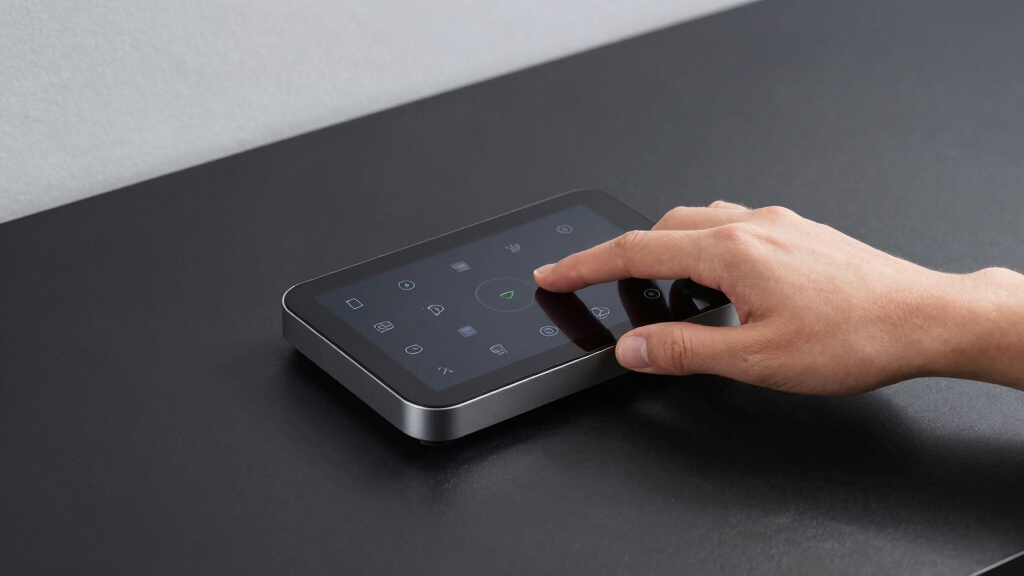

Finding the best local control smart home hub means balancing reliability, compatibility, and ease of use without relying on cloud services. The Amazon Echo Hub stands out for seamless Alexa integration and a user-friendly interface, making it ideal for those already invested in Amazon’s ecosystem. The Home Assistant Green offers advanced automation and customization for tech-savvy users, but it requires more setup. Meanwhile, the Hubitat Elevation C-8 Pro provides robust local processing and broad device compatibility, perfect for security-conscious homeowners. Tradeoffs often involve complexity versus simplicity and the breadth of supported devices. Keep reading for a detailed side-by-side comparison to find your perfect match.

Get home appliances delivered free — and shop member deals
- Fast, free delivery on millions of items
- Access to Prime Big Deal Days deals on October 6–7
- Prime Video, Amazon Music and more included
Complete the kit



Key Takeaways
- Top picks balance local processing with device compatibility to minimize reliance on cloud services.
- Advanced users benefit most from hubs offering extensive automation capabilities like Home Assistant Green and Hubitat Elevation.
- Ease of setup and user interface vary widely, making some hubs better suited for beginners and others for experienced smart home enthusiasts.
- Support for popular protocols like Zigbee, Z-Wave, and Matter is crucial for broad device interoperability.
- Premium options often include more automation features and integration options but come at a higher price.
| Amazon Echo Hub (newest model), 8-inch smart home control panel with Alexa+ |  | Best Overall | Display Size: 8 inches | Compatibility: Alexa, Ring, Zigbee, Matter, Sidewalk, Thread | Connectivity: WiFi, Bluetooth | VIEW LATEST PRICE | See Our Full Breakdown |
| Tapo Smart IR & IoT Hub with Chime, Matter-Certified, H110, Universal Remote |  | Best for Universal Appliance Control | Compatibility: Supports 18 appliance types, 8,000+ IR brands | Connectivity: 2.4 GHz WiFi, Matter-certified | Alarm: Built-in 93 dB with customizable tones | VIEW LATEST PRICE | See Our Full Breakdown |
| Home Assistant Green | Smart Home Hub with Advanced Automation |  | Best for Power Users and Automation Enthusiasts | RAM: 4 GB | Storage Capacity: 32 GB | Connectivity Technology: Ethernet, USB | VIEW LATEST PRICE | See Our Full Breakdown |
| YoLink Smart Home Hub, YS1603 |  | Best for Simplicity and Reliability | Connectivity: Wireless | Compatibility: YoLink sensors and devices | Setup: Easy | VIEW LATEST PRICE | See Our Full Breakdown |
| Aqara Smart Hub M200, Matter Controller with Zigbee, Wi-Fi, IR, PoE Support |  | Best Versatile Multi-Protocol Hub | Protocols Supported: Zigbee, Thread, Wi-Fi, IR | Device Capacity: 40 Zigbee, 40 Thread devices | Connectivity: Wi-Fi 2.4/5 GHz, PoE, USB-C | VIEW LATEST PRICE | See Our Full Breakdown |
| Aeotec Smart Home Hub2 – V4, SmartThings Hub, Zigbee, Matter Gateway, Compatible with Alexa and Google Assistant |  | Best Overall for Reliable, Ecosystem-Friendly Control | Compatibility: SmartThings, Alexa, Google Assistant | Standards Supported: Zigbee, Matter | Connectivity: Wi-Fi, Ethernet | VIEW LATEST PRICE | See Our Full Breakdown |
| Aqara Smart Home Hub M3 with Matter Support, Zigbee, Thread, IR Blaster, PoE, and Apple HomeKit Compatibility |  | Best for Versatile Protocol Support and Privacy-Conscious Automations | Protocols Supported: Zigbee, Thread, Wi-Fi, Bluetooth | Connectivity: Wired (PoE, USB-C) and wireless (Wi-Fi) | IR Blaster: 360° IR with feedback and learning | VIEW LATEST PRICE | See Our Full Breakdown |
| Hubitat Elevation C-8 Pro Smart Home Hub – Z-Wave, Zigbee, Matter |  | Best for Larger Homes and Local Processing Power | Protocols Supported: Matter 1.5, Z-Wave 800 Series, Zigbee 3.0, Bluetooth | External Antennas: 2 | Dimensions: 3.23 x 2.95 x 0.67 inches | VIEW LATEST PRICE | See Our Full Breakdown |
| Homey Pro (2026) | Smart Home Hub with Z-Wave Plus, Zigbee, Wi-Fi, BLE, Infrared, Matter & Thread |  | Best for Ultimate Device Compatibility and Centralized Management | Technologies: Z-Wave Plus, Zigbee, Wi-Fi, BLE, Infrared, Matter, Thread | Device Compatibility: Over 70,000 devices from 2,000+ brands | Connectivity: Wi-Fi, Zigbee, Z-Wave Plus, Infrared | VIEW LATEST PRICE | See Our Full Breakdown |
| local control smart home hub | Connectivity | Compatibility |
|---|---|---|
| Amazon Echo Hub | WiFi, Bluetooth | Alexa, Ring, Zigbee, Matter, Sidewalk, Thread |
| Tapo Smart IR & IoT Hub with C | 2.4 GHz WiFi, Matter-certified | Supports 18 appliance types, 8,000+ IR brands |
| Home Assistant Green | Smart H | — | — |
| YoLink Smart Home Hub | Wireless | YoLink sensors and devices |
| Aqara Smart Hub M200 | Wi-Fi 2.4/5 GHz, PoE, USB-C | — |
| Aeotec Smart Home Hub2 | Wi-Fi, Ethernet | SmartThings, Alexa, Google Assistant |
| Aqara Smart Home Hub M3 with M | Wired (PoE, USB-C) and wireless (Wi-Fi) | Apple HomeKit, Alexa, SmartThings, Home Assistant |
| Hubitat Elevation C-8 Pro Smar | — | — |
| Homey Pro | Wi-Fi, Zigbee, Z-Wave Plus, Infrared | — |
More Details on Our Top Picks
Amazon Echo Hub (newest model), 8-inch smart home control panel with Alexa+
The Amazon Echo Hub stands out for its user-friendly interface and seamless integration with Alexa, making it a versatile choice for those who want a centralized control panel. Compared to the Aqara Smart Hub M200, it offers a larger display and more customizable dashboards, which enhance the user experience. However, unlike the Home Assistant Green, it relies heavily on Amazon’s ecosystem, limiting advanced automation flexibility. Its privacy features, including a mic off button, add peace of mind, while its compatibility with Ring, Zigbee, and Matter broadens device support. The need for separate mounts or stands, and the additional cost for power-over-ethernet adapters, are notable tradeoffs. This pick makes the most sense for users who prioritize easy setup, voice control, and a polished interface over deep customization.
Pros:- Large, customizable 8-inch display for easy access
- Supports a broad range of smart home devices via Zigbee, Matter, and Alexa
- Privacy-focused features including mic off button
Cons:- Requires additional purchase for wall mounting or stands
- Some features depend on subscriptions or extra accessories
- Power-over-ethernet adapter sold separately
Best for: Homeowners seeking an intuitive, all-in-one control panel with Alexa voice support and wide device compatibility.
Not ideal for: Advanced users who want deep automation customization or rely on local-only control without cloud dependency.
- Display Size:8 inches
- Compatibility:Alexa, Ring, Zigbee, Matter, Sidewalk, Thread
- Connectivity:WiFi, Bluetooth
- Materials:27% recycled materials
- Privacy Features:Mic off button, multiple privacy controls
Our verdict“This is ideal for users who want an easy-to-use, visually appealing hub with Alexa integration and decent privacy controls.”
Tapo Smart IR & IoT Hub with Chime, Matter-Certified, H110, Universal Remote
The Tapo H110 excels at broad appliance compatibility, supporting over 8,000 IR brands and 18 appliance types, making it a strong choice for those with diverse devices. Unlike the Aqara M200, which primarily focuses on Zigbee and Thread, the Tapo hub emphasizes IR control and voice commands via Alexa, Google, and Siri. Its built-in 93 dB alarm adds security, making it suitable for households that want integrated alerts. However, it hinges on a WiFi connection for full functionality and can be complex for non-technical users to set up. Its IR capabilities are limited to appliances within supported categories, and advanced automation features may require cloud access, presenting some reliability concerns. This device suits users who prioritize controlling a wide range of appliances via IR and voice commands, especially if security alerts are also desired.
Pros:- Supports over 8,000 IR brands and 18 appliance types
- Voice control compatible with Alexa, Google Assistant, and Siri
- Built-in loud alarm for security alerts
Cons:- Dependent on WiFi for full operation
- Setup can be complex for less tech-savvy users
- Limited to IR and supported IoT devices
Best for: Homeowners with many IR-controlled appliances seeking universal remote features combined with voice automation.
Not ideal for: People with a primarily Zigbee or Thread smart home who prefer local automation without relying on WiFi or cloud services.
- Compatibility:Supports 18 appliance types, 8,000+ IR brands
- Connectivity:2.4 GHz WiFi, Matter-certified
- Alarm:Built-in 93 dB with customizable tones
- App Support:iOS and Android
- Security:Advanced cybersecurity features
Our verdict“This hub is best for users needing broad IR appliance compatibility combined with voice control and security features.”
Home Assistant Green | Smart Home Hub with Advanced Automation
The Home Assistant Green offers advanced automation capabilities with its support for Z-Wave, Zigbee, and Thread, making it perfect for tech-savvy users who want deep control. Its pre-installed Home Assistant OS simplifies setup compared to DIY alternatives like the Hubitat Elevation C-8 Pro, yet it requires an Ethernet connection for optimal performance, unlike the more flexible Aqara M200 or Amazon Echo Hub. Its fanless design ensures silent operation, ideal for discreet placement. Limited storage for very large setups and the absence of built-in Wi-Fi can be drawbacks for those with extensive or wireless-centric systems. This hub shines in environments where local automation, protocol diversity, and energy efficiency are priorities, but it’s less suited for users seeking plug-and-play simplicity.
Pros:- Supports Z-Wave, Zigbee, and Thread protocols
- Pre-installed Home Assistant OS for straightforward setup
- Fanless and energy-efficient design
Cons:- Limited storage for large smart home networks
- Requires Ethernet connection for best performance
- No built-in Wi-Fi, depending on USB expandability
Best for: Tech enthusiasts and automation hobbyists who want a customizable, protocol-rich hub with local control.
Not ideal for: Casual users who prefer a simple, all-in-one device and do not want to manage a home automation platform.
- RAM:4 GB
- Storage Capacity:32 GB
- Connectivity Technology:Ethernet, USB
- Operating System:Home Assistant OS
- Wireless Compatibility:Bluetooth
- Compatible Devices:Smart Home Devices
Our verdict“This is ideal for users who want a flexible, protocol-compatible hub with advanced automation and local control capabilities.”
YoLink Smart Home Hub, YS1603
The YoLink YS1603 offers straightforward setup and reliable wireless connectivity, making it a practical choice for those who want basic central control without fuss. Compared with the Aqara M200, which supports multiple protocols and ecosystems, the YoLink hub emphasizes simplicity and stable connectivity, especially suited for users who prefer a minimalist approach. Its compatibility depends on YoLink sensors and devices, which can limit expansion if you’re looking for multi-protocol versatility. Since detailed specs are scarce, it’s best suited for users who are already within the YoLink ecosystem or want a dependable, no-frills solution for remote control and automation. Its main tradeoff lies in its limited protocol support and reliance on compatible devices.
Pros:- Simple to set up and operate
- Reliable wireless connectivity
- Compatible with various smart home devices within the YoLink ecosystem
Cons:- Limited detailed specifications available
- Requires YoLink-compatible sensors and devices for full functionality
- Less flexible for multi-protocol integrations
Best for: Users seeking a reliable, easy-to-set-up hub for basic automation within the YoLink ecosystem.
Not ideal for: Advanced users wanting multi-protocol support or broader ecosystem integration beyond YoLink devices.
- Connectivity:Wireless
- Compatibility:YoLink sensors and devices
- Setup:Easy
Our verdict“This hub is best for users who prioritize stability and simplicity within the YoLink ecosystem over multi-protocol flexibility.”
Aqara Smart Hub M200, Matter Controller with Zigbee, Wi-Fi, IR, PoE Support
The Aqara M200 stands out for its multi-protocol support, handling Zigbee, Thread, Wi-Fi, and IR, making it a flexible choice for diverse ecosystems. Unlike the Home Assistant Green, it offers PoE support and a built-in speaker for alerts, making it suitable for local automation and security integration. Its compatibility with Apple HomeKit, Alexa, and Google expands its reach, but some automation features depend on cloud connectivity, which can introduce latency or reliability issues. IR functionality, while versatile, may be limited when integrating with certain Matter devices, and power adapter purchase is an additional cost. This hub makes the most sense for users who need a multi-protocol, multi-ecosystem hub with local automation and alert capabilities, especially in complex smart homes.
Pros:- Supports Zigbee, Thread, Wi-Fi, and IR for broad device compatibility
- PoE support and USB-C port for flexible power options
- Local automation with built-in speaker for alerts
Cons:- IR functionality limited in some Matter integrations
- Power adapter not included, requiring extra purchase
- Some automation features depend on cloud connectivity
Best for: Home owners with diverse device ecosystems seeking a versatile, multi-protocol hub with local automation and alert features.
Not ideal for: Those who prefer a plug-and-play, single-protocol solution or do not want to manage additional power accessories.
- Protocols Supported:Zigbee, Thread, Wi-Fi, IR
- Device Capacity:40 Zigbee, 40 Thread devices
- Connectivity:Wi-Fi 2.4/5 GHz, PoE, USB-C
- IR Functionality:360° IR blaster
- Automation Support:Local and cloud automations
- Built-in Speaker:Yes
Our verdict“This hub suits users needing a multi-protocol, flexible control point with local automation and alert capabilities for diverse ecosystems.”
Aeotec Smart Home Hub2 – V4, SmartThings Hub, Zigbee, Matter Gateway, Compatible with Alexa and Google Assistant
The Aeotec Smart Home Hub2 V4 stands out for its support of both Zigbee and Matter standards, making it highly compatible with a broad range of devices compared to the Hubitat Elevation C-8 Pro, which focuses more on Z-Wave and Zigbee. Its dual connectivity options via Wi-Fi or Ethernet provide flexible setup, while local processing ensures automations stay operational during internet outages—an advantage over some cloud-dependent hubs like the Homey Pro. However, lacking Z-Wave support limits its compatibility with some legacy devices, and it requires an app for setup, which might complicate initial configuration for some users. This pick makes the most sense for users who prioritize broad compatibility and reliable local operation within ecosystems like SmartThings, Alexa, or Google Assistant.
Pros:- Supports the latest Zigbee and Matter standards for broad device compatibility
- Easy setup with Wi-Fi or Ethernet connection
- Local processing ensures automations work offline
Cons:- Does not support Z-Wave devices, limiting compatibility with some smart home setups
- Requires a compatible smartphone app for setup and control
Best for: Homeowners seeking a versatile, ecosystem-compatible hub with reliable local automations
Not ideal for: Users with extensive Z-Wave device collections or advanced custom automations requiring Z-Wave support
- Compatibility:SmartThings, Alexa, Google Assistant
- Standards Supported:Zigbee, Matter
- Connectivity:Wi-Fi, Ethernet
- Z-Wave Support:No
- Automation:Local and cloud-based automations
Our verdict“Ideal for users who want a dependable, standards-based hub that works well within major ecosystems without Z-Wave support.”
Aqara Smart Home Hub M3 with Matter Support, Zigbee, Thread, IR Blaster, PoE, and Apple HomeKit Compatibility
The Aqara Smart Home Hub M3 excels in handling multiple protocols including Zigbee, Thread, and Wi-Fi, which makes it a more flexible choice than Hubitat for integrating a variety of devices. Its built-in IR blaster with learning and feedback capabilities enables remote control of appliances, standing out from simpler hubs like the Aeotec. Wired connectivity options like PoE and USB-C enhance stability, especially for placement in challenging locations, but it requires positioning within 6 to 19 feet of the router for optimal performance—a consideration not as critical with the Hubitat’s external antennas. This device is best suited for enthusiasts who want a multi-protocol hub with local control and privacy, especially if Apple HomeKit integration is desired.
Pros:- Supports multiple protocols including Zigbee, Thread, Wi-Fi, and IR for extensive device integration
- Local automation and edge processing for privacy and reliability
- Includes a smart IR blaster with feedback and learning for remote control
Cons:- Requires placement within 6 to 19 feet of the router for best connection
- Power adapter not included, requiring an additional purchase
Best for: Tech-savvy users seeking a multi-protocol hub with IR control and local automation
Not ideal for: Casual smart home users who prefer plug-and-play solutions or have limited space for optimal placement
- Protocols Supported:Zigbee, Thread, Wi-Fi, Bluetooth
- Connectivity:Wired (PoE, USB-C) and wireless (Wi-Fi)
- IR Blaster:360° IR with feedback and learning
- Compatibility:Apple HomeKit, Alexa, SmartThings, Home Assistant
- Device Capacity:127 Zigbee, 127 Thread devices
- Storage:8GB encrypted local storage
Our verdict“Best for users who want a flexible, multi-protocol hub with IR control and strong local automation capabilities.”
Hubitat Elevation C-8 Pro Smart Home Hub – Z-Wave, Zigbee, Matter
The Hubitat Elevation C-8 Pro is a solid choice for those prioritizing local response times and privacy, thanks to its support for Z-Wave, Zigbee, and Matter protocols, making it more versatile than the Aqara M3 which focuses heavily on Zigbee and Thread. Its extended wireless range and external antennas give it an edge in larger homes, while local processing ensures instant automations that don’t rely on cloud services—unlike many cloud-dependent hubs. Setup can be more complex, especially for newcomers unfamiliar with Z-Wave or Zigbee configurations, and it doesn’t emphasize remote access or mobile app features beyond local control, which could limit convenience for some users. This hub is best suited for experienced users with larger or more complex smart home setups, seeking fast, reliable automation without ongoing subscriptions.
Pros:- Supports multiple protocols with extended range for large properties
- Local processing for instant responses and privacy
- Compatible with Alexa, Google, and Apple HomeKit
Cons:- Setup may be complex for less experienced users
- Limited information on device compatibility beyond protocols
Best for: Advanced users managing large or multi-protocol smart homes who value local automation and privacy
Not ideal for: Beginner users or those wanting plug-and-play solutions with remote access ease
- Protocols Supported:Matter 1.5, Z-Wave 800 Series, Zigbee 3.0, Bluetooth
- External Antennas:2
- Dimensions:3.23 x 2.95 x 0.67 inches
- Weight:0.16 lbs
Our verdict“Ideal for experienced homeowners seeking a robust, multi-protocol hub for large-scale local automation.”
Homey Pro (2026) | Smart Home Hub with Z-Wave Plus, Zigbee, Wi-Fi, BLE, Infrared, Matter & Thread
The Homey Pro (2026) offers unparalleled device support, connecting over 70,000 devices across various protocols including Z-Wave Plus, Zigbee, Wi-Fi, and Infrared, surpassing the other hubs in breadth of compatibility. Its comprehensive control platform via the Homey App and Web App simplifies managing complex automation routines, making it a prime choice for those with extensive device ecosystems. Its local processing enhances privacy and ensures automation resilience, but the setup can be daunting for newcomers due to its wide feature set and numerous device options. The absence of specific pricing details might also deter budget-conscious buyers. This hub is ideal for tech enthusiasts seeking a single, powerful platform to unify all their smart devices regardless of brand or protocol.
Pros:- Supports over 70,000 devices from thousands of brands
- Local processing for privacy and reliability
- Comprehensive control via intuitive app and web interface
Cons:- Complex setup may challenge beginners
- No specific pricing info available, potentially expensive
Best for: Smart home enthusiasts with large, diverse device collections demanding extensive integration and control
Not ideal for: Casual users or those new to smart home automation who prefer simple out-of-the-box solutions
- Technologies:Z-Wave Plus, Zigbee, Wi-Fi, BLE, Infrared, Matter, Thread
- Device Compatibility:Over 70,000 devices from 2,000+ brands
- Connectivity:Wi-Fi, Zigbee, Z-Wave Plus, Infrared
- Control Platform:Homey App and Web App
- Local Processing:Yes
- Memory:Double RAM (specific amount not provided)
Our verdict“Perfect for experienced users needing a universal hub that consolidates a vast array of smart devices into one control platform.”
How We Picked
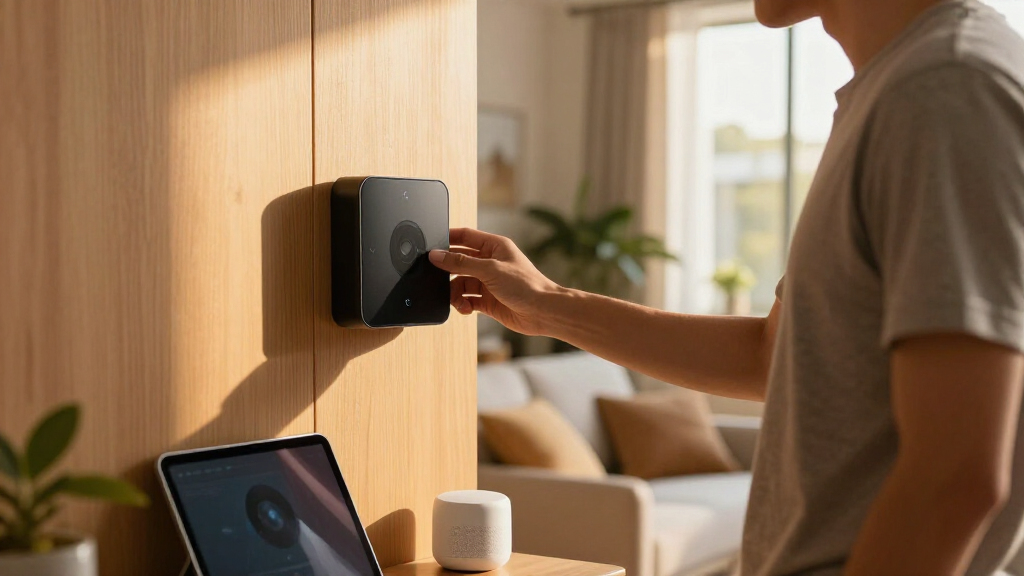
I evaluated these smart home hubs based on their ability to operate primarily through local control, minimizing reliance on cloud services for increased privacy and responsiveness. Performance was assessed through device compatibility, automation capabilities, and ease of setup. Build quality and user interface also played significant roles, as did ongoing software support and community backing. The ranking reflects a balance between versatility, simplicity, and value, ensuring each option fills a distinct role for different types of users.| local control smart home hub | Compatibility |
|---|---|
| Amazon Echo Hub | Alexa, Ring, Zigbee, Matter, Sidewalk, Thread |
| Tapo Smart IR & IoT Hub with C | Supports 18 appliance types, 8,000+ IR brands |
| Home Assistant Green | Smart H | — |
| YoLink Smart Home Hub | YoLink sensors and devices |
| Aqara Smart Hub M200 | — |
| Aeotec Smart Home Hub2 | SmartThings, Alexa, Google Assistant |
| Aqara Smart Home Hub M3 with M | Apple HomeKit, Alexa, SmartThings, Home Assistant |
| Hubitat Elevation C-8 Pro Smar | — |
| Homey Pro | — |
Factors to Consider When Choosing Best Local Control Smart Home Hub
Choosing the best local control smart home hub involves understanding key factors that influence performance, security, and ease of use. A good hub should support a wide range of protocols, offer reliable local processing, and be scalable for future device additions. Consider your technical skill level and whether you prefer a plug-and-play experience or extensive customization. Compatibility with your existing devices and ecosystems also impacts overall satisfaction. Finally, think about security features and ongoing software updates to protect your smart home environment.Device Compatibility and Protocol Support
Ensuring your hub supports common protocols like Zigbee, Z-Wave, and Matter guarantees broad device compatibility. Many hubs now include IR support or Wi-Fi integration, expanding potential device options. A hub that supports multiple protocols reduces the need for additional bridges or controllers, streamlining your setup and improving reliability. When choosing, verify whether the hub can handle future device standards, especially as new protocols emerge.
Ease of Setup and User Interface
Ease of setup varies significantly; some hubs offer intuitive apps and guided processes, while others require more technical knowledge. For beginners, a straightforward interface with clear instructions is vital. Advanced users might prioritize customization options and detailed automation rules, which can complicate setup but offer greater control. Consider your comfort level and whether you prefer a mobile app, web interface, or physical controls.
Automation and Integration Capabilities
The core advantage of a local control hub is automation. Look for hubs that support complex routines, conditional triggers, and integrations with voice assistants like Alexa and Google Assistant. Some hubs, like Home Assistant Green, excel in customization but demand more configuration. Others, like Hubitat, strike a balance between ease of use and automation power. Compatibility with third-party apps and platforms enhances flexibility.
Security and Firmware Updates
Since local control hubs process data within your home, security is a major concern. Choose hubs with robust encryption, regular firmware updates, and a transparent privacy policy. An active community and manufacturer support are indicators of ongoing security patches and feature improvements. Avoid hubs with poor update histories or unclear security practices, as vulnerabilities can compromise your entire smart home network.
Price and Future Scalability
Price ranges widely, from budget-friendly options to premium models packed with features. Consider your current needs and whether the hub can grow with your setup. Investing in a more capable hub may cost more upfront but can save money and hassle long-term by supporting more devices and automation options. Beware of hubs with limited protocols or device limits that could force costly upgrades sooner than expected.
Frequently Asked Questions
Can a local control hub still work with cloud-based devices?
Yes, many local control hubs are designed to work seamlessly with cloud-connected devices, but prioritize hubs that process commands locally for better responsiveness and privacy. Devices that rely solely on cloud services may still require internet access for initial setup or cloud-dependent features, but the hub itself can often operate independently for local automation. This setup minimizes latency and reduces reliance on external servers, enhancing security.
Is it necessary to have a hub that supports Matter?
Support for Matter is becoming increasingly important, as it is designed to unify device communication standards across protocols like Zigbee, Z-Wave, and Wi-Fi. A hub with Matter support ensures better interoperability and future-proofing, allowing you to add new devices without compatibility issues. While not all hubs currently support Matter, opting for one that does can simplify expansions and reduce the need for multiple controllers.
What’s the difference between a hub with Zigbee/Z-Wave and one with Matter support?
Hubs with Zigbee or Z-Wave support rely on specific protocols that require dedicated radios, while Matter support aims to unify these protocols under a single standard, simplifying device integration. A hub supporting Matter can handle a broader range of devices without needing separate modules for different protocols, offering greater flexibility and future-proofing. However, early Matter devices are still emerging, so compatibility may vary.
How much technical skill do I need to set up a more advanced hub like Home Assistant Green?
Advanced hubs like Home Assistant Green typically require some familiarity with network configuration, automation scripting, and possibly Linux-based systems. While they offer extensive customization, they are not plug-and-play and may involve a learning curve. For those willing to invest time, they provide unmatched flexibility. Beginners might prefer hubs with more guided setup processes and intuitive interfaces.
Should I prioritize a hub with built-in voice assistant support?
Built-in voice assistant support can add convenience, allowing voice commands directly through the hub. However, this feature often depends on cloud services and may introduce privacy concerns. If local control and privacy are priorities, choose a hub that offers automation and device management independently of voice assistants. For those who value voice control, select a hub that integrates seamlessly with existing voice platforms.
Conclusion
The best overall choice for most users is the Hubitat Elevation C-8 Pro due to its strong local processing, broad device support, and security focus. For budget-conscious buyers or those new to smart homes, the Amazon Echo Hub offers simplicity with good automation features. Advanced users seeking deep customization should consider the Home Assistant Green or Homey Pro for their extensive automation capabilities. Homeowners prioritizing device compatibility and future-proofing will benefit from hubs supporting Matter, like the Aqara M3 or Aeotec SmartThings Hub. Your ideal pick depends on your technical comfort, device ecosystem, and automation needs.Fall yard work Picks
leaf blowers
As an affiliate, we earn on qualifying purchases.