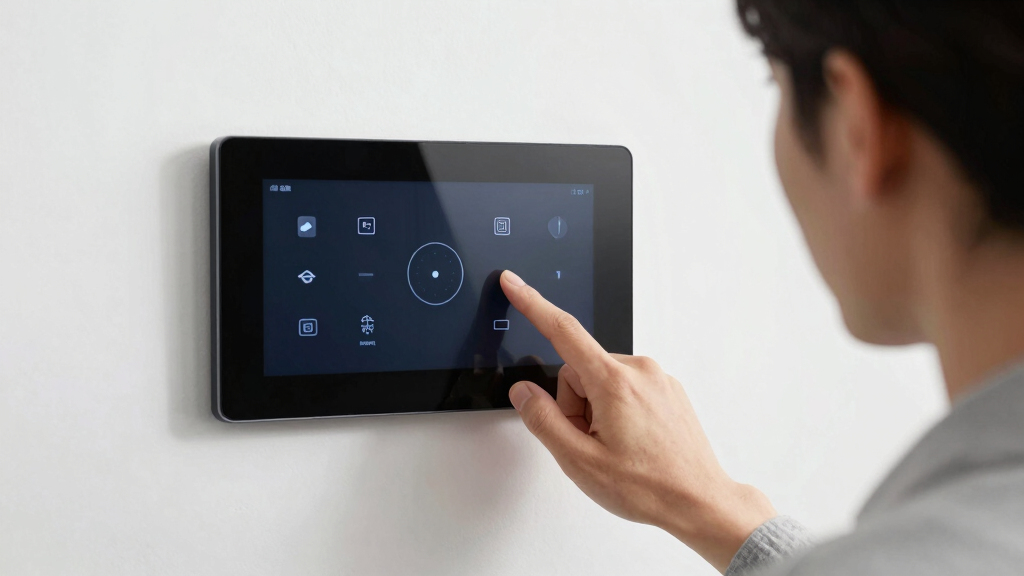
Searching for the best wall mounted smart home dashboard? The top options vary from sleek displays with smart assistant integrations to versatile family organizers with touchscreens. The Amazon Echo Show 15 stands out as the best overall for its seamless Alexa integration and expansive display, while models like the DAKboard excel as customizable dashboards for families. Many options trade off between screen size, smart features, and ease of setup, making it essential to match your specific needs. Keep reading for a detailed comparison that will help you select the perfect smart home hub for your wall.
Key Takeaways
- The best wall mounted smart home dashboards balance display size with smart features and ease of installation.
- Models with integrated voice assistants like Alexa or Google Assistant offer more natural control but may sacrifice some customization flexibility.
- Touchscreen functionality varies; some panels are primarily for viewing, while others support extensive interaction and app use.
- Build quality and design are critical for ensuring the device fits well with your decor and remains durable over time.
- Pricing ranges significantly, with premium options offering more advanced smart integrations, but good value models deliver strong features at lower costs.
| Apolosign 21.5-inch Digital Calendar with Dual Mode Smart Wall Planner |  | Best Overall for Family-Centric Smart Home Control | Display Size: 21.5 inches | Mode: Dual Mode (Calendar & Android) | Connectivity: Wi-Fi, App Sync | VIEW LATEST PRICE | See Our Full Breakdown |
| Cozyla Digital Calendar+ 24 inch Wall Touch Screen Chore Chart and Smart Electronic Calendar for Family Scheduling |  | Best Value for Large, Customizable Family Dashboard | Size: 24 inches | Connectivity: Wi-Fi | Compatibility: Google Play Apps, Google Calendar, Apple Calendar, Outlook | VIEW LATEST PRICE | See Our Full Breakdown |
| 10.1’’ Smart Digital Calendar – Touch Screen Wall Mountable Family Organizer with Chore Chart, To-Do Lists & App Sync |  | Best Compact Multi-Functional Family Organizer | Display Size: 10.1 inches | Connectivity: Wi-Fi | Supported Apps: Google Calendar, iCloud, Cozi, Outlook, others | VIEW LATEST PRICE | See Our Full Breakdown |
| Amazon Echo Hub 8” Smart Home Control Panel with Alexa Compatibility |  | Best for Voice-Driven Smart Home Management | Display: 8-inch touch screen, 1280 x 800 | Power: USB-C PD or PoE with accessories | Connectivity: WiFi, Bluetooth, Zigbee, Thread, Matter | VIEW LATEST PRICE | See Our Full Breakdown |
| Apolosign 15.6-inch Digital Calendar with Dual Mode, Touchscreen, and Smart Home Integration |  | Best Mid-Size Family Hub with Smart Features | Display Size: 15.6 inches | Mode: Dual Mode (Calendar & Android) | Connectivity: Wi-Fi | VIEW LATEST PRICE | See Our Full Breakdown |
| LOOFII 21.5″ Smart Digital Calendar with Touchscreen, Chore Chart & Meal Planner |  | Best Overall Family Organizer | Display: 21.5-inch FHD (1920×1080) | Touchscreen: Yes | Connectivity: Wi-Fi | VIEW LATEST PRICE | See Our Full Breakdown |
| Amazon Echo Show 15 (Newest Model) – 15.6″ Full HD Smart Display with Fire TV and Alexa |  | Best for Smart Home Integration & Media | Display: 15.6 inches, 1920 x 1080 | Size: 16.1″ W x 10.1″ H x 1.4″ D | Weight: 4.96 lbs | VIEW LATEST PRICE | See Our Full Breakdown |
| 10.1-inch POE Smart Home Touch Panel with Android 14, WiFi 6E, and Proximity Sensor |  | Best for Versatile Smart Home Control | Display: 10.1-inch capacitive touch screen | Resolution: 1280×800 | Operating System: Android 14 | VIEW LATEST PRICE | See Our Full Breakdown |
| DAKboard Touchscreen Wall Display 22″ – Shared Family Calendar & Organizer, Smart Home Dashboard with Weather, Chore Lists & Digital Photo Frame in Black |  | Best for Customizable Family Dashboard | Display Size: 21.5 Inches | Resolution: 1080p | Color: Black | VIEW LATEST PRICE | See Our Full Breakdown |
More Details on Our Top Picks
Apolosign 21.5-inch Digital Calendar with Dual Mode Smart Wall Planner
This model stands out for its versatility, combining a large, high-quality touchscreen with dual modes—calendar synchronization and Android dashboard creation—making it ideal for families seeking a central hub. Unlike the smaller 10.1-inch options, its 21.5-inch display offers better visibility for shared use. It integrates smart home control, entertainment, and family scheduling into one device, supporting multiple calendar services and offering a customizable widget dashboard. However, it relies heavily on Wi-Fi and region-specific app support, which can limit functionality for some users. Its premium price reflects its feature set, but it delivers a comprehensive family dashboard solution.
Pros:- Large 21.5-inch HD touchscreen for easy family viewing
- Supports multiple calendar integrations and customizable widgets
- Includes AI voice assistant and photo display features
Cons:- Requires continuous Wi-Fi connection for full features
- Limited regional availability for app features and support
- Higher cost compared to smaller or simpler displays
Best for: Families needing a comprehensive, interactive family hub that manages schedules, chores, and smart home devices from one large screen
Not ideal for: Individuals looking for a budget-friendly or portable smart display, as the size and cost may be prohibitive
- Display Size:21.5 inches
- Mode:Dual Mode (Calendar & Android)
- Connectivity:Wi-Fi, App Sync
- Voice Assistant:Google Gemini AI
- Smart Home Integration:Yes, Google Home compatible
- Touchscreen:HD touchscreen
Bottom line: This is best suited for families who want a large, multifunctional hub to coordinate schedules, smart home control, and entertainment in one central device.
Cozyla Digital Calendar+ 24 inch Wall Touch Screen Chore Chart and Smart Electronic Calendar for Family Scheduling
This 24-inch touchscreen takes the lead for users who prioritize a sizable display and extensive app support, offering a vivid, easy-to-read interface for family scheduling, chores, and meal planning. Compared to the smaller 10.1-inch models, its larger size makes interaction more comfortable for multiple users. Its support for Google Play apps, combined with features like a reward chore chart, makes it a flexible and engaging family organizer. The main tradeoff is that setup can be complex, and it depends on a Wi-Fi connection for all features, which might challenge less tech-savvy users. Its affordability relative to its size makes it an attractive choice for budget-conscious households that still want a substantial display.
Pros:- Large 24-inch display enhances visibility and interaction
- Supports a wide range of apps via Google Play for customization
- Includes digital chore chart with reward system to motivate children
Cons:- Requires Wi-Fi for full functionality and app downloads
- Setup can be complex for non-technical users
- No dedicated battery or backup options mentioned
Best for: Budget-conscious families seeking a large, customizable smart display with app flexibility and motivational features
Not ideal for: Users who prefer a smaller, more discreet device or who have limited Wi-Fi stability, as setup and ongoing connectivity are essential
- Size:24 inches
- Connectivity:Wi-Fi
- Compatibility:Google Play Apps, Google Calendar, Apple Calendar, Outlook
- Features:Touch screen, wall mount, chore chart, meal planner
- Warranty:1 year
Bottom line: Ideal for families wanting a sizable, affordable, and highly customizable smart wall calendar with motivational tools.
10.1’’ Smart Digital Calendar – Touch Screen Wall Mountable Family Organizer with Chore Chart, To-Do Lists & App Sync
This 10.1-inch device fits well for those who want a smaller, multi-purpose display that combines calendar, photo, and art modes. Its size makes it less obtrusive, ideal for kitchens or home offices. Multiple users can access shared calendars, and it supports a broad array of apps, including Google Calendar and iCloud, making it versatile for different households. However, the smaller screen size may not be ideal for users who need a larger, more prominent display for group use. Its reliance on Wi-Fi and limited user capacity make it less suitable for very large families or busy offices, but it excels at providing a compact, multi-functional hub.
Pros:- Compact size ideal for space-constrained environments
- Supports multiple users and a variety of apps without extra cost
- Combines calendar, photo, and art display modes
Cons:- Small screen may limit visibility for group interactions
- Requires Wi-Fi and app setup for full features
- Limited to 20 users, not suitable for very large families
Best for: Small families or individuals who want a versatile, space-saving smart hub with multi-user support and multimedia features
Not ideal for: Large households or users who prefer bigger screens for shared viewing or detailed control, due to its 10.1-inch size
- Display Size:10.1 inches
- Connectivity:Wi-Fi
- Supported Apps:Google Calendar, iCloud, Cozi, Outlook, others
- Multi-User Support:Up to 20 users
- Mounting Options:Wall mountable or desktop stand
- Special Features:Photo sharing, modes for calendar, photo, art
Bottom line: Best for those wanting a versatile, space-efficient smart display with multi-user and multimedia capabilities.
Amazon Echo Hub 8” Smart Home Control Panel with Alexa Compatibility
The Echo Hub offers a streamlined, compact control panel for smart home enthusiasts who prefer Alexa integration. Its 8-inch touch screen provides quick access to device controls, cameras, and routines. Compared with larger displays like the Apolosign or Cozyla, its smaller size is ideal for discreet placement and quick voice commands, making it perfect for those who prioritize voice control over visual interaction. Its support for a wide array of smart protocols and privacy features makes it a versatile choice for tech-savvy users. The main tradeoff is that its size limits detailed control and viewing, and it requires wall mounting or a separate stand, which may not suit all spaces.
Pros:- Supports extensive smart home protocols including Zigbee, Thread, and Matter
- Voice control via Alexa is seamless and intuitive
- Supports quick device and camera access with a customizable dashboard
Cons:- Limited screen size restricts detailed viewing
- Requires wall mounting or an additional stand, reducing portability
- No standalone portability—fixed in one location
Best for: Homeowners who want a dedicated, voice-first smart home panel that blends into their environment
Not ideal for: Users seeking a large visual dashboard or portable device, as the 8-inch size is somewhat restrictive for detailed control
- Display:8-inch touch screen, 1280 x 800
- Power:USB-C PD or PoE with accessories
- Connectivity:WiFi, Bluetooth, Zigbee, Thread, Matter
- Materials:Recycled materials
- Supported Protocols:WiFi, Zigbee, Thread, Matter
- Audio:Stereo speakers
Bottom line: Perfect for those wanting a compact, voice-optimized smart home control panel with customizable controls, ideal for centralized device management.
Apolosign 15.6-inch Digital Calendar with Dual Mode, Touchscreen, and Smart Home Integration
This 15.6-inch model offers a balanced size for users who want a manageable yet functional smart wall calendar. It provides dual modes—calendar and Android—similar to the larger Apolosign but in a smaller form factor, making it suitable for kitchens or smaller spaces. Its support for Google, Outlook, and iCloud ensures broad compatibility, and the inclusion of a voice assistant adds convenience. Compared to the 21.5-inch version, it sacrifices some screen real estate but remains capable of managing family schedules, chores, and smart home commands. Its main tradeoff is regional availability and the need for an internet connection for full features, but it remains a solid middle ground for family-centered homes.
Pros:- Dual mode with touchscreen for easy interaction
- Supports multiple calendar services and voice commands
- Combines family scheduling, chores, and smart home control
Cons:- Limited availability outside US, Canada, UK
- Requires internet connection for full functionality
- Size may still be small for some family groups
Best for: Families seeking a mid-sized, multifunctional wall calendar with smart home control and voice integration
Not ideal for: Large households that require a bigger display or users who prefer standalone, app-free devices
- Display Size:15.6 inches
- Mode:Dual Mode (Calendar & Android)
- Connectivity:Wi-Fi
- Voice Assistant:Google Gemini AI
- Frame Material:Faux wood
- Power:AC Adapter
Bottom line: Best for families who want a balanced, mid-sized smart display that consolidates family planning and smart home management with voice control.
LOOFII 21.5″ Smart Digital Calendar with Touchscreen, Chore Chart & Meal Planner
The LOOFII 21.5-inch digital calendar stands out for its large Full HD touchscreen, making it highly user-friendly for family coordination. Unlike the DAKboard, which emphasizes customization, LOOFII integrates smart sensors like auto-brightness and weather updates, adding convenience. However, it demands a Wi-Fi connection for full features and can be pricier than traditional calendars. Its versatile functions—including photo slideshows, chore charts, and meal planning—make it a comprehensive family hub. The setup may challenge some users unfamiliar with smart devices, but its seamless calendar syncing and sensor features justify the complexity for busy households. This pick is best for families seeking a centralized, feature-rich display that combines planning with smart sensor automation.
Pros:- Large Full HD touchscreen for easy interaction
- Seamless syncs with Google, iCloud, and Outlook
- Includes smart sensors for weather, auto-brightness, and auto-rotation
- Versatile features like photo slideshows, chore, and meal planning
Cons:- Requires Wi-Fi for full functionality
- Can be expensive compared to basic digital calendars
- Setup might be complex for some users
Best for: Tech-savvy families wanting an all-in-one family planning and automation device
Not ideal for: Users preferring simple, standalone calendar displays without smart features
- Display:21.5-inch FHD (1920×1080)
- Touchscreen:Yes
- Connectivity:Wi-Fi
- Syncs with:Google, iCloud, Outlook
- Features:Photo slideshow, chore chart, meal planner, weather updates, auto-brightness, auto-rotation
- Mounting:Wall-mountable
Bottom line: Best suited for families seeking a comprehensive, sensor-enabled smart calendar with versatile planning tools.
Amazon Echo Show 15 (Newest Model) – 15.6″ Full HD Smart Display with Fire TV and Alexa
The Echo Show 15 offers a large 15.6-inch Full HD display, making it ideal for media, smart home control, and family organization. Compared with the DAKboard, it provides built-in Fire TV streaming and a robust smart home hub, supporting Zigbee, Matter, and Thread protocols, which simplifies device integration. Its high-quality audio and customizable widgets enhance entertainment and communication, but its premium price might be a barrier for some. The device excels in voice control and media features, yet it relies heavily on a stable Wi-Fi connection, and some functionalities may require subscriptions. This model is perfect for users who want a multi-purpose smart display that combines entertainment with smart home control.
Pros:- Large 15.6-inch Full HD display with versatile orientation
- Built-in Fire TV for streaming movies and shows
- Comprehensive smart home hub supporting Zigbee, Matter, and Thread
- Vibrant sound quality for media and notifications
Cons:- Premium price point
- Requires consistent Wi-Fi for optimal use
- Some features may need additional subscriptions
Best for: Households prioritizing media streaming and integrated smart device management
Not ideal for: Individuals seeking a budget-friendly, simple display for basic scheduling
- Display:15.6 inches, 1920 x 1080
- Size:16.1″ W x 10.1″ H x 1.4″ D
- Weight:4.96 lbs
- Camera:13 MP with shutter
- Audio:Two 2″ woofers and two 0.6″ tweeters
- Connectivity:Wi-Fi 6E, Zigbee, Alexa
Bottom line: Ideal for users wanting a media-rich, smart home hub with excellent entertainment and device control features.
10.1-inch POE Smart Home Touch Panel with Android 14, WiFi 6E, and Proximity Sensor
The 10.1-inch POE Smart Home Touch Panel distinguishes itself with its high-resolution 1280×800 display and advanced connectivity options like WiFi 6E and Ethernet. Unlike the smaller POE panels, its larger screen and Android 14 OS support more complex control apps, making it suitable for integrated smart home management. Its sensors for proximity, temperature, and humidity add automation, but the device lacks a camera, limiting its use cases. The PoE power supply simplifies installation in wired setups, yet it demands a PoE network, which might be a barrier for some users. This device is best for tech-savvy users who want a flexible, sensor-equipped control panel with reliable wired power.
Pros:- High-resolution 1280×800 touchscreen
- Supports WiFi 6E and PoE power supply
- Includes proximity, temperature, and humidity sensors
- Supports serial protocols like RS-232 and RS-485 for integration
Cons:- No camera included for video or photo functions
- Requires PoE network setup, which can be complex
- Limited to control and automation, not media or entertainment
Best for: Home automation enthusiasts with PoE infrastructure seeking a versatile control panel
Not ideal for: Users without PoE networks or seeking a simple plug-and-play solution
- Display:10.1-inch capacitive touch screen
- Resolution:1280×800
- Operating System:Android 14
- WiFi:WiFi 6E
- Power:PoE (RJ45)
- Sensors:Proximity, temperature, humidity
Bottom line: Best for technically proficient users needing a wired, sensor-rich control panel for home automation integration.
DAKboard Touchscreen Wall Display 22″ – Shared Family Calendar & Organizer, Smart Home Dashboard with Weather, Chore Lists & Digital Photo Frame in Black
The DAKboard 22-inch touchscreen offers a bright, crisp IPS display that excels in customization, making it suitable for families wanting tailored control over their schedules and smart devices. Compared with the LOOFII calendar, DAKboard emphasizes visual customization and a sleek interface, though it relies heavily on Wi-Fi for full functionality. Its drag-and-drop layout and integration with Google Calendar and Amazon Photos provide a personalized experience. However, it has limited details on compatibility with a wide range of smart home devices, and its higher cost might deter budget-conscious users. This device is ideal for users seeking a visually appealing, highly customizable home dashboard with photo and calendar integration.
Pros:- Highly customizable drag-and-drop layout
- Seamless integration with Google Calendar and Amazon Photos
- Bright, high-resolution IPS display with wide viewing angles
- Built-in touchscreen for easy editing and control
Cons:- Requires Wi-Fi for full features
- Potentially high cost for advanced customization
- Limited details on broad smart device compatibility
Best for: Families who want a personalized, visually engaging control panel with extensive customization options
Not ideal for: Users desiring a device with advanced smart device compatibility or built-in automation features
- Display Size:21.5 Inches
- Resolution:1080p
- Color:Black
- Connectivity:Wi-Fi
- Touchscreen:Yes
- Aspect Ratio:16:9
Bottom line: Perfect for families seeking a flexible, visually engaging dashboard with personalized scheduling and photo display options.

How We Picked
These products were evaluated based on several key factors: display size and quality, smart home integration capabilities, user interface and ease of use, build quality, and value for price. We prioritized devices that are straightforward to install and operate, and those with reliable software support. The ranking reflects a balanced view of performance versus cost, with a focus on how well each device supports typical smart home workflows. Devices with comprehensive features that cater to different user needs, from simple control panels to advanced home automation hubs, were favored.Factors to Consider When Choosing Best Wall Mounted Smart Home Dashboard
Choosing the right wall mounted smart home dashboard involves considering several important factors beyond just features. The ideal device should seamlessly integrate with your existing smart home ecosystem, offer a user-friendly interface, and fit aesthetically in your space. Additionally, understanding tradeoffs like screen size versus installation complexity or smart assistant compatibility versus customization options can help prevent buyer’s remorse. Here are key considerations to guide your decision:Display Size and Resolution
Size matters for both visibility and aesthetics. Larger screens, such as 22 inches or more, make it easier to view information at a glance, especially for family use. However, bigger displays can be more intrusive and harder to install in smaller spaces. Resolution quality impacts clarity and overall user experience, so opt for panels with at least Full HD if you plan to use detailed visuals or photos. Balance size with your space constraints and viewing distance for the best fit.
Smart Assistant Compatibility
Many dashboards support voice assistants like Alexa or Google Assistant, offering hands-free control over your smart devices. This feature enhances convenience but may limit customization options or require specific ecosystems. If you already use Alexa, a device with Alexa built-in makes integration smoother. Conversely, if you prefer a platform-agnostic approach, look for displays that support multiple assistants or open standards. Compatibility can greatly influence your experience, so choose a device that fits your existing smart home setup.
Interactivity and Touchscreen Functionality
Some dashboards are primarily for viewing information, while others support extensive interaction, such as adjusting settings, viewing security feeds, or controlling devices. Touch responsiveness and interface design can vary, affecting usability. Consider how often you’ll need to interact directly—if you want a control hub for daily routines, prioritize highly responsive touchscreens. For simple display purposes, a less interactive panel might suffice, saving cost and complexity.
Build Quality and Aesthetics
Since these devices are meant to be wall-mounted and visible, their design matters. Look for sleek, modern finishes that match your decor. Durability is also important—devices with high-quality screens and sturdy mounts will last longer and withstand daily use. A poorly made panel may look cheap or become damaged over time, reducing its appeal and functionality.
Smart Ecosystem and Connectivity
Compatibility with your existing smart devices can make setup and daily use much smoother. Look for products that support standard protocols like Zigbee, Z-Wave, or Wi-Fi, and that can integrate with your preferred app ecosystem. Consider how updates and support are handled—reliable software ensures your dashboard remains functional and secure. If you plan to expand your smart home, choose a device that scales easily.
Frequently Asked Questions
Can I use these dashboards without a smart home ecosystem?
Most wall mounted smart home dashboards rely on integration with a broader system or app to function fully. While some can display basic information like weather or schedules independently, their core features are designed to work with smart home platforms like Alexa, Google Home, or Apple HomeKit. Without such an ecosystem, your options for control and automation become limited, reducing the value of a dedicated dashboard. For standalone use, simpler or more generic display devices might be more suitable.
Are wall mounted smart home dashboards easy to install myself?
Installation difficulty varies depending on the device’s size, mounting options, and power requirements. Many models are designed with consumer installation in mind, featuring straightforward mounting brackets and clear instructions. Devices that require Power over Ethernet (PoE) or complex wiring may be more challenging and could need professional help. Reading user reviews and manufacturer instructions can help gauge whether a particular dashboard suits your DIY skills. Consider your comfort with basic electrical work if the device needs wired power.
Do these dashboards support multiple users or family members?
Many modern dashboards support multiple profiles or user accounts, making it easier for everyone in the household to access personalized settings and schedules. Features like shared calendars, chore lists, and multi-user voice recognition enhance usability for families. However, some lower-cost or simpler models may lack this capability. When choosing a device for household use, verify its multi-user support to ensure everyone can benefit from the display.
How secure are these devices for managing smart home controls?
Security varies widely among different models and ecosystems. Devices connected via Wi-Fi or Ethernet are vulnerable to hacking if not properly secured. Look for dashboards that support secure Wi-Fi protocols, regular firmware updates, and password protection. Manufacturers with a good track record of security updates provide peace of mind that your smart home data remains protected. Always change default passwords and keep firmware current to minimize vulnerabilities.
What is the typical lifespan of a wall mounted smart home dashboard?
The lifespan depends on build quality, usage, and maintenance, but most devices are designed to last between 3-5 years before needing replacement or upgrade. Higher-end models with durable screens and sturdy mounts tend to last longer. Regular software updates can extend usability by fixing bugs and improving features. If you want a long-term solution, invest in a well-reviewed model with good support, and plan for eventual hardware upgrades as your smart home evolves.
Conclusion
For most users, the Amazon Echo Show 15 offers the best overall experience thanks to its large, high-quality display and seamless Alexa integration. If you prioritize affordability and versatility, models like the DAKboard provide customizable options at a lower price point. For those seeking a premium, sleek aesthetic combined with advanced smart features, the Amazon Echo Show 15 or high-end custom panels will satisfy. Beginners or casual users will benefit from straightforward, easy-to-install models, while tech-savvy households should consider devices with extensive automation support. Match your choice to your specific needs, space, and existing smart setup for the best long-term satisfaction.