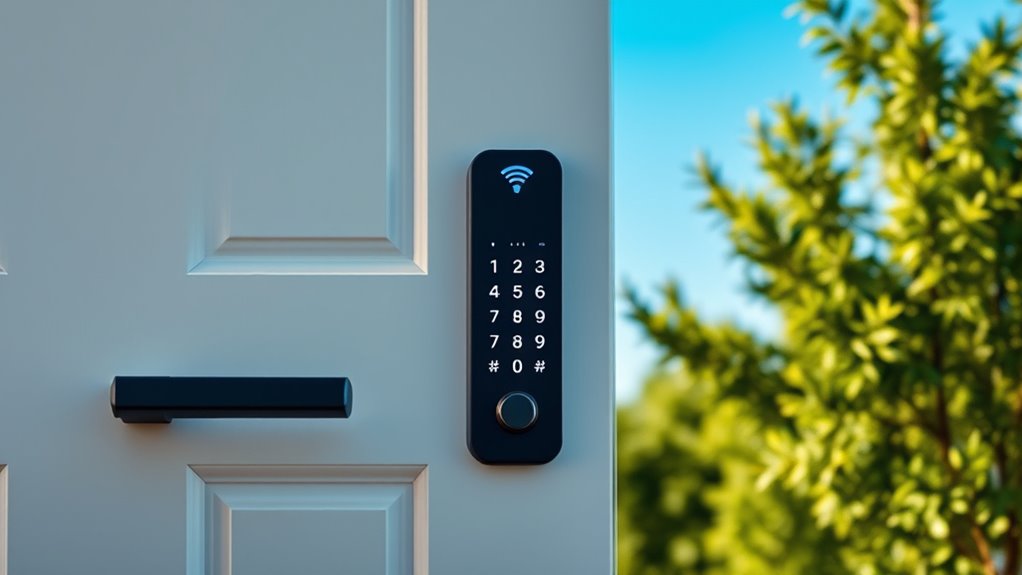

If you’re searching for a keypad door lock with WiFi, you’re likely after a combination of convenience, security, and remote access. The best models offer keyless entry, smartphone control, and integration with smart home systems. The main tradeoffs usually involve balancing price, features, and ease of installation. Some locks excel in advanced security features, while others prioritize user-friendliness or affordability. Continue reading for a detailed breakdown of the top options and what sets them apart.

Get home appliances delivered free — and shop member deals
- Fast, free delivery on millions of items
- Access to Prime Big Deal Days deals on October 6–7
- Prime Video, Amazon Music and more included
Complete the kit


Key Takeaways
- The top picks balance ease of installation with robust security features.
- Premium models often add fingerprint or biometric unlocking, but at a higher cost.
- Value options tend to prioritize basic remote access and keypad functionality.
- Build quality and smart home integration are key differentiators among higher-end locks.
- Battery life and backup options are often overlooked but critical for reliable security.
| Philips Wi-Fi Smart Deadbolt Lock, Keyless Entry Door Lock |  | Best Overall | Connectivity: Wi-Fi (2.4GHz only) | Power: AA alkaline batteries (not included) | Compatibility: Most doors 1-3/8″ to 2″ thick | VIEW ON AMAZON | See Our Full Breakdown |
| Yale WiFi Smart Lock Deadbolt with Keypad, Keyless Entry, Black Suede |  | Best for Weather Resistance and Commercial Use | Connectivity: Wi-Fi (2.4 or 5 GHz) | Control: Smartphone, Apple Watch, Keypad, Backup Key | Grade: Grade 2 BHMA | VIEW ON AMAZON | See Our Full Breakdown |
| Wyze Auto-Lock Bolt v2 Fingerprint Keyless Entry Smart Lock with Wi-Fi, Auto-Lock, Backup Keys, IP53, BHMA2 |  | Best for Fast Fingerprint Unlocking and Learning | Brand: WYZE | Model Number: WLCKB2 | Weather Resistance: IP53 | VIEW ON AMAZON | See Our Full Breakdown |
| Philips Upgraded Wi-Fi Smart Lock with Handle, Keyless Entry, Fingerprint Unlock, App Control, Auto-Lock, Keypad Deadbolt |  | Best for Multi-Method Convenience | Connectivity: Wi-Fi | Unlocking Methods: Fingerprint, app, PIN, voice, key | Auto-Lock: Yes | VIEW ON AMAZON | See Our Full Breakdown |
| Schlage Encode Smart WiFi Deadbolt Lock with Century Trim, Matte Black |  | Best for Security and Voice Integration | Connectivity: Wi-Fi | Finish: Matte Black | Compatibility: Alexa, Google Home | VIEW ON AMAZON | See Our Full Breakdown |
| Philips WiFi Keypad Door Lock with Handle, App Control Smart Deadbolt Lock | 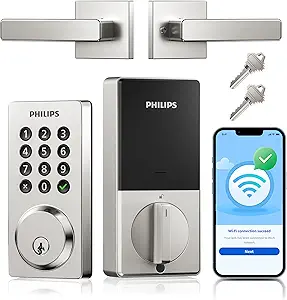 | Best Overall | Connectivity: WiFi | Control App: Philips Home Access App | Unlock Methods: Keys, passcode, voice commands, mobile app | VIEW ON AMAZON | See Our Full Breakdown |
| Philips WiFi Keypad Door Lock with Handle, App Control Smart Deadbolt Lock |  | Best for Ease of Installation | Brand: PHILIPS | Model Number: DDL242X-15HW-L | Recommended Uses: front doors, side doors, homes, apartments, office entries | VIEW ON AMAZON | See Our Full Breakdown |
| Philips WiFi Keypad Deadbolt with Handle, Built-in WiFi, APP Remote Control |  | Best for Biometric Access | WiFi Connectivity: 2.4GHz WiFi, no hub needed | Auto-Lock: Yes, customizable 0-180 seconds | Battery Life: Up to 6 months | VIEW ON AMAZON | See Our Full Breakdown |
| Philips WiFi Smart Keypad Deadbolt Lock |  | Best for Advanced Security & Customization | Connectivity: WiFi | Control App: Philips Home Access App | Unlock Methods: Keys, passcode, voice, app | VIEW ON AMAZON | See Our Full Breakdown |
| Philips WiFi Keypad Door Lock with Handle, Built-in WiFi, APP Remote Control, Voice & Fingerprint Unlock, Satin Nickel |  | Best for Fast Biometric & Voice Access | Connectivity: WiFi 2.4GHz | Fingerprint Speed: 0.3 seconds | Supported PIN Codes: permanent, one-time, periodic, recurring | VIEW ON AMAZON | See Our Full Breakdown |
| keypad door lock with wifi | Connectivity | Battery Life |
|---|---|---|
| Philips Wi-Fi Smart Deadbolt L | Wi-Fi (2.4GHz only) | — |
| Yale WiFi Smart Lock Deadbolt | Wi-Fi (2.4 or 5 GHz) | — |
| Wyze Auto-Lock Bolt v2 Fingerp | — | Up to 8 months |
| Philips Upgraded Wi-Fi Smart L | Wi-Fi | — |
| Schlage Encode Smart WiFi Dead | Wi-Fi | Up to 6 months |
| Philips WiFi Keypad Door Lock | WiFi | Up to 6 months |
| Philips WiFi Keypad Door Lock | — | up to 6 months |
| Philips WiFi Keypad Deadbolt w | — | Up to 6 months |
| Philips WiFi Smart Keypad Dead | WiFi | Up to 6 months |
| Philips WiFi Keypad Door Lock | WiFi 2.4GHz | — |
More Details on Our Top Picks
Philips Wi-Fi Smart Deadbolt Lock, Keyless Entry Door Lock
This Philips model stands out for its versatile unlocking options, including app control, passcodes, fingerprint, and voice commands, making it a flexible choice for most users. Compared with the Yale WiFi Smart Lock, it offers similar remote control but falls short with only 2.4GHz Wi-Fi and no door sensor, which could limit its security features. Its DIY installation allows for easy setup on standard doors, but reliance on batteries and lack of a door sensor are notable tradeoffs. The auto-lock feature adds convenience, while the limited Wi-Fi compatibility might restrict its use in smart home systems.
Pros:- Flexible unlocking options including app, passcode, fingerprint, and voice control
- Remote access and real-time notifications improve security and convenience
- Easy DIY installation suitable for standard doors
Cons:- Requires 2.4GHz Wi-Fi, not compatible with 5GHz networks
- Batteries not included and may need frequent replacing
- No door sensor for additional security
Best for: Homeowners seeking a highly adaptable deadbolt with multiple access methods and straightforward installation.
Not ideal for: Users with 5GHz Wi-Fi networks or those wanting integrated door sensors for enhanced security.
- Connectivity:Wi-Fi (2.4GHz only)
- Power:AA alkaline batteries (not included)
- Compatibility:Most doors 1-3/8″ to 2″ thick
- Remote Range:65 feet
- Voice Control:Alexa, Google Assistant
- Auto-Lock Timer:10-180 seconds
- Maximum Passcodes:100
Our verdict“This is a strong all-around choice for users who want multiple unlocking options and easy installation, with some limitations on Wi-Fi compatibility and security features.”
Yale WiFi Smart Lock Deadbolt with Keypad, Keyless Entry, Black Suede
The Yale WiFi Smart Lock offers a robust combination of durability and remote control, making it ideal for harsher environments. Unlike the Philips deadbolt, it supports both 2.4 and 5 GHz Wi-Fi, providing greater flexibility for smart home integration. Its unlimited user codes and DoorSense feature enhance security and access management, but the need for Wi-Fi for full functionality and its US/Canada restriction may limit its usability elsewhere. The lock’s commercial-grade build and auto-unlock capabilities make it suitable for busy households or small businesses, although its reliance on Wi-Fi could be a drawback in unstable networks.
Pros:- Supports unlimited user codes for flexible access sharing
- Auto-Unlock and DoorSense features for added convenience and security
- High-grade, weather-resistant construction
Cons:- Full functionality depends on Wi-Fi connection
- Limited control options outside US & Canada
- Backup key may be less convenient for daily use
Best for: Property owners needing a durable, weatherproof lock with extensive access control features.
Not ideal for: Homeowners in areas with unreliable Wi-Fi or those outside North America who want local control without internet dependency.
- Connectivity:Wi-Fi (2.4 or 5 GHz)
- Control:Smartphone, Apple Watch, Keypad, Backup Key
- Grade:Grade 2 BHMA
- Temperature Range:-22°F to 140°F
- Door Compatibility:1-3/4″ to 2-1/4″ thick doors
- Power:Low-battery alerts
Our verdict“This lock excels for users needing a durable, weatherproof solution with extensive access options, provided Wi-Fi stability is assured.”
Wyze Auto-Lock Bolt v2 Fingerprint Keyless Entry Smart Lock with Wi-Fi, Auto-Lock, Backup Keys, IP53, BHMA2
The Wyze Lock Bolt v2 is notable for its rapid fingerprint recognition, unlocking in under half a second, making it a standout for quick access. It learns from your usage to improve recognition, unlike the Yale or Philips models that rely on fixed codes or manual input. While its remote control via Wi-Fi offers convenience, the IP53 weather resistance means it’s less suited for heavy rain or extreme conditions. Compared with the Philips lock, it emphasizes biometric access and adaptability but at the expense of slightly more complex setup and limited weatherproofing.
Pros:- Unlocks in 0.5 seconds with fingerprint scanner
- Learns and adapts for better recognition over time
- Remote management via Wi-Fi app
- Multiple unlocking options including keypad, fingerprint, app, and backup keys
Cons:- Requires Wi-Fi for remote features
- Battery life can vary with usage
- Weather resistance rated IP53, not ideal for heavy rain
Best for: Users prioritizing fast fingerprint access and adaptive recognition in a weather-resistant design.
Not ideal for: Those in extremely harsh climates or seeking a lock with extensive integration options beyond fingerprint and Wi-Fi.Note: Battery life and weather resistance could be concerns for heavy outdoor use.
- Brand:WYZE
- Model Number:WLCKB2
- Weather Resistance:IP53
- Durability:BHMA2
- Battery Life:Up to 8 months
- Unlock Time:0.5 seconds
Our verdict“This lock is ideal for those who want quick fingerprint access with learning capabilities, suitable for moderate outdoor conditions.”
Philips Upgraded Wi-Fi Smart Lock with Handle, Keyless Entry, Fingerprint Unlock, App Control, Auto-Lock, Keypad Deadbolt
This Philips model emphasizes versatility, offering multiple unlocking options—fingerprint, app, PIN, voice, and physical key—making it suitable for varied user preferences. Unlike the Yale or Wyze options, it provides a comprehensive set of access methods within a single lock. Its remote control and real-time alerts add security, but the setup can be complex due to multiple access options, and battery life details are not specified, which might be a concern for long-term use. It’s best suited for households or offices needing flexible access with minimal fuss.
Pros:- Multiple unlocking options including fingerprint, app, PIN, voice, and key
- Remote access and real-time notifications for security
- Auto-lock and passage modes for convenience
Cons:- Requires 2.4GHz Wi-Fi, which may be incompatible with some networks
- Setup complexity due to multiple access methods
- Battery life is not detailed, raising questions about longevity
Best for: Users who want a single lock with diverse unlocking options and remote management for busy family or office environments.
Not ideal for: Users seeking a simple, straightforward lock or those in areas with unstable Wi-Fi, due to complex setup and reliance on Wi-Fi.
- Connectivity:Wi-Fi
- Unlocking Methods:Fingerprint, app, PIN, voice, key
- Auto-Lock:Yes
- Passcodes:Multiple
- Control:Remote via app
- Battery:Details not specified
Our verdict“This lock suits those needing multiple access methods in one device, especially in busy households or small offices, despite the complex setup process.”
Schlage Encode Smart WiFi Deadbolt Lock with Century Trim, Matte Black
The Schlage Encode offers a straightforward, reliable option with high security, easy installation, and voice control compatibility with Alexa and Google Home. Its built-in alarm adds an extra layer of security, making it well-suited for users who prioritize peace of mind. Compared with the Philips or Yale locks, it simplifies remote management with dedicated app control and has a longer battery life of approximately 6 months. However, it is limited to standard door sizes and requires batteries, which need periodic replacement—a common tradeoff in smart locks.
Pros:- Remote management via app from anywhere
- Supports voice commands with Alexa and Google Home
- Built-in customizable alarm enhances security
- Easy to install on standard doors
Cons:- Batteries need replacement every few months
- Dependent on Wi-Fi for remote features
- Limited compatibility with non-standard door sizes
Best for: Homeowners seeking a secure, easy-to-install smart lock with reliable voice control and integrated alarm features.
Not ideal for: Users with non-standard doors or those who want extensive customization beyond basic security and remote access.
- Connectivity:Wi-Fi
- Finish:Matte Black
- Compatibility:Alexa, Google Home
- Battery:4 AA batteries (included)
- Battery Life:Up to 6 months
- Door Thickness:1-3/8 in to 1-3/4 in
Our verdict“This lock offers a reliable, secure choice for users wanting straightforward remote access and voice control with added security features.”
Philips WiFi Keypad Door Lock with Handle, App Control Smart Deadbolt Lock
This Philips model stands out for its comprehensive remote control capabilities, supporting multiple unlocking methods including keys, passcodes, voice commands, and app control. Its durability and weather resistance make it suitable for outdoor use, and its easy installation appeals to DIY enthusiasts. Compared with the B0GHPJXN3T, it offers broader compatibility with standard US deadbolts, but its reliance on batteries not being included adds a minor inconvenience. Its auto-lock feature enhances security, though it requires a WiFi connection for remote operation, limiting its utility during internet outages.
Pros:- Remote control and access management via app
- Supports multiple unlocking methods including voice commands
- Weather-resistant and durable for outdoor use
- Easy to install on standard US deadbolts
Cons:- Batteries are not included, requiring separate purchase
- Requires WiFi for remote features, limiting offline use
Best for: Homeowners seeking a reliable, weather-resistant smart deadbolt with extensive remote management features
Not ideal for: Renters or those without WiFi who prefer simpler, non-connected locks
- Connectivity:WiFi
- Control App:Philips Home Access App
- Unlock Methods:Keys, passcode, voice commands, mobile app
- Password Modes:Permanent, one-time, timed
- Auto Lock Timer:10-180 seconds
- Battery:8 AA batteries (not included)
- Battery Life:Up to 6 months
- Temperature Range:-31°F to 150°F (-35°C to 66°C)
- Waterproof Level:IP54
Our verdict“This pick is best for users who want a versatile, weatherproof smart lock with comprehensive remote access options.”
Philips WiFi Keypad Door Lock with Handle, App Control Smart Deadbolt Lock
This Philips lock excels in straightforward DIY installation, compatible with standard US deadbolts and requiring minimal tools. Its multiple unlocking options—keys, passcodes, voice commands, and app—mirror the features of the B0FT2VWRPT but with a focus on ease of setup. The inclusion of two lever handles adds convenience for different door configurations. While it offers solid weather resistance and a 2-year warranty, the need for batteries not included and WiFi dependency are consistent limitations. Compared to more feature-rich models, this lock trades some advanced auto-lock customization for simplicity.
Pros:- Easy DIY installation with standard US deadbolt compatibility
- Multiple unlocking options including keys, passcodes, and voice commands
- Includes two lever handles for flexible installation
- Weather-resistant with a 2-year warranty
Cons:- Batteries are not included, requiring additional purchase
- WiFi dependency for remote control
Best for: Homeowners or apartment dwellers seeking an easy-to-install smart lock with versatile access options
Not ideal for: Users looking for advanced auto-lock customization or those without stable WiFi connections
- Brand:PHILIPS
- Model Number:DDL242X-15HW-L
- Recommended Uses:front doors, side doors, homes, apartments, office entries
- Number of Pieces:1
- Included Components:1 x door lock, 2 lever handles
- Battery Life:up to 6 months
- Battery Type:8 AA batteries (not included)
- Temperature Range:-31°F to 150°F (-35°C to 66°C)
- Waterproof Level:IP54
Our verdict“Ideal for those who prioritize simple installation and flexible access methods without complex programming.”
Philips WiFi Keypad Deadbolt with Handle, Built-in WiFi, APP Remote Control
This Philips model emphasizes biometric security, offering fingerprint unlocking in just 0.3 seconds, alongside keypad and app options. Its built-in WiFi eliminates the need for hubs, making it a straightforward upgrade for modern homes. It supports voice commands with Alexa and Google Assistant, aligning with smart home ecosystems. Compared to the B0GHPJXN3T, it is more focused on biometric speed and convenience, though its auto-lock feature requires manual setup within the app. Its door thickness compatibility is slightly narrower, which might limit some installations. This lock is well-suited for users prioritizing quick biometric or keyless entry.
Pros:- Supports multiple access methods including fingerprint, PIN, and app
- Fast biometric unlocking in 0.3 seconds
- No hub needed due to built-in WiFi
- Compatible with Alexa and Google Assistant
Cons:- Batteries not included, need to be purchased separately
- Auto-lock feature requires manual setup in the app
Best for: Homeowners wanting fast biometric access combined with remote control and voice command support
Not ideal for: Users with doors outside the supported thickness range or seeking auto-lock without manual activation
- WiFi Connectivity:2.4GHz WiFi, no hub needed
- Auto-Lock:Yes, customizable 0-180 seconds
- Battery Life:Up to 6 months
- Battery Type:Standard 1.5V alkaline batteries (not included)
- Fingerprint Speed:0.3 seconds
- Door Thickness Compatibility:1-3/8″ to 1-3/4″
Our verdict“Best suited for users prioritizing rapid biometric entry combined with remote and voice control capabilities.”
Philips WiFi Smart Keypad Deadbolt Lock
This Philips lock offers a comprehensive smart experience, supporting remote control, multiple unlocking options including keys, passcodes, voice commands, and app management. Its customizable passcode modes—permanent, one-time, timed—make it suitable for dynamic access needs. Its weather-resistant build and up to 6-month battery life provide durability for outdoor use. Compared with the B0GHPJXN3T, it offers more advanced password management but requires a WiFi connection for full remote functionality. Its auto-lock feature can be enabled for added security, although setup may be more complex for some users.
Pros:- Remote control and access via mobile app
- Supports multiple unlocking methods including voice commands
- Customizable passcode modes for flexible security
- Weather-resistant with durable construction
Cons:- Batteries are not included, requiring additional purchase
- Needs WiFi for remote management, can be complex to set up
Best for: Security-conscious homeowners who need customizable access and remote management
Not ideal for: Users seeking a simple, plug-and-play lock without detailed password options
- Connectivity:WiFi
- Control App:Philips Home Access App
- Unlock Methods:Keys, passcode, voice, app
- Password Modes:Permanent, one-time, timed
- Auto Lock:Yes, 10-180 seconds
- Battery:8 AA batteries (not included)
- Battery Life:Up to 6 months
- Water Resistance:IP54
- Force Resistance:2200N
Our verdict“Designed for users who want highly customizable access control combined with remote management ability.”
Philips WiFi Keypad Door Lock with Handle, Built-in WiFi, APP Remote Control, Voice & Fingerprint Unlock, Satin Nickel
This Philips lock combines quick biometric entry with comprehensive remote control and voice command features, making it highly versatile. Its real-time status monitoring and auto-lock feature enhance security, while the included handle set simplifies installation. Compared to the B0F61WG9F2, it offers faster fingerprint unlocking at 0.3 seconds and broader access options. Its compatibility with Alexa and Google Assistant aligns well with smart home setups. The main tradeoff involves the need for batteries not included and potential installation complexity if unfamiliar with smart locks. This model is ideal for users seeking rapid biometric access integrated into a connected smart lock system.
Pros:- Fast fingerprint unlocking in 0.3 seconds
- Supports remote control and real-time status updates
- Compatible with Alexa and Google Assistant
- Includes handle set for easy installation
Cons:- Batteries are not included, must be purchased separately
- Installation may require watching a setup video
Best for: Homeowners who want fast fingerprint access combined with remote, voice, and keypad options
Not ideal for: Those with rigid budget constraints or unfamiliar with smart lock installation processes
- Connectivity:WiFi 2.4GHz
- Fingerprint Speed:0.3 seconds
- Supported PIN Codes:permanent, one-time, periodic, recurring
- Door Thickness Compatibility:1-3/8″ to 1-3/4″
- Batteries:8 AA alkaline (not included)
Our verdict“Perfect for those prioritizing rapid biometric entry combined with extensive remote and voice control features.”

How We Picked
To select the best keypad door locks with WiFi, I evaluated each product based on build quality, ease of installation, and the reliability of WiFi connection. I also considered user interface simplicity, security features like encryption and tamper alerts, and how well each lock integrates with popular smart home platforms. Value was weighed against feature set, ensuring options offer a good balance for different budgets. The rankings reflect overall performance, versatility, and how well each lock meets typical user needs, from basic keyless entry to advanced security features.| keypad door lock with wifi | Connectivity | Battery Life |
|---|---|---|
| Philips Wi-Fi Smart Deadbolt L | Wi-Fi (2.4GHz only) | — |
| Yale WiFi Smart Lock Deadbolt | Wi-Fi (2.4 or 5 GHz) | — |
| Wyze Auto-Lock Bolt v2 Fingerp | — | Up to 8 months |
| Philips Upgraded Wi-Fi Smart L | Wi-Fi | — |
| Schlage Encode Smart WiFi Dead | Wi-Fi | Up to 6 months |
| Philips WiFi Keypad Door Lock | WiFi | Up to 6 months |
| Philips WiFi Keypad Door Lock | — | up to 6 months |
| Philips WiFi Keypad Deadbolt w | — | Up to 6 months |
| Philips WiFi Smart Keypad Dead | WiFi | Up to 6 months |
| Philips WiFi Keypad Door Lock | WiFi 2.4GHz | — |
Factors to Consider When Choosing Keypad Door Lock With Wifi
Choosing the right keypad door lock with WiFi involves understanding several key factors that impact usability, security, and compatibility. The right lock for you depends on your home’s existing smart ecosystem, your security priorities, and your budget. Being aware of these considerations helps avoid common pitfalls like underestimating installation complexity or overpaying for features you won’t use.Compatibility and Smart Home Integration
Ensuring your chosen lock works seamlessly with your current smart home system (like Alexa, Google Assistant, or Apple HomeKit) can simplify control and automation. Some locks offer native integrations, while others require additional hubs or bridges. Compatibility issues can lead to frustration or extra costs, so verify the lock’s ecosystem support before purchasing.
Security Features and Encryption
Not all WiFi-enabled locks are equally secure. Look for models that use encrypted communication and tamper alerts. Some locks include alarm systems or auto-lock features that add layers of security. Avoid cheaper models with basic encryption, as they may be vulnerable to hacking or signal interference.
Ease of Installation and Maintenance
Installation complexity varies widely. Some locks fit standard deadbolt holes and are DIY-friendly, while others may require professional setup. Consider models with clear instructions and minimal wiring. Maintenance-wise, rechargeable batteries or long-lasting power sources reduce hassle, but always check for backup options in case of power failure.
Remote Access and User Management
Remote control via smartphone app is a core feature, but the quality of app interfaces and reliability can differ. Look for locks that allow easy user management, such as temporary codes for guests. Consider whether the lock supports multiple users or only one master account, depending on your needs.
Build Quality and Aesthetic Fit
The lock’s materials and finish should match your home’s style and withstand weather if installed outdoors. Higher-quality locks tend to be more durable and resistant to tampering. Fitting the aesthetic of your door is also important; some models offer a variety of finishes, while others are more limited.
Frequently Asked Questions
Can I install a keypad door lock with WiFi myself?
Many keypad door locks with WiFi are designed for DIY installation, especially those that fit standard deadbolts and include step-by-step instructions. However, some models may require basic electrical or mechanical skills, especially if they involve wiring or integration with existing smart systems. Carefully reviewing the installation process and compatibility can help determine if you’re comfortable setting it up yourself or if professional installation is advisable.
How secure are WiFi keypad locks against hacking?
WiFi keypad locks generally use encryption to protect data transmission, but their security depends on the manufacturer’s implementation. Premium models often include features like two-factor authentication or tamper alerts, which improve security. It’s important to keep firmware updated and use strong, unique passwords for associated accounts to reduce vulnerability.
Will a WiFi lock work if my WiFi goes down?
Most WiFi-enabled locks will still function locally, allowing keypad entry or manual unlocking. However, remote access via the app or smart home integration typically requires an active internet connection. Some models have backup keys or Bluetooth access to maintain functionality during WiFi outages, so check for these features if connectivity is a concern.
Are fingerprint or biometric features worth paying extra for?
Biometric features add convenience by enabling quick, keyless access without codes or smartphones. They can enhance security by providing a unique unlock method. However, biometric sensors can sometimes be less reliable in extreme weather or if they become dirty or damaged. Weigh their added convenience against cost and potential reliability issues before investing.
What should I consider about battery life and power backup?
Battery life impacts daily convenience; some locks require monthly or quarterly charging or battery replacements. Longer-lasting batteries reduce maintenance, but always verify if the lock has a low-battery alert. Power backup options like wired connections or physical keys are essential for ensuring access during power failures or battery depletion.
Conclusion
For most homeowners seeking a reliable, easy-to-use solution, the Philips Wi-Fi Smart Deadbolt Lock offers excellent overall performance and compatibility. Those wanting the best value should consider models like the Wyze Auto-Lock Bolt v2, which balances features with affordability. If you prefer premium security and advanced features, the Schlage Encode Smart WiFi Deadbolt is a strong choice. Beginners or DIY enthusiasts will appreciate models with straightforward installation, while security-focused buyers should prioritize locks with strong encryption and tamper alerts. Ultimately, your choice depends on your specific needs, budget, and existing smart home setup.
Fall yard work Picks
leaf blowers
As an affiliate, we earn on qualifying purchases.