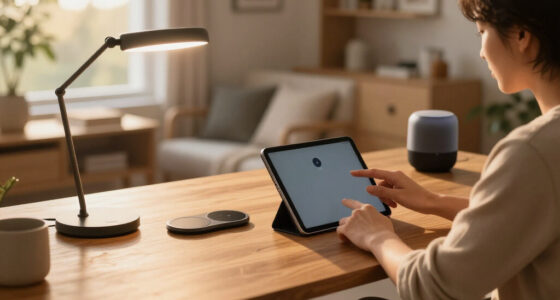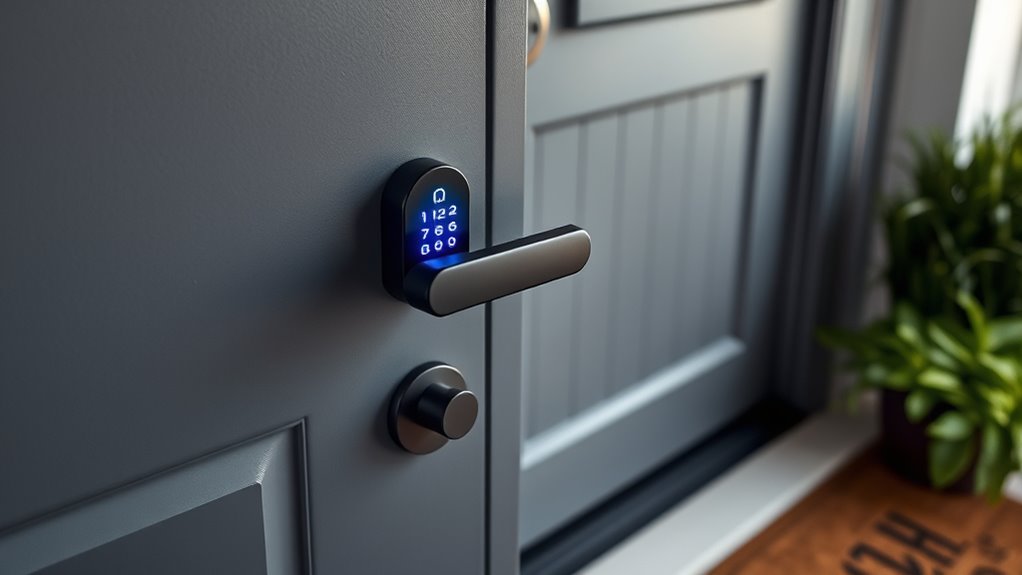

Searching for a retrofit smart lock means looking for a solution that upgrades your existing deadbolt without replacing the entire door or lockset. The Yale Approach stands out as the best overall choice thanks to its versatile Wi-Fi connectivity and virtual key sharing. For a more budget-friendly option, the Nuki Smart Lock offers seamless app control and easy installation. Meanwhile, the Philips WiFi Retrofit Lock appeals to those seeking voice control and integrated keypad features. These options illustrate the main tradeoff: balancing advanced features with ease of installation and price. Keep reading to see the full breakdown and find the best fit for your needs.

Get home appliances delivered free with Prime
- Fast, free delivery on millions of items
- Prime Video, Amazon Music and more included
- Member-only deals all year
Complete the kit


Key Takeaways
- The top-ranked Yale Approach offers the best combination of connectivity and user management, making it ideal for tech-savvy homeowners.
- Nuki’s simple installation process and reliable app make it a standout choice for renters or those new to smart locks.
- Premium options like the Level Bolt provide advanced compatibility with smart home ecosystems but come at a higher cost.
- Most retrofit locks share features like auto-unlock and remote control, but their integration quality and app usability vary widely.
- Price often correlates with feature sets; budget options may lack voice control or multiple user management, so clarify your must-have features.
| Yale Approach Smart Wi-Fi Deadbolt Retrofit Smart Lock, Unlimited Virtual Keys, App Remote Control, Keyless Entry – Black |  | Best Overall for Seamless Retrofit Control | Batteries: 4 AA batteries (included) | VIEW ON AMAZON | See Our Full Breakdown | ||
| Yale August Wi-Fi Smart Lock with Keypad, Black |  | Best for DIY Enthusiasts Needing External Keypad | Color: Black | Connectivity: Wi-Fi | Power Source: Battery-powered | VIEW ON AMAZON | See Our Full Breakdown |
| Philips WiFi Smart Retrofit Lock with Wireless Keypad and Voice Control |  | Best for Multi-Method Unlocking & Voice Control | Brand: PHILIPS | Model Number: DDL230X-1HWP-B-2 | Connectivity: WiFi 2.4GHz | VIEW ON AMAZON | See Our Full Breakdown |
| Anona Holo Wi-Fi Smart Lock with Keypad, Keyless Entry Deadbolt Door Lock with App Remote Control, AutoLock & Anomaly Detection, Non-Destructive Installation, Supports Alexa, Apple Home |  | Best for Multi-Platform Voice & App Integration | Compatibility: Alexa, Apple HomeKit | Installation: Non-destructive, inside door | Batteries: 4 AA batteries | VIEW ON AMAZON | See Our Full Breakdown |
| Philips WiFi Smart Retrofit Lock with Wireless Keypad and Voice Control |  | Best for Multi-Unlock Method and Voice Features | Brand: PHILIPS | Model Number: DDL230X-1HWP-Sliver-V2 | Connectivity: WiFi 2.4GHz | VIEW ON AMAZON | See Our Full Breakdown |
| Yale August Wi-Fi Smart Lock with Keypad, Silver |  | Best Overall Retrofit Smart Lock | Color: Silver | Connectivity: Wi-Fi | Power Source: Battery-powered | VIEW ON AMAZON | See Our Full Breakdown |
| Nuki Smart Lock (Deadbolt) Keyless Entry WiFi Electronic Deadbolt with Auto-Unlock, App Control, Remote Access, Easy Installation, Smart Home for Front Door, Home & Rentals |  | Best for Seamless Smart Home Integration | Compatibility: Bluetooth, Wi-Fi, Matter over Thread | Installation: Over deadbolt, no drilling, 15-minute setup | Battery Life: Lasts months, charges in 2 hours | VIEW ON AMAZON | See Our Full Breakdown |
| Yale Approach Smart Wi-Fi Deadbolt Retrofit Smart Lock, Unlimited Virtual Keys, App Remote Control, Keyless Entry – Silver |  | Best for Virtual Key Management | Type: Retrofit Smart Lock | Connectivity: Wi-Fi | Virtual Keys: Unlimited | VIEW ON AMAZON | See Our Full Breakdown |
| August Silver Wi-Fi Connected Smart Keyless Entry Door Lock |  | Best for Compatibility with Voice Assistants | Compatibility: Fits most single cylinder deadbolts | Connectivity: Wi-Fi | Installation Time: Approximately 10 minutes | VIEW ON AMAZON | See Our Full Breakdown |
| Philips WiFi Smart Retrofit Lock |  | Best for Customization and Voice Control | Brand: PHILIPS | Model Number: DDL230X-10HW-Black-V2 | Recommended Uses: Garage, Front, Backyard, Home, Bedroom | VIEW ON AMAZON | See Our Full Breakdown |
| Aqara Smart Retrofit Lock U200 with Apple Home Key & Fingerprint |  | Best for Apple Ecosystem Integration and Easy Renting | Sensor Resolution: 160×160 pixels | Fingerprint Capacity: 25 fingerprints | Power Source: Rechargeable lithium battery (interior), 4 AAA batteries (exterior) | VIEW ON AMAZON | See Our Full Breakdown |
| Level Bolt Smart Deadbolt – Keyless & Remote Access, Matter-Over-Thread Compatibility |  | Best for DIY Enthusiasts and Multi-Platform Smart Home Integration | Compatibility: Most American standard exterior doors | Connectivity: Matter-over-Thread, Wi-Fi, app control | Installation: DIY, no drilling required | VIEW ON AMAZON | See Our Full Breakdown |
| Smart Lock Ultra with Keypad, Fingerprint Door Lock, App Remote Control, Built-in WiFi Deadbolt |  | Best for All-in-One Smart Lock with Long Battery Life | Power Source: Battery Powered | Compatible Devices: Apple Home, Alexa, Google Assistant | Connectivity Technology: Wireless | VIEW ON AMAZON | See Our Full Breakdown |
| Philips WiFi Smart Retrofit Lock |  | Best for Simple WiFi Retrofit with App Control | Connectivity: WiFi 2.4GHz | Battery: Two CR123 batteries (included) | Auto Lock Timer: 10 to 180 seconds | VIEW ON AMAZON | See Our Full Breakdown |
| Yale August Wi-Fi Smart Lock with Keypad Touch in Black |  | Best for High Security with Biometric and Keypad Access | Compatibility: Works with existing deadbolt | Connectivity: Wi-Fi built-in | Features: Fingerprint scanner, keypad, auto-lock | VIEW ON AMAZON | See Our Full Breakdown |
| retrofit smart lock | Connectivity |
|---|---|
| Yale Approach Smart Wi-Fi Dead | — |
| Yale August Wi-Fi Smart Lock w | Wi-Fi |
| Philips WiFi Smart Retrofit Lo | WiFi 2.4GHz |
| Anona Holo Wi-Fi Smart Lock wi | — |
| Philips WiFi Smart Retrofit Lo | WiFi 2.4GHz |
| Yale August Wi-Fi Smart Lock w | Wi-Fi |
| Nuki Smart Lock | — |
| Yale Approach Smart Wi-Fi Dead | Wi-Fi |
| August Silver Wi-Fi Connected | Wi-Fi |
| Philips WiFi Smart Retrofit Lo | WiFi 2.4GHz |
| Aqara Smart Retrofit Lock U200 | — |
| Level Bolt Smart Deadbolt | Matter-over-Thread, Wi-Fi, app control |
| Smart Lock Ultra with Keypad | — |
| Philips WiFi Smart Retrofit Lo | WiFi 2.4GHz |
| Yale August Wi-Fi Smart Lock w | Wi-Fi built-in |
More Details on Our Top Picks
Yale Approach Smart Wi-Fi Deadbolt Retrofit Smart Lock, Unlimited Virtual Keys, App Remote Control, Keyless Entry – Black
The Yale Approach stands out for integrating easily with existing deadbolts without requiring a hardware overhaul, making it ideal for homeowners seeking a simple upgrade. Its sleek design complements modern aesthetics while offering remote access and virtual key sharing via the Yale Access app. Compared to the Yale August Wi-Fi Lock, it lacks a keypad but benefits from a more streamlined, inside-only installation, which can be less obtrusive. The main tradeoff is reliance on 4 AA batteries, which need periodic replacement, and its inside-only design limits exterior control options. This pick is perfect for those prioritizing effortless retrofit and remote management, but less so for users needing exterior keypad access or battery longevity.
Pros:- Easy to install on existing deadbolts without hardware replacement
- Allows remote control and virtual key sharing via app
- Modern, unobtrusive design that blends with home décor
Cons:- Requires 4 AA batteries, which need regular replacement
- Limited to inside installation, no external keypad or control
Best for: Homeowners who want a straightforward, inside-only retrofit with app-based control and virtual keys
Not ideal for: Users needing external keypad access or those uncomfortable with frequent battery replacements
- Batteries:4 AA batteries (included)
Our verdict“Ideal for homeowners seeking a simple, inside-only retrofit with remote access and virtual keys.”
Yale August Wi-Fi Smart Lock with Keypad, Black
The Yale August Wi-Fi Smart Lock offers a versatile solution for those who want a retrofit that includes an external keypad, setting it apart from Yale Approach’s inside-only design. It installs inside the door, fitting most single-cylinder deadbolts, and provides auto-lock, auto-unlock, and remote access—all manageable through the Yale Access app. Compared with the Philips WiFi Retrofit Lock, it lacks voice control but has a more straightforward keypad interface. Its main drawback is the need for batteries, which require replacement over time, and its Bluetooth range can limit keypad placement convenience. This makes it suitable for users who want external keypad control and flexible access scheduling but do not require integrated voice commands.
Pros:- Easy DIY installation without wiring or special tools
- Includes keypad, auto-lock, and remote management
- Fits most single-cylinder deadbolts
Cons:- Batteries need regular replacement
- Limited to single-cylinder deadbolts
Best for: DIY homeowners wanting an external keypad with remote control and easy installation
Not ideal for: Users requiring voice control or extensive smart home integration beyond Yale ecosystem
- Color:Black
- Connectivity:Wi-Fi
- Power Source:Battery-powered
- Installation:DIY, fits most single-cylinder deadbolts
- Includes:Keypad, Yale Access app
Our verdict“A solid choice for those seeking an external keypad retrofit with remote management, suitable for DIYers.”
Philips WiFi Smart Retrofit Lock with Wireless Keypad and Voice Control
The Philips WiFi Smart Retrofit Lock excels at offering multiple unlock methods, including fingerprint, passcode, and voice commands, making it highly versatile compared to the Anona Holo. It transforms your existing deadbolt into a WiFi-enabled smart lock, compatible with Amazon Alexa and Google Assistant, providing seamless voice control. Its auto-lock feature and activity monitoring boost security, but it requires WiFi to operate remotely—similar to the Anona Holo—and some users report connectivity troubles. Battery life is around four months, which demands regular replacements. This makes it an excellent option for users who prioritize flexible access options, especially voice commands, but it may not suit those wanting long-lasting batteries or a more plug-and-play solution.
Pros:- Supports fingerprint, passcode, and voice control
- Easy upgrade without changing exterior hardware
- Auto-lock and activity monitoring enhance security
Cons:- Relies heavily on WiFi connection, which can be inconsistent
- Battery life up to 4 months, requiring frequent replacements
Best for: Homeowners who want multiple unlocking options, including voice commands, and reliable remote access
Not ideal for: Those with limited WiFi stability or seeking longer battery life without frequent replacements
- Brand:PHILIPS
- Model Number:DDL230X-1HWP-B-2
- Connectivity:WiFi 2.4GHz
- Voice Assistant Compatibility:Amazon Alexa, Google Assistant
- Battery Life:Up to 4 months
Our verdict“Best suited for users who want diverse unlocking methods and voice control, accepting some dependency on WiFi and battery replacements.”
Anona Holo Wi-Fi Smart Lock with Keypad, Keyless Entry Deadbolt Door Lock with App Remote Control, AutoLock & Anomaly Detection, Non-Destructive Installation, Supports Alexa, Apple Home
The Anona Holo Wi-Fi Smart Lock distinguishes itself by supporting both Alexa and Apple HomeKit, offering broad compatibility for various smart home setups. Its non-destructive, inside-door installation makes it an easy retrofit for most single-cylinder deadbolts, with features like auto-lock, anomaly detection, and remote control for added security and convenience. Compared with Philips’ lock, it emphasizes platform versatility and guest access sharing. The main tradeoffs are its battery life—lasting 4 to 6 months—and the reliance on Wi-Fi, which can introduce connectivity issues. This lock suits users seeking a flexible, multi-platform solution that combines app control with voice services, but it may require frequent battery changes and Wi-Fi stability.
Pros:- Supports both Alexa and Apple HomeKit
- Easy non-destructive installation
- Auto-lock, anomaly detection, and remote control
Cons:- Battery life of 4-6 months, requiring frequent replacements
- Wi-Fi dependency may cause connectivity issues
Best for: Homeowners with existing smart home platforms (Alexa and Apple HomeKit) seeking multi-platform voice control
Not ideal for: People with inconsistent WiFi or those who prefer longer-lasting batteries with minimal replacements
- Compatibility:Alexa, Apple HomeKit
- Installation:Non-destructive, inside door
- Batteries:4 AA batteries
- Battery Life:4-6 months
Our verdict“Ideal for users with multi-platform smart home setups who want flexible voice and app control in a retrofit solution.”
Philips WiFi Smart Retrofit Lock with Wireless Keypad and Voice Control
The Philips WiFi Smart Retrofit Lock offers a comprehensive array of access options, including fingerprint, passcode, and voice commands, making it a versatile upgrade for existing deadbolts. Its compatibility with Amazon Alexa and Google Assistant allows for voice-controlled unlocking, aligning with the Philips WiFi Retrofit Lock’s multi-method approach. However, some users report connectivity issues and battery life around four months, similar to other WiFi-dependent models. Unlike the Anona Holo, it emphasizes a broad unlock method set, which is ideal for households with varied user preferences, but the frequent need for battery replacements and occasional WiFi hiccups could be drawbacks for those seeking more stability.
Pros:- Multiple unlocking options including fingerprint and passcode
- Supports voice commands with Alexa and Google Assistant
- Easy retrofit with minimal hardware changes
Cons:- Requires WiFi for remote features, which can be unreliable
- Battery life of about 4 months, needing frequent replacements
Best for: Homeowners wanting multiple unlocking options, including voice control, with easy retrofit installation
Not ideal for: Users who need longer battery life or have unstable WiFi connections
- Brand:PHILIPS
- Model Number:DDL230X-1HWP-Sliver-V2
- Connectivity:WiFi 2.4GHz
- Voice Compatibility:Amazon Alexa, Google Assistant
- Battery Life:Up to 4 months
Our verdict“A flexible, multi-method retrofit lock best suited for households valuing diverse access options and voice control.”
Yale August Wi-Fi Smart Lock with Keypad, Silver
This Yale August model combines user-friendly DIY installation with versatile access options, standing out for its built-in Wi-Fi that eliminates the need for additional hubs. Compared with the Yale Approach, it offers a more seamless installation process and more flexible scheduling features, though it relies on batteries and may not fit all door types. Its key advantage is the combination of keypad, app, and auto-unlock capabilities, making it suitable for tech-savvy homeowners who want straightforward control and scheduled access. The main tradeoff is that placement of the keypad depends on Bluetooth range, and battery life could require regular replacement. If ease of installation and multifunctionality matter most, this pick delivers.
Pros:- Easy DIY installation without wiring or tools
- Multiple access options: keypad, app, auto-unlock
- Supports scheduled access for guests and service providers
- Built-in Wi-Fi for direct phone-free operation
Cons:- Requires Bluetooth proximity for keypad use, limiting remote keypad access
- Battery-dependent operation, requiring periodic replacements
- May not be compatible with all door types
Best for: Homeowners seeking a straightforward, no-hub-needed upgrade with flexible access and easy DIY setup.
Not ideal for: People with non-standard door setups or those who prefer wired power solutions or longer battery life without frequent replacements.
- Color:Silver
- Connectivity:Wi-Fi
- Power Source:Battery-powered
- Installation:Fits most single-cylinder deadbolts
- Features:Auto-Lock, Auto-Unlock, custom entry codes, activity feed
Our verdict“This lock is ideal for users wanting a reliable, feature-rich upgrade without complex wiring or hub dependencies.”
Nuki Smart Lock (Deadbolt) Keyless Entry WiFi Electronic Deadbolt with Auto-Unlock, App Control, Remote Access, Easy Installation, Smart Home for Front Door, Home & Rentals
This Nuki model excels at integrating with a variety of smart home platforms like SmartThings, Apple Home, Alexa, and Google, making it the best choice for users who want a unified smart home ecosystem. Its easy 15-minute installation over existing deadbolts sets it apart from more cumbersome retrofit options like the Philips WiFi Smart Retrofit Lock, which has more limited compatibility. The auto-unlock feature provides hands-free convenience, and real-time activity tracking adds a layer of security. However, Nuki’s reliance on compatible deadbolts and sometimes complex app setup could be drawbacks for less tech-savvy users. For those prioritizing multi-platform compatibility and quick setup, this is a strong contender.
Pros:- Quick, drill-free installation in about 15 minutes
- Supports multiple smart platforms including Alexa, Google, and Apple
- Auto-unlock offers hands-free convenience
- Real-time activity logs and remote control
Cons:- Requires a compatible deadbolt for retrofit installation
- Setup and app configuration can be complex for some users
- Battery life varies with usage
Best for: Smart home enthusiasts who want broad platform support and easy retrofit installation.
Not ideal for: Users with incompatible deadbolt hardware or those seeking a simple, single-platform lock without additional app complexity.
- Compatibility:Bluetooth, Wi-Fi, Matter over Thread
- Installation:Over deadbolt, no drilling, 15-minute setup
- Battery Life:Lasts months, charges in 2 hours
- Security:Bank-level encryption, tamper alerts
Our verdict“This pick suits tech-savvy homeowners wanting a flexible, multi-platform smart lock with easy installation.”
Yale Approach Smart Wi-Fi Deadbolt Retrofit Smart Lock, Unlimited Virtual Keys, App Remote Control, Keyless Entry – Silver
This Yale Approach lock shines for managing virtual keys—offering unlimited digital keys for family, friends, or service providers—making it ideal for rental properties or shared access. It installs on the interior side of your door, keeping exterior hardware unchanged, which is a plus for minimal invasiveness. Its Wi-Fi connectivity allows remote control via the Yale Access app, but it requires a Wi-Fi connection to function fully. Compared with the Yale August Wi-Fi Smart Lock, it offers more virtual key flexibility but might lack the auto-unlock features and sensor integration of more advanced models. If managing multiple virtual users with ease is your priority, this lock delivers.
Pros:- Easy interior installation without replacing exterior hardware
- Supports unlimited virtual keys for multiple users
- Remote access via app for convenient control
- Modern design that blends with home décor
Cons:- Only installs on the interior side, so exterior hardware remains unchanged
- Dependent on Wi-Fi connection for remote features
- Limited to compatible doors and deadbolt types
Best for: Property managers or homeowners needing unlimited virtual access for multiple users.
Not ideal for: Those wanting exterior hardware upgrades or a lock with integrated keypad or biometric features.
- Type:Retrofit Smart Lock
- Connectivity:Wi-Fi
- Virtual Keys:Unlimited
- Control:App remote control
- Installation:Inside door only
- Color:Silver
Our verdict“This lock is ideal for managing multiple users remotely, especially in rental or shared housing scenarios.”
August Silver Wi-Fi Connected Smart Keyless Entry Door Lock
August’s Wi-Fi smart lock offers quick installation on most single-cylinder deadbolts, making it appealing for those who want a fast upgrade—taking roughly 10 minutes. Its compatibility with popular voice assistants and auto-lock features make it suitable for users seeking seamless smart home integration. While it supports remote access and sharing through the August app, its design only modifies the interior side of the door, leaving exterior hardware unchanged, similar to the Yale Approach. The requirement for Wi-Fi for full functionality and optional keypad or biometric features sold separately are notable limitations. Compared with the Philips WiFi Smart Retrofit Lock, August’s model emphasizes voice control ease but offers fewer advanced security features.
Pros:- Fast installation on most doors within 10 minutes
- Supports remote access and sharing via app
- Compatible with Alexa, Google Assistant, and other voice platforms
- Auto-lock feature enhances security
Cons:- Wi-Fi connection required for remote features
- Keypad and biometric options are sold separately
- Design only modifies interior side of the door
Best for: Homeowners who want a quick, compatible upgrade with voice assistant integration and remote sharing.
Not ideal for: Users who prefer a fully integrated keypad or biometric security built-in or those with complex door setups.
- Compatibility:Fits most single cylinder deadbolts
- Connectivity:Wi-Fi
- Installation Time:Approximately 10 minutes
- Control:August app for iOS and Android
- Additional Features:Auto-Lock, DoorSense, optional keypad, biometric ID
Our verdict“This lock suits users wanting quick installation and voice-controlled operation with remote access capabilities.”
Philips WiFi Smart Retrofit Lock
The Philips WiFi Smart Retrofit Lock provides a versatile upgrade option for various doors, supporting remote control and voice commands with Alexa and Google Assistant. Its customizable auto-lock settings and real-time notifications make it a solid choice for security-conscious users. Batteries last about four months, which might be less convenient than models with longer-lasting power, like the Nuki. Compared to the Yale August Wi-Fi lock, Philips offers more customization but less consistent reliability. This lock is best suited for users wanting extensive control options and voice command support, willing to accept some variability in performance.
Pros:- Supports multiple voice assistants (Alexa, Google)
- Customizable auto-lock timer for tailored security
- Real-time notifications for activity monitoring
- Easy upgrade without hardware replacement
Cons:- Moderate customer ratings suggest possible reliability issues
- Batteries need replacement every 4 months
- No physical key backup mentioned
Best for: Homeowners seeking customizable auto-lock features and voice control in a flexible retrofit package.
Not ideal for: Those who prioritize long-term reliability or prefer a more straightforward, highly-rated system with fewer features.
- Brand:PHILIPS
- Model Number:DDL230X-10HW-Black-V2
- Recommended Uses:Garage, Front, Backyard, Home, Bedroom
- Included Components:Installation Kit, Batteries
- Battery Life:Up to 4 months
- Connectivity:WiFi 2.4GHz
- Voice Assistant Compatibility:Alexa, Google
Our verdict“This lock appeals to users wanting customizable auto-lock and voice control, accepting some potential reliability tradeoffs.”
Aqara Smart Retrofit Lock U200 with Apple Home Key & Fingerprint
This retrofit lock excels at seamless Apple ecosystem integration, making it ideal for users already invested in iPhone or Apple Watch. Unlike the Philips WiFi Smart Retrofit Lock, which relies solely on WiFi and offers remote control, the Aqara U200 provides a more versatile unlocking experience with fingerprint, passcode, NFC, and physical keys—perfect for renters who need flexible access options. However, it depends on a Thread-enabled hub for full Apple Home Key functionality, which adds a layer of complexity and cost. The high-resolution fingerprint sensor ensures quick, secure access, but battery replacements every six months can be a minor hassle. This lock suits those prioritizing effortless Apple device integration and non-invasive installation.
Pros:- Seamless integration with Apple ecosystem for effortless unlocking
- Easy installation suitable for renters without permanent modifications
- Fast and accurate fingerprint recognition with high security
Cons:- Requires a Thread-enabled Apple hub for full Apple Home Key features
- NFC card sold separately, adding extra cost
- Battery replacement needed approximately every 6 months
Best for: Apple device users who want a non-permanent, versatile retrofit lock compatible with their ecosystem
Not ideal for: Users without an Apple hub or those who prefer simple WiFi-based locks, as full features require additional hardware
- Sensor Resolution:160×160 pixels
- Fingerprint Capacity:25 fingerprints
- Power Source:Rechargeable lithium battery (interior), 4 AAA batteries (exterior)
- Battery Life:Approximately 6 months per power source
- Compatibility:Apple Home Key, Thread-enabled hub required
- Installation:Retrofit design, no rekeying or permanent modifications
Our verdict“This lock is ideal for Apple users seeking a versatile, renter-friendly retrofit option with multiple unlocking methods.”
Level Bolt Smart Deadbolt – Keyless & Remote Access, Matter-Over-Thread Compatibility
The Level Bolt stands out for transforming your existing deadbolt into a smart lock without altering its appearance, making it a strong choice for those who want a discreet upgrade. Compared to the Yale August Wi-Fi Smart Lock with Keypad, which requires installation inside the door, the Level Bolt installs on the exterior and offers remote access via app, making it more convenient for frequent use. It supports multiple smart home platforms through Matter-over-Thread, Wi-Fi, and app control, though a Matter-over-Thread Hub is necessary for remote functionality—adding an extra step for setup. Its stainless steel gearbox ensures durability, but it only fits standard American exterior doors, limiting compatibility. This product suits homeowners who want a sleek, no-drill upgrade with broad smart home compatibility.
Pros:- No drilling or hardwiring required, easy DIY installation
- Seamless integration with multiple smart home platforms
- Remote access and keyless entry via app
Cons:- Requires a Matter-over-Thread Hub for remote access
- Compatibility depends on door specifications
- Limited to American standard exterior doors
Best for: DIY-savvy homeowners seeking a discreet, multi-platform smart lock upgrade compatible with existing hardware
Not ideal for: Renters or those with non-standard door dimensions, as installation and compatibility are limited to typical American doors
- Compatibility:Most American standard exterior doors
- Connectivity:Matter-over-Thread, Wi-Fi, app control
- Installation:DIY, no drilling required
- Material:Stainless steel gearbox
Our verdict“This pick makes the most sense for homeowners who want a sleek, easy-to-install upgrade with broad smart platform support.”
Smart Lock Ultra with Keypad, Fingerprint Door Lock, App Remote Control, Built-in WiFi Deadbolt
The Smart Lock Ultra combines multiple access methods—fingerprint, app, and voice control—making it highly versatile for busy households. Compared with the Yale August Wi-Fi Smart Lock with Keypad, which emphasizes biometric unlocking, the Ultra offers a longer battery life of up to 12 months, reducing maintenance frequency. Its compatibility with Apple, Alexa, and Google ecosystems broadens its appeal, but it’s less suitable for European locksets without additional adapters, and it needs a separate hub for some smart functions. Installation is straightforward, and the wood grain stickers add customization, but the higher price point and annual battery replacements are notable tradeoffs. This lock fits well where convenience and multi-method access are priorities.
Pros:- Multiple fast, secure unlocking methods including fingerprint and app control
- Long-lasting battery with up to 12 months of use
- Supports popular ecosystems like Alexa, Google, and Apple HomeKit
- Easy DIY installation with customizable wood grain stickers
Cons:- Not directly compatible with European locksets without accessories
- Requires a separate SwitchBot Hub mini for some features
- Battery replacement needed approximately once a year
Best for: Homeowners wanting a secure, long-lasting, multi-access smart lock compatible with major smart home ecosystems
Not ideal for: European homeowners or those with non-standard locks, as additional accessories may be needed for compatibility
- Power Source:Battery Powered
- Compatible Devices:Apple Home, Alexa, Google Assistant
- Connectivity Technology:Wireless
- Battery Average Life:12 months
- Item Dimensions:2.4 x 2.5 x 4.8 inches
- Unit Count:1
Our verdict“This lock is best for users seeking a highly versatile, long-lasting smart lock with comprehensive ecosystem support.”
Philips WiFi Smart Retrofit Lock
The Philips WiFi Smart Retrofit Lock offers straightforward installation that retains your existing hardware and keys, making it ideal for those who want quick upgrades. Compared to the Yale August Wi-Fi Smart Lock with Keypad, it relies solely on WiFi for remote control, which simplifies setup but may lack some of the more advanced access options like biometric unlocking. Its real-time notifications and activity tracking enhance security awareness, but it only supports 2.4GHz WiFi, limiting compatibility with some networks. Battery life up to 4 months requires regular replacements, which could be inconvenient for busy households. This lock suits users prioritizing ease of installation and remote access over advanced biometric features.
Pros:- Easy retrofit installation without changing existing hardware
- Remote control and real-time notifications via app
- Voice control compatibility with Alexa and Google
Cons:- Requires 2.4GHz WiFi network, not compatible with 5GHz
- Battery replacement needed approximately every 4 months
- Interior knob operation may not suit all users
Best for: Homeowners seeking a simple, WiFi-only retrofit lock with remote control and activity monitoring
Not ideal for: Users with 5GHz WiFi networks or those desiring biometric unlocking, as these features are unsupported
- Connectivity:WiFi 2.4GHz
- Battery:Two CR123 batteries (included)
- Auto Lock Timer:10 to 180 seconds
- Battery Life:Up to 4 months
Our verdict“This lock is suitable for those who want a straightforward, WiFi-only retrofit solution with remote monitoring.”
Yale August Wi-Fi Smart Lock with Keypad Touch in Black
The Yale August Wi-Fi Smart Lock with Keypad Touch emphasizes biometric fingerprint unlocking combined with keypad codes, offering robust security and convenience. Unlike the Philips WiFi Smart Retrofit Lock, which is more basic, Yale’s model provides tactile keypad entry, ideal for households with multiple users or those who prefer code-based access. It installs on the inside of the door, so no hardware replacement is necessary, but details on power sources are less clear, and it relies heavily on Wi-Fi, so network stability is vital. Its higher cost reflects its advanced features, making it less suitable for budget-conscious buyers. This lock caters to those who want high security and flexible access options without replacing their deadbolt.
Pros:- Biometric fingerprint unlocking offers quick, secure access
- Keypad for multiple user codes enhances flexibility
- Remote control and activity monitoring via app
Cons:- Power source details are not specified, raising questions about battery life
- Requires existing Wi-Fi network for full functionality
- Higher cost compared to simpler locks
Best for: Homeowners prioritizing biometric security and keypad options with Wi-Fi control
Not ideal for: Users seeking a fully external retrofit or with limited Wi-Fi stability, since the lock is interior-mounted and depends on Wi-Fi
- Compatibility:Works with existing deadbolt
- Connectivity:Wi-Fi built-in
- Features:Fingerprint scanner, keypad, auto-lock
- Control Method:App, touch, voice
- Activity Feed:Yes
Our verdict“This lock excels where biometric security and keypad access are priorities, especially for users with stable Wi-Fi networks.”

How We Picked
In selecting these retrofit smart locks, I focused on performance, ease of installation, build quality, and compatibility with popular smart home systems. Practical usability—such as app responsiveness, user management, and auto-lock features—was critical. I also considered value, ensuring the options cater to different budgets without sacrificing core functionality. Products were ranked based on how well they balance these factors, with a preference for models offering reliable connectivity, straightforward installation, and broad device compatibility. Tradeoffs like price versus features were key in differentiating the top picks, aiming to guide various types of buyers effectively.| retrofit smart lock | Connectivity |
|---|---|
| Yale Approach Smart Wi-Fi Dead | — |
| Yale August Wi-Fi Smart Lock w | Wi-Fi |
| Philips WiFi Smart Retrofit Lo | WiFi 2.4GHz |
| Anona Holo Wi-Fi Smart Lock wi | — |
| Philips WiFi Smart Retrofit Lo | WiFi 2.4GHz |
| Yale August Wi-Fi Smart Lock w | Wi-Fi |
| Nuki Smart Lock | — |
| Yale Approach Smart Wi-Fi Dead | Wi-Fi |
| August Silver Wi-Fi Connected | Wi-Fi |
| Philips WiFi Smart Retrofit Lo | WiFi 2.4GHz |
| Aqara Smart Retrofit Lock U200 | — |
| Level Bolt Smart Deadbolt | Matter-over-Thread, Wi-Fi, app control |
| Smart Lock Ultra with Keypad | — |
| Philips WiFi Smart Retrofit Lo | WiFi 2.4GHz |
| Yale August Wi-Fi Smart Lock w | Wi-Fi built-in |
Factors to Consider When Choosing Retrofit Smart Lock
Choosing the right retrofit smart lock involves weighing several factors that impact usability, security, and installation ease. Each buyer’s needs differ, whether they prioritize budget, smart home integration, or simplicity. Here are key considerations to help you make an informed decision beyond just features listed online.Compatibility and Installation
Ensure the lock is compatible with your existing deadbolt and door thickness. Many retrofit options install without tools or modifications, but some require minor adjustments or specific lock sizes. Avoid models that need complete door replacement if you want a quick upgrade. Compatibility with your smart home ecosystem (like Alexa, Google Assistant, or Apple HomeKit) is equally important for seamless control. Choosing a lock with straightforward installation reduces frustration and saves time.
Connectivity and Control Features
Wi-Fi connectivity enables remote control and virtual key sharing, which are major conveniences. Bluetooth-only models may be cheaper but limit remote access, so consider your lifestyle. Auto-unlock features improve convenience but can sometimes be unreliable if sensors misread your arrival. Voice control and app stability are critical for daily use—look for reviews highlighting consistent performance under different conditions.
Security and Durability
Beyond digital features, consider the lock’s physical security—look for sturdy build materials and tamper alerts. Some locks include encryption and security protocols that protect against hacking. Auto-lock and auto-unlock functions are convenient, but they should be reliable; a lock that fails to secure itself can create vulnerabilities. Regular firmware updates from manufacturers also help keep security tight over time.
Pricing and Long-Term Value
Higher-priced models often include better build quality, more advanced features, and longer warranty periods. Cheaper options might be suitable for renters or temporary setups but may lack durability or comprehensive security features. Consider whether the investment aligns with your long-term needs—sometimes paying more upfront saves costs over replacing cheaper locks frequently. Also, check if the manufacturer offers ongoing support or free updates.
Smart Home Ecosystem Integration
Think about your existing smart home setup. Compatibility with platforms like Apple HomeKit, Google Home, or Amazon Alexa can enhance control options. Some locks work better with specific hubs or require standalone apps, which may complicate your setup. Ensure the lock supports your preferred control methods, whether via app, voice, or keypad, and verify integration options for routines or automation. This avoids future frustrations and maximizes the lock’s utility.
Frequently Asked Questions
Can I install a retrofit smart lock myself?
Most retrofit smart locks are designed for DIY installation, often requiring only basic tools and minimal technical skills. They typically attach directly to your existing deadbolt, making the process straightforward. However, some models with advanced features or specific size requirements may need more careful fitting or minor modifications. Reading installation instructions carefully and watching tutorial videos can help ensure a smooth setup, but if you’re uncomfortable with DIY projects, professional installation is always an option.
Will a retrofit smart lock work with my existing keys?
Many retrofit locks are designed to be key-compatible with your existing deadbolt, allowing you to keep your current keys as a backup. Some models include keyholes, enabling traditional key access alongside app or voice control. However, certain smart locks are fully keyless, relying solely on digital methods, which might require removing or disabling your current key cylinder. Always verify the product specifications to see if your existing keys will still operate the lock after installation.
Are retrofit smart locks secure against hacking?
Security depends on the lock’s encryption protocols and firmware updates. Reputable brands incorporate end-to-end encryption and regular security patches to protect against hacking attempts. Using strong, unique passwords for app access and enabling two-factor authentication further enhances security. Avoid models with known vulnerabilities or outdated firmware. Maintaining your lock’s software and following security best practices will help keep your digital access safe.
Do retrofit smart locks affect my door’s physical security?
High-quality retrofit locks are designed to enhance security, often featuring tamper alerts, sturdy materials, and anti-drill mechanisms. However, a poorly fitted or cheap lock can weaken your door’s security or be easier to bypass. Ensuring the lock is compatible with your door’s material and size is essential for optimal protection. Regularly inspecting the lock’s physical condition and updating firmware can also prevent vulnerabilities.
What should I consider if I want a smart lock that works with multiple users?
Look for models that support multiple virtual keys or user profiles, allowing family members or guests easy access. The ease of granting, revoking, or scheduling access is key for shared living or rental situations. Some locks include temporary codes or app-based management, which simplifies sharing. Make sure the app interface is intuitive and that the lock supports your preferred method of user management to prevent confusion or security lapses.
Conclusion
For most homeowners seeking a reliable, feature-rich upgrade, the Yale Approach offers a balanced mix of connectivity and ease of use. Renters or those new to smart locks should consider the Nuki Smart Lock for quick installation and straightforward app control. If you prioritize integration with voice assistants and smart home systems, the Philips WiFi Smart Retrofit Lock makes an excellent choice. Budget-conscious buyers can find capable options like the August Silver Wi-Fi, which delivers core features without a high price. Ultimately, your decision should align with your security needs, existing smart home setup, and how much you’re willing to invest for convenience and peace of mind.
As an affiliate, we earn on qualifying purchases.Halloween Picks
halloween