
TL;DR
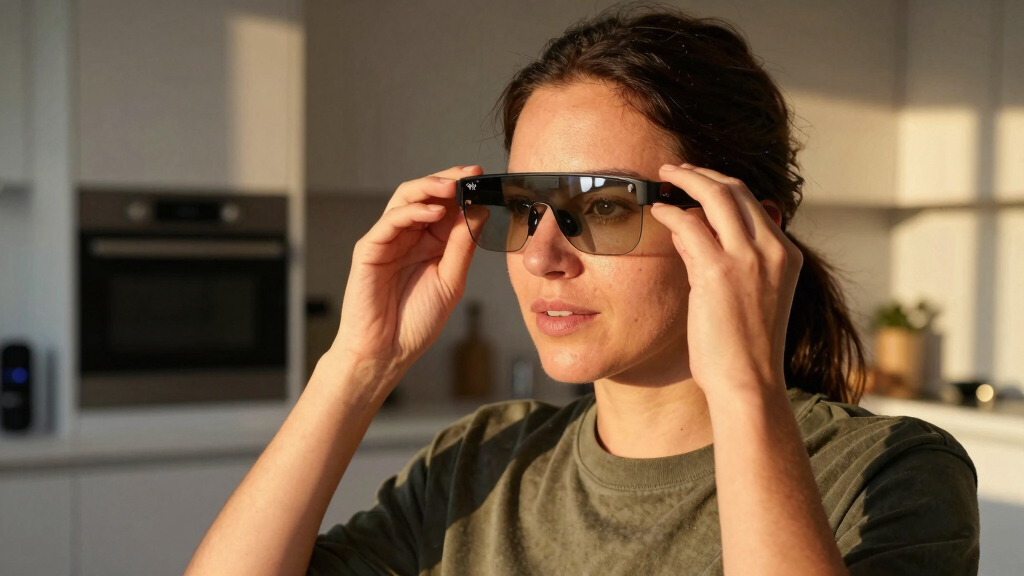
Meta has introduced support for visual app development on Ray-Ban Display’s HUD, allowing developers to create web and smartphone apps that run directly on the glasses. This development expands the device’s capabilities and opens new possibilities for AR applications.
Meta has officially enabled developers to create and deploy visual applications directly onto the Ray-Ban Display’s heads-up display (HUD), marking a significant step in expanding the device’s functionality and developer ecosystem. This update allows for the creation of web-based and smartphone-integrated apps that can display UI elements, access sensors, and run independently or alongside smartphone apps, making the glasses more versatile and customizable.
Meta introduced two main development paths for the Ray-Ban Display: Extended Smartphone Apps and Standalone Web Apps. The former allows developers to extend existing smartphone apps with UI overlays on the HUD, using familiar programming languages like Swift and Kotlin. These apps can display text, images, buttons, and videos within the HUD, while user input is handled via Meta Neural Band gestures and smartphone navigation.
Meanwhile, the Standalone Web Apps path enables developers to create web-based applications using HTML, CSS, and JavaScript that run directly on the glasses. These apps can leverage sensors such as motion, orientation, GPS, and the Neural Band, and do not require a connected smartphone to operate. Developers host these web apps externally, with Meta providing the means to launch them via QR codes or URLs, provided the user has enabled developer mode.
Additionally, Meta has added support for display recording, allowing users to record their HUD content along with audio, facilitating sharing and demonstration of AR experiences. The company also supports AI coding agents like OpenAI’s Codex and Anthropic’s Claude, enabling users with minimal coding skills to develop custom apps through AI assistance.
Expanded Developer Access Transforms Meta Ray-Ban Capabilities
This development significantly broadens the scope of what users can do with Meta Ray-Ban Display, transforming it from a simple smart glasses device into a platform for customized augmented reality applications. By enabling developers to build and deploy visual apps, Meta is fostering an ecosystem that could lead to innovative use cases in productivity, social interaction, navigation, and media sharing. The support for AI coding agents further lowers the barrier to entry, allowing a wider community of creators to experiment and contribute to the device’s capabilities.
These enhancements could accelerate the adoption of AR glasses in everyday life, making the technology more practical and appealing for both consumers and enterprise users. The ability to record and share HUD content also positions the device as a tool for content creation and social sharing, potentially influencing how AR is integrated into social media and professional workflows.

Meta Ray-Ban (Gen 2), Wayfarer, Matte Black | Smart AI Glasses for Men, Women — 2x Battery Life — 3K Ultra HD — 12 MP Ultra-Wide Camera, Audio, Video Recording — Clear Lenses — Wearable Technology
- Iconic Style and Advanced Technology: Smart AI glasses for men and women
- Extended Battery Life: Up to 8 hours on a single charge
- Charging Case Included: Provides 48 hours of additional power
As an affiliate, we earn on qualifying purchases.
As an affiliate, we earn on qualifying purchases.
Meta’s Progress in AR Development and Developer Tools
Meta has been gradually expanding the functionality of Ray-Ban Display since its launch, initially limited to basic camera and microphone access via the Wearables Device Access Toolkit SDK. Last month, the company announced support for visual app development, marking a major milestone in its AR platform strategy. This follows Meta’s broader push into augmented reality, with ongoing investments in hardware, software, and developer tools aimed at creating a more open and versatile AR ecosystem.
The introduction of web app support and AI coding integrations aligns with Meta’s vision of democratizing AR development, enabling both professional developers and hobbyists to build custom applications. Prior to this update, the device’s capabilities were primarily focused on media capture and sharing, with limited interactive features. The new SDKs and development pathways significantly enhance its potential as an AR platform.
“We are excited to empower developers to create innovative visual experiences on Ray-Ban Display, opening new possibilities for AR applications.”
— Meta spokesperson

Domars AR Smart Glasses with Display Screen, Built-in HD Camera & Ring Control, AI HUD Privacy Teleprompter Glasses for Speech, 268-Language Offline Translator for Business, Study Abroad and Travel
- Invisible Teleprompter: Scrolls scripts with zero light leakage
- Smart Ring Control: Navigate scripts discreetly with included ring
- Offline AI Translator: Translates 261+ languages without internet
As an affiliate, we earn on qualifying purchases.
As an affiliate, we earn on qualifying purchases.
Unclear Scope and Adoption of New Development Features
While Meta has announced the availability of these development tools, it is still unclear how widely they will be adopted in the near term, and what the full range of supported features will be once developers begin deploying apps. It is also uncertain how stable or mature the platform will become, and what limitations may emerge as developers experiment with more complex applications. Additionally, the extent of user engagement with these new apps remains to be seen.
Domars AR Smart Glasses with Display Screen, Built-in HD Camera & Ring Control, AI HUD Privacy Teleprompter Glasses for Speech, 268-Language Offline Translator for Business, Study Abroad and Travel
- Invisible Teleprompter: Scrolls scripts with zero light leakage
- Smart Ring Control: Navigate scripts discreetly with included ring
- Offline AI Translator: Translates 261+ languages without internet
As an affiliate, we earn on qualifying purchases.
As an affiliate, we earn on qualifying purchases.
Next Steps for Developer Engagement and Ecosystem Growth
Meta is expected to release further documentation and SDK updates to support more advanced features and improve developer experience. The company may also host developer events or competitions to encourage innovation. Monitoring how developers leverage these tools will be key to understanding the platform’s potential, and Meta will likely gather feedback to refine the ecosystem. In the coming months, we can expect to see a variety of prototype apps and demos showcasing new AR functionalities.
Ray-Ban Display web app accessories
As an affiliate, we earn on qualifying purchases.
As an affiliate, we earn on qualifying purchases.
Key Questions
Can I develop my own apps for Meta Ray-Ban Display now?
Yes, with developer mode enabled, you can create web-based or smartphone-integrated apps using the provided SDKs and documentation.
Do I need to be a professional developer to build apps for the glasses?
No, Meta’s support for AI coding agents and web app development lowers the technical barrier, allowing hobbyists and small developers to experiment.
Will these apps work without a smartphone connection?
Standalone web apps can run independently on the glasses, but extended smartphone apps require a connection to the paired phone.
What kind of applications can I build for the Ray-Ban Display?
Developers can create media viewers, navigation tools, information overlays, and utilities that leverage sensors like GPS, motion, and neural band gestures.
When will Meta release more development tools or updates?
Meta has indicated ongoing support and plans to release further SDK updates, but specific timelines have not been announced.
Source: UploadVR