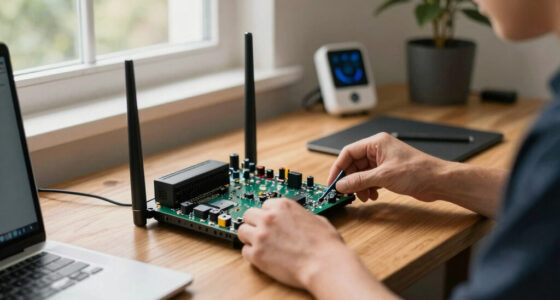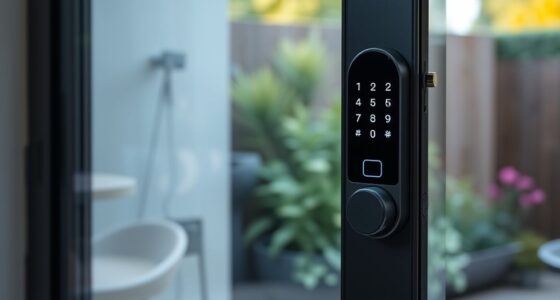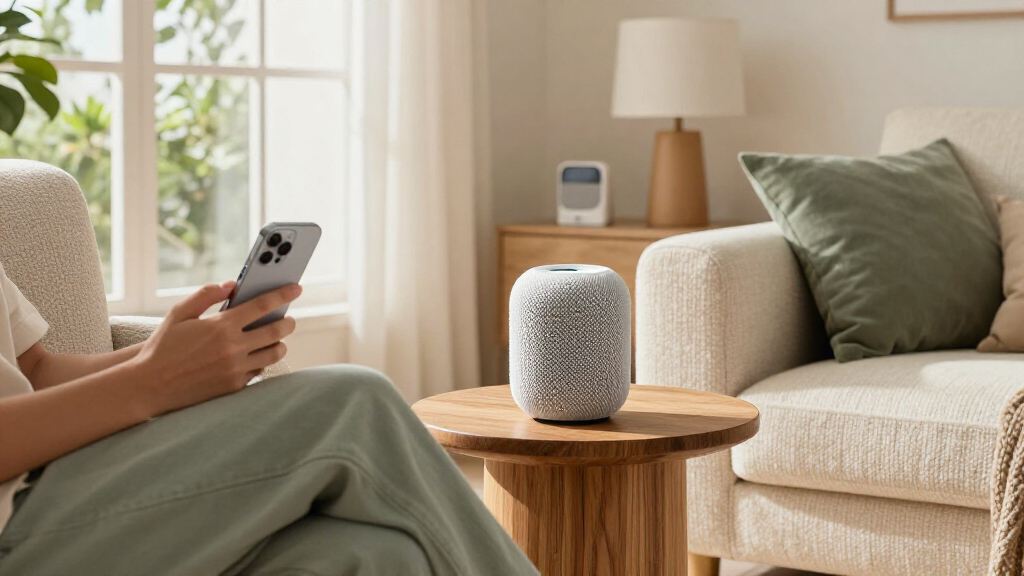

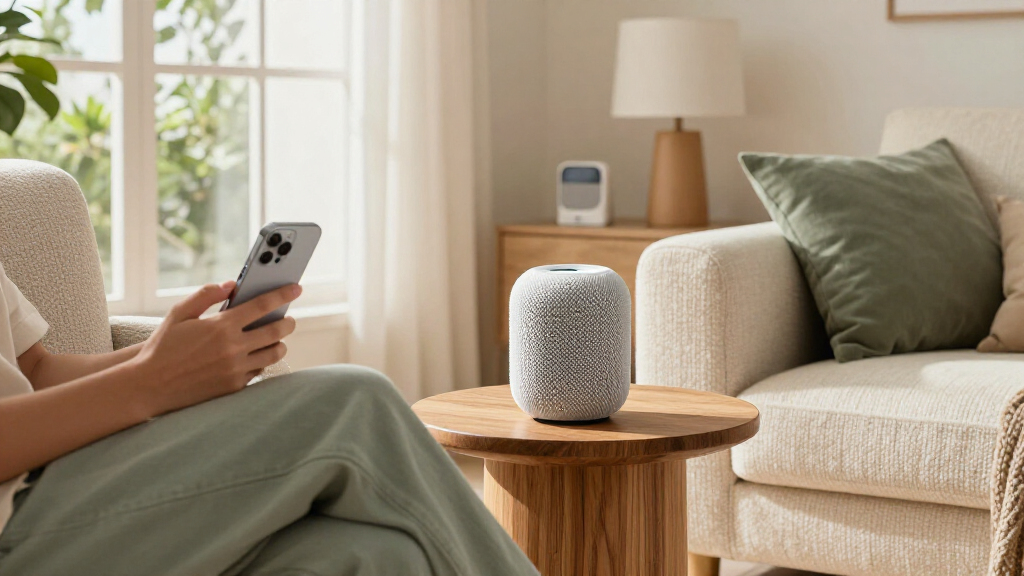
The best Apple Home products make everyday controls easier without adding unnecessary setup or compatibility headaches. My best overall pick is the Apple HomePod (2nd Generation), which combines a Siri speaker with a hub role for a more connected home. For practical upgrades, the TP-Link Tapo P125M offers compact Matter smart-plug control, while the Aqara U400 stands out for entry access with Apple Home Key and fingerprint unlocking. The main tradeoffs are how much you want to spend, whether a device needs a hub, and whether you need control indoors, outdoors, or at the door. Read on for the full breakdown and a guide to choosing products that fit your setup.

Get home appliances delivered free with Prime
- Fast, free delivery on millions of items
- Prime Video, Amazon Music and more included
- Member-only deals all year
Complete the kit



Key Takeaways
- The HomePod is the strongest all-around starting point in this lineup because it pairs a familiar Apple smart-home hub role with a Siri speaker; the white and Midnight versions serve the same core purpose.
- Matter plugs are the most straightforward way to add everyday automation. The Tapo P125M is a compact option, while Linkind’s four-pack suits buyers who want several outlets covered at once.
- Purpose-built products solve more specific problems. The Aqara U400 focuses on entry, Eve Aqua on watering, and the Kasa EP40A on outdoor power rather than general room control.
- Not every Apple Home accessory is a Matter device. Check the exact model’s platform support and hub requirements before buying, especially for HomeKit-focused switches, garage controls, and trackers.
- Multi-packs can lower setup effort but may add unused hardware. Match plug and bulb quantities to the rooms you will automate instead of choosing a bundle solely for its count.
| Linkind Matter Smart Plug, 4-Pack |  | Best Value for Multi-Platform Homes | Model: LC09003256 | Pack count: 4 | Connectivity: Matter, 2.4 GHz Wi-Fi | VIEW LATEST PRICE | See Our Full Breakdown |
| QUICKHORSE Rechargeable Wallet Tracker Card with Apple Find My |  | Best Wallet Tracker for Apple Find My | Compatibility: iPhone with iOS 14.5 or later; no Android support | Thickness: 1.7 mm | Connectivity: Bluetooth | VIEW LATEST PRICE | See Our Full Breakdown |
| Apple HomePod 2nd Generation – White |  | Best Premium Apple Home Hub Speaker | Generation: 2nd generation | Dimensions: 5.6 × 5.6 × 6.6 inches | Weight: 6.4 pounds | VIEW LATEST PRICE | See Our Full Breakdown |
| TP-Link Tapo P125M Matter Smart Plug Mini, 15A/1800W, 3-Pack |  | Best Compact Matter Plug | Model: Tapo P125M | Pack size: 3 plugs | Maximum wattage: 1800 W | VIEW LATEST PRICE | See Our Full Breakdown |
| Eve Aqua 2-Pack Smart Water Controller for Apple Home |  | Best Outdoor Apple Home Irrigation Controller | Model: 20ECC4101 | Pack contents: 2 Eve Aqua controllers | Included accessories: 4 AA batteries, 2 hose connectors, quick-start guide | VIEW LATEST PRICE | See Our Full Breakdown |
| Aqara U400 UWB Smart Lock with Apple Home Key and Fingerprint Deadbolt |  | Best Apple Home Smart Lock | Model: U400 (DL-D06E) | Connectivity: Matter over Thread | Unlock methods: UWB, Apple Home Key, fingerprint, passcode, voice assistant, app, NFC card (sold separately), physical key | VIEW LATEST PRICE | See Our Full Breakdown |
| Apple HomePod (2nd Generation) Smart Speaker with Siri – Midnight |  | Best Premium Apple Home Speaker | Generation: 2nd Generation | Woofer: 4 inches | Tweeters: 5 beamforming tweeters | VIEW LATEST PRICE | See Our Full Breakdown |
| Kasa EP40A Outdoor Smart Plug with Apple HomeKit, 2 Outlets |  | Best Outdoor Apple Home Accessory | Model: EP40A | Outlets: 2 independently controlled AC outlets | Maximum load: 15 A / 1875 W per outlet | VIEW LATEST PRICE | See Our Full Breakdown |
| Kasa KS200P3 Apple HomeKit Smart Light Switch, Single Pole |  | Best for Replacing a Wired Light Switch | Model: KS200P3 | Switch type: Single pole, one-way | Input voltage: 100–120 VAC, 50/60 Hz | VIEW LATEST PRICE | See Our Full Breakdown |
| Meross Smart Garage Door Opener Remote with HomeKit, Alexa, and Google Assistant Compatibility |  | Best for Adding Apple Home to a Garage | Compatibility: Apple HomeKit, Alexa, Google Assistant, SmartThings | Connectivity: Wi-Fi | Wireless frequency: 2.4 GHz | VIEW LATEST PRICE | See Our Full Breakdown |
| Linkind Matter Smart LED Bulbs, A19 E26, 6-Pack |  | Best Value Color Bulbs | Pack size: 6 bulbs | Bulb type and shape: LED, A19 | Base: E26 | VIEW LATEST PRICE | See Our Full Breakdown |
| Linkind Matter Smart Plug with Night Light, 4-Pack |  | Best Plug with a Built-In Night Light | Pack size: 4 plugs | Connectivity: 2.4 GHz Wi-Fi; IPv6 network required | Smart home compatibility: Apple Home, Alexa, Google Home, SmartThings | VIEW LATEST PRICE | See Our Full Breakdown |
| Apple Home product | Connectivity | Model |
|---|---|---|
| Linkind Matter Smart Plug | Matter, 2.4 GHz Wi-Fi | LC09003256 |
| QUICKHORSE Rechargeable Wallet | Bluetooth | — |
| Apple HomePod 2nd Generation | Bluetooth, Wi-Fi, AirPlay, Thread, Matter | — |
| TP-Link Tapo P125M Matter Smar | Matter, Wi-Fi, Bluetooth | Tapo P125M |
| Eve Aqua 2-Pack Smart Water Co | Bluetooth and Thread | 20ECC4101 |
| Aqara U400 UWB Smart Lock with | Matter over Thread | U400 (DL-D06E) |
| Apple HomePod | Wireless | — |
| Kasa EP40A Outdoor Smart Plug | — | EP40A |
| Kasa KS200P3 Apple HomeKit Sma | 2.4 GHz Wi-Fi | KS200P3 |
| Meross Smart Garage Door Opene | Wi-Fi | — |
| Linkind Matter Smart LED Bulbs | Matter over 2.4 GHz Wi-Fi | — |
| Linkind Matter Smart Plug with | 2.4 GHz Wi-Fi; IPv6 network required | — |
More Details on Our Top Picks
Linkind Matter Smart Plug, 4-Pack
I’d choose this four-pack when the goal is to bring several everyday devices into Apple Home without committing to a single smart-home platform. Matter support also lets it work with Alexa, Google Home, and SmartThings, while local LAN control can keep commands available during an internet outage. Compared with the TP-Link Tapo P125M, Linkind includes one more plug, but its setup depends on a 2.4 GHz network and IPv6, and most platforms need a Matter-compatible hub. Scheduling, timers, and voice control cover the usual automation needs; short-circuit and overload protection add reassurance for compatible loads. I’d skip it if your network does not support IPv6 or you want a plug that works without checking hub requirements first.
Pros:- Four plugs make it practical to automate several devices at once.
- Matter supports Apple Home and several other major smart-home platforms.
- Local LAN control can remain available during internet outages.
- Includes schedules, timers, voice control, and overload protection.
Cons:- Most supported platforms require a Matter-compatible hub.
- Requires a 2.4 GHz Wi-Fi network with IPv6.
- The 1800 W maximum limits which appliances are suitable.
Best for: Apple Home households adding several lamps or small appliances while keeping the option to use Alexa, Google Home, or SmartThings.
Not ideal for: Buyers with networks that lack IPv6 support, or anyone who wants to avoid a Matter hub where their platform requires one.
- Model:LC09003256
- Pack count:4
- Connectivity:Matter, 2.4 GHz Wi-Fi
- Network requirement:IPv6
- Maximum power:1800 W
- Amperage:15 A
- Plug type:Type A
- Certifications:FCC, ETL
Our verdict“Choose this four-pack for multi-platform flexibility and local control, provided your network and hub setup meet its requirements.”
QUICKHORSE Rechargeable Wallet Tracker Card with Apple Find My
This tracker is for iPhone owners who want a wallet locator without adding a bulky key fob. At 1.7 mm thick, it’s shaped to slip into a card slot, and it uses Apple Find My rather than a separate tracking network. The rechargeable battery is rated for up to 120 days, while Qi charging avoids replacing disposable cells; the charger is not included. Compared with an Apple HomePod, this is not a home-control device, but it earns a place in an Apple-focused roundup by extending Apple’s locating tools to an item people often carry outside the home. Its limits are clear: there’s no Android support, and an RFID-blocking wallet can interfere unless the card sits in an outer pocket. IP68 protection and an audible alarm add practical backup.
Pros:- Works with Apple Find My on compatible iPhones.
- Slim 1.7 mm card format fits a wallet slot.
- Rechargeable battery is rated for up to 120 days.
- IP68 rating and an audible alarm add useful finding and durability features.
Cons:- Does not support Android.
- Qi wireless charger is not included.
- RFID-blocking wallets may interfere with tracking unless the card is placed in an outer pocket.
Best for: iPhone users who want a slim, rechargeable Find My tracker for a wallet and are comfortable charging it on a Qi pad.
Not ideal for: Android users, or people whose RFID-blocking wallet has no outer pocket for the card.
- Compatibility:iPhone with iOS 14.5 or later; no Android support
- Thickness:1.7 mm
- Connectivity:Bluetooth
- Battery:Rechargeable; up to 120 days
- Charging:Qi wireless charging
- Audible alarm:Up to 80 dB
- Water and dust resistance:IP68
- Items included:1 tracker card
Our verdict“Pick this for a discreet Find My wallet tracker if you use an iPhone and can charge it with a Qi-compatible charger.”
Apple HomePod 2nd Generation – White
I’d put this HomePod at the top of the list for someone who wants strong room-filling sound and an Apple Home control point in the same device. Its high-excursion woofer, five beamforming tweeters, and room sensing are intended to adapt playback to placement, while Siri handles music requests and smart-home commands. Thread and Matter support also make it more useful in an Apple Home setup than a speaker chosen for audio alone. Compared with the QUICKHORSE Find My tracker card, it serves a very different purpose: this is a stationary, mains-powered centerpiece, not a portable accessory. The tradeoff is that its full smart-home appeal is tied closely to Apple’s ecosystem, and it needs constant power. I’d choose it over simpler plug-based additions when sound quality matters as much as voice control.
Pros:- High-excursion woofer and five beamforming tweeters are built for room-filling playback.
- Room sensing adjusts audio based on speaker placement.
- Siri supports music, reminders, messages, and smart-home control.
- Thread and Matter add smart-home connectivity options.
Cons:- Full functionality is centered on the Apple ecosystem.
- Requires continuous power and is not battery-operated.
- Its speaker-and-hub combination may be more than buyers need for basic automation.
Best for: Apple households that want a premium room speaker with Siri voice control and smart-home capabilities in one always-powered device.
Not ideal for: Shoppers seeking a portable speaker, broad non-Apple functionality, or an inexpensive way to add a single smart-home control point.
- Generation:2nd generation
- Dimensions:5.6 × 5.6 × 6.6 inches
- Weight:6.4 pounds
- Audio hardware:High-excursion woofer and five beamforming tweeters
- Connectivity:Bluetooth, Wi-Fi, AirPlay, Thread, Matter
- Voice assistant:Siri
- Color:White
- Power:Requires a power source
Our verdict“Choose this HomePod if you want premium sound and Siri-led Apple Home control in a permanent room setup.”
TP-Link Tapo P125M Matter Smart Plug Mini, 15A/1800W, 3-Pack
The Tapo P125M is my compact-plug pick for buyers who need a few simple Apple Home automations and want to keep neighboring outlets accessible. It supports Matter across major platforms, with app or voice control, schedules, and timers; Bluetooth onboarding is meant to make initial setup easier. Its UL-certified flame-retardant design and two-year limited warranty distinguish it from the Linkind four-pack, while Linkind gives buyers one more plug and lists local LAN control during internet outages. Tapo’s three-plug bundle makes more sense when outlet clearance and straightforward setup matter more than maximizing the number of plugs. It still relies on 2.4 GHz Wi-Fi, and its 15 A, 1800 W ceiling rules out loads above that limit. I’d use it for compatible lamps and small appliances, not as a universal solution for every device.
Pros:- Compact shape helps preserve access to neighboring outlets.
- Matter support works with Apple Home, Alexa, Google Home, and SmartThings.
- Bluetooth onboarding is intended to simplify setup.
- UL-certified flame-retardant design and a two-year limited warranty.
Cons:- Requires a 2.4 GHz Wi-Fi network.
- Maximum supported load is 15 A and 1800 W.
- Includes three plugs, compared with four in the Linkind bundle.
Best for: Apple Home users who need three compact plugs for lamps or small appliances and want room to use other Matter-compatible platforms.
Not ideal for: Homes without 2.4 GHz Wi-Fi, or buyers who need a plug for appliances that exceed 15 A or 1800 W.
- Model:Tapo P125M
- Pack size:3 plugs
- Maximum wattage:1800 W
- Operating voltage:120 V AC
- Connectivity:Matter, Wi-Fi, Bluetooth
- Wi-Fi band:2.4 GHz
- Compatible platforms:Apple Home, Amazon Alexa, Google Home, Samsung SmartThings
- Warranty:2-year limited warranty
Our verdict“Pick the Tapo P125M for compact, cross-platform outlet control when three plugs meet your needs and your devices stay within its load limit.”
Eve Aqua 2-Pack Smart Water Controller for Apple Home
For Apple Home users who water a garden or container plants with a hose, the Eve Aqua 2-pack brings automation outdoors rather than adding another indoor plug. Schedules and auto shut-off can manage watering routines, while water-consumption tracking helps you keep tabs on use; controls are available through the Eve app, Siri, or the onboard button. It connects over Bluetooth and Thread and is designed for weather and UV exposure. Compared with the TP-Link Tapo P125M, this is a specialized outdoor controller, not a general-purpose way to automate lamps and small appliances. That focus is useful, but the Apple-only compatibility narrows its audience, and its specified operating temperature starts at 39 °F. I’d choose it for hose-based irrigation, not for buyers looking for broader smart-home coverage or year-round use in colder conditions.
Pros:- Two controllers support automation in more than one garden or watering zone.
- Scheduling and auto shut-off help manage watering routines.
- Water-consumption tracking provides a record of use.
- Weatherproof, UV-resistant design with app, Siri, and onboard controls.
Cons:- Compatibility is limited to Apple Home and Siri.
- Specified operating temperature starts at 39 °F.
- Bluetooth and Thread connectivity may not suit every garden layout or network setup.
Best for: Apple Home gardeners who use compatible hoses and want scheduled watering, shut-off control, and water-use tracking.
Not ideal for: Android households, gardeners needing operation below 39 °F, or anyone seeking a general-purpose smart plug.
- Model:20ECC4101
- Pack contents:2 Eve Aqua controllers
- Included accessories:4 AA batteries, 2 hose connectors, quick-start guide
- Connectivity:Bluetooth and Thread
- Compatibility:Apple Home, Siri
- Operating temperature:39 °F
- Outdoor protection:Weatherproof and UV resistant
- Material:Plastic
Our verdict“Choose the Eve Aqua pair for scheduled hose-based garden watering in an Apple Home setup, but skip it if you need cold-weather operation or wider platform support.”
Aqara U400 UWB Smart Lock with Apple Home Key and Fingerprint Deadbolt
The Aqara U400 is the most access-flexible pick here: you can unlock with Apple Home Key, UWB hands-free access, a fingerprint, a passcode, the app, or a physical key. That range is useful for households where not everyone wants to rely on a phone or remember a code. Compared with the Meross Smart Garage Door Opener Remote, which adds connected control to an existing garage opener, the U400 replaces a front-door deadbolt and adds several ways to get inside. Its Matter over Thread support also fits a multi-platform home, but Thread hardware is required, and hands-free UWB depends on compatible Apple devices and a Thread-enabled Apple Home hub. The rechargeable battery lasts up to six months per charge; the tradeoff is that the lock still needs periodic charging, and the NFC card is sold separately.
Pros:- Offers UWB, Apple Home Key, fingerprint, passcode, app, voice, and physical-key access.
- Matter over Thread supports smart home control across compatible platforms.
- Removable rechargeable battery is rated for up to six months per charge.
- BHMA-certified and IP65-rated for durability.
Cons:- UWB unlocking depends on compatible Apple devices and a Thread-enabled Apple Home hub.
- Matter features require Thread-enabled controllers in supported ecosystems.
- NFC card access requires a separately sold card, and the battery needs recharging.
Best for: Apple Home households that want hands-free entry plus fingerprint and passcode access for family members or guests.
Not ideal for: Homes without a Thread-enabled Matter controller, or buyers who want a conventional lock without charging a battery or checking device compatibility.
- Model:U400 (DL-D06E)
- Connectivity:Matter over Thread
- Unlock methods:UWB, Apple Home Key, fingerprint, passcode, voice assistant, app, NFC card (sold separately), physical key
- Battery:Removable rechargeable lithium battery; up to 6 months per charge
- Certification:BHMA-certified
- Color:Black
Our verdict“Choose the Aqara U400 if you want a connected front-door lock with multiple entry methods and already have compatible Thread hardware.”
Apple HomePod (2nd Generation) Smart Speaker with Siri – Midnight
The Apple HomePod (2nd Generation) is the audio-first choice in this group: its 4-inch woofer, five beamforming tweeters, and room sensing are designed to deliver fuller sound than a product such as the Kasa EP40A Outdoor Smart Plug, which focuses on practical device control rather than listening. Siri and smart home integration make the HomePod useful beyond music, while linking multiple units enables stereo playback or sound around the home. That makes it a strong fit for Apple households building a listening setup that can also respond to voice commands. The tradeoff is a greater commitment to Apple’s ecosystem than the cross-platform Kasa plug, and a single speaker cannot provide stereo separation on its own. Its listed warranty is only 90 days, a meaningful drawback for a premium audio product.
Pros:- 4-inch woofer and five beamforming tweeters support immersive sound.
- Room sensing adjusts audio performance to the speaker’s surroundings.
- Siri and smart home integration make voice control part of the speaker experience.
- Can link with other HomePod units for stereo or whole-home audio.
Cons:- Full functionality depends on being part of the Apple ecosystem.
- Stereo sound requires multiple speakers.
- The listed limited warranty is 90 days.
Best for: Apple users who want a high-fidelity Siri speaker for a main room and may add a second unit for stereo sound.
Not ideal for: Buyers seeking an inexpensive smart home control device, broad platform flexibility, or a longer listed warranty.
- Generation:2nd Generation
- Woofer:4 inches
- Tweeters:5 beamforming tweeters
- Microphones:4
- Power output:38 watts
- Connectivity:Wireless
- Color:Midnight
- Warranty:90-day limited warranty
Our verdict“Pick the HomePod if sound quality and Siri integration matter more to you than a lower-commitment HomeKit accessory.”
Kasa EP40A Outdoor Smart Plug with Apple HomeKit, 2 Outlets
The Kasa EP40A earns its place as the outdoor control pick because it gives you two independently managed outlets in one weather-resistant unit. That means outdoor lights and another compatible device can follow separate schedules instead of switching on and off together. It is a more targeted choice than the Kasa KS200P3 Smart Light Switch: the EP40A controls plug-in equipment outdoors, while the KS200P3 replaces a wired indoor wall switch. HomeKit, Siri, Alexa, and Google Assistant support give the plug broader voice-control options, and IP64 protection suits outdoor use. The limits are its reliance on 2.4 GHz Wi-Fi and the need for a networked Apple device at home for HomeKit remote control. It is also for plug-in loads, not hardwired fixtures.
Pros:- Two outlets can be controlled independently.
- Works with Apple HomeKit, Siri, Alexa, and Google Assistant.
- IP64 weather resistance suits many outdoor setups.
- Supports remote control, grouping, and schedules.
Cons:- Requires a 2.4 GHz Wi-Fi connection.
- HomeKit remote control requires a networked Apple device at home.
- Controls plug-in devices rather than hardwired fixtures.
Best for: Apple Home users who want separate schedules for outdoor lights or other compatible plug-in devices.
Not ideal for: Buyers who need to control hardwired lighting, lack 2.4 GHz Wi-Fi outdoors, or want HomeKit remote access without a networked Apple device at home.
- Model:EP40A
- Outlets:2 independently controlled AC outlets
- Maximum load:15 A / 1875 W per outlet
- Voltage:125 V AC
- Wi-Fi:2.4 GHz; 802.11 b/g/n
- Weather resistance:IP64
- Voice assistants:Siri, Alexa, Google Assistant
- Certification:ETL
Our verdict“Choose the EP40A for separately scheduled outdoor plug-in devices; choose the KS200P3 instead when you need to control a wired light fixture.”
Kasa KS200P3 Apple HomeKit Smart Light Switch, Single Pole
The Kasa KS200P3 suits buyers who want to control a wall light from Apple Home without adding a smart bulb at each socket. Its single-pole design replaces a compatible one-way switch, bringing app control, Siri commands, schedules, timers, and Away Mode to the fixture. Unlike the Kasa EP40A Outdoor Smart Plug, it controls hardwired lighting rather than plug-in devices, so it can make sense when the existing wall switch is the natural point of control. It also works with Alexa and Google Assistant and needs no separate hub. The key constraint is electrical: installation requires a neutral wire, so older or differently wired switch boxes may not suit it. Wi-Fi is limited to 2.4 GHz, and HomeKit remote control requires a networked Apple device at home.
Pros:- Adds remote control, schedules, timers, and Away Mode to a wired fixture.
- Works with Apple HomeKit, Alexa, and Google Assistant.
- No hub is required.
- App-guided installation helps with setup.
Cons:- Requires a neutral wire and is limited to single-pole, one-way switching.
- Connects over 2.4 GHz Wi-Fi.
- HomeKit remote control requires a networked Apple device at home.
Best for: Homeowners with a neutral wire who want app and voice control over a single-pole light circuit without replacing bulbs.
Not ideal for: Renters, homes without a neutral wire in the switch box, or buyers who need multi-way switching or outdoor plug control.
- Model:KS200P3
- Switch type:Single pole, one-way
- Input voltage:100–120 VAC, 50/60 Hz
- Connectivity:2.4 GHz Wi-Fi
- Neutral wire:Required
- Compatible assistants:Apple HomeKit, Amazon Alexa, Google Assistant
- Hub:Not required
- Dimensions:5.04 × 3.33 × 1.41 inches
Our verdict“Choose the KS200P3 if your switch box has a neutral wire and you want to automate a wired light rather than a plug-in device.”
Meross Smart Garage Door Opener Remote with HomeKit, Alexa, and Google Assistant Compatibility
The Meross Smart Garage Door Opener Remote brings app and voice control to a compatible garage opener you already own, rather than asking you to replace the opener. Its real-time status updates help you check whether the door is open or closed, while scheduling and remote commands add control from outside the garage. Compared with the Aqara U400, which upgrades a front-door deadbolt with several entry methods, Meross is a focused add-on for a single garage door. Support for HomeKit, Alexa, Google Assistant, and SmartThings also gives it broader platform reach than an Apple-only accessory. Compatibility is the deciding factor: it works with many brands and models, but buyers still need to confirm their opener is supported or that an adapter is available. It also relies on 2.4 GHz Wi-Fi and supports one device.
Pros:- Adds smart control to a compatible existing garage door opener.
- Provides real-time door-status updates, app control, and scheduling.
- Supports Apple HomeKit, Alexa, Google Assistant, and SmartThings.
- Designed for compatibility with many opener brands and models.
Cons:- Requires a compatible opener or an adapter.
- Limited to one supported device.
- Uses 2.4 GHz Wi-Fi.
Best for: Homeowners with a compatible existing garage opener who want Apple Home control and door-status checks without replacing the opener.
Not ideal for: Buyers whose opener is unsupported, who need to control multiple garage doors with one unit, or whose Wi-Fi setup lacks 2.4 GHz.
- Compatibility:Apple HomeKit, Alexa, Google Assistant, SmartThings
- Connectivity:Wi-Fi
- Wireless frequency:2.4 GHz
- Supported devices:1
- Weight:311 g
- Dimensions:3 × 2 × 1 inches
- Installation compatibility:Compatible garage opener required; adapter may be needed
Our verdict“Pick Meross if your existing garage opener is compatible and you want remote status and control without replacing the opener.”
Linkind Matter Smart LED Bulbs, A19 E26, 6-Pack
For Apple Home buyers who want to add color in several rooms at once, this six-bulb Matter pack offers broader coverage than a single smart bulb purchase. Matter compatibility lets the bulbs join Apple Home while also supporting Alexa and Google Home, so they suit households with more than one platform. Their 16 million colors, preset scenes, and music sync give them more decorative flexibility than a smart switch such as the Kasa KS200P3, which controls existing bulbs but cannot change their color. Each bulb reaches 800 lumens, a useful level for ordinary indoor lighting, and draws 9 watts. The tradeoffs are 2.4 GHz Wi-Fi only and incompatibility with traditional dimmer switches; buyers wanting basic on/off control may prefer a smart plug instead.
Pros:- Matter support enables compatibility with Apple Home, Alexa, and Google Home
- Six bulbs make it practical to outfit multiple indoor fixtures
- Color options, 104 preset scenes, and music sync offer varied lighting effects
- Uses 9 watts and is rated for 25,000 hours
Cons:- Requires a 2.4 GHz Wi-Fi network
- Generally incompatible with traditional dimmer switches
Best for: Apple Home households outfitting several indoor lamps or fixtures with color-changing bulbs and Matter support
Not ideal for: People with traditional dimmer switches, a 5 GHz-only Wi-Fi setup, or no need for color and scene controls
- Pack size:6 bulbs
- Bulb type and shape:LED, A19
- Base:E26
- Power and equivalent:9 W; 60 W incandescent equivalent
- Light output:800 lumens
- Color temperature:6500 K
- Connectivity:Matter over 2.4 GHz Wi-Fi
Our verdict“Choose this pack if you want colorful Matter-connected lighting across several Apple Home fixtures, and skip it if you need dimmer-switch compatibility.”
Linkind Matter Smart Plug with Night Light, 4-Pack
This four-pack is a distinctive choice for Apple Home because each unit combines a 15 A smart outlet with an adjustable night light. That makes it more useful for hallways or bedrooms than the standard Linkind Matter Smart Plug, which focuses on outlet control without the integrated light. The night light offers dusk-to-dawn operation and adjustable brightness, while scheduling and remote control let you automate a connected appliance. For Apple Home, Alexa, Google Home, or SmartThings, though, the plug needs a Matter-certified controller; AiDot app control is available without one. It also requires 2.4 GHz Wi-Fi and an IPv6 network, so setup may be less straightforward than a plug with fewer network requirements. Choose it for the light-and-outlet combination, not if you only need a simple smart outlet.
Pros:- Combines remote outlet control with an adjustable night light
- Dusk-to-dawn sensing can automate nighttime illumination
- Supports scheduling, timers, and control through several smart home platforms
- 15 A and 1800 W capacity for compatible devices
Cons:- Apple Home and other smart home platform control requires a Matter-certified controller
- Requires 2.4 GHz Wi-Fi and an IPv6 network
- Night-light functionality adds a feature that may be unnecessary for buyers who only need an outlet
Best for: Apple Home users who want scheduled outlet control and a low-brightness night light in bedrooms, hallways, or guest rooms
Not ideal for: Buyers seeking a basic plug without a night light, or those without a Matter-certified controller and compatible IPv6 network for Apple Home integration
- Pack size:4 plugs
- Connectivity:2.4 GHz Wi-Fi; IPv6 network required
- Smart home compatibility:Apple Home, Alexa, Google Home, SmartThings
- Hub requirement:Matter-certified controller for smart home platforms; AiDot app supports hub-free control
- Maximum current and power:15 A; 1800 W
- Voltage:120 V
- Night light:30 lumens, adjustable from 1–100%; dusk-to-dawn sensing
- Plug type:Type B
Our verdict“Pick this four-pack for Apple Home rooms where an automated outlet and adjustable night light are both useful, but choose a standard smart plug if you need outlet control alone.”
How We Picked
I compared these products by how directly they serve Apple Home users, how much everyday convenience they add, and how clear their setup and compatibility story is. I also weighed the kind of job each device does: a speaker or plug can suit many households, while irrigation controls, garage access, and outdoor outlets are valuable mainly when a home has that specific need. Build and practical fit matter too, including outlet space, installation demands, weather exposure, and whether a product replaces an existing fixture or adds a new control point.
The ranking favors products with broad household usefulness and a clear role in an Apple-centered setup, then places more specialized or installation-dependent products lower. That does not make niche picks weaker; it means they solve narrower problems. I treat the two HomePod finishes as separate listings in the supplied lineup, though their central role is similar, and I distinguish plug bundles by form factor, quantity, and added features. Before choosing, buyers should verify current Apple Home compatibility, required hubs, and any regional or wiring limits for the exact model.
Factors to Consider When Choosing Best Apple Home Products
Apple Home products vary more by setup requirements and intended job than by smart-home branding. I would start with the task you want to improve, then check how the device connects to Apple Home and what other equipment it needs.
Check Apple Home, Matter, and hub requirements
Compatibility labels do not always mean identical setup or features. A Matter product may work across several smart-home platforms, while a HomeKit-focused device may depend on its listed ecosystem support and connection method. Read the exact model documentation for hub needs, remote access, and supported automations before ordering. A household without a suitable home hub may find that local control works differently from remote control or automations. Avoid assuming that every product from one brand shares the same protocol or requirements. Choosing based on the specific device’s support can prevent a frustrating return.
Buy for the job, not the number of devices
A multipack is useful only when you have enough suitable places to install its devices. Count outlets, lamps, and rooms first, and check whether plugs block neighboring sockets or switches fit the existing wiring. A few well-placed controls can create more useful routines than a house full of devices with no clear purpose. For bulbs, think about whether the fixture should remain powered at the wall; smart bulbs lose their network connection when someone switches off the circuit. For plugs, confirm the appliance is appropriate for smart on/off control. Avoid buying a bundle just because each unit seems inexpensive per device.
Decide whether installation is part of the value
Some Apple Home upgrades plug in, while others involve wiring, a lock, a garage opener, or an outdoor connection. A smart switch can preserve control from a wall location, but it may need compatible wiring and careful installation. A smart lock or garage controller can save repeated manual steps, yet compatibility with the existing door hardware and opener matters more than extra app features. If installation falls outside your comfort level, include professional help and setup time in your decision. For rented homes, portable plugs, bulbs, and trackers are often easier to take along. Match the product’s permanence to how long you expect to stay in the home.
Think through reliability and what happens offline
Smart-home convenience depends on a reliable connection, but not every function needs to depend on the cloud or an app. Before buying a security-sensitive device, find out how local access works if internet service drops or a phone is unavailable. Keep a physical key, manual switch, or other backup for locks, lights, and garage access. Network placement can affect devices at the edges of a home, particularly outdoor controls and detached spaces. A hub or stronger network coverage may solve a problem that adding more smart devices will not. Prioritize dependable basic operation over a long feature list.
Pay more when the device replaces a recurring chore
Extra spending makes the most sense when a product handles a task you repeat often or protects access to an important part of the home. A lock may be worth prioritizing for convenient entry, while an irrigation controller makes more sense for someone who regularly waters a garden. A tracker is useful for locating a wallet, but it is not a substitute for a dedicated security system. For lighting and plugs, start with the rooms or appliances where schedules and remote control will make a real difference. Consider maintenance, batteries, and seasonal use as well as purchase features. The best upgrade is the one that keeps earning its place in your routines.
Frequently Asked Questions
Do I need a HomePod to use Apple Home accessories?
No; many accessories can be set up and controlled through an Apple device, depending on the product and its connection method. A home hub can add capabilities such as remote access and automations when supported, so check Apple’s current requirements for your intended setup. The HomePod in this lineup is appealing if you also want a Siri speaker, rather than buying a hub role alone. If you already have compatible Apple home equipment, confirm whether it already provides the functions you need. Avoid purchasing another hub before checking what your existing devices support.
Should I choose a Matter smart plug or a HomeKit-only plug?
Choose based on the platforms you use now and may use later, not on the label alone. Matter support can make a device more flexible across compatible smart-home ecosystems, while a HomeKit-focused product may still be a good fit for a household committed to Apple Home. Check whether the exact model needs a hub and which features are available through each platform. Also verify its electrical rating and the type of appliance you plan to control. A plug is not suitable for every high-load or safety-critical appliance.
Are the two Apple HomePod listings different products?
Both listed HomePods are identified as second-generation models, with one in White and the other in Midnight. The supplied lineup does not indicate a different smart-home role between them, so the finish is the clear distinction to use when choosing. Compare the current product details before buying in case a listing bundles accessories or describes a different package. If color is not a priority, focus on whether you want a Siri speaker and home-hub capability. You do not need both listings to get different HomePod functions based on the information provided.
What should I check before buying an Apple Home smart lock or garage controller?
Confirm compatibility with your existing door lock or garage opener before comparing app features. Check the manufacturer’s model-specific fit list, installation steps, required hub or network connection, and how access works during an internet outage. For a lock, keep a reliable backup entry method; for a garage, preserve the normal wall control and manual release. Think about who needs access and how you will manage it when a phone is unavailable. These checks matter more than choosing a device with the longest feature list.
Is a four- or six-device bundle a good choice for a first Apple Home setup?
A bundle can be convenient if you already know where each device will go, but it can leave you with extras if you are still learning how your household uses smart controls. Begin with one or two locations and test the routines, wireless coverage, and family habits before expanding. Plugs are often easier to reposition than bulbs, which may stop responding when someone turns off their wall switch. Check whether bundled units have the same specifications and app setup as standalone models. Scaling after a small trial helps avoid clutter and unused devices.
Conclusion
For the broadest Apple Home role, I recommend the Apple HomePod (2nd Generation) as best overall, with the Midnight and White listings offering the same central appeal for different room styles. For best value across several everyday outlets, look at the Linkind Matter Smart Plug 4-Pack; choose the TP-Link Tapo P125M if a compact three-pack better suits your setup. Beginners can start with a Matter plug or bulb before taking on wiring or door hardware. For a premium, access-focused upgrade, the Aqara U400 is the standout, while the Eve Aqua, Kasa outdoor plug, garage controller, and wallet tracker are best for the specific jobs they address. Pick the product that solves a routine you actually have, and verify its exact Apple Home requirements before buying.
Halloween Picks
halloween
As an affiliate, we earn on qualifying purchases.