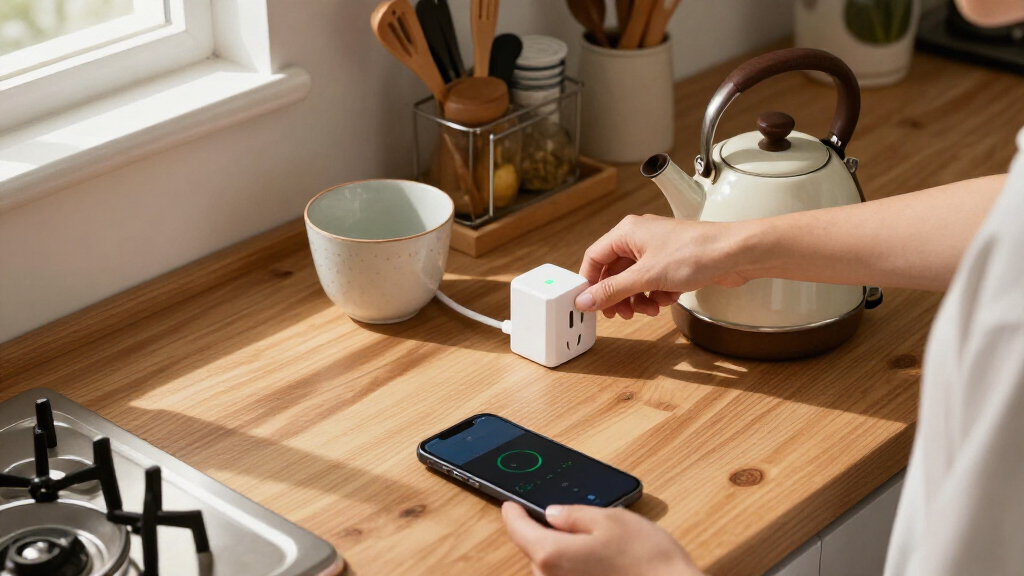

Smart plugs with energy monitoring show how much power a connected appliance uses and can help you spot waste or set schedules. Tapo P115 is my best overall pick for balancing monitoring, 15A capacity, and a four-pack; Kasa Matter stands out for Matter support, while Eve Energy Strip suits Apple Home users who need several outlets and surge protection. The main tradeoffs are how each plug connects to your smart home, how many outlets you need, and whether you prefer a multipack or a more specialized device. Energy readings can guide decisions, but they do not make every appliance compatible or safe to automate. Read on for how the 11 options compare and which one fits your setup.

Get home appliances delivered free with Prime
- Fast, free delivery on millions of items
- Prime Video, Amazon Music and more included
- Member-only deals all year
Complete the kit


Key Takeaways
- Tapo P115 4-Pack is my best overall choice because it pairs energy monitoring and 15A capacity with four plugs in one package.
- Kasa Matter options stand out for Matter support; check the exact listing and model because the roundup includes both a two-pack and KP125MP4.
- Eve Energy Strip adds three controlled outlets and surge protection, making it a different fit from single-outlet plugs.
- THIRDREALITY Gen3 is the Zigbee choice, but it depends on a compatible Zigbee hub or controller in the home.
- Four-pack options dominate this roundup, while Eve Energy Outlet and the Kasa two-pack better suit buyers who need fewer devices or a different setup.


| smart plugs with energy monitoring | Connectivity | Pack size | Operating voltage |
|---|---|---|---|
| Tapo P115 Wi-Fi Smart Plugs wi | 2.4 GHz Wi-Fi | 4 plugs | 110 V AC |
| Kasa Matter Smart Plug with En | Matter and 2.4 GHz Wi-Fi | 2 plugs | 120 V |
| D-Link PM-01M Wi-Fi Smart Plug | — | — | — |
| Govee Smart Plug with Energy M | Wi-Fi and Bluetooth | 4 plugs | — |
| AiSeek Smart Plug Outlet with | 2.4 GHz Wi-Fi and Bluetooth | 4 plugs | 120 V |
| Tapo P110M Matter Smart Plugs | Matter and Wi-Fi | 4 plugs | — |
| Eve Energy Outlet | Matter and Thread | — | 120 V AC |
| Tapo P115 Smart Plug | Wi-Fi, 2.4 GHz only | 2 plugs | 125 V |
| Kasa Matter Smart Plug with En | Matter and Wi-Fi | — | 120 V |
| Eve Energy Strip | Direct Wi-Fi; no bridge required | — | — |
| THIRDREALITY Smart Plug Gen3 | Zigbee 3.0 | 4 plugs | 110 V |
More Details on Our Top Picks
Tapo P115 Wi-Fi Smart Plugs with Energy Monitoring, 4-Pack, 15A
The Tapo P115 4-pack is a practical choice when I want energy tracking across several everyday appliances without buying plugs one at a time. Its app provides usage statistics to help estimate electricity costs, while schedules and automatic shutoff make it easier to manage devices when they are idle. Compared with the Kasa Matter Smart Plug 2-pack, this set covers more outlets and supports SmartThings alongside Alexa and Google Assistant, but it lacks the Kasa plug’s stated local Matter control when internet access is down. The compact shape can help preserve neighboring outlets, a useful advantage when placing several plugs around a home. Its main limitation is the 2.4 GHz Wi-Fi requirement, so buyers with a crowded or incompatible network should look at their setup first.
Pros:- Four plugs make it easier to monitor several appliances at once.
- Energy statistics and charts help track consumption and estimate costs.
- Works with the Tapo app, Alexa, Google Assistant, and SmartThings.
- Compact design helps keep adjacent outlets accessible.
Cons:- Requires a 2.4 GHz Wi-Fi connection.
- Does not list Matter support or local control during internet outages.
Best for: Households that want energy statistics and scheduling across several lamps or small appliances in different rooms.
Not ideal for: Buyers who need Matter-based local control during internet outages or whose Wi-Fi setup does not support 2.4 GHz.
- Model:P115
- Pack size:4 plugs
- Maximum power:1800 W
- Operating voltage:110 V AC
- Connectivity:2.4 GHz Wi-Fi
- Controls:Tapo app, Alexa, Google Assistant, SmartThings
- Energy features:Energy monitoring, scheduling, automatic shutoff
- Certifications:ETL, FCC, RoHS
Our verdict“I’d choose this set to monitor several rooms with familiar app and voice controls, provided 2.4 GHz Wi-Fi is available.”
Kasa Matter Smart Plug with Energy Monitoring, 2-Pack
The Kasa KP125M 2-pack suits buyers who want energy monitoring to fit into a smart home built around more than one platform. It supports Apple Home, Alexa, Google Home, and SmartThings, and its Matter control can operate locally over a LAN when the internet is unavailable. That gives it an edge over the Wi-Fi-only Tapo P115 4-pack for resilient smart-home control, though Tapo supplies twice as many plugs for monitoring more outlets. Kasa’s stated 15 A, 1,800 W capacity matches common household plug ratings, and the compact design helps avoid blocking neighboring sockets. The tradeoff is a smaller two-plug set and a 2.4 GHz Wi-Fi requirement; it makes more sense for platform flexibility than for outfitting many rooms at once.
Pros:- Matter compatibility spans four major smart-home platforms.
- Local LAN control can continue when internet access is unavailable.
- Tracks energy use while providing app and voice control.
- Compact form helps preserve adjacent outlet access.
Cons:- The two-pack covers fewer outlets than the Tapo and Govee four-packs.
- Requires 2.4 GHz Wi-Fi.
- Limited to 15 A and 1,800 W.
Best for: Smart-home owners using Apple Home, Alexa, Google Home, or SmartThings who want energy data and local Matter control.
Not ideal for: Buyers monitoring many appliances on a limited plug count, or anyone whose network lacks 2.4 GHz Wi-Fi.
- Model:KP125MP2
- Pack size:2 plugs
- Maximum current:15 A
- Maximum power:1,800 W
- Operating voltage:120 V
- Connectivity:Matter and 2.4 GHz Wi-Fi
- Compatible platforms:Apple Home, Amazon Alexa, Google Home, Samsung SmartThings
- Safety and warranty:UL certified flame-retardant design; 2-year limited warranty
Our verdict“I’d pick the Kasa pair for cross-platform Matter control and energy monitoring, rather than for covering a large number of outlets.”
D-Link PM-01M Wi-Fi Smart Plug – Matter & AI Supported, 15A/1800W, Energy Monitoring, Bluetooth Setup, Alexa & Google Home Compatible
The D-Link PM-01M is the most alert-focused pick in this group: it pairs real-time energy tracking with over-usage alerts, which can help buyers spot a device drawing more power than expected. Bluetooth setup is another practical distinction, potentially easing initial pairing before the plug uses Wi-Fi for control. Like the Kasa Matter Smart Plug, it supports Matter and broad smart-home integration; D-Link adds the stated usage alerts, while Kasa explicitly describes local LAN control when the internet is unavailable. Its compact, low-profile body is suited to crowded outlet areas, but full functionality depends on the D-Link Aquila Pro AI app. The 120 V Type B design also limits it to North American outlets, making this a more specialized choice than the Tapo or Govee multi-packs.
Pros:- Real-time energy monitoring includes over-usage alerts.
- Matter certification supports broad platform compatibility.
- Bluetooth setup can simplify initial connection.
- Low-profile design can fit tight outlet spaces.
Cons:- Full functionality requires the D-Link Aquila Pro AI app.
- Designed for 120 V North American outlets.
- The provided product data does not specify a multi-pack quantity.
Best for: North American smart-home users who want real-time energy readings and alerts when usage exceeds their expectations.
Not ideal for: Buyers outside North America or those who prefer to avoid a dedicated D-Link app for full functionality.
- Model:PM-01M
- Voltage:120 V
- Amperage:15 A
- Maximum power:1,800 W
- Plug type:Type B, North America
- Dimensions:1.5 × 2.75 × 1.38 in
- Setup and connectivity:Bluetooth setup and Wi-Fi control
- Certifications:UL94-V0 flame-retardant, UL, FCC, RoHS, cUL
Our verdict“I’d choose D-Link for energy alerts and compact placement, especially if its app requirement and North American fit suit my setup.”
Govee Smart Plug with Energy Monitoring, Wi-Fi and Bluetooth, 4-Pack
For buyers who want to look back at appliance use, the Govee H5086 4-pack offers a more detailed monitoring picture than plugs whose data is described mainly as statistics or real-time readings. Its app tracks power, current, and voltage, with historical data available for up to a year. That makes it a stronger fit for comparing patterns over time than the AiSeek 4-pack, whose description emphasizes real-time power monitoring and energy tracking. Govee also provides schedules, group control, remote access, and Alexa or Google Assistant voice control without a hub. The main network caveat is its lack of 5 GHz Wi-Fi support; buyers should also confirm that their desired assistant is supported, since Apple Home is not listed.
Pros:- Tracks power, current, and voltage.
- Provides historical data for up to one year.
- Four plugs support multi-appliance monitoring and group control.
- Works without a hub and supports Alexa and Google Assistant.
Cons:- Does not support 5 GHz Wi-Fi.
- Apple Home compatibility is not listed.
Best for: People who want to compare appliance power, current, and voltage readings over an extended history across multiple outlets.
Not ideal for: Households that rely on 5 GHz-only Wi-Fi or need listed Apple Home compatibility.
- Model:H5086
- Pack size:4 plugs
- Voltage and current:120 V, 15 A
- Connectivity:Wi-Fi and Bluetooth
- Wi-Fi limitation:Does not support 5 GHz
- Energy data:Power, current, voltage, and up to one year of history
- Voice assistants:Alexa and Google Assistant
- Certifications:ETL, FCC, CA65, SDOC
Our verdict“I’d pick Govee when long-term, multi-measurement energy history matters more than 5 GHz or Apple Home support.”
AiSeek Smart Plug Outlet with Energy Monitoring, 15A 2.4 GHz Wi-Fi, 4-Pack
The AiSeek KT-US-EM-15AP 4-pack centers on everyday automation alongside energy tracking: schedules, timers, and group control let buyers coordinate several devices through SmartLife or Tuya. Its real-time monitoring can help identify power use as it happens, while overload and short-circuit protection add a safety feature noted in the product data. Compared with the Govee H5086, AiSeek is a better match for buyers prioritizing timers and app ecosystems; Govee offers the clearer case for long-term analysis, with power, current, voltage, and up to a year of history. AiSeek’s app setup is required, and its description says direct Alexa linking is not supported, a meaningful compromise for voice-first households. It also relies on 2.4 GHz Wi-Fi, which may be congested in busy networks.
Pros:- Four-plug set supports group automation across multiple devices.
- Real-time energy monitoring helps track usage as it occurs.
- Schedules and timers support recurring routines.
- Overload and short-circuit protection are listed.
Cons:- Requires the SmartLife app for initial setup.
- Direct Alexa linking is not supported according to the product data.
- Limited to 2.4 GHz Wi-Fi.
Best for: Households that want to automate several appliances with schedules, timers, and group control through SmartLife or Tuya.
Not ideal for: Voice-first Alexa users seeking direct linking, or buyers who want detailed long-term history and multiple electrical measurements.
- Model:KT-US-EM-15AP
- Pack size:4 plugs
- Operating voltage:120 V
- Maximum capacity:15 A, 1,800 W
- Connectivity:2.4 GHz Wi-Fi and Bluetooth
- Apps and control:SmartLife, Tuya, app, push button, voice
- Compatible assistants:Alexa and Google Assistant
- Warranty:2 years
- Material:Polycarbonate
Our verdict“I’d choose AiSeek for app-based scheduling across four outlets, while buyers focused on historical energy analysis may prefer Govee.”
Tapo P110M Matter Smart Plugs with Energy Monitoring, 4-Pack, 15A
The Tapo P110M pairs energy tracking with Matter support across Alexa, Apple HomeKit, Google Home, and SmartThings. That makes this four-pack a flexible way to monitor several appliances without committing your whole setup to one platform. Compared with the Tapo P115 2-Pack, it adds Matter compatibility and includes more plugs, while the P115 emphasizes charts and bill estimates. The P110M’s 15 A, 1800 W limit suits typical household devices, and its compact shape helps preserve access to neighboring sockets. Its main compromise is the 2.4 GHz Wi-Fi requirement; some platform features also need setup in their own apps. Choose it if you want energy data across multiple smart home ecosystems, but skip it if your network uses 5 GHz only.
Pros:- Matter compatibility spans Alexa, Apple HomeKit, Google Home, and SmartThings
- Four plugs make it practical to monitor several devices
- Energy statistics, schedules, and remote or voice control
- Compact body helps keep adjacent outlets accessible
Cons:- Requires a 2.4 GHz Wi-Fi network
- Some platform and voice features require setup in their companion apps
Best for: Smart home owners who use different platforms across rooms and want to monitor several appliances
Not ideal for: Households with a 5 GHz-only Wi-Fi network or buyers who want detailed bill estimates called out as a core feature
- Pack size:4 plugs
- Maximum load:15 A / 1800 W
- Connectivity:Matter and Wi-Fi
- Wi-Fi band:2.4 GHz
- Energy monitoring:Yes, with usage statistics
- Compatible platforms:Amazon Alexa, Apple HomeKit, Google Home, Samsung SmartThings
Our verdict“Pick the Tapo P110M if you want a four-plug energy monitoring set that can join several major smart home platforms.”
Eve Energy Outlet (Matter) Smart Outlet and Power Meter
The Eve Energy Outlet replaces a single wall receptacle with two individually controlled outlets, so one installation can monitor and switch two devices. Its Matter and Thread support serves major smart home platforms, while local communication without an Eve cloud account or registration will appeal to buyers who prefer fewer cloud dependencies. Compared with the plug-in Tapo P110M, Eve keeps both controlled outlets at the wall and supports Thread, but it needs a compatible hub or Thread router. The outlet is UL-certified and rated for 1800 W at 120 V. That in-wall format also means installation is more involved than plugging in a compact adapter, and the stated phone and hub requirements narrow the fit. Choose Eve for a permanent two-outlet setup; skip it if you want a quick, hub-free addition.
Pros:- Two outlets can be controlled individually
- Matter and Thread support major smart home platforms
- Local operation does not require an Eve cloud account or registration
- UL-certified and rated for up to 1800 W
Cons:- Requires a compatible platform hub or Thread router
- In-wall installation is less convenient than a plug-in smart plug
- Requires supported iOS/iPadOS or Android versions
Best for: Homeowners seeking an installed, locally communicating outlet to control and monitor two devices separately
Not ideal for: Renters or buyers without a compatible hub or Thread router who want simple plug-in setup
- Outlet count:2, individually controlled
- Maximum load:1800 W
- Operating voltage:120 V AC
- Connectivity:Matter and Thread
- Energy monitoring:Power metering
- Certification:UL-certified
- Requirements:Compatible platform hub or Thread router; iOS/iPadOS 16.4 or later, or Android 8.1 or later
Our verdict“Choose Eve if you want two separately controlled outlets with local Matter and Thread operation and already have the required hub.”
Tapo P115 Smart Plug (2-Pack) – Wi-Fi Energy Monitoring, 15 A
The Tapo P115 makes its energy data especially practical with usage charts and bill estimates, helping buyers connect an appliance’s consumption to a household budget. It also supports schedules, remote control, and Alexa or Google Assistant voice control. Compared with the Tapo P110M, this two-pack does not list Matter compatibility, but it foregrounds bill estimation in its monitoring features. The compact plug-in design helps preserve nearby socket access, and the 1800 W rating covers many common household appliances. Its limits are clear: it only connects to 2.4 GHz Wi-Fi, setup starts in the Tapo app, and the listed voice platforms are Alexa and Google Assistant. Buyers who want a broader Matter setup or a larger set should look at the P110M instead.
Pros:- Usage charts and bill estimates make energy data easier to interpret
- Alexa and Google Assistant voice control plus remote app access
- Compact plug-in format helps avoid blocking neighboring sockets
- Auto-shutoff and smart charging features are listed
Cons:- Supports 2.4 GHz Wi-Fi only
- Initial setup requires the Tapo app
- Does not list Matter compatibility or built-in USB ports
Best for: Budget-conscious households that want to track appliance consumption and see estimated electricity costs in the Tapo app
Not ideal for: Buyers who need Matter compatibility, Apple HomeKit support, or operation on a 5 GHz-only network
- Pack size:2 plugs
- Maximum load:15 A / 1800 W
- Operating voltage:125 V
- Connectivity:Wi-Fi, 2.4 GHz only
- Energy monitoring:Usage statistics and bill estimates
- Control:Tapo app, remote, voice, and scheduling
- Compatible voice assistants:Amazon Alexa and Google Assistant
- Certifications:ETL, FCC, RoHS
Our verdict“Choose the Tapo P115 if estimated energy costs matter more to you than Matter support or a larger pack.”
Kasa Matter Smart Plug with Energy Monitoring (KP125MP4) – 15 A / 1800 W
The Kasa KP125MP4 combines a four-plug pack with Matter compatibility, energy monitoring, and local LAN control. That local control can keep supported devices reachable over the home network when the internet is down, a useful distinction from a plug chosen mainly for remote app access. Compared with the Tapo P110M, it offers a similar Matter and multi-platform angle, while Kasa specifically calls out offline LAN operation. The compact, UL flame-retardant design is suited to crowded outlets, and the 1800 W rating matches typical smart plug loads. The supplied specifications identify a 2.4 GHz Wi-Fi requirement, so it is not a fit for 5 GHz-only networks. Its control details are less fully spelled out than the Tapo P115’s charts and bill estimates, making it the better pick for local access than cost-focused tracking.
Pros:- Matter support works with major smart home platforms
- Local LAN control can remain available when internet access is lost
- Energy monitoring provides real-time usage data
- Compact UL flame-retardant design
Cons:- Requires a 2.4 GHz Wi-Fi network
- Provided specifications give limited detail about energy reporting and app features
Best for: Smart home users who want a four-pack with Matter support and local network control during internet outages
Not ideal for: People on 5 GHz-only Wi-Fi or buyers who prioritize explicit bill estimates and detailed energy chart features
- Pack quantity:4 plugs
- Maximum load:15 A / 1800 W
- Operating voltage:120 V
- Connectivity:Matter and Wi-Fi
- Energy monitoring:Real-time usage data
- Local control:LAN control
- Compatible platforms:Amazon Alexa, Google Assistant, Siri, Samsung SmartThings
Our verdict“Pick the Kasa KP125MP4 if local network control and a Matter-ready four-pack matter more than bill estimate features.”
Eve Energy Strip – Smart Triple Outlet & Power Meter for Apple Home with Built-in Schedules, Switches and Surge Protection
The Eve Energy Strip is the lineup’s desk-oriented choice: three widely spaced outlets, onboard switches, schedules, and surge, overcurrent, and overvoltage protection. Its energy monitoring tracks total power consumption and estimates cost, which is useful for seeing the combined draw of a small cluster of electronics. Compared with the two-outlet Eve Energy Outlet, this strip gives you a third socket and avoids in-wall installation, while the outlet can meter and control each receptacle individually. The strip connects directly over Wi-Fi without a bridge and is built around Apple HomeKit and Siri. The tradeoff is its Apple-focused setup and North American plug format; the supplied details also do not describe separate energy readings for each outlet. Choose it for a protected Apple Home workstation, not for per-device monitoring across mixed platforms.
Pros:- Three widely spaced outlets with onboard switches
- Tracks total power use and estimates cost
- Surge, overcurrent, and overvoltage protection
- Direct Wi-Fi setup requires no bridge
Cons:- Designed around Apple HomeKit and requires a recent iPhone or iPad
- Energy monitoring is described for total consumption rather than each outlet
- Uses North American plug types
Best for: Apple Home users who want a surge-protected strip for several desk or entertainment devices and a combined energy view
Not ideal for: Buyers who need per-outlet energy readings, broad non-Apple platform support, or a plug format outside North America
- Outlet count:3
- Maximum current:15 A
- Voltage:120 V
- Connectivity:Direct Wi-Fi; no bridge required
- Energy monitoring:Total power consumption and cost estimates
- Protection:Surge, overcurrent, and overvoltage
- Plug type:North American Type B; supports Type A and B appliances
- Warranty:2 years
Our verdict“Choose the Eve Energy Strip for an Apple Home desk setup where combined energy tracking and surge protection are more useful than per-outlet readings.”
THIRDREALITY Smart Plug Gen3 (4-Pack)
The THIRDREALITY Gen3 is a strong fit for buyers who already run a Zigbee smart home and want power readings alongside outlet control. Its stated ±1% monitoring accuracy can help compare an appliance’s consumption more precisely than a basic on/off plug, while the built-in repeater can strengthen a mesh network near devices with weak coverage. Compared with the Wi-Fi-based Tapo P115, this model depends on a compatible Zigbee hub, so setup is less appealing if you want plugs that connect directly to a router. In return, it works with a broad range of listed hubs, including Home Assistant, SmartThings, and compatible Echo devices. The tradeoffs are the hub requirement and 110 V operation, which limits its suitability in higher-voltage regions.
Pros:- States ±1% accuracy for real-time power monitoring.
- Built-in Zigbee repeater can extend mesh coverage.
- Compatible with a wide range of listed Zigbee hubs and Echo devices.
- Supports over-the-air updates and customizable power-on restoration.
Cons:- Requires a compatible external Zigbee hub.
- 110 V operation is unsuitable for higher-voltage regions.
Best for: Home Assistant, SmartThings, or Echo users with a compatible Zigbee hub who want measured appliance consumption and stronger mesh coverage.
Not ideal for: Buyers seeking a standalone Wi-Fi plug, or people in regions that use voltages above 110 V.
- Pack size:4 plugs
- Connectivity:Zigbee 3.0
- Power monitoring accuracy:±1%
- Operating voltage:110 V
- Maximum current:15 A
- Control:Remote and voice
- Compatible platforms:Home Assistant (ZHA and Z2M), SmartThings, compatible Echo devices, and other listed Zigbee hubs
- Warranty:1 year
Our verdict“Choose this four-pack if you already have a compatible Zigbee hub and value precise power readings plus mesh coverage; choose a Wi-Fi option such as the Tapo P115 if you want simpler router-based setup.”
How We Picked
I ranked these smart plugs by how well their energy monitoring, outlet format, and smart-home connection suit everyday buying needs. I gave more weight to clear practical fit: a 15A rating for compatible household loads, the number of plugs or outlets included, and whether a product uses Wi-Fi, Matter, Zigbee, or an Apple Home-oriented setup. I also considered setup and ecosystem requirements, since a plug can be a poor fit if it needs a hub or platform the buyer does not have.
The order favors versatile options first, then products with a more specific advantage. Tapo P115 4-Pack leads for its mix of monitoring, capacity, and quantity; Matter models follow for buyers prioritizing broader smart-home interoperability. Eve’s strip and outlet earn places for Apple Home and multi-outlet needs, while the Zigbee option serves households already built around that protocol. Similar models and pack sizes remain distinct because quantity, model identity, and connection requirements can change which purchase makes sense.
Factors to Consider When Choosing Smart Plugs With Energy Monitoring
Choose a plug around the appliance and smart-home setup you already have. Energy readings are only useful when they answer a question—such as whether a device draws power while idle or how much a schedule might save. These broader checks can prevent a multipack or protocol choice from creating friction after it arrives.
Match the rating to the appliance
Check the appliance label and the plug’s rated load before connecting anything. A 15A rating appears across several picks here, but it does not mean every high-draw or heat-producing appliance is a suitable match. Pay attention to the appliance maker’s instructions and the smart plug’s own limits. Buyers often focus on the headline amperage and miss that the device, circuit, and intended use all matter. Avoid using a plug for equipment that should not be switched remotely or that requires a dedicated connection. Monitoring is most useful when the load is compatible and the plug can operate safely in its intended location.
Choose a connection your home can support
Wi-Fi plugs are often the simplest route when you want a direct network connection, but they add devices to your wireless network. Matter can help a plug work across supported smart-home platforms, though setup still depends on a compatible controller and the right network conditions. Zigbee models such as THIRDREALITY Gen3 need a suitable hub or controller, so factor that in before choosing a multipack. Do not assume that the word “Matter” means every feature appears in every app; energy data and controls can vary by platform. Check which devices you already own and confirm the precise model’s compatibility. A familiar ecosystem can matter more than a protocol label.
Decide what you want the energy data to tell you
Before buying, name the decision you want the readings to support: finding standby draw, comparing appliance use, or checking whether a schedule changes consumption. A plug’s monitoring feature may present live power and accumulated energy differently, and the app determines how easy those readings are to interpret. Monitoring one appliance at a time can help isolate its use, while estimates from a whole-home bill answer a different question. Avoid treating a single reading as a full cost calculation; energy rates, billing periods, and changing appliance cycles affect the result. If you plan to compare devices, take readings under similar conditions. The best monitor is the one whose data you can access and act on.
Buy the outlet count you will actually use
Multipacks can make sense when several appliances need monitoring, but unused plugs do not add value. A four-pack such as Tapo P115 or Govee suits a room-by-room project better than a single replacement plug. For a limited setup, a two-pack can reduce spare devices, while Eve Energy Strip offers three outlets in one unit. Check whether adjacent wall sockets will remain accessible, since plug size and outlet spacing can affect the layout. Also consider whether you need independent control of each outlet or simply a way to monitor one appliance. Planning the locations first helps avoid choosing a pack based on quantity alone.
Treat surge protection and scheduling as separate needs
A smart plug’s switching and monitoring features do not automatically provide surge protection. The Eve Energy Strip explicitly lists built-in surge protection, which may suit a desk or entertainment area where several devices need outlets. For other plugs, verify protection claims in the product documentation instead of inferring them from smart features. Schedules can reduce wasted runtime, but they are useful only for appliances that recover safely and predictably when power returns. Some equipment should keep its own controls or remain continuously powered. Think through what happens after an outage or a scheduled shutoff before automating a device. This check can matter more than an extra app feature.
Frequently Asked Questions
Will a Matter smart plug show energy use in every smart-home app?
Not necessarily. Matter support can improve compatibility across supported ecosystems, but the energy-monitoring readings and controls available in an app can depend on its implementation and the plug’s specific model. Check the product details and the app or controller documentation for energy data support before choosing. If monitoring is your main reason to buy, confirm that the readings appear where you plan to manage the plug. A device pairing successfully does not by itself confirm that every feature is exposed.
Do I need a hub for any of the plugs in this roundup?
Some Wi-Fi models connect through your home network, while Zigbee models require a compatible hub or controller. The THIRDREALITY Gen3 is the Zigbee option here, so it makes most sense if your home already has suitable Zigbee equipment. Matter products also rely on compatible smart-home infrastructure, even when they do not use a dedicated Zigbee hub. Check the exact model’s setup requirements and your existing devices before ordering. This can prevent an otherwise suitable plug from becoming an extra setup project.
Can I use an energy-monitoring plug to calculate an appliance’s exact running cost?
It can help estimate energy use, but the reading alone may not give an exact cost. You need the relevant electricity rate and a clear measurement period, and some appliances vary their power draw as they run. Compare readings over a representative stretch rather than relying on a brief snapshot. If your app supports cost estimates, check how it handles rates and billing periods. Treat the result as a useful comparison or estimate, not a guaranteed bill figure.
Is a four-pack the right choice if I only want to monitor one appliance?
Usually, a smaller pack is easier to justify when you have just one target appliance. This roundup includes a Tapo P115 two-pack and a Kasa two-pack, as well as single outlet formats, so you can avoid buying more plugs than your setup needs. A four-pack becomes more useful when you plan to monitor several devices in different locations. Check whether you expect to add appliances soon and whether the plugs will fit the outlets you plan to use. The lowest-friction choice is the pack size that matches your actual rollout.
Should I use a smart plug with a space heater or other high-draw appliance?
Do not assume a 15A label makes every high-draw appliance appropriate for a smart plug. Check the plug’s instructions, the appliance maker’s guidance, and the circuit requirements before use. Some heating equipment should not be remotely switched or may need a direct wall connection. Energy monitoring does not change those electrical limits. If the instructions do not clearly support the intended use, choose another way to monitor or control the appliance.
Conclusion
For most buyers, I recommend Tapo P115 4-Pack as best overall because it combines monitoring, 15A capacity, and four plugs. Best value for a multi-device setup is the Tapo P110M four-pack if Matter support matches your home; compare the exact model details before choosing it over P115. For a more specialized premium setup, Eve Energy Strip fits Apple Home users who want three outlets and surge protection. Beginners who want a straightforward Wi-Fi multipack can start with Govee or Tapo P115, depending on their preferred app and ecosystem. Choose THIRDREALITY Gen3 for a Zigbee home, or Eve Energy Outlet for an Apple Home-oriented single outlet. If you only need a couple of plugs, the Kasa or Tapo two-pack avoids committing to four.