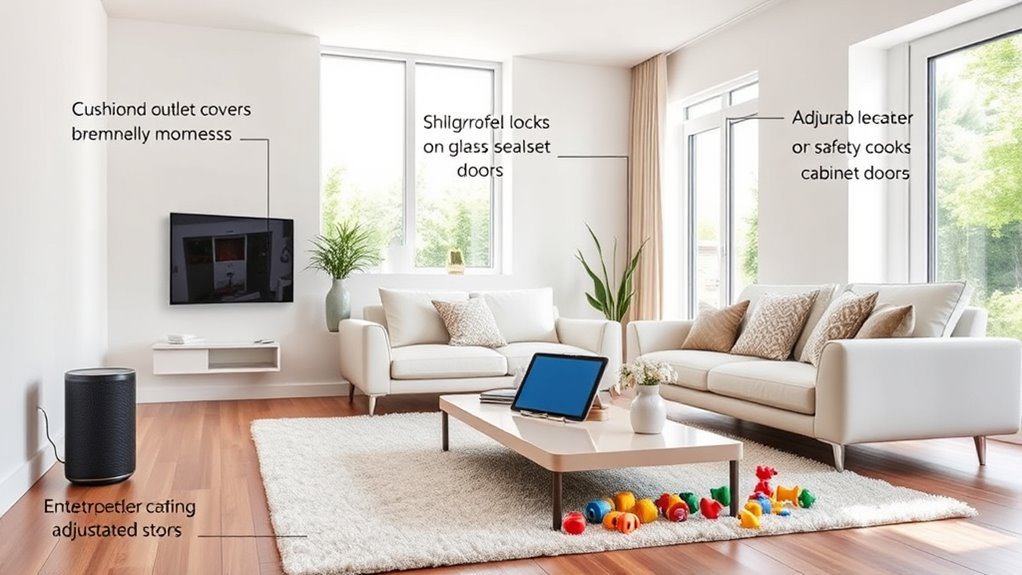

To childproof your smart home, start by securing all devices—change default passwords, update firmware, and limit access to trusted users. Mount cameras and speakers out of kids’ reach, and hide cords or use outlet covers for safety. Teach your children that these devices are for adults, establishing clear rules about their use. Regular maintenance and staying informed about security tips will keep your home safe. Keep exploring further to learn how to keep your smart home truly kid-friendly.

Get home appliances delivered free with Prime
- Fast, free delivery on millions of items
- Prime Video, Amazon Music and more included
- Member-only deals all year
Key Takeaways
- Secure all devices with strong, unique passwords and update firmware regularly to prevent unauthorized access.
- Mount devices out of children’s reach and use childproof covers to prevent tampering or injury.
- Establish clear rules teaching children not to touch or interfere with smart devices.
- Disable or restrict sensitive features to prevent accidental or unsafe interactions by kids.
- Regularly review and maintain device settings, staying informed on updates and security best practices.

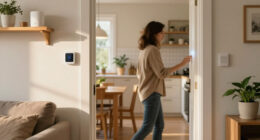
Smart homes offer convenience and advanced features, but they also pose unique safety challenges for families with children. As you integrate smart devices into your living space, it’s essential to recognize that their sophistication can sometimes create hazards if not properly managed. Children are naturally curious and eager to explore, which means you need to be proactive in childproofing your high-tech environment. The key is understanding that smart devices, while designed to make life easier, can also present risks if left unsecured or improperly configured.
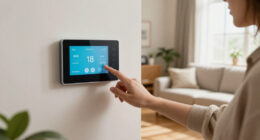
Start by reviewing all your smart devices, including cameras, locks, thermostats, and voice assistants. Ensure that security settings are robust and that access is limited to trusted users. For example, change default passwords immediately and opt for strong, unique combinations. This prevents children from accidentally accessing sensitive controls or settings. Additionally, disable any features that might allow children to manipulate devices in ways that could cause harm or disrupt your home’s security, like unlocking doors or disabling alarms.
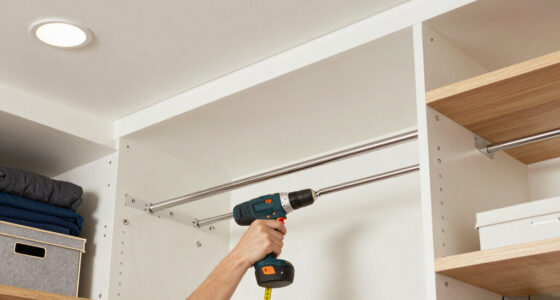
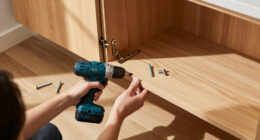
Another critical step is to physically secure smart devices and their wiring. Many devices have cords or small parts that could pose choking hazards or cause electrical accidents. Use cord organizers or outlets with childproof covers to prevent accidental unplugging or tampering. Mount devices securely out of reach, such as cameras and smart speakers, ensuring children cannot pull them down or access internal components. For devices with screens, like smart displays, consider placing them higher on walls or shelves that children cannot reach, reducing the risk of damage or injury.
You should also educate your children about the smart technology in your home. Teach them that these devices are tools meant for grown-ups and that they shouldn’t be played with or tampered with. Reinforce rules about not touching or adjusting smart gadgets, especially those connected to security systems or energy controls. Age-appropriate explanations can foster respect for the technology and reduce accidental misuse.
Finally, stay updated on any firmware or software updates for your smart devices. Manufacturers often release patches that fix vulnerabilities or improve safety features. Regularly check for updates and install them promptly. This ongoing maintenance helps prevent security breaches that could compromise your home’s safety or allow unauthorized access to devices your children might inadvertently trigger. Being aware of device security best practices is essential for maintaining a safe environment in a smart home.
childproof smart home device covers
As an affiliate, we earn on qualifying purchases.
As an affiliate, we earn on qualifying purchases.
Frequently Asked Questions
How Can I Disable Voice Controls During Child Play?
To disable voice controls during child play, you can usually turn them off through the device’s app or settings. Open your smart home app, find the voice control or assistant settings, and toggle the feature off or set a kid-friendly mode. You might also consider setting up voice profiles or parental controls to restrict access during certain times, ensuring your kids can’t activate voice commands when you don’t want them to.
Are Smart Home Devices Safe for Toddlers to Touch?
Think of smart home devices as playful puppies—you want to keep them safe and under control. Generally, they’re safe for toddlers to touch, but it’s best to set parental controls and secure cords. Never leave devices within reach of tiny hands, and disable voice controls if needed to prevent accidental commands. Regularly review settings and verify your devices are updated to keep your little one safe while exploring.
Can I Set Parental Controls for All Smart Devices Simultaneously?
Yes, you can set parental controls for all your smart devices at once by using a unified app or platform that supports multiple devices, like a smart home hub or a device management system. These tools allow you to customize settings, block certain features, and set usage limits across your entire network. Make sure to regularly update the controls and review them to guarantee your kids stay safe while enjoying the tech.
What Are the Best Childproofing Apps for Smart Homes?
You should consider apps like OurPact, Norton Family, or Kaspersky Safe Kids, which are top choices for childproofing smart homes. Did you know that over 70% of parents worry about their kids’ online safety? These apps let you set screen time limits, filter content, and monitor activity across multiple devices. They give you peace of mind while ensuring your children stay safe and responsible in your high-tech home.
How Do I Monitor Smart Device Activity Remotely?
You can monitor your smart device activity remotely through the apps provided by your device manufacturers or smart home platforms like Google Home, Apple HomeKit, or Amazon Alexa. Simply open the app on your phone, log in to your account, and access the device dashboard. From there, you can view real-time activity, adjust settings, and receive alerts, ensuring you stay informed about your home’s device usage anytime, anywhere.
smart home security camera mount for kids
As an affiliate, we earn on qualifying purchases.
As an affiliate, we earn on qualifying purchases.
Conclusion
By childproofing your smart home, you turn it into a fortress of safety where your little one can explore without constant worry. With just a few simple steps, you can transform high-tech chaos into a secure sanctuary—faster than you can say “super-parent”! Remember, your proactive efforts create a safer environment, giving you peace of mind and your child the freedom to grow and discover. Keep vigilant, stay tech-savvy, and watch your home become an impenetrable haven for your family.
As an affiliate, we earn on qualifying purchases.
As an affiliate, we earn on qualifying purchases.
Halloween Picks
halloween
As an affiliate, we earn on qualifying purchases.