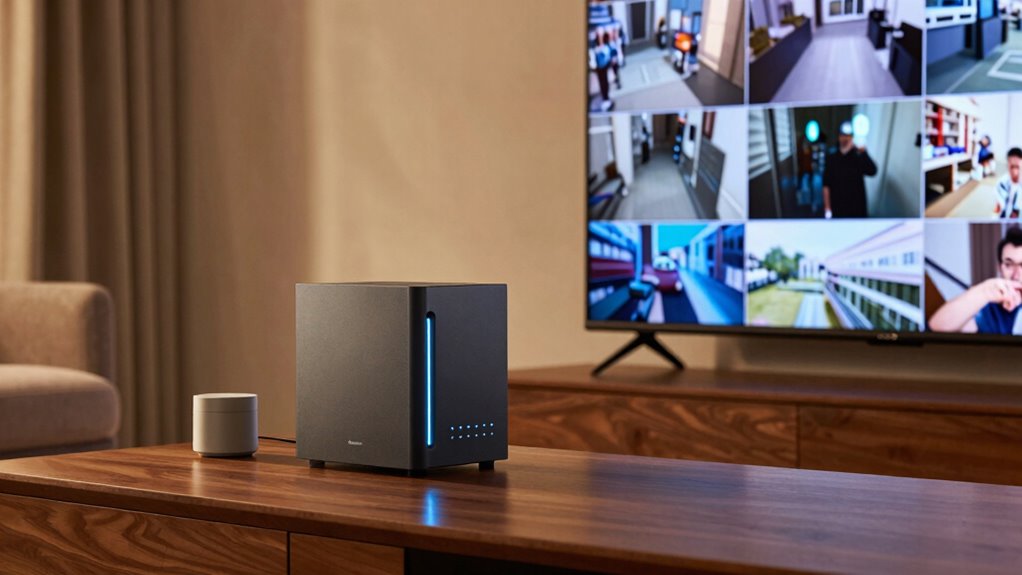

A NAS changes how you store your home security footage by offering centralized, expandable storage that grows with your needs. You can easily access your footage remotely and enjoy automatic backups to the cloud for added security. Built-in encryption and RAID protect your data from cyber threats and hardware failures. Plus, user-friendly management makes it simple to keep your system secure and organized. Keep exploring to discover how these features can enhance your home security further.

Get home appliances delivered free — and shop member deals
- Fast, free delivery on millions of items
- Access to Prime Big Deal Days deals on October 6–7
- Prime Video, Amazon Music and more included
Key Takeaways
- Centralizes storage, eliminating the need for multiple devices and manual footage management.
- Enables scalable capacity to grow with the home’s security needs.
- Integrates cloud backup for added data security and remote access.
- Offers remote viewing and instant retrieval of security footage from anywhere.
- Provides enhanced security features like encryption and RAID to protect sensitive data.
Network-attached storage (NAS) devices have become an essential tool for managing and securing home security footage. They offer a centralized solution that simplifies how you store, access, and protect your video recordings. Unlike traditional security cameras that rely solely on local storage, a NAS provides a flexible and scalable platform that adapts to your needs. With built-in cloud integration, you can seamlessly connect your NAS to cloud services, creating a hybrid storage environment. This setup allows you to back up critical footage to the cloud automatically, reducing the risk of data loss if your local storage is compromised or damaged. Cloud integration also enables you to access footage from anywhere, making remote access a key advantage of using a NAS for home security.
NAS devices provide scalable, secure storage with seamless cloud integration for remote access and automatic backups.
When you use a NAS, you no longer need to worry about limited storage space or constantly deleting old videos to free up room. Instead, you can expand your storage capacity easily by adding more drives or upgrading existing ones. This flexibility ensures that your security footage is stored securely over the long term, without sacrificing quality or resolution. Plus, with remote access capabilities, you can view live feeds or review recorded footage from anywhere—whether you’re at work, on vacation, or just away from home. This instant access not only provides peace of mind but also helps you respond swiftly to any suspicious activity.
The combination of cloud integration and remote access truly transforms how you manage your home security footage. You’re no longer tied to a single device or location; instead, you have a reliable, always-on connection to your recordings. If an intruder tampers with your cameras or local storage, your footage remains safe in the cloud, accessible from a different device. This added layer of security means you can verify incidents or share footage with authorities with just a few clicks. Additionally, many NAS devices come with user-friendly apps and interfaces that make managing your security system straightforward, even if you’re not tech-savvy. Furthermore, NAS devices often include features like RAID configurations and encryption, which enhance data security and integrity. Employing scalable storage platforms can also help ensure that your system remains effective as your security needs grow over time.
Moreover, understanding the importance of data security can help you better protect sensitive footage from cyber threats and unauthorized access, which is crucial for maintaining privacy and security. Incorporating regular backups into your security plan can further safeguard your footage against unexpected data loss or ransomware attacks.
In essence, a NAS enhances your home security system by offering scalable storage, seamless cloud integration, and remote access. You gain confidence knowing you can store more footage securely and retrieve it whenever needed, regardless of your location. This smart approach to footage management not only improves security but also provides convenience and peace of mind, making your home safer and your life easier.
As an affiliate, we earn on qualifying purchases.
Frequently Asked Questions
How Much Storage Capacity Do NAS Devices Typically Offer?
You’ll find NAS devices typically offer between 2TB to 144TB of storage capacity, depending on the model and number of drives you install. With data redundancy options like RAID, you can protect your footage against drive failures. Proper network configuration guarantees smooth access and streaming. So, you can store extensive security footage while keeping it safe, accessible, and protected through effective data redundancy and a well-optimized network setup.
Can NAS Systems Be Accessed Remotely?
Yes, NAS systems can be accessed remotely. You simply enable remote access features and set up user authentication to keep your footage secure. With this setup, you can view your security footage from anywhere using your smartphone, tablet, or computer. Just make certain your NAS has a stable internet connection, and you configure user authentication properly to prevent unauthorized access, keeping your security footage safe while giving you flexibility.
What Are the Security Features of NAS for Stored Footage?
Your NAS offers robust security features for stored footage. It uses encryption protocols like AES to protect data from unauthorized access. You can control user access with permissions, ensuring only trusted individuals view sensitive footage. Additionally, many NAS devices support two-factor authentication, enhancing security further. Regular firmware updates also help patch vulnerabilities, keeping your security footage safe from cyber threats.
How Does a NAS Compare to Cloud Storage for Security Footage?
Coincidences happen, and with a NAS, you get more control over security footage than with cloud storage. You can enable remote access securely through data encryption, safeguarding your footage from prying eyes. Unlike cloud options, a NAS keeps data locally, reducing risks of hacking or data breaches. This setup offers peace of mind, knowing your security footage stays protected and accessible only to you, on your terms.
Is Technical Knowledge Required to Set up a NAS for Home Security?
You don’t need extensive technical knowledge to set up a NAS for home security, but understanding network configuration helps. You’ll need to verify your hardware is compatible, like matching your cameras and router with the NAS device. Basic steps involve connecting the NAS to your network, configuring storage settings, and guaranteeing security protocols are in place. With some patience, most homeowners can handle the setup themselves or follow clear guides.
network attached storage for security cameras
As an affiliate, we earn on qualifying purchases.
As an affiliate, we earn on qualifying purchases.
Conclusion
A NAS transforms how you store security footage, offering a reliable, centralized solution that’s easy to access and upgrade. Imagine installing a NAS in your home, saving footage from multiple cameras effortlessly. For example, a family in Texas kept their footage on a NAS, making it simple to review incidents without worrying about cloud storage limits or bandwidth issues. With a NAS, you gain peace of mind, knowing your security footage is safe, organized, and always within reach.
As an affiliate, we earn on qualifying purchases.
As an affiliate, we earn on qualifying purchases.
Fall Picks
fall essentials
As an affiliate, we earn on qualifying purchases.