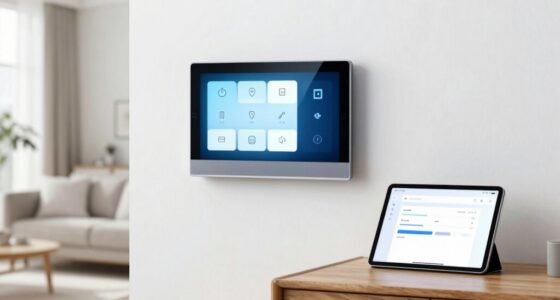
Organizing your cables makes your smart home feel less chaotic by keeping devices neatly arranged and easy to access. It prevents tangled wires and accidental disconnections, which can disrupt routines. Using cables guides, labels, and concealment methods helps minimize clutter, making maintenance and upgrades simpler. This creates a neat, efficient space that promotes better device performance and stability. Keep exploring to discover more tips that can further transform your smart home into a peaceful, organized haven.

Get home appliances delivered free — and shop member deals
- Fast, free delivery on millions of items
- Access to Prime Big Deal Days deals on October 6–7
- Prime Video, Amazon Music and more included
Key Takeaways
- Keeps devices neatly arranged, reducing visual clutter and creating a more organized, calming environment.
- Facilitates quick access and troubleshooting, minimizing frustration and disruptions.
- Prevents tangled wires, making the space look cleaner and more streamlined.
- Protects cables and devices from damage, ensuring reliable smart home operation.
- Enhances aesthetic appeal, contributing to a modern, tidy home atmosphere.
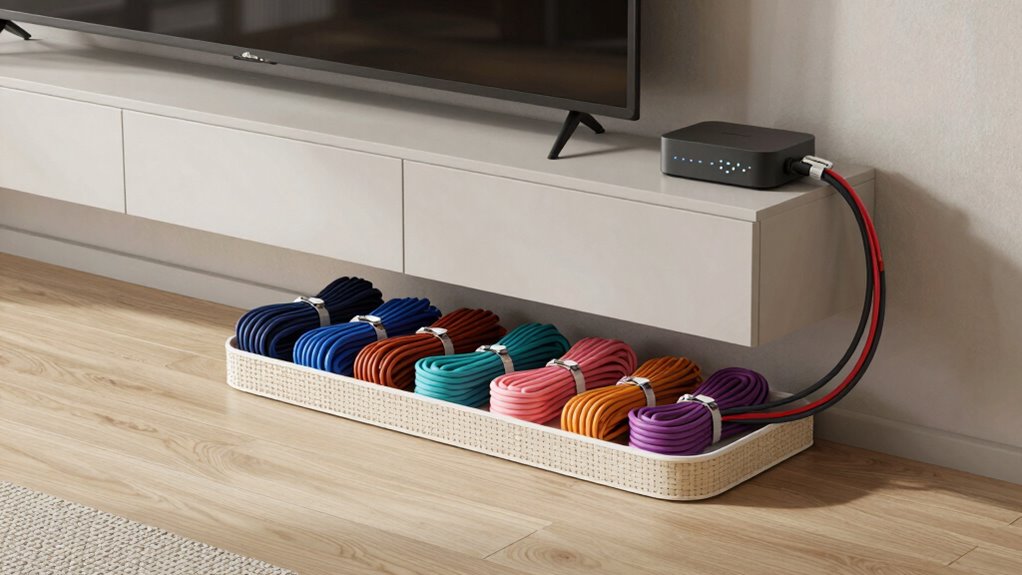
Ever wonder how to keep your smart home clutter-free and functioning smoothly? The key lies in good cable organization. When your devices are scattered and wires are tangled, your home can quickly feel chaotic. Effective wire management isn’t just about aesthetics; it directly impacts how efficiently your smart home operates. When you keep cables neatly organized, you reduce device clutter, making it easier to find what you need and preventing accidental unplugging or damage.
Keeping cables organized boosts smart home efficiency and reduces clutter for a cleaner, more manageable space.
First, think about how you handle your cables. Disorganized wires can turn into a tangled mess, which not only looks unsightly but also makes troubleshooting more difficult. Proper wire management helps you identify cables quickly, saving time and frustration. Use cable clips, sleeves, or ties to bundle cords together and route them along walls or furniture. This approach minimizes clutter and creates a clean, streamlined appearance. When each wire has a designated place, you avoid the mess that often accumulates when cords are left loose and haphazardly draped around your space. Additionally, cable organization can help extend the lifespan of your devices by reducing strain on ports and connections. A well-organized setup can also improve your overall home network stability by preventing signal interference caused by tangled wires. Incorporating cable management techniques can further enhance your setup’s durability and organization.
Another benefit of good cable organization is the reduction of device clutter. When cables are messy, it can be hard to see what’s connected to what, leading to confusion and difficulty in managing your smart home system. By labeling cables or color-coding them, you gain clarity about which device each wire belongs to, making maintenance or upgrades more straightforward. Keeping cables organized also prevents accidental disconnections, which can disrupt your smart home routines and cause unnecessary frustration.
Investing in cable management accessories can make a big difference. Cable raceways or conduits hide wires along walls, giving your home a sleek look. Under-desk cable trays keep cords off the floor, reducing tripping hazards and making cleaning easier. Wireless chargers and Bluetooth devices can also cut down on cable clutter, giving you a cleaner, more open environment. When you implement these simple solutions, your smart home will not only look better but operate more reliably.
Ultimately, cable organization transforms your chaotic space into a tidy, efficient environment. It’s about taking control of your devices and wires instead of letting them control your space. When you keep cables managed and minimize device clutter, your smart home becomes easier to use, maintain, and enjoy. You’ll notice fewer frustrations, quicker troubleshooting, and a more harmonious living space. Smart homes are meant to simplify your life—effective cable organization ensures they do just that, making your home feel less chaotic and more in control. Proper cable management is essential for maintaining an organized and efficient smart home environment.
cable management clips for smart home
As an affiliate, we earn on qualifying purchases.
As an affiliate, we earn on qualifying purchases.
Frequently Asked Questions
How Often Should I Update My Cable Organization System?
You should update your cable organization system every 6 to 12 months. Regularly check your cable labeling to guarantee labels remain clear and accurate, especially after adding or removing devices. Also, update cord concealment methods to prevent tangles and maintain a tidy look. Staying consistent with these updates keeps your smart home neat, making it easier to troubleshoot and enjoy a clutter-free living space.
What Materials Are Best for Long-Term Cable Management?
Think of your cables as a well-orchestrated symphony—using durable cable sleeves, zip ties, and cable labeling keeps everyone in harmony. For long-term management, opt for flexible, heat-resistant materials like silicone or fabric sleeves, and sturdy plastic or metal cable clips for routing. These materials prevent wear, maintain neatness, and make future adjustments easier, ensuring your smart home remains a calm, organized sanctuary.
Can Cable Organization Improve Wi-Fi Performance?
Yes, cable organization can improve your Wi-Fi performance. When you neatly arrange cables, you reduce clutter that may cause wireless interference, which can weaken your signal strength. Properly organized cables prevent physical obstructions and electromagnetic interference, helping your Wi-Fi router operate more efficiently. As a result, you’ll experience a stronger, more stable connection, making streaming, gaming, and browsing smoother and more reliable in your smart home.
Is Professional Help Necessary for Complex Cable Setups?
You don’t necessarily need professional help for complex cable setups, especially if you’re comfortable with DIY installation. However, consider cost considerations—professional assistance can be more expensive but guarantees a neat, reliable setup. If your setup involves intricate wiring or multiple devices, hiring a pro can save time and prevent errors. Ultimately, assess your skills and the complexity of your system to decide if professional help is worth it.
How Do I Prevent Cables From Tangling Again?
Did you know that tangled cables can increase setup time by up to 30%? To prevent future tangling, use wire labeling to identify each cable easily, and incorporate cable concealment methods like clips or sleeves. Regularly check and reorganize your cables to keep them tidy. This simple approach minimizes tangles, maintains order, and guarantees your smart home stays neat and efficient over time.
As an affiliate, we earn on qualifying purchases.
Conclusion
By keeping your cables organized, you create a calmer, more efficient smart home environment. It’s easy to believe that clutter has little impact on technology performance, but research suggests neat cables reduce interference and improve device longevity. When you invest a little time into organization, you’re not just tidying up—you’re optimizing your smart home’s functionality. So, embracing cable management isn’t just about aesthetics; it’s a smart move that enhances your overall experience and peace of mind.
wire labeling kit for electronics
As an affiliate, we earn on qualifying purchases.
As an affiliate, we earn on qualifying purchases.
As an affiliate, we earn on qualifying purchases.
NFL season / tailgating Picks
team gear
As an affiliate, we earn on qualifying purchases.