
For connected home control, I rank the Lutron Caseta Smart Light Switch as the best overall pick for buyers who want a dependable, flexible control setup, while the Kasa HS200 stands out as a straightforward Wi-Fi choice and the Tapo S505 Matter offers a path across compatible smart-home platforms. The main tradeoffs are wiring compatibility, support for dimming or multiway circuits, and whether you want direct Wi-Fi control or a system that uses a hub. A low-cost single-pole switch may be all a room needs, but it will not solve a three-way wiring problem or control a dimmable fixture by itself. I compare all 15 options by fit, compatibility, and practical use so you can find the right match; continue reading for the full breakdown.

Get home appliances delivered free with Prime
- Fast, free delivery on millions of items
- Prime Video, Amazon Music and more included
- Member-only deals all year
Complete the kit


Key Takeaways
Lutron Caseta leads for flexible connected control, while several Kasa and Tapo models are simpler Wi-Fi picks for buyers prioritizing familiar app-based control.
Neutral-wire requirements split the lineup: many Kasa, Tapo, and other single-pole options require a neutral, so check the wall box before choosing by features alone.
Matter support makes the Tapo S505 and S515 stand out for households that want broader platform flexibility, but compatibility still depends on the smart-home controller and setup.
Multiway circuits need purpose-built solutions. The Tapo S515 and Kasa 3-Way kit address wiring situations that an ordinary single-pole switch does not.
Multipacks suit repeat installations, not every room. The Kasa dimmer three-pack, Tapo four-pack, and TREATLIFE four-pack can simplify a whole-home project, but only where their switch type and capabilities match the fixtures.
| GHome Smart Light Switch, Single Pole Works with Alexa & Google Home | 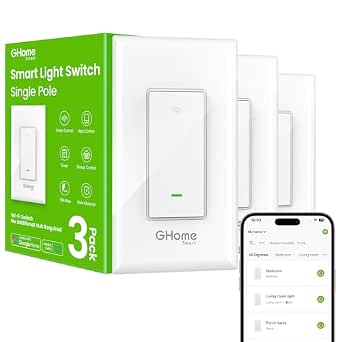 | Best for Straightforward Voice Control | Circuit type: 1-way, single-pole | Operating voltage: 120 V | Maximum wattage: 1800 W | VIEW ON AMAZON | See Our Full Breakdown |
| Kasa Smart Switch 2-Gang (HS200-2) – Single Pole, Neutral Wire Required |  | Best for Controlling Two Circuits | Model: HS200-2 | Switch configuration: 2-gang, single-pole | Voltage: 120 V | VIEW ON AMAZON | See Our Full Breakdown |
| Kasa Smart Dimmer Switch HS220P3, Single-Pole, Neutral Wire Required, 3-Pack |  | Best Multi-Room Dimmer Pack | Model: HS220P3 | Pack size: 3 switches | Switch type: Single-pole dimmer | VIEW ON AMAZON | See Our Full Breakdown |
| TP-Link Tapo S500 Smart Light Switch, Single Pole, Neutral Wire Required, 4-Pack | 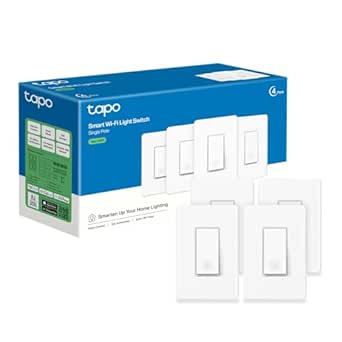 | Best for Outfitting Several Rooms | Model: S500 | Pack size: 4 switches | Switch type: Single-pole, one-way | VIEW ON AMAZON | See Our Full Breakdown |
| Kasa Apple HomeKit Smart Light Switch KS200 – Single Pole, Neutral Wire Required |  | Best for Apple HomeKit Homes | Model: KS200 | Pole configuration: Single-pole | Input voltage: 100–120 VAC, 50/60 Hz | VIEW ON AMAZON | See Our Full Breakdown |
| Lutron Caseta Smart Light Switch for Lighting and Fans |  | Best for Multi-Location Control | Operation: On/off | Operating voltage: 120 V | Maximum wattage: 720 W | VIEW ON AMAZON | See Our Full Breakdown |
| Kasa Smart Light Switch (HS200) – Single Pole, Requires Neutral Wire | 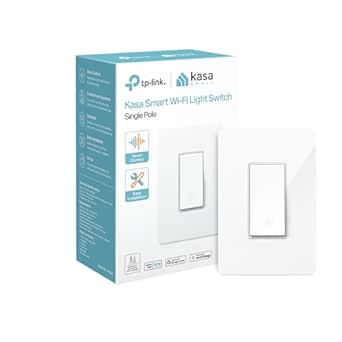 | Best for App-Based Scheduling | Mounting and circuit: Wall mount; single pole | Operating voltage: 120 V | Maximum wattage: 600 W | VIEW ON AMAZON | See Our Full Breakdown |
| Amazon Basics Single-Pole Smart Light Switch, Alexa Compatible, White |  | Best for Alexa-Only Homes | Switch type: Single pole | Circuit type: 1-way | Operating voltage: 120 V | VIEW ON AMAZON | See Our Full Breakdown |
| Kasa Smart Wi-Fi Light Switch, Single Pole, Requires Neutral Wire, HS200-BL |  | Best Black-Finish Pick | Model: HS200-BL | Switch type: Single pole, one-way | Operating voltage: 120 V | VIEW ON AMAZON | See Our Full Breakdown |
| TREATLIFE Single-Pole Smart Light Switch | 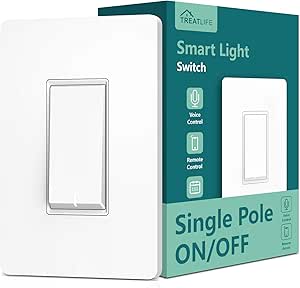 | Best for a Finished Wall-Plate Look | Operating voltage: 120 V | Circuit type: Single-pole, 1-way | Switch function: On/off; no dimming | VIEW ON AMAZON | See Our Full Breakdown |
| Tapo S515 Matter-Compatible Smart Light Switch, Single-Pole/3-Way/4-Way |  | Best for Complex Multi-Location Wiring | Circuit types: Single-pole, 3-way, 4-way | Connectivity: Matter, Wi-Fi | Wi-Fi requirement: 2.4 GHz | VIEW ON AMAZON | See Our Full Breakdown |
| Kasa Smart 3-Way Switch Kit, 2-Pack, Requires Neutral Wire |  | Best 3-Way Switch Kit | Model: HS210 | Pack size: 2 switches | Wiring requirement: Neutral wire required | VIEW ON AMAZON | See Our Full Breakdown |
| Leviton Decora Smart Wi-Fi Switch, D315S-1RW, White |  | Best for Broad Platform and Load Compatibility | Model: D315S-1RW | Connectivity: 2.4 GHz Wi-Fi | Smart home compatibility: Matter, My Leviton, Alexa, Google Assistant, Apple Home, SmartThings, Home Assistant | VIEW ON AMAZON | See Our Full Breakdown |
| TREATLIFE Smart Light Switch, Single Pole, 4-Pack |  | Best for Equipping Several Single-Pole Rooms | Pack size: 4 switches | Switch type: On/off, single-pole | Connectivity: 2.4 GHz Wi-Fi | VIEW ON AMAZON | See Our Full Breakdown |
| TP-Link Tapo S505 Matter Smart Light Switch, 2-Pack | 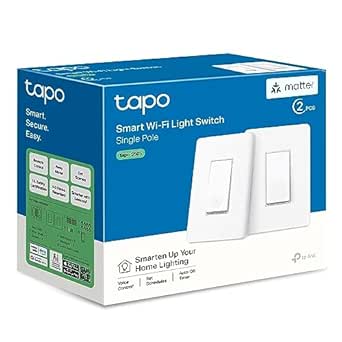 | Best Two-Pack for Matter and Local Control | Model: Tapo S505 | Pack: 2 switches | Switch type: Single-pole, one-way | VIEW ON AMAZON | See Our Full Breakdown |
| smart light switches for connected home control | Connectivity | Operating voltage | Maximum wattage | Wiring requirement |
|---|---|---|---|---|
| GHome Smart Light Switch | 2.4 GHz Wi-Fi | 120 V | 1800 W | Neutral wire required |
| Kasa Smart Switch 2-Gang | 2.4 GHz Wi-Fi | — | 1800 W | Neutral wire required |
| Kasa Smart Dimmer Switch HS220 | 2.4 GHz Wi-Fi | 120 V AC | 150 W | Neutral wire required |
| TP-Link Tapo S500 Smart Light | 2.4 GHz Wi-Fi | — | 600 W | — |
| Kasa Apple HomeKit Smart Light | 2.4 GHz Wi-Fi | — | 600 W | Neutral wire required |
| Lutron Caseta Smart Light Swit | — | 120 V | 720 W | — |
| Kasa Smart Light Switch | 2.4 GHz Wi-Fi | 120 V | 600 W | — |
| Amazon Basics Single-Pole Smar | 2.4 GHz Wi-Fi | 120 V | — | — |
| Kasa Smart Wi-Fi Light Switch | 2.4 GHz Wi-Fi | 120 V | 600 W | — |
| TREATLIFE Single-Pole Smart Li | 2.4 GHz Wi-Fi | 120 V | — | — |
| Tapo S515 Matter-Compatible Sm | Matter, Wi-Fi | 120 V | — | Neutral wire |
| Kasa Smart 3-Way Switch Kit | — | 120 V | — | Neutral wire required |
| Leviton Decora Smart Wi-Fi Swi | 2.4 GHz Wi-Fi | — | — | Neutral wire required |
| TREATLIFE Smart Light Switch | 2.4 GHz Wi-Fi | 120 V | 1250 W | Neutral wire required |
| TP-Link Tapo S505 Matter Smart | Matter, Wi-Fi | — | — | — |
More Details on Our Top Picks
GHome Smart Light Switch, Single Pole Works with Alexa & Google Home
The GHome is a practical fit for someone who wants basic app and voice control without adding a hub or changing bulbs. It works with Alexa and Google Assistant, and its app can handle remote on/off control and schedules. App-guided installation may help DIYers, though the required neutral wire still rules it out in some older homes. Compared with the Kasa KS200, GHome does not list Apple HomeKit support; its appeal is a simpler Alexa-and-Google setup. The 2.4 GHz-only Wi-Fi requirement is common across several picks here, but it can be a snag if a home network is configured for 5 GHz only. Its single-pole limit also makes it a poor match for lights controlled from multiple locations.
Pros:- Works with Alexa and Google Assistant for voice control
- App supports remote operation and scheduling
- No separate hub required
- UL and FCC certified, with overload protection
Cons:- Neutral wire is required
- Supports only 2.4 GHz Wi-Fi
- Limited to single-pole applications
Best for: Alexa or Google households seeking a hub-free, single-pole switch with app-based scheduling and guided DIY setup
Not ideal for: Apple HomeKit users, homes without neutral wiring, or buyers replacing a switch in a multi-location circuit
- Circuit type:1-way, single-pole
- Operating voltage:120 V
- Maximum wattage:1800 W
- Connectivity:2.4 GHz Wi-Fi
- Control methods:App, push button, voice
- Voice compatibility:Amazon Echo, Google Home
- Wiring requirement:Neutral wire required
- Certifications:UL and FCC
Our verdict“Choose the GHome for simple Alexa or Google control of a single-pole circuit, but pick the Kasa KS200 if Apple HomeKit support matters.”
Kasa Smart Switch 2-Gang (HS200-2) – Single Pole, Neutral Wire Required
When two separate lighting circuits need smart control at one wall location, the Kasa HS200-2 offers a more consolidated setup than installing two individual switches. Its app-guided setup, Alexa and Google Assistant support, and SmartThings compatibility make it one of the more flexible platform choices in this group. Away Mode can vary lighting while the household is out, adding a practical security use beyond routine schedules. The tradeoff is that this is still a single-pole, neutral-wire-required installation, not a solution for lights controlled from multiple switch locations. Unlike the dimming-focused Kasa HS220P3, the HS200-2 is about operating two circuits, not adjusting brightness. Buyers should also check that their wall box and wiring suit a two-gang device before choosing it.
Pros:- Controls two separate circuits from one two-gang switch
- Compatible with Alexa, Google Assistant, and SmartThings
- Away Mode and scheduling support
- App-guided installation and UL-certified materials
Cons:- Requires a neutral wire and 2.4 GHz Wi-Fi
- Does not offer the brightness adjustment of the Kasa HS220P3
- Two-gang installation may not suit every existing wall box
Best for: Homeowners who want app and voice control for two separate single-pole circuits from one wall location
Not ideal for: Households needing dimming, multi-location control, or an installation where neutral wiring is unavailable
- Model:HS200-2
- Switch configuration:2-gang, single-pole
- Voltage:120 V
- Maximum wattage:1800 W
- Connectivity:2.4 GHz Wi-Fi
- Compatibility:Amazon Alexa, Google Assistant, Samsung SmartThings
- Wiring requirement:Neutral wire required
- Certification:UL certified
Our verdict“Pick the HS200-2 when two circuits and broad smart-home assistant support matter more than dimming or a compact single-switch installation.”
Kasa Smart Dimmer Switch HS220P3, Single-Pole, Neutral Wire Required, 3-Pack
The HS220P3 stands apart from the on/off switches in this batch by giving you brightness control from 0% to 100% at the wall, in the Kasa app, or through Alexa and Google Assistant. The three-switch pack is suited to bringing dimming into several rooms at once, while hub-free Wi-Fi setup keeps the system relatively simple. Compared with the Tapo S500 4-pack, this Kasa set supplies fewer switches but adds dimming; the Tapo is the better fit when straightforward on/off control across more circuits is the priority. The main constraints are familiar: installation requires a neutral wire, and the switches use 2.4 GHz Wi-Fi. Its listed 150 W maximum also means buyers should check the intended lighting load rather than assume it matches the higher-wattage on/off options.
Pros:- Adjustable brightness from 0% to 100%
- Three switches cover multiple rooms
- App control, scheduling, and remote access
- Works with Alexa and Google Assistant without a separate hub
Cons:- Neutral wire is required
- Limited to 2.4 GHz Wi-Fi
- Listed maximum wattage is 150 W
Best for: Households upgrading several single-pole rooms where adjustable brightness is more useful than simply adding more on/off switches
Not ideal for: Buyers who need multi-location control, lack neutral wiring, or need a switch rated above the listed 150 W maximum
- Model:HS220P3
- Pack size:3 switches
- Switch type:Single-pole dimmer
- Dimming range:0% to 100%
- Maximum wattage:150 W
- Operating voltage:120 V AC
- Connectivity:2.4 GHz Wi-Fi
- Voice compatibility:Amazon Alexa, Google Assistant
- Wiring requirement:Neutral wire required
Our verdict“Choose the HS220P3 for dimmable lighting in several single-pole rooms; opt for the Tapo S500 pack if you want more basic on/off switches instead.”
TP-Link Tapo S500 Smart Light Switch, Single Pole, Neutral Wire Required, 4-Pack
The Tapo S500 4-pack is aimed at buyers who want consistent app and voice control across several single-pole circuits in one project. It supports remote operation, schedules, timers, and Away Mode, with Alexa and Google Assistant available for hands-free control. Four included wall plates and installation hardware make the pack particularly useful when multiple rooms are being updated together. Compared with the Kasa HS220P3, the S500 prioritizes switch quantity and standard on/off control rather than dimming; it also lists a 600 W maximum, so it should not be treated as a universal replacement for higher-load switches. The installation still depends on a neutral wire and 2.4 GHz Wi-Fi, and the single-pole design does not cover multi-location switching. For a multi-room retrofit, its main appeal is getting one app-based approach across several locations.
Pros:- Four switches and wall plates support a multi-room installation
- Offers scheduling, timers, remote control, and Away Mode
- Works with Alexa and Google Assistant
- UL certified and includes a two-year warranty
Cons:- Requires neutral wiring and 2.4 GHz Wi-Fi
- Single-pole only, so it does not suit multi-location circuits
- 600 W maximum may not fit every intended load
Best for: Homeowners updating several neutral-wired, single-pole rooms who want schedules and voice control from one app
Not ideal for: Buyers needing dimming, multi-way circuit support, or a switch for loads above the listed 600 W maximum
- Model:S500
- Pack size:4 switches
- Switch type:Single-pole, one-way
- Input voltage:100–120 VAC, 50/60 Hz
- Maximum wattage:600 W
- Connectivity:2.4 GHz Wi-Fi
- Voice compatibility:Amazon Alexa, Google Assistant
- Included components:4 switches, 4 wall plates, 16 wire nuts, 8 screws, quick start guide
- Certification and warranty:UL certified; 2-year warranty
Our verdict“The S500 is a sensible multi-room on/off pack for neutral-wired homes, while the Kasa HS220P3 is the better match when dimming is needed.”
Kasa Apple HomeKit Smart Light Switch KS200 – Single Pole, Neutral Wire Required
Among these five picks, the KS200 is the clearest choice for a household built around Apple HomeKit: it combines HomeKit support with Alexa and Google Assistant, without requiring a separate hub. The Kasa app adds remote control, schedules, timers, and Away Mode, so it can serve mixed-device households as well as Apple-first homes. Compared with the GHome Smart Light Switch, the KS200 offers Apple’s platform alongside Alexa and Google, while both rely on 2.4 GHz Wi-Fi and neutral wiring. Its 600 W maximum and single-pole configuration make it a more specific fit than the Kasa HS200-2, which controls two circuits from one two-gang location. Installation may be challenging for buyers unfamiliar with electrical wiring, and this model will not solve a multi-location switching setup.
Pros:- Supports Apple HomeKit, Alexa, and Google Assistant
- Remote control, scheduling, timers, and Away Mode through the Kasa app
- Connects over Wi-Fi without a separate hub
- UL certified
Cons:- Requires a neutral wire
- Supports only 2.4 GHz Wi-Fi
- Single-pole design and 600 W maximum limit suitable applications
Best for: Apple HomeKit households seeking a hub-free wall switch that also works with Alexa or Google Assistant
Not ideal for: Homes without neutral wiring, buyers needing multi-way switching, or anyone whose lighting load exceeds 600 W
- Model:KS200
- Pole configuration:Single-pole
- Input voltage:100–120 VAC, 50/60 Hz
- Maximum wattage:600 W
- Connectivity:2.4 GHz Wi-Fi
- Compatible assistants:Apple HomeKit, Amazon Alexa, Google Assistant
- Wiring requirement:Neutral wire required
- Certification:UL certified
- Dimensions:5.06 x 3.33 x 1.41 inches
Our verdict“Choose the KS200 for hub-free HomeKit control on a neutral-wired, single-pole circuit; the GHome is a simpler alternative if you only need Alexa or Google.”
Lutron Caseta Smart Light Switch for Lighting and Fans
The Caseta is the strongest fit here for households that want to add control at more than one point without running new wiring. Its Pico remote compatibility can create convenient extra control locations, while support for lights and ceiling fans gives it broader load flexibility than the on/off-only TREATLIFE Single-Pole Smart Light Switch. It also works with Alexa, Google Assistant, and Apple HomeKit, making it the most platform-flexible pick in this batch. The tradeoff is setup: remote app and voice features require a separate Lutron Smart Hub, and installation requires a neutral wire. That makes it less direct than the hub-free Kasa HS200, and it may not suit older wiring. Choose it for flexible room control, not for the simplest Wi-Fi-only setup.
Pros:- Works with Alexa, Google Assistant, and Apple HomeKit
- Supports compatible lighting loads up to 720 W and ceiling fans up to 6 A
- Pico remotes add multi-location control without new wiring
- Supports several bulb types, including LED, CFL, incandescent, and halogen
Cons:- A separate Lutron Smart Hub is required for app and voice control
- Requires a neutral wire, limiting retrofit options
- Coordinating wall plate is not included
Best for: Homeowners who want lighting or fan control from multiple locations and use a neutral-wired circuit.
Not ideal for: Renters or owners of older homes without neutral wiring, and buyers who want to avoid purchasing a separate hub.
- Operation:On/off
- Operating voltage:120 V
- Maximum wattage:720 W
- Fan load:Up to 6 A
- Wiring:Hardwired; neutral wire required
- Circuit type:3-way
- Compatible platforms:Alexa, Apple HomeKit, Google Assistant, Ring, Serena shades, Sonos
- Mounting:Wall mount
Our verdict“Choose the Caseta if you want broad voice-platform support and flexible multi-location control and are comfortable adding its hub.”
Kasa Smart Light Switch (HS200) – Single Pole, Requires Neutral Wire
The Kasa HS200 is a practical choice for buyers who want more than remote on/off control but do not need a hub. Its schedules, timers, countdowns, and Away Mode make it more useful for routine automation than the Alexa-only Amazon Basics Single-Pole Smart Light Switch. The app and voice control work over 2.4 GHz Wi-Fi, with support for Alexa and Google Assistant as well as Cortana listed in the product data. At 600 W, its stated load is lower than the Lutron Caseta’s 720 W, and this is a single-pole switch rather than a multi-location solution. A neutral wire is required, and the home network must support 2.4 GHz. Buyers seeking a straightforward, hub-free switch with useful scheduling features have a clear reason to pick it.
Pros:- Provides schedules, timers, countdowns, and Away Mode
- Works with the Kasa app and supported voice assistants
- App-guided installation instructions are provided
- UL certified
Cons:- Requires a neutral wire
- Connects only to 2.4 GHz Wi-Fi
- Single-pole design does not provide multi-location switching
Best for: Households with neutral wiring that want app scheduling, away lighting, and Alexa or Google Assistant control without a separate hub.
Not ideal for: Buyers without a neutral wire, homes that rely on 5 GHz Wi-Fi only, or anyone needing a 3-way switch.
- Mounting and circuit:Wall mount; single pole
- Operating voltage:120 V
- Maximum wattage:600 W
- Connectivity:2.4 GHz Wi-Fi
- Wiring:Neutral wire required
- Dimensions:4.13 × 1.71 × 1.74 in (without panel)
- Certification:UL certified
Our verdict“Pick the HS200 for hub-free app automation and away schedules on a neutral-wired, single-pole circuit.”
Amazon Basics Single-Pole Smart Light Switch, Alexa Compatible, White
This Amazon Basics switch keeps the setup focused: it connects directly over 2.4 GHz Wi-Fi, needs no separate hub, and provides Alexa voice control and schedules. That simplicity is its main advantage over the Kasa HS200, which adds Google Assistant support and features such as Away Mode. If Alexa is already the household’s preferred controller, the Amazon Basics model covers the core connected-switch tasks without asking you to add another platform or hub. Its limits are just as clear: it works exclusively with Alexa, requires a neutral wire, and is designed for single-pole, one-way use. The supplied guided instructions can help with installation, but they do not change the wiring requirement. I’d choose it for a straightforward Alexa setup, not for a mixed-assistant home.
Pros:- Alexa voice control and scheduling
- No separate hub required
- Guided installation instructions are included
Cons:- Works exclusively with Alexa
- Requires a neutral wire
- Limited to 2.4 GHz Wi-Fi and single-pole use
Best for: Alexa-centered households with a neutral-wired, single-pole circuit that want schedules and voice control without a hub.
Not ideal for: Homes using Google Assistant or Apple HomeKit, or buyers who need multi-location switching.
- Switch type:Single pole
- Circuit type:1-way
- Operating voltage:120 V
- Connectivity:2.4 GHz Wi-Fi
- Controller:Amazon Alexa
- Wiring:Neutral wire required
- Dimensions:2.91 × 4.64 × 1.62 in
- Certification:ETL
Our verdict“Choose this switch for basic hub-free control when Alexa is the only voice platform you need.”
Kasa Smart Wi-Fi Light Switch, Single Pole, Requires Neutral Wire, HS200-BL
The HS200-BL brings the Kasa HS200’s core connected features to a black-finish switch, making it the natural choice when a white control would clash with the room. It supports remote operation through the Kasa app, Alexa and Google Assistant, plus schedules, timers, and Away Mode. That makes it more versatile across voice platforms than the Alexa-only Amazon Basics switch, while retaining a hub-free Wi-Fi setup. The tradeoffs are familiar: it needs neutral wiring and a 2.4 GHz network, and its single-pole design is not for a multi-location circuit. Its stated 600 W maximum also gives less headroom than the Lutron Caseta’s 720 W rating. Consider this model when the finish matters; if color does not, compare its features with the standard HS200 before choosing.
Pros:- Black finish suits rooms where a white switch is a poor match
- Supports the Kasa app, Alexa, and Google Assistant
- Schedules, timers, and Away Mode add routine automation
- No separate hub required
Cons:- Requires a neutral wire
- Works only with 2.4 GHz Wi-Fi
- Single-pole operation and 600 W maximum limit circuit and load flexibility
Best for: Homeowners fitting a black switch into a neutral-wired, single-pole circuit who want Kasa app automation and Alexa or Google Assistant control.
Not ideal for: Buyers without neutral wiring, users who need 3-way control, or anyone whose home uses only 5 GHz Wi-Fi.
- Model:HS200-BL
- Switch type:Single pole, one-way
- Operating voltage:120 V
- Maximum wattage:600 W
- Connectivity:2.4 GHz Wi-Fi
- Wiring:Neutral wire required
- Voice assistants:Amazon Alexa, Google Assistant
- Certification:UL
Our verdict“Pick the HS200-BL when you want Kasa’s connected controls in a black finish for a single-pole circuit.”
TREATLIFE Single-Pole Smart Light Switch
TREATLIFE makes sense for buyers who want a connected on/off switch with a cleaner wall finish: it includes a screwless snap-on wall plate, which the Lutron Caseta does not include. The Smart Life app, Alexa, and Google Assistant provide remote and voice control, while schedules and timers cover basic automation. Against the Amazon Basics switch, it offers support for both Alexa and Google Assistant rather than Alexa alone. Its boundaries are firm, though: this is a single-pole, non-dimming switch, and it requires a neutral wire plus 2.4 GHz Wi-Fi. The included plate does not make it suitable for a 3-way circuit or dimmable lighting. Choose it for a simple, tidy single-location installation; look elsewhere for multi-location control or adjustable brightness.
Pros:- Includes a screwless snap-on wall plate
- Works with Alexa and Google Assistant
- Smart Life app supports remote control, schedules, and timers
Cons:- Does not support dimming
- Not compatible with 3-way circuits
- Requires neutral wiring and 2.4 GHz Wi-Fi
Best for: Homeowners replacing a standard single-pole switch who want app and voice control with a screwless wall plate included.
Not ideal for: Buyers with 3-way wiring, no neutral wire, dimmable-lighting needs, or a 5 GHz-only Wi-Fi network.
- Operating voltage:120 V
- Circuit type:Single-pole, 1-way
- Switch function:On/off; no dimming
- Wiring:Neutral wire required
- Connectivity:2.4 GHz Wi-Fi
- Control methods:App, voice, touch
- Voice assistants:Amazon Alexa, Google Assistant
- Wall plate:Screwless snap-on plate included
Our verdict“Choose TREATLIFE for a straightforward single-pole on/off upgrade when the included screwless plate and dual-assistant support fit your setup.”
Tapo S515 Matter-Compatible Smart Light Switch, Single-Pole/3-Way/4-Way
The Tapo S515 is the most flexible fit here when one lighting circuit is controlled from several wall locations: it supports single-pole, 3-way, and 4-way wiring, while the Tapo S505 is limited to single-pole use. Matter compatibility also helps it fit into a mixed-platform home, and built-in energy monitoring adds information that the Kasa HS210 kit does not list. Scheduling, Away Mode, and app or voice control cover everyday automation. The tradeoff is installation: this switch needs a neutral wire, 2.4 GHz Wi-Fi, and compatible existing wiring, so it is not a simple replacement for every wall switch. Choose it for complicated lighting layouts and broad platform support; skip it if you only need a basic single-pole switch or want to avoid electrical work.
Pros:- Supports single-pole, 3-way, and 4-way lighting circuits
- Matter compatibility works across major smart home platforms
- Energy monitoring, schedules, and Away Mode add useful automation
- Includes app and voice control
Cons:- Requires neutral wiring and a 2.4 GHz Wi-Fi network
- Multi-location electrical installation may call for an electrician
Best for: Homeowners replacing a switch on a single-, 3-way, or 4-way circuit who want Matter support and energy monitoring.
Not ideal for: Renters or buyers without neutral wiring, or anyone seeking a straightforward installation without electrical work.
- Circuit types:Single-pole, 3-way, 4-way
- Connectivity:Matter, Wi-Fi
- Wi-Fi requirement:2.4 GHz
- Wiring requirement:Neutral wire
- Operating voltage:120 V
- Maximum incandescent load:600 W
- Mounting type:Wall mount
- Certifications:FCC, UL, RoHS
Our verdict“Choose the Tapo S515 for Matter-enabled control across complex lighting circuits, provided your wiring supports it.”
Kasa Smart 3-Way Switch Kit, 2-Pack, Requires Neutral Wire
Unlike the Tapo S515, which also covers 4-way circuits, the Kasa HS210 kit is focused on replacing both switches in a compatible 3-way setup. Its two-switch package suits lights controlled from two locations, and app access, schedules, Away Mode, and Alexa or Google Assistant voice control make that circuit easier to manage remotely. Since it connects over Wi-Fi with no hub required, it is a practical choice for buyers who do not want to add a separate bridge. The limitations are specific: it needs neutral wiring and 2.4 GHz Wi-Fi, and the supplied kit is intended for compatible 3-way wiring rather than broader 4-way coverage. Installation also involves mains wiring, so unfamiliar buyers may need an electrician.
Pros:- Two-switch kit is designed for compatible 3-way lighting circuits
- Remote app control, schedules, and Away Mode
- Works with Alexa and Google Assistant
- No hub required and UL certified
Cons:- Requires neutral wiring and 2.4 GHz Wi-Fi
- Does not offer the Tapo S515’s stated 4-way circuit support
- Electrical installation may require a qualified electrician
Best for: Households replacing both switches on a compatible 3-way circuit and seeking app and voice control without a hub.
Not ideal for: Buyers with 4-way wiring, no neutral wire, or little experience working with electrical switches.
- Model:HS210
- Pack size:2 switches
- Wiring requirement:Neutral wire required
- Wi-Fi:2.4 GHz; IEEE 802.11b/g/n
- Operating voltage:120 V
- Wattage:1800 W
- Compatible assistants:Amazon Alexa, Google Assistant
- Safety certification:UL certified
Our verdict“Pick the HS210 kit when you need two smart switches for a compatible 3-way circuit and do not need 4-way support.”
Leviton Decora Smart Wi-Fi Switch, D315S-1RW, White
The Leviton Decora D315S-1RW stands out for buyers whose connected home spans several ecosystems or whose switch controls something beyond ordinary lamps. Its listed compatibility includes Matter, Apple Home, Alexa, Google Assistant, SmartThings, and Home Assistant, while support for LED, CFL, incandescent, fluorescent, and motor loads gives it a broader stated load range than the single-pole Tapo S505. Multi-location control can be wired or wire-free, offering more installation flexibility than the Kasa HS210 kit’s focused 3-way setup. The tradeoffs are a required neutral wire and 2.4 GHz Wi-Fi; despite the wide platform list, it is still a Wi-Fi switch rather than a hub-based solution. Its one-year limited warranty is also shorter than the Tapo S505’s stated two years.
Pros:- Broad listed compatibility, including Matter and Home Assistant
- Supports several bulb types plus motor loads
- Offers wired or wire-free 3-way control
- Remote control and scheduled lighting
Cons:- Requires neutral wiring and 2.4 GHz Wi-Fi
- One-year limited warranty is shorter than the Tapo S505’s stated two years
Best for: Smart-home owners who use multiple platforms or need a switch compatible with varied lighting and motor loads.
Not ideal for: Buyers without neutral wiring, or those who want a switch that avoids 2.4 GHz Wi-Fi or offers a longer stated warranty.
- Model:D315S-1RW
- Connectivity:2.4 GHz Wi-Fi
- Smart home compatibility:Matter, My Leviton, Alexa, Google Assistant, Apple Home, SmartThings, Home Assistant
- Load capacity:15 A, 1/3 HP
- Supported loads:LED, CFL, incandescent, fluorescent, motor
- Multi-location control:Wired or wire-free 3-way
- Wiring requirement:Neutral wire required
- Warranty:1-year limited
Our verdict“Choose the Leviton Decora when broad ecosystem support and varied load compatibility matter more than avoiding Wi-Fi or neutral wiring.”
TREATLIFE Smart Light Switch, Single Pole, 4-Pack
The TREATLIFE four-pack is a practical route to adding connected control across several rooms at once, rather than buying switches individually. Each unit is a straightforward on/off, single-pole switch with schedules, timers, and remote access through the Smart Life app; Alexa, Google Assistant, and SmartThings compatibility add common control options without a hub. Compared with the two-switch Tapo S505 pack, this bundle covers more locations, but it does not offer Matter or the Tapo’s stated local network communication. Its fit is narrow by design: it supports neither dimming nor 3-way wiring, so it cannot replace every switch in a home. Neutral wiring and 2.4 GHz Wi-Fi are required for each installation.
Pros:- Four switches cover multiple single-pole locations
- Scheduling, timers, and remote app access
- Works with Alexa, Google Assistant, and SmartThings
- No hub required; screwless snap-on wall plates are included
Cons:- Single-pole only, with no 3-way support
- Does not dim lights
- Requires neutral wiring and 2.4 GHz Wi-Fi
Best for: Homeowners adding app and voice control to several ordinary single-pole, on/off lights at once.
Not ideal for: Buyers who need dimming, 3-way wiring, Matter support, or switches for circuits without neutral wires.
- Pack size:4 switches
- Switch type:On/off, single-pole
- Connectivity:2.4 GHz Wi-Fi
- Wiring requirement:Neutral wire required
- Hub required:No
- Voice assistants:Amazon Alexa, Google Assistant
- Maximum wattage:1250 W
- Operating voltage:120 V
Our verdict“Choose this four-pack to add basic app and voice control to several single-pole lights, not to upgrade dimming or multi-location circuits.”
TP-Link Tapo S505 Matter Smart Light Switch, 2-Pack
The Tapo S505 two-pack makes sense for buyers who want to upgrade a pair of ordinary single-pole switches while keeping control across Apple Home, Alexa, Google Home, or SmartThings. Its Matter support is paired with local network communication, so supported control within the home can continue when internet access is unavailable. That sets it apart from the TREATLIFE four-pack, which covers more locations but lists no Matter or local-control feature. Schedules, timers, app access, and voice commands handle routine automation, and the UL certification is useful context for an electrical device. The main constraint is circuit fit: the S505 is single-pole only, needs a neutral wire and 2.4 GHz Wi-Fi, and has a listed 600 W rating. It is not the pick for 3-way circuits.
Pros:- Two switches in the pack
- Matter support for Apple Home, Alexa, Google Home, and SmartThings
- Local network communication can support control without internet access
- UL certified, with app control, schedules, and timers
Cons:- Single-pole, one-way circuits only
- Requires neutral wiring and 2.4 GHz Wi-Fi
- Listed wattage is 600 W
Best for: Households replacing two single-pole switches that want Matter interoperability and local network control.
Not ideal for: Buyers upgrading 3-way or 4-way circuits, lacking neutral wiring, or needing a higher listed wattage capacity.
- Model:Tapo S505
- Pack:2 switches
- Switch type:Single-pole, one-way
- Input voltage:100–120 VAC, 50/60 Hz
- Wattage:600 W
- Connectivity:Matter, Wi-Fi
- Compatible platforms:Apple Home, Amazon Alexa, Google Home, Samsung SmartThings
- Installation requirement:Neutral wire and 2.4 GHz Wi-Fi
- Certification:UL certified
Our verdict“Pick the Tapo S505 two-pack for Matter-enabled local control of two single-pole lights, not for multi-location wiring.”
How We Picked
I ranked these switches by how well they address the practical needs behind connected lighting: smart-home compatibility, switch and circuit fit, setup demands, everyday control, and the usefulness of included features. I gave more weight to picks that serve a clear buyer need—such as Matter support, multiway wiring, or an established connected-lighting system—than to products that mainly repeat basic single-pole Wi-Fi control. I also considered whether a model’s package size or format makes sense for a room or a broader installation.
The order reflects tradeoffs, not a claim that one switch suits every home. A switch that requires a neutral wire may be a strong everyday choice but a poor fit for an older box without one; a dimmer cannot replace a standard switch unless the connected lighting is compatible. I placed versatile options higher, then separated straightforward single-pole picks, platform-specific models, and multipacks by their best use. Before buying, readers should confirm the exact model’s wiring diagram, load support, and smart-home compatibility.
| smart light switches for connected home control | Wiring requirement |
|---|---|
| GHome Smart Light Switch | Neutral wire required |
| Kasa Smart Switch 2-Gang | Neutral wire required |
| Kasa Smart Dimmer Switch HS220 | Neutral wire required |
| TP-Link Tapo S500 Smart Light | — |
| Kasa Apple HomeKit Smart Light | Neutral wire required |
| Lutron Caseta Smart Light Swit | — |
| Kasa Smart Light Switch | — |
| Amazon Basics Single-Pole Smar | — |
| Kasa Smart Wi-Fi Light Switch | — |
| TREATLIFE Single-Pole Smart Li | — |
| Tapo S515 Matter-Compatible Sm | Neutral wire |
| Kasa Smart 3-Way Switch Kit | Neutral wire required |
| Leviton Decora Smart Wi-Fi Swi | Neutral wire required |
| TREATLIFE Smart Light Switch | Neutral wire required |
| TP-Link Tapo S505 Matter Smart | — |
Factors to Consider When Choosing 15 Best Smart Light Switches For Connected Home Control
Before choosing from these 15 switches, I would start with the circuit and the devices you want to control, then narrow the field by platform and installation style. Product names can make similar switches sound interchangeable, but wiring, dimming, and multiway support are not interchangeable features.
Check the Wall Box and Circuit Before Ordering
Smart switches often need a neutral wire, and several products in this roundup state that requirement directly. Turn off power at the breaker and have a qualified electrician identify the wires if you are unsure; wire color alone is not a reliable guide to the circuit. Also confirm whether the switch controls one light from one location or is part of a multiway circuit. A single-pole model can be the wrong choice even when it fits physically in the box. Buying around the wiring first avoids a common mistake: selecting by app features and discovering the switch cannot be installed as intended.
Match the Switch Type to the Light or Fan
A standard on/off switch, a dimmer, and a switch intended for lighting and fans do different jobs. If you want brightness adjustment, check that both the smart dimmer and the bulbs or fixture support the intended dimming method. Some LED lamps may flicker, buzz, or fail to dim smoothly with a control they were not designed to pair with. For ceiling fans, verify that the exact switch is rated for the fan load and control method rather than assuming a lighting switch can do the job. When the connected device is uncertain, a compatible on/off switch is often the safer choice than adding dimming for its own sake.
Treat Three-Way and Four-Way Wiring as a Separate Requirement
In a multiway setup, more than one wall control operates the same light, so a regular single-pole replacement may disrupt the circuit. Look for an explicitly compatible kit or model, such as a product in this list described for three-way or four-way use, and follow its specific wiring instructions. These installations can differ from home to home, even when the switches look alike. Check whether the package includes companion controls or requires existing wiring to be configured in a particular way. If the wiring does not match the product diagram, pause and ask an electrician rather than adapting the connection by guesswork.
Choose a Smart-Home Platform Before You Build Around It
Alexa and Google Home compatibility may be enough for a household that already uses one of those platforms, while Apple Home users should look for explicit HomeKit support. Matter can broaden interoperability, but it does not mean every feature works through every app or controller. Confirm the exact switch model, required hub or controller, and supported functions before planning automations. It is also useful to decide where schedules and routines should live: in the manufacturer’s app, a voice assistant, or a central smart-home system. A little platform planning now can prevent a collection of switches that each needs a different control path.
Decide Whether Wi-Fi or a Hub-Based System Fits Your Home
Direct Wi-Fi switches can be appealing because they may avoid a separate lighting hub, but a large number of connected devices can add load to a home network. A hub-based system adds another device and setup step, yet it can create a more unified lighting network for a larger installation. Think about the number of switches you plan to add, the reliability of your wireless coverage, and whether you want lighting to remain part of a dedicated ecosystem. Do not treat a hub as automatically better or Wi-Fi as automatically simpler; the best fit depends on scale and household preferences. For a few rooms, ease of setup may matter most, while a broader lighting project may benefit from a system designed to manage many controls.
Buy Multipacks Only After Mapping the Rooms
Multipacks can make a whole-home project more consistent, but they are only useful when every switch in the pack matches a room’s circuit and lighting needs. Count single-pole and multiway locations separately, then flag any fixtures that need dimming or fan control. A pack of standard on/off switches will not cover a dimming requirement just because the switches share an app. Also check whether a package includes the quantity and switch type you expect; similarly named products can have different bundle sizes. Planning room by room helps avoid unused controls and repeat purchases.
Frequently Asked Questions
How do I know whether my switch box has a neutral wire?
First, switch off the circuit at the breaker and do not handle exposed wiring unless you are qualified to do so. A neutral is often a group of white wires joined in the back of the box, but wire colors and prior installation work can vary, so appearance alone may not settle the question. Check the switch maker’s wiring guide against the wiring in your box, or ask an electrician to identify it. Many models in this roundup require a neutral, so confirm this before choosing one. If your box lacks a neutral, select only a model explicitly designed for that situation rather than trying to bypass the requirement.
Can I use a standard smart switch on a three-way circuit?
Not automatically: a three-way circuit has controls at two locations, and a standard single-pole switch is designed for a different arrangement. Choose a model or kit whose documentation explicitly supports the circuit type, such as the multiway options identified in this roundup. Check whether it requires a companion switch, a particular wire at the main control, or a specific installation layout. The number and arrangement of wires can vary, so compare the product diagram with the actual circuit. If they do not match clearly, have an electrician handle the installation.
Should I choose a Matter switch or one made for a specific platform?
Matter can be a sensible choice if you want a switch that may work with multiple compatible smart-home platforms, but you still need a suitable controller and must confirm feature support for your setup. A platform-specific model can make more sense when your home already depends on one ecosystem and you want its native controls or routines. Compare the functions you need—such as voice control, schedules, or app access—not just the protocol label. The Tapo Matter options are the clearest cross-platform candidates in this lineup, while the Kasa HomeKit model targets Apple Home users directly. Verify compatibility for the exact model and software version before buying.
When is a smart dimmer worth choosing over an on/off switch?
A dimmer is useful when you regularly want different light levels for tasks, evening use, or shared rooms, and it can make a connected lighting routine more flexible. It is not a universal upgrade: the bulbs or fixture must support compatible dimming, and some LEDs may behave poorly with certain dimmers. If the light is normally used at full brightness or the fixture is not dimmable, a standard smart switch is the more suitable match. Check the dimmer’s load and compatibility information rather than assuming all LED lighting will work. The Kasa dimmer pack is a dedicated option here, but its format makes sense only for rooms that need dimming.
Is a multipack a good choice if I am replacing only a few switches?
A multipack can be worthwhile when several locations need the same type of control, since matching switches can simplify setup and household use. For only one or two replacements, a larger pack may leave you with extras that do not fit the rest of your circuits. Before choosing a bundle, list each location’s circuit type, whether it needs dimming, and the number of controls in the package. Do not assume all switches in a home can be replaced by one model; a three-way location or fan may need a different product. Compare the bundle against your actual room plan, not just the number of switches included.
Conclusion
For the best overall balance of connected lighting control, I would start with the Lutron Caseta Smart Light Switch. Buyers who want a straightforward Wi-Fi option should compare the Kasa HS200 and Amazon Basics switch, while the Tapo S505 Matter is the more relevant pick for a household prioritizing Matter compatibility. For a premium, system-oriented choice, Caseta is the standout; for beginners, a basic single-pole Wi-Fi switch can keep the setup simpler if its platform and wiring requirements fit. Choose the Kasa 3-Way kit or Tapo S515 for supported multiway circuits, and select the Kasa dimmer only when the bulbs are compatible and brightness control matters. My final recommendation is to verify the wall-box wiring and circuit type first, then choose the switch whose connected features solve a real need in that room.