
In premium smart homes, you rely on a robust network to keep everything running smoothly. Proper planning helps you avoid interference, manage bandwidth, and guarantee coverage in every corner. Strategically placing routers and segmenting networks improves security and performance. A flexible, well-designed setup supports future device additions and upgrades. If you want your smart home to work flawlessly and stay secure, understanding these strategies can make all the difference as you explore how to optimize your system.
Key Takeaways
- Premium smart homes require robust network planning to ensure seamless connectivity for multiple high-bandwidth devices.
- Effective placement and segmentation prevent interference and optimize performance across various smart home systems.
- Scalable infrastructure allows easy integration of new devices and technology upgrades without network disruptions.
- Proper bandwidth management maintains smooth operation of security, entertainment, and automation features simultaneously.
- Proactive planning enhances security, reduces interference, and ensures reliable, high-speed connectivity throughout the home.
Planning a smart home network requires careful consideration of your devices, coverage needs, and future expansion. When designing a premium smart home, you need to think beyond just connecting gadgets. Wireless interference can be a major obstacle, especially when multiple devices operate on overlapping frequencies. Without proper planning, signals can get disrupted, causing lag, dropped connections, or slow response times. To prevent this, you should identify potential sources of interference, like neighboring Wi-Fi networks, cordless phones, or microwaves, and choose channels or frequencies that minimize overlap. This proactive approach guarantees your network remains stable and reliable, even as you add more smart devices. Additionally, understanding Wireless interference helps you better troubleshoot and maintain your network’s performance over time. A thorough site survey can help you identify the best placement and channels to avoid interference issues early on. It’s also beneficial to stay informed about emerging wireless technology standards that can improve your network’s resilience and speed.
Effective smart home networks require planning to avoid interference and ensure reliable device connectivity.
Bandwidth optimization is another critical aspect. Your smart home likely involves streaming high-definition content, security cameras, voice assistants, and other bandwidth-heavy tools. If your network isn’t optimized, these devices will compete for limited resources, leading to buffering, delays, or poor performance. You need to assess your current bandwidth and plan for future needs, perhaps by upgrading your internet plan or deploying multiple access points to distribute the load evenly. Using quality routers that support advanced features like MU-MIMO (Multi-User, Multiple Input, Multiple Output) can considerably improve bandwidth management. This ensures that each device gets the required data speed without hogging the entire network, maintaining a seamless experience throughout your home.
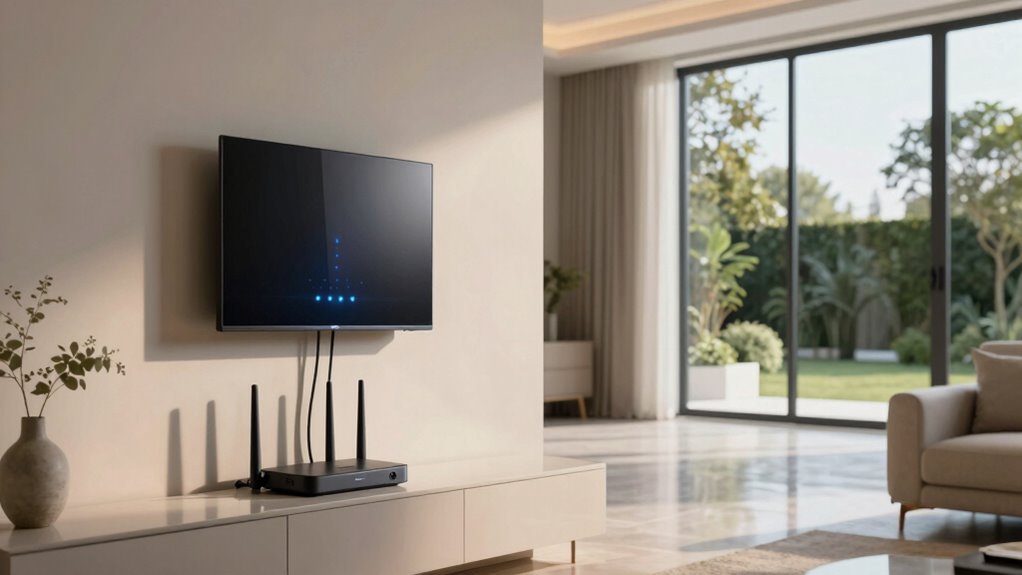
A well-thought-out network setup also involves strategic placement of your routers and access points. Positioning your main router centrally and elevating it off the ground helps maximize coverage and reduce dead zones. For larger homes or those with thick walls, adding mesh Wi-Fi systems can considerably improve coverage and reduce congestion. These systems work together to create a unified network, so you don’t have to worry about dead spots or weak signals in distant rooms. Properly configuring these systems can also help you manage network traffic more effectively and ensure reliable connections across your entire smart home. Regularly updating your network hardware and firmware can further enhance stability and security, keeping your smart home running smoothly.
In addition, implementing network segmentation can enhance performance and security. By creating separate networks for different device groups—such as security cameras, smart appliances, and personal devices—you limit the impact of one device’s issues on the entire system. This also helps manage bandwidth more effectively, as you can prioritize critical devices or applications. Proper segmentation also reduces the risk of security breaches spreading across your network, safeguarding sensitive data and personal information.
In the end, better network planning for your premium smart home involves understanding wireless interference, optimizing bandwidth, and deploying a flexible, scalable infrastructure. Doing so guarantees your devices work smoothly, your network remains resilient, and your smart home truly operates at its full potential.

TP-Link Deco X55 AX3000 WiFi 6 Mesh System – Covers up to 6500 Sq.Ft, Replaces Wireless Router and Extender, 3 Gigabit Ports per Unit, Supports Ethernet Backhaul, Deco X55(3-Pack)
- Wi-Fi 6 Mesh System: AX3000 speeds for whole home coverage
- Wide Coverage: Up to 6500 sq. ft. with seamless Wi-Fi
- Connect Multiple Devices: Supports up to 150 devices
As an affiliate, we earn on qualifying purchases.
As an affiliate, we earn on qualifying purchases.
Frequently Asked Questions
How Often Should Smart Home Network Equipment Be Upgraded?
You should upgrade your smart home network equipment every 2 to 3 years to guarantee peak performance. Regular upgrades improve smart device compatibility and help you keep up with new technologies. Additionally, it allows you to better manage network bandwidth allocation, preventing slowdowns and connectivity issues. Staying current with your network equipment guarantees your smart home remains secure, efficient, and responsive to your evolving needs.
What Are Common Wi-Fi Interference Issues in Smart Homes?
Imagine trying to have a clear phone call, but voices echo and fade—Wi-Fi interference feels the same. Common issues in smart homes include Wi-Fi congestion, where multiple devices compete for bandwidth, and signal interference from thick walls or other electronics. These problems weaken your connection, causing slow responses or dropped signals. A well-planned network minimizes congestion and interference, ensuring your smart home runs smoothly and devices stay reliably connected.
How Can I Prioritize Bandwidth for Critical Smart Devices?
You can prioritize bandwidth for critical smart devices through device prioritization settings in your router. Use bandwidth allocation to assign more bandwidth to essential devices like security cameras or smart thermostats. Many routers support Quality of Service (QoS) features that let you set device priorities, ensuring your important smart devices stay connected smoothly even when the network is busy. This improves reliability and performance across your smart home.
What Security Measures Protect Smart Home Networks From Hacking?
Like Fort Knox guarding treasure, your smart home network needs robust security measures. You should implement strong encryption protocols to protect data and guarantee confidentiality. Access controls are essential—restrict device permissions and use unique passwords to prevent unauthorized entry. Regular firmware updates also patch vulnerabilities, and setting up a separate network for smart devices can contain potential threats. These measures work together to keep your smart home safe from hacking attempts.
How Does Network Planning Impact Smart Home Device Latency?
Network planning directly impacts your smart home device latency by optimizing device placement and ensuring strong signal strength. When you strategically position devices away from interference and centralize your router, you reduce lag and delays. Maintaining ideal signal strength prevents dropouts, making your smart devices respond faster. Proper planning minimizes latency, providing a seamless experience with quick, reliable smart home automation.

TP-Link AC1900 Smart WiFi Router (Archer A8) -High Speed MU-MIMO Wireless Router, Dual Band Router for Wireless Internet, Gigabit, Supports Guest WiFi
- Wireless Speed: Up to 600 Mbps on 2.4GHz, 1300 Mbps on 5GHz
- Dual Band WiFi: Supports 2.4GHz and 5GHz bands
- OneMesh Compatibility: Creates seamless WiFi with extenders
As an affiliate, we earn on qualifying purchases.
As an affiliate, we earn on qualifying purchases.
Conclusion
To guarantee your premium smart home runs seamlessly, prioritize thorough network planning from the start. Imagine installing a state-of-the-art security system that’s constantly disrupted by weak Wi-Fi signals—frustrating, right? By mapping out coverage zones and investing in robust networking equipment, you can prevent such issues. Take the example of a luxury residence where strategic router placement and dedicated bandwidth made all devices work flawlessly, providing peace of mind and a truly connected living experience.

Klein Tools VDV526-200 Cable Tester, LAN Scout Jr. 2 Ethernet Tester for CAT 5e, CAT 6/6A Cables with RJ45 Connections
- Versatile Cable Testing: Tests data and patch cords
- Large Backlit LCD: Easy reading in low light
- Comprehensive Fault Detection: Detects open, short, miswire, and more
As an affiliate, we earn on qualifying purchases.
As an affiliate, we earn on qualifying purchases.

TP-Link AC1200 WiFi Extender – 1.2Gbps Home Signal Booster, Dual Band 5GHz/2.4GHz, Up to 1600 Sq.ft and 32 Devices, EasyMesh Compatible, One Ethernet Port (RE315)
- Enhanced Wi-Fi Coverage: Eliminates dead zones with strong signals
- Dual Band Speed: Supports 867 Mbps on 5GHz and 300 Mbps on 2.4GHz
- Wide Coverage Area: Covers up to 1500 sq.ft with 2 antennas
As an affiliate, we earn on qualifying purchases.
As an affiliate, we earn on qualifying purchases.