If your Roborock Q7 M5+ robot vacuum isn’t connecting to WiFi, it can hinder your ability to control and schedule cleaning sessions via the app. This guide offers practical, step-by-step solutions to diagnose and fix common WiFi connection problems, ensuring your device functions smoothly and stays connected.

Get home appliances delivered free — and shop member deals
- Fast, free delivery on millions of items
- Access to Prime Big Deal Days deals on October 6–7
- Prime Video, Amazon Music and more included
Before starting, ensure your WiFi network is active and your smartphone is connected to the same network you want your vacuum to join. Carefully follow each step for the best results and avoid potential issues.
Key Takeaways
| WiFi Signal Strength | Ensure strong WiFi signal near the vacuum. |
| Network Compatibility | Verify your network uses 2.4GHz, not 5GHz. |
| App & Firmware Updates | Keep the Roborock app and device firmware updated. |
| Reset & Reconnect | Perform a reset if connection issues persist. |
Check WiFi Signal & Network Compatibility
- Ensure your WiFi signal is strong where the vacuum is located. Move your router closer if needed.
- Confirm your WiFi network is 2.4GHz, as Roborock devices typically do not support 5GHz networks.
- Verify no network restrictions or MAC filtering are blocking the device from connecting.
Restart Your Devices
- Power off your Roborock vacuum and turn off your WiFi router.
- Wait for 30 seconds, then turn the router back on.
- Turn the vacuum back on and try reconnecting through the app.
Reset WiFi Settings on the Vacuum
- Open the Roborock app and navigate to the device settings.
- Select ‘WiFi Settings’ and choose ‘Forget Network’ or ‘Reset WiFi.’
- Follow prompts to re-enter your WiFi details to reconnect.
Update Firmware & App
- Check for app updates in your app store and install the latest version.
- In the Roborock app, go to device settings and check for firmware updates.
- Apply any available updates, then attempt to reconnect.
Perform a Factory Reset (if needed)
- Reset the vacuum to factory settings via the app or by pressing and holding the reset button.
- Set up the device anew, following initial setup instructions.
The Products in This Guide

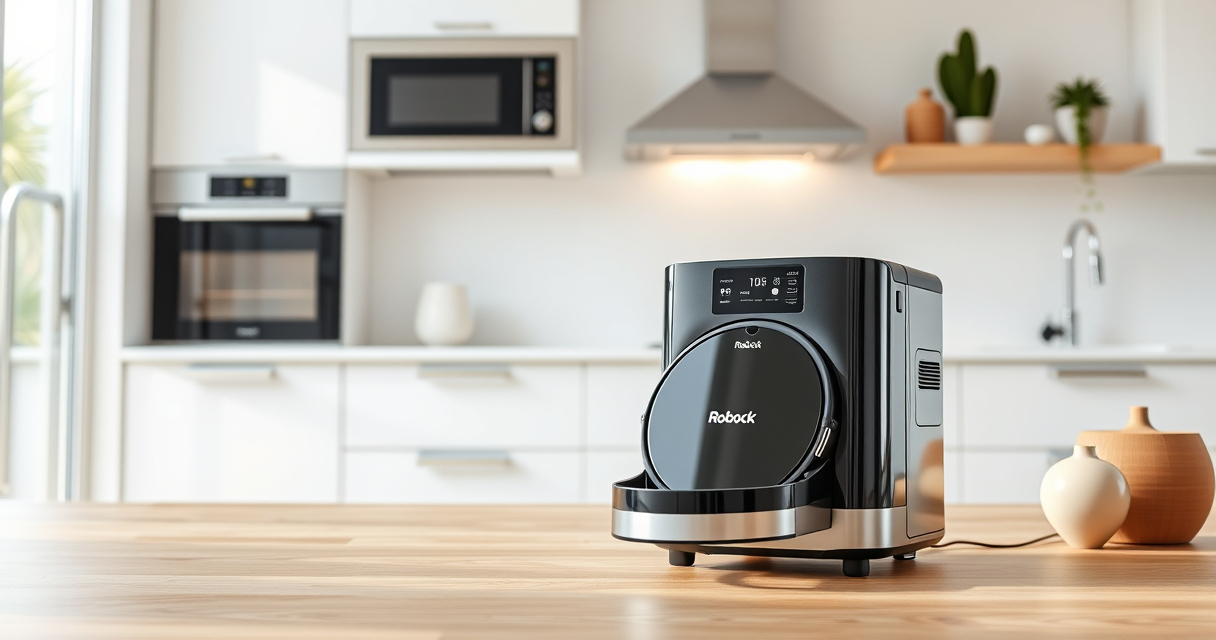
roborock Q7 M5+ Robot Vacuum and Mop
- ✔ Dust Capacity: 2.7L sealed dust bag
- ✔ Battery Type: Rechargeable Li-ion
- ✔ Connectivity: WiFi 2.4GHz

4 Pack Washable Filter
- ✔ Filter Material: HEPA
- ✔ Washable: Yes
- ✔ Compatibility: Multiple Roborock models
roborock Q7 M5+ Robot Vacuum and Mop
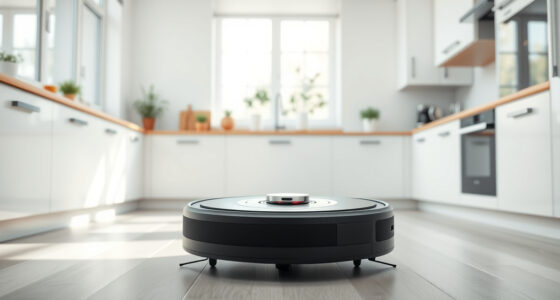
The Roborock Q7 M5+ offers powerful suction, advanced navigation, and a self-emptying dock, making it a top choice for busy households. Its WiFi connectivity can sometimes be problematic, but following these troubleshooting steps can resolve most issues.
Pros:
- Powerful 10000Pa suction
- Long-lasting self-emptying dock
- Advanced LiDAR navigation
- Pet hair and carpet friendly
Cons:
- WiFi connection issues possible
- Setup can be technical for some users
- Requires app updates for optimal performance
Best for: Homeowners seeking a high-performance, self-emptying robot vacuum.
Not ideal for: Users with unstable WiFi networks or less technical experience.
Bottom line: The Roborock Q7 M5+ is a powerful vacuum that, with proper WiFi setup, offers convenient, hands-free cleaning.
4 Pack Washable Filter
Replacing or washing your filters regularly can improve WiFi and overall vacuum performance. The 4 Pack Washable Filter ensures your Roborock remains in peak condition, reducing connectivity issues caused by clogged filters.
Pros:
- Improves suction and airflow
- Reusable and washable
- Easy to install
- Compatibility with multiple models
Cons:
- Need to replace every few months
- Not OEM but high quality
- Requires regular maintenance
Best for: Maintaining optimal vacuum performance and connectivity.
Not ideal for: Users seeking a one-time fix or OEM parts.
Bottom line: A simple upgrade that can help keep your Roborock connected and performing well.
Frequently Asked Questions
Why won’t my Roborock connect to WiFi?
Common reasons include weak signal, incompatible network frequency, outdated firmware, or temporary app issues. Follow the troubleshooting steps to resolve these problems.
How do I reset my Roborock’s WiFi settings?
Within the app, navigate to WiFi settings and select ‘Forget Network’ or ‘Reset WiFi.’ Then, re-enter your WiFi credentials to reconnect.
Can I connect my Roborock to a 5GHz network?
Most Roborock models, including the Q7 M5+, require a 2.4GHz network for stable connection. Ensure your router supports and is set to 2.4GHz during setup.
What should I do if firmware updates fail?
Ensure your internet connection is stable, restart your router, and try updating the firmware again through the app. If problems persist, contact support.
Keeping Your Roborock Connected and Efficient
WiFi connectivity issues with your Roborock vacuum can be frustrating, but most problems are solvable with simple troubleshooting steps. Regularly checking your network settings, performing resets, and keeping your device updated will ensure your vacuum stays connected and performs at its best. If issues persist, consider upgrading filters or consulting support for advanced solutions.
Affiliate disclosure: As an Amazon Associate we earn from qualifying purchases. Prices and availability are accurate as of the time of publishing.
NFL season / tailgating Picks
team gear
As an affiliate, we earn on qualifying purchases.