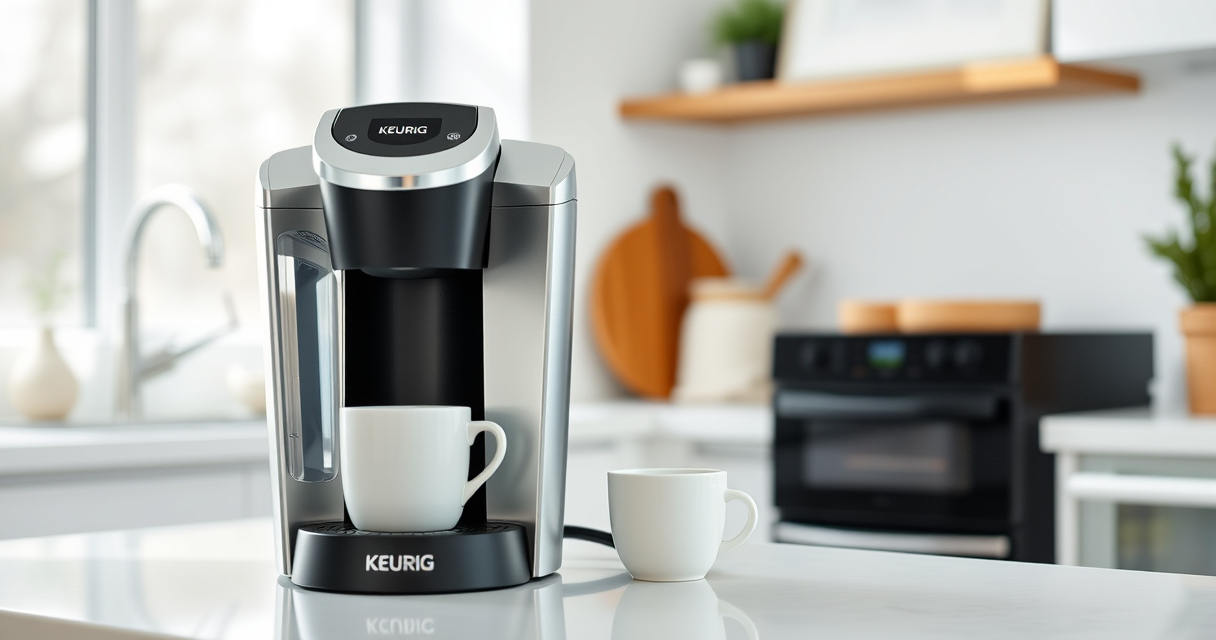
Getting your new Keurig K-Mini single serve coffee maker ready for use is simple but requires some important initial steps to ensure optimal performance and safety. Whether you’re a first-time user or just need a quick refresher, this guide walks you through the entire setup process, from unboxing to brewing your first cup.

Follow these practical, clear instructions to enjoy fresh coffee quickly and effortlessly, making the most of your compact and efficient Keurig K-Mini.

Key Takeaways

Compact DesignFits easily in small spaces, ideal for tight countertops.
Simple SetupRequires minimal assembly and straightforward steps.
Fresh Water OnlyUse fresh water for each brew to ensure quality.
Maintenance MattersRegular descaling and cleaning preserve flavor and machine lifespan.
Compatible AccessoriesOptional reusable filter for ground coffee brewing.
Keurig K-Mini Single Serve K-Cup Pod Coffee Maker, 6 to 12oz Brew size, with Cord Storage, Perfect for Small Spaces, Black

Keurig K-Mini Single Serve K-Cup Pod Coffee Maker, 6 to 12oz Brew size, with Cord Storage, Perfect for Small Spaces, Black

FITS ANYWHERE: Less than 5 inches wide, perfect for small spaces.

As an affiliate, we earn on qualifying purchases.

Unboxing and Initial Inspection

  1. Carefully unpack your Keurig K-Mini from its box, ensuring all components are present. The box should include the coffee maker, a power cord, and possibly a user manual.
  2. Inspect the machine for any visible damage or loose parts. Confirm that the water reservoir is empty and the drip tray is in place.
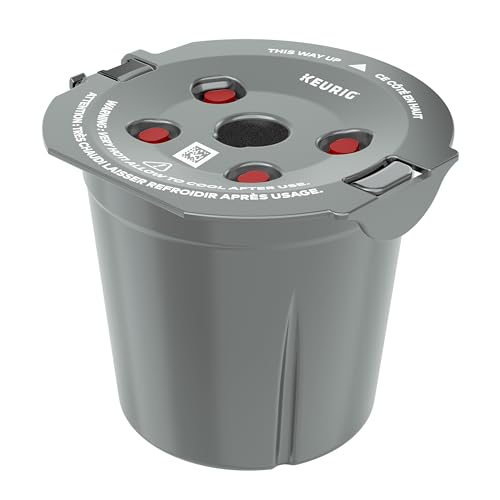
My K-Cup® Reusable Coffee Filter

My K-Cup® Reusable Coffee Filter

BREW WITH GROUND COFFEE: Brew a single cup using your own favorite ground coffee

As an affiliate, we earn on qualifying purchases.

Setting Up Water Reservoir and Power

  1. Place the Keurig K-Mini on a flat, stable surface near an electrical outlet. Ensure the area has enough space for the machine and for water filling.
  2. Remove the water reservoir cap and fill the reservoir with fresh, clean water up to the MAX fill line. Do not overfill.
  3. Securely reattach the reservoir cap.
  4. Plug the machine into an outlet. The auto-off feature will activate 90 seconds after your last brew, so keep it plugged in for convenience.

Priming and First Brew

  1. Place a mug or travel mug on the removable drip tray, ensuring it fits under the spout (up to 7 inches tall).
  2. Power on the machine by pressing the power button. The indicator light should turn on.
  3. Select your desired brew size (6-12 oz). For the first use, it’s recommended to run a cleansing brew without a K-Cup to flush out any manufacturing residues.
  4. Place a mug under the spout, then press the brew button. Discard the first brew water to ensure clean water for your actual coffee.

Using K-Cup Pods or Reusable Filter

  • If using K-Cup pods, insert your favorite coffee pod into the pod holder, then close the lid securely.
  • If you prefer ground coffee, consider using the My K-Cup reusable filter (sold separately). Fill it with your preferred ground coffee, then insert it into the machine as you would a K-Cup.

Brewing Coffee Safely and Tips

Always use fresh water for each brew to ensure the best flavor. Do not overfill the water reservoir to prevent spills or damage.

Be cautious when handling hot water and coffee to avoid burns. Use the removable drip tray for easy cleanup after each brew.

To prolong your machine’s life, descale regularly using descaling solutions, especially if you notice scaling or mineral buildup.

Maintenance and Troubleshooting

  • Run descaling every 3-6 months using a descaling kit (like the Keurig 3-Month Brewer Maintenance Kit) to remove mineral deposits.
  • Clean the drip tray and water reservoir regularly.
  • If your machine isn’t brewing properly, check that the water reservoir is filled correctly and that no obstructions are in the water lines.
  • Ensure the K-Cup or reusable filter is inserted correctly and lid is securely closed.

The Products in This Guide

BEST SELLER
Keurig K-Mini Single Serve K-Cup Pod Coffee Maker

Keurig K-Mini Single Serve K-Cup Pod Coffee Maker

  • Width: Less than 5 inches
  • Brew Range: 6-12 oz
  • Height: Up to 12 inches with travel mug
TOP PICK
My K-Cup® Reusable Coffee Filter

My K-Cup® Reusable Coffee Filter

  • Material: Plastic & Mesh
  • Compatibility: All Keurig models
  • Capacity: Single cup

Keurig K-Mini Single Serve K-Cup Pod Coffee Maker

Keurig K-Mini Single Serve K-Cup Pod Coffee Maker
OUR VERDICT
Compact, Convenient, and Easy to Use
VIEW LATEST PRICE

The Keurig K-Mini is an excellent choice for small spaces and those seeking quick, fresh coffee. Its simple setup and maintenance make it perfect for daily use, whether in a dorm, office, or small kitchen.

Pros:

  • Fits in tight spaces
  • Fast brewing times
  • Easy to operate
  • Removable drip tray for cleaning

Cons:

  • Limited to 12 oz brew size
  • No water filter built-in
  • No on/off switch (auto off only)

Best for: Small spaces, quick coffee needs, dorms, offices

Not ideal for: Large families or those needing multiple cups at once

Bottom line: A compact, efficient machine ideal for small spaces and quick coffee brewing.

My K-Cup® Reusable Coffee Filter

My K-Cup® Reusable Coffee Filter
OUR VERDICT
Reusable Filter for Ground Coffee
VIEW LATEST PRICE

Enhance your Keurig experience with the My K-Cup reusable coffee filter, allowing you to brew your favorite ground coffee. It’s compatible with the K-Mini and other Keurig models, providing flexibility and flavor control.

Pros:

  • Cost-effective
  • Eco-friendly
  • Customizable blends
  • Easy to clean

Cons:

  • Requires filling manually
  • Slightly more cleanup
  • Not suitable for large quantities

Best for: Ground coffee enthusiasts, eco-conscious users

Not ideal for: Those preferring K-Cup pods for convenience

Bottom line: A simple upgrade for brewing ground coffee with your Keurig.

Frequently Asked Questions

Can I use my own ground coffee in the Keurig K-Mini?

Yes, by using the My K-Cup reusable coffee filter (sold separately), you can brew your own ground coffee instead of K-Cup pods.

How often should I descale my Keurig K-Mini?

It’s recommended to descale your Keurig every 3 to 6 months using a descaling solution to prevent mineral buildup and ensure optimal performance.

What should I do if my machine isn’t brewing properly?

Check that the water reservoir is filled correctly, the K-Cup or reusable filter is inserted properly, and that there are no blockages in the water lines. Regular cleaning can also help.

Is the Keurig K-Mini travel mug friendly?

Yes, the removable drip tray accommodates travel mugs up to 7 inches tall, making it convenient for brewing on the go.

Does the Keurig K-Mini have an auto-off feature?

Yes, it automatically turns off 90 seconds after your last brew, helping save energy.

Enjoy Your Perfect Brew with Confidence

Setting up your Keurig K-Mini is quick and straightforward, ensuring you can start enjoying fresh coffee in just a few steps. Remember to keep up with regular cleaning and descaling to maintain great taste and prolong your machine’s life. Whether you prefer K-Cup pods or ground coffee, your small-space coffee station is now ready to serve your needs efficiently and safely.

Affiliate disclosure: As an Amazon Associate we earn from qualifying purchases. Prices and availability are accurate as of the time of publishing.

You May Also Like

COSORI Pro II vs COSORI Lite: Which Air Fryer Fits Your Needs?

Compare the COSORI Pro II and Lite to find the perfect air fryer for your kitchen. Features, pros, cons, and hands-on insights included.

Can Smart Appliances Save You Money? A Look at Energy and Water Savings

Discover how smart appliances can cut costs through energy and water savings, and find out what makes them an smart choice for your home.

The 6 Best Grills and Smokers of 2026: Smart, Portable, Pellet

Discover the best grills and smokers of 2026, featuring smart tech, portability, and pellet options, based on WIRED Reviews’ latest testing and analysis.

Instant Pot Duo Plus vs Instant Pot Pro: Full Comparison

Compare the Instant Pot Duo Plus and Pro to find the best multicooker for your needs, focusing on features, capacity, and usability for small or large families.