
TL;DR
This article explains how to enable and use voice control on iOS and Android phones, allowing users to operate their devices entirely through voice commands. The setup process and key features are outlined, highlighting its usefulness for hands-free operation.
Users can now fully operate their iOS and Android smartphones using voice commands, with built-in and app-based features enabling hands-free control for everyday tasks and accessibility needs.
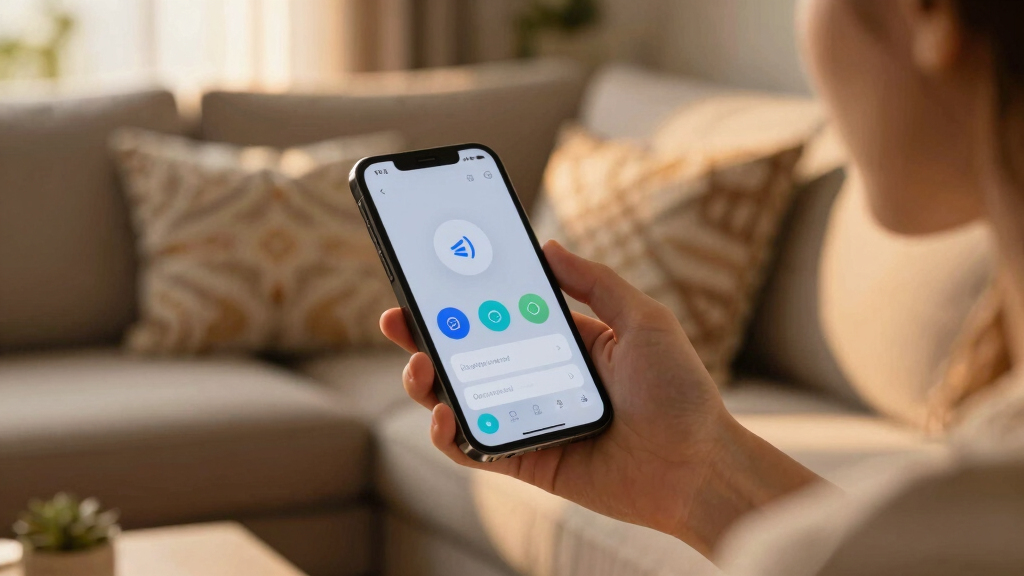
On Android, users need to install the free Voice Access app from Google Play, then enable it via Settings under Accessibility. Once activated, users can issue commands like ‘Go back,’ ‘Type,’ or ‘Show labels’ to navigate and control their device. The feature can be launched using voice commands such as ‘Hey Google, start Voice Access’ or through shortcuts. The interface displays an icon indicating active status, and commands can include scrolling, tapping, and text input.
On iOS, Voice Control is built into the system. Users activate it through Settings > Accessibility > Voice Control, and may need to download additional files during setup. Once enabled, users can control their device using commands like ‘Scroll down,’ ‘Tap and hold,’ or custom commands created via the Settings menu. Voice Control provides visual cues such as a blue sound wave icon, and offers options for overlays with numbered grids to facilitate precise control. Commands cover device functions, text editing, and navigation, making the entire phone operable via voice.
Why It Matters
Enabling comprehensive voice control enhances accessibility for users with impairments and offers convenience for multitasking scenarios, such as cooking or repairing. It also reduces reliance on touchscreens, allowing for safer, hands-free operation, which is increasingly relevant in a mobile-first environment.

AI Voice Recorder with Transcribe&Summarize, App Control Audio Recorder Support Al Noise Cancellation Technology with 80+ Languages, Note Taker with 64GB Memory, Audio Device for Meeting, Call, Grey
Smarter Voice-to-Text: This voice recorder leverages GPT-5 AI to automatically transcribe, summarize, and visualize mind map. Whether you're…
As an affiliate, we earn on qualifying purchases.
As an affiliate, we earn on qualifying purchases.
Background
Voice control features have been evolving for years, with Apple integrating Voice Control into iOS and Google offering similar capabilities through third-party apps like Voice Access. Recent updates have made these features more robust and easier to activate, reflecting a broader push toward voice-enabled interfaces in mobile technology.
“Voice Access allows users to navigate and control their Android devices entirely through voice commands, making smartphones more accessible and convenient.”
— Google spokesperson
“Voice Control on iOS provides a comprehensive hands-free experience, enabling users to operate their iPhone entirely with voice commands.”
— Apple support
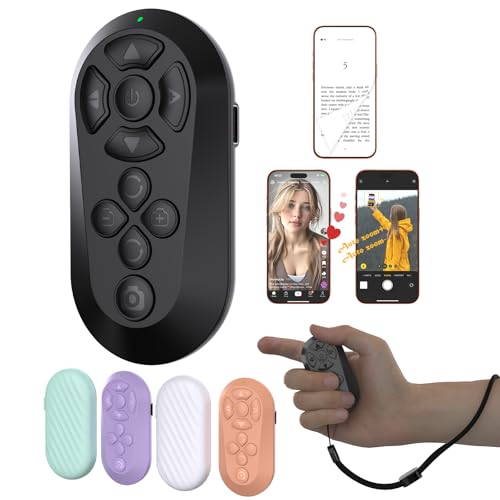
ZOZVO Wireless Remote Controller for iOS/Android Bluetooth Remote Control for TikTok Scrolling/Camera/Video Recording/Kindle App (Black)
[Hands-Free TikTok Entertainment]Gently press the button to control TikTok videos. Stay focused and entertained through your entire run
As an affiliate, we earn on qualifying purchases.
As an affiliate, we earn on qualifying purchases.
What Remains Unclear
It is not yet clear how well these voice control features perform in noisy environments or with complex commands, and user experiences may vary based on device model and software version.
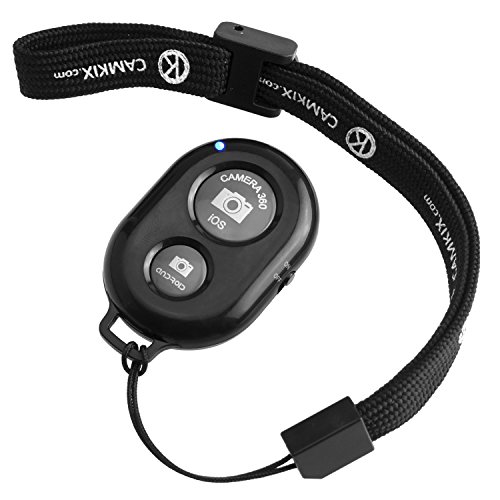
CamKix Camera Shutter Remote Control with Bluetooth Wireless Technology – Create Amazing Photos and Videos Hands-Free – Works with Most Smartphones and Tablets (iOS and Android)
Handy Little Gadget ►This Bluetooth remote makes it exciting to take selfies, group and steady shots hands-free! Post…
As an affiliate, we earn on qualifying purchases.
As an affiliate, we earn on qualifying purchases.
What’s Next
Further updates are expected to improve the accuracy and responsiveness of voice commands, with potential integration of AI-driven contextual understanding. Users should anticipate software updates that enhance customization and expand command sets in upcoming iOS and Android releases.

Offical 3 Axis AI Tracking Smart Gimbal Gesture Control Ultra All-Round Smartphone Voice Commands(Ultra Combo)
1. 3-axis smart gimbal reduces shooting shake, delivering smooth footage for videos and live streams.
As an affiliate, we earn on qualifying purchases.
As an affiliate, we earn on qualifying purchases.
Key Questions
Can I use voice control to operate all apps on my phone?
Most core functions and many apps support voice commands, but some third-party apps may have limited compatibility. Apple and Google continue to expand supported commands and integration.
Do I need an internet connection to use voice control?
For basic commands, voice control can work offline, especially on iOS. However, some advanced features or cloud-based processing may require an internet connection.
How secure is using voice control for sensitive tasks?
Voice control features are designed with privacy in mind, but users should be cautious when issuing sensitive commands in public or noisy environments, as unintended commands could be triggered.
Can I customize the voice commands on my iPhone or Android device?
Yes, iOS allows creating custom commands via Voice Control settings. Android’s Voice Access offers some customization, but options may vary depending on the device and app updates.