To install a smart lock, start by removing your existing lock with a screwdriver and cleaning the area. Follow the manufacturer’s instructions to attach the mounting plate and connect the electronic components. Insert batteries, turn on the lock, and pair it with your phone or smart home system via Bluetooth or Wi-Fi. Test the lock for smooth operation and auto-lock features. If you want detailed guidance and tips, keep going to make certain of a successful setup.

Get home appliances delivered free with Prime
- Fast, free delivery on millions of items
- Prime Video, Amazon Music and more included
- Member-only deals all year
Key Takeaways
- Remove the existing lock and prepare the door for the smart lock installation.
- Attach the smart lock’s mounting plate, ensuring proper alignment with existing holes.
- Connect the electronic components and secure all parts firmly into place.
- Insert batteries, download the app, and follow pairing instructions for setup.
- Test the lock’s functionality manually and via app to ensure smooth operation and security.
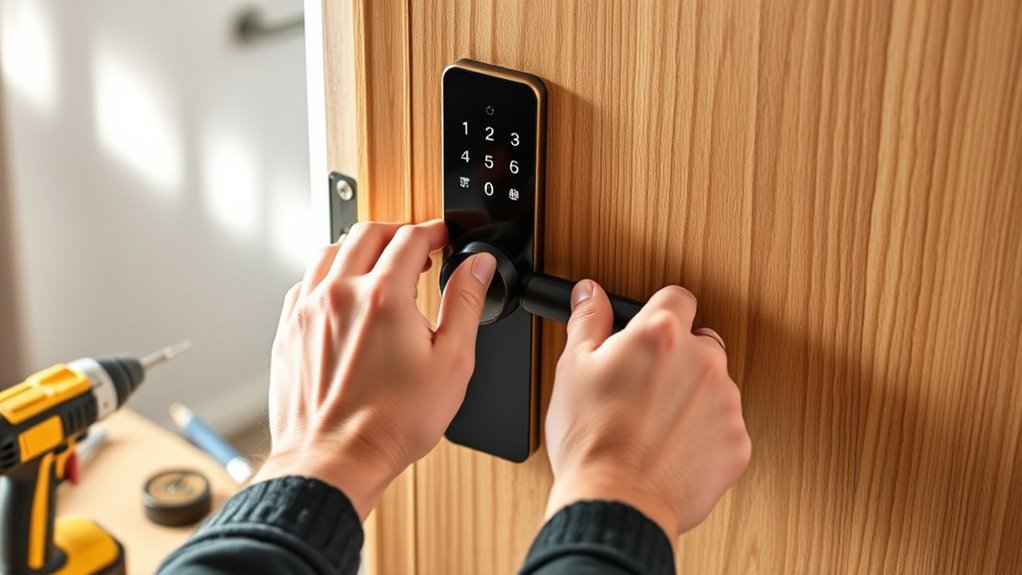
Installing a smart lock is a straightforward process that can enhance your home’s security and convenience. Before you begin, gather all the necessary tools and parts, including the smart lock kit, a screwdriver, a tape measure, and possibly batteries. It’s helpful to read the manufacturer’s instructions thoroughly to familiarize yourself with the specific steps for your model. Most smart locks are designed to fit standard doors, but checking your door’s thickness and the type of lock already installed can save you time and prevent surprises.
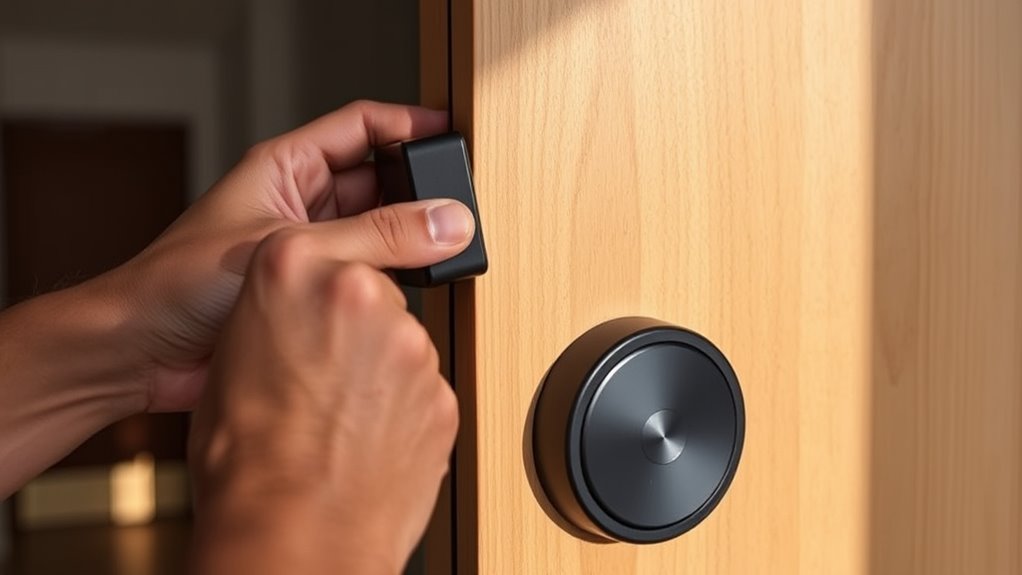
Start by removing your existing deadbolt or lock, if there is one. Use your screwdriver to unscrew the mounting plate and remove the old lock components. Keep the screws in a safe place, as you might need them later or for reference. Once the old lock is out, clean the area to remove dust and debris, ensuring a smooth fit for the new smart lock. Next, take the smart lock’s mounting plate and align it with the door’s existing holes. Some models come with templates or mounting instructions that help with proper placement. Use your screwdriver to secure the mounting plate tightly, making sure it’s flush against the door surface.
After the mounting plate is in place, attach the interior and exterior parts of the smart lock. Typically, you’ll need to connect the electronic components, such as the keypad or touchscreen, to the internal mechanism. Follow the manufacturer’s wiring or connection instructions carefully, ensuring all parts click or screw into place securely. Once assembled, test the lock mechanism manually to verify it moves smoothly and aligns properly with the strike plate inside the door frame. If it doesn’t, adjust the alignment or tighten the screws as needed.
Now, insert the batteries into the lock’s interior unit, making sure they’re oriented correctly to power the device. Turn on the lock, if there’s a power switch, and follow the setup instructions provided by the manufacturer. This usually involves downloading an app and pairing the lock via Bluetooth or Wi-Fi. During this process, you’ll create user codes, set up remote access, or link the lock to a smart home system. Make sure the lock responds to your commands and release smoothly. Additionally, consider properly maintaining your smart lock and checking for firmware updates to ensure optimal performance and security.
Finally, test the lock multiple times to confirm it operates reliably from both the keypad and the app. Check that it auto-locks if that feature is available, and consider adding extra user codes for family members or trusted guests. With everything working correctly, you’ve successfully installed your smart lock, gaining enhanced security and the convenience of keyless entry.
As an affiliate, we earn on qualifying purchases.
Frequently Asked Questions
Can I Install a Smart Lock Without Professional Help?
Yes, you can install a smart lock yourself if you’re comfortable with basic tools and follow the instructions carefully. Most smart locks come with detailed guides and mounting hardware, making the process straightforward. You’ll need to remove your current lock, align the smart lock components, and connect the wiring or batteries as instructed. Just be sure to read all instructions thoroughly to avoid mistakes and guarantee proper installation.
What Is the Average Cost of a Smart Lock?
Did you know that the average smart lock costs between $150 and $250? You can find models that are more affordable or upscale options that go beyond $300. Your choice depends on features like keyless entry, remote access, and integration with smart home systems. Budgeting around $200 gives you a good balance of quality and functionality, making it easier to pick a lock that meets your needs without overspending.
Are Smart Locks Compatible With All Door Types?
Smart locks are compatible with many door types, but not all. You’ll find most work with standard wood, metal, and vinyl doors, but some may require adapters or specific models. If you have a thick or unusual door, check the lock’s specifications or consult a professional. Measure your door and verify compatibility first to guarantee a smooth installation and reliable operation.
How Secure Are Smart Locks Against Hacking?
Think of a smart lock as a vigilant guardian, but even guardians can be tempted. They’re generally secure, especially with strong encryption and regular updates, but no technology is foolproof. Hackers may try to crack the code or exploit vulnerabilities, yet manufacturers continually improve defenses. To stay safe, use complex passwords, enable two-factor authentication, and keep your firmware current. Your smart lock’s security depends on your vigilance and proactive measures.
Do Smart Locks Require Wi-Fi or Bluetooth for Operation?
Smart locks typically need either Wi-Fi or Bluetooth to operate, but it depends on the model. Wi-Fi-enabled locks can connect directly to your home network, allowing remote access and control through apps. Bluetooth locks work within close range, usually when you’re nearby. Some smart locks combine both features for added convenience. Check your lock’s specifications to see which connectivity options it supports, ensuring it fits your security and convenience needs.
Bluetooth smart lock for front door
As an affiliate, we earn on qualifying purchases.
As an affiliate, we earn on qualifying purchases.
Conclusion
Now that you’ve installed your smart lock, you’re holding the key to a new level of security and control. Think of it as the guardian of your home’s gateway, silently watching and protecting. Every tap and tap, every code entered, symbolizes trust in technology and your own readiness. With this simple upgrade, you’ve opened not just a door, but a future where convenience and safety are always within reach. Welcome to smarter living—your new door is just the beginning.
As an affiliate, we earn on qualifying purchases.
As an affiliate, we earn on qualifying purchases.
NFL season / tailgating Picks
team gear
As an affiliate, we earn on qualifying purchases.