
TL;DR

Get home appliances delivered free — and shop member deals
- Fast, free delivery on millions of items
- Access to Prime Big Deal Days deals on October 6–7
- Prime Video, Amazon Music and more included
Smart home security cameras use internet-connected video, motion alerts, and optional smart features to help you monitor a home. Choose by location, power, image quality, storage, and privacy—not resolution alone—and secure the system with unique passwords, two-factor authentication, and regular updates.
A camera pointed at the wrong patch of driveway can record every passing car and still miss the person at your front door. Smart home security cameras work best when you choose for the view you need, then check how the device stores and protects its footage.
This guide explains the main types of cameras, what resolution can and cannot tell you, and the tradeoffs between wired power, batteries, local storage, and cloud plans. You’ll also get a practical setup checklist, so your camera catches useful details without turning your home into a place where every movement triggers an alert.
Choose indoor, outdoor, doorbell, fixed, or PTZ cameras by the exact area and activity you need to monitor.
Compare real viewing distance, lighting, and lens angle instead of choosing on resolution alone.
Check cloud retention, local recording, subscription fees, and clip access before buying.
Use a unique password, two-factor authentication, updated firmware, and limited account sharing.
Tune motion zones, test alerts, and aim cameras to protect your property without recording private spaces.
Choose the camera type that fits the spot you need to watch
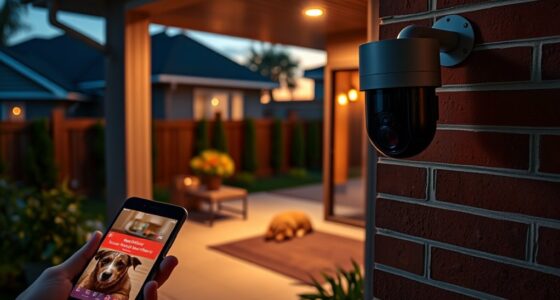
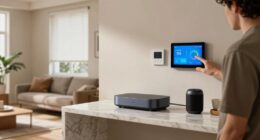
Smart home security cameras are internet-connected cameras that record or stream video and can send alerts to your phone when they detect activity. They are designed for different locations and jobs: an indoor camera may watch a hallway, while an outdoor model needs protection from weather and a useful view of an entryway.
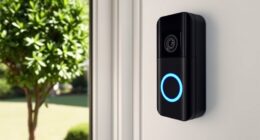
Start with the area you want to monitor, not the product’s feature list. A fixed camera can cover a garage door, while a pan-tilt-zoom (PTZ) model can turn to follow activity across a larger room. A video doorbell focuses on visitors and packages; it is not a substitute for a wide driveway camera. Hidden cameras raise added privacy and legal concerns, particularly in spaces where people expect privacy.
Power changes the experience, too. Wireless cameras offer simpler placement because you may not need to run a cable, but battery-powered models need charging. Wired cameras avoid frequent battery swaps and may provide steadier power, though installation can be more involved. Solar panels can reduce charging on a sunny, well-positioned outdoor camera, but shade and winter weather can limit their help.
For example, a renter who wants to check the front door might choose a battery doorbell camera that can be removed at move-out. A homeowner watching a detached garage may prefer a weather-rated wired camera with a stable connection. Check the camera’s outdoor rating and follow local rules and any lease or building requirements before mounting it.
As an affiliate, we earn on qualifying purchases.
Buy the picture quality that helps you identify useful details
Resolution describes how many pixels make up a video image; it does not promise that you can identify a face at any distance. Smart home security cameras commonly range from 720p HD to 4K Ultra HD, and higher resolution can show more detail when the camera has a clear view, enough light, and a suitable lens.
Think of resolution like the number of tiles in a mosaic: more tiles can sharpen the overall picture, but they cannot fill in details hidden by glare, distance, or a tree branch. A 4K camera mounted high above a dark doorway may give you less useful footage than a lower-resolution model aimed at face height with a porch light. Night vision also matters; infrared can show movement in darkness, though the image may appear monochrome.
Before buying, consider where a person would stand and what you need to recognize. If you want to see whether a package arrived, a doorbell camera’s close view may be enough. If you need to watch a broad yard, check the lens angle and whether the camera can maintain detail at the far edge. Motion alerts and AI-based features—such as person or package detection—can make clips easier to review, but performance depends on the camera and scene.
For a practical test, imagine a neighbor walking past your gate at dusk. Can you see the person’s face, or only a dark shape? That scenario is more useful than choosing by the biggest resolution number alone. Compare clips recorded at the actual mounting distance when possible.
wireless outdoor security camera with night vision
As an affiliate, we earn on qualifying purchases.
As an affiliate, we earn on qualifying purchases.
Compare storage before you commit to a monthly plan
Cloud storage saves footage online, while local storage keeps it on a memory card or a network-attached storage device in your home. Cloud clips are often easy to view when you are away, but plans may carry recurring fees or limit how long recordings remain available. Local storage can reduce dependence on a subscription, though you need to manage the device and protect it from theft or damage.
| Storage choice | What you gain | What to check |
|---|---|---|
| Cloud plan | Remote access and convenient clip history | Monthly cost, retention period, and account security |
| Memory card | Local recording without a cloud plan on some models | Card capacity, overwrite settings, and camera theft risk |
| Network storage | Central recording for compatible cameras | Setup complexity, device security, and backup plan |
Subscription details vary by brand and model. Some cameras offer limited free cloud storage or local recording; other features, such as longer clip history or advanced detection, may require payment. The camera’s advertised price—often within a broad $50 to $300 range for quality models—does not necessarily include these ongoing costs [1].
Imagine a camera records a delivery at noon, but you don’t check your phone until evening. If the device only stores a short live view, the moment may be gone. Before buying, confirm how recordings are triggered, how long clips remain available, and whether you can retrieve them without a paid plan. A small memory card can be a good fit for a single indoor camera; a multi-camera household may prefer a managed storage system.
video doorbell with motion detection
As an affiliate, we earn on qualifying purchases.
As an affiliate, we earn on qualifying purchases.
Secure your cameras with five setup steps
Smart home security cameras are safer when you protect both the camera account and the home network. According to widely recommended account-security practices, unique passwords, two-factor authentication, and prompt firmware updates reduce common ways an intruder could gain access; no connected device is risk-free.
- Replace the default password. Use a long, unique password that you do not reuse for email or shopping accounts.
- Turn on two-factor authentication. This adds a second check if someone learns your password.
- Install firmware updates. Enable automatic updates when available, or check the app regularly for security fixes.
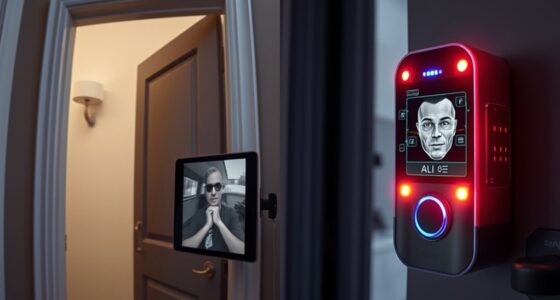
- Review sharing and privacy settings. Remove old household members and set recording schedules or privacy zones where supported.
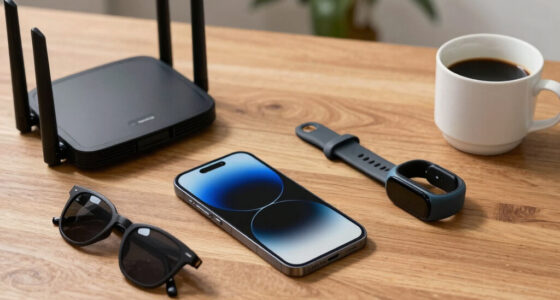
- Protect your Wi-Fi. Use a strong router password and current encryption settings; keep the router’s software updated.
These steps matter because camera systems have experienced security breaches, and a weak account can expose private video. For instance, if you share a login with a former roommate, that person may still have access even after moving out. Remove their account access rather than just changing the camera’s viewing schedule.
Check whether the manufacturer offers end-to-end encryption or local processing, often called edge computing. These features can limit how video travels or where it gets analyzed, but they do not replace good account security. Read the data policy and test the privacy shutter or recording-off mode before placing a camera in a sensitive room.
As an affiliate, we earn on qualifying purchases.
Reduce false alarms without missing real activity
Smart detection is useful when it tells you about a person at the door instead of every leaf blowing across the yard. Many newer cameras use AI-based motion detection to classify activity, such as people, vehicles, or packages, but the results depend on placement, lighting, and settings. Treat detection as a helpful filter, not a guarantee.
Start with a small detection zone that covers the path to your door rather than the whole street. If headlights sweep across the frame each night, exclude the road or lower sensitivity until those flashes stop triggering alerts. Then test the setup for several days. A camera aimed at a busy sidewalk may need tighter zones; one watching a quiet side gate may work well with broader detection.
Two-way audio can let you speak to a delivery driver, and an alert can tell you a package has arrived. But audio quality, notification delays, and the camera’s internet connection all affect how well these features work. If your Wi-Fi signal fades at the far end of the garden, a camera may send alerts late or miss clips; moving the router or adding a compatible access point may help.
Keep the goal practical: receive alerts you will actually respond to. A homeowner who gets 40 false alerts during a windy afternoon will likely mute notifications. Tune the camera so a visitor at the gate stands out from waving branches, then check the recorded clips after a week to see whether the settings match the real activity around your home.
Plan installation around safety, coverage, and privacy
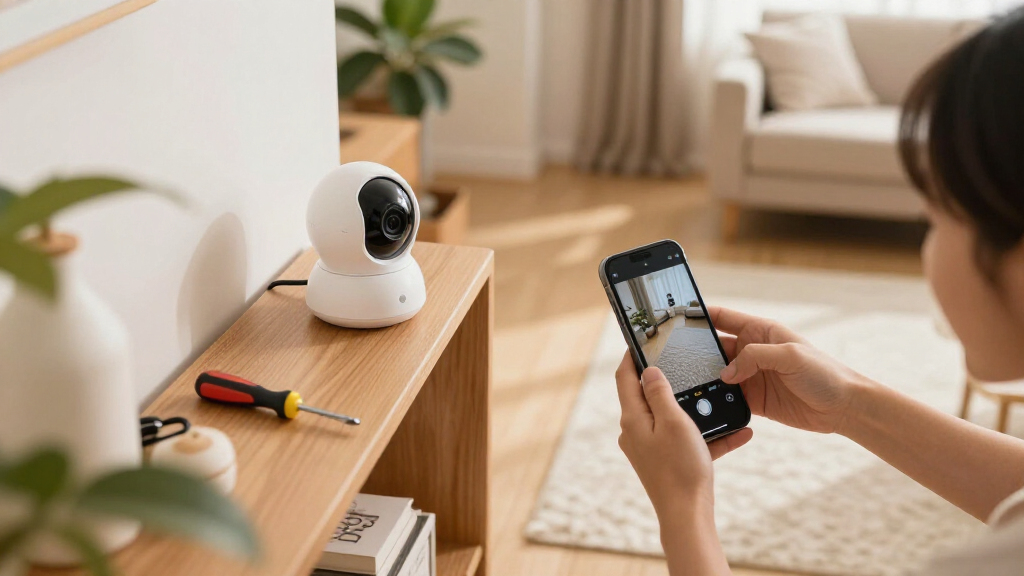
A good installation gives the camera a clear view, a stable connection, and a mounting position that respects other people’s privacy. Many battery and plug-in cameras are suitable for straightforward DIY mounting, while hardwired equipment can involve electrical work. Hire a licensed electrician for wiring or work that connects to household circuits, and follow the manufacturer’s instructions and local permit rules.
Before drilling, check what sits behind the wall and choose a mount that suits the surface. For an outdoor camera, avoid a spot where roof runoff pours over the lens or where afternoon sun blinds the image. A camera under an eave may stay drier, but the angle still needs to show faces rather than only the tops of heads. Use appropriate eye protection and other personal protective equipment when drilling, and keep clear of ladders or mounting locations that create a fall risk.
Privacy deserves the same attention as coverage. Aim cameras at your own entrances and property, and use privacy zones to mask a neighbor’s window or a public area where supported. Tell household members where indoor cameras operate. A camera that watches a shared living room while everyone is home may feel intrusive, even if the device has a privacy shutter.
For example, a front-door camera mounted at chest height can capture a visitor’s face and a package on the mat, while a high corner placement may record mostly hats and shoulders. Test the live view before tightening the mount, then walk through the frame in daylight and after dark. If any work involves roof access or electrical connections, bring in a qualified professional rather than risking a fall or unsafe wiring.
Frequently Asked Questions
Are smart home security cameras secure from hacking?
No internet-connected camera is completely immune, but you can lower the risk. Use a unique password, enable two-factor authentication, install firmware updates, and remove access for people who no longer need it.
Do I need a subscription to use a security camera?
Not always. Some models support local recording or include limited cloud storage, while other brands charge for clip history or advanced detection. Check the specific model’s storage options and fees before you buy.
Can I use an indoor camera outside?
Only if the manufacturer rates it for outdoor conditions. Rain, dust, temperature swings, and direct sun can damage an indoor camera, so choose an outdoor-rated model for exposed locations.
What features should I prioritize?
Start with the basics for your location: useful night vision, reliable alerts, suitable power, and storage you can access. Add features such as two-way audio, package detection, or smart-home integration only if you will use them.
How do I reduce false motion alerts?
Set a detection zone around the path or doorway you care about, then adjust sensitivity and test it for several days. Excluding a busy road or swaying trees often cuts nuisance alerts without hiding activity at your entrance.
Can I install a camera myself?
Many battery-powered and plug-in cameras are simple to mount, but hardwired equipment may involve electrical work. Follow the manufacturer’s instructions, use appropriate protective equipment when drilling, and hire a licensed electrician for wiring or circuit work.
Conclusion
Buy for the view you need, then check the full cost of storage and the effort required to keep the system secure. A carefully placed camera with tuned alerts can be more useful than a pricier model pointed at glare or a busy sidewalk.
Before you mount one, walk through its view, test the night image, and lock down the account. The best security setup is the one that quietly watches the right place—and lets you get on with your day.
Cold & flu season Picks
humidifiers
As an affiliate, we earn on qualifying purchases.