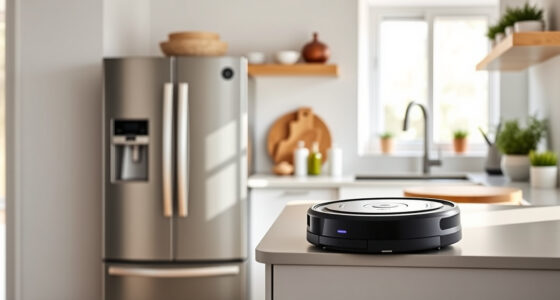
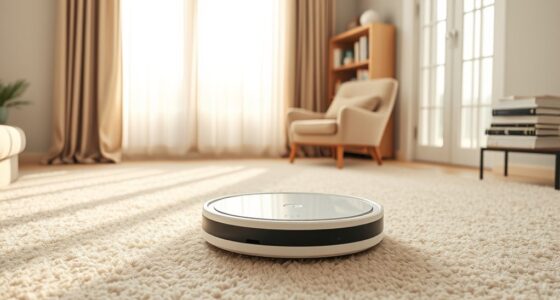
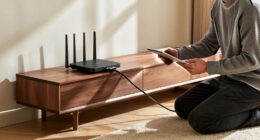
To teach your robot vacuum to learn your home, start by clearing clutter and ensuring the area is obstacle-free. Let the vacuum run to scan and create a digital map using sensors like lidar or cameras. Monitor its progress via the app, and use features to add virtual zones or designate cleaning areas. Regularly update its firmware and adjust furniture placement for better mapping. Keep exploring to discover how to optimize your device’s navigation even further.

Get home appliances delivered free with Prime
- Fast, free delivery on millions of items
- Prime Video, Amazon Music and more included
- Member-only deals all year
Key Takeaways
- Clear clutter and move objects to help the vacuum sensors accurately scan and build a detailed map.
- Run the robot vacuum in initial cleaning cycles without interference to allow proper environment mapping.
- Use app features to label rooms, set zones, and create virtual boundaries for customized navigation.
- Regularly update firmware and recalibrate sensors to improve map accuracy and device learning.
- Revisit and adjust the map after rearranging furniture or adding objects to enhance navigation efficiency.

Have you ever wondered how maps help us find our way or explore new places? The same principle applies when you’re setting up a robot vacuum to learn your home. Modern vacuum cleaners use mapping technology to navigate efficiently, but you can also train yours to understand your space better. It starts with understanding how these devices create a map of your environment. Usually, they use sensors like lidar, cameras, or infrared to scan the area and build a digital layout. Once you turn on your vacuum and let it run, it begins collecting data—measuring distances, detecting obstacles, and noting room layouts. This process is vital because it helps your vacuum plan the most efficient cleaning route, saving you time and battery life.
To train your robot vacuum effectively, guarantee that the initial mapping process is thorough. Clear the area of clutter and move small objects that might confuse sensors. When the vacuum begins its first run, stay out of its way. It will move around, bumping into furniture and walls, while simultaneously mapping the space. You might see the device create a visual map on a companion app or display, which allows you to monitor its progress. Pay attention to how it navigates—if it misses spots or gets stuck, you can help by adjusting furniture or rerunning the map process. Some models allow you to manually add virtual boundaries or designate specific zones, giving you more control over where it cleans.
Training your vacuum to learn your home also involves setting preferences. Use the app to label rooms or create cleaning schedules tailored to your routine. Over time, the device learns your habits—like when you prefer it to clean or avoid certain areas. As it accumulates more data, its navigation becomes sharper. Regularly updating the firmware and recalibrating sensors can improve accuracy, especially if you rearranged furniture or added new objects. Additionally, understanding the importance of contrast ratio can help you optimize your home environment for the best sensor performance, leading to more accurate mapping. During each cleaning cycle, the vacuum refines its map, learning new obstacles and adjusting routes accordingly.
As an affiliate, we earn on qualifying purchases.
Frequently Asked Questions
How Long Does It Take for a Robot Vacuum to Complete Mapping?
It usually takes your robot vacuum around one to three cleaning cycles to complete mapping your home. During these initial runs, it actively explores and creates a map of your space. Factors like the size of your home, furniture layout, and obstacles can influence the time needed. Once the map is built, your vacuum uses it to clean more efficiently, saving you time and ensuring thorough coverage.
Can the Robot Vacuum Map Multiple Floors Automatically?
Your robot vacuum can’t automatically map multiple floors, but it’s close! Think of it as a genius enthusiastic to learn but needing a little extra help. You’ll need to manually switch floors and let the vacuum remap each one. Some models remember multiple maps if they support multi-floor mapping, so check your device’s features. With patience, your robot can become a multi-floor cleaning superstar!
What Should I Do if the Map Isn’T Accurate?
If your map isn’t accurate, start by clearing clutter and furniture from the vacuum’s path. Make sure the sensors are clean and unobstructed. Run the robot in a quiet, open area to allow it to re-map. You can also manually adjust the map through the app if your model supports it. Regularly update your vacuum’s firmware for improved mapping performance and accuracy.
How Often Should I Update the Robot’s Mapping Data?
You should update your robot vacuum’s mapping data every three to six months. Did you know homes can change up to 30% within a year? Regular updates guarantee your vacuum navigates efficiently, avoiding obstacles and covering all areas. If you notice missed spots or difficulties, it’s a good sign to refresh the map sooner. Keep your robot’s data current for ideal cleaning performance and a cleaner home.
Does Mapping Affect the Vacuum’s Cleaning Speed or Efficiency?
Mapping can improve your vacuum’s efficiency by helping it navigate faster and avoid obstacles better. When the robot has an accurate map, it spends less time figuring out where to go, so cleaning is quicker and more thorough. Keep your maps updated to maintain ideal speed and efficiency, especially if your home changes or furniture moves. Proper mapping ensures your robot cleans smarter, saving you time and providing better results.
As an affiliate, we earn on qualifying purchases.
Conclusion
Now that you’ve trained your robot vacuum, it becomes a silent explorer, charting your home like a loyal scout. Each mapped room is a chapter in its story, a symbol of trust and harmony between you and your smart home. As it navigates effortlessly, it’s not just cleaning—it’s weaving a tapestry of knowledge, turning your space into a well-orchestrated symphony. Embrace this partnership, and watch your home become a sanctuary where technology and comfort walk hand in hand.
robot vacuum virtual boundary set
As an affiliate, we earn on qualifying purchases.
As an affiliate, we earn on qualifying purchases.
best robot vacuum for home mapping
As an affiliate, we earn on qualifying purchases.
As an affiliate, we earn on qualifying purchases.
Fall Picks
fall essentials
As an affiliate, we earn on qualifying purchases.