To program your smart thermostat for big savings, start by establishing daily routines that match your schedule, lowering temperatures when you’re away or asleep. Set different temperatures for different seasons and use scheduling features to adjust automatically. Take advantage of smart sensors or geofencing to optimize comfort and efficiency. Regularly review and tweak your settings to maximize savings without sacrificing comfort. Keep exploring tips to fine-tune your system for even greater energy efficiency.

Get home appliances delivered free with Prime
- Fast, free delivery on millions of items
- Prime Video, Amazon Music and more included
- Member-only deals all year
Key Takeaways
- Set daily routines to match your schedule, lowering temperatures when away or asleep for energy savings.
- Use seasonal adjustments to optimize temperature targets based on outside weather conditions.
- Enable smart features like learning modes and geofencing to automate energy-efficient temperature changes.
- Program different schedules for weekdays and weekends to maximize comfort and savings.
- Activate energy-saving modes during extended absences and regularly review settings for ongoing efficiency.
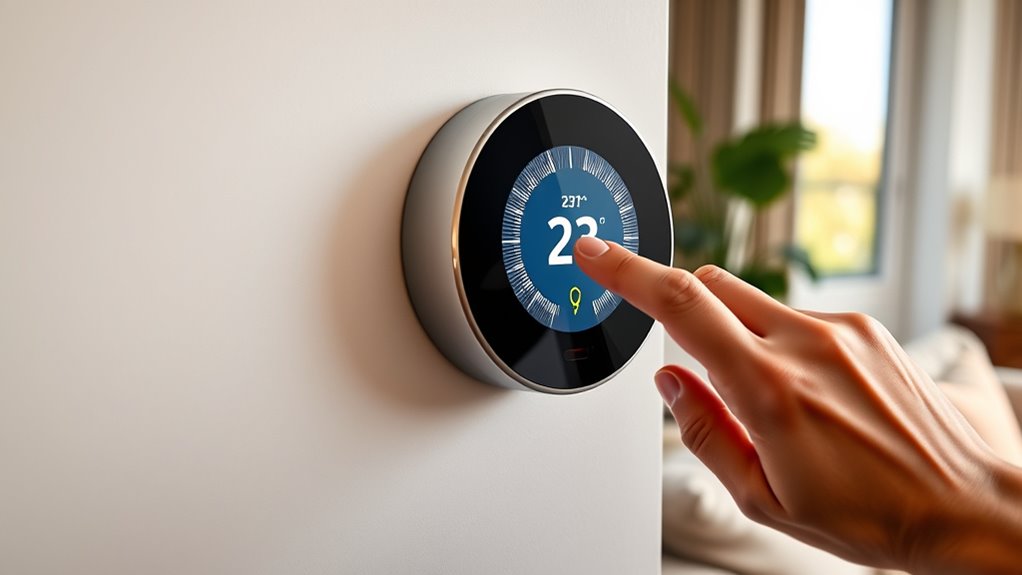
Programming your smart thermostat can markedly improve your home’s comfort and energy efficiency. When you set it up properly, you’ll notice a significant reduction in your energy bills and a more comfortable living environment. The key is to develop a schedule that aligns with your daily routines and adjusts to changes in weather. Start by identifying your typical daily patterns. Think about when you wake up, leave the house, return, and go to bed. These routines influence how you should set your thermostat to maximize savings without sacrificing comfort.
Properly setting your smart thermostat enhances comfort and reduces energy bills.
Next, set your thermostat to lower the heating or cooling during times when you’re not home. For example, if you leave for work at 8 a.m. and return around 6 p.m., program the temperature to be energy-saving during those hours. Many smart thermostats allow you to create different schedules for weekdays and weekends, so take advantage of that flexibility. During winter, you might set the temperature to 68°F while you’re home and awake, but lower it to 60°F or 62°F when you’re away or asleep. In summer, aim for around 78°F when you’re home and need cooling, but increase the temperature when you’re out or sleeping.
Take advantage of the smart features your thermostat offers. Many models learn your habits over time and automatically adjust the temperature for ideal savings. However, it’s still wise to review and fine-tune these settings manually. Use the mobile app to monitor your energy usage and make adjustments on the go. This way, you can spot patterns and identify opportunities to optimize your schedule further. Additionally, understanding energy efficiency principles can help you make smarter adjustments for long-term savings.
Adjusting your thermostat seasonally is also essential. As temperatures change outside, update your settings to avoid overworking your HVAC system. For winter, set the temperature to be a few degrees lower when you’re away, and for summer, increase your cooling setpoint. If your smart thermostat supports geofencing, enable this feature so it automatically adjusts based on your location. When you leave the house, it can lower the temperature, and when you return, it can bring it back to your preferred comfort level.
Finally, don’t forget to take advantage of energy-saving modes and routines. Many smart thermostats have features like vacation mode or eco-friendly scheduling that help you save even more when you’re away for extended periods. By actively managing your thermostat settings and using the available smart features, you’ll not only enjoy greater comfort but also see a noticeable decrease in your energy costs over time.
smart thermostat programming guide
As an affiliate, we earn on qualifying purchases.
As an affiliate, we earn on qualifying purchases.
Frequently Asked Questions
How Often Should I Update My Thermostat Settings?
You should update your thermostat settings whenever your schedule changes or the seasons shift. Typically, adjusting your thermostat twice a year—once for winter and once for summer—helps optimize savings. However, if your routine varies, consider updating more frequently to guarantee comfort and efficiency. Use your smart thermostat’s scheduling features to automate these adjustments, so you don’t have to think about it constantly. Regular updates keep your home comfortable and save you money.
Can I Control My Thermostat Remotely Without Wi-Fi?
No, you can’t control your thermostat remotely without Wi-Fi, which is ironic considering it’s called a smart thermostat. If Wi-Fi drops, you’re stuck with whatever temperature it’s set to, like a digital hostage. To enjoy remote control, you’ll need a reliable internet connection. Otherwise, you’ll have to get up and walk to the thermostat itself, losing the convenience and saving potential that made it “smart” in the first place.
What Is the Ideal Temperature for Energy Savings?
The ideal temperature for energy savings is around 78°F when you’re at home and active, and about 85°F when you’re away or sleeping. You should set your thermostat higher in summer and lower in winter to reduce energy use. Adjusting your thermostat a few degrees can lead to significant savings. Remember, smart thermostats make it easy to customize settings for comfort and efficiency, helping you save money effortlessly.
How Do I Troubleshoot Connectivity Issues?
Troubleshooting connectivity issues is like fixing a tangled knot in your headphones. First, check your Wi-Fi connection and make sure your thermostat is within range. Restart both your router and the thermostat to refresh the connection. Verify your app is updated and your device has the latest software. If problems persist, reset the thermostat to factory settings and reconnect it to your Wi-Fi network.
Are There Specific Settings for Different Seasons?
Yes, you should adjust your thermostat settings based on the season. In winter, lower the temperature when you’re away or asleep to save energy, and in summer, set it higher when you’re not home. Use your smart thermostat’s seasonal scheduling feature to automatically switch between these settings, ensuring comfort and savings year-round. Regularly review and update these settings to optimize energy efficiency as seasons change.
As an affiliate, we earn on qualifying purchases.
Conclusion
Think of your smart thermostat as a faithful garden guide, tending to your home’s comfort like a delicate bloom. When you program it wisely, you nurture savings and warmth, letting your energy flow effortlessly. With each adjustment, you’re watering the seeds of smarter living, watching your bills shrink and your comfort blossom. Embrace this tool, and let it be the gentle gardener of your savings, turning everyday moments into a flourishing oasis of comfort and cost-efficiency.
best smart thermostats with geofencing
As an affiliate, we earn on qualifying purchases.
As an affiliate, we earn on qualifying purchases.
programmable Wi-Fi thermostat for energy savings
As an affiliate, we earn on qualifying purchases.
As an affiliate, we earn on qualifying purchases.
NFL season / tailgating Picks
team gear
As an affiliate, we earn on qualifying purchases.