
Choosing between motion sensors and voice commands depends on your needs. Motion sensors turn lights on and off automatically when you enter or leave a space, saving energy and reducing effort. Voice commands give you quick control over multiple lights and settings through spoken instructions, offering more flexibility. Many find combining both options the best for convenience and efficiency. Keep going to discover which solution suits your lifestyle best and how to optimize your home lighting.

Get home appliances delivered free with Prime
- Fast, free delivery on millions of items
- Prime Video, Amazon Music and more included
- Member-only deals all year
Key Takeaways
- Motion sensors enable automatic, hands-free lighting, ideal for energy saving and high-traffic areas.
- Voice commands offer flexible, personalized control for adjusting brightness, color, and multiple devices simultaneously.
- Combining both provides seamless automation with convenience and customization tailored to user needs.
- Motion sensors work best in areas where hands-free operation is preferred, such as hallways and bathrooms.
- Voice control is better for complex scenes, multi-device management, and integrating with overall smart home systems.
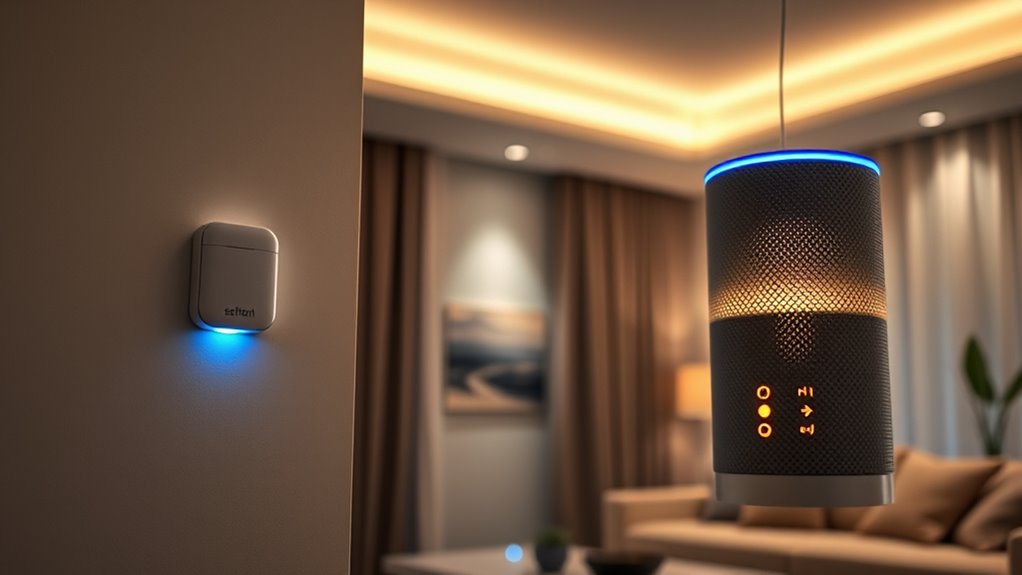
When it comes to automating your home or workplace, motion sensors and voice commands are two popular options, each offering unique advantages. Both can make controlling your lights more convenient, but understanding how they work will help you decide which suits your needs best. Motion sensors detect movement in a room, turning lights on when you enter and off when you leave, which is perfect for saving energy and eliminating the need to fumble for switches. They operate automatically, so once installed, you don’t have to do anything else to keep your space illuminated. This is especially helpful in areas like hallways, bathrooms, or garages, where you might forget to turn lights off. Motion sensors are also less intrusive; they don’t require you to remember specific commands or learn new procedures. Instead, they respond naturally to your presence, providing a seamless lighting experience. Additionally, many motion sensors are designed to be discreet and blend into your environment, maintaining aesthetic appeal.
On the other hand, voice commands give you direct control over your lighting system through spoken instructions. If you enjoy the convenience of simply talking to your devices, voice control can be a game-changer. With a quick voice command, you can turn on, turn off, dim, or change the color of your lights without moving from where you stand. Voice commands also allow for greater flexibility, such as adjusting multiple lights at once or creating custom lighting scenes. This can be particularly useful when entertaining guests or setting a specific mood. Additionally, voice control integrates easily with other smart home devices, enabling you to control your entire environment with just your voice. The compatibility with various platforms and devices enhances the overall smart home experience.
Choosing between motion sensors and voice commands depends on your lifestyle and preferences. Motion sensors excel in providing automatic lighting, reducing energy waste, and eliminating the need to remember to switch lights on or off. They work well in spaces where hands-free operation is ideal, especially if you often forget to turn lights off. Meanwhile, voice commands offer a level of control that’s more interactive and adaptable, perfect if you want to tailor your lighting experience or control multiple devices effortlessly. You might find that combining both options is the most effective approach, using motion sensors for everyday convenience and voice commands for specific tasks or ambiance adjustments. Ultimately, both technologies aim to make your environment smarter and more efficient, so consider how you prefer to interact with your space and choose what best fits your habits. Incorporating color-changing lights or other advanced features can further customize your lighting environment to suit your mood and needs.
As an affiliate, we earn on qualifying purchases.
Frequently Asked Questions
Can Both Methods Be Used Simultaneously?
Yes, you can use both motion sensors and voice commands simultaneously. Most smart lighting systems are designed to integrate multiple control methods, allowing you to set preferences for different situations. For example, motion sensors can automatically turn lights on when you enter a room, while voice commands let you adjust lighting levels or turn lights off from anywhere in the house. This combined setup offers convenience and flexibility.
Which Option Is More Energy-Efficient?
Motion sensors are more energy-efficient because they only activate lights when movement is detected, much like a vigilant guard that works only when needed. For example, I installed motion sensors in my hallway, and my energy bills dropped markedly. Voice commands require you to actively turn lights on or off, which can lead to unnecessary energy use if forgotten. So, if saving energy is your priority, motion sensors are the smarter choice.
Are There Privacy Concerns With Voice Commands?
Yes, there are privacy concerns with voice commands. When you use voice-controlled devices, you’re often sharing personal data, which could be stored or accessed by companies. There’s also a risk of accidental activation, recording conversations unintentionally. To protect your privacy, make sure to review device privacy settings, disable features you don’t need, and stay informed about how your data is used. Being cautious helps you enjoy the convenience without compromising your privacy.
How Do Installation Costs Compare?
Installation costs for motion sensors are typically lower, averaging around $50 to $100 per sensor, while voice command systems can cost between $150 and $300 for setup and devices. You might save money initially with motion sensors, especially if you’re only upgrading specific areas. However, voice systems often include smart hubs, which can increase overall expenses. Consider your budget and needs to choose the most cost-effective option.
Which Method Offers Better Customization Options?
Voice commands offer better customization options because you can easily change settings, schedules, and preferences through your smart assistant or app. You can customize lighting scenes, adjust brightness, and set specific commands for different times or activities. Motion sensors are more limited, mainly controlling lights based on movement. With voice control, you have more flexibility to tailor your lighting experience to suit your needs effortlessly.
As an affiliate, we earn on qualifying purchases.
Conclusion
Ultimately, choosing between motion sensors and voice commands depends on your lifestyle. Imagine coming home after a long day; motion sensors instantly light up your space, saving you from fumbling for switches. Or, picture yourself relaxing on the couch, effortlessly adjusting the lighting with a simple voice command. Both options boost convenience and comfort—so consider what fits your routine best. Whichever you choose, you’ll enjoy a smarter, more responsive home that truly adapts to you.
As an affiliate, we earn on qualifying purchases.
motion sensor and voice control lighting kit
As an affiliate, we earn on qualifying purchases.
As an affiliate, we earn on qualifying purchases.
Cold & flu season Picks
humidifiers
As an affiliate, we earn on qualifying purchases.