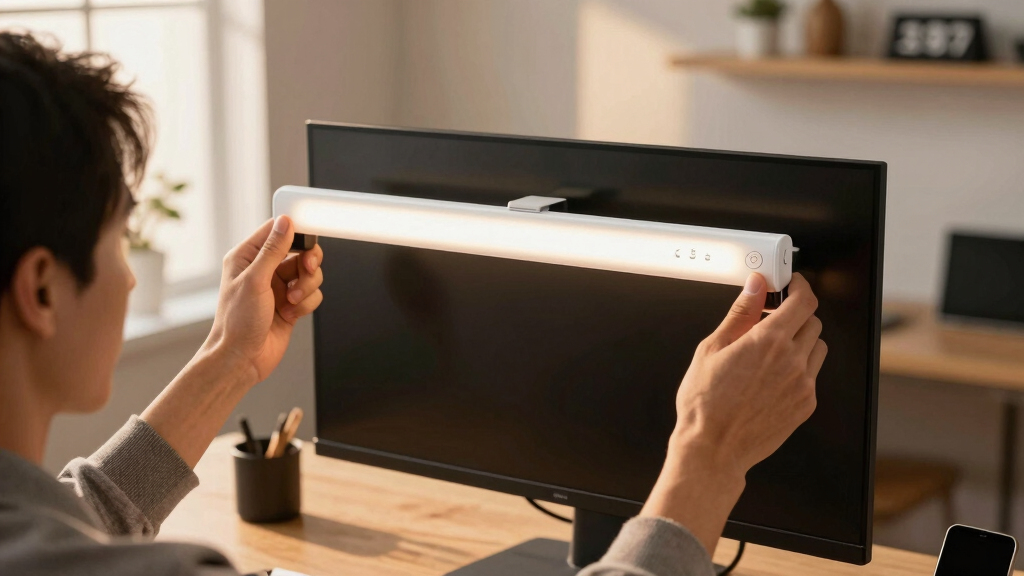

Looking for the best smart monitor light bar to enhance your workspace? The BenQ ScreenBar Halo 2 stands out for its balanced combination of brightness, smart features, and sleek design, making it ideal for most users. The Govee Smart LED Light Bars offer versatile compatibility with voice assistants, perfect for those who want a fully integrated smart home. However, many options come with tradeoffs—such as higher prices for premium features or limited compatibility for budget models. Keep reading to find out which light bar suits your needs best and what factors matter most in your decision.

Get home appliances delivered free — and shop member deals
- Fast, free delivery on millions of items
- Access to Prime Big Deal Days deals on October 6–7
- Prime Video, Amazon Music and more included
Key Takeaways
- Top-ranked models balance brightness, smart features, and ease of installation.
- Compatibility with voice assistants like Alexa or Google Assistant is a key differentiator.
- Price often correlates with feature set; premium models tend to include RGB, app control, and auto-dimming.
- Design and size vary, affecting compatibility with different monitor setups and desk styles.
- Most models provide customizable lighting, but the quality and usability of controls differ significantly.




More Details on Our Top Picks
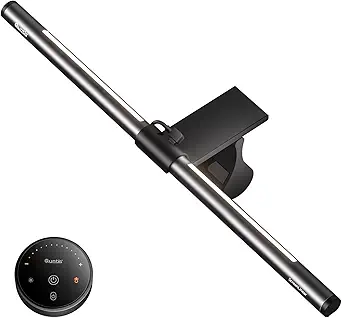
Quntis 1000R Curved Monitor Light Bar, Dual Adjustable LED Desk Lamp with Remote for 34” Curved Screens
This Quntis model stands out for its tailored fit on large curved screens, with dual adjustable LED arcs that deliver customizable, glare-free illumination. Its space-saving clip-on design minimizes clutter, and the remote control with auto-dimming makes lighting adjustments effortless. Compared to the YEELIGHT, which offers more advanced color temperature control, this pick focuses on providing comfortable, screen-specific lighting for large curved displays. The main tradeoff is that its effectiveness diminishes on flat or non-curved monitors, and it requires a USB power source, limiting portability. Nonetheless, it offers a balanced combination of functionality and ease of use for those with curved screens seeking dedicated monitor lighting.
Pros:- Adjustable dual LED arcs for personalized lighting
- Glare-free, eye-care technology enhances viewing comfort
- Space-saving clip-on design fits various monitor sizes
- Remote control with auto-dimming for convenient adjustments
Cons:- Less effective on flat or smaller monitors
- Requires USB connection, limiting portability
Best for: Owners of large curved monitors who prioritize glare-free, adjustable lighting tailored to their screen size
Not ideal for: Users with flat monitors or those seeking portable or battery-powered options due to its fixed USB power need
- Length:34 inches
- Light Bars:Dual adjustable LED arcs
- Brightness:Over 1400 lux
- CRI:High RA98
- LED Beads:112
- Control:Remote with auto-dimming sensor
- Design:Space-saving clip-on
- Compatibility:Curved monitors 1000R-3000R
Bottom line: This monitor light bar is ideal for users with large curved screens seeking customizable, glare-free illumination without fuss.
Govee Smart LED Light Bars with Alexa and Google Assistant Compatibility
This Govee light bar excels in delivering vibrant, rainbow-like effects with 16 million colors, making it perfect for gamers and entertainment spaces. Its ability to sync with music and voice commands via Alexa or Google Assistant creates an immersive environment, surpassing the more subdued lighting of the Quntis 1000R. However, it is best suited for monitors less than 45 inches, so larger setups might find it inadequate. Additionally, its smart features depend on a WiFi connection, which could introduce latency or connectivity issues. Despite these limitations, this model caters well to users who want dynamic, colorful lighting that reacts in real-time to audio and voice inputs.
Pros:- Vibrant rainbow-like RGB effects with 16 million colors
- Syncs seamlessly with music for immersive experiences
- Voice control compatibility with Alexa and Google Assistant
- Flexible installation options
Cons:- Limited to monitors under 45 inches in size
- Requires WiFi for smart features, which may cause connectivity issues
Best for: Gamers and entertainment enthusiasts looking for vibrant, music-reactive backlighting for monitors under 45 inches
Not ideal for: Professionals requiring precise color temperature control or larger monitor setups exceeding 45 inches
- Technology:RGBICWW
- Colors:16 million
- Voice Assistant Compatibility:Alexa, Google Assistant
- Control:App, voice, manual
- Microphone:High-sensitivity mic for music sync
- Recommended Monitor Size:Less than 45 inches
- Cord Length:106 inches
Bottom line: This smart RGB light bar is perfect for users wanting lively, music-synced effects on smaller monitors for gaming or casual entertainment.
YEELIGHT Monitor Light Bar, Computer Monitor Lamp with No Glare & Eye Caring, RGB Desk Lamp Works with Alexa and Google Home, Light Bar with Adjustable Color Temperature for Home Office Space Saving
The YEELIGHT monitor light bar offers a versatile setup with adjustable RGB colors, high-accuracy white light, and seamless integration with Razer Chroma for gamers and designers alike. Its 2700K-6500K tunable white light provides a level of precision that surpasses basic RGB setups like the Quntis RGB Pro+. Its glare-free, flicker-free LEDs ensure extended comfort, while the quick, tool-free installation fits most monitors with its weighted clip. The main difference from the Quntis RGB Pro+ is its advanced RGB customization and gaming integration, making it ideal for those who want both professional-grade lighting and dynamic effects. The primary tradeoff is its reliance on WiFi for app control, which might be less reliable than dedicated remote controls.
Pros:- Adjustable RGB and color temperature for precise lighting
- Seamless integration with Razer Chroma and Overwolf for gaming
- High-accuracy white light for professional tasks
- Simple, tool-free installation with a weighted clip
Cons:- Requires WiFi connection for full app functionality
- More complex setup compared to basic remote-controlled bars
Best for: Professionals, gamers, and streamers seeking adjustable RGB and white lighting with smart home integration
Not ideal for: Users looking for a simple, budget-friendly light without RGB or smart features
- Color Temperature Range:2700K-6500K
- RGB Colors:16.8 million
- Control Method:App, Alexa, Google
- Sync Features:Razer Chroma & Overwolf
- LEDs:80 high-quality LEDs
- Installation:Weighted clip
Bottom line: This light bar is well-suited for users who want customizable RGB and white lighting with smart features for gaming or detailed work.
Quntis RGB Pro+ Monitor Light Bar with Remote, 15 Modes, 4 Colors & Dimmable Front Light, 20″ Eye-Care USB Reading Lamp, No Glare, Upgraded Clip for All Monitors
This Quntis RGB Pro+ offers extensive customization with 15 lighting modes, 4 colors, and stepless dimming, making it highly adaptable for various tasks. Its 20-inch length and balanced, glare-free LED design prioritize eye comfort during long work or reading sessions. While its remote control simplifies adjustments, some users might find the interface less intuitive than app-based controls, and its USB power limits portability. Compared to the Govee RGBICWW, the RGB Pro+ emphasizes versatility and eye protection over dynamic music sync or voice control. It’s an ideal choice for users who need a broad range of lighting options without requiring smart home integration.
Pros:- Extensive customization with 15 modes and 4 colors
- Stepless dimming for precise brightness control
- Large 20-inch length provides wide coverage
- Glare-free, eye-care technology reduces fatigue
Cons:- Requires USB power, limiting portability
- Remote control may be less intuitive than app controls
Best for: Office workers, students, and readers needing customizable, eye-friendly lighting with simple remote control
Not ideal for: Users seeking advanced smart features or vibrant gaming effects, as this model lacks RGB color variety and voice integration
- Product Type:Lamp
- Light Sources:144 LEDs
- Color Temperature Range:3000-6500K
- Brightness Levels:100 stepless
- Lighting Modes:15 RGB modes + front & back
- Material:Aluminum
- Dimensions:20 inches
- Control Method:Remote
Bottom line: This monitor light bar suits users seeking versatile, eye-friendly lighting with broad customization and straightforward remote operation.
Govee RGBIC Light Bars, 15 Inches WiFi TV Backlight for 45-70 Inch TVs, Smart Light Bars with Multiple Placement Options, Compatible with Alexa and Google Assistant
This 15-inch Govee RGBIC Light Bar stands out for its ease of installation and flexible placement options, making it ideal for users who want to enhance their TV viewing with vibrant, customizable lighting. Compared to larger or more complex options like the BenQ ScreenBar Halo 2, it lacks the sophistication of ambient backlighting or high color accuracy but compensates with simple setup and music sync features. Its RGBIC technology allows for dynamic effects, yet it doesn’t include a color-matching function, which might disappoint those wanting perfect hue coordination. The app control and voice compatibility provide convenience, but the limited length makes it unsuitable for larger screens. Overall, this pick makes the most sense for those seeking a budget-friendly, easy-to-use TV backlight without advanced professional features.
Pros:- Easy to install with multiple placement options
- Supports voice control with Alexa and Google Assistant
- Vibrant RGBIC effects and music sync modes
Cons:- Limited to 15-inch length, not suitable for larger TVs
- No color-matching function for precise hue coordination
Best for: TV enthusiasts seeking customizable, colorful backlighting for medium-sized screens on a budget
Not ideal for: Home theater users with larger or multiple TVs who need extended, synchronized lighting across multiple screens
- Light Source Type:LED
- Power Source:Corded Electric
- Voltage:12 Volts
- Maximum Compatible Light Source Wattage:24 Watts
- Mounting Type:Wall Mount
- Color Changing:Yes
Bottom line: This light bar is perfect for users who want quick, colorful TV backlighting without complex setup or professional-grade features.
BenQ ScreenBar Halo 2 LED Monitor Light Bar with Wireless Controller
The BenQ ScreenBar Halo 2 elevates the monitor lighting experience with its high color accuracy and glare-free illumination, making it ideal for professionals who spend hours at their desk. Unlike the Quntis Computer Monitor Light Bar, which offers basic glare reduction, the Halo 2 provides ambient backlighting and auto-adjusts to ambient light levels, reducing eye fatigue during long work or study sessions. Its wireless controls and customizable brightness and color temperature ensure precise adjustments, but it requires a USB power connection, and its price point may be prohibitive for casual users. This model is better suited to those who prioritize eye health and color fidelity over simplicity or budget.
Pros:- Reduces eye fatigue with glare-free, balanced lighting
- Wireless controller for easy adjustments
- High color accuracy with CRI > 95
Cons:- Requires USB connection for power
- Higher cost than basic monitor lights
- Setup may be somewhat complex for newcomers
Best for: Professionals or students who need precise, comfortable lighting for extended monitor use
Not ideal for: Casual users or gamers seeking colorful effects or gaming immersion, as it focuses on eye comfort and color accuracy rather than dynamic RGB effects
- Backlight:Ambient backlight with adjustable brightness
- Front Light Technology:Asym-Light Technology, glare-free at 18° angle
- Color Temperature Range:2700K – 6500K
- Monitor Compatibility:0.17″ – 2.36″ thick, 1000R – 1800R curved monitors
- Lifespan:Over 50,000 hours
- CRI:> 95
Bottom line: This monitor light bar is ideal for anyone prioritizing eye comfort and professional-quality illumination during extended monitor use.
Quntis Computer Monitor Light Bar with Remote, Eye-Care Backlight Desk Lamp for Home Office and Gaming, Stepless Dimming, Gray
The Quntis monitor light bar offers straightforward glare reduction with adjustable brightness and color temperature, making it a reliable choice for home office or gaming setups. Its remote control simplifies operation, especially compared to the Hive Vibes RGB Monitor Light Bar, which relies on app controls and has more advanced RGB features. The clip-on design works well on curved or thin monitors, but its wattage of 5W may limit brightness for very large or brightly lit rooms. While it doesn’t offer RGB colors or dynamic effects, it provides essential eye-care features at an accessible price point. This pick is suitable for users seeking a simple, effective solution without extra fuss or cost.
Pros:- Reduces glare and eye strain effectively
- Easy to install on curved or thin monitors
- Remote control for quick adjustments
Cons:- Limited wattage may be insufficient for large or very bright rooms
- Not waterproof, unsuitable for humid environments
Best for: Budget-conscious users needing glare and eye strain reduction for everyday work and gaming
Not ideal for: Users who want colorful lighting effects, dynamic RGB modes, or extensive customization beyond basic brightness and temperature
- Bulb Shape:T8
- Switch Type:Remote
- Additional Features:Cordless
- Light Source Type:LED
- Power Source:Corded Electric
- Wattage:5 watts
Bottom line: This light bar delivers reliable glare reduction and comfort for budget-minded users who prefer simplicity over advanced features.
Smart Monitor Light Bar with RGB Backlight, Screen & Music Sync, 16 Million Colors, 18 Modes
This dual-light setup excels at creating immersive environments with its RGB backlight, full app control, and music sync modes. Compared to the Hive Vibes 17-Inch RGB Monitor Light, it offers more customizable effects and independent control of front and rear lights, making it ideal for gamers and streamers. However, the setup can be more complex due to software installation and multiple components. Its 16 million colors and 18 modes allow for vibrant, dynamic effects, but it’s primarily designed for entertainment, not professional eye care. This makes it perfect for users wanting an engaging, colorful workspace or gaming station, with the tradeoff of a steeper learning curve and higher complexity.
Pros:- Full RGB customization with 16 million colors
- Independent control of front and rear lights
- Screen and music synchronization for immersive effects
Cons:- Requires software installation and setup
- Limited to corded power, less portable
Best for: Gamers and streamers seeking dynamic, synchronized RGB lighting for enhanced immersion
Not ideal for: Users who prefer simple, static lighting or need professional-grade eye care without RGB effects
- Light Source Type:LED
- Power Source:Corded Electric
- Voltage:5 Volts (DC)
- Light Source Wattage:10 Watts
- Mounting Type:Table Mount
- Special Features:RGB lighting, 16 million colors, dynamic effects, screen-sync, music-sync
Bottom line: This lighting system is best suited for entertainment-focused setups that benefit from vibrant, synchronized RGB effects and full customization.
Hive Vibes 17-Inch RGB Monitor Light Bar with Remote & App Control
The Hive Vibes 17-inch RGB monitor light bar combines remote and app control, offering a highly customizable RGB experience with stepless dimming and adjustable color temperature. Compared with the Quntis RGB Pro+, it provides more flexible control options, making it appealing for users who want dynamic color effects and easy adjustment. Its eye-care features, like flicker-free lighting, help reduce eye fatigue during long gaming or work sessions. The adjustable clamp ensures compatibility with various monitor sizes, but its 10W power output might limit brightness in very large or bright environments. This pick makes sense for users who want robust RGB effects combined with convenient app and remote controls, though it’s less suited for those seeking basic, static lighting.
Pros:- Customizable RGB backlight with app and remote control
- Stepless dimming and adjustable color temperature
- Easy installation with secure clamp
Cons:- Limited to 10W power, may not be bright enough for large rooms
- Batteries for remote not included
Best for: Users wanting vibrant, customizable RGB lighting with easy remote and app control for gaming or creative work
Not ideal for: People seeking simple, static lighting solutions or those with very large monitors requiring higher brightness
- Light Source Type:LED
- Power Source:Corded Electric
- Batteries:2 AAA batteries required
- Maximum Compatible Light Source Wattage:10 Watts
- Mounting Type:Table Mount
- Color Temperature:2700K–6700K
Bottom line: This light bar is excellent for those who want vibrant RGB effects with flexible control options in a compact form.
Quntis Computer Monitor Lamp, Screen Monitor Light Bar for Eye Care, USB Reading LED Task Lamp with Auto-Dimming, Dimmable Light, Touch Control, No Glare, Space Saving Home Office Desk Lamp
The Quntis Computer Monitor Lamp stands out for its flicker-free, blue light hazard-free illumination, which significantly reduces eye strain during long screen sessions. Unlike larger, more feature-rich options like the BenQ ScreenBar Halo 2, this model offers a minimalist, clip-on design that saves desk space without sacrificing essential eye-care features. Its auto-dimming capability and customizable color temperature allow for tailored lighting, making it ideal for reading, working, or gaming. However, its low wattage (5W) and USB-only power source mean it won’t be suitable for those needing brighter or more versatile lighting solutions, especially in humid or multitasking environments. The lack of waterproofing limits outdoor or humid use, but for a clean, space-efficient setup focused on eye health, this lamp excels.
Pros:- Reduces eye strain with flicker-free, blue light hazard-free illumination
- Space-saving clip-on design clears desk clutter
- Auto-dimming feature with customizable brightness and color temperature
Cons:- Limited wattage (5W) restricts maximum brightness
- Requires constant USB power connection, not cordless or rechargeable
- Not suitable for humid or outdoor environments due to lack of waterproofing
Best for: Individuals seeking an affordable, compact light that prioritizes eye comfort in a small or cluttered workspace.
Not ideal for: Users needing a brighter, more versatile lamp for multitasking or humid environments, or those requiring wireless operation.
- Bulb Source Type:LED
- Power Source:USB
- Wattage:5 watts
- Control Method:Touch
- Adjustable Features:Color Temperature, Brightness
- Mounting Type:Clip On
- Material:Aluminum and Plastic
- Dimensions:0.78″D x 15.7″W x 0.78″H
Bottom line: This pick makes the most sense for users who want an unobtrusive, eye-friendly light for focused work or reading in a small desk setup.
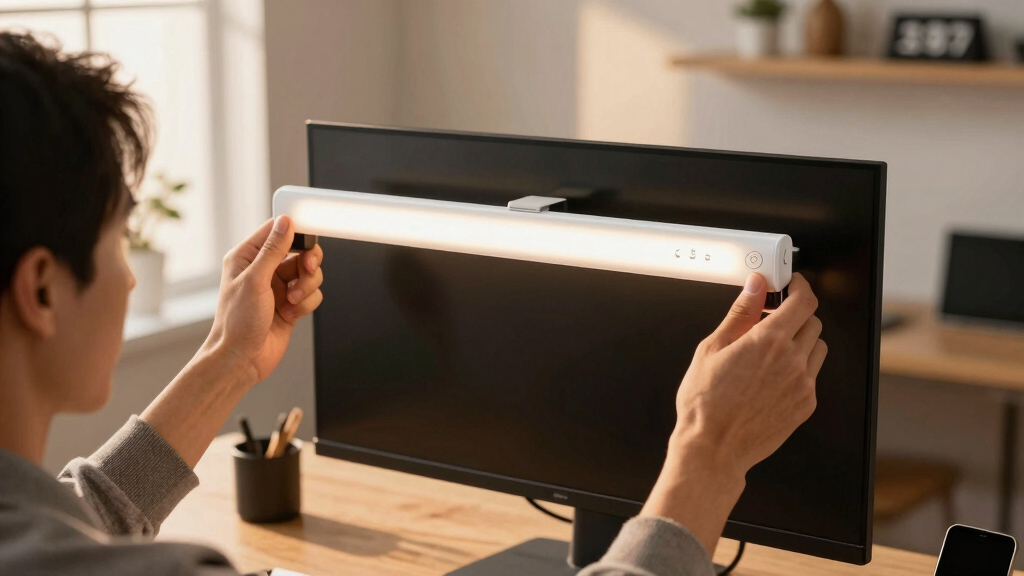
How We Picked
The products in this roundup were evaluated based on performance, ease of installation, smart features, build quality, and value. We prioritized models with reliable brightness, intuitive controls, and broad compatibility with smart home systems. Additional factors like design, size, and user interface were considered to ensure suitability for various desk setups. The ranking reflects a balance between feature set, user experience, and price, aiming to recommend options for different types of buyers—from casual users to tech enthusiasts.Factors to Consider When Choosing Best Smart Monitor Light Bar
Choosing the best smart monitor light bar involves considering several key factors beyond just features. First, evaluate compatibility with your existing smart home ecosystem—whether Alexa, Google Assistant, or others—to ensure seamless control. Brightness and color options matter depending on your workspace needs; some models offer adjustable color temperatures for eye comfort, while others emphasize vibrant RGB effects. Size and mounting options should align with your monitor and desk setup, preventing clutter or obstruction. Price is also a crucial consideration, as more expensive models typically include advanced features like auto-dimming and app control. Lastly, focus on build quality and design to ensure durability and aesthetic harmony with your workspace, avoiding models that look out of place or feel flimsy.Compatibility with Smart Home Ecosystems
A vital factor is whether the light bar works smoothly with your existing smart devices. Many models support Alexa, Google Assistant, or Apple HomeKit, allowing voice control and automation routines. Choosing a compatible device ensures effortless integration, especially if you want to control your lighting along with other smart home features. Be cautious with models that require proprietary apps or lack voice support, as these can complicate your setup and limit usability.Brightness and Color Options
Your workspace may demand different lighting conditions—whether for reducing eye strain or creating ambiance. Look for models with adjustable brightness levels and temperature controls; some offer RGB colors for mood lighting or gaming setups. Higher-quality models provide flicker-free light and consistent color rendering, which are essential for eye comfort during long hours. Cheaper options often lack fine control or have limited color ranges, so consider your specific needs carefully.Size, Mounting, and Design
The physical dimensions and mounting options vary widely, impacting compatibility with your monitor size and desk space. Slim, low-profile models blend seamlessly, while larger bars might offer more features but could obstruct your view or clutter your desk. Clamp mounts, adhesive pads, or built-in stands are common attachment methods—choose one that suits your setup and ensures stability. Aesthetic design also matters if you prefer your workspace to look clean and coordinated.Smart Features and App Control
Many premium models include app-based controls, timers, and scene presets, which add convenience and customization. Some support music sync or automation based on time or activity, enhancing the user experience. However, more features often mean a steeper learning curve or higher price. Evaluate whether these extras genuinely improve your workflow or entertainment experience, and avoid overpaying for capabilities you won’t use.Price and Value
Budget models can still provide decent illumination, but they often lack advanced controls or robust build quality. Conversely, premium units tend to include rich features—RGB effects, auto-dimming, smart home integration—justifying their higher cost. Identify your priorities and set a budget accordingly. Sometimes, investing a bit more yields significantly better durability, usability, and versatility, especially if you plan to use your monitor light bar daily.Frequently Asked Questions
Is it better to choose a monitor light bar with RGB lighting or one with adjustable color temperature?
Choosing between RGB lighting and adjustable color temperature depends on your primary needs. RGB options are excellent for creating ambiance or enhancing gaming and entertainment setups, while adjustable color temperature is better for reducing eye strain during work. If your goal is to have versatile lighting that can serve both purposes, consider models that include both features. Keep in mind that RGB models often require more power and may be pricier, but they offer more visual variety. Ultimately, select based on whether aesthetic effects or eye comfort are your priority.Do I need a monitor light bar with app control, or are manual controls sufficient?
App control offers greater flexibility and customization, allowing you to adjust settings remotely, set schedules, and create lighting scenes easily. Manual controls can be straightforward and reliable but may lack the depth of customization users desire. If you prefer quick adjustments or plan to automate your lighting routines, an app-supported model will serve you better. However, for basic needs, a device with physical buttons or remote control might be more intuitive and less prone to connectivity issues.Are smart monitor light bars compatible with all monitors?
Most smart monitor light bars are designed to fit a wide range of monitor sizes, especially those with standard mounting options like clamps or adhesive pads. However, very large or unusually shaped monitors might require specific mounting solutions or larger light bars. Always check the product specifications for size compatibility and mounting options before purchasing, to ensure a secure fit and optimal lighting coverage. Compatibility issues are less common with well-reviewed models, but verifying your setup can prevent disappointment.How important is build quality and material in choosing a monitor light bar?
Build quality impacts both durability and aesthetic appeal. Well-constructed light bars made from quality materials tend to last longer, resist damage, and maintain their appearance over time. Cheaper plastic units may feel flimsy or break easily, especially around mounting points. Investing in a sturdy, well-designed model ensures your lighting remains reliable and adds to the overall look of your workspace, which can be especially important if you use your setup daily or in professional environments.Should I prioritize brightness or smart features when choosing a monitor light bar?
The importance of brightness versus smart features depends on your primary use case. If you need powerful illumination to reduce eye strain or for detailed tasks, prioritize brightness and adjustable color temperature. If your focus is on creating ambiance, automation, or syncing with other smart devices, then smart features take precedence. Many premium models successfully combine both, but balancing these factors based on your routine will help you select the most suitable product.Conclusion
For most users seeking a reliable, easy-to-use solution, the BenQ ScreenBar Halo 2 offers a balanced mix of performance, smart features, and sleek design—making it the best overall pick. Budget-conscious buyers or those new to monitor lighting might prefer the Quntis 1000R Curved Monitor Light Bar for its affordability and straightforward setup. Enthusiasts who want customizable ambient lighting should consider models like the Govee RGBIC Light Bars or Hive Vibes for their vibrant RGB effects and app controls. If you’re after premium features, durability, and seamless smart home integration, the Govee Smart LED Light Bars or Yeelight Monitor Light Bar are excellent choices. Ultimately, your decision should reflect your specific workspace needs, budget, and preference for smart features.
Fall Picks
fall essentials
As an affiliate, we earn on qualifying purchases.