
When selecting the best WiFi 7 router for a smart home, speed, coverage, and device capacity are key factors. The TP-Link Deco 7 Pro BE63 stands out as the best overall for its mesh system that easily scales with your smart devices. The NETGEAR Nighthawk RS90 offers impressive speed for more demanding setups, while the TP-Link BE6500 combines security and coverage at a compelling price. With new WiFi 7 standards, you’ll face tradeoffs between coverage, speed, and cost—especially as more smart devices demand stable, high-speed connections. Keep reading for a detailed breakdown to find the best fit for your smart home needs.

Get home appliances delivered free — and shop member deals
- Fast, free delivery on millions of items
- Access to Prime Big Deal Days deals on October 6–7
- Prime Video, Amazon Music and more included
Key Takeaways
- Mesh systems like the TP-Link Deco 7 Pro provide scalable coverage essential for large smart homes.
- Speed and device capacity often come at a higher price, making budget options less future-proof.
- Security features and ease of setup are critical for smart homes with many connected devices.
- WiFi 7’s multi-gig ports and advanced features support high-bandwidth smart gadgets efficiently.
- Choosing between dual-band and tri-band depends heavily on your home’s size and number of connected devices.
| TP-Link Deco 7 Pro BE63 Tri-Band WiFi 7 Mesh System (2-Pack) |  | Best Overall for Large Smart Homes | Wi-Fi Technology: WiFi 7 (802.11ax) | Speed: Up to 5188 Mbps on 6GHz, 4324 Mbps on 5GHz, 574 Mbps on 2.4GHz | Coverage: Up to 5,800 sq.ft. (2-pack) | VIEW LATEST PRICE | See Our Full Breakdown |
| NETGEAR Nighthawk Dual-Band WiFi 7 Router (RS90) |  | Best for High-Speed Gaming and Streaming | WiFi Speed: up to 3.6 Gbps | Coverage: up to 2,000 sq.ft. | Device Support: 50 devices | VIEW LATEST PRICE | See Our Full Breakdown |
| TP-Link BE6500 Dual-Band WiFi 7 Router (BE400) with 2.5Gbps Ports, USB 3.0, Coverage up to 2,400 sq. ft., Supports 90 Devices, Quad-Core CPU, HomeShield Security, Private IoT, Free Support |  | Best for Balanced Performance and Security | WiFi Technology: WiFi 7 | Total Bandwidth: 6.5 Gbps | Coverage: 2,400 sq. ft. | VIEW LATEST PRICE | See Our Full Breakdown |
| GL.iNet GL-BE9300 (Flint 3) Tri-Band WiFi 7 Router, High-Speed Gaming and Long Range Wireless Internet |  | Best for Gaming and Long-Range Coverage | Wi-Fi Standard: Wi-Fi 7 | Speed: Up to 9 Gbps | Coverage: Up to 2,000 sq ft | VIEW LATEST PRICE | See Our Full Breakdown |
| ASUS RT-BE55 Dual-Band WiFi 7 Router, 3600 Mbps, 2.5G Port, Extendable with AiMesh, Parental Controls & Security |  | Best for Whole-Home Extension and Parental Controls | Wi-Fi Generation: Wi-Fi 7 | Maximum Speed: 3600 Mbps | Coverage Area: 2000 sq. ft. | VIEW LATEST PRICE | See Our Full Breakdown |
| TP-Link Deco 7 Pro BE63 Tri-Band WiFi 7 Mesh System (3-Pack) |  | Best Overall for Large Smart Homes | Wi-Fi Technology: Wi-Fi 7 | Speed: 5188 Mbps (6GHz), 4324 Mbps (5GHz), 574 Mbps (2.4GHz) | Coverage: up to 7,600 sq.ft. | VIEW LATEST PRICE | See Our Full Breakdown |
| TP-Link AX1800 WiFi 6 Router (Archer AX21) |  | Best Value for Upgrading Existing Smart Homes | Wi-Fi Standard: Wi-Fi 6 (802.11ax) | Bands: Dual Band (2.4 GHz and 5 GHz) | Total Bandwidth: 1.8 Gbps | VIEW LATEST PRICE | See Our Full Breakdown |
| TP-Link Tri-Band WiFi 7 Router (Archer BE600) – 10G Port, 2.5G Port |  | Best for High-Speed, Wired-Heavy Smart Homes | WiFi Technology: WiFi 7 | Max Speed: up to 5,765 Mbps | Coverage: 2,600 sq. ft. | VIEW LATEST PRICE | See Our Full Breakdown |
| NETGEAR Nighthawk WiFi 7 Router (BE9300) | 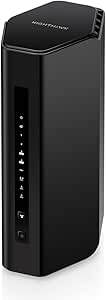 | Best for Gaming and High-Demand Smart Homes | Speed: 9.3Gbps | WiFi Bands: Tri-band (including 6 GHz) | Coverage: 2500 sq. ft. | VIEW LATEST PRICE | See Our Full Breakdown |
| TP-Link Dual-Band Wi-Fi 7 Router Archer BE230 |  | Best Budget-Friendly Wi-Fi 7 Router for Smart Homes | Wi-Fi Technology: Wi-Fi 7 | Speed: Up to 2882 Mbps (5 GHz), 688 Mbps (2.4 GHz) | Ports: 1×2.5G WAN/LAN, 1×2.5G LAN, 3×1G LAN | VIEW LATEST PRICE | See Our Full Breakdown |
More Details on Our Top Picks
TP-Link Deco 7 Pro BE63 Tri-Band WiFi 7 Mesh System (2-Pack)
This mesh system stands out for its extensive coverage and high speeds, making it ideal for large properties where a single router might struggle. Compared to the ASUS RT-BE55, the Deco 7 Pro offers a more seamless whole-home experience with support for over 200 devices, thanks to its mesh architecture. However, its higher price and subscription-based premium features might be a barrier for some users. Its support for AI-Roaming ensures devices switch smoothly between nodes, which is vital for smart homes with many gadgets. The integrated security features and VPN support bolster privacy across your network. This pick makes the most sense for homeowners needing reliable, wide-reaching WiFi 7 coverage that can handle numerous smart devices at once.
Pros:- Extremely broad coverage up to 5,800 sq.ft. with 2-pack system
- Supports over 200 devices simultaneously, ideal for dense smart homes
- Fast WiFi 7 speeds with multi-band support for high-bandwidth activities
- Easy management via Deco App with advanced security features
Cons:- Premium price point may deter budget-conscious buyers
- Requires compatible ISP and modem, adding setup steps
Best for: Large households with multiple smart devices and high bandwidth needs
Not ideal for: Small apartments or users with limited budgets, as it involves a higher cost and setup complexity
- Wi-Fi Technology:WiFi 7 (802.11ax)
- Speed:Up to 5188 Mbps on 6GHz, 4324 Mbps on 5GHz, 574 Mbps on 2.4GHz
- Coverage:Up to 5,800 sq.ft. (2-pack)
- Ports:Four 2.5G WAN/LAN ports, USB 3.0
- Number of Devices Supported:Over 200
- Security:HomeShield, VPN support, IoT security
Bottom line: The Deco 7 Pro is best for large, device-rich homes seeking seamless, fast WiFi 7 coverage.
NETGEAR Nighthawk Dual-Band WiFi 7 Router (RS90)
Designed for users demanding blazing-fast speeds and reliable performance, the RS90 excels at gaming, streaming, and video calls. Its support for speeds up to 3.6 Gbps makes it a step above the TP-Link BE6500 in raw throughput, especially suited for media-heavy households. While it doesn’t include a built-in modem, it offers an easy setup with the Nighthawk app and supports up to 50 devices within a 2,000 sq.ft. range. This makes it less suited for very large homes but perfect for medium-sized spaces needing high performance. Its 2.5 Gig internet port aligns well with multi-gig broadband plans, providing future-proof connectivity. Compared with the Deco 7 Pro, the RS90 is more focused on speed and device support for a smaller to medium home, but lacks the mesh flexibility for expansive coverage.
Pros:- Supports speeds up to 3.6 Gbps for demanding tasks
- Supports up to 50 devices, suitable for busy households
- Includes a 2.5 Gbps port for multi-gig internet plans
- User-friendly setup and app management
Cons:- Limited coverage area of 2,000 sq.ft. makes it less ideal for larger homes
- Requires a separate modem, adding to setup complexity
Best for: Gamers and streamers in medium-sized homes needing high-speed wireless connections
Not ideal for: Very large homes or users needing extensive mesh coverage, as it supports fewer devices and coverage is more limited
- WiFi Speed:up to 3.6 Gbps
- Coverage:up to 2,000 sq.ft.
- Device Support:50 devices
- Internet Port:2.5 Gig
- Compatibility:Works with any ISP
- Includes:30-day trial of NETGEAR Armor
Bottom line: The Nighthawk RS90 is ideal for high-speed internet needs in medium homes with a focus on gaming and streaming.
TP-Link BE6500 Dual-Band WiFi 7 Router (BE400) with 2.5Gbps Ports, USB 3.0, Coverage up to 2,400 sq. ft., Supports 90 Devices, Quad-Core CPU, HomeShield Security, Private IoT, Free Support
This router combines powerful WiFi 7 capabilities with robust security, making it suitable for homes that prioritize both speed and safety. While its coverage of 2,400 sq.ft. is slightly less than the Deco 7 Pro, it supports up to 90 devices—more than enough for most smart homes. Its multi-gig ports and quad-core CPU allow for versatile wired and wireless connections, and the advanced security features help protect IoT devices. Compared to the ASUS RT-BE55, the BE6500 offers a more balanced mix of security and speed, though it involves a higher price. Its complex feature set might be overwhelming for casual users, but it’s a strong choice for tech-savvy homeowners wanting reliable, secure WiFi 7.
Pros:- Supports WiFi 7 with total bandwidth up to 6.5 Gbps
- Supports up to 90 devices with stable connections
- Multiple high-speed ports including 2.5 Gbps for flexible wired setup
- Includes advanced security with HomeShield
Cons:- Higher price point compared to basic routers
- Complex features may be difficult for non-technical users
Best for: Tech-savvy users needing secure, fast, and extensive wireless coverage for smart home devices
Not ideal for: Casual users or those with very large homes, as coverage and simplicity may be limiting
- WiFi Technology:WiFi 7
- Total Bandwidth:6.5 Gbps
- Coverage:2,400 sq. ft.
- Device Capacity:Up to 90
- Ports:1x 2.5 Gbps WAN, 3x 1 Gbps LAN
- Security:HomeShield, VPN
Bottom line: The TP-Link BE6500 is ideal for homeowners seeking a secure, high-speed WiFi 7 setup with extensive device support.
GL.iNet GL-BE9300 (Flint 3) Tri-Band WiFi 7 Router, High-Speed Gaming and Long Range Wireless Internet
This router makes a compelling case for gamers and users needing long-range, high-speed WiFi 7 connections. Its support for speeds up to 9 Gbps and tri-band architecture ensure minimal latency and broad coverage—up to 2,000 sq.ft.—ideal for large homes with dense device environments. Unlike the mesh-based Deco 7 Pro, the Flint 3 emphasizes dedicated high-speed performance in a single unit, which may simplify setup but limits coverage expansion. Its VPN support and parental controls add layers of security, suitable for tech-savvy households. The initial firmware update requirement might be a minor hurdle, but overall, it provides a powerful balance of speed and range for demanding smart home setups.
Pros:- Very high speeds up to 9 Gbps for demanding applications
- Long-range coverage up to 2,000 sq.ft.
- Supports multiple VPN protocols for secure internet
Cons:- Initial setup may require firmware update
- Complex features could overwhelm non-technical users
Best for: Gamers or tech enthusiasts needing fast, long-distance WiFi 7 for large homes
Not ideal for: Users seeking simple, plug-and-play solutions or larger coverage for expansive properties
- Wi-Fi Standard:Wi-Fi 7
- Speed:Up to 9 Gbps
- Coverage:Up to 2,000 sq ft
- Device Capacity:Over 100 devices
- Technology:MLO, OFDMA, 4K QAM
- VPN Speeds:Up to 680 Mbps
Bottom line: The GL.iNet Flint 3 is perfect for gamers and power users needing high-speed, long-range WiFi 7 in dense environments.
ASUS RT-BE55 Dual-Band WiFi 7 Router, 3600 Mbps, 2.5G Port, Extendable with AiMesh, Parental Controls & Security
This router is tailored for home users seeking speed, coverage, and expandability, thanks to its AiMesh compatibility. Its maximum speed of 3600 Mbps makes it a strong performer for streaming and smart home devices, especially when combined with other ASUS routers for mesh expansion. With support for multiple SSIDs and parental controls, it provides flexible management of IoT and user access. Nonetheless, its coverage area is limited to 2,000 sq.ft., which might be insufficient for very large homes without additional mesh units. Unlike the Deco 7 Pro, it relies on ASUS’s mesh ecosystem for larger coverage, which adds to the setup complexity but offers more control over network configurations. This makes it an appealing choice for tech-savvy homeowners willing to invest in a customizable mesh network.
Pros:- Supports WiFi 7 speeds up to 3600 Mbps
- Extendable via AiMesh for larger coverage
- Supports multiple SSIDs and parental controls
- Fast 2.5G Ethernet port for wired connections
Cons:- Requires additional ASUS routers for full mesh coverage
- Limited coverage area for a standalone unit
Best for: Homeowners seeking a flexible, expandable WiFi 7 setup with parental controls
Not ideal for: Users who prefer simple, integrated mesh solutions or have very large properties without additional ASUS routers
- Wi-Fi Generation:Wi-Fi 7
- Maximum Speed:3600 Mbps
- Coverage Area:2000 sq. ft.
- Ports:5 ports including 2.5G Ethernet
- Security:AiProtection, VPN, WPA/WPA2/WPA3
- Mesh Compatibility:Yes, via AiMesh
Bottom line: The ASUS RT-BE55 is well-suited for tech-minded users wanting a flexible, extendable WiFi 7 system for whole-home smart connectivity.
TP-Link Deco 7 Pro BE63 Tri-Band WiFi 7 Mesh System (3-Pack)
The TP-Link Deco 7 Pro BE63 excels in providing comprehensive coverage for expansive homes, thanks to its tri-band WiFi 7 technology and mesh setup. Compared with the NETGEAR Nighthawk BE9300, it offers similar high speeds but stands out with a more flexible mesh system that can scale easily across large areas. Its wired backhaul support helps maintain speed even with many connected devices, making it ideal for smart homes with multiple gadgets. However, the system comes with a premium price and features that might overwhelm casual users not needing extensive coverage or advanced security. This system makes the most sense for homeowners with large properties who want reliable, seamless connectivity everywhere, without sacrificing speed or security.
Pros:- High-speed WiFi 7 with multi-gigabit support for multiple devices
- Extensive coverage up to 7,600 sq. ft., ideal for large homes
- Supports wired and wireless backhaul for optimal performance
- Includes advanced security features like HomeShield and VPN support
Cons:- Premium price point may be prohibitive for budget-conscious buyers
- Complex features could be overwhelming for casual users
Best for: Large households or smart home enthusiasts who need extensive, reliable coverage across multiple floors and rooms
Not ideal for: Small apartments or users with simple setups, as its complexity and price may be unnecessary
- Wi-Fi Technology:Wi-Fi 7
- Speed:5188 Mbps (6GHz), 4324 Mbps (5GHz), 574 Mbps (2.4GHz)
- Coverage:up to 7,600 sq.ft.
- Number of Units:3
- Number of Streams:6-Stream
- Ports:4x 2.5G WAN/LAN, 1x USB 3.0
- Backhaul:Wired and wireless support
- Security:HomeShield, VPN support
Bottom line: This mesh system is best suited for large smart home setups where seamless, high-speed coverage is a priority.
TP-Link AX1800 WiFi 6 Router (Archer AX21)
The TP-Link Archer AX21 offers a reliable WiFi 6 experience at a more accessible price point than WiFi 7 options like the TP-Link Archer BE600. It delivers up to 1.8 Gbps combined bandwidth, supporting multiple devices with OFDMA technology, which makes it suitable for small to medium smart homes. While it doesn’t support the newer 6 GHz band like the WiFi 7 routers, it still provides solid coverage with high-gain antennas and beamforming. Its security features, including VPN support, add peace of mind. However, it lacks WiFi 7’s multi-gigabit speeds and may fall short in highly demanding environments or large properties. This pick makes the most sense for users looking to upgrade from older WiFi standards without the highest speed requirements.
Pros:- Fast WiFi 6 speeds supporting multiple devices simultaneously
- Excellent coverage with high-gain antennas and beamforming
- Supports advanced security features like VPN
- Compatible with all major ISPs
Cons:- Lacks support for WiFi 7’s new 6 GHz band
- Performance varies with environment and device placement
Best for: Smart home owners seeking a budget-friendly upgrade with solid performance for medium-sized spaces
Not ideal for: Large homes or ultra-connected environments needing the latest WiFi 7 speeds and coverage
- Wi-Fi Standard:Wi-Fi 6 (802.11ax)
- Bands:Dual Band (2.4 GHz and 5 GHz)
- Total Bandwidth:1.8 Gbps
- Maximum Speed:Up to 1200 Mbps on 5 GHz, up to 574 Mbps on 2.4 GHz
- Antennas:4 high-gain antennas
- Security:Supports VPN (Open VPN and PPTP)
Bottom line: This router is a practical choice for budget-conscious users wanting reliable WiFi 6 performance in a smart home.
TP-Link Tri-Band WiFi 7 Router (Archer BE600) – 10G Port, 2.5G Port
The TP-Link Archer BE600 stands out with its tri-band WiFi 7 support and multiple multi-gigabit wired ports, making it ideal for smart homes with heavy wired device needs or demanding wireless activities. It offers speeds up to 5.7 Gbps on the 6 GHz band, surpassing many WiFi 6 routers like the AX1800 Archer AX21. Its coverage of 2,600 sq. ft. suits medium to large homes. While setup via app or web is straightforward, its complexity might challenge non-technical users, and its premium price reflects its high-performance capabilities. This router makes the most sense for users who prioritize fast wired connections alongside high-speed WiFi and have a good understanding of network setup.
Pros:- High-speed WiFi 7 with speeds up to 5.7 Gbps
- Multiple multi-gigabit ports for wired connections
- Supports up to 120 devices simultaneously
- Includes advanced security features with HomeShield
Cons:- Setup can be complex for non-technical users
- Premium price may be high for basic needs
Best for: Tech-savvy users with many wired devices or demanding WiFi needs in medium-sized homes
Not ideal for: Casual users or those with small spaces who don’t need multiple multi-gig ports
- WiFi Technology:WiFi 7
- Max Speed:up to 5,765 Mbps
- Coverage:2,600 sq. ft.
- Devices Supported:up to 120
- Ports:1x 10 Gbps WAN, 1x 2.5 Gbps WAN/LAN, 3x 2.5 Gbps LAN
- Security:HomeShield, VPN support
Bottom line: This router is best suited for tech-savvy households needing fast wired and wireless performance in a smart home environment.
NETGEAR Nighthawk WiFi 7 Router (BE9300)
The NETGEAR Nighthawk BE9300 delivers blazing speeds up to 9.3 Gbps across tri-band WiFi 7, making it a prime choice for gaming, streaming, and dense smart home networks. Its coverage of 2,500 sq. ft. and support for multiple wired and wireless devices match high-demand environments, similar to the TP-Link Deco 7 Pro. The built-in security features, including Armor, add a layer of protection for sensitive smart home devices. However, it requires a separate modem, limiting its all-in-one convenience, and is primarily designed for U.S. users. Its high speeds are impressive but come with a higher price tag, suitable for users who need maximum performance for demanding activities.
Pros:- Extreme speeds up to 9.3 Gbps for demanding activities
- Supports multiple devices with tri-band WiFi 7
- Excellent coverage with high-performance antennas
- Includes Armor security suite for protection
Cons:- Requires a separate modem, adding setup complexity
- Limited to U.S. market and compatibility
Best for: Gamers, streamers, and tech enthusiasts with high-speed, high-demand smart home setups
Not ideal for: Casual users or those in regions outside the U.S., due to limited compatibility
- Speed:9.3Gbps
- WiFi Bands:Tri-band (including 6 GHz)
- Coverage:2500 sq. ft.
- Internet Ports:2.5 Gbps Ethernet, 2 Gbps LAN
- Dimensions:9.8 x 5.9 x 4 inches
- Compatibility:Works with any internet service provider (requires separate modem)
Bottom line: This router is best for high-demand smart homes where maximum speed and security are critical, especially for gaming and streaming.
TP-Link Dual-Band Wi-Fi 7 Router Archer BE230
The Archer BE230 stands out for delivering Wi-Fi 7 speeds up to 2882 Mbps on the 5 GHz band, making it a solid choice for homes with multiple smart devices. Compared to higher-end options like the GL.iNet Flint 3, this router offers a more straightforward setup via the Tether App and extensive coverage of 2,000 sq. ft., perfect for medium-sized homes. However, its dual-band only configuration limits its ability to handle the growing number of IoT devices, especially without support for 6 GHz networks. While it supports mesh with EasyMesh and popular voice assistants, performance may fluctuate in environments with thick walls or interference. This makes it ideal for price-conscious users who want fast Wi-Fi 7 without bells and whistles, but less suitable for large or densely populated smart homes.Pros:- Supports the latest Wi-Fi 7 speeds and reliability improvements
- Multiple gigabit ports for wired device connections
- Easy setup with the Tether App and mesh compatibility
Cons:- Limited to dual-band operation, missing 6 GHz support
- Performance can vary depending on obstacles and environment
- Requires a separate modem for internet connection
Best for: Small to medium-sized homes seeking reliable Wi-Fi 7 with straightforward setup and good coverage on a budget.
Not ideal for: Large households or those with many 6 GHz-capable devices, since the router lacks support for the 6 GHz band and advanced mesh features.
- Wi-Fi Technology:Wi-Fi 7
- Speed:Up to 2882 Mbps (5 GHz), 688 Mbps (2.4 GHz)
- Ports:1×2.5G WAN/LAN, 1×2.5G LAN, 3×1G LAN
- Processor:Quad-core 2.0 GHz
- Coverage:Up to 2,000 sq. ft.
- Antennas:4 internal antennas with beamforming
Bottom line: The Archer BE230 makes the most sense for users needing a cost-effective, reliable Wi-Fi 7 router for smaller smart homes with moderate device counts.

How We Picked
Our evaluation focused on performance, coverage, device capacity, ease of use, and security. We compared real-world network speeds, signal range, and how well each router manages multiple connected devices typical in smart homes. Build quality and ease of setup were also key, since a complicated installation can hinder adoption in a smart home environment. Products were ranked based on the balance of these factors, prioritizing future-proof features like WiFi 7 support, multi-gig ports, and security enhancements to ensure they meet evolving smart home demands.Factors to Consider When Choosing Best Wifi 7 Router For Smart Home
Choosing the best WiFi 7 router for your smart home involves understanding several core factors. Consider coverage area to ensure your entire home remains connected without dead zones, especially as smart devices proliferate. Speed and device capacity matter because multiple gadgets simultaneously stream, upload, or sync data. Security features are vital, as smart homes handle sensitive data and require robust protection. Finally, ease of setup and future-proof features like multi-gig ports or mesh compatibility can save time and money in the long run.Coverage Area and Mesh Compatibility
Smart homes often span multiple rooms or floors, so coverage is a primary concern. Mesh systems like the TP-Link Deco 7 Pro excel here, offering seamless coverage and easy expansion. Avoid routers that claim large coverage but struggle with walls or interference; instead, opt for models with multiple bands and high-gain antennas. Keep in mind that mesh systems typically cost more upfront but provide a better experience for larger homes or those with many smart devices.
Speed and Device Capacity
High speeds are less relevant if your home has only basic internet needs, but for a smart home with many streaming cameras, smart hubs, and IoT devices, a router’s capacity becomes critical. WiFi 7 routers with multi-gig ports and high throughput can handle dozens of devices simultaneously without lag. Be cautious of models that advertise high speeds but are limited in device support; balancing speed with capacity prevents bottlenecks as your smart ecosystem grows.
Security Features
Smart homes are vulnerable to cyber threats, making security a key consideration. Look for routers with built-in security suites like HomeShield or AiProtection, which offer firewall, malware protection, and parental controls. Devices with automatic firmware updates also help maintain security over time. Investing in a router with strong security features enhances your peace of mind, especially when many devices transmit sensitive data.
Ease of Setup and Management
Most users prefer routers that are straightforward to install and manage. Routers with app-based setup, clear interfaces, and remote management options simplify ongoing maintenance. For smart homes, compatibility with voice assistants and easy device prioritization can also improve user experience. Avoid overly complex systems if you want quick, hassle-free setup or if you’re not tech-savvy, but don’t sacrifice security or coverage for simplicity.
Future-Proof Features
WiFi 7 introduces multi-gig ports, improved MU-MIMO, and better latency management—features that future-proof your network. Routers with these specs are a worthwhile investment if you plan to upgrade your smart home devices regularly. However, these features often come at a premium, so consider your current and future needs before opting for the most advanced model. Compatibility with mesh systems or additional extenders can also extend your investment’s lifespan.
Frequently Asked Questions
Will a WiFi 7 router significantly improve my smart home connectivity?
Yes, WiFi 7 routers are designed to deliver faster speeds, lower latency, and better device handling, which can translate into more reliable connections for your smart home gadgets. The improvements are especially noticeable in environments with many connected devices or high-bandwidth needs like streaming security cameras or smart hubs. However, to fully benefit, your smart devices should also support WiFi 7, which may take a few years to become standard.
Is it worth paying extra for a tri-band WiFi 7 router for my smart home?
Tri-band routers provide an additional 5GHz or 6GHz band, which can significantly reduce congestion in busy networks. If your home has many smart devices, or if you stream high-resolution content across multiple gadgets, investing in a tri-band model can improve overall performance. For smaller homes or fewer devices, a dual-band WiFi 7 router may offer enough capacity at a lower cost, making it a more sensible choice.
How important are multi-gig ports in a WiFi 7 router for smart homes?
Multi-gig ports support speeds above 1Gbps, which are becoming increasingly relevant as smart devices demand higher data throughput. For smart homes with several high-bandwidth devices, these ports can facilitate faster wired connections and reduce bottlenecks. They also help future-proof your network, ensuring compatibility with upcoming smart gadgets that may require multi-gig connections, though most users won’t need this feature immediately.
Can I upgrade my existing smart home devices to WiFi 7 easily?
Most existing smart devices will not support WiFi 7 immediately, as the technology is still new. Upgrading your router alone can improve network performance for existing devices by reducing interference and increasing capacity. However, to enjoy the full benefits of WiFi 7, you’ll eventually need compatible devices. In the meantime, a WiFi 7 router can provide a more stable and faster network for your current gadgets.
Should I prioritize security features over speed when choosing a WiFi 7 router?
Security features are vital, especially in a smart home where many devices transmit sensitive data. While high speed and capacity are attractive, they are meaningless if your network is vulnerable. Look for routers with comprehensive security, automatic updates, and user-friendly management tools. Prioritizing security ensures your smart home remains protected, even if it means settling for a slightly lower maximum speed.
Conclusion
For most users, the TP-Link Deco 7 Pro offers the best overall balance of coverage, ease of use, and future-proofing for a smart home. Those with larger or more demanding setups might prefer the NETGEAR Nighthawk RS90 for its superior speed and device support. Budget-conscious buyers should consider models like the TP-Link BE6500, which combines security and solid coverage at a reasonable price. If you’re new to networking, look for simple, app-based setups, while tech enthusiasts should prioritize models with multi-gig ports and advanced security features to stay ahead of the curve in 2026.
Fall Picks
fall essentials
As an affiliate, we earn on qualifying purchases.