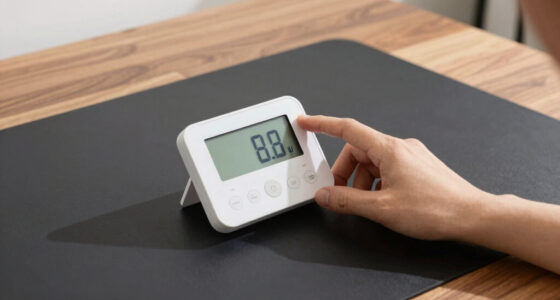

The best smart home display hubs turn a scattered collection of smart lights, locks, thermostats, and cameras into one system you can actually control from a single screen. The Amazon Echo Hub stands out as the best overall pick because it pairs a wall-mountable 8-inch touchscreen with deep Alexa integration, Zigbee, Thread, and Matter support, and a dashboard that organizes every connected device without cluttering it with media content. Google’s Nest Hub Max is the strongest alternative if your home runs on Google Assistant, thanks to its larger 10-inch screen, built-in camera for video calls, and the best voice recognition in the category. Budget-conscious buyers should look at the Sonoff NSPanel Pro 120, a wall panel that doubles as a Zigbee gateway for a fraction of what big-brand hubs cost. The core tradeoff in this category is between polished, voice-first ecosystems that limit protocol flexibility and enthusiast panels that support everything but demand more setup effort. Keep reading for the full breakdown of all thirteen options, including who each one suits and who should skip it.

Get home appliances delivered free — and shop member deals
- Fast, free delivery on millions of items
- Access to Prime Big Deal Days deals on October 6–7
- Prime Video, Amazon Music and more included
Complete the kit


![[Genuine] Waterdrop PF-01A Water Filter Replacement for W...](https://m.media-amazon.com/images/I/41+5tl9EiKL._SX342_SY445_QL70_FMwebp_.jpg)
Key Takeaways
- Purpose-built control panels like the Echo Hub and amazon.com/dp/B0C5DPSW5Y?tag=theintellihome-20&ascsubtag=dc-1116061″ target=”_blank” rel=”nofollow sponsored noopener”>amazon.com/dp/B09B2SRGXH?tag=theintellihome-20&ascsubtag=dc-1116061″ target=”_blank” rel=”nofollow sponsored noopener”>amazon.com/dp/B0DC8ZMR1P?tag=theintellihome-20&ascsubtag=dc-1116061″ target=”_blank” rel=”nofollow sponsored noopener”>amazon.com/dp/B0BFC7WQ6R?tag=theintellihome-20&ascsubtag=dc-1116061″ target=”_blank” rel=”nofollow sponsored noopener”>amazon.com/dp/B0D846GGBW?tag=theintellihome-20&ascsubtag=dc-1116061″ target=”_blank” rel=”nofollow sponsored noopener”>Sonoff NSPanel Pro 120 beat general-purpose smart displays for home automation because their interfaces prioritize device dashboards over entertainment content.
- Protocol support is the biggest divider in this lineup: hubs with built-in Zigbee, Thread, and Matter radios (Echo Hub, SwitchBot Hub 3) replace extra bridges, while display-only devices still need separate hubs for many devices.
- Screen size maps to role rather than quality — the 15.6-inch Echo Show 15 works as a family command center, the 7-inch first-gen Nest Hub suits a bedside, and the compact Echo Spot trades screen space for alarm-clock utility.
- Ecosystem lock-in is the category’s biggest hidden cost: choosing Alexa versus Google Assistant determines which cameras, doorbells, and Matter devices work natively, often more than the hub hardware itself.
- Two entries in this list are near-duplicates (the Echo Hub appears twice, as do the two NSPanel Pro 120 listings), which reflects how few genuinely distinct smart display hubs exist — differentiation comes from mounting style, protocol radios, and software, not raw screen specs.
| Amazon Echo Hub Smart Home Control Panel, 8-Inch |  | Best Overall | Display: 8 inches | Connectivity: Wi-Fi, Bluetooth, Zigbee, Matter, Sidewalk, Thread | Mounting: Wall mount; tabletop stand sold separately | VIEW LATEST PRICE | See Our Full Breakdown |
| Google Nest Hub Max 10-Inch Smart Display with Google Assistant, Chalk |  | Best for Entertainment and Video Calls | Display: 10-inch LCD touchscreen, 1280 x 800 pixels | Camera: 6.5 MP with 1080p video capture | Audio: Stereo speakers with 30W subwoofer; 50W total output | VIEW LATEST PRICE | See Our Full Breakdown |
| SONOFF NSPanel Pro 120 Smart Home Control Panel with Zigbee Gateway, 4.7-Inch Display, White |  | Best Compact Zigbee Option | Display: 4.7 inches | Connectivity: Zigbee gateway | Security: 3 configurable modes with alarm and phone notifications | VIEW LATEST PRICE | See Our Full Breakdown |
| Shelly Wall Display XL 10.1-Inch Touchscreen Smart Home Control Panel, Black |  | Best for Home Assistant Enthusiasts | Display: 10.1-inch touchscreen | Connectivity: Wi-Fi, Bluetooth | Built-in relay: 5 A, 1150 W, normally open contact | VIEW LATEST PRICE | See Our Full Breakdown |
| eufy Security Smart Display E10, 8-Inch Smart Home Hub and Control Panel |  | Best for Security-First Homes | Screen size: 8 inches | Storage: 64 GB local | Live view: Up to 4 simultaneous camera feeds | VIEW LATEST PRICE | See Our Full Breakdown |
| SONOFF NSPanel Pro 120 Smart Control Panel |  | Best for Tinkerers and Local Control Fans | Display: 4.7-inch | Dimensions: 4.8 x 3 x 1.7 inches | Weight: 0.317 ounces | VIEW LATEST PRICE | See Our Full Breakdown |
| SwitchBot Hub 3 Smart Home Hub with IPS Screen and Dial Control |  | Best for IR Appliance Control | Display: 2.4-inch IPS screen | Connectivity: 2.4 GHz Wi-Fi, Bluetooth, Matter | Sensors: Temperature, humidity, and light | VIEW LATEST PRICE | See Our Full Breakdown |
| Google Nest Hub (1st Gen) 7-Inch Smart Display with Google Assistant, Chalk |  | Best Budget Entry Point | Manufacturer: Google | Model: H1A (1st Gen) | Display: 7 inches | VIEW LATEST PRICE | See Our Full Breakdown |
| Amazon Echo Spot Smart Alarm Clock with Alexa, Black |  | Best Bedside Companion | Color: Black | Connectivity: Wi-Fi | Smart assistant: Alexa | VIEW LATEST PRICE | See Our Full Breakdown |
| Amazon Echo Show 8 (Newest Model) with 8.7-Inch HD Display and Spatial Audio, Graphite |  | Best All-Rounder for Alexa Households | Display: 8.7-inch HD touchscreen, 800 x 1340 | Camera: 13 MP with auto framing and 3.3x zoom | Audio: 2.8-inch woofer, 2 full-range drivers, spatial audio | VIEW LATEST PRICE | See Our Full Breakdown |
| Amazon Echo Show 5 Smart Display with Alexa, Cloud Blue |  | Best Budget Nightstand Pick | Display: 5.5 inches | Camera: 2 MP | Smart assistant: Alexa | VIEW LATEST PRICE | See Our Full Breakdown |
| Amazon Echo Show 15 (Newest Model), 15.6-Inch Full HD Smart Display with Fire TV |  | Best Family Command Center | Display: 15.6-inch Full HD (1080p) | Streaming: Built-in Fire TV | Camera: Centered auto-framing camera with 3.3x zoom and wide field of view | VIEW LATEST PRICE | See Our Full Breakdown |
| Amazon Echo Hub 8-Inch Smart Home Control Panel, Certified Refurbished |  | Best Value Dedicated Control Panel | Display: 8 inches | Connectivity: Wi-Fi, Bluetooth, Zigbee, Matter, Sidewalk, Thread | Voice assistant: Alexa | VIEW LATEST PRICE | See Our Full Breakdown |
| smart home display hub | Display | Connectivity |
|---|---|---|
| Amazon Echo Hub Smart Home Con | 8 inches | Wi-Fi, Bluetooth, Zigbee, Matter, Sidewalk, Thread |
| Google Nest Hub Max 10-Inch Sm | 10-inch LCD touchscreen, 1280 x 800 pixels | Bluetooth |
| SONOFF NSPanel Pro 120 Smart H | 4.7 inches | Zigbee gateway |
| Shelly Wall Display XL 10.1-In | 10.1-inch touchscreen | Wi-Fi, Bluetooth |
| eufy Security Smart Display E1 | — | — |
| SONOFF NSPanel Pro 120 Smart C | 4.7-inch | Zigbee gateway; works with Alexa, Google, Apple, and Home Assistant |
| SwitchBot Hub 3 Smart Home Hub | 2.4-inch IPS screen | 2.4 GHz Wi-Fi, Bluetooth, Matter |
| Google Nest Hub | 7 inches | — |
| Amazon Echo Spot Smart Alarm C | — | Wi-Fi |
| Amazon Echo Show 8 | 8.7-inch HD touchscreen, 800 x 1340 | — |
| Amazon Echo Show 5 Smart Displ | 5.5 inches | — |
| Amazon Echo Show 15 | 15.6-inch Full HD (1080p) | — |
| Amazon Echo Hub 8-Inch Smart H | 8 inches | Wi-Fi, Bluetooth, Zigbee, Matter, Sidewalk, Thread |
More Details on Our Top Picks
Amazon Echo Hub Smart Home Control Panel, 8-Inch
The Echo Hub earns the top spot because it nails the core job of a smart home display hub: putting every device, camera, and routine on one customizable dashboard without friction. Its built-in hub covers Zigbee, Thread, Matter, Sidewalk, Wi-Fi, and Bluetooth, which means it can talk to thousands of Alexa-compatible devices directly rather than relying on bridges scattered around the house. Compared with the Shelly Wall Display XL, which demands wiring expertise and a neutral wire, the Echo Hub mounts on a wall with far less fuss. The tradeoff is the add-on economy: Power-over-Ethernet adapters, cable pass-throughs, and the tabletop stand all cost extra, and some camera features want a Ring subscription. If you live in an Alexa household and want one panel to rule everything, this is the one to beat.
Pros:- Customizable dashboard lets you resize and organize device controls to fit your home
- Built-in hub supports Zigbee, Thread, Matter, Sidewalk, Wi-Fi, and Bluetooth in one device
- Controls devices, routines, cameras, and compatible security systems from one screen
- Wall-mountable and built with 27% recycled materials
Cons:- Some features require an Alexa+ account and a compatible Ring subscription
- Power-over-Ethernet adapter, cable pass-throughs, and tabletop stand are sold separately
Best for: Alexa households that want a single wall-mounted panel to control cameras, routines, and hundreds of mixed-protocol devices
Not ideal for: Buyers who dislike subscription tiers — several camera and assistant features sit behind Alexa+ and Ring paywalls
- Display:8 inches
- Connectivity:Wi-Fi, Bluetooth, Zigbee, Matter, Sidewalk, Thread
- Mounting:Wall mount; tabletop stand sold separately
- Smart home compatibility:Thousands of Alexa-compatible devices
- Recycled materials:27%
- Packaging:97% wood fiber-based materials from responsibly managed forests or recycled sources
- Privacy features:Microphone off button and multiple privacy controls
Our verdict“The most complete all-around control panel for Alexa-centric homes, provided you budget for the accessories and subscriptions.”
Google Nest Hub Max 10-Inch Smart Display with Google Assistant, Chalk
While the Echo Hub is built purely for control, the Nest Hub Max doubles as a genuine entertainment and communication device. Its 10-inch touchscreen, built-in 6.5 MP Nest Cam, and stereo speakers with a 30W subwoofer make it the only pick here that sounds good playing music and works as a video-calling station. Think of it as a smart display that happens to control your home, rather than a control panel that happens to play media. That orientation brings real tradeoffs: it’s designed to sit on a surface rather than mount cleanly like the Echo Hub or Shelly Wall Display XL, and it lacks the dedicated multi-protocol hub hardware those panels offer. The unspecified software support window is another hesitation for buyers planning a decade-long install. For Google-home households that want one screen for recipes, calls, camera duty, and control, it remains the strongest all-rounder on the Google side.
Pros:- Large 10-inch touchscreen is comfortable for video calls and media
- Built-in Nest Cam captures 1080p video for home monitoring
- Stereo audio with a 30W subwoofer fills a room far better than smaller panels
- Fits naturally into a Google Home ecosystem with Calendar, YouTube, and Photos
Cons:- Software update support timeline is not specified, a concern for long-term installs
- No built-in Zigbee or Thread hub, so mixed-protocol setups need separate bridges
Best for: Google Assistant households who want a single screen for video calls, music, camera monitoring, and casual device control
Not ideal for: Dedicated smart home tinkerers — it lacks built-in Zigbee and Thread hub hardware found in the Echo Hub
- Display:10-inch LCD touchscreen, 1280 x 800 pixels
- Camera:6.5 MP with 1080p video capture
- Audio:Stereo speakers with 30W subwoofer; 50W total output
- Connectivity:Bluetooth
- RAM:4 GB
- Storage:128 GB
- Weight:450 g
- Color:Chalk
Our verdict“The pick for Google households that value entertainment and video calls as much as device control.”
SONOFF NSPanel Pro 120 Smart Home Control Panel with Zigbee Gateway, 4.7-Inch Display, White
The SONOFF NSPanel Pro 120 takes the opposite approach from the Nest Hub Max: instead of a big media screen, it packs a full control system behind a compact 4.7-inch display that fits where a standard wall panel would. Its built-in Zigbee gateway means it can replace a separate hub for lights, sensors, and thermostats — similar hub-in-panel logic to the Echo Hub, but aimed squarely at DIY installers rather than voice-assistant households. The energy monitoring is the standout feature here, tracking a week of daily usage for supported devices, something none of the other picks do natively. Be realistic about the limits: energy stats only work with devices that report them, and live camera viewing covers just four supported camera types. The small screen also means no comfortable video watching or calling. For a utility-room or hallway command point, though, it’s a tidy, affordable concept.
Pros:- Combines smart home controls and a Zigbee gateway in one compact panel
- Tracks daily energy use over a week for supported devices
- Three configurable security modes with alarms and phone notifications
- Displays live feeds from supported camera types
Cons:- Energy tracking only works with devices that report energy statistics
- Camera viewing is limited to four supported camera types
- Small 4.7-inch screen limits readability and functionality compared with larger panels
Best for: DIY smart home builders who want a small wall panel that doubles as a Zigbee gateway and energy monitor
Not ideal for: Households wanting a do-everything display — the 4.7-inch screen is too small for media, recipes, or video calls
- Display:4.7 inches
- Connectivity:Zigbee gateway
- Security:3 configurable modes with alarm and phone notifications
- Energy monitoring:Tracks daily energy use over a week for supported devices
- Camera support:Live monitoring for four camera types
- Color:White
Our verdict“A niche but clever choice for compact, sensor-heavy Zigbee setups where energy data matters more than screen size.”
Shelly Wall Display XL 10.1-Inch Touchscreen Smart Home Control Panel, Black
This is the pick for people who already run Home Assistant and want a professional-looking wall panel tied into it. The Shelly Wall Display XL pairs a 10.1-inch touchscreen with a built-in 5 A relay and four customizable physical buttons, so it can directly switch a lighting or fan circuit even when the software layer misbehaves. That’s a level of hardware-level control the Echo Hub and Nest Hub Max simply don’t offer, and its three-year warranty signals confidence the mainstream brands don’t match. The cost is installation: it needs a standard electrical wall box with a neutral wire, which means DIY electrical work or an electrician. The 5 A relay ceiling also rules out heavier loads like some heaters or large lighting banks. For committed smart home hobbyists, those are acceptable terms; for everyone else, they’re dealbreakers.
Pros:- Native Home Assistant and Shelly Smart Control integration with no cloud dependency required
- Built-in 5 A relay and four customizable buttons provide hardware-level switching
- Large 10.1-inch touchscreen with clean wall-mounted installation
- Three-year warranty and CE/RoHS certifications
Cons:- Requires a neutral wire and installation in a standard electrical wall box
- Relay limited to 5 A, too low for high-wattage appliances or large lighting loads
Best for: Home Assistant and Shelly ecosystem users comfortable with in-wall installation who want touchscreen plus physical relay control
Not ideal for: Renters and anyone without a neutral wire in their wall box — installation isn’t optional here
- Display:10.1-inch touchscreen
- Connectivity:Wi-Fi, Bluetooth
- Built-in relay:5 A, 1150 W, normally open contact
- Buttons:4 customizable buttons
- Mounting:Wall mount in standard electrical box (neutral wire required)
- Certifications:CE, RoHS
- Warranty:3 years
Our verdict“The best wall panel for Home Assistant devotees who want true in-wall control and don’t mind the wiring requirements.”
eufy Security Smart Display E10, 8-Inch Smart Home Hub and Control Panel
Where the Echo Hub treats cameras as one feature among many, the eufy Smart Display E10 puts security at the center. It shows up to four live camera feeds simultaneously, delivers hands-free alerts for doorbell, door, and camera events, and — paired with a HomeBase 3 — generates daily security reports using facial and package recognition. Local storage on the panel means quick playback of recorded events without a subscription, a direct answer to the Ring subscription requirements that weaken the Echo Hub’s value proposition. The catch is ecosystem dependence: the report features need HomeBase 3, and the panel is really only compelling if your cameras are eufy’s. As a general smart home hub for lights and thermostats, it’s thinner than the Amazon or Shelly options. As a command center for a security-heavy home, it’s the sharpest tool in this lineup.
Pros:- Displays up to four live camera feeds at once
- Hands-free alerts for doorbell, door, and camera events
- Local 64 GB storage enables quick, subscription-free event playback
- Daily security reports with facial and package recognition when paired with HomeBase 3
Cons:- Advanced reporting features require a separate HomeBase 3
- Limited value outside the eufy security ecosystem as a general smart home hub
Best for: eufy camera owners who want a subscription-free command center for live feeds, alerts, and event playback
Not ideal for: Buyers with mixed-brand cameras or no HomeBase 3 — the headline features depend on eufy’s ecosystem
- Screen size:8 inches
- Storage:64 GB local
- Live view:Up to 4 simultaneous camera feeds
- Alerts:Hands-free doorbell, door, and camera event alerts
- Reports:Daily security reports with HomeBase 3 (facial and package recognition)
- Weight:2.46 pounds
- In the box:Display, wall mount, 5V/2A adapter, charging station, Type-C cable
- Warranty:12 months
Our verdict“The obvious choice for eufy-equipped homes that prioritize security monitoring without monthly fees.”
SONOFF NSPanel Pro 120 Smart Control Panel
Unlike the Amazon Echo Hub, which leans on Alexa’s cloud, the NSPanel Pro 120 is built around local control and deep Home Assistant integration, making it the pick for people who want to own their automation stack end to end. The 4.7-inch screen is compact by design — it fits a standard wall box like the Shelly Wall Display XL, but trades screen real estate for a tighter, sensor-panel feel. Its energy monitoring and live camera viewing go beyond what most mainstream displays offer at this size. The catch: that camera feature only supports four camera types, and the listing doesn’t say which ones, so verify compatibility with your gear before buying.
Pros:- Combines smart home control, energy monitoring, and camera viewing in one wall panel
- Works with Home Assistant, Alexa, Google, and Apple ecosystems
- Built-in Zigbee gateway reduces the need for a separate hub
- Configurable security modes with alarms and phone notifications
Cons:- Live camera monitoring supports only four camera types, and they aren’t identified in the product details
- Smaller 4.7-inch display limits at-a-glance dashboards compared to larger panels
Best for: Home Assistant users and DIY automators who want a wall-mounted panel with local energy monitoring
Not ideal for: Buyers wanting a polished, plug-and-play experience — setup and camera compatibility require real homework
- Display:4.7-inch
- Dimensions:4.8 x 3 x 1.7 inches
- Weight:0.317 ounces
- Manufacturer:SONOFF
- Model:NSPanel120PB
- Connectivity:Zigbee gateway; works with Alexa, Google, Apple, and Home Assistant
Our verdict“A strong choice for hands-on smart home builders who value local control and energy data over big-screen polish.”
SwitchBot Hub 3 Smart Home Hub with IPS Screen and Dial Control
The SwitchBot Hub 3 plays a different game than display-centric options like the Google Nest Hub: its tiny 2.4-inch screen is an information readout, not an entertainment surface. What it does better than anything else here is infrared control of over 100,000 appliances, letting you voice-command dumb AC units, TVs, and fans that no other hub in this lineup can touch. The physical rotary dial and four scene buttons give it a tactile quality the touchscreen-only Echo Spot lacks. Tradeoffs are real, though: it needs 2.4 GHz Wi-Fi, handles a maximum of 30 Matter devices, and can’t control RF gadgets like some blinds and fans.
Pros:- Controls SwitchBot devices, Matter products, and over 100,000 infrared appliances
- Built-in temperature, humidity, and light sensors with ±0.2°C accuracy
- Physical dial and four customizable scene buttons for quick manual control
- Works with Alexa, Google Assistant, and Apple Home
Cons:- Requires a 2.4 GHz Wi-Fi network
- No RF device support
- Many features depend on separately purchased SwitchBot accessories
Best for: Renters and apartment dwellers wanting to automate existing air conditioners, TVs, and IR remotes
Not ideal for: Owners of RF-based devices or large Matter setups exceeding 30 devices
- Display:2.4-inch IPS screen
- Connectivity:2.4 GHz Wi-Fi, Bluetooth, Matter
- Sensors:Temperature, humidity, and light
- Temperature accuracy:±0.2°C
- Infrared compatibility:More than 100,000 appliances
- Matter capacity:Up to 30 devices
- Controls:Rotary knob and four customizable scene buttons
- Voice assistants:Alexa, Google Assistant, Apple Home
Our verdict“The right hub if your smart home is really a collection of old IR appliances you want to modernize.”
Google Nest Hub (1st Gen) 7-Inch Smart Display with Google Assistant, Chalk
As an older, entry-level display, the first-generation Nest Hub still covers the fundamentals: voice control, streaming, Google Photos, and kitchen-friendly help with timers and recipes. Compared to the Amazon Echo Show 8, the 7-inch screen is smaller and the audio thinner, but it undercuts most rivals on cost and keeps the clean Google interface many buyers prefer. One thing to know upfront: this is a Korean-spec model, so you’ll need to switch the language to English during setup — a minor hurdle, but one that may frustrate less tech-savvy buyers or gift recipients. It’s also a first-generation device, so expect older hardware and no camera for video calls, unlike the Show 8 or Nest Hub Max.
Pros:- Voice and touchscreen control of compatible smart home devices
- Streams music and video and displays Google Photos
- Hands-free help with weather, timers, reminders, and recipes
- Lower-cost entry into the Google Assistant ecosystem
Cons:- Korean-spec version requires changing the language to English after setup
- First-generation hardware with aging performance and no camera
Best for: Budget-conscious buyers or Google households wanting a basic bedside or kitchen assistant display
Not ideal for: Anyone wanting video calls, modern speakers, or a zero-setup out-of-box experience
- Manufacturer:Google
- Model:H1A (1st Gen)
- Display:7 inches
- Color:Chalk
- Weight:1.8 pounds
- Dimensions:7 x 2.65 x 4.65 inches
- Version:Korean spec; language can be changed to English after setup
Our verdict“A serviceable, low-cost Google display for simple tasks — just be prepared for the language switch and dated internals.”
Amazon Echo Spot Smart Alarm Clock with Alexa, Black
The Echo Spot isn’t trying to compete with the Echo Show 8 as a room centerpiece — it’s a nightstand-first device that happens to run your smart home. Its small round display shows time, weather, and song titles at a glance, and the audio punches above its size with clear vocals and real bass, which beats the speaker in most alarm clocks and even the compact Echo Show 5 for music. A bonus unique in this lineup: it can extend an eero mesh network by up to 1,000 sq. ft., fixing weak bedroom Wi-Fi. That feature only works if you already own eero gear, though, and the small screen limits how much smart home control you’ll realistically do from it.
Pros:- Customizable display for time, weather, and song titles
- Rich sound with clear vocals and deep bass for its size
- Supports smart home controls and Alexa routines
- Extends an existing eero network’s coverage by up to 1,000 sq. ft.
Cons:- Wi-Fi extension requires an existing eero network
- Small display limits practical smart home dashboard use
- Smart home control limited to Alexa-compatible devices
Best for: Sleepers who want an alarm clock that doubles as a music player, Alexa controller, and eero Wi-Fi extender
Not ideal for: Buyers without an eero network who want a primary smart home control screen — the display is too small for that job
- Color:Black
- Connectivity:Wi-Fi
- Smart assistant:Alexa
- eero Wi-Fi extension:Up to 1,000 sq. ft.
- Recycled materials:36%
- Form factor:Smart alarm clock with customizable display
Our verdict“The best pick for the nightstand, where alarm, music, and voice control matter more than a big screen.”
Amazon Echo Show 8 (Newest Model) with 8.7-Inch HD Display and Spatial Audio, Graphite
The newest Echo Show 8 hits the sweet spot between the bedside Echo Spot and the wall-mounted Echo Show 15: big enough for video calls and recipes, small enough for a desk or kitchen counter. Its built-in Zigbee, Matter, and Thread hub can replace a separate smart home hub entirely — something the first-gen Nest Hub can’t do — while the 13 MP auto-framing camera keeps you centered on calls. The spatial audio setup with a dedicated woofer outclasses every smaller display here. Two gripes: Amazon Sidewalk is on by default, so privacy-minded buyers should switch it off, and it won’t pair with Bluetooth speakers that require PIN codes.
Pros:- 8.7-inch HD touchscreen with spatial audio and a dedicated woofer
- Built-in hub supports Zigbee, Matter, and Thread without extra hardware
- 13 MP auto-framing camera with 3.3x zoom for video calls
- On-device camera and microphone privacy controls, plus Wi-Fi 6E
Cons:- Amazon Sidewalk is enabled by default unless previously turned off
- Does not support Bluetooth speakers that require PIN codes
Best for: Alexa households who want one device that handles video calls, music, and direct smart home device control
Not ideal for: Privacy-focused users unwilling to adjust default settings, or Google/Apple-centric homes
- Display:8.7-inch HD touchscreen, 800 x 1340
- Camera:13 MP with auto framing and 3.3x zoom
- Audio:2.8-inch woofer, 2 full-range drivers, spatial audio
- Smart home hub:Zigbee, Matter, and Thread Border Router
- Wi-Fi:Wi-Fi 6E (802.11ax)
- Bluetooth:Version 5.4
- Processor:AZ3 Pro with AI Accelerator
- Sensors:Ambient temperature, ambient light, presence detection, camera
Our verdict“The most balanced smart display for Alexa users — a genuine hub, camera, and speaker in one reasonably sized package.”
Amazon Echo Show 5 Smart Display with Alexa, Cloud Blue
The Echo Show 5 earns its spot as the most affordable entry point into Alexa-powered displays, and compared with the Echo Spot, its rectangular 5.5-inch screen makes it far more practical for actually reading weather cards, viewing doorbell camera feeds, and making video calls. That said, nobody should buy this expecting a media device — the display is genuinely small for watching shows, a limitation the larger Echo Show 8 handles much better. What this model does offer is a complete feature set in miniature: a 2 MP camera for calls, smart home controls, and physical privacy hardware including a camera shutter and mic-off button, plus recycled fabric and aluminum construction. The tradeoff is simple: it’s a bedside or desk companion, not a household command center.
Pros:- Compact footprint fits nightstands, desks, and counters where larger displays won’t
- Built-in camera supports video calls and viewing compatible security cameras
- Physical camera shutter and mic/camera-off button give tangible privacy control
- Recycled polyester fabric and recycled aluminum construction
Cons:- The 5.5-inch screen is too small for comfortable show watching
- Several features depend on compatible devices or paid services
Best for: Anyone wanting a cheap, compact Alexa display for a nightstand, desk, or entryway
Not ideal for: Households wanting a primary kitchen hub or a screen for watching video — the 5.5-inch display is too small for either job
- Display:5.5 inches
- Camera:2 MP
- Smart assistant:Alexa
- Privacy features:Mic/camera off button and built-in camera shutter
- Recycled materials:100% post-consumer recycled polyester yarn fabric and 100% recycled aluminum
- Packaging:100% recyclable
Our verdict“A sensible low-cost pick for a bedside or desk Alexa display, as long as entertainment isn’t the goal.”
Amazon Echo Show 15 (Newest Model), 15.6-Inch Full HD Smart Display with Fire TV
Where the Echo Show 5 shrinks Alexa down to a bedside gadget, the Echo Show 15 goes the opposite direction: a 15.6-inch Full HD wall panel designed to run a household. The customizable widget system — shared calendars, to-do lists, weather, and smart home dashboards — is the real draw here, and nothing else in this lineup, not even the Google Nest Hub Max, offers as much at-a-glance family organization on a single screen. Built-in Fire TV streaming adds genuine entertainment value, so it can double as a kitchen TV, and the centered auto-framing camera with 3.3x zoom makes group video calls easier than on smaller displays. The main compromises are its size and placement demands: this is a permanent fixture, not a movable device, and some streaming content still requires subscriptions you pay for separately.
Pros:- Customizable widgets turn the screen into a genuine family organization hub
- Built-in Fire TV delivers full streaming access with the included remote
- Centered auto-framing camera with 3.3x zoom suits group video calls
- Physical mic/camera-off button and camera shutter protect privacy
Cons:- Some streaming app content requires separate paid subscriptions
- Large fixed format makes it impractical for desks or bedrooms
Best for: Busy families who want one shared wall screen for schedules, chores, smart home dashboards, and streaming
Not ideal for: Anyone wanting a portable or bedside display — the 15.6-inch panel is designed for permanent wall or stand placement
- Display:15.6-inch Full HD (1080p)
- Streaming:Built-in Fire TV
- Camera:Centered auto-framing camera with 3.3x zoom and wide field of view
- Audio:Noise reduction technology
- Included accessories:Fire TV remote
- Privacy features:Mic/camera-off button and built-in camera shutter
- Smart home features:Voice and touchscreen controls; live camera feeds
Our verdict“The strongest choice for households that want a single big screen running the whole family’s day.”
Amazon Echo Hub 8-Inch Smart Home Control Panel, Certified Refurbished
The Echo Hub differs from every Echo Show in this roundup because it strips out entertainment entirely: no camera, no streaming — just an 8-inch smart home command surface. Its killer advantage is the built-in multi-protocol hub covering Zigbee, Thread, Matter, Sidewalk, Wi-Fi, and Bluetooth, which means it can replace the separate bridges many devices need, something the standard Echo Show 8 cannot do. This certified refurbished unit carries the same limited warranty as a new device, making it the most affordable route into a purpose-built control panel compared with alternatives like the eufy Smart Display E10. The frustration is accessory economics: the tabletop stand, wall-mount cabling, and power-over-Ethernet adapter are all sold separately, so a clean wall install costs more than the sticker suggests.
Pros:- Built-in hub supports Zigbee, Thread, Matter, Sidewalk, Wi-Fi, and Bluetooth, reducing the need for separate bridges
- Purpose-built interface for device control, camera feeds, and routines
- Certified refurbished with the same limited warranty as a new unit
- Flexible installation via wall mount or optional tabletop stand
Cons:- Tabletop stand and in-wall cabling accessories are sold separately
- No camera or built-in entertainment features unlike Echo Show models
Best for: Smart home enthusiasts who want a wall-mounted, hub-first control panel and don’t mind refurbished hardware to save money
Not ideal for: Buyers expecting an all-in-one display — there’s no camera or media streaming, and hidden-cable installation requires separately purchased accessories
- Display:8 inches
- Connectivity:Wi-Fi, Bluetooth, Zigbee, Matter, Sidewalk, Thread
- Voice assistant:Alexa
- Mounting:Wall mount; tabletop stand sold separately
- Power options:In-wall cable pass-through or power-over-Ethernet adapter, both sold separately
- Recycled materials:27%
- Condition:Certified refurbished with same limited warranty as new
Our verdict“The smart buy for a pure, hub-driven smart home wall panel — provided you budget for the mounting extras.”

How We Picked
I evaluated each display hub against four buyer-relevant criteria. Control experience came first: how quickly can you adjust lights, view cameras, and run scenes from the home screen, and does the interface favor automation over entertainment? Protocol and ecosystem flexibility was second — hubs with native Zigbee, Thread, and Matter radios rank higher because they eliminate extra bridges and future-proof the setup, while ecosystem-locked devices were judged on the breadth of their native integrations. Hardware and placement versatility covered screen quality, speaker performance, camera presence, and whether the device works equally well on a stand or recessed into a wall. Finally, setup and everyday usability determined how much patience each pick demands, from plug-and-play Alexa devices to the local-control configuration the Sonoff and Shelly panels require.
The ranking logic follows a simple principle: the higher a hub sits, the better it balances all four criteria for the widest range of homes. Purpose-built wall panels with broad protocol support lead the list, polished ecosystem displays fill the middle tier, and compact or specialized devices round out the bottom for buyers with narrower needs. Price was deliberately excluded from the ranking itself — value is addressed through role assignments like Best Value rather than raw cost comparisons.
Factors to Consider When Choosing Best Smart Home Display Hubs
Before picking a smart home display hub, it helps to understand the bigger picture: this category mixes two very different products — entertainment-first smart displays and automation-first control panels — and buying the wrong type is the most common mistake shoppers make.Control Panel or Smart Display: Know Which Problem You’re Solving
The single biggest decision happens before comparing specs: do you want a dedicated wall control panel or a multimedia smart display? Control panels like the Echo Hub, Shelly Wall Display XL, and Sonoff NSPanel Pro are designed around device dashboards — one tap adjusts a scene, one glance shows camera feeds, and the interface stays out of the way. Multimedia displays like the Echo Show line and Nest Hub Max blend that control with streaming video, video calling, and photo frames, which sounds appealing until automations get buried three taps deep behind content recommendations. Many buyers end up disappointed because they bought an entertainment device expecting an automation interface, or vice versa. A useful rule of thumb: if the device will hang on a wall near your front door or kitchen, a panel wins; if it will sit on a nightstand or counter and pull double duty as a media player, a display is the better fit. Some homes genuinely benefit from owning one of each.
Protocol Support Decides What You Can Actually Connect
A smart display hub is only as useful as the devices it can talk to, and this is where the lineup diverges sharply. Hubs with built-in Zigbee, Thread, and Matter radios can pair directly with sensors, bulbs, and locks without extra bridges, which simplifies your network and cuts down on clutter. Display-only devices rely entirely on cloud integrations or separate hubs, meaning every new device type may require buying another piece of hardware you didn’t budget for. Matter compatibility has become the baseline expectation for 2026, but support quality varies — some hubs handle Matter devices locally for fast response, while others route everything through the cloud with noticeable lag. If you already own Zigbee sensors or plan to build a serious automation setup, treat protocol radios as a hard requirement rather than a nice-to-have. Buyers with just a few Wi-Fi devices can safely deprioritize this.
Ecosystem Lock-In Is the Cost You Don’t See at Checkout
Choosing between Alexa and Google Assistant feels like a preference decision, but it’s really an infrastructure commitment. Your hub’s ecosystem determines which cameras, doorbells, thermostats, and appliances integrate natively, and switching later often means replacing hardware across the whole house. Google Assistant historically leads at natural-language queries and calendar integration, while Alexa offers the broadest third-party device compatibility and better routines for complex automations. A third path exists for enthusiasts: open platforms like Home Assistant work with the Sonoff and Shelly panels and avoid cloud dependency entirely, at the cost of a steeper learning curve. My advice is to inventory your existing devices before choosing — if your doorbell and thermostat already lean one way, the hub decision makes itself. Lock-in mistakes are expensive to undo, and no screen quality can compensate for a hub that can’t control half your home.
Screen Size and Placement Should Match the Room
Screen size in this category is about function, not prestige. A 15.6-inch display like the Echo Show 15 works as a shared family command center visible across a kitchen, but it overwhelms a bedside table. A 7- or 5-inch screen is perfect for personal spaces and quick glances, yet frustrating for viewing more than two camera feeds at once. Mounting matters just as much: wall-mounted panels should have brightness and viewing angles that hold up in daylight, and recessed installs need proper in-wall power rather than dangling cables. Ambient sensors that dim the display at night are underrated — a bright screen in a dark bedroom is a genuine sleep disruption. Before buying, stand where the hub will live and picture the viewing distance; that alone eliminates half the options.
Local Control, Privacy, and Ongoing Costs
How a hub processes commands affects speed, reliability, and privacy simultaneously. Cloud-dependent hubs need working internet for most functions, which means automations fail during outages and response times lag; locally controlled panels from Sonoff and Shelly keep running regardless. Camera-equipped displays add another layer — built-in cameras enable video calls and security monitoring but create privacy questions in bedrooms and entry areas, and physical camera shutters are worth checking for. Some ecosystems also layer in subscription costs for extended camera history or premium features that aren’t obvious until after setup, so factor the total cost of ownership rather than the hardware price alone. Buyers who value privacy should prioritize devices with hardware mic and camera switches, local processing, and clear data policies. These details rarely appear on a product page headline, but they shape daily satisfaction more than screen resolution does.
Frequently Asked Questions
Is the Amazon Echo Hub worth it if I already own an Echo Show?
In most cases, yes, because the two devices solve different problems. The Echo Hub is built as a wall-mounted control panel with a dashboard-first interface, built-in Zigbee and Thread radios, and controls designed for whole-home automation, while the Echo Show line prioritizes entertainment alongside control. If your Show 8 mainly plays video and answers questions, adding a Hub near your main entry or kitchen gives you the automation surface the Show was never designed for. However, if your smart home is small — a handful of lights and a thermostat — the Show’s control features will probably cover you, and the money is better spent on devices than another screen. Homes with cameras, locks, and multi-room scenes benefit most from the upgrade.
Can the Sonoff NSPanel Pro 120 work without Home Assistant?
It can, but its value drops considerably. Out of the box, the NSPanel Pro 120 works with the eWeLink app and includes a built-in Zigbee gateway, so basic control of paired devices works fine on its own. The tradeoff is that the default software limits customization — you get predefined layouts and scenes rather than the fully personalized dashboards enthusiasts expect. Pairing it with Home Assistant unlocks local control, custom cards, and far more flexible automations, which is why the panel is so popular in that community. If you have no interest in running Home Assistant, compare it honestly against mainstream options first; the polish of an Echo Hub or Nest Hub may serve you better despite less flexibility.
Should I buy the Google Nest Hub Max or wait for newer hardware?
The Nest Hub Max remains the strongest Google-assistant display available despite its age, and that longevity is worth reading carefully. Its 10-inch screen, camera, and facial recognition features still outclass smaller Google options, and software updates have kept it current with newer Assistant and Gemini capabilities. Google’s smart display hardware releases have slowed considerably, so waiting for a replacement carries real opportunity cost — there’s no confirmed successor. The honest concern isn’t obsolescence of the hardware but of the product category: Google has shifted some display software priorities toward its speakers, and camera-based features have occasionally changed. If you’re invested in Google’s ecosystem, it’s still the right buy; if you’re ecosystem-flexible, the Echo Hub’s newer architecture deserves a look.
Do I need Zigbee and Thread if everything I own is Wi-Fi?
Right now, maybe not — but the answer changes as your smart home grows. Wi-Fi devices work directly with any display hub through their cloud apps, so a small Wi-Fi-only setup runs fine on a display without extra radios. The problem is scale: Wi-Fi networks get congested as device counts climb, battery-powered Wi-Fi sensors drain quickly, and every device depends on your router and internet. Zigbee and Thread devices form their own mesh networks that don’t tax your Wi-Fi, respond faster, and work with cheaper battery sensors. Since Matter runs over Thread, having a Thread-capable hub also future-proofs you for the direction the industry is heading. Even if you don’t need these radios today, buying a hub that includes them costs little extra and avoids replacing the hub later.
Are hub screens bright enough to use as wall panels in daylight?
Conclusion
Matching the right hub to your situation matters more than any single spec sheet. For the best overall choice, the Amazon Echo Hub earns the top spot with its wall-mountable design, broad protocol support, and dashboard built specifically for home control — it suits the widest range of homes without compromises that most buyers will notice. The best value pick is the Sonoff NSPanel Pro 120, which bundles a control panel and Zigbee gateway together for far less than big-brand alternatives, provided you’re comfortable with its more hands-on software. For best premium, the Google Nest Hub Max delivers the largest screen, best voice recognition, and a built-in camera in a polished package — ideal for Google-ecosystem homes that want a hub to double as a communication device.
Beginners should start with the Echo Show 8 or the Nest Hub (1st Gen), both of which work in minutes out of the box and teach the category without overwhelming; the Show 5 and Echo Spot fill the same role for bedside or desk placement where space is tight. For specific needs: the Echo Show 15 serves large households as a wall-mounted family command center with Fire TV built in, the Shelly Wall Display XL targets Home Assistant enthusiasts who want local control on a big touchscreen, the SwitchBot Hub 3 suits SwitchBot device owners and anyone wanting an affordable Matter bridge with a screen, and the eufy Security Smart Display E10 is the pick for camera-centric homes that want live feeds front and center. Whatever you choose, decide first whether you need an automation panel or an entertainment display — that single distinction narrows this list faster than any feature comparison.
NFL season / tailgating Picks
team gear
As an affiliate, we earn on qualifying purchases.