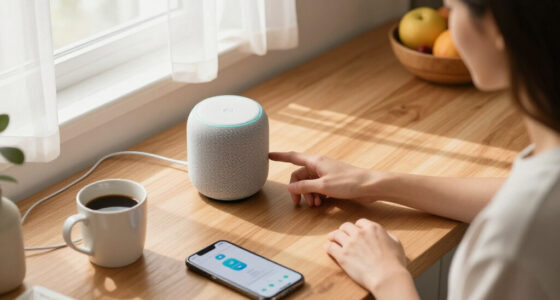
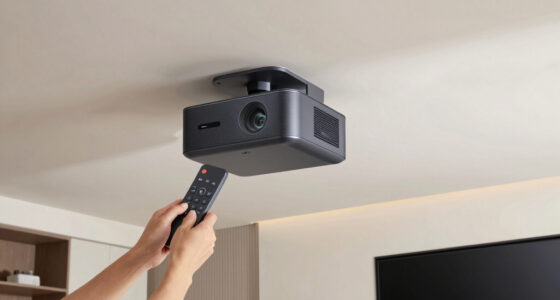
The best Apple smart home devices make everyday control simpler without locking you into a complicated setup. I’d choose the Apple HomePod (2nd Generation) as the best overall pick for its blend of Siri control, smart-home hub features, and room-filling sound; the TP-Link Tapo Matter Smart Plug stands out for adding useful control to existing appliances, while the Lockly Secure Pro Zeno brings Apple Home Key to the front door. The main tradeoffs are whether you want a hub and speaker, affordable ways to automate existing devices, or a more involved upgrade like a smart lock. Compatibility, Wi-Fi requirements, and the level of setup you’re comfortable with also matter. Read on for how all eight options compare and which one fits your home.

Get home appliances delivered free — and shop member deals
- Fast, free delivery on millions of items
- Access to Prime Big Deal Days deals on October 6–7
- Prime Video, Amazon Music and more included
Complete the kit
![[Genuine] Waterdrop PF-01A Water Filter Replacement for W...](https://m.media-amazon.com/images/I/41+5tl9EiKL._SX342_SY445_QL70_FMwebp_.jpg)


Key Takeaways
- The HomePod (2nd Generation) is the strongest all-around choice when you want a capable speaker and a central Apple Home device in one.
- The Tapo Matter Smart Plug offers the clearest practical value for controlling lamps and appliances you already own, while its three-pack suits several rooms.
- HomePod mini is the more approachable Apple speaker for smaller spaces, but it does not deliver the same full-size sound as HomePod.
- The Lockly Secure Pro Zeno is the most specialized pick: Apple Home Key can make entry more convenient, but a smart lock asks for more installation and security planning than a bulb or plug.
- Bulb choice depends on how much lighting control you want: OREiN’s color-changing set emphasizes lighting effects, while Linkind’s Matter bulbs offer a straightforward Apple Home-compatible route.
| Apple HomePod (2nd Generation) Smart Speaker with Siri – Midnight |  | Best for Premium Apple Home Audio | Color: Midnight | Mounting type: Tabletop | Woofer: 4-inch | VIEW LATEST PRICE | See Our Full Breakdown |
| TP-Link Tapo Matter Supported Smart Plug Mini, 15A/1800W, Compact, UL Certified, 2.4G Wi-Fi, Works with Apple Home, Alexa & Google Home (3-Pack) |  | Best Value for Adding Apple Home Outlets | Maximum power: 15A/1800W | Connectivity: 2.4 GHz Wi-Fi | Supported platforms: Apple Home, Alexa, Google Home, Samsung SmartThings | VIEW LATEST PRICE | See Our Full Breakdown |
| Linkind Matter Smart Plug with Apple Home, Alexa, Siri, Google Home Compatibility |  | Best Single-Plug Matter Starter | Power capacity: 1800W, 15A | Wi-Fi support: 2.4 GHz only | Network protocol: Matter | VIEW LATEST PRICE | See Our Full Breakdown |
| Apple HomePod 2nd Generation (2023) – White |  | Best for Matter-Ready Apple Home Audio | Color: White | Dimensions: 5.6 in D × 5.6 in W × 6.6 in H | Weight: 6.4 pounds | VIEW LATEST PRICE | See Our Full Breakdown |
| Apple HomePod mini – Space Gray |  | Best Compact Apple Home Speaker | Color: Space Gray | Audio output mode: Mono | Audio: 360-degree sound | VIEW LATEST PRICE | See Our Full Breakdown |
| Lockly Secure Pro Zeno Wi-Fi Smart Deadbolt with Apple Home Key |  | Best Apple Home Key Smart Lock | Unlock methods: Fingerprint, Apple Home Key, Apple Watch, voice assistants, Lockly Home app, PIN keypad, physical key | Fingerprint recognition speed: 0.2 seconds | PIN code capacity: Up to 65 codes | VIEW LATEST PRICE | See Our Full Breakdown |
| OREiN Matter Smart Light Bulbs, A19 RGBTW Color-Changing, 4-Pack |  | Best Color-Bulb Pack for Apple Home | Pack size: 4 bulbs | Bulb shape and base: A19, E26 | Brightness: 800 lumens | VIEW LATEST PRICE | See Our Full Breakdown |
| Linkind Matter Smart Light Bulbs, Works with Apple Home, Alexa, Google Home |  | Best Scene-Focused Smart Bulb | Brightness: 800 lumens | Wattage equivalent: 60W | Color options: 16 million colors | VIEW LATEST PRICE | See Our Full Breakdown |
| Apple smart home device | Connectivity |
|---|---|
| Apple HomePod | Wireless |
| TP-Link Tapo Matter Supported | 2.4 GHz Wi-Fi |
| Linkind Matter Smart Plug with | — |
| Apple HomePod 2nd Generation | Bluetooth 5.0, Wi-Fi, AirPlay |
| Apple HomePod mini | — |
| Lockly Secure Pro Zeno Wi-Fi S | Built-in Wi-Fi |
| OREiN Matter Smart Light Bulbs | Matter over 2.4 GHz Wi-Fi |
| Linkind Matter Smart Light Bul | Wi-Fi 2.4 GHz, Matter |
More Details on Our Top Picks
Apple HomePod (2nd Generation) Smart Speaker with Siri – Midnight
The Midnight HomePod (2nd Generation) is the strongest pick here for buyers who want a room-filling speaker that also anchors an Apple Home setup. Its 4-inch woofer and five beamforming tweeters are a more substantial audio system than the compact HomePod mini, while room sensing helps adapt sound to its placement. Siri and smart home integration add hands-free control, and stereo pairing or multi-room audio make it easier to expand later. That versatility comes with a tradeoff: at 7.5 pounds, it is less convenient to move than the mini, and its premium positioning may be more than a buyer needs for basic voice control. I’d choose it over either smart plug when sound is the priority, but not as a substitute for affordable, practical outlet automation.
Pros:- 4-inch woofer and five beamforming tweeters support high-fidelity audio
- Siri voice control is integrated with Apple smart home features
- Can pair with another HomePod for stereo sound
- Supports whole-home audio with other HomePods
Cons:- At 7.5 pounds, it is heavier than the HomePod mini
- Premium positioning is difficult to justify if smart home control matters more than audio
- The supplied data lists a nonstandard battery requirement, which is an unusual power detail for a tabletop speaker
Best for: Apple households that want a primary room speaker with strong audio and Siri-based smart home control
Not ideal for: Buyers who mainly want inexpensive device automation, a portable speaker, or a compact speaker for a small space
- Color:Midnight
- Mounting type:Tabletop
- Woofer:4-inch
- Tweeters:Five beamforming tweeters
- Number of microphones:4
- Maximum output power:38 watts
- Item weight:7.5 pounds
- Connectivity:Wireless
- Warranty type:Limited
Our verdict“Choose the Midnight HomePod if you want premium Apple-connected audio in a main listening room, rather than a compact speaker or a low-cost smart plug.”
TP-Link Tapo Matter Supported Smart Plug Mini, 15A/1800W, Compact, UL Certified, 2.4G Wi-Fi, Works with Apple Home, Alexa & Google Home (3-Pack)
The Tapo Matter Smart Plug Mini three-pack is the practical pick for adding control to several lamps or other suitable plug-in devices without buying a speaker for every room. Matter support gives it a broader platform reach than the Apple-only strengths of the HomePod, while local LAN control can keep supported control working when internet access is down. Scheduling and voice control also make everyday routines easier to automate. Its 15A/1800W capacity covers many ordinary household devices, but it is not a blanket solution for high-wattage appliances. The plugs use 2.4 GHz Wi-Fi only, so check your network and platform setup before choosing them. Compared with the Linkind Matter plug, this bundle gives you three outlets at once; buyers needing just one plug may prefer a smaller commitment.
Pros:- Three plugs make it straightforward to automate multiple devices
- Matter support works across Apple Home and other listed platforms
- Local LAN control can support operation without internet
- UL certification and flame-retardant design are stated
Cons:- Works on 2.4 GHz Wi-Fi only
- The 15A/1800W limit rules out some high-wattage appliances
- Full features depend on a compatible smart home platform
Best for: Apple Home users who want to automate several lamps or compatible household devices and value Matter support across platforms
Not ideal for: Buyers with 5 GHz-only Wi-Fi, a need to control high-wattage appliances, or only one outlet to automate
- Maximum power:15A/1800W
- Connectivity:2.4 GHz Wi-Fi
- Supported platforms:Apple Home, Alexa, Google Home, Samsung SmartThings
- Protocol:Matter
- Number of plugs:3
- Design:Compact, flame-retardant
- Certification:UL Certified
Our verdict“Pick the Tapo three-pack if you want to add several Matter-compatible outlets to Apple Home, provided your devices stay within its power limit.”
Linkind Matter Smart Plug with Apple Home, Alexa, Siri, Google Home Compatibility
The Linkind Matter Smart Plug suits buyers who want a straightforward route into Apple Home automation and do not need the Tapo pack’s three outlets. It supports Apple Home alongside Alexa, Google Home, and SmartThings, and its offline LAN communication is useful when internet access is interrupted. Scheduling, remote app control, and voice commands cover common routines, while the 15A/1800W rating fits many everyday devices. The key caveat is that full platform integration requires a Matter-certified hub or controller; this is not necessarily a plug-and-go choice for every home. Like the Tapo model, it is limited to 2.4 GHz Wi-Fi. I’d choose Linkind for a single outlet or gradual setup, and Tapo when equipping several spots at once is the better fit.
Pros:- Matter support spans Apple Home and several other smart home platforms
- Offline LAN communication supports local control without internet
- Scheduling, remote app control, and voice commands cover common automation needs
- Rated for up to 15A/1800W
Cons:- A Matter-certified hub or controller is required for full platform integration
- Supports 2.4 GHz Wi-Fi only
- Some functions may require additional devices or hubs
Best for: Apple Home newcomers who want to automate one lamp or compatible device and may use more than one smart home platform
Not ideal for: Households without a compatible Matter controller, users on 5 GHz-only Wi-Fi, or anyone automating high-wattage equipment
- Power capacity:1800W, 15A
- Wi-Fi support:2.4 GHz only
- Network protocol:Matter
- Compatible platforms:Apple Home, Alexa, Google Home, SmartThings
- Control options:App, voice commands, scheduling
- Local control:Offline LAN communication
- Certification:FCC
Our verdict“Choose Linkind for a single Matter-enabled outlet when you already have, or plan to add, a compatible controller.”
Apple HomePod 2nd Generation (2023) – White
The White HomePod (2nd Generation) is aimed at Apple users who want one device to handle substantial room audio and voice-led smart home control. Its high-excursion woofer, five beamforming tweeters, and room sensing help it serve as a more capable main speaker than the HomePod mini. It also lists Thread and Matter support, which gives it a broader smart home role than a speaker focused only on audio. Against the Midnight HomePod in this roundup, the core appeal is similar; the clearest listed differences are finish, stated weight, connectivity details, and warranty information. That makes the supplied 90-day limited warranty a meaningful drawback to weigh, alongside the premium-speaker tradeoff: it is more than needed if your goal is simply to switch lamps with a plug.
Pros:- High-excursion woofer and five beamforming tweeters are designed for room-filling sound
- Room sensing can adapt audio to speaker placement
- Lists Siri, Thread, Matter, AirPlay, Wi-Fi, and Bluetooth 5.0 support
- Lighter listed weight than the Midnight HomePod in this roundup
Cons:- The listed warranty is limited to 90 days
- Premium-speaker features may be unnecessary for basic smart plug control
- Full functionality is best suited to households already using Apple devices
Best for: Apple households seeking a substantial room speaker that can also support Matter- and Thread-based smart home control
Not ideal for: Buyers who want a low-cost automation accessory, a portable speaker, or a longer stated warranty period
- Color:White
- Dimensions:5.6 in D × 5.6 in W × 6.6 in H
- Weight:6.4 pounds
- Audio components:High-excursion woofer and five beamforming tweeters
- Connectivity:Bluetooth 5.0, Wi-Fi, AirPlay
- Smart home support:Thread, Matter, Siri
- Power source:Batteries required; included
- Warranty:90-day limited
Our verdict“Choose the White HomePod if you want a substantial Apple smart home speaker with listed Matter and Thread support and accept the short stated warranty.”
Apple HomePod mini – Space Gray
The Space Gray HomePod mini makes the most sense when a small footprint and Apple integration matter more than powerful room-filling sound. Its 360-degree audio and Siri voice control can add music and hands-free smart home commands to a desk, bedroom, or other tight spot without the bulk of either full-size HomePod. Compared with the Midnight HomePod, it is the easier fit for secondary rooms, though the larger model is better suited to buyers who prioritize high-fidelity audio and stereo pairing. The mini’s listed mono output and 20-watt maximum output power reflect a more compact role, not a replacement for a primary listening-room speaker. It is also not water resistant, so I would keep it indoors and away from wet areas. Buyers wanting plug-based automation should choose Tapo or Linkind instead.
Pros:- Compact 1.4-pound design fits smaller spaces more easily than the full-size HomePods
- 360-degree audio provides sound across the room
- Siri voice control integrates with Apple devices and smart home features
- Space Gray finish offers a subdued look
Cons:- Mono audio and lower listed output power are less suited to buyers seeking full-size HomePod sound
- Not water resistant, so it is unsuitable for outdoor or wet locations
- The supplied power-source details list batteries required, which may mean checking power accessories before setup
Best for: Apple users who want a compact Siri speaker for a desk, bedroom, or other indoor secondary room
Not ideal for: Listeners seeking a powerful primary-room speaker, an outdoor or wet-area device, or a smart plug for controlling existing appliances
- Color:Space Gray
- Audio output mode:Mono
- Audio:360-degree sound
- Maximum output power:20 watts
- Frequency response:20 kHz
- Item weight:1.4 pounds
- Water resistance:Not water resistant
- Power source:Batteries required
Our verdict“Choose the HomePod mini for compact indoor Siri control and everyday audio, but opt for the full-size HomePod when sound quality is the priority.”
Lockly Secure Pro Zeno Wi-Fi Smart Deadbolt with Apple Home Key
For an Apple household that wants to replace keys with several ways to get inside, the Lockly Secure Pro Zeno is the most specialized pick in this batch. Apple Home Key lets compatible Apple devices handle entry, while fingerprint recognition, a PIN keypad, app controls, voice assistant access, and a physical key offer alternatives for guests or when a phone is unavailable. Its built-in Wi-Fi adds remote control and guest access without a monthly fee, a more direct fit for managing a front door than the OREiN Matter Smart Light Bulbs or Linkind Matter Smart Light Bulb. The tradeoff is that Home Key depends on a compatible Apple device, and the provided details do not state battery life. I’d choose it for access flexibility, not for buyers seeking a simple, low-maintenance smart-home add-on.
Pros:- Offers Apple Home Key alongside fingerprint, PIN, app, voice, and physical-key entry
- Built-in Wi-Fi supports remote control and guest access without monthly fees
- Stores up to 65 PIN codes for household members and visitors
- Zinc alloy construction is designed for varied weather conditions
Cons:- Apple Home Key requires a compatible Apple device
- Battery life is not specified in the provided product details
- Its multiple access features may be more than needed for buyers seeking a basic smart-home device
Best for: Apple households that want Home Key entry plus fingerprint and PIN access for family members or guests
Not ideal for: People without a compatible Apple device who want Home Key, or buyers who need published battery-life details before choosing a lock
- Unlock methods:Fingerprint, Apple Home Key, Apple Watch, voice assistants, Lockly Home app, PIN keypad, physical key
- Fingerprint recognition speed:0.2 seconds
- PIN code capacity:Up to 65 codes
- Connectivity:Built-in Wi-Fi
- Material:Zinc alloy
- Compatible door thickness:1 3/8–3 1/8 in (35–80 mm)
- Installation time:Approximately 15 minutes
Our verdict“Choose the Lockly if Apple Home Key and multiple backup entry methods matter more than a simpler smart-home purchase.”
OREiN Matter Smart Light Bulbs, A19 RGBTW Color-Changing, 4-Pack
The OREiN four-pack makes sense for buyers who want to add coordinated color lighting to several rooms while keeping Apple Home compatibility through Matter. Each bulb combines adjustable white light with more than 16 million colors, so the same setup can serve everyday illumination and scene-based accents. At 800 lumens, they provide a useful brightness level for general indoor lamps, while the Linkind Matter Smart Light Bulb also offers color and music-sync features but is listed as a single bulb. OREiN’s pack is the clearer choice when replacing several bulbs at once. The limits are its 2.4 GHz Wi-Fi requirement and poor fit with dimmer switches, where flicker, buzzing, or failure may occur. Buyers who want lighting without those setup constraints should check their fixtures first.
Pros:- Four bulbs provide a straightforward way to add color lighting in multiple rooms
- Matter support works with Apple Home and other listed smart-home platforms
- Offers adjustable white light from 1800K to 6500K and more than 16 million colors
- Rated for 25,000 hours of use
Cons:- Requires a 2.4 GHz Wi-Fi network
- May flicker, buzz, or fail with dimmer switches
- The provided details list app control but do not specify direct bulb controls
Best for: Apple Home users replacing several indoor A19 bulbs who want color scenes and adjustable white light across multiple rooms
Not ideal for: Households with traditional dimmer switches, 5 GHz-only networks, or fixtures that need lighting above 800 lumens
- Pack size:4 bulbs
- Bulb shape and base:A19, E26
- Brightness:800 lumens
- Wattage:9 watts
- Color temperature:1800K–6500K
- Color rendering index:90
- Connectivity:Matter over 2.4 GHz Wi-Fi
- Compatible platforms:Alexa, Apple Home, Google Home, SmartThings
- Lifespan:25,000 hours
Our verdict“Pick the OREiN pack if you want Matter-enabled color lighting for several Apple Home lamps and do not use dimmers.”
Linkind Matter Smart Light Bulbs, Works with Apple Home, Alexa, Google Home
The Linkind Matter Smart Light Bulb is a good fit for Apple Home users who want colorful lighting and ready-made scenes rather than a multipack for outfitting several rooms. It offers 104 preset scenes, 16 million colors, and music sync, giving buyers several ways to change a room’s mood without choosing every setting from scratch. Like the OREiN Matter Smart Light Bulbs, it supports Matter and needs 2.4 GHz Wi-Fi; unlike that listing, its supplied specifications describe a single bulb rather than a four-pack. Its 800-lumen output suits many indoor lamps, but the product data does not give a color-temperature range or color-rendering index, so buyers focused on tuning white light have less information to compare. Traditional dimmers are another mismatch.
Pros:- Works with Apple Home, Matter, Alexa, and Google Home
- Offers 16 million colors and 104 preset scenes
- Music sync adds lighting effects for gatherings
- Rated for a 25,000-hour lifespan
Cons:- Requires a 2.4 GHz Wi-Fi network
- Generally incompatible with traditional dimmer switches
- The provided specifications do not state an adjustable white-light range or color-rendering index
Best for: Apple Home users who want one color-changing bulb with preset scenes and music-sync effects for a room or gathering
Not ideal for: People outfitting several rooms in one purchase, using traditional dimmer switches, or prioritizing detailed white-light specifications
- Brightness:800 lumens
- Wattage equivalent:60W
- Color options:16 million colors
- Preset scenes:104
- Connectivity:Wi-Fi 2.4 GHz, Matter
- Compatibility:Apple Home, Alexa, Google Home
- Voltage:120V
- Lifespan:25,000 hours
Our verdict“Choose Linkind for scene variety and music sync in one room, while the OREiN pack is better suited to replacing several bulbs at once.”

How We Picked
I compared these devices by how well they solve distinct Apple Home needs: voice control and sound, simple automation, lighting flexibility, and front-door access. I gave weight to stated Apple Home and Matter compatibility, setup demands, everyday usefulness, and whether a product adds capabilities beyond what a basic accessory can do. I also looked at practical limits such as Wi-Fi band requirements, device placement, installation, and whether the device makes sense as a standalone purchase or as part of a wider setup.
The ranking favors versatility and usefulness across a broad range of Apple households, which puts the HomePod (2nd Generation) first, followed by the Tapo three-pack as an accessible way to automate existing gear. The remaining picks rank by how clearly they serve a particular need and what tradeoffs come with that role. The two HomePod 2 listings represent the same generation in different finishes, so they are not treated as meaningfully different performers; the mini ranks separately for its smaller size and lower-commitment role. I also distinguish Matter compatibility from an automatic guarantee of identical features across every platform or home network.
Factors to Consider When Choosing Best Apple Smart Home Devices
Choosing Apple Home devices is less about collecting compatible gadgets and more about building a setup that fits your home, network, and routines. These broader checks can help you avoid buying accessories that work on paper but do not solve the problem you actually have.
Decide Whether You Need a Home Hub
Some accessories can be controlled locally through a compatible setup, while remote access and automations may depend on an Apple home hub. Before buying several sensors or accessories, check which hub functions you expect and which Apple devices can provide them in your setup. A HomePod or HomePod mini may serve more than one role, but you should not buy a speaker solely on the assumption that every smart-home feature will be available automatically. Check current Apple Home requirements and software support for the specific features you plan to use. This matters most if you want routines to run when nobody is home or need reliable remote control. If you only want to switch a lamp from your phone at home, a simpler accessory may be enough.
Treat Matter as a Compatibility Tool, Not a Feature Guarantee
Matter can make it easier to add devices across supported smart-home platforms, but it does not mean every app exposes every feature in the same way. Check whether the exact functions you need—such as color adjustment, schedules, or energy monitoring—are available through Apple Home or require the manufacturer’s app. Also confirm the device’s connection method and any stated network limits before ordering. A 2.4 GHz Wi-Fi requirement can be a snag in homes where router settings combine bands or use a managed network. Avoid buying multiple devices until one has been paired successfully with your actual network. That small trial can reveal setup friction before it spreads across the house.
Choose Plugs for the Right Kind of Appliance
A smart plug is most useful when the connected device resumes its previous state after power returns, such as many lamps or simple fans. It cannot turn a device with a physical switch into a fully controllable smart appliance if that device needs a button press after power is cut. Check the plug’s electrical limits against the appliance label, especially for anything that draws substantial power or has a motor. Keep plugs accessible enough to reset or inspect, and avoid covering outlets or creating crowded connections. A compact design can help preserve the neighboring socket, but fit still depends on your outlet and plug shape. For equipment that must stay on or has specialized controls, a plug may be the wrong form of automation.
Plan Lighting Around Rooms and Routines
Smart bulbs are a good fit when you want app-based dimming, schedules, or color changes without replacing a fixture. They are less convenient where wall switches are frequently turned off, since cutting power can make a bulb appear unreachable. Decide whether color effects matter or whether dependable warm-to-cool white light is the real goal; paying for color options you rarely use adds complexity without improving daily lighting. Check bulb base, shape, brightness needs, and fixture compatibility before choosing a multipack. For a room with several bulbs, matching models can make scenes and color settings more consistent. In shared homes, agree on how switches and voice commands should work so household members do not accidentally disable the system.
Match Speakers to Room Size and Listening Habits
A HomePod is a better fit when sound quality and speaker presence are part of the purchase, while HomePod mini suits smaller spaces or a lighter-touch voice-control point. More speakers can improve access to Siri around the home, but placement and room acoustics affect how useful they feel. Think about whether the speaker will play music regularly or mainly answer requests and control accessories. If it is mostly a smart-home interface, a smaller model may be enough; if it is a primary listening speaker, compare the full-size model more closely. Also account for where voice pickup will be useful without placing a microphone in a room where household members would rather not have one. Buy for the room’s role, not simply to repeat the same device everywhere.
Give Smart Locks More Planning Than Bulbs or Plugs
A smart lock changes access to the home, so check door and deadbolt compatibility before focusing on app features. Confirm how the lock handles physical keys, backup entry, low batteries, guest access, and connectivity interruptions. Apple Home Key can simplify entry for supported users, but a convenient phone-based method should not replace a backup plan. Think through who needs access and how you will remove or update permissions when that changes. Installation may also be more involved than pairing a plug or bulb, and some doors need adjustment before a smart deadbolt operates reliably. If you rent or share the property, confirm permission and household preferences before replacing the lock.
Frequently Asked Questions
Do I need a HomePod to use Apple Home-compatible Matter plugs and bulbs?
Not always: a compatible accessory may pair with Apple Home without a HomePod, depending on your Apple setup and the features you want. Remote access and some automation functions can have additional hub requirements, so check Apple’s current requirements before choosing accessories. A HomePod or HomePod mini can add Siri access and speaker functions alongside its smart-home role. If you only want basic control while at home, start by confirming the accessory’s pairing requirements. If you want to control devices away from home, plan around the hub requirement rather than assuming Matter alone provides it.
Should I choose the full-size HomePod or HomePod mini for Apple Home?
Choose the full-size HomePod if you want a more substantial music speaker as well as a Siri-controlled smart-home device. HomePod mini is a better fit for smaller rooms, tighter spaces, or adding voice access without making the speaker the focus of the room. Both can contribute to an Apple-centered setup, but their sound and physical scale are different. Consider where you will listen and how often before paying for a speaker larger than the room needs. If sound is secondary to controlling accessories, the mini is the more focused choice.
Will Matter devices work the same way in Apple Home and other smart-home apps?
Not necessarily. Matter is designed to support interoperability, but available controls and features can vary by device, platform, and app. A bulb might pair across platforms while offering different scene or color controls in each one. Check the manufacturer’s details for the exact functions you plan to use in Apple Home, not just the Matter label. Also confirm whether setup requires the manufacturer’s app or a particular network configuration. If you rely on one specific feature, verify that feature before buying a multi-device set.
Are smart plugs a good substitute for smart bulbs?
They solve different problems. A smart plug can control power to a lamp that uses a regular bulb, which is useful when you want basic on-and-off schedules or already own the lighting you like. A smart bulb can add dimming or color control, but it needs continuous power and may become unavailable if someone switches off the wall control. Check that the lamp turns on as expected when power is restored and that the plug’s electrical rating suits the connected device. For color scenes, choose a bulb; for simple control of a compatible appliance, a plug is often the simpler fit.
What should I check before buying the Lockly Secure Pro Zeno for Apple Home Key?
First confirm that the lock fits your door and deadbolt, and review the installation requirements for your existing hardware. Then check which Apple Home Key features are supported in your specific setup and what other entry methods remain available. A smart lock should have a clear backup plan for a dead battery, network trouble, or a phone that is unavailable. Consider how household members and guests will receive access, and how you will change permissions later. If you cannot confirm fit or backup entry, resolve those questions before treating the lock’s smart features as the deciding factor.
Conclusion
For most Apple households, I’d start with the Apple HomePod (2nd Generation): it is the best overall because it combines a strong speaker role with Apple Home control. For best value, the TP-Link Tapo Matter Smart Plug three-pack adds practical automation to existing appliances without requiring a full device replacement. The HomePod mini is my best choice for beginners who want a compact entry point, while the full-size HomePod is the best premium speaker pick in this lineup. Choose the Lockly Secure Pro Zeno for a specific front-door access upgrade, and pick OREiN or Linkind bulbs based on whether color effects or straightforward Apple Home lighting matter more. If you are still deciding, start with one device that addresses a daily annoyance, confirm it works smoothly with your network, then expand your setup.
Cold & flu season Picks
humidifiers
As an affiliate, we earn on qualifying purchases.