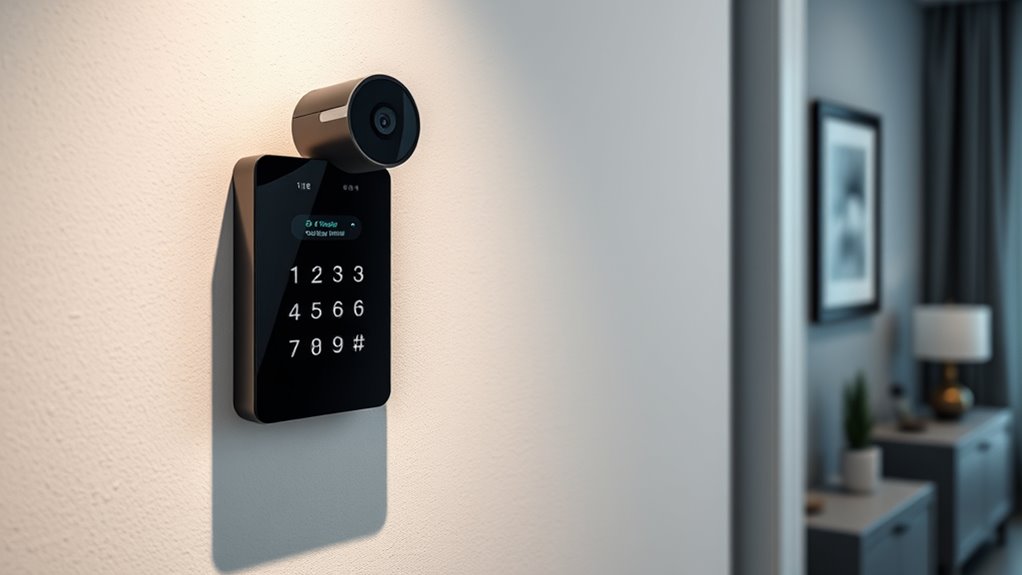

Smart keypad security offers a convenient way to control access to your home without relying on traditional keys. The best models combine ease of use with robust security features, but they vary significantly in build quality, connectivity, and price. The Philips WiFi Keypad Deadbolt stands out as the overall top pick for its reliable WiFi and app control. Meanwhile, the eufy Security Smart Lock C33 is a strong contender for those seeking a budget-friendly option with solid features. The main tradeoffs often involve balancing ease of installation, connectivity options, and price. Keep reading for a detailed breakdown to help you choose the right smart keypad security for your needs.

Get home appliances delivered free with Prime
- Fast, free delivery on millions of items
- Prime Video, Amazon Music and more included
- Member-only deals all year
Complete the kit


Key Takeaways
- The best overall pick, the Philips WiFi Keypad Deadbolt, excels in seamless app control and reliable WiFi connectivity.
- eufy Security Smart Lock C33 offers a compelling balance of features and affordability, making it ideal for budget-conscious buyers.
- Many options, like the TEEHO TE001, prioritize durability and design but may lack advanced connectivity features.
- Auto-lock features and backup keys remain common tradeoffs—consider if you prefer convenience or higher security levels.
- Connectivity options vary widely—WiFi, Bluetooth, and Zigbee each come with different setup complexities and security implications.
| Philips WiFi Keypad Deadbolt with Handle, Built-in WiFi, App Remote Control |  | Best Overall Smart Keypad Deadbolt | WiFi Compatibility: 2.4GHz WiFi, no hub needed | Auto-Lock: Yes, customizable 0-180 seconds | Battery Life: Up to 6 months | VIEW ON AMAZON | See Our Full Breakdown |
| eufy Security Smart Lock C33 with Keypad and Wi-Fi |  | Best for Quick Biometric Access | Biometric Recognition: Fingerprint | Connectivity: Wi-Fi | Power: 8 AA Batteries | VIEW ON AMAZON | See Our Full Breakdown |
| Keypad Smart Door Knob Lock with Keyless Entry and Handle |  | Best for Weather-Resistant Durability | Material: Aluminum alloy | Weather Resistance: IP54 | Number of Codes: 20 | VIEW ON AMAZON | See Our Full Breakdown |
| TEEHO TE001 Keyless Entry Deadbolt with Keypad for Front Door, Matte Black |  | Best Budget Weather-Resistant Keypad Lock | Material: Aluminum alloy | Weather Resistance: IP54 | Battery: 4 AA batteries (not included) | VIEW ON AMAZON | See Our Full Breakdown |
| Wyze Auto-Lock Bolt v2 Fingerprint Keyless Entry Smart Lock with Wi-Fi, Auto-Lock, and Backup Keys |  | Best Overall for Smart, Flexible Home Security | Model Number: WLCKB2 | Recommended Uses For Product: Home | Number of Pieces: 1 | VIEW ON AMAZON | See Our Full Breakdown |
| TEEHO TE001 Keyless Entry Deadbolt with Keypad for Front Door, Satin Nickel |  | Best for Simplicity and Long-Term Use | Material: Aluminum alloy | Battery: 4 AA batteries (not included) | Battery Life: Up to 365 days | VIEW ON AMAZON | See Our Full Breakdown |
| smart keypad security | Battery Life | Weather Resistance | Material |
|---|---|---|---|
| Philips WiFi Keypad Deadbolt w | Up to 6 months | — | — |
| eufy Security Smart Lock C33 w | — | — | — |
| Keypad Smart Door Knob Lock wi | — | IP54 | Aluminum alloy |
| TEEHO TE001 Keyless Entry Dead | Up to 365 days | IP54 | Aluminum alloy |
| Wyze Auto-Lock Bolt v2 Fingerp | Up to 8 months | IP53 | — |
| TEEHO TE001 Keyless Entry Dead | Up to 365 days | IP54 | Aluminum alloy |
More Details on Our Top Picks
Philips WiFi Keypad Deadbolt with Handle, Built-in WiFi, App Remote Control
This model stands out for its seamless integration of keyless entry with fast fingerprint recognition and remote control via app, making it a versatile choice for everyday convenience. Compared with the eufy C30, it offers a more comprehensive feature set, including multiple passcode options and auto-lock, but requires standard alkaline batteries which are not included. Its DIY installation is straightforward, especially with the handle set, and it’s ideal for those who want a reliable, Wi-Fi-connected lock that supports voice assistants and offers lengthy battery life. However, auto-lock needs manual activation in the app, and its design favors right-opening doors, which could limit compatibility.
Pros:- Easy DIY installation with included handle set
- Remote access and management via app
- Supports multiple passcodes and fingerprint options
- Long battery life with low-battery alerts
Cons:- Batteries not included; need standard alkaline batteries
- Auto-lock feature requires manual activation in the app
- Designed primarily for right-opening doors
Best for: Homeowners seeking a feature-rich, Wi-Fi-enabled deadbolt with quick fingerprint access and remote management.
Not ideal for: Renters or those with left-opening doors, as the design is primarily suited for right-handed entry and auto-lock adjustments are manual.
- WiFi Compatibility:2.4GHz WiFi, no hub needed
- Auto-Lock:Yes, customizable 0-180 seconds
- Battery Life:Up to 6 months
- Battery Type:Standard 1.5V alkaline batteries (not included)
- Installation Thickness:1-3/8″ to 1-3/4″
- Fingerprint Speed:0.3 seconds
Our verdict“This pick best suits users who want a comprehensive, Wi-Fi-connected deadbolt with biometric and app controls for added convenience.”
eufy Security Smart Lock C33 with Keypad and Wi-Fi
The eufy Security C33 excels with its biometric fingerprint recognition, offering rapid unlocking that surpasses many keypad-only options like the Keypad Smart Door Lock. Its Wi-Fi connectivity allows for remote access and real-time notifications, making it ideal for tech-savvy users who prioritize quick access. Compared to the Philips WiFi Deadbolt, it lacks a fingerprint option in the same sleek form factor but compensates with straightforward installation—no drilling required—and broad door compatibility, including both left- and right-hand doors. The main tradeoff is its reliance on 8 AA batteries, which may need frequent replacement, and its Wi-Fi-only connection could limit options for Bluetooth-only users.
Pros:- Fast, reliable biometric fingerprint recognition
- Simple 15-minute installation without drilling
- Remote access with real-time notifications
- Compatible with both left- and right-hand doors
Cons:- Requires 8 AA batteries, which may need frequent replacements
- Wi-Fi only; no Bluetooth connectivity
- Potential compatibility issues with certain door configurations
Best for: Individuals who prefer biometric unlocks combined with remote access and easy installation for various door types.
Not ideal for: Users sensitive to frequent battery changes or those seeking integrated voice assistant support, as it lacks voice compatibility and may need battery replacements every few months.
- Biometric Recognition:Fingerprint
- Connectivity:Wi-Fi
- Power:8 AA Batteries
- Installation:No drilling, 15 minutes
- Compatibility:Left- and right-hand doors
Our verdict“Ideal for users wanting quick biometric access combined with remote control, especially on diverse door types.”
Keypad Smart Door Knob Lock with Keyless Entry and Handle
This keypad lock prioritizes durability and weather resistance, making it well-suited for outdoor use. Its aluminum alloy construction and IP54 rating ensure it withstands the elements better than some plastic models like the TEEHO TE001. The backlit keypad allows easy use at night, and multiple access options—including codes and keys—provide flexibility for family and guests. Compared with the TEEHO, its weatherproofing and sturdy build make it better for harsher conditions, but it requires a screwdriver for installation and only supports 4-8 digit codes, which could limit security options. The auto-lock feature is customizable but may need manual adjustment for optimal performance.
Pros:- Easy to install in less than 15 minutes
- Multiple access options including codes and keys
- Weather resistant with durable aluminum alloy
- Backlit keypad for night visibility
Cons:- Requires screwdriver for installation
- Limited to 4-8 digit codes
- Auto-lock may need manual setting adjustments
Best for: Homeowners needing a weather-resistant lock with multiple access options and straightforward installation on outdoor doors.
Not ideal for: Those seeking a lock with longer code options or a more modern smart home integration, as it lacks app control or biometric features.
- Material:Aluminum alloy
- Weather Resistance:IP54
- Number of Codes:20
- Auto Lock Time:5 to 99 seconds
- Power:Low battery indicator
Our verdict“Best suited for users wanting a durable, weatherproof keypad lock with flexible access methods for outdoor settings.”
TEEHO TE001 Keyless Entry Deadbolt with Keypad for Front Door, Matte Black
The TEEHO TE001 offers a practical solution with weather resistance and multiple access options, including codes and backup keys. Its IP54 rating ensures it withstands typical outdoor conditions, and its long battery life of up to a year adds convenience. Compared with more advanced electronic locks like the Philips or eufy C30, it lacks app control or biometric features, which may be a drawback for users seeking smart home integration. Installation is slightly more involved, requiring a screwdriver, and it needs resetting before first use for optimal operation. Nonetheless, it provides reliable, keyless security at a lower cost, making it suitable for budget-conscious homeowners.
Pros:- Supports multiple access codes and one-time codes
- Automatic locking and easy auto-lock feature
- Weather-resistant with durable construction
- Long battery life of up to 365 days
Cons:- Requires 4 AA batteries, not included
- Not compatible with 38mm door holes
- Needs resetting before first use for optimal operation
Best for: Budget-conscious users wanting a weather-resistant keypad lock with multiple access options for outdoor use.
Not ideal for: Smart home enthusiasts seeking app control or biometric unlocking, as it is limited to keypad and key access.
- Material:Aluminum alloy
- Weather Resistance:IP54
- Battery:4 AA batteries (not included)
- Battery Life:Up to 365 days
- Included Components:2 backup keys, installation and programming instructions
- Warranty:2 years
Our verdict“Ideal for budget-minded homeowners needing a weatherproof keypad lock with flexible access for outdoor doors.”
Wyze Auto-Lock Bolt v2 Fingerprint Keyless Entry Smart Lock with Wi-Fi, Auto-Lock, and Backup Keys
The Wyze Auto-Lock Bolt v2 stands out for its rapid fingerprint unlocking, which completes in under half a second. Compared to the TEEHO TE001, which relies solely on keypad codes, this model offers biometric access, making it more convenient for quick entry. Its learning ability to improve recognition accuracy over time adds a layer of reliability not found in simpler locks. However, it requires a Wi-Fi connection to access remote features, which can be a limitation if your network is unstable. The weather resistance rating of IP53 makes it suitable for most outdoor environments, but it may struggle in heavy rain or severe weather. Its battery life of up to 8 months balances convenience with ongoing maintenance. Overall, this lock is best suited for users who want quick, biometric access and remote management but don’t mind occasional battery replacements.
Pros:- Fast unlocking with fingerprint in under 0.5 seconds
- Learns and adapts for improved recognition accuracy
- Remote management via Wi-Fi with app control
- Multiple unlocking options including keypad, app, backup keys, and emergency power
Cons:- Requires Wi-Fi for remote features, limiting offline functionality
- Battery life can vary significantly with usage
- Weather resistance rated IP53, not suitable for heavy rain or extreme weather
Best for: Homeowners seeking fast, biometric entry with remote control capabilities.
Not ideal for: Residents in harsh weather areas or those without consistent Wi-Fi, as the remote features depend on a stable connection.
- Model Number:WLCKB2
- Recommended Uses For Product:Home
- Number of Pieces:1
- Included Components:AA Battery x8, Wyze Lock Bolt v2
- Weather Resistance:IP53
- Battery Life:Up to 8 months
Our verdict“This lock suits users who prioritize quick biometric access and remote control, accepting some weather and connectivity limitations.”
TEEHO TE001 Keyless Entry Deadbolt with Keypad for Front Door, Satin Nickel
The TEEHO TE001 offers a straightforward, reliable keypad solution for securing your front door, making it ideal for users who prefer code-based access over biometric or app-controlled options. Unlike the Wyze Bolt v2, it doesn’t depend on Wi-Fi, eliminating connectivity concerns but also sacrificing remote management. Its 20-code capacity, including temporary guest codes, provides flexible access, although resetting is necessary before first use, which can be a minor hassle. Its solid aluminum alloy construction coupled with weather resistance rated at IP54 makes it suitable for outdoor environments with moderate weather exposure. The long battery life—up to a year with 4 AA batteries—reduces maintenance, but the need for batteries and occasional reset procedures might deter users seeking ultra-easy installation or updates. This lock makes the most sense for users who want a durable, low-maintenance keypad lock with flexible access codes.
Pros:- Multiple access codes including temporary guest code
- Automatic locking and low battery indicator
- Easy installation on standard doors
- Weather-resistant and durable construction
Cons:- Requires 4 AA batteries (not included), adding ongoing cost
- Not compatible with 38mm door holes, limiting installation options
- Resetting needed before first use can delay setup
Best for: Households seeking a dependable keypad lock with long battery life and simple installation.
Not ideal for: Tech-savvy users wanting app control or biometric options, as it lacks remote access and fingerprint features.
- Material:Aluminum alloy
- Battery:4 AA batteries (not included)
- Battery Life:Up to 365 days
- Weather Resistance:IP54
- Door Hole Size Compatibility:2-1/8″ (54mm)
Our verdict“This lock is ideal for users who prioritize long-term durability and simple keypad security over remote or biometric features.”

How We Picked
In selecting these smart keypad security products, I prioritized key factors such as connection reliability, ease of installation, build quality, and security features. I evaluated user-friendly app interfaces and the stability of remote control capabilities, as these impact daily convenience. Durability and design were also important, especially for outdoor use. Price was considered, but I emphasized value over cost alone, favoring products that balanced affordability with solid performance. These products were ranked based on how well they meet real-world needs for security, ease of use, and future-proofing through connectivity options.| smart keypad security | Battery Life | Weather Resistance |
|---|---|---|
| Philips WiFi Keypad Deadbolt w | Up to 6 months | — |
| eufy Security Smart Lock C33 w | — | — |
| Keypad Smart Door Knob Lock wi | — | IP54 |
| TEEHO TE001 Keyless Entry Dead | Up to 365 days | IP54 |
| Wyze Auto-Lock Bolt v2 Fingerp | Up to 8 months | IP53 |
| TEEHO TE001 Keyless Entry Dead | Up to 365 days | IP54 |
Factors to Consider When Choosing Smart Keypad Security
When choosing a smart keypad security system, it’s essential to consider several factors that influence both security and usability. Beyond basic features, understanding connectivity options, installation processes, and build quality can prevent common mistakes that diminish long-term satisfaction. Making an informed choice involves weighing tradeoffs such as price versus security, automation features versus complexity, and design aesthetics versus durability. This guide highlights key considerations to help you select a system that fits your specific needs.Connectivity Options and Compatibility
Deciding between WiFi, Bluetooth, or Zigbee connectivity impacts installation, security, and how you control your lock remotely. WiFi-enabled locks offer direct control via apps without hubs, but may pose higher security risks if not properly secured. Bluetooth options tend to be simpler but require proximity to unlock, suitable for home use but less so for remote access. Compatibility with your existing smart home ecosystem is also key—ensure the lock integrates smoothly with your preferred platforms like Alexa, Google Assistant, or Apple HomeKit to maximize convenience.
Ease of Installation and Setup
Many smart keypad locks advertise easy DIY installation, but the reality varies. Some models fit standard deadbolt sizes and come with straightforward instructions, reducing setup frustration. Others might require additional adapters or professional help. Consider whether you want a plug-and-play solution or are comfortable with minor wiring. Proper installation ensures security and reliable operation, so investing time or resources here can make a significant difference in long-term performance.
Build Quality and Durability
Since many smart keypad locks are installed outdoors, durability is a critical factor. Look for models with weather-resistant components, sturdy materials, and tamper-proof designs. Cheaper options might save money upfront but could wear out quickly or become vulnerable to physical attacks. Prioritize locks with metal casings and secure mounting options if you want a long-lasting security solution that withstands the elements.
Security Features and Backup Options
It’s important to evaluate the security protocols, such as encryption levels, and whether the lock supports multiple authentication methods like fingerprint backup or physical keys. Backup keys can be a lifesaver during internet outages or technical failures, but might introduce security risks if not stored securely. Consider whether the lock supports automatic re-locking or tamper alerts, which add layers of security and peace of mind.
Price, Value, and Future-Proofing
While budget models can be tempting, investing in a slightly more expensive lock often yields better security features and longer software support. Think about future needs—will you expand your smart home? Will you need integration with other devices? Choosing a system with regular firmware updates and reliable customer support can extend the lifespan of your investment and adapt to evolving security standards.
Frequently Asked Questions
Can I install a smart keypad lock myself, or do I need a professional?
Many smart keypad locks are designed for DIY installation and come with detailed instructions, making it feasible for most homeowners to set them up without professional help. However, certain models, especially those requiring wiring or compatibility adjustments, might benefit from professional installation to ensure optimal security and proper functioning. It’s worth assessing your comfort level with tools and basic electrical work before deciding whether to install yourself or hire a technician.
How secure are smart keypad locks against hacking?
Smart keypad locks use encryption protocols to protect against hacking, but their security depends on the manufacturer’s implementation and your network’s security. Using strong, unique WiFi passwords and ensuring your firmware is up to date significantly reduces risks. Additionally, models with multi-layer security features like two-factor authentication or local-only control are generally safer. No lock is completely invulnerable, but choosing reputable brands and maintaining cybersecurity best practices can minimize vulnerabilities.
What should I do if I lose my keypad code or smartphone access?
Most smart locks include backup options such as physical keys or alternative access codes to prevent lockouts. Some systems also allow remote reset or temporary access code generation through the app. Ensuring you have a backup method configured during setup is essential to avoid being locked out during emergencies or technical issues. Regularly updating access codes and keeping backup keys in secure locations helps maintain control over your lock’s security.
Do smart keypad locks require ongoing maintenance?
While most smart locks are designed to be low maintenance, periodic updates to firmware and app software are necessary to keep features secure and functioning correctly. Battery replacement is another routine task—many models alert you when power is low. Physical components may also need occasional cleaning or inspection to prevent wear and ensure smooth operation. Proper maintenance prolongs the lifespan of your lock and maintains security integrity.
Are smart keypad locks compatible with all door types?
Compatibility depends on your door’s thickness, material, and existing hardware. Most smart locks fit standard residential doors but may require adapters or specific mounting plates for certain setups. It’s important to verify the lock’s specifications against your door dimensions and whether it can replace your existing deadbolt or handle set. For non-standard doors or unusual configurations, consulting the manufacturer’s compatibility guide or professional advice can prevent installation issues.
Conclusion
For those seeking a reliable, feature-rich solution, the Philips WiFi Keypad Deadbolt makes the best overall choice, especially if remote control and seamless app integration are priorities. Budget-conscious buyers should find the eufy Security Smart Lock C33 offers excellent value without sacrificing core features. If you prefer a premium, durable model with advanced security protocols, consider higher-end options or those with tamper alerts and encryption. Beginners or those installing on standard doors will benefit from models designed for straightforward DIY setup, like the TEEHO TE001. For homes with specific needs such as outdoor durability or integration with smart home ecosystems, choose a lock that emphasizes those traits. In every case, balancing security, usability, and future compatibility helps ensure your investment keeps your home safe for years to come.
As an affiliate, we earn on qualifying purchases.NFL season / tailgating Picks
team gear