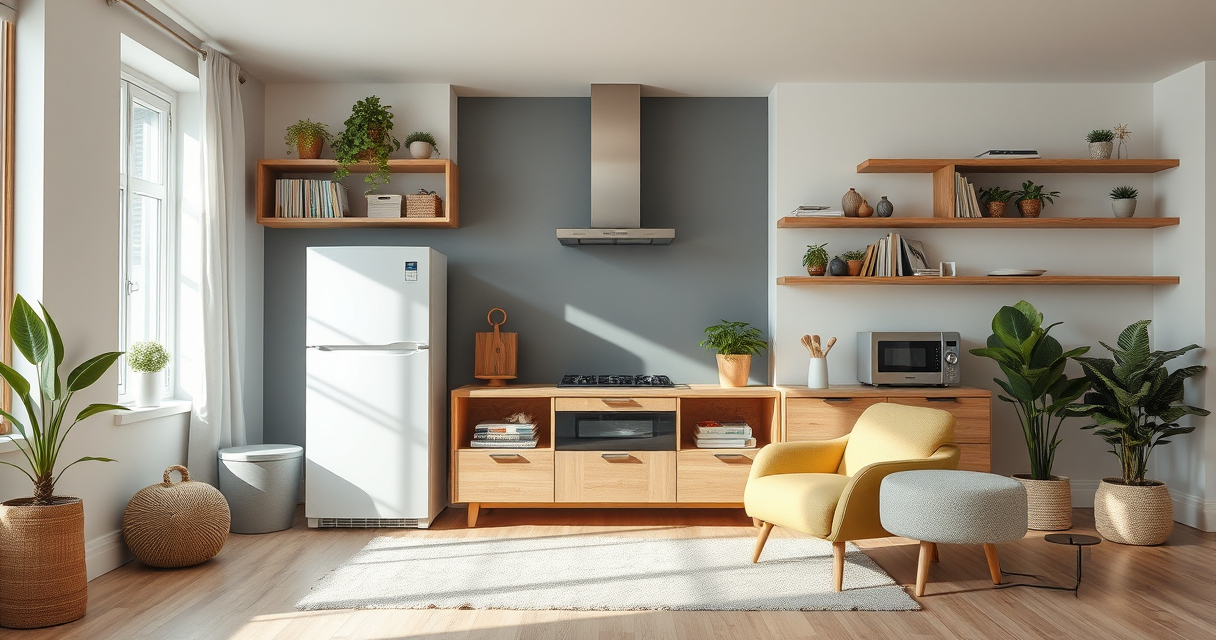
Home appliances and smart home technology now overlap in nearly every room. Refrigerators can send alerts, locks can respond to automations, security cameras can connect with displays, and bedside devices can coordinate lights and routines. Yet a connected product is not automatically a useful one. The best home setup begins with practical needs, dependable essentials, and technology that removes friction instead of creating it.

Get home appliances delivered free with Prime
- Fast, free delivery on millions of items
- Prime Video, Amazon Music and more included
- Member-only deals all year
This guide provides a clear starting point for choosing appliances, building a smart home, improving security, and connecting devices responsibly. Whether you are furnishing a new home, replacing an aging appliance, or adding your first automation, the goal is the same: create a system that is reliable, understandable, and suited to your household.
Start With the Home, Not the Technology
Before comparing features, identify the problems you actually want to solve. A household may need better perimeter security, lower energy use, easier cleaning, more accessible controls, or calmer bedtime routines. Those goals lead to very different purchases.
Separate your plans into three categories: essential appliances, convenience upgrades, and connected infrastructure. Essential appliances include products such as refrigerators, washers, cooking equipment, heating and cooling systems, and vacuums. Convenience upgrades might include robotic cleaners, automated shades, or smart lighting. Infrastructure covers the network, hubs, sensors, and control platforms that allow connected devices to work together.
This approach also helps prevent “feature creep,” in which an inexpensive idea becomes an unnecessarily complicated system. A smart plug may be enough to schedule a lamp; a new lighting ecosystem may not be necessary. Conversely, a comprehensive security installation deserves more planning than a collection of unrelated cameras and sensors.
Products Worth Considering

Kindle Paperwhite Signature Edition 32GB (2024) – Auto-adjusting front light, wireless charging, weeks of battery life – Metallic Black

Apple MacBook Air 13-inch Laptop with M5 Chip, 16GB Memory, 512GB SSD, 12MP Center Stage Camera, Touch ID, Wi-Fi 7, Midnight

DJI Mic 2 Wireless Microphone System (2 Transmitters, Receiver, Charging Case)
As an affiliate, we earn on qualifying purchases.
Choosing Major Home Appliances
Measure the Space and the Route In
Dimensions should be confirmed before any major appliance purchase. Measure the installation opening, required ventilation clearances, door swing, nearby counters, and the path from the entrance to the final location. Doorways, stairs, elevators, and tight corners can matter as much as the appliance cavity itself.
Check the available connections as well. Depending on the appliance, these may include electrical voltage, gas, water, drainage, exhaust ventilation, or a dedicated circuit. Installation requirements can vary between models, so consult the manufacturer’s documentation and local requirements before ordering.
Prioritize Everyday Performance
Useful capacity and layout are more important than an impressive feature list. Refrigerator shelves should accommodate the food your household buys. An oven should support the cookware and cooking methods you use. A washer should fit typical loads without encouraging chronic overloading.
Consider controls, noise, maintenance access, filter costs, and how easily common surfaces can be cleaned. If an appliance includes an app, ask whether its core functions still work without the app or an internet connection. Connectivity is most valuable when it delivers meaningful alerts, remote status information, or integration with routines—not when it duplicates a nearby button.
Think Beyond the Purchase Price
The long-term cost of an appliance may include energy, water, filters, bags, detergents, replacement parts, professional servicing, and installation. Examine warranty terms and determine whether service is readily available in your area. A technically sophisticated appliance may be less appealing if basic repairs require scarce parts or specialized support.
Build a Smart Home on a Reliable Foundation
A smart home depends on its network. Place the router or wireless access points where they can provide suitable coverage, use current security settings, create strong unique passwords, and keep device firmware updated. Larger homes, dense walls, detached buildings, and outdoor devices may require additional network planning.
Connected products communicate through technologies such as Wi-Fi, Bluetooth, Zigbee, Z-Wave, Thread, and proprietary radio systems. Wi-Fi devices often connect directly to a home network, while Zigbee and Z-Wave products commonly use a compatible hub. Thread is designed for low-power connected devices and may require a suitable border router. The presence of a protocol name alone does not guarantee compatibility; always verify the precise model, hub, platform, region, and feature support.
If you expect to add many devices, choose one or two primary control platforms before buying extensively. A consistent platform reduces the number of apps, makes automations easier to manage, and gives household members a more predictable experience.
Plan Smart Home Security in Layers
Home security works best as a layered system. Physical barriers delay entry, sensors detect changes, cameras provide visual context, alerts communicate events, and household procedures determine how people respond. No single device replaces the others.
Doors, Gates, and Smart Locks
A smart lock should suit the door hardware, environment, and access needs. Exterior gates can present unusual challenges, including exposure to weather, gate alignment, distance from the home network, and hardware that differs from a conventional front door. The guide to the best smart locks for exterior gates is a useful next step when planning access for a yard, driveway, or other perimeter entrance.
Multi-point doors require another type of compatibility check because their locking mechanisms engage at multiple positions. Handle operation, cylinder format, door construction, and regional hardware standards can affect the available options. Start with the guide to smart locks for multi-point doors before assuming that a lock designed for a standard deadbolt will work.
Whatever the door type, preserve a dependable backup entry method. Consider battery replacement, low-battery warnings, mechanical override options, guest access, temporary codes, and what happens during internet or power outages. Remote unlocking should be protected with a strong account password and multi-factor authentication when available.
Door and Window Sensors
Contact sensors can indicate whether an entry point is open or closed and can support alarms, reminders, lighting routines, and heating or cooling automations. Placement matters: the sensor and magnet must remain aligned, and the mounting surface should be stable.
For households using a compatible Z-Wave hub, the comparison of the best Z-Wave door and window sensors can help narrow the field. Confirm the operating frequency for your region and compatibility with your specific hub before buying. Also consider battery type, reporting behavior, installation clearance, and whether the platform can notify you when a sensor has been left open.
Security Cameras
Camera planning should begin with coverage rather than resolution. Identify entrances, approaches, blind spots, and areas where lighting changes throughout the day. Cameras should be positioned to capture useful detail without unnecessarily observing neighbors or public areas. Local privacy and surveillance rules may affect where cameras can point and whether audio can be recorded.
Wired systems can suit homeowners who value fixed connections, centralized recording, and planned camera placement. Explore the guide to wired security camera systems for total home protection for relevant system considerations and options.
Resolution is another factor, but it is only one part of image quality. Lens angle, sensor performance, lighting, compression, camera position, and recording settings all influence the result. If fine image detail is a priority, compare the best 4K security camera systems while also checking storage requirements, network capacity, low-light performance, and recorder compatibility.
Use Automation to Reduce Repetition
Good automations are simple, predictable, and easy to override. Start with repetitive tasks that have clear triggers and outcomes. A light can switch on when a door opens after sunset. Heating or cooling can respond when a window remains open. Selected devices can turn off when the household enters an away mode.
Build one routine at a time and test it under normal and unusual conditions. Consider what happens if a sensor battery dies, the internet is unavailable, or someone operates a device manually. Avoid automations that could create a safety risk, lock someone out, or activate high-power appliances without supervision.
Use descriptive names for rooms, devices, and routines. “Kitchen ceiling” and “Downstairs away mode” are easier to understand than manufacturer-generated names. Document critical automations so another household member can disable or modify them when needed.
Create Smarter Comfort and Sleep Routines
Smart home planning is not limited to security and chores. Lighting, temperature, sound, and morning routines can make bedrooms more comfortable. A bedside routine might gradually reduce light, adjust the thermostat, silence nonessential notifications, and provide gentle audio. Morning routines can reverse those settings without requiring several separate controls.
Dedicated sleep devices can combine multiple functions, but they are not the only approach. Individual lamps, speakers, alarms, or app-connected devices may offer greater flexibility. Readers comparing bedside systems can review these Hatch Restore 2 alternatives to understand the available directions before choosing a setup.
Keep sleep automations restrained. Bright screens, unreliable voice commands, or routines that require troubleshooting at bedtime can defeat their purpose. Manual controls should remain easy to reach, and essential alarms should not depend solely on cloud connectivity.
Protect Privacy and Household Access
Every connected device introduces an account, data, or network consideration. Review what information a product collects, where recordings are stored, how long data is retained, and whether cloud service is required. Cameras, microphones, locks, and occupancy sensors deserve particular attention because their data can reveal household routines.
- Use a unique password for every important account.
- Enable multi-factor authentication when supported.
- Install firmware and app updates regularly.
- Remove access for former residents, guests, and service providers.
- Review shared users and automation permissions periodically.
- Reset connected devices before selling, donating, or disposing of them.
Make sure everyone in the home understands which devices are present and how they work. Visitors and household members should not be surprised by indoor recording. Privacy is not merely a settings problem; it is also a matter of clear expectations and considerate placement.
Plan for Maintenance and Failure
Smart homes still need ordinary maintenance. Replace sensor batteries, clean camera lenses, test alerts, inspect cables, change appliance filters, and confirm that emergency routines still behave as expected. Keep model numbers, receipts, manuals, warranty information, and installer details in one accessible location.
Plan graceful fallbacks. Lights should remain operable from physical switches, locks should retain an appropriate backup method, and essential appliances should perform their primary job even when connected features fail. If a platform or subscription changes, you should know which functions will remain available.
A quarterly review is often enough for routine upkeep. Check offline devices, outdated automations, inactive user accounts, low batteries, and storage capacity. After changing a router, hub, phone, or account password, verify that critical alerts and remote access still work.
A Practical Buying Checklist
Before purchasing an appliance or smart home device, work through a consistent set of questions:
- What specific household problem will this product solve?
- Will it physically fit, and are the required connections available?
- Does it work with the platforms, hubs, and protocols already in the home?
- Which functions remain available without internet access or a subscription?
- What installation, maintenance, energy, storage, and replacement costs should be expected?
- Can every household member operate it easily?
- What data does it collect, and which privacy controls are available?
- Is there a practical fallback if the device, app, network, or cloud service stops working?
Build Gradually and Keep Control
The most successful connected home is rarely the one with the most devices. It is the one in which appliances perform their core jobs well, security components form sensible layers, and automations quietly support daily routines. Begin with a reliable foundation, solve one problem at a time, and expand only when a new device has a clear role.
By balancing physical fit, compatibility, privacy, maintenance, and fallback controls, you can create a home that feels more capable without becoming harder to manage. Use the detailed guides above when you reach a specific buying decision, but let your household’s routines—not the novelty of a feature—determine what belongs in your home.