To keep your robot vacuum working efficiently, regularly clean the brushes, filters, and sensors. Remove hair, dust, and debris from brushes and wheels, and wash the dustbin and filters as needed. Wipe down the exterior and update the firmware to improve performance. Routine maintenance prevents clogs and guarantees ideal cleaning. For detailed tips on maintaining your robo-helper and extending its lifespan, keep exploring how to care for your device effectively.

Get home appliances delivered free — and shop member deals
- Fast, free delivery on millions of items
- Access to Prime Big Deal Days deals on October 6–7
- Prime Video, Amazon Music and more included
Key Takeaways
- Regularly inspect and clean brushes, side brushes, and remove tangled hair or debris to maintain optimal cleaning efficiency.
- Empty and wash the dustbin frequently, ensuring it dries completely before reinstallation.
- Wipe sensors, wheels, and charging contacts with a soft cloth to prevent obstructions and ensure smooth operation.
- Keep the exterior clean and update firmware regularly for improved performance and longevity.
- Conduct routine maintenance of filters and internal components to extend the device’s lifespan and maximize cleaning results.
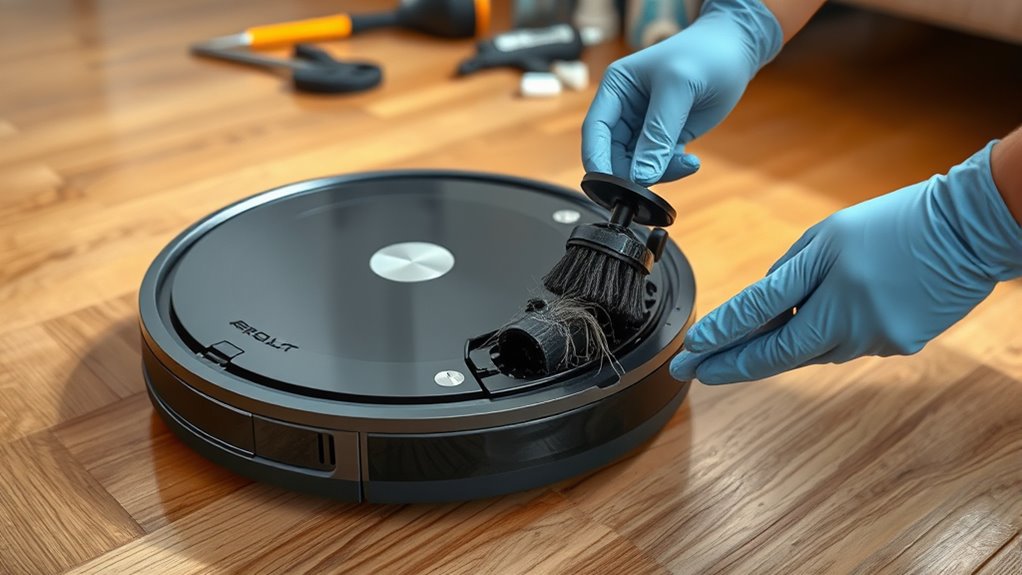
Ever wondered why your robot vacuum isn’t cleaning as effectively as when you first got it? Over time, dust, hair, and debris can build up, making your device less efficient. Regular maintenance is essential to keep it performing at its best. The first step is to check the brushes. Hair and fibers tend to wrap around the bristles, which can hinder their movement and reduce cleaning power. Remove these tangled strands carefully, using scissors if necessary, to prevent damage. Don’t forget to inspect the side brushes as well; they are often overlooked but play a fundamental role in reaching corners and edges. Clean them thoroughly, ensuring they spin freely, so your vacuum can sweep dust from all surfaces.
Check and clean brushes regularly to maintain your robot vacuum’s cleaning efficiency.
Next, focus on the dustbin and filters. The dustbin collects all the debris your vacuum picks up, but if it’s full or clogged, your device can’t operate efficiently. Empty it after every few cleaning cycles, and wash it with warm water if the manufacturer recommends it. Make sure it’s completely dry before reinstalling to avoid mold or unpleasant odors. The filters are equally important. Most robot vacuums use HEPA or foam filters that trap fine particles. Remove the filter and tap out loose dirt, then replace or wash it according to the instructions. A clean filter ensures better suction and maintains good air quality during operation.
Another fundamental aspect is the sensors and wheels. Dust or dirt can obscure sensors, causing your robot to miss spots or get stuck. Wipe the sensors gently with a soft cloth and inspect the wheels for debris. Hair and dust can wrap around the axles, affecting movement and navigation. Use a small brush or toothpick to clear out any buildup, ensuring smooth rotation. This simple step helps your vacuum avoid obstacles and navigate efficiently through different rooms. Additionally, examine the charging contacts on both the robot and the docking station. Dirty contacts can prevent proper charging, so clean them with a dry cloth to ensure your robot always has enough power for the next cleaning session.
Finally, keep the exterior of your robot vacuum clean. Wipe down the body regularly to remove dust, stains, or fingerprints, which can interfere with sensors or cause overheating. Regularly updating the firmware, if applicable, can also improve performance and fix bugs. Performing these maintenance steps consistently ensures your robot vacuum continues to operate effectively, saving you time and effort in the long run. Incorporating routine cleaning of internal components will further prolong its lifespan. With proper care, your robo-helper will keep your floors spotless and ready to impress.
robot vacuum brush cleaning tools
As an affiliate, we earn on qualifying purchases.
As an affiliate, we earn on qualifying purchases.
Frequently Asked Questions
How Often Should I Replace the Robot Vacuum’s Battery?
You should replace your robot vacuum’s battery every 1 to 2 years, depending on usage and battery health. If you notice it’s holding less charge or the cleaning time shortens considerably, it’s time for a replacement. Regularly charging and avoiding complete discharges extend battery life. Keep an eye on performance, and when it starts to decline, don’t wait—swap out the battery to keep your robo-helper running smoothly.
Can I Use Regular Household Cleaning Products on My Robot Vacuum?
Sure, go ahead and use regular household cleaning products on your robot vacuum—if you want to risk damaging it, that is. These cleaners often contain harsh chemicals that can harm delicate sensors and electronic parts. Instead, use a damp cloth or a mild, electronics-safe cleaner. Your robo-helper will thank you for sticking to proper maintenance, ensuring it keeps your floors spotless without any unexpected breakdowns.
What Should I Do if My Robot Vacuum Gets Stuck Frequently?
If your robot vacuum gets stuck frequently, first check for obstacles like cords or small objects blocking its path. Clear the area and make sure the wheels and brushes aren’t tangled or clogged. Adjust the vacuum’s settings if needed and update its firmware. You might also consider mapping your space better or placing barriers to prevent repeated entrapment, helping it clean efficiently without getting stuck.
How Do I Troubleshoot Wi-Fi Connectivity Issues?
Did you know that Wi-Fi issues affect over 30% of smart device users? To troubleshoot your vacuum’s connectivity, start by ensuring it’s within range of your router. Restart both your device and router. Check for firmware updates in the app, and reconnect your vacuum to Wi-Fi. If problems persist, reset the device’s network settings and reconfigure. Keep your firmware current for smooth, uninterrupted cleaning.
Is It Safe to Leave My Robot Vacuum Charging Overnight?
Yes, it’s generally safe to leave your robot vacuum charging overnight. Modern models are designed with safety features like automatic shut-off and overcharge protection, so you don’t have to worry about overheating or battery damage. Just make sure your vacuum is on a stable, flat surface and in good condition. If you follow your manufacturer’s instructions, leaving it charging overnight is convenient and safe.
HEPA filter replacement for robot vacuum
As an affiliate, we earn on qualifying purchases.
As an affiliate, we earn on qualifying purchases.
Conclusion
Think of your robot vacuum as a loyal companion on your daily journey. When you take the time to clean and care for it, you’re nurturing a symbol of harmony between technology and home. A well-maintained robo-helper not only keeps your space spotless but also reminds you that small acts of care sustain the bigger picture. Treat it with attention, and it’ll continue to serve as a silent partner in your everyday life, symbolizing the trust we build with our devices.
robot vacuum sensor cleaning kit
As an affiliate, we earn on qualifying purchases.
As an affiliate, we earn on qualifying purchases.
As an affiliate, we earn on qualifying purchases.
Fall Picks
fall essentials
As an affiliate, we earn on qualifying purchases.