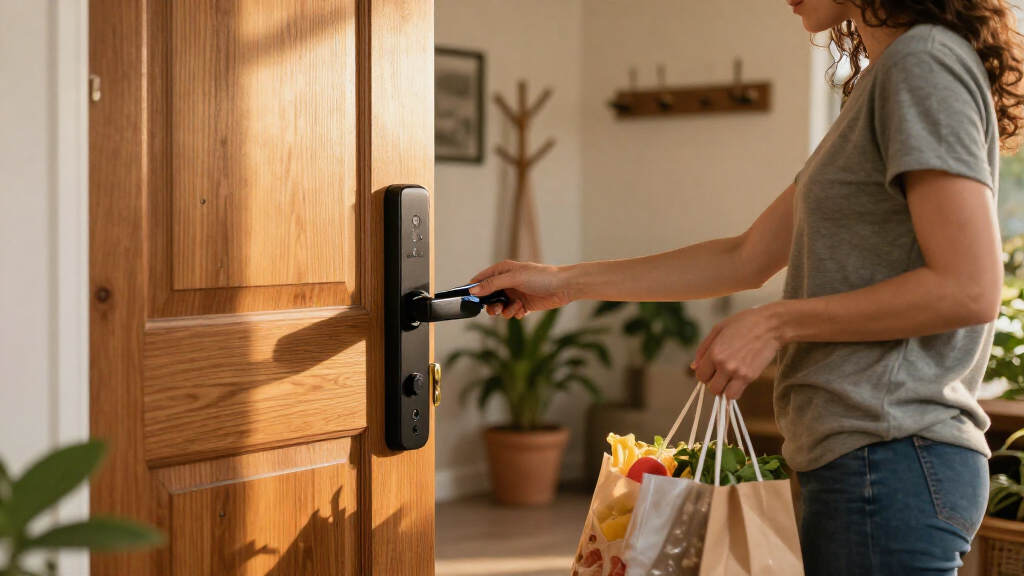
Choosing the best smart door locks requires balancing security, connectivity, and ease of installation. My top overall pick is the Schlage Encode WiFi Smart Deadbolt because it offers native Wi-Fi without a hub and maintains Schlage’s trusted hardware durability. For those seeking advanced biometrics, the eufy Security FamiLock S3 Max stands out with palm vein recognition and video capabilities, while the ULTRALOQ Bolt SE provides excellent value with Matter support. The primary tradeoff in this category often lies between battery life and feature density, as video and fingerprint sensors drain power faster than simple keypads. Continue reading to see how these options stack up against each other in real-world scenarios.

Get home appliances delivered free with Prime
- Fast, free delivery on millions of items
- Prime Video, Amazon Music and more included
- Member-only deals all year
Complete the kit


Key Takeaways
- Native Wi-Fi support in locks like the Schlage Encode eliminates the need for separate hubs, simplifying setup but potentially increasing power consumption.
- Biometric options vary widely; palm vein recognition in eufy and WYZE models offers higher security than fingerprint scanners, which can struggle with wet or dirty fingers.
- Philips dominates the mid-range market with numerous handle-set options, but many require a separate gateway for full Wi-Fi functionality, unlike standalone deadbolts.
- Matter support in the ULTRALOQ Bolt SE ensures future-proofing across different smart home ecosystems, whereas proprietary locks may lock users into specific brands.
- Battery life is heavily impacted by video features; video smart locks generally require charging or replacement twice as often as keypad-only models.
| Schlage Encode WiFi Smart Deadbolt with Century Trim, Matte Black |  | Best Overall for Shared Access | Model: BE489WBCEN622 | Finish and trim: Matte Black; Century | Connectivity: Built-in Wi-Fi | VIEW LATEST PRICE | See Our Full Breakdown |
| ULTRALOQ Bolt SE Wi-Fi Smart Deadbolt Lock with Matter Support | 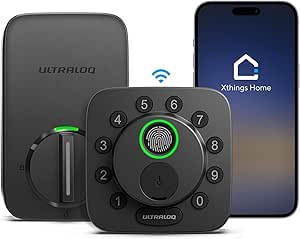 | Best for Flexible Keyless Entry | Model: Bolt SE | Access methods: Fingerprint, passcode, app, web portal, shared eKey or code, voice control, mechanical key | Fingerprint and passcode capacity: Up to 50 fingerprints and up to 50 passcodes | VIEW LATEST PRICE | See Our Full Breakdown |
| Philips 4000 Series Wi-Fi Fingerprint Smart Door Lock Set |  | Best for Fingerprint Entry with Guest Codes | Model: DDL240X-1HW-L | Unlock methods: Fingerprint, PIN code, key, app | Fingerprint capacity: Up to 50 fingerprints | VIEW LATEST PRICE | See Our Full Breakdown |
| Philips Wi-Fi Smart Keypad Deadbolt Lock with Handles |  | Best for Adjustable Auto-Lock | Model: DDL240X-1HW-H2 | Connectivity: Wi-Fi | Unlocking methods: App, fingerprint, PIN code, key, voice control | VIEW LATEST PRICE | See Our Full Breakdown |
| Philips Wi-Fi Smart Deadbolt with Handles and Gateway |  | Best Complete Kit for Remote Management | Model: DDL240X-1HBG-H | Unlock methods: App, fingerprint, PIN code, key, voice commands | Fingerprint details: Listed unlock time: 0.3 seconds; listed recognition accuracy: 99.99% | VIEW LATEST PRICE | See Our Full Breakdown |
| Philips Wi-Fi Smart Door Lock with Fingerprint Recognition |  | Best for Flexible Access Codes | Model: DDL240X-1HW | Entry methods: App, fingerprint, PIN code, voice assistant, physical key | Connectivity: Built-in Wi-Fi | VIEW LATEST PRICE | See Our Full Breakdown |
| eufy Security FamiLock S3 Max Video Smart Lock with Palm Vein Recognition |  | Best for Built-In Door Video | Model: E85V0JY1 | Unlock method: Palm vein recognition | Camera: 2K HD; f/1.8 lens; 150-degree viewing angle | VIEW LATEST PRICE | See Our Full Breakdown |
| Philips Wi-Fi Smart Lock and Handle Set with Fingerprint Keypad |  | Best for Standard-Door DIY Installation | Model: DDL242X-1HW-H-NEW | Entry methods: Fingerprint, smartphone app, passcode, backup key, Alexa or Google Assistant | Wi-Fi: Built-in 2.4 GHz | VIEW LATEST PRICE | See Our Full Breakdown |
| Philips 4200 Series Wi-Fi Keypad Deadbolt with Handle and Fingerprint Access |  | Best for Access History | Model: DDL242X-1HW-L | Connectivity: 2.4 GHz Wi-Fi; no hub required | Entry methods: Keypad PIN codes and fingerprint | VIEW LATEST PRICE | See Our Full Breakdown |
| Philips Wi-Fi Smart Front Door Lock Set with Handle |  | Best for Keypad-and-Key Access | Model: DDL242X-15HW-H-MB | Entry methods: Mobile app, Alexa or Google Assistant voice commands, keypad password, physical key | Wi-Fi: Built-in 2.4 GHz; no hub required | VIEW LATEST PRICE | See Our Full Breakdown |
| eufy Security Smart Lock C220 with Fingerprint Entry |  | Best Overall | Model: T8506 | Unlock methods: Fingerprint, app, keypad, physical key, Apple Watch, voice assistant | Connectivity: Built-in Wi-Fi | VIEW LATEST PRICE | See Our Full Breakdown |
| Philips Wi-Fi Smart Deadbolt Lock with Fingerprint, Passcode, App, and Key Access |  | Best for Shared Access | Model: DDL242X-1HW | Unlock methods: App, passcode, fingerprint, physical key, Alexa, Google Assistant | Connectivity: Built-in 2.4 GHz Wi-Fi; no hub required | VIEW LATEST PRICE | See Our Full Breakdown |
| Veise VE027-K WiFi Smart Deadbolt Locks with 2 Knobs Set, Matte Black |  | Best for High-Traffic Households | Model: VE027-K | Entry methods: App, fingerprint, IC card, PIN code, key, voice, user authorization, code sharing | Connectivity: Built-in 2.4 GHz Wi-Fi | VIEW LATEST PRICE | See Our Full Breakdown |
| WYZE Palm Lock Smart Door Lock with Palm Vein Recognition |  | Best Contactless Entry | Model: WPLCK1 | Lock type: Deadbolt | Access methods: Palm vein recognition, keypad codes, voice control, app, mechanical key | VIEW LATEST PRICE | See Our Full Breakdown |
| LOCKSTAR Smart Door Lock with Fingerprint, Keypad, and WiFi |  | Best for Compatible Wooden Doors | Model: LS-SDL | Material: Zinc alloy | Color: Black | VIEW LATEST PRICE | See Our Full Breakdown |
| smart door lock | Model | Connectivity |
|---|---|---|
| Schlage Encode WiFi Smart Dead | BE489WBCEN622 | Built-in Wi-Fi |
| ULTRALOQ Bolt SE Wi-Fi Smart D | Bolt SE | 2.4 GHz Wi-Fi; Matter over Thread with compatible hub |
| Philips 4000 Series Wi-Fi Fing | DDL240X-1HW-L | Built-in 2.4 GHz Wi-Fi; no hub required |
| Philips Wi-Fi Smart Keypad Dea | DDL240X-1HW-H2 | Wi-Fi |
| Philips Wi-Fi Smart Deadbolt w | DDL240X-1HBG-H | 2.4 GHz Wi-Fi; gateway included |
| Philips Wi-Fi Smart Door Lock | DDL240X-1HW | Built-in Wi-Fi |
| eufy Security FamiLock S3 Max | E85V0JY1 | — |
| Philips Wi-Fi Smart Lock and H | DDL242X-1HW-H-NEW | — |
| Philips 4200 Series Wi-Fi Keyp | DDL242X-1HW-L | 2.4 GHz Wi-Fi; no hub required |
| Philips Wi-Fi Smart Front Door | DDL242X-15HW-H-MB | — |
| eufy Security Smart Lock C220 | T8506 | Built-in Wi-Fi |
| Philips Wi-Fi Smart Deadbolt L | DDL242X-1HW | Built-in 2.4 GHz Wi-Fi; no hub required |
| Veise VE027-K WiFi Smart Deadb | VE027-K | Built-in 2.4 GHz Wi-Fi |
| WYZE Palm Lock Smart Door Lock | WPLCK1 | Wi-Fi |
| LOCKSTAR Smart Door Lock with | LS-SDL | Wi-Fi via included gateway |
More Details on Our Top Picks
Schlage Encode WiFi Smart Deadbolt with Century Trim, Matte Black
The Schlage Encode is my strongest pick for households that need reliable remote control and access for many people. Its capacity for up to 100 codes and lock history make it easier to manage family, guests, or service providers than a fingerprint-first option like the ULTRALOQ Bolt SE, which holds up to 50 passcodes. Built-in Wi-Fi means remote monitoring works without a separate hub, while the alarm adds another layer of awareness at the door. Installation uses a screwdriver and does not require hardwiring. The tradeoff is that entry relies on a touchscreen keypad and physical key rather than fingerprint access, and remote features need Wi-Fi and app setup. Four AA batteries also need periodic replacement, with listed battery life of up to six months.
Pros:- Supports up to 100 access codes, useful for households with many users
- Built-in Wi-Fi enables remote control and monitoring without a separate hub
- Lock history and built-in alarm add visibility beyond keypad access
- Installs with a screwdriver and requires no hardwiring
Cons:- Does not offer fingerprint unlocking
- Listed battery life is up to six months and requires four AA batteries
- Remote access and voice control require Wi-Fi and app setup
Best for: Households, landlords, or hosts who want to issue and track many individual access codes and control the lock remotely.
Not ideal for: Buyers who want fingerprint entry or longer listed battery life; the ULTRALOQ Bolt SE offers fingerprint access and up to 18 months of battery life.
- Model:BE489WBCEN622
- Finish and trim:Matte Black; Century
- Connectivity:Built-in Wi-Fi
- Access codes:Up to 100
- Door thickness:1-3/8 to 1-3/4 in
- Backset:2-3/8 or 2-3/4 in
- Power and battery life:Four AA batteries; up to six months with typical use
- Smart home compatibility:Alexa and Google Home
Our verdict“Choose the Schlage Encode if managing many users and reviewing lock activity matter more than fingerprint entry or extended battery life.”
ULTRALOQ Bolt SE Wi-Fi Smart Deadbolt Lock with Matter Support
The ULTRALOQ Bolt SE suits buyers who want several ways to get through the door, especially fingerprint and passcode entry alongside app, voice, shared eKey, and mechanical-key access. Its built-in 2.4 GHz Wi-Fi allows remote control without a hub, while Matter over Thread adds another smart-home route for buyers with a compatible Thread Border Router. That extra ecosystem flexibility separates it from the Schlage Encode, which focuses more on high-capacity codes and lock history than biometrics. The ULTRALOQ also lists up to 18 months of battery life and IP65 weather resistance. The catch is that Matter features need compatible hardware, Wi-Fi is limited to 2.4 GHz, and there is no door sensor. Buyers seeking a straightforward keypad-only setup may find its many access modes unnecessary.
Pros:- Offers fingerprint, passcode, app, web portal, shared eKey, voice, and key access
- Built-in 2.4 GHz Wi-Fi provides remote control without a hub
- Lists up to 18 months of battery life and IP65 weather resistance
- Supports Siri, Alexa, and Google Assistant, plus Matter over Thread with compatible hardware
Cons:- Matter over Thread features require a compatible Thread Border Router
- Wi-Fi support is limited to 2.4 GHz
- No door sensor is included
Best for: Smart-home households that want fingerprint entry, multiple backup access methods, and the option to use Matter with a compatible Thread border router.
Not ideal for: Buyers who need door-open sensing or rely on 5 GHz Wi-Fi; Matter over Thread also adds a hub requirement.
- Model:Bolt SE
- Access methods:Fingerprint, passcode, app, web portal, shared eKey or code, voice control, mechanical key
- Fingerprint and passcode capacity:Up to 50 fingerprints and up to 50 passcodes
- Connectivity:2.4 GHz Wi-Fi; Matter over Thread with compatible hub
- Voice assistants:Siri, Alexa, Google Assistant
- Battery life:Up to 18 months
- Weather resistance:IP65
- Material and warranty:Zinc alloy; lifetime mechanical and 18-month electronic warranty
Our verdict“Pick the ULTRALOQ Bolt SE if fingerprint access and broad entry choices outweigh the need for a door sensor or hub-free Matter support.”
Philips 4000 Series Wi-Fi Fingerprint Smart Door Lock Set
This Philips 4000 Series set balances biometric entry with a generous code system: it stores up to 50 fingerprints and 100 user PINs, plus unlimited one-time PINs. That makes it a better fit for a busy household with recurring guests than a fingerprint lock with fewer code options, while its built-in Wi-Fi supports remote access, alerts, history, and voice control without a hub. It also includes two lever handles, so buyers get a coordinated set rather than a deadbolt alone. Compared with the Philips Wi-Fi Smart Deadbolt with Handles and Gateway, this model does not bundle a gateway. Timed and recurring PIN sharing requires that gateway, and the lock has no door sensor, so auto-locking depends on the door being fully closed. That limitation matters for doors that do not latch consistently.
Pros:- Combines fingerprint entry with capacity for up to 100 user PINs
- Unlimited one-time PINs support temporary access
- Built-in Wi-Fi enables remote access, alerts, history, and voice control without a hub
- Includes two lever handles and installation hardware
Cons:- No door sensor; auto-locking requires the door to be fully closed
- Timed and recurring PIN sharing requires a separately sold Philips Wi-Fi Gateway
Best for: Families who want fingerprint access, numerous individual PINs, and included lever handles, with one-time codes for occasional visitors.
Not ideal for: Buyers who need door-position sensing or timed and recurring PIN sharing without purchasing a separate Philips Wi-Fi Gateway.
- Model:DDL240X-1HW-L
- Unlock methods:Fingerprint, PIN code, key, app
- Fingerprint capacity:Up to 50 fingerprints
- PIN capacity:Up to 100 user PINs, plus unlimited one-time PINs
- Connectivity:Built-in 2.4 GHz Wi-Fi; no hub required
- Voice assistants:Amazon Alexa and Google Assistant
- Door thickness:1-3/8 to 1-3/4 in
- Included components:Lock, two lever handles, eight AA batteries, mounting screws and installation hardware
- Door sensor:None
Our verdict“Choose this Philips set if you need fingerprint entry plus many guest codes and can live without door sensing or a bundled gateway.”
Philips Wi-Fi Smart Keypad Deadbolt Lock with Handles
The Philips DDL240X-1HW-H2 is a practical match for buyers who want a complete lock-and-handle set with five entry methods and a simple auto-lock schedule. Its timer can be set from 30 to 180 seconds, giving households time to leave without relying on immediate relocking. It also supports up to 100 permanent codes and unlimited one-time codes, a useful spread for regular users and short-term visitors. Compared with the Philips 4000 Series, this listing specifies the auto-lock interval and five unlocking methods, but provides less detail about fingerprint and PIN capacities beyond its code limits. The supplied data also does not state a door sensor, so buyers should not assume the lock can detect whether the door is shut. Check the listed 35–50 mm door-thickness fit before choosing it.
Pros:- Provides app, fingerprint, PIN, physical-key, and voice unlocking
- Wi-Fi supports remote monitoring and app notifications
- Adjustable auto-lock timer ranges from 30 to 180 seconds
- Includes matching handles and supports permanent and one-time PINs
Cons:- Door compatibility is limited to the stated 35–50 mm thickness range
- Product data does not specify a door sensor or battery life
- The listing provides fewer details about fingerprint capacity than some alternatives
Best for: Households that want fingerprint, keypad, key, app, and voice entry in a matching set, with a selectable auto-lock delay.
Not ideal for: Buyers whose doors fall outside the stated 35–50 mm thickness range or who require a confirmed door sensor.
- Model:DDL240X-1HW-H2
- Connectivity:Wi-Fi
- Unlocking methods:App, fingerprint, PIN code, key, voice control
- User codes:Up to 100 permanent codes and unlimited one-time codes
- Auto-lock timer:30 to 180 seconds
- Door thickness:35–50 mm
- Included components:Door lock, handle set, four batteries
- Voice assistants:Amazon Alexa and Google Assistant
Our verdict“Select this Philips set if adjustable auto-lock timing and varied entry methods are priorities and your door fits the stated dimensions.”
Philips Wi-Fi Smart Deadbolt with Handles and Gateway
This Philips bundle makes the most sense for buyers who want the lock, matching handle, and gateway in one kit. It combines fingerprint, PIN, key, app, and voice-command access with remote control, status checks, history, notifications, and an adjustable 30–180-second auto-lock delay. The included gateway is a practical distinction from the Philips 4000 Series, where timed and recurring PIN sharing requires a separately sold gateway. This model also supports up to 100 user codes and unlimited one-time codes, giving hosts room to manage regular users and temporary visitors. The compromises are its 2.4 GHz-only Wi-Fi and installation fit: buyers need to check door thickness, bores, backset, and router distance. Voice control also depends on the included gateway being connected.
Pros:- Bundles the lock, matching handle, gateway, and four batteries
- Supports five access methods, including fingerprint and voice commands
- Offers remote control, status checks, access history, and notifications
- Provides up to 100 user codes, unlimited one-time codes, and adjustable auto-lock timing
Cons:- Supports 2.4 GHz Wi-Fi only
- Voice control requires the included gateway to be connected
- Door dimensions and router distance need checking before installation
Best for: Hosts and households who want fingerprint entry, flexible visitor codes, remote monitoring, and a gateway included in the same kit.
Not ideal for: Buyers with 5 GHz-only networks, doors outside the listed dimensions, or setups where connecting a gateway is inconvenient.
- Model:DDL240X-1HBG-H
- Unlock methods:App, fingerprint, PIN code, key, voice commands
- Fingerprint details:Listed unlock time: 0.3 seconds; listed recognition accuracy: 99.99%
- PIN codes:Up to 100 user codes and unlimited one-time codes
- Connectivity:2.4 GHz Wi-Fi; gateway included
- Auto-lock delay:30–180 seconds
- Door fit:Thickness: 1-3/8 to 2 in; cross bore: 2-1/8 in; edge bore: 1 in; backset: 2-3/8 or 2-3/4 in
- Recommended router distance:Up to 65 ft (20 m)
- Included components:Door lock, gateway, handle, four batteries
Our verdict“Choose this Philips bundle if you want remote features and a gateway included, provided your door and 2.4 GHz network meet its requirements.”
Philips Wi-Fi Smart Door Lock with Fingerprint Recognition
The Philips Wi-Fi Smart Door Lock with Fingerprint Recognition is a strong fit for households that want several ways to manage entry without adding a hub. Its built-in Wi-Fi supports remote app control, while fingerprint, physical-key, and voice access give residents alternatives when a PIN is inconvenient. The standout for shared households is its 100-code capacity, including one-time, scheduled, and recurring codes, which makes access easier to tailor for guests or regular help. Compared with the Philips 4200 Series Wi-Fi Keypad Deadbolt, this model specifies five entry methods and includes batteries, but the 4200 Series lists access history and a stated battery-life estimate. The auto-lock timer is adjustable, though it only helps when the door is fully closed and the batteries have enough charge. Voice unlocking also depends on Alexa or Google Assistant.
Pros:- Built-in Wi-Fi enables remote app control without a separate hub.
- Fingerprint, PIN, app, voice, and physical-key entry offer varied ways to get inside.
- Supports up to 100 permanent, one-time, scheduled, or recurring PIN codes.
- Includes eight AA batteries and a 24-month warranty.
Cons:- Auto-lock depends on the door being fully closed and the batteries having sufficient charge.
- Voice unlocking requires Alexa or Google Assistant.
Best for: Households that regularly give temporary or scheduled access to guests, cleaners, or caregivers and want fingerprint entry as a quick everyday option.
Not ideal for: Buyers who need access history or a specified battery-life estimate, or whose door often fails to close fully before auto-lock activates.
- Model:DDL240X-1HW
- Entry methods:App, fingerprint, PIN code, voice assistant, physical key
- Connectivity:Built-in Wi-Fi
- PIN capacity and types:100 codes; permanent, one-time, scheduled, recurring
- Fingerprint unlock time:0.3 seconds
- Auto-lock timer:30–180 seconds
- Voice assistants:Alexa, Google Assistant
- Power and warranty:Eight AA batteries included; 24 months
Our verdict“Choose this Philips model if flexible scheduled PIN access and included batteries matter more than a documented battery-life estimate or access-history feature.”
eufy Security FamiLock S3 Max Video Smart Lock with Palm Vein Recognition
The eufy Security FamiLock S3 Max is the lineup’s most feature-packed choice for buyers who want the lock and front-door monitoring in one system. Its 2K camera, 150-degree head-to-toe view, visitor alerts, and interior screen can help household members see who is outside without reaching for a phone. Palm vein recognition offers a different hands-free entry approach from the fingerprint readers on the Philips DDL240X-1HW and Philips 4200 Series. Local 16 GB storage and broad smart-home support, including Matter, add flexibility, but Matter does not carry camera streams. This is a larger commitment than a keypad-focused lock: buyers are choosing an integrated camera setup, not just convenient entry. It also does not work with HomeBase 2, so existing eufy owners should check their equipment before choosing it.
Pros:- Combines a smart lock with a 2K camera and real-time visitor alerts.
- 150-degree head-to-toe view and interior screen make visitor checks possible without a phone.
- Palm vein recognition and locally stored video data provide alternatives to fingerprint-only entry and cloud storage.
- Supports Matter, Apple Home, Google Home, Alexa, SmartThings, and HomeBase 3.
Cons:- Camera streams are not supported through Matter.
- Not compatible with HomeBase 2.
- The integrated camera, screen, and rechargeable battery make this a more involved setup than a keypad-only lock.
Best for: Households that want a smart lock, doorbell camera, visitor alerts, and an indoor viewing screen in one front-door system.
Not ideal for: Buyers who only need keypad or fingerprint access, rely on HomeBase 2, or expect camera streams to appear through Matter.
- Model:E85V0JY1
- Unlock method:Palm vein recognition
- Camera:2K HD; f/1.8 lens; 150-degree viewing angle
- Local storage:16 GB built-in
- Smart-home compatibility:Matter, Apple Home, Google Home, Alexa, SmartThings, HomeBase 3
- Battery:Rechargeable; up to 4 months, with up to 1 additional month from four AAA backup batteries
- Included backup power:Four AAA batteries
- Warranty:36 months for mechanical parts; 18 months for electronic parts
Our verdict“Pick the FamiLock S3 Max if you want door video and palm vein entry together, but skip it if a simple smart deadbolt is all you need.”
Philips Wi-Fi Smart Lock and Handle Set with Fingerprint Keypad
The Philips Wi-Fi Smart Lock and Handle Set with Fingerprint Keypad pairs everyday fingerprint entry with a matching handle and remote app control. Its listed fit range—1-3/8 to 2-inch doors with either common cross-bore size—gives DIY buyers useful measurements to check before ordering. Five entry methods, unlock alerts, and up to 100 time-sensitive passcodes make it more adaptable than a keypad-only setup. Compared with the Philips 4200 Series, this model allows a longer auto-lock delay of up to 180 seconds and states IP53 water resistance, while the 4200 Series provides a battery-life estimate and specifies door-handling adjustment. The main catch is power: four AA batteries are required but not included. Its Wi-Fi is limited to 2.4 GHz, so households using only a 5 GHz network will need another connection option.
Pros:- Built-in 2.4 GHz Wi-Fi supports remote locking, unlocking, status checks, and access management without a hub.
- Fingerprint, app, passcode, backup key, and compatible voice assistants provide five entry options.
- Supports up to 100 time-sensitive passcodes, unlock alerts, and an adjustable auto-lock timer.
- Lists standard door thickness and cross-bore fit ranges for DIY planning.
Cons:- Four AA batteries are required but not included.
- Wi-Fi connectivity is limited to 2.4 GHz.
- Buyers must verify door thickness and cross-bore dimensions before installation.
Best for: DIY-minded homeowners with a standard U.S. door who want a matching handle, fingerprint access, and temporary codes managed in an app.
Not ideal for: Buyers whose Wi-Fi setup does not support 2.4 GHz, who need batteries included, or whose door falls outside the listed thickness and cross-bore ranges.
- Model:DDL242X-1HW-H-NEW
- Entry methods:Fingerprint, smartphone app, passcode, backup key, Alexa or Google Assistant
- Wi-Fi:Built-in 2.4 GHz
- Passcode capacity:Up to 100
- Auto-lock timer:10–180 seconds
- Water resistance:IP53
- Door fit:1-3/8 to 2 inches thick; 1-1/2 or 2-1/8-inch cross bore
- Power:Four AA batteries, not included
Our verdict“Choose this Philips handle set for fingerprint entry and temporary codes on a compatible standard door, provided you have 2.4 GHz Wi-Fi and your own batteries.”
Philips 4200 Series Wi-Fi Keypad Deadbolt with Handle and Fingerprint Access
The Philips 4200 Series Wi-Fi Keypad Deadbolt suits buyers who want remote access management with a record of lock activity. Its app supports status checks and access history, alongside fingerprint entry and PIN codes that can be permanent, one-time, periodic, or recurring. Unlike the Philips Wi-Fi Smart Door Lock with Fingerprint Recognition, this model lists an estimated battery life of up to six months, but batteries are not included. The matching handle and no-hub Wi-Fi make it a practical all-in-one replacement for compatible doors; its listed thickness range is narrower than the Philips Wi-Fi Smart Lock and Handle Set, so measuring first matters. Another setup detail: auto-lock is off by default, and the lock is configured for right-opening doors until reset. Those settings are manageable, but they make installation less hands-off.
Pros:- Built-in 2.4 GHz Wi-Fi enables remote control without a separate hub.
- App includes access codes, fingerprints, status checks, and activity history.
- PIN codes support permanent, one-time, periodic, and recurring access.
- Includes a matching handle set and lists battery life of up to six months.
Cons:- Batteries are not included.
- Auto-lock is off by default and must be enabled manually.
- Configured for right-opening doors by default; left-opening doors require a reset.
Best for: Households that want to review lock activity and manage fingerprint or scheduled PIN access remotely on a compatible door.
Not ideal for: Buyers who want auto-lock active out of the box, need batteries included, or prefer not to adjust settings for a left-opening door.
- Model:DDL242X-1HW-L
- Connectivity:2.4 GHz Wi-Fi; no hub required
- Entry methods:Keypad PIN codes and fingerprint
- PIN code types:Permanent, one-time, periodic, recurring
- Fingerprint unlock speed:0.3 seconds
- Auto-lock:Adjustable from 0 to 180 seconds; off by default
- Battery life and power:Up to 6 months; standard 1.5V alkaline batteries recommended, not included
- Compatible door thickness:1-3/8 to 1-3/4 inches (38 to 50 mm)
Our verdict“Pick the 4200 Series if app-based access history matters and you are comfortable enabling auto-lock and checking door handing during setup.”
Philips Wi-Fi Smart Front Door Lock Set with Handle
The Philips Wi-Fi Smart Front Door Lock Set with Handle is the straightforward pick in this group for households that want app, voice, keypad, and physical-key entry without a fingerprint reader. Built-in Wi-Fi allows remote locking and unlocking without a hub, while up to 100 custom passwords and activity alerts support a busy household with visitors. Compared with the Philips Wi-Fi Smart Lock and Handle Set with Fingerprint Keypad, this model trades biometric entry and unlock alerts for a physical-key option and a simpler set of stated access methods. Its 10–180-second auto-lock range gives more flexibility than the Philips 4200 Series’ default-off setting, but the lock needs eight AA alkaline batteries, which are not included. It also only connects to 2.4 GHz Wi-Fi, so check network compatibility and door measurements before installation.
Pros:- App, Alexa or Google Assistant, keypad password, and physical-key entry cover common access preferences.
- Built-in Wi-Fi enables remote locking and unlocking without a separate hub.
- Supports up to 100 custom passwords and provides activity alerts.
- Fits listed standard door thickness and cross-bore dimensions and includes a matching handle.
Cons:- Requires eight AA alkaline batteries, which are not included.
- Wi-Fi supports 2.4 GHz networks only.
- Does not list fingerprint entry, unlike the Philips handle sets with biometric access.
Best for: Households that prefer PINs and a physical backup key over fingerprint recognition and want remote control with a matching handle.
Not ideal for: Buyers who want fingerprint entry, included batteries, or Wi-Fi support beyond 2.4 GHz.
- Model:DDL242X-15HW-H-MB
- Entry methods:Mobile app, Alexa or Google Assistant voice commands, keypad password, physical key
- Wi-Fi:Built-in 2.4 GHz; no hub required
- Password capacity:Up to 100 custom passwords
- Auto-lock timer:10–180 seconds
- Door fit:1-3/8 to 2 inches thick; 1-1/2 or 2-1/8-inch cross bore
- Power:Eight AA (LR6) alkaline batteries, not included
- Warranty:24 months
Our verdict“Choose this set if keypad codes and a physical key are your preferred backups, but select a fingerprint-equipped Philips model if you want biometric entry.”
eufy Security Smart Lock C220 with Fingerprint Entry
The eufy Security Smart Lock C220 is a well-rounded choice for households that want fingerprint entry and remote control without adding a separate bridge. Its six access methods give family members alternatives if a fingerprint does not suit them, while built-in Wi-Fi supports control from away from home. Compared with the Philips Wi-Fi Smart Deadbolt Lock, the C220 also lists Apple Watch access and a physical key, though Philips offers up to 100 custom passcodes and features such as Away Mode. The C220’s eight-month battery estimate and standard-deadbolt fit keep the setup straightforward, but battery life varies with use and it takes eight AA batteries. Its IP53 rating and BHMA Grade 3 certification add useful protection, though buyers seeking stronger weather resistance should compare it with the Veise VE027-K’s IP65 rating.
Pros:- Six access methods, including fingerprint, Apple Watch, and physical key
- Built-in Wi-Fi allows remote control without a separate bridge
- Rated for up to eight months of battery use
- IP53 weather resistance and BHMA Grade 3 certification
Cons:- Requires eight AA batteries, and actual battery life varies with use
- IP53 rating is lower than the Veise VE027-K’s IP65 rating
Best for: Households wanting several everyday entry options, built-in Wi-Fi, and a retrofit lock for a standard deadbolt.
Not ideal for: Buyers who want a higher stated weather-resistance rating or who prefer a lock that uses fewer batteries.
- Model:T8506
- Unlock methods:Fingerprint, app, keypad, physical key, Apple Watch, voice assistant
- Connectivity:Built-in Wi-Fi
- Battery:8 AA batteries; up to 8 months
- Installation:Fits most standard deadbolts; approximately 15 minutes; no drilling
- Certification:BHMA Grade 3
- Water resistance:IP53
- Warranty:36 months for mechanical parts; 18 months for electronic parts
Our verdict“Choose the C220 for a versatile, bridge-free retrofit lock; look at the Veise VE027-K if greater weather resistance matters more.”
Philips Wi-Fi Smart Deadbolt Lock with Fingerprint, Passcode, App, and Key Access
The Philips Wi-Fi Smart Deadbolt is the strongest fit here for owners who regularly need to grant and manage access for other people. It supports up to 100 custom passcodes, including one-time and scheduled codes, while access history and alerts help keep track of entry. Unlike the eufy Security Smart Lock C220, it does not list Apple Watch access, but its scheduled-code support is useful for cleaners, guests, or recurring visitors. Built-in 2.4 GHz Wi-Fi handles remote access without a hub, and auto-lock can be set from 10 to 180 seconds. The tradeoffs are practical: batteries are not included, Wi-Fi is limited to 2.4 GHz, and there is no door sensor. Buyers who want a more weather-oriented feature set could compare it with the IP65-rated Veise VE027-K.
Pros:- Stores up to 100 custom passcodes, including scheduled and one-time codes
- Built-in Wi-Fi provides remote access without a hub
- Fingerprint and physical-key entry provide alternatives to passcodes
- Includes auto-lock, Away Mode, alerts, and access history
Cons:- AA alkaline batteries are not included
- Supports 2.4 GHz Wi-Fi only
- Door sensor is not included
Best for: Hosts and households that need many individual, scheduled, or one-time passcodes and remote access management.
Not ideal for: Buyers who need a door sensor in the box, use only 5 GHz Wi-Fi, or want included batteries.
- Model:DDL242X-1HW
- Unlock methods:App, passcode, fingerprint, physical key, Alexa, Google Assistant
- Connectivity:Built-in 2.4 GHz Wi-Fi; no hub required
- Passcode capacity:Up to 100 custom passcodes
- Auto-lock delay:10–180 seconds
- Compatible door thickness:1-3/8–2 in (38–50 mm)
- Battery type:AA alkaline (LR6); not included
- Door sensor:Not included
Our verdict“Pick this Philips model if passcode management for visitors is your priority, but skip it if a door sensor or 5 GHz Wi-Fi support is a must.”
Veise VE027-K WiFi Smart Deadbolt Locks with 2 Knobs Set, Matte Black
The Veise VE027-K is aimed at busy households that want several ways in and more robust weather protection than the IP53-rated eufy C220 or WYZE Palm Lock. It offers eight entry methods, including fingerprint, IC card, PIN, app, and voice control, plus capacity for 20 fingerprints and up to 100 custom passcodes. That variety can reduce key-sharing in a family with frequent visitors, but it also means more access methods and settings to manage than a simpler lock needs. Built-in 2.4 GHz Wi-Fi supports remote control and activity logs without a hub, while IP65 protection and an automatic-lock interval of 10 to 180 seconds suit exposed entrances. The compromises are eight AA batteries (not included), a 1-year limited warranty with a registration extension, and no stated BHMA grade beyond Grade 3 in the supplied product description.
Pros:- Eight listed entry methods, including fingerprint, IC card, PIN, and voice control
- Stores up to 20 fingerprints and up to 100 custom passcodes
- IP65 weather resistance and BHMA/ANSI Grade 3 standards
- Built-in 2.4 GHz Wi-Fi supports remote management without a hub
Cons:- Requires eight AA batteries, which are not included
- Access features and code types may be more involved than some households need
- Warranty is limited to one year unless the product is registered for an extension
Best for: Families with frequent comings and goings who want fingerprint, card, PIN, and remote access options in one lock.
Not ideal for: Buyers who want a simple, low-maintenance setup, included batteries, or a longer standard warranty.
- Model:VE027-K
- Entry methods:App, fingerprint, IC card, PIN code, key, voice, user authorization, code sharing
- Connectivity:Built-in 2.4 GHz Wi-Fi
- Passcode capacity:Up to 100 custom passcodes; unlimited one-time-use passwords
- Fingerprint capacity:Up to 20 fingerprints
- Battery:8 AA batteries, not included; up to 240 days of use
- Door compatibility:Standard US doors, 1-3/8–2 in thick
- Weather resistance:IP65
- Warranty:1-year limited warranty, with a free 1-year extension after registration
Our verdict“Choose the Veise for a busy home that will use its broad access options and higher weather-resistance rating, not for a minimal setup.”
WYZE Palm Lock Smart Door Lock with Palm Vein Recognition
The WYZE Palm Lock stands apart from the fingerprint-based eufy C220 and Philips Wi-Fi deadbolt by using contactless palm vein recognition. That makes it a distinctive choice for people who would rather approach the lock with an open hand than touch a sensor or enter a code. It also keeps familiar alternatives—keypad, app, voice control, and mechanical key—so palm recognition is not the only route inside. Dual batteries and USB-C emergency charging offer a fallback if the main battery runs down, while auto-lock and tamper or ajar alerts cover common daily concerns. The main tradeoff is battery dependence for smart functions, with the main battery rated for up to six months and the secondary one for up to two weeks. Some smart-home features also rely on compatible Wyze devices or services, unlike the C220’s listed Apple Watch access.
Pros:- Contactless palm vein recognition offers a different option from fingerprint sensors
- Includes keypad, app, voice-control, and mechanical-key access
- Dual-battery system and USB-C emergency charging provide backup options
- Auto-lock plus tamper and ajar alerts add useful monitoring
Cons:- Smart features depend on batteries, with the main battery rated for up to six months
- Some smart-home functions depend on compatible Wyze devices or services
- IP53 weather resistance is lower than the Veise VE027-K’s IP65 rating
Best for: Households that want hands-free, contactless entry but still need keypad and mechanical-key backups.
Not ideal for: Buyers who prefer fingerprint recognition, want smart-home features independent of the Wyze ecosystem, or dislike battery-powered access.
- Model:WPLCK1
- Lock type:Deadbolt
- Access methods:Palm vein recognition, keypad codes, voice control, app, mechanical key
- Guest codes:Up to 50 unique or one-time codes
- Battery life:Main battery up to 6 months; secondary battery up to 2 weeks
- Emergency charging:USB-C
- Connectivity:Wi-Fi
- Weather resistance:IP53
- Certification:BHMA Grade 3
Our verdict“Choose the WYZE if contactless palm recognition is your priority, but consider the eufy C220 if you prefer fingerprint access and Apple Watch entry.”
LOCKSTAR Smart Door Lock with Fingerprint, Keypad, and WiFi
The LOCKSTAR Smart Door Lock is a practical match for buyers who want several entry methods and remote management on a specifically compatible wooden door. Fingerprint, keypad, card fob, app, and traditional-key access give it a useful spread, while the included WiFi gateway enables remote passcodes, entry history, and real-time alerts. Compared with the eufy Security Smart Lock C220, LOCKSTAR adds card-fob access but has a narrower stated door-fit range and relies on a gateway rather than the C220’s built-in Wi-Fi. Its 1.5–1.9-inch wooden-door compatibility is the key buying constraint, so checking the door before choosing it matters more than the broad access list. Product data does not provide a battery-life estimate, weather-resistance rating, or security certification, making it harder to compare its long-term upkeep and exterior suitability with the other locks here.
Pros:- Offers fingerprint, keypad, card-fob, app, and traditional-key entry
- WiFi gateway enables remote management and passcodes
- App provides entry history and real-time alerts
- Auto-lock supports hands-off locking after entry
Cons:- Door compatibility is limited to specified 1.5–1.9-inch wooden doors
- Remote access uses an included gateway rather than built-in Wi-Fi
- Supplied product data does not state battery life or weather resistance
Best for: Owners of compatible 1.5–1.9-inch wooden doors who want fingerprint, keypad, fob, and remote access in one lock.
Not ideal for: Buyers with metal or unusually thick doors, or anyone who needs a stated weather-resistance rating or battery-life estimate.
- Model:LS-SDL
- Material:Zinc alloy
- Color:Black
- Access methods:App, fingerprint, keypad code, card fob, traditional key
- Connectivity:Wi-Fi via included gateway
- Door compatibility:1.5–1.9-inch wooden doors
- Dimensions:1.18 x 2.64 x 6.46 inches
- Weight:16 ounces
- Features:Auto-lock, remote passcodes, entry history, real-time alerts
Our verdict“Pick LOCKSTAR for a compatible wooden door and a preference for card-fob entry, but choose the eufy C220 for broader stated deadbolt fit and built-in Wi-Fi.”
How We Picked
I evaluated these fifteen models by prioritizing connectivity stability, physical build quality, and user accessibility. Connectivity was the primary filter; I favored locks with native Wi-Fi or robust Matter support over those requiring proprietary hubs, as this reduces points of failure. I also weighed the security protocols, giving preference to locks with AES-256 encryption and tamper alarms.
Build quality was assessed by examining materials; metal interiors and hardened steel bolts scored higher than plastic components. I also considered installation complexity, noting which models required professional help versus DIY. Finally, I looked at battery efficiency and power backup options, ensuring each recommendation had a viable plan for low-battery scenarios.
Factors to Consider When Choosing Best Smart Door Locks
Selecting a smart lock involves more than just picking a brand; it requires matching the technology to your door’s physical constraints and your digital ecosystem. Here are the critical factors to weigh before making a purchase.
Connectivity Standards and Hub Requirements
Many smart locks require a separate bridge or gateway to connect to Wi-Fi, which adds cost and clutter. The Schlage Encode and ULTRALOQ Bolt SE bypass this by offering native Wi-Fi or Matter support, allowing direct integration with routers or smart home hubs. If you already own a Zigbee or Z-Wave hub, locks like some Philips models might be cheaper and more stable, but they limit your flexibility if you switch ecosystems. Always check if the lock works with your existing voice assistants (Alexa, Google, Siri) without extra hardware. Proprietary connections can offer lower latency but often lack the interoperability of Matter-ready devices.
Biometric Security vs. Keycode Convenience
Fingerprint scanners are popular but can fail if fingers are wet, oily, or scarred. The eufy FamiLock S3 Max and WYZE Palm Lock use palm vein recognition, which is generally more reliable and hygienic since it doesn’t require touch. However, biometric sensors consume more battery power than simple keypads. If you prefer a touchless entry, video-enabled locks offer the added benefit of seeing who is at the door, though this feature drastically reduces battery life. Consider whether you need the visual confirmation or if a simple code entry is sufficient for your household’s routine.
Battery Life and Power Backup Options
Smart locks are notorious for unpredictable battery drain, especially when Wi-Fi signal strength is weak. Models like the Schlage Encode allow you to set power-saving modes to extend battery life. Look for locks that provide low-battery alerts well in advance and offer a physical key override or a USB-C emergency power port. Some Philips handle sets may use standard AA batteries, which are easy to find, while others use proprietary rechargeable packs that must be removed and charged. Never rely solely on the app; always keep a physical key hidden nearby as a failsafe.
Installation Compatibility and Door Thickness
Not all smart locks fit all doors. Most deadbolts, including the Schlage and ULTRALOQ, fit standard doors with 1.5-inch thickness, but handle sets like those from Philips or Veise require more precise alignment of latch holes and backset measurements. Measure your current door’s backset (distance from the edge to the center of the hole) before buying. If you have a metal or composite door, you may need specialized drill bits or professional installation. Verify that the strike plate included matches your door frame, or be prepared to modify the frame for a secure fit.
Aesthetics and Integration with Home Decor
Smart locks are visible fixtures, and their design can clash with traditional or modern interiors. The Schlage Encode offers a sleek, modern look with various trim options, while Philips handle sets often mimic traditional lever designs, which may blend better with classic homes. Consider the finish—matte black is popular for hiding fingerprints, while brushed nickel suits most traditional decor. Ensure the lock’s interface is easy to read in different lighting conditions; backlit keypads are helpful for nighttime entry but may drain battery faster. Choose a design that you won’t want to replace in a year.
Frequently Asked Questions
Do smart door locks work without Wi-Fi?
Most smart locks have basic functionality that works offline, such as entering a code or using a fingerprint scanner. However, remote monitoring, app notifications, and integration with smart home systems usually require a Wi-Fi or Bluetooth connection. Some models, like the Philips sets with gateways, use a local hub to maintain connectivity even if the internet goes down, provided the hub remains powered. Always check if the lock stores entry logs locally or if they are lost during an outage.
How secure are biometric locks against hacking?
Biometric data is typically stored locally on the device using encrypted templates, not sent to the cloud, which reduces the risk of remote hacking. The eufy and WYZE palm vein scanners are particularly secure because they use depth sensing, making them harder to spoof than 2D fingerprint images. However, no system is immune; physical tampering or brute-force attacks on the app interface are potential risks. Ensure you enable two-factor authentication on the companion app to add an extra layer of protection.
Can I install a smart lock on a metal door?
Yes, but it requires specific tools and care. Metal doors often need a metal drill bit and sometimes a magnetic drill guide to prevent slipping. Locks like the Schlage Encode and ULTRALOQ come with templates that help align holes, but drilling through steel is harder than wood. If you are not confident in your DIY skills, hiring a professional locksmith is recommended to avoid damaging the door or the lock mechanism. Some handle sets from Philips may not be suitable for thin metal doors due to structural support issues.
What happens if the battery dies while I am locked out?
Most modern smart locks include emergency power options. For example, the Schlage Encode has a USB-C port at the bottom where you can plug in a power bank to temporarily power the lock. Other models may have a 9V battery contact point. Additionally, nearly all smart locks retain a physical key override. It is wise to keep a physical key in a secure, accessible location outside your home, such as with a trusted neighbor or in a lockbox, to avoid being stranded.
Are video smart locks worth the extra cost?
Video smart locks, like the eufy FamiLock S3 Max, add the ability to see and speak to visitors without opening the door, which enhances security for families with children or pets. However, they require more frequent charging and depend heavily on Wi-Fi signal strength for smooth video streaming. If you already have a video doorbell, a video lock might be redundant. Consider your daily routine; if you frequently receive deliveries or have guests, the visual confirmation can be valuable, but weigh this against the maintenance effort.
Conclusion
Choosing the right smart lock depends on your specific needs for security, convenience, and home integration. For most users, the Schlage Encode WiFi Smart Deadbolt remains the best overall choice due to its reliable native Wi-Fi, robust build, and trusted brand reputation. If you want advanced biometrics and video capabilities, the eufy Security FamiLock S3 Max is the premium pick, offering palm vein recognition and two-way audio, though it demands more battery management. For those seeking a balance of affordability and modern standards like Matter, the ULTRALOQ Bolt SE is the best value option. Beginners looking for a simple handle-set replacement with fingerprint access should consider the Philips 4000 Series, which offers a familiar form factor and easy app setup. Evaluate your door type and existing smart home ecosystem to make the final decision.