To build a DIY home security system with smart sensors, start by choosing a central hub compatible with your preferred smart home platforms like Google or Alexa, ensuring it works with Bluetooth or Wi-Fi sensors. Install sensors on doors, windows, and key areas, following manufacturer instructions for alignment and placement. Connect and customize each device using their app, setting notifications and sensitivity levels. Regularly test, maintain batteries, and automate alerts. For more tips on creating a reliable system, continue exploring the key steps involved.
Key Takeaways
- Select compatible smart sensors and a reliable hub that integrates with your preferred smart home platform.
- Install sensors on doors, windows, and strategic locations, ensuring proper alignment and coverage.
- Connect sensors to the hub using manufacturer instructions and customize settings via the associated app.
- Regularly test sensors, check batteries, and perform maintenance to ensure ongoing reliability.
- Automate alerts and integrate sensors with locks and cameras for a comprehensive, personalized security system.

Creating a DIY home security system allows you to protect your property without the expense of professional installation. With the right smart sensors and a little bit of setup, you can create an effective system tailored to your needs. The first step is choosing a reliable hub or central controller that connects all your sensors and allows you to monitor your home remotely. Many options are compatible with popular smart home platforms like Google Home or Amazon Alexa, making integration seamless. Once you’ve selected your hub, you’ll want to pick smart sensors designed for specific security purposes, such as door/window sensors, motion detectors, and glass break sensors.
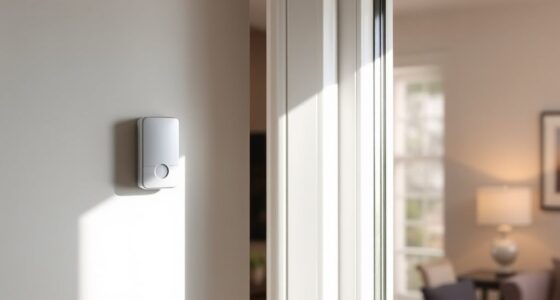
Installing these sensors is straightforward. For door and window sensors, you typically stick them along the edges where they meet the frame, ensuring they align properly so they can detect when a door or window opens. Make sure the sensors are placed in spots that cover all entry points but avoid areas where they might be obstructed or damaged. Motion detectors should be positioned in strategic locations, like hallways or main rooms, where they can detect movement without triggering false alarms from pets or passing cars. Mount them at an ideal height—usually around 7 to 8 feet—to maximize sensitivity.
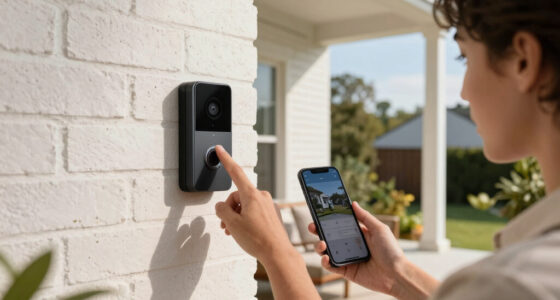
Smart sensors often come with Bluetooth or Wi-Fi capabilities, enabling you to connect them directly to your home network or via the central hub. Follow the manufacturer’s instructions to pair each sensor with your system. This process often involves downloading an app, creating an account, and adding each device manually. During setup, assign each sensor a specific location name to help you identify alerts easily. Once set up, you can customize the system’s sensitivity levels and notification preferences, making sure you’re alerted to genuine threats without constant false alarms.
To guarantee your system works effectively, test each sensor after installation. Open and close doors or windows, walk past motion detectors, and verify that your app receives timely alerts. Regular maintenance is essential; check batteries periodically and replace them as needed to keep your sensors operational. Many smart sensors send low-battery notifications so you can replace them before they fail. Additionally, understanding the contrast ratio of your sensors’ detection range can help optimize your placement for better security coverage.
With your sensors installed and tested, you can now configure your system’s automation rules and alerts. Set it to send notifications to your phone whenever a sensor is triggered, or integrate it with your smart locks and cameras for a complete security network. By building your own system with smart sensors, you gain control over your home’s security, saving money and customizing your setup to fit your lifestyle. It’s a practical, scalable solution that keeps you connected and protected, all without needing professional installation.

Home Security Systems Alarm System for Home Security GSM/4G+WiFi | 4.3" Touch Screen | SOS | App Instant Alerts | Wireless Smart System | DIY Motion & Door Sensors | Work with Alexa | No Monthly Fee
- 4.3-inch Color Touchscreen: Easy arm/disarm and status view
- App Controls All Devices: Instant alerts via Smart Life/Tuya app
- Pre-Paired Accessories: Simple 3-step setup, no manual pairing
As an affiliate, we earn on qualifying purchases.
As an affiliate, we earn on qualifying purchases.
Frequently Asked Questions
What Is the Average Cost of a DIY Smart Security System?
The average cost of a DIY smart security system ranges from $200 to $500, depending on the brand and features you choose. You can find starter kits for around $200, which include sensors and a hub, while more advanced setups with cameras and smart locks may cost up to $500 or more. Consider your needs and budget to select the right components for an affordable, effective home security solution.
Can I Integrate My Existing Home Devices With This System?
Yes, you can integrate your existing home devices with this system. Many DIY security setups support popular smart home platforms like Alexa, Google Home, or Zigbee/Z-Wave protocols. You’ll need to check compatibility and confirm your devices are compatible with the hub or controller you choose. Once connected, you can control and automate your devices seamlessly, enhancing your home’s security and convenience.
How Do I Troubleshoot a Malfunctioning Sensor?
If your sensor isn’t working properly, start by checking its power source and connections. Make sure it’s within range of your hub or Wi-Fi. Restart the sensor and your control device. Update the firmware if updates are available. Clean the sensor’s surface to remove dust or debris that could interfere with detection. If problems persist, reset the sensor to factory settings and reconfigure it according to the instructions.
What Is the Best Wi-Fi Range for Reliable Connectivity?
Think of Wi-Fi range like a dance floor—bigger isn’t always better. For reliable connectivity, keep your smart sensors within 30 to 50 feet of your router, especially through walls or obstacles. If your home is larger, consider adding Wi-Fi extenders or mesh networks to keep signals strong. This way, your sensors stay connected, and your security system functions smoothly without any hiccups or dead zones.
Are There Privacy Concerns With Smart Sensors and Data Security?
Yes, there are privacy concerns with smart sensors and data security. You might worry about unauthorized access to your personal information or hacking into your system. To protect yourself, make sure your devices have strong passwords, keep firmware updated, and use encrypted connections. Regularly review your sensor settings and privacy policies. Being cautious helps you maintain control over your data and keeps your home secure from potential breaches.

ecobee Smart Sensor for Doors & Windows 2 Pack for Home Security
- Real-time Door/Window Alerts: Notifications via ecobee app
- Chime Alerts with Thermostat: Plays chime when paired with ecobee Thermostat
- Valuable Item Monitoring: Alerts when valuables are accessed
As an affiliate, we earn on qualifying purchases.
As an affiliate, we earn on qualifying purchases.
Conclusion
Building your own home security system isn’t just about gadgets; it’s about peace of mind. As you set up smart sensors, you realize how coincidence brings safety into your life—like finding a lost item just when you need it most or catching a suspicious activity right before it happens. Your efforts create a shield around your home, turning everyday moments into moments of security. With each step, you’re not just building a system—you’re creating a safer haven for those you love.
Wi-Fi motion detector for home security
As an affiliate, we earn on qualifying purchases.
As an affiliate, we earn on qualifying purchases.

Amazon Echo Hub (newest model), 8", Redesigned with customizable control and Alexa+, Compatible with thousands of devices
- Smart Home Control Panel: Easy-to-use home control interface
- Customizable Dashboard: Arrange and resize device controls
- Alexa+ Integration: Enhanced voice control features
As an affiliate, we earn on qualifying purchases.
As an affiliate, we earn on qualifying purchases.