In 2025, proper placement of cables, routers, and hubs still matters because it directly impacts your network’s speed, security, and reliability. Placing devices centrally and away from interference sources improves signal strength and stability. Good cable management reduces damage and makes maintenance easier. Strategic positioning also minimizes security risks and prolongs hardware life. If you want to learn how to optimize your setup effectively, keep exploring key placement tips and tricks.

Get home appliances delivered free with Prime
- Fast, free delivery on millions of items
- Prime Video, Amazon Music and more included
- Member-only deals all year
Key Takeaways
- Proper placement reduces wireless interference, ensuring faster, more stable internet connections in 2025’s crowded device environment.
- Strategic positioning minimizes electromagnetic interference, maintaining optimal signal quality and device performance.
- Correct placement enhances security by preventing unauthorized access and signal leakage outside the property.
- Organized cable routing and placement simplify maintenance, troubleshooting, and future upgrades.
- Optimal positioning extends hardware lifespan and promotes energy efficiency, supporting sustainable use in 2025.

As technology evolves, so does the importance of strategic placement for cables, routers, and hubs in 2025. Even with the rise of wireless devices, how you position your network equipment can markedly impact performance. Wireless interference remains a major challenge, especially as more gadgets connect to the same network. Placing your router in a central location, away from thick walls or metal objects, helps reduce signal disruptions caused by interference from other electronics or neighboring networks. If you’re in a crowded area, you might notice your Wi-Fi slowing down or dropping out. In such cases, relocating your router or adjusting its antennas can improve signal clarity and strength.
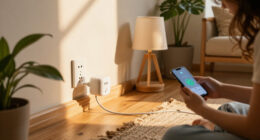
Power management is another critical aspect that underscores why placement still matters. When your router or hub is placed near power sources, it’s easier to manage and lessen the risk of electrical noise that can interfere with your network signals. Proper placement ensures that cables are not stretched or tangled, preventing potential power surges or disruptions. Additionally, keeping your network devices in well-ventilated areas avoids overheating, which can cause performance issues or equipment failure. Proper placement also aids in reducing electromagnetic interference, helping to maintain a stable connection and extend device lifespan. Prioritizing proper placement helps you maximize energy efficiency and extend the lifespan of your hardware. Being mindful of the physical environment around your network equipment can further optimize overall performance.
Beyond interference and power considerations, strategic placement also enhances network security. Positioning your router away from windows or accessible areas minimizes the risk of unauthorized access. If your router is placed too close to exterior walls, signals might bleed outside your property, making it easier for outsiders to attempt unauthorized connections. Keeping your equipment in a secure, discreet location helps maintain privacy and prevents potential breaches. Proper placement of network devices also plays a role in reducing the risk of physical tampering or theft. Additionally, understanding signal propagation can help you optimize coverage and prevent dead zones.
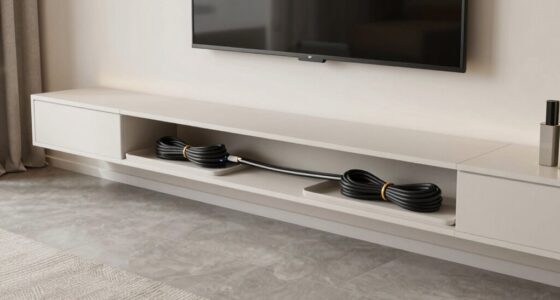
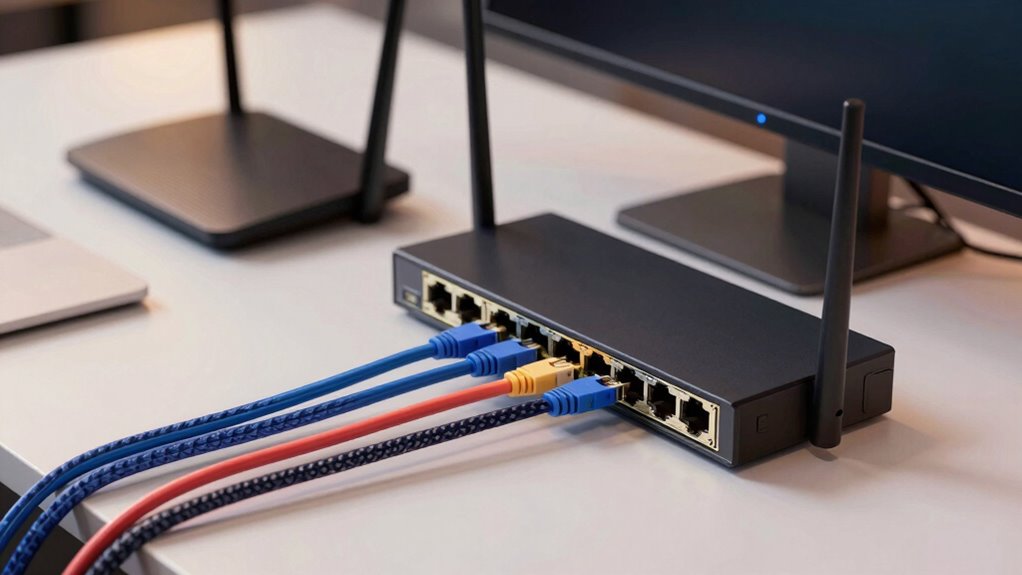
Furthermore, cable management remains relevant even in 2025. Properly routed cables reduce clutter, making future upgrades or troubleshooting easier. Well-organized cables also prevent accidental disconnects or damage, which could impair your network’s reliability. When you consider the physical setup of your network, you’re not just improving performance but also simplifying maintenance tasks.
In essence, despite technological advancements and the proliferation of wireless devices, the fundamentals of good placement still hold true. Managing wireless interference through thoughtful positioning, ensuring maximum power management, and maintaining tidy cable arrangements all contribute to a more reliable, secure, and efficient network. Your careful attention to where you put your cables, routers, and hubs in 2025 can make all the difference in enjoying fast, stable internet without constant frustration.
Products Worth Considering

Apple MacBook Air 13-inch Laptop with M5 Chip, 16GB Memory, 512GB SSD, 12MP Center Stage Camera, Touch ID, Wi-Fi 7, Midnight

Bose SoundLink Flex Bluetooth Speaker (2nd Gen), Black

Kindle Paperwhite Signature Edition 32GB (2024) – Auto-adjusting front light, wireless charging, weeks of battery life – Metallic Black
As an affiliate, we earn on qualifying purchases.
Frequently Asked Questions
How Does Placement Affect Network Security?
Placement affects your network security by minimizing wireless interference and signal obstructions. When your router is placed centrally and away from thick walls or electronic devices, it reduces vulnerabilities caused by weak signals that hackers could exploit. Proper placement also guarantees a stable connection, preventing disruptions that might tempt you to use unsecured or less secure networks. Ultimately, strategic placement helps safeguard your data by maintaining a strong, interference-free signal.
Can Poor Placement Cause Hardware Damage?
Poor placement can indeed cause hardware damage, like overheating or environmental interference. For example, if you position your router near a heat source or in direct sunlight, it risks overheating, reducing hardware longevity. Similarly, placing cables near electrical interference sources can cause damage over time. Proper placement guarantees your equipment stays cool and free from interference, extending its lifespan and maintaining ideal network performance.
Does Router Placement Impact Wi-Fi Range?
Yes, router placement greatly impacts Wi-Fi range. When you position your router away from walls, metal objects, and other electronics, you reduce wireless interference and improve signal strength. Placing it centrally in your home helps guarantee a broader coverage area. Avoiding obstructions and interference sources allows your Wi-Fi to reach farther and perform better, giving you a more reliable connection throughout your space.
Are There Optimal Placement Tips for Smart Home Devices?
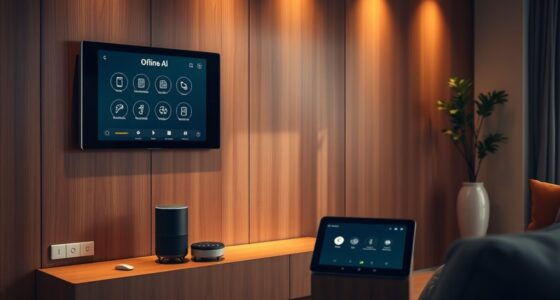
A stitch in time saves nine, so proper placement really counts. To optimize your smart home devices, keep them away from sources of smart device interference like metal or electronics that disrupt signals. Position devices where they won’t clutter your aesthetic, such as discreet corners or behind furniture. This helps guarantee reliable performance while maintaining a clean look, making your smart home both functional and visually appealing.
How Often Should I Reevaluate Device Placement?
You should reevaluate device placement every 6 to 12 months to guarantee ideal device ergonomics and aesthetic considerations. Regular checks help you identify if devices are still functioning efficiently, avoid clutter, and match your evolving home decor. Adjusting placement as needed improves connectivity, safety, and visual harmony, keeping your smart home running smoothly and looking great. Stay proactive to maintain the best balance between performance and aesthetics.
Conclusion
While technology continues to evolve, the subtle art of cable, router, and hub placement still plays a quiet role in your network’s harmony. By paying gentle attention to their placement, you can enjoy smoother connections and fewer frustrations. It’s like tending a delicate garden—small adjustments make a big difference. So, consider these simple steps as a way to nurture your digital environment, ensuring everything runs seamlessly beneath the surface, just like a well-kept secret.