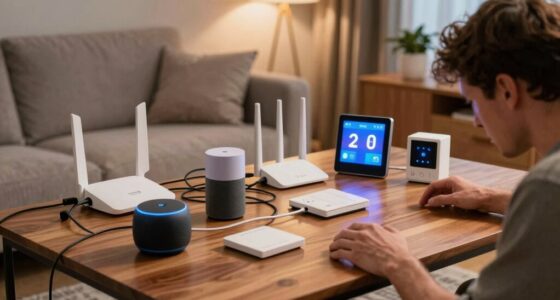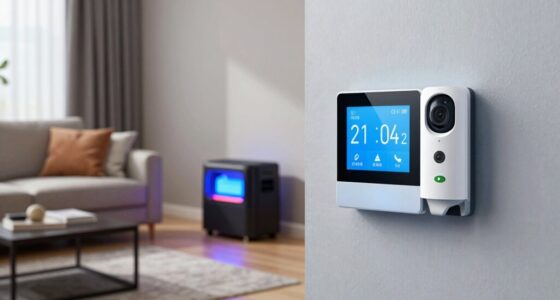
In shared households, you can avoid smart home command conflicts by setting clear rules for voice usage and establishing designated devices or times for each person. Use unique wake words and personalize profiles to reduce misunderstandings. Regularly discuss privacy boundaries and adjust settings to build trust. Clear communication about expectations helps everyone feel comfortable and respected. Want to find out more tips on managing smart home challenges with roommates? Keep exploring!

Get home appliances delivered free — and shop member deals
- Fast, free delivery on millions of items
- Access to Prime Big Deal Days deals on October 6–7
- Prime Video, Amazon Music and more included
Key Takeaways
- Establish clear voice command protocols and designated devices for each user to prevent cross-activation.
- Use unique wake words and personalized user profiles to ensure responses are accurate and user-specific.
- Educate household members on privacy settings and proper device usage to minimize misunderstandings.
- Schedule specific times or areas for private interactions to reduce accidental command triggers.
- Maintain open communication about device functions and address conflicts proactively to promote household harmony.
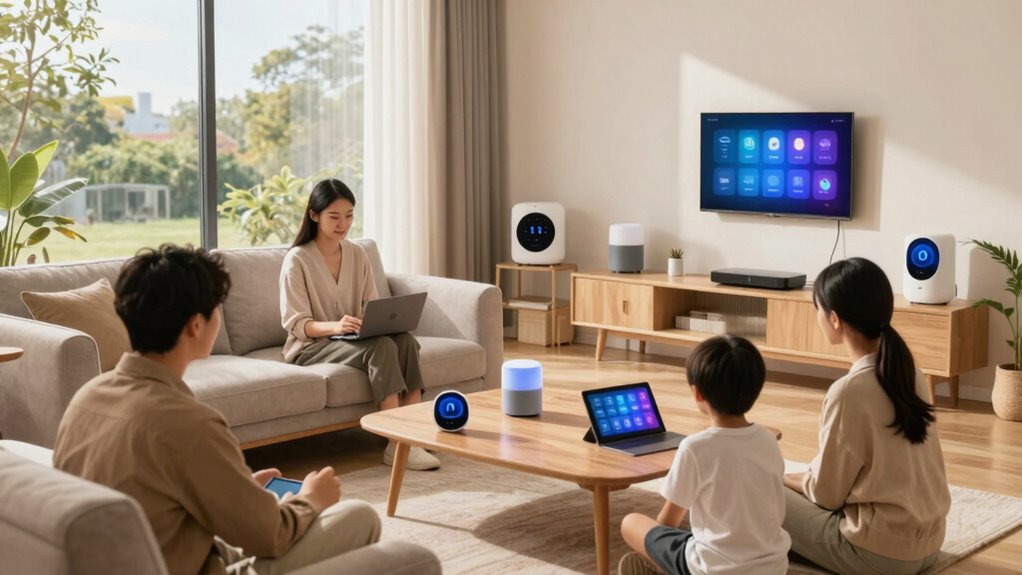
Living in a shared household often means juggling different habits and preferences, but the rise of smart home technology introduces new challenges. One of the main issues is managing voice recognition systems that respond to commands from everyone in the house. These devices, like smart speakers and voice assistants, can easily pick up commands from multiple users, leading to conflicts or accidental activations. To avoid misunderstandings, it’s vital to establish clear rules about when and how to use voice commands. For example, you might agree on specific times for voice interactions or designate certain devices for particular users. Encouraging everyone to use unique wake words for their devices can help prevent cross-activation, ensuring that commands are directed to the right person or device.
However, voice recognition isn’t just about avoiding conflicts—it also raises privacy concerns. Smart home devices are constantly listening for wake words, which can make household members wary of their conversations being recorded or overheard. To address this, you should educate everyone about how these devices work and the company’s privacy policies. It’s also wise to review privacy settings regularly and disable voice recordings or mute devices when privacy is a priority. Transparency about how data is collected and stored helps build trust among housemates and reduces anxiety about surveillance. Additionally, some devices allow for local processing of commands, which can limit data sharing with outside servers and alleviate privacy worries. Implementing privacy controls and understanding device capabilities can further enhance household trust. Being aware of the privacy implications associated with smart devices is essential for maintaining a comfortable living environment. Furthermore, establishing clear communication** and setting boundaries** around voice commands can help manage expectations and reduce misunderstandings.
Another effective strategy is to create a shared digital environment that respects individual preferences. For example, setting up separate accounts for each housemate on smart devices can help personalize responses and reduce conflicts. When everyone has their profile, commands are more accurately attributed, and devices can provide tailored responses. It’s equally important to establish boundaries around voice commands, such as avoiding sensitive topics or private conversations, especially in shared spaces. Respecting each other’s privacy by designating specific areas or times for private interactions helps maintain harmony. Implementing user profiles can also help in customizing device responses and managing multiple users more effectively.
Finally, communication is key. Regularly discussing how you all use smart home features ensures that everyone’s concerns are addressed and that rules stay relevant. When you openly talk about voice recognition challenges and privacy worries, you foster a cooperative environment. This proactive approach minimizes misunderstandings and creates a space where technology enhances, rather than disrupts, your shared living experience. In the end, balancing technological convenience with mutual respect and privacy leads to a more peaceful, functional household.
smart speaker with customizable wake words
As an affiliate, we earn on qualifying purchases.
As an affiliate, we earn on qualifying purchases.
Frequently Asked Questions
How Do Different User Preferences Affect Smart Home Settings?
Different user preferences shape your smart home settings by allowing personalized experiences. You can customize devices to match individual needs through user customization features, guaranteeing everyone’s comfort. Preference synchronization ensures these settings update seamlessly across devices, preventing conflicts. By actively managing these preferences, you make sure each person’s environment remains tailored without interfering with others, creating a harmonious shared smart home where everyone’s preferences are respected and easily maintained.
What Privacy Concerns Arise With Shared Smart Home Devices?
Your privacy is at risk with shared smart home devices—it’s like leaving your secrets in a glass house. Concerns arise around data encryption and voice recognition, which can expose sensitive information if not secured properly. Shared households must guarantee robust data encryption and control voice recognition access, so only trusted users can operate devices. Vigilance is essential to prevent unauthorized spying or data breaches that could compromise your personal privacy.
Can Shared Households Customize Individual Device Access?
Yes, in shared households, you can customize individual device access using device zoning and access restrictions. You set specific zones for each person, allowing them to control only their designated areas. Access restrictions let you limit or grant control over certain devices, ensuring everyone’s privacy and preferences are respected. This way, each person manages their smart home devices independently while avoiding conflicts or privacy breaches.
How Are Conflicting Schedules Managed in Shared Smart Homes?
You manage conflicting schedules in shared smart homes through schedule synchronization and user profile management. You set personalized routines for each household member, ensuring devices operate according to individual preferences and timings. The system automatically detects overlaps and adjusts commands to prevent conflicts. By regularly updating user profiles and schedules, you keep everyone’s routines aligned, maintaining harmony and smooth operation within your shared smart home environment.
What Backup Plans Exist for Smart Device Failures?
If a smart device fails, you should rely on device redundancy and power backup systems. You can set up multiple devices to perform the same task, ensuring functionality even if one fails. Installing uninterruptible power supplies (UPS) or backup generators provides power backup during outages. Regular maintenance and updates also help prevent failures, so your smart home remains reliable, even during unexpected issues.
personalized voice assistant device
As an affiliate, we earn on qualifying purchases.
As an affiliate, we earn on qualifying purchases.
Conclusion
Just as Athena once balanced wisdom and strategy, you can navigate shared smart homes with clarity and patience. By establishing clear rules and respecting each other’s routines, you prevent conflicts from spiraling into chaos—like the calm in Athena’s temple amid chaos. Remember, harmony in shared spaces isn’t just about technology but about understanding and cooperation, echoing the timeless dance of order and chaos. With mindful effort, your smart home becomes a sanctuary for all.
As an affiliate, we earn on qualifying purchases.
As an affiliate, we earn on qualifying purchases.
Fall yard work Picks
leaf blowers
As an affiliate, we earn on qualifying purchases.